6 Best Black and White Printers for College Students in 2027
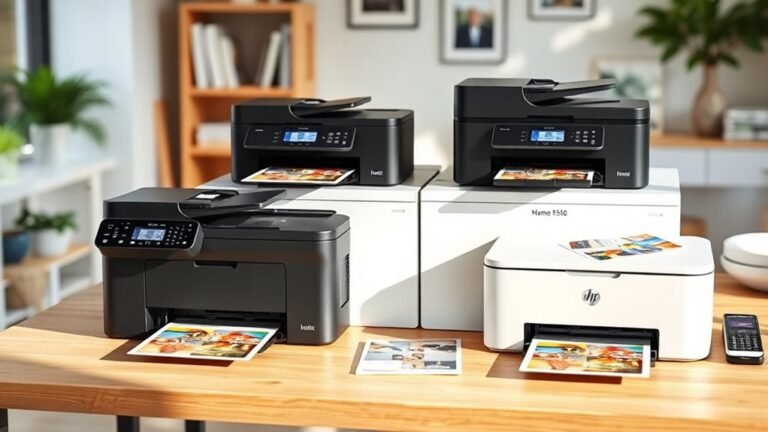
You’ll want a fast, reliable, and affordable black-and-white printer for campus life. Having a printer that fits your budget and handles your printing needs without hassle is key for college students. Whether you need quick notes or detailed assignments, the right printer can make all the difference.
The Canon LBP6030w and HP LaserJet M110w offer compact designs and wireless printing, perfect for cramped dorm rooms. These models are great if space is tight and you want the convenience of printing from your phone or laptop without cables.
Brother HL-L2405W handles higher volumes with faster speeds and larger trays. If you print a lot, this one keeps up without constant refills. Canon MF3010 adds scanning, which is handy for digitizing documents or submitting work electronically.
Meanwhile, the LBP172dw and Lexmark MS431dw provide speedy duplexing and sharp prints. Duplexing means you save paper by printing on both sides automatically. Each printer fits different needs, so exploring these options will help you find your perfect match for college printing demands.
| Image | Name | Editor's Rating | Price |
|---|---|---|---|

|
|
||

|
|
||

|
|
||

|
|
||

|
|
Canon imageCLASS LBP6030w Wireless Monochrome Laser Printer
- FAST PRINT SPEEDS: Print up to 19 pages per minute.
- COMPACT DESIGN: Space-saving, compact design fits anywhere in your home, school or small office.
- WIRELESS CONNECTIVITY: Print from almost anywhere in your workspace using your compatible mobile device.
- PAPER CAPACITY: Up to 150 sheets.
- SUSTAINABILITY: Uses less than 2 watts in Energy Saver mode.

The Canon imageCLASS LBP6030w Wireless Monochrome Laser Printer is designed to simplify your printing tasks with reliable performance. Its compact size and wireless connectivity help save space and eliminate tangled cables, making it easy to place anywhere at home or in a small office.
This printer efficiently handles black-and-white documents with sharp 600 x 600 dpi resolution and print speeds up to 19 pages per minute. It connects seamlessly via Wi-Fi or USB, allowing you to print directly from laptops or mobile devices without hassle.
Maintenance is straightforward thanks to its manageable 150-sheet paper capacity and energy-saving mode, which helps reduce power consumption during idle times. While it focuses solely on monochrome printing, its design supports consistent quality and ease of use.
Ideal for users who need a simple, affordable printer without multifunction extras like scanning or copying. It’s a practical solution for everyday document printing in home, school, or small office settings.
Best for: individuals or small businesses needing an affordable, compact, and efficient monochrome laser printer for home, school, or small office use.
What We Like:
- Wireless printing from laptops and mobile devices
- Compact, lightweight design fits small spaces
- Fast printing with clear, sharp text
- Simple maintenance with energy-saving mode
Specification:
| Feature | Details |
|---|---|
| Manufacturer | Canon |
| Dimensions | Under 15 inches wide |
| Weight | 11 pounds |
| Printing Type | Monochrome Laser |
| Print Resolution | 600 x 600 dpi |
| Print Speed | Up to 19 pages per minute |
| Connectivity | Wi-Fi, USB |
| Paper Capacity | 150 sheets |
HP LaserJet M110w | Monochrome | Laser Printer
- FROM AMERICA'S MOST TRUSTED PRINTER BRAND – Perfect for small teams printing professional-quality black & white documents and reports. Perfect for 1-3 people
- WORLD'S SMALLEST LASER IN ITS CLASS – Precision laser printing that fits anywhere
- FAST PRINT SPEEDS – Up to 21 black-and-white pages per minute single-sided
- WIRELESS WITH SELF-RESET – Helps you stay connected
- PRINT FROM ANY DEVICE – Wireless printing from any mobile device, PC or tablet. Works with Microsoft, Mac, AirPrint, Android, Chromebook and more
The HP LaserJet M110w is a compact and efficient monochrome laser printer designed to fit seamlessly into small spaces. Its ultra-small size and light weight make it ideal for tight office corners or home desks without sacrificing performance.
This printer delivers sharp black-and-white prints at a speed of up to 21 pages per minute, ensuring quick output for daily tasks. It supports both wireless and USB connections, allowing easy printing from smartphones, tablets, and laptops. This flexibility simplifies workflows and reduces cable clutter.
Maintenance is straightforward with the use of original HP toner cartridges designed for consistent quality. While it offers automatic duplex printing to save paper, its paper tray holds up to 150 sheets, which suits moderate print volumes.
The HP LaserJet M110w is perfect for users who need a reliable, space-saving printer that handles various paper types, including labels and envelopes. Its energy-efficient design helps reduce power consumption without compromising performance.
Best for: small offices or home users needing a compact, fast, and reliable monochrome laser printer with wireless capabilities.
What We Like:
- Ultra-compact and lightweight for limited spaces
- Fast print speed with crisp 600 x 600 dpi resolution
- Wireless and USB connectivity for versatile printing options
- Automatic duplex printing to reduce paper use
Specification:
| Feature | Details |
|---|---|
| Manufacturer | HP |
| Dimensions | 7.45 x 13.63 x 6.26 inches |
| Weight | 9 lb (4.08 kg) |
| Print Technology | Monochrome Laser |
| Print Speed | Up to 21 pages per minute |
| Resolution | 600 x 600 dpi |
| Connectivity | Wireless, USB |
| Paper Capacity | 150 sheets |
Brother HL-L2405W Wireless Monochrome Laser Printer
- BEST FOR HOMES & HOME OFFICES – Engineered for consistent, premium print quality, the Brother HL-L2405W Monochrome (Black & White) Laser Printer delivers sharp, crisp...
- COMPACT, CONNECTED PRINTER – Flexible connection options make this an ideal printer for home use and at-home offices. Securely connect to multiple devices with built-in...
- BROTHER MOBILE CONNECT APP – Manage your printer remotely and print from your mobile device anytime, from almost anywhere. Order Brother Genuine Supplies, track toner...
- VERSATILE PAPER HANDLING – Enjoy seamless, reliable everyday printing with the 250-sheet paper tray(4) and a manual feed slot that enables printing on envelopes and...
- BROTHER IS AT YOUR SIDE – Backed by Brother with a 1-year limited warranty and free online, call, or live chat support for the life of your printer
Experience reliable, efficient black-and-white printing with the Brother HL-L2405W Wireless Monochrome Laser Printer. Designed to meet the needs of busy college students and home users, it delivers crisp documents quickly, helping you stay productive without delays. Its compact design fits easily in small spaces, perfect for dorm rooms or home offices.
This printer’s fast output of up to 30 pages per minute ensures you spend less time waiting and more time on your tasks. The sharp 1200 x 1200 dpi resolution produces clear text and detailed graphics, ideal for assignments and professional documents. Wireless dual-band connectivity lets you print effortlessly from laptops, smartphones, or tablets anywhere in your space.
Maintenance is straightforward with the Brother Mobile Connect app, which helps you monitor toner levels and manage printing remotely. The 250-sheet paper tray reduces the need for frequent refills, while manual duplex printing supports double-sided documents, helping you save paper and reduce waste.
While it only prints in monochrome and requires manual intervention for duplexing, this printer’s focused functionality ensures reliability and efficiency for everyday document needs. Its lack of scanning or copying functions keeps it simple and dedicated to fast, quality printing.
Best for: Students and home users needing a compact, fast, and dependable monochrome printer for everyday document printing.
What We Like:
- Fast printing speed with sharp 1200 x 1200 dpi resolution
- Dual-band wireless printing from multiple devices
- Large 250-sheet capacity and manual duplex for paper savings
- Easy toner management through Brother Mobile Connect app
Specification:
| Feature | Details |
|---|---|
| Manufacturer | Brother |
| Dimensions (W x D x H) | 14.2 x 14.2 x 7.2 inches (36 x 36 x 18.3 cm) |
| Weight | 15.9 lbs (7.2 kg) |
| Printing Technology | Monochrome Laser |
| Print Speed | Up to 30 ppm |
| Resolution | 1200 x 1200 dpi |
| Connectivity | Wireless dual-band (2.4/5 GHz) |
| Paper Capacity | 250 sheets |
| Duplex Printing | Manual duplex |
Canon imageCLASS MF3010 Wired Monochrome Laser Printer
No products found.
The Canon imageCLASS MF3010 is a dependable monochrome laser printer designed to keep your workflow smooth and efficient. Its fast printing speed of 19 pages per minute helps you complete tasks quickly, minimizing wait times during busy study or work sessions. The wired connection ensures a stable and consistent link to your device, reducing interruptions.
This multifunction device handles printing, scanning, and copying effortlessly. Its automatic duplex printing helps save paper by printing on both sides, while the ID card copy function simplifies document management. The compact and lightweight design fits comfortably in small spaces, ideal for dorm rooms or home offices.
Maintaining the MF3010 is straightforward with its 150-sheet paper tray and toner that yields up to 2,300 pages. This reduces the frequency of refills and toner replacements, allowing you to focus on your work without constant interruptions. USB connectivity and compatibility with Windows, Mac, and Linux systems make integration simple.
While it offers solid performance, note that it prints only in black and white and lacks wireless options. The single paper tray and wired USB connection may not suit users needing color printing or wireless flexibility.
Best for: Students and home office users seeking a reliable, fast monochrome laser printer with multifunction features and easy wired setup.
What We Like:
- Rapid 19 ppm print and copy speeds with duplex printing
- Multifunction capabilities including scanning and ID card copying
- Compatible with Windows, Mac, and Linux via USB
- Compact design ideal for limited spaces
- Toner cartridge yields up to 2,300 pages reducing maintenance frequency
Specification:
| Feature | Details |
|---|---|
| Manufacturer | Canon |
| Dimensions (W×D×H) | Compact size (exact not specified) |
| Weight | 16.8 lb (7.6 kg) |
| Connectivity | USB wired |
| Printing Technology | Monochrome Laser |
| Paper Capacity | 150 sheets |
| Operating Systems | Windows, Mac, Linux |
Canon imageCLASS LBP172dw Wireless Monochrome Laser Printer
- Wireless, monochrome duplex printer (print only)
- Print up to 35 pages per minute
- Uses Toner 072 / 072 high-capacity toner
- 250-sheet standard cassette
- Print on-the-go with Canon PRINT app, Apple Airprint, Mopria Print Service
The Canon imageCLASS LBP172dw offers a reliable solution for busy environments where quick, efficient printing is essential. It helps you handle heavy workloads by delivering sharp black-and-white prints at speeds up to 35 pages per minute. This ensures your documents are ready without long waits, keeping your workflow smooth.
Designed for convenience, the LBP172dw features automatic duplex printing. This reduces paper consumption and cuts down on manual handling. Its 250-sheet capacity means fewer interruptions to reload paper, allowing more focus on your tasks.
Compact and stylish, this white printer fits well in tight spaces like dorm rooms or small offices. Wireless connectivity lets you print from smartphones, tablets, and Chromebooks using the Canon PRINT app, Apple AirPrint, or Mopria. This flexibility supports diverse devices effortlessly.
Maintenance is straightforward with this ENERGY STAR certified model. It balances performance and energy efficiency, minimizing operating costs. Although it prints only in monochrome and lacks scanning or copying functions, its focused design meets specific monochrome printing needs effectively.
Best for: Students and small office users requiring fast, dependable monochrome printing with wireless ease.
What We Like:
- Fast printing speed of up to 35 pages per minute at 600 x 600 dpi.
- Automatic duplex printing reduces paper use and saves time.
- Large 250-sheet paper capacity limits frequent refills.
- Wireless printing compatibility with multiple mobile apps.
- Compact design suitable for small spaces.
Specification:
| Feature | Details |
|---|---|
| Manufacturer | Canon |
| Dimensions | Compact (exact size not provided) |
| Weight | Not specified |
| Color | White |
| Print Speed | Up to 35 ppm (pages per minute) |
| Print Resolution | 600 x 600 dpi |
| Paper Capacity | 250 sheets |
| Connectivity | Wireless (Canon PRINT, AirPrint, Mopria) |
| Duplex Printing | Automatic |
| Printing Type | Monochrome Laser |
Lexmark MS431dw Wireless Black & White Laser Printer
- SMALL: Compact laser printer fits almost anywhere (8. 7 x 14. 5 x 14. 3 inches / 222 x 368 x 363 millimeter). Recommended Monthly Page Volume-800 - 8000 pages
- EASY TO USE: Plug it in and go. Setup is fast and easy. Standard Wi-Fi makes it easy to print from mobile devices.
- DURABLE: Steel frame and long-life imaging components mean it’s built to last.
- SUSTAINABLE: Two-sided printing is standard, and built-in energy-saving modes help support ratings of Epeat Silver and Energy star certified
- INTERACTIVE: Two-line display lets you configure, interact with, and monitor vital system information.
Experience fast, reliable printing with the Lexmark MS431dw wireless black-and-white laser printer. Designed to handle busy workloads, it delivers sharp prints at up to 2400 dpi and produces your first page in under 6 seconds. Its compact, sturdy steel frame fits neatly on your desk while withstanding heavy daily use.
This printer simplifies connectivity with Wi-Fi, Ethernet, and USB options, making it easy to integrate into your home or small office setup. Mobile and cloud printing support adds flexibility, allowing you to print from multiple devices without hassle.
Maintenance is straightforward with an auto-duplex feature that reduces paper waste and a standard 100-sheet tray that can expand to 550 sheets if your volume increases. The energy-efficient design helps lower operating costs while maintaining performance.
Ideal for users who need fast black-and-white output without the complexity of color printing, the Lexmark MS431dw balances speed, durability, and connectivity. Its basic two-line display keeps controls simple, though advanced settings may require extra navigation.
Best for: Students and small office users seeking efficient, high-speed black-and-white printing with versatile connectivity and durable design.
What We Like:
- Fast printing speed up to 42 pages per minute with sharp resolution.
- Multiple connection options including Wi-Fi, Ethernet, USB, plus mobile and cloud printing.
- Auto-duplex printing saves paper and reduces costs.
- Compact and durable steel frame fits easily in tight spaces.
- Expandable paper capacity supports varying workloads.
Specification:
| Feature | Description |
|---|---|
| Manufacturer | Lexmark |
| Dimensions | Compact size (exact size not specified) |
| Weight | Not specified |
| Material | Steel frame |
| Color Options | Black and white laser printer only |
Factors to Consider When Choosing a Black and White Printer for College Students
When choosing a black and white printer for college, you’ll want to take into account print speed to keep up with your assignments. Check the connectivity options to make sure it works smoothly with your devices.
Also, think about print quality, paper handling, and how portable the printer needs to be for your space. It’s all about finding the right balance that fits your needs without any hassle.
Print Speed Importance
You’ll often find that faster print speeds, ranging from 19 to over 40 pages per minute, save valuable time during busy study sessions or group projects. When handling large assignments or multi-page handouts, a higher pages-per-minute (ppm) rate means less waiting.
Don’t overlook first-page-out time—printers that take just 6 to 9 seconds to start printing your first page reduce delays when producing quick drafts or single pages. If you print frequently or in high volumes, choose a model with a strong sustained ppm to efficiently manage bursts like exam packets.
Also, consider if automatic duplexing affects your workflow; while it saves paper, it might slow down printing compared to single-sided options. Match your printer speed with your typical print volume to optimize time and productivity.
Connectivity Options Available
Fast print speeds are only part of what makes a printer a great fit for college life. You’ll want a model that supports both Wi-Fi (2.4 GHz and ideally 5 GHz) and USB connections so you can print wirelessly from phones and tablets or directly from laptops when needed.
Look for AirPrint, Mopria, or native mobile-print app compatibility to print effortlessly from iOS, Android, Chromebooks, and tablets without installing drivers. It just makes life easier, right?
If you plan to share the printer with dorm mates or study groups, consider Ethernet or network capability for reliable multi-user access and faster large-job transfers. Also, check for USB-A or USB-B ports and confirm driver support for Windows, macOS, or Linux to avoid compatibility headaches.
Finally, if you use cloud storage or voice assistants, make certain cloud printing service support is included. That way, you can print from wherever you are, no hassle.
Print Quality Expectations
How crisp and clear do you need your prints to be? For college assignments, 600 x 600 dpi usually delivers sharp text and simple graphics. But if you want smoother fine lines and better halftone detail, aim for 1200 x 1200 dpi or higher.
Monochrome output with 1-bit color depth is enough for typical texts, charts, and black-and-white graphics. Though, higher resolutions improve readability on small fonts and line art.
Quick first-page-out times (6–9 seconds) help when printing short assignments. Meanwhile, multi-page jobs benefit from steady pages-per-minute speed.
Also, consider toner yield and print consistency to avoid fading or banding during long print runs. Features like automatic duplex printing and precise paper handling prevent smudging and misfeeds. This ensures professional-looking two-sided documents.
Paper Handling Capacity
Beyond print quality, managing your paper supply effectively can save you time and hassle during busy semesters. Choose a printer with an input tray capacity that fits your workload—150 to 250 sheets work well for weekly assignments, while 250+ sheets suit frequent large projects.
Check the output tray’s capacity too; holding 100+ sheets helps avoid interruptions during multi-page jobs. Make sure your printer supports the paper sizes and types you need, like legal paper or envelopes for special projects.
If you print long documents, automatic duplexing saves paper and fits more pages per sheet. Finally, if you share your printer or expect heavy use, look for a higher monthly duty cycle or extra trays to keep printing smooth and minimize refills.
Portability And Size
When picking a black and white printer for college, you’ll want to zero in on size and portability to fit your lifestyle. Choose a model that fits your usual carrying method, whether it’s a backpack or rolling bag, ideally under 12–15 pounds.
Look for a compact design with a width under 15 inches and depth around 10–12 inches to save space on crowded desks or dorm shelves. Wireless printing support is a plus, letting you print without hauling a USB cable and set up anywhere with Wi-Fi.
Keep in mind, smaller printers often have paper trays holding 150 sheets or less, so you might refill more often if you print large assignments. Also, consider power needs since most compact lasers require mains power.
Energy Efficiency Considerations
Considering energy efficiency helps you save money and reduce environmental impact while using a black and white printer. Look for models with ENERGY STAR or EPEAT certifications—they usually consume less power both in active and standby modes.
Also, pay attention to sleep mode power draw; printers using under 2–3 watts during idle periods are ideal for dorm life. Fast first-page-out times and quick warm-ups minimize energy spikes, lowering per-print costs.
Automatic duplexing not only saves paper but also cuts energy use by halving the number of prints for two-sided assignments. To estimate your monthly energy use, factor in your average pages printed, the printer’s per-page energy including warm-up, and idle hours.
This way, you can compare annual electricity consumption and operating expenses effectively. It’s a smart move that benefits both your wallet and the environment!
Frequently Asked Questions
How Do Black and White Printers Compare to Color Printers in Maintenance Costs?
You’ll find black and white printers usually cost less to maintain because their ink or toner lasts longer and cartridges are cheaper.
Color printers require more frequent replacements and can get pricey, especially if you print a lot. It’s just the nature of having more colors involved. So, if you don’t need color prints often, sticking with black and white might save you some cash.
Can These Printers Handle High-Volume Printing Without Overheating?
Yes, these printers can handle high-volume printing without overheating, but you’ll want to check specs carefully. Some models include advanced cooling systems, so you won’t have to worry about pauses or damage during those intense print sessions.
It’s always a good idea to look into the specific features of each model. That way, you can be sure it fits your printing needs without any hiccups.
Are There Any Eco-Friendly Black and White Printers Recommended for Students?
Yes, you can find eco-friendly black and white printers that use energy-saving modes and recycled toner cartridges. Look for models with ENERGY STAR certification to reduce your environmental impact while keeping printing costs low at school.
It’s pretty easy to find printers that balance being green and budget-friendly. Just keep an eye out for those energy-saving features and sustainable supplies—they really make a difference.
What Are the Warranty Terms Typically Offered With These Printers?
Warranty terms usually cover one year, but some brands throw in two, like a safety net for your printer.
You’ll get repair or replacement, sometimes with extra coverage if you register or buy extended plans.
It’s always a good idea to check the details before you buy, so you know exactly what’s included.
Do These Printers Support Mobile Printing Apps or Cloud Services?
Yes, most of these printers support mobile printing apps and cloud services, letting you print directly from your smartphone or laptop.
You’ll find compatibility with AirPrint, Google Cloud Print, and manufacturer-specific apps for easy wireless printing.
It really makes printing on the go super convenient and hassle-free. Just connect and print without any fuss!
Conclusion
Choosing the perfect black and white printer doesn’t have to be an intimidating task. Whether you crave wireless freedom or reliable wired connections, there’s a model here that fits your study hustle.
Remember, your printer should be as hardworking as you are—fast, efficient, and budget-friendly. So, why wait? Make your pick and let your assignments flow as smoothly as ink on paper.
After all, your academic success deserves nothing less! A great black and white printer for college students can make all the difference in managing your workload. With the right printer, you get speed, quality, and affordability all in one device.
So go ahead, choose the best black and white printer for your needs and watch your study sessions become that much easier and more productive.