5 Best Black Inkjet Printers for 2027
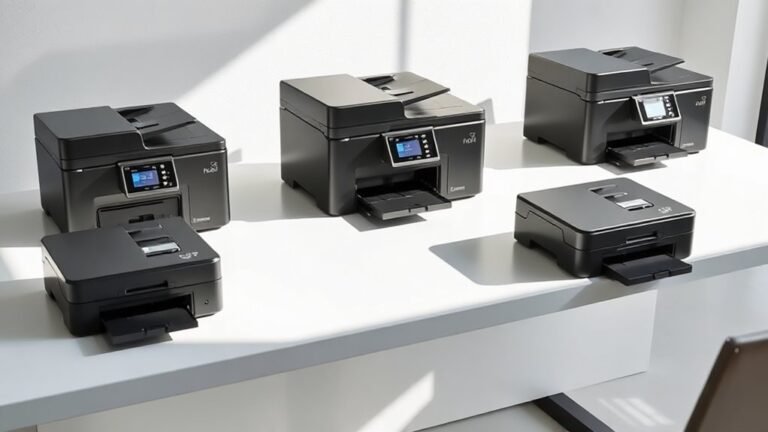
You’ll want reliable models like the Canon PIXMA TR4720 or TR8620a for versatile all-in-one functions with solid black printing. These printers handle everything from scanning to copying, making them great for home or small office use.
The TS702a suits high-volume print-only needs, while the TS5320 offers compact all-in-one convenience. If space is tight, the TS5320 fits nicely without sacrificing functionality.
The MG3620 delivers solid resolution and wireless ease. Each model balances print quality, speed, and connectivity options differently to fit various workflows.
If you want to optimize for your space, budget, and ink costs, exploring the key specs and features will guide your choice. Finding the right black inkjet printer means matching it to your specific printing habits and needs.
| Image | Name | Editor's Rating | Price |
|---|---|---|---|

|
|
||

|
|
||
|
|
||
|
|
||
|
|
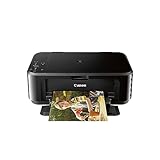
Canon PIXMA TR4720 Wireless All-in-One Printer
- Wireless 4-in-1 (print | copy | scan | fax)..Power Consumption: 7W (0.8W Standby / 0.3W Off)
- Print speed up to: 4" x 6" Borderless Photo (PP-201): Approx. 65.0 Seconds / Black Document (Letter/Simplex): Approx. 8.8 ipm / Color Document (Letter/Simplex): Approx...
- Designed for easy ink cartridge installation and replacement.
- Auto 2-sided printing and auto document feeder.
- Produce quality documents, photos and boarderless prints up to 8.5" x 11".

The Canon PIXMA TR4720 Wireless All-in-One Printer is designed to simplify your daily printing tasks. It offers a compact solution that tackles printing, scanning, copying, and faxing with ease, making it ideal for both home and office environments. Wireless connectivity and mobile printing through Canon’s apps bring convenience, allowing you to print directly from your smartphone or tablet.
This printer helps reduce paper waste with automatic two-sided printing and manages multiple pages efficiently thanks to its 100-sheet front paper tray and auto document feeder. Maintaining the printer is straightforward, and smart ink management is supported via Alexa integration, helping you monitor ink levels without hassle.
With a high print resolution of up to 4800 x 1200 dpi, your documents come out sharp and vibrant, whether text or photos. ENERGY STAR certification ensures it operates efficiently, balancing performance with energy savings. However, its print speed is moderate, and connectivity options are limited to wireless and a single USB port.
Best for: individuals and small offices needing a versatile, space-saving all-in-one printer with wireless and mobile features for everyday use.
What We Like:
- Wireless and mobile printing with Alexa-enabled smart ink management
- Automatic two-sided printing and efficient document handling
- High-resolution printing producing sharp text and vibrant colors
- ENERGY STAR certified for energy efficiency
Specification:
| Feature | Details |
|---|---|
| Manufacturer | Canon |
| Dimensions | Compact design (exact size not specified) |
| Weight | Not specified |
| Color | Black |
| Print Resolution | Up to 4800 x 1200 dpi |
| Connectivity | Wireless, USB |
| Paper Tray Capacity | 100 sheets |
Canon PIXMA TR8620a All-in-One Printer Black
- Never run out of ink. Connect your printer to Alexa and receive notifications when you’re running low. Alexa can even place a smart reorder from Amazon on your behalf...
- Enrolling in Smart Reorders with Alexa ensures that you never have too much or too little ink supplies. No subscription needed.
- Wireless 4-in-1 (Print | Copy | Scan | Fax)
- 15 / 10 ipm Print Speed
- 200 Sheet Capacity (100 Cassette, 100 Rear Feed)
The Canon PIXMA TR8620a is designed to simplify your home office tasks with its versatile all-in-one capabilities. It handles printing, copying, scanning, and faxing, reducing the need for multiple devices. Its compact design fits easily in limited spaces while offering reliable performance.
This printer improves workflow with its auto document feeder and two-sided printing, saving time and paper. Wireless connectivity supports AirPrint and Android devices, allowing you to print effortlessly from smartphones or tablets. Alexa integration adds hands-free convenience for quick commands.
Maintenance is straightforward thanks to its efficient ink usage and low-ink alerts, helping you avoid unexpected interruptions. With a 200-sheet capacity, it supports moderate volume printing without frequent refills. The printer’s energy-efficient certifications reflect its eco-conscious design.
While print speeds are moderate and the duty cycle suits light to medium use, this model excels in balancing functionality and ease of use for home office needs. Its smart features and eco-friendliness make everyday printing practical and sustainable.
Best for: Home office users needing a compact, multifunctional printer with smart connectivity and efficient operation.
What We Like:
- 4-in-1 functionality with auto document feeder and duplex printing
- Wireless printing compatible with AirPrint, Android, and Alexa
- ENERGY STAR certified and EPEAT Silver rated for energy efficiency
- 200-sheet paper capacity supports moderate workloads
- Easy maintenance with low-ink alerts and efficient ink consumption
Specification:
| Feature | Details |
|---|---|
| Manufacturer | Canon |
| Dimensions (W×D×H) | Approx. 15.0 × 12.0 × 7.5 inches |
| Weight | Approx. 14.5 lbs (6.6 kg) |
| Color | Black |
| Functions | Print, Copy, Scan, Fax |
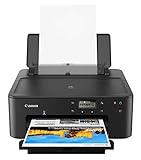
Canon PIXMA TS702a Wireless Print-Only Printer
- Efficient Everyday Printing: It can print great looking borderless photos and even supports various paper types & sizes, from 3.5” x 3.5” Square up to legal size...
- Print Connectivity: Whether that is a smartphone, tablet or computer. Have peace of mind and connect with AirPrintFootnote4, Mopria Print ServiceFootnote...
- Big Performance with Compact Design: With a 350 SHEET plain paper capacity the PIXMA TS702 is ready to take on large print jobs.
- Wireless Single-Function: Print only featuring Auto 2-Sided (Duplex) Printing.
- Sharp Text: The hybrid ink system combines dye ink for rich colors and black pigment ink.
Experience hassle-free, high-volume printing with the Canon PIXMA TS702a wireless printer. Designed for users who focus solely on printing, this device offers sharp black text and vivid colors, making every document and photo stand out. Its wireless setup reduces clutter and simplifies your printing process.
The TS702a supports automatic duplex printing, cutting paper usage and saving time on two-sided projects. It handles a broad range of paper sizes—from small squares to legal documents—and even produces borderless photos. This versatility means you can tackle various printing tasks without swapping devices.
With a generous 350-sheet paper capacity, you’ll spend less time replenishing paper, keeping your workflow smooth. The printer’s compact design fits comfortably in most workspaces, helping you maintain an organized environment without sacrificing functionality.
Connectivity options like Wi-Fi, Ethernet, AirPrint, and Mopria ensure easy mobile and network printing. While it lacks scanning and copying capabilities, its focused design makes it ideal for users needing a reliable, efficient printer without extra features.
Best for: professionals or home users who require a high-volume, wireless printer dedicated to producing clear text and vibrant color prints without scanning or copying needs.
What We Like:
- Auto duplex printing reduces paper waste and speeds up double-sided jobs
- Large 350-sheet capacity minimizes frequent paper refills
- Multiple connectivity options enhance convenience for mobile and network printing
- Compact footprint fits well in limited workspace
Specification:
| Feature | Details |
|---|---|
| Manufacturer | Canon |
| Dimensions | Compact (exact size not provided) |
| Weight | Not specified |
| Color Options | Not specified |
| Connectivity | Wi-Fi, Ethernet, AirPrint, Mopria |
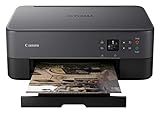
Canon TS5320 Wireless All-in-One Printer Black
- With a 1.44 inch OLED display & LED status bar easily navigate and view your printer status; The OLED display displays deep, accurate color and the LED status bar...
- The Pixma TS5320 has a compact & stylish design that fits your space and personality; Not only is it small, but it comes in 4 distinct colors; Black, white, green, and...
- Designed for ease of use and simple replacement, the Pixma TS5320 only needs 2 fine cartridges for great print quality; Enjoy sharp text documents and great looking...
- With Air Print, easily print from your iPhone, iPad, and Mac without additional apps; (4) Air Print allows you to wirelessly print photos and documents without the need...
Experience hassle-free wireless printing with the Canon TS5320, designed to simplify your home office tasks. This all-in-one printer lets you print, scan, and copy with ease, thanks to its compact size and user-friendly 1.44″ OLED display. Setup is straightforward via Wi-Fi, Bluetooth, or the Canon Print app, making connectivity seamless.
The TS5320’s two-cartridge hybrid ink system produces sharp, high-resolution prints up to 4800 x 1200 dpi. Duplex printing helps reduce paper waste and boosts efficiency. Its 100-sheet tray supports various paper sizes, giving you flexibility for everyday printing needs.
Maintenance is simple, though the hybrid ink cartridges may require more frequent replacement compared to multi-cartridge systems. While print speeds are moderate, especially for color at 6.8 pages per minute, the printer balances quality and convenience.
This model fits well in tech-savvy homes with voice control via Alexa and multiple connectivity options. Its sleek design and compact footprint help save desk space without sacrificing functionality.
Best for: individuals and home office users needing a compact, versatile all-in-one printer with reliable wireless connectivity and quality color printing.
What We Like:
- Compact design with intuitive OLED display and LED status bar
- Multiple connectivity options including Wi-Fi, Bluetooth, USB, and Alexa voice control
- High print resolution with duplex printing support
- Flexible 100-sheet tray accommodating various paper sizes
Specification:
| Feature | Details |
|---|---|
| Manufacturer | Canon |
| Dimensions | Compact size (exact dimensions not provided) |
| Weight | Not specified |
| Color Options | Black |
| Connectivity | Wi-Fi, Bluetooth, USB, Alexa voice control |
| Display | 1.44″ OLED |
Canon Pixma MG3620 Wireless All-in-One Printer
- Wireless 3-in-1 (print | copy | scan)
- Easily print and scan photos and documents directly from your mobile devices.
- 9.9 / 5.7 ipm print speed
- 100 sheet capacity
- Auto 2-sided printing
Experience hassle-free printing with the Canon Pixma MG3620, designed to fit perfectly in your home office or living space. This compact all-in-one printer lets you print, scan, and copy without the clutter of wires. Its wireless connectivity means you can easily send documents from your smartphone or tablet, simplifying everyday tasks.
The MG3620 supports automatic duplex printing, helping you save paper while producing sharp black-and-white text at 9.9 ipm and vibrant color prints at 5.7 ipm. With a maximum color resolution of 4800 x 1200 dpi, your photos and documents come out crisp and clear every time. Its small footprint makes it ideal for limited spaces.
Maintenance is straightforward, and the printer integrates with Alexa for ink reorder alerts, so you never run out of supplies unexpectedly. While it handles standard paper sizes, the single 100-sheet tray means frequent refills during heavy use. Keep in mind, its Mac OS compatibility is limited to version 10.10 and earlier.
Best for: Home users needing an affordable, space-saving wireless all-in-one printer with easy mobile device connectivity.
What We Like:
- Wireless printing via AirPrint and Google Cloud Print for mobile ease
- Automatic duplex saves paper and time
- Alexa integration for convenient ink reorder notifications
- High-quality color printing with sharp resolution
Specification:
| Feature | Details |
|---|---|
| Manufacturer | Canon |
| Dimensions (W x D x H) | 17.7 x 12.6 x 5.9 inches |
| Weight | 8.8 lbs |
| Color Options | Black |
| Maximum Print Resolution | 4800 x 1200 dpi |
| Paper Tray Capacity | 100 sheets |
| Print Speed (Black) | 9.9 ipm |
| Print Speed (Color) | 5.7 ipm |
Factors to Consider When Choosing a Black Inkjet Printer
When choosing a black inkjet printer, you’ll want to focus on print quality and resolution to guarantee sharp, clear documents. It’s all about getting those crisp lines and bold text that stand out.
Consider connectivity options and print speed to match your workflow needs. You don’t want to be stuck waiting forever for your pages to print, right?
Don’t forget duplex printing and paper handling capacity for added convenience and efficiency. These features can really save you time and hassle in the long run.
Print Quality and Resolution
Although many factors influence your choice of a black inkjet printer, print quality and resolution stand out as essential. You’ll want to look for a maximum print resolution, measured in dpi, with higher values like 4800 x 1200 dpi delivering finer details and smoother gradients.
Consider the ink system: pigment black inks offer sharper, more legible text and better water resistance, while dye-based colors produce vivid photos. It’s worth paying attention to color depth and bit processing—higher bit input allows more precise tonal gradations in grayscale and color prints.
Also, evaluate halftoning and color management features, such as ICC profile support, which guarantee accurate subtle tones and neutral grays. Finally, check the smallest printable dot size and nozzle configuration, since smaller droplets and more nozzles reduce banding and improve edge sharpness.
Connectivity Options Available
How you connect your black inkjet printer can make a big difference in convenience and performance. Wi-Fi lets you print wirelessly from multiple devices and often supports AirPrint or Mopria. That means your iPhone or Android can print without needing extra drivers.
Ethernet offers a stable, secure connection, which is ideal for shared printers in busy home offices or small networks. It’s a solid choice if you want reliable performance without interruptions.
USB Type-B or Type-A ports give you a straightforward, low-latency link to a single PC. But keep in mind, they don’t support network sharing by themselves.
Mobile printing features like apps, cloud printing, and Wi-Fi Direct let you print from smartphones or tablets without joining the local network. It’s super handy when you want to print on the go.
Voice assistant integration and automatic ink reordering need internet access. So, it’s worth thinking about privacy and any subscription costs before relying on these services.
Print Speed Performance
Connectivity options help you get your documents to the printer, but print speed determines how quickly those documents come out. Print speed is usually measured in pages per minute (ppm) for black text—higher numbers mean faster output, ideal for heavy document tasks.
Keep in mind, these speeds often reflect simplex printing on standard paper; two-sided printing typically cuts speed by half or more. Also, published speeds assume ideal conditions and don’t factor in warm-up times, complex graphics, or high-quality settings that slow things down.
Don’t just look at speed—consider the printer’s duty cycle and your monthly print volume to make sure it can handle your workload. For mixed use, check both black text speed and first-page-out time to match your quick print needs.
Duplex Printing Capability
When you choose a black inkjet printer, considering duplex printing capability can materially reduce your paper use and costs by enabling automatic two-sided printing. Look for printers with built-in duplex units rather than manual duplex, so you don’t have to flip pages yourself—this saves time and cuts down on paper jams.
Keep in mind that duplex printing usually runs slower than single-sided printing because the printer handles paper twice. Also, verify that the duplex mechanism supports the media sizes and weights you plan to use, especially if you print on heavy cardstock or specialty photo paper.
Finally, check print quality and front-to-back alignment to avoid misaligned text or images in double-sided documents like brochures or booklets. These considerations guarantee efficient, high-quality two-sided printing.
Paper Handling Capacity
Beyond duplex printing, paper handling capacity plays a significant role in choosing the right black inkjet printer for your needs. First, consider the input tray capacity—aim for 100 to 350 sheets or more—so you’re not constantly refilling paper during large print jobs.
If you print on various media types, look for models with multiple trays or rear feeds that support photo or specialty paper without swapping sheets. Check the output tray size and paper path design; a straight-through path reduces jams, especially with thick media or big runs.
Make sure the printer supports the media sizes and types you need, like envelopes or heavy cardstock, and confirm the maximum paper weight it can handle to avoid compatibility issues. These factors keep your printing smooth and efficient.
Ink Efficiency and Cost
How much you spend on ink can make or break your choice of a black inkjet printer. Start by checking the cartridge yield and cost per page—divide the cartridge price by its page yield to know the real cost.
Opt for printers with high-yield or XL black cartridges and multipacks; these can cut your cost per page by 30–60%. Also, look for pigment-based black inks if you print mostly text, as they offer sharper prints and longer durability.
Choose models with separate black cartridges so you replace only what’s empty, saving money over time. Finally, consider maintenance factors like automatic cleaning cycles that use extra ink, especially if the printer sits idle often.
These can increase your overall ink consumption and costs, so keep that in mind when making your choice.
Device Size and Design
Ink costs are only one piece of the puzzle when picking a black inkjet printer. You should measure your available desk or shelf space and compare it to the printer’s footprint—typically 12″–18″ deep and 15″–18″ wide—and height.
Make sure there’s enough room for paper trays to open comfortably. If you plan to move the printer between rooms, consider its weight; most consumer inkjets weigh 10–20 pounds, which affects portability.
Check paper tray capacity and placement to fit your workflow, and look for user-friendly access to controls and cartridge bays to minimize hassle.
Finally, leave a few inches of clearance around the unit for ventilation and cable management, ensuring smooth operation without overheating or cramped cabling.
Frequently Asked Questions
How Do I Recycle Used Ink Cartridges Responsibly?
You can recycle used ink cartridges responsibly by returning them to the manufacturer’s recycling program or dropping them off at local recycling centers.
Don’t throw them in the trash—many stores offer free cartridge recycling, so take advantage! It’s a simple way to keep harmful materials out of landfills and help the environment.
Can Black Inkjet Printers Print on Fabric or Other Materials?
You might think black inkjet printers can’t handle fabric, but they can—with special fabric sheets or printable heat transfer paper.
Just make sure your ink is compatible, and you’ll create crisp, lasting designs on various materials easily.
It’s actually pretty simple once you get the hang of it.
You just need the right supplies, and you’re good to go!
What Are the Environmental Impacts of Black Inkjet Printers?
You’ll find black inkjet printers use less energy than lasers but create waste from cartridges and plastic parts.
Choosing refillable or recycled ink cartridges helps reduce their environmental impact markedly.
It’s a simple switch that can make a big difference for the planet. Just a little effort goes a long way!
How Often Should I Clean My Black Inkjet Printer?
You should clean your black inkjet printer every 1-2 weeks if you use it regularly.
If it’s been sitting idle, make sure to clean it before printing. This helps avoid clogs and keeps your print quality sharp.
Also, don’t forget to run cleaning cycles every now and then. It really makes a difference!
Are There Any Subscription Services for Black Ink Cartridges?
Yes, you can subscribe to services like HP Instant Ink or Epson ReadyInk. These services deliver black ink cartridges automatically before you run out.
They save you time and often reduce printing costs. Plus, they offer flexible plans tailored to your usage. It’s pretty convenient!
Conclusion
Choosing the perfect black inkjet printer can feel like hunting for a mythical creature—except it’s right here, waiting for you! With these top five Canon models, you’ll never wrestle with smudges or slow prints again.
Whether you crave wireless freedom or all-in-one magic, these printers have you covered. Don’t settle for anything less—grab one now, and watch your printing woes vanish like a magician’s trick!
When it comes to black inkjet printers, reliability and quality matter most. These Canon printers combine sharp, smudge-free prints with fast performance, making them ideal for home or office use. Plus, their user-friendly features ensure hassle-free printing every time.
So, if you’re searching for the best black inkjet printer in 2027, these models are your go-to choice. Enjoy crisp text, smooth wireless printing, and versatile functionality—all wrapped up in one sleek package. Your perfect black inkjet printer is just a click away!