10 Best All-in-One Scanner and Printer for 2027
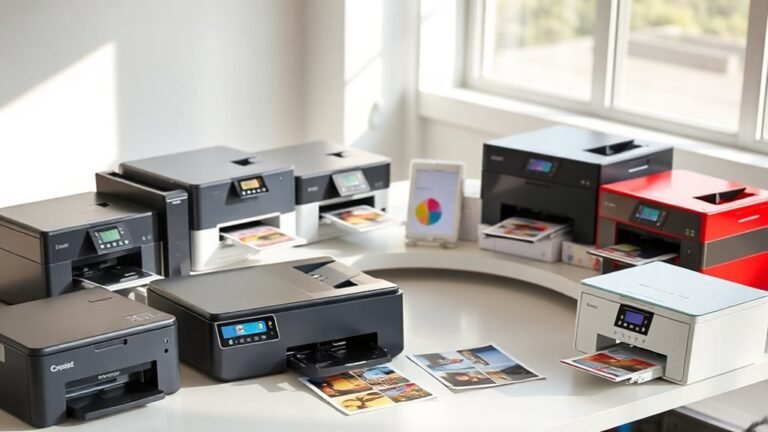
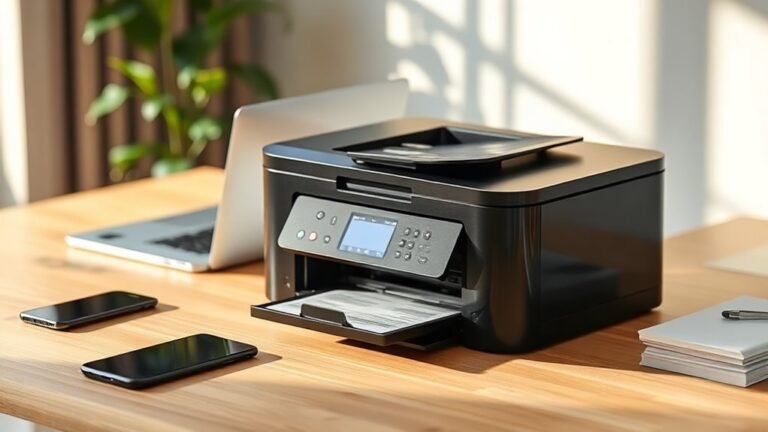
If you’re looking for a fast, reliable all-in-one scanner and printer in 2027, there are plenty of great options to consider.
Models like the HP OfficeJet Pro 8125 and Canon MegaTank G3270 stand out for their excellent print quality and cost efficiency, making them perfect for both home and small business use.
Compact designs like the Brother DCP-L2640DW and Canon PIXMA TS6520 are ideal if you’re tight on space but still want strong performance.
Plus, features such as wireless connectivity and auto duplex printing help make your tasks easier and more efficient.
Keep exploring to find the perfect blend of speed, design, and affordability that fits your unique needs.
With so many choices, you’re sure to discover an all-in-one scanner and printer that works just right for you.
| Image | Name | Editor's Rating | Price |
|---|---|---|---|

|
|
||

|
|
||

|
|
||

|
|
||

|
|
HP OfficeJet Pro 8125 Wireless All-in-One Printer
- FROM AMERICA'S MOST TRUSTED PRINTER BRAND – The OfficeJet Pro 8125 is perfect for home offices printing professional-quality color documents like business documents...
- 3 MONTH TRIAL OF INSTANT INK INCLUDED – Subscribe to the Instant Ink delivery service to get ink delivered directly to your door before you run out, and you save up to...
- KEY FEATURES – Fast color printing, scan, copy, auto 2-sided printing, auto document feeder, and a 225-sheet input tray
- 2.7-INCH TOUCHSCREEN – Quickly navigate your printer with a large color touchscreen and a phone-like user interface
- WIRELESS PRINTING – Stay connected with our most reliable dual-band Wi-Fi, which automatically detects and resolves connection issues

The HP OfficeJet Pro 8125 is designed to boost productivity in your home office with reliable all-in-one functionality. It handles printing, scanning, and copying tasks efficiently, reducing the need for multiple devices. The automatic document feeder and 225-sheet input tray help you manage large jobs without frequent interruptions.
This printer delivers sharp black-and-white prints at speeds up to 20 pages per minute, while color documents come out vibrant and professional. Dual-band Wi-Fi ensures stable wireless connections, and the 2.7-inch color touchscreen simplifies navigation and setup. These features make it easy to integrate into busy workflows.
Maintenance is straightforward with HP’s original cartridges, ensuring consistent print quality. However, keep in mind that copy speeds are slower, maxing out at 12 pages per minute, and the paper size is limited to standard letter dimensions. The printer’s build incorporates over 45% recycled plastic, supporting eco-friendly office practices.
Security is enhanced by HP Wolf Essential Security, protecting your data against potential threats. This combination of performance, sustainability, and security makes the OfficeJet Pro 8125 a practical choice for professional use.
Best for: professionals and home office users who need a reliable, high-quality all-in-one printer with wireless connectivity and eco-friendly features.
What We Like:
- Fast black-and-white print speeds up to 20 ppm
- Easy wireless setup with dual-band Wi-Fi and touchscreen
- Sustainable design using over 45% recycled plastic
- Enhanced data protection via HP Wolf Essential Security
Specification:
| Feature | Details |
|---|---|
| Manufacturer | HP |
| Dimensions (W x D x H) | 17.2 x 15.7 x 9.7 inches |
| Weight | 17.3 lbs (7.85 kg) |
| Paper Capacity | 225-sheet input tray |
| Connectivity | Dual-band Wi-Fi |
| Display | 2.7-inch color touchscreen |
| Material | Over 45% recycled plastic |
Brother DCP-L2640DW Wireless Monochrome Printer
- BEST FOR SMALL BUSINESSES – Engineered for extraordinary productivity, the Brother DCP-L2640DW Monochrome (Black & White) 3-in-1 combines laser printer, scanner, copier...
- FAST PRINTER WITH EFFICIENT SCANNING – Produces documents quickly with print speeds up to 36 ppm(2) and scan speeds up to 23.6/7.9 ipm(3) (black/color). A 50-page auto...
- FLEXIBLE CONNECTION OPTIONS – Easily navigate the changing demands of your business with secure multi-device connectivity via built-in dual-band wireless (2.4GHz...
- BROTHER MOBILE CONNECT APP – Print, scan, and manage your wireless printer anytime, from almost anywhere from your mobile device. Order Brother Genuine Supplies, track...
- CHOOSE BROTHER GENUINE TONER – When it’s time to replace your toner, be sure to choose Brother Genuine TN830 or TN830XL replacement toner. And with Refresh EZ Print...
The Brother DCP-L2640DW offers a practical solution for small offices and home workspaces where fast, dependable black-and-white printing is essential. Its wireless monochrome laser technology produces sharp prints at a speed of up to 36 pages per minute, helping you manage busy workloads efficiently.
Designed with multifunction capabilities, this device combines printing, scanning, and copying with a 50-sheet automatic document feeder, reducing manual tasks and improving productivity. Its compact form fits easily into limited spaces without sacrificing performance or connectivity options.
Maintenance is straightforward with a 250-sheet paper tray that balances capacity and size. Energy-saving features like automatic duplex printing and toner save mode lower operational costs while supporting eco-friendly practices.
Connectivity is versatile, including dual-band Wi-Fi, Ethernet, and USB ports, plus compatibility with the Brother Mobile Connect app for printing and scanning directly from your smartphone or tablet. Advanced security features help protect sensitive information during daily use.
Best for: small offices and home workspaces that require fast, reliable monochrome printing with versatile wireless connectivity and multifunction capabilities.
What We Like:
- Fast print speed of up to 36 ppm enhances work efficiency.
- Dual-band Wi-Fi and mobile app support remote printing and scanning.
- Energy-saving duplex and toner save modes reduce costs.
- Compact design fits small spaces without limiting functionality.
- Multifunction features streamline office workflows.
Specification:
| Feature | Details |
|---|---|
| Manufacturer | Brother |
| Dimensions (W×D×H) | 16.1 × 15.7 × 12.2 in (41 × 40 × 31 cm) |
| Weight | 15.9 lb (7.2 kg) |
| Printing Technology | Monochrome Laser |
| Connectivity | Dual-band Wi-Fi, Ethernet, USB |
| Paper Capacity | 250-sheet tray |
| Document Feeder | 50-sheet automatic |
| Color Options | Black and white only |
Canon PIXMA TS6520 Wireless Color Inkjet Printer, 1.42″ OLED Display, White
- Affordable Versatility - A budget-friendly all-in-one printer perfect for both home users and hybrid workers, offering exceptional value
- Crisp, Vibrant Prints - Experience impressive print quality for both documents and photos, thanks to its 2-cartridge hybrid ink system that delivers sharp text and vivid...
- Effortless Setup & Use - Get started quickly with easy setup for your smartphone or computer, so you can print, scan, and copy without delay
- Reliable Wireless Connectivity - Enjoy stable and consistent connections with dual-band Wi-Fi (2.4GHz or 5GHz), ensuring smooth printing from anywhere in your home or...
- Scan & Copy Handling - Utilize the device’s integrated scanner for efficient scanning and copying operations
Experience hassle-free printing with the Canon PIXMA TS6520, designed to fit seamlessly into your home or study space. Its compact and stylish build saves room while delivering reliable performance for everyday tasks. Setting up wireless printing is straightforward, letting you print directly from smartphones or laptops without the clutter of cables.
This all-in-one color inkjet printer handles printing, scanning, and copying with a sharp 2-cartridge hybrid ink system. It produces vivid colors and clear text, making documents and photos stand out. The 1.42” OLED display provides easy monitoring of ink levels and printer status, simplifying maintenance and reducing downtime.
Efficient features like automatic duplex printing help you save paper and reduce waste. Dual-band Wi-Fi ensures a stable connection, so you can print quickly and wirelessly. With print speeds of up to 14 ppm in black and 9 ppm in color, it balances quality and productivity for everyday use.
While the printer excels in ease of use and design, its moderate print speeds may not suit high-volume jobs. The 2-cartridge system is practical but might be less cost-effective for heavy photo printing. Overall, it offers a reliable and convenient solution for typical home and student printing needs.
Best for: Families and students seeking a compact, easy-to-use wireless printer for everyday black-and-white and color printing.
What We Like:
- Compact design that fits well in small spaces
- Dual-band Wi-Fi with mobile printing for convenience
- Automatic duplex printing to save paper
- Sharp print quality with hybrid ink technology
Specification:
| Feature | Details |
|---|---|
| Manufacturer | Canon |
| Dimensions | Not specified |
| Weight | Not specified |
| Ink System | 2-cartridge hybrid ink |
| Display | 1.42″ OLED |
| Connectivity | Dual-band Wi-Fi, mobile |
| Color Options | White |
Canon MegaTank G3270 All-in-One Wireless Color Printer
- Wireless Print/Copy/Scan
- Up to 2 years of ink included (2)
- Print up to 6,000 black & white / 7,700 color pages using a single set of inks! (1)
- Save up to $1,000 on ink (1)
- 1.35” Square LCD display
The Canon MegaTank G3270 is designed to meet the demands of home offices and small businesses that require reliable, high-volume printing. It solves the hassle of frequent ink replacements by delivering up to 6,000 black-and-white or 7,700 color pages from a single ink set. This means less downtime and more productivity.
Its compact design fits easily into tight spaces while handling printing, copying, and scanning tasks. The printer supports media sizes up to 8.5″ x 14″ and offers borderless color printing, making it versatile for various projects. Easy connectivity through USB or Wi-Fi allows seamless printing from smartphones and tablets.
Maintenance is straightforward with visible ink tanks, helping you monitor ink levels and avoid unexpected shortages. The 1.35” LCD screen simplifies task management, while energy-saving features help reduce operational costs. Though print speeds are moderate and the paper tray holds 100 sheets, the G3270 balances functionality with convenience.
Best for: Small business owners and home office users needing a cost-effective color printer with versatile functions and wireless connectivity.
What We Like:
- High page yield reduces frequent ink refills
- Wireless and USB connectivity for flexible device use
- Compact design with easy-to-read LCD screen
- Supports borderless color printing up to legal size
- Energy-saving features lower operational costs
Specification:
| Specification | Details |
|---|---|
| Manufacturer | Canon |
| Dimensions | Compact (exact not specified) |
| Weight | Not specified |
| Color Options | Not specified |
| Max Print Resolution | 4800 x 1200 dpi |
| Max Media Size | 8.5″ x 14″ |
| Connectivity | USB, Wi-Fi |
Brother Work Smart 1360 Wireless Color Inkjet All-in-One Print, Scan, Copy
- AFFORDABLE ALL-IN-ONE FOR HOME AND HOME OFFICE: Print, copy, and scan on one compact wireless printer designed for everyday home office printing, schoolwork, documents...
- EASY TO USE WITH CLOUD APP CONNECTIONS: Print from and scan to popular Cloud apps(2), including Google Drive, Dropbox, Box, OneDrive, and more from the simple-to-use...
- FULL-SIZE FEATURES IN A COMPACT DESIGN: This printer includes automatic duplex (2-sided) printing, a 20-sheet single-sided Automatic Document Feeder (ADF)(3), and a...
- MULTIPLE CONNECTION OPTIONS: Connect your way. Interface with your printer on your wireless network or via USB.
- MOBILE PRINTING MADE EASY: Go mobile with the Brother Mobile Connect app(5) that delivers easy onscreen menu navigation for printing, copying, scanning, and device...
The Brother Work Smart 1360 is designed to meet the needs of home users and small offices seeking a compact all-in-one printer. It simplifies printing, scanning, and copying tasks without taking up much space. Weighing just 16.8 pounds, it fits comfortably on desks where space is limited.
This model improves workflow with fast print speeds of up to 16 ppm in black and 9 ppm in color, delivering sharp documents at a 1200 x 6000 dpi resolution. Wireless connectivity options like Wi-Fi Direct and AirPrint allow for seamless mobile printing, eliminating the hassle of cables.
Maintenance is straightforward, with a 150-sheet tray and a 20-sheet automatic document feeder (ADF) that handle everyday document volumes efficiently. The 1.8” color display and cloud connectivity add convenience, though the small screen may limit navigation for complex tasks.
Energy Star certification ensures this printer operates efficiently, reducing power consumption and running costs. While the copy speed is modest at 11 ppm, this all-in-one balances performance and compact design for typical office needs.
Best for: Small office workers and home users needing a multifunctional printer with wireless and mobile printing capabilities.
What We Like:
- Fast printing with high-resolution output
- Wireless options including Wi-Fi Direct and AirPrint
- Automatic duplex printing and a 20-sheet ADF for easier document handling
- Compact, lightweight design for limited spaces
- Energy Star certified for efficient operation
Specification:
| Feature | Details |
|---|---|
| Manufacturer | Brother |
| Dimensions (W x D x H) | Not specified |
| Weight | 16.8 lb (7.62 kg) |
| Printing Technology | Wireless color inkjet |
| Display | 1.8” color screen |
| Paper Capacity | 150-sheet tray, 20-sheet ADF |
Canon PIXMA TS4320 – Wireless Color Inkjet Printer with Print, Copy, Scan

- Affordable Versatility - A budget-friendly all-in-one printer perfect for both home users and hybrid workers, offering exceptional value
- Crisp, Vibrant Prints - Experience impressive print quality for both documents and photos, thanks to its 2-cartridge hybrid ink system that delivers sharp text and vivid...
- Effortless Setup & Use - Get started quickly with easy setup for your smartphone or computer, so you can print, scan, and copy without delay
- Reliable Wireless Connectivity - Enjoy stable and consistent connections with dual-band Wi-Fi (2.4GHz or 5GHz), ensuring smooth printing from anywhere in your home or...
- Scan & Copy Handling - Utilize the device’s integrated scanner for efficient scanning and copying operations
Experience seamless printing with the Canon PIXMA TS4320, a compact wireless color inkjet printer designed to simplify everyday tasks. It delivers sharp and vibrant prints at 1200 x 1200 dpi, ensuring your documents and photos look professional every time.
This printer supports easy dual-band Wi-Fi setup and mobile printing through the Canon PRINT app, Apple AirPrint, or Mopria. You can print, copy, and scan without being tethered to a desk. The integrated flatbed scanner captures details at 600 dpi, ideal for clear copies and digital archiving.
Maintenance is straightforward with its compact design and auto-duplex printing, which saves paper by printing on both sides automatically. The device handles various media types, making it versatile for home, homework, or small office projects.
While it lacks an advanced display screen, its straightforward controls keep navigation simple. Print speeds are moderate, and the 100-sheet output tray means occasional refills, but the overall reliability and ease of use make it a practical choice.
Best for: individuals or small home offices needing a compact, wireless printer for daily color printing, copying, and scanning with convenient mobile connectivity.
What We Like:
- Sharp print quality with up to 1200 x 1200 dpi resolution
- Easy dual-band Wi-Fi and multiple mobile printing options
- Auto-duplex printing for efficient paper use
- Compact and stylish design fits neatly in tight spaces
Specification:
| Feature | Details |
|---|---|
| Manufacturer | Canon |
| Dimensions (W×D×H) | Approx. 12.0 x 14.5 x 5.0 in (30.5 x 36.8 x 12.7 cm) |
| Weight | Approx. 8.0 lb (3.6 kg) |
| Color Options | Black, White |
| Print Resolution | Up to 1200 x 1200 dpi |
| Scan Resolution | Up to 600 dpi |
| Connectivity | Dual-band Wi-Fi, USB |
| Paper Capacity | 100-sheet output tray |
Canon PIXMA TR8620a All-in-One Printer Black

- Never run out of ink. Connect your printer to Alexa and receive notifications when you’re running low. Alexa can even place a smart reorder from Amazon on your behalf...
- Enrolling in Smart Reorders with Alexa ensures that you never have too much or too little ink supplies. No subscription needed.
- Wireless 4-in-1 (Print | Copy | Scan | Fax)
- 15 / 10 ipm Print Speed
- 200 Sheet Capacity (100 Cassette, 100 Rear Feed)
Experience reliable wireless printing with the Canon PIXMA TR8620a, designed to streamline your home office or small business tasks. This all-in-one printer delivers sharp, vibrant prints at up to 4800 x 1200 dpi, helping you produce professional-quality documents and photos effortlessly.
The printer’s auto duplex feature and 200-sheet capacity reduce manual handling, saving you time and effort. A 20-sheet auto document feeder simplifies multi-page scanning and copying, enhancing your productivity. Its compact design fits easily in limited spaces without sacrificing performance.
Maintenance is straightforward with five individual ink tanks, allowing selective replacement to keep costs manageable. The touchscreen LCD offers intuitive control, making operation quick and user-friendly. Connectivity is versatile, supporting wireless, USB, Alexa, and Android devices for seamless integration.
While the PIXMA TR8620a handles moderate printing volumes well, its 1,000-page monthly duty cycle limits high-volume use. It weighs 17.4 pounds, which may affect portability but ensures a sturdy build for regular office tasks.
Best for: Small business owners and individuals needing a versatile, high-quality wireless all-in-one printer for everyday printing, scanning, and copying.
What We Like:
- Sharp print quality with 4800 x 1200 dpi resolution
- Cost-efficient five individual ink tanks
- Multiple connectivity options including Alexa and Android
- Auto duplex printing and 200-sheet paper capacity
- User-friendly touchscreen interface
Specification:
| Feature | Details |
|---|---|
| Manufacturer | Canon |
| Dimensions (W×D×H) | Approx. 14.5 × 12.7 × 7.5 in |
| Weight | 17.4 lb (7.9 kg) |
| Color Options | Black |
HP Envy 6155 Wireless All-in-One Printer (C2WR7A)

- FROM AMERICA'S MOST TRUSTED PRINTER BRAND – The Envy 6155 is perfect for homes printing everyday high-quality color documents like homework and borderless photos. Print...
- 3 MONTH TRIAL OF INSTANT INK – Subscribe to the Instant Ink delivery service to get ink delivered directly to your door before you run out, and you save up to 50% on...
- KEY FEATURES – Color print, copy and scan, plus auto 2-sided printing and a 100-sheet input tray
- HP'S MOST INTUITIVE COLOR TOUCHSCREEN – Smoothly navigate your printer with the easy-to-use 2.4" touchscreen
- WIRELESS PRINTING – Stay connected with our most reliable dual-band Wi-Fi, which automatically detects and resolves connection issues
The HP Envy 6155 Wireless All-in-One Printer is designed to simplify your printing and scanning tasks at home or in a creative workspace. It delivers sharp, vibrant prints with a resolution of up to 4800 x 1200 dpi, ensuring your documents and photos look professional. The printer’s wireless capabilities help eliminate cable clutter, making it easy to print from your computer or smartphone via the HP app.
Navigating the printer is straightforward thanks to its 2.4-inch color touchscreen. Dual-band Wi-Fi provides a stable connection, reducing interruptions during busy printing sessions. The flatbed scanner supports multiple paper sizes, giving you flexibility for various projects. Duplex printing also saves time by automatically printing on both sides of the paper.
Maintenance is simple but important. The device uses only original HP cartridges, which supports consistent print quality and security, though this may increase operating costs. The input tray holds up to 100 sheets, so frequent refills might be necessary during heavy use. Its eco-conscious design includes 60% recycled plastic, reflecting a commitment to sustainability.
Best for: Creative professionals and home office users who require reliable, high-quality wireless printing and scanning with an eco-friendly focus.
What We Like:
- High-resolution color prints for professional-quality output
- Dual-band Wi-Fi and mobile app support for easy wireless use
- Eco-friendly construction with recycled materials
- Duplex printing that saves paper and time
Specification:
| Feature | Detail |
|---|---|
| Manufacturer | HP |
| Model | Envy 6155 |
| Print Resolution | Up to 4800 x 1200 dpi |
| Print Speed | 10 ppm (black), 7 ppm (color) |
| Display | 2.4-inch color touchscreen |
| Connectivity | Dual-band Wi-Fi |
| Input Tray Capacity | 100 sheets |
| Material | 60% recycled plastic |
HP DeskJet 2923 Color Inkjet Printer | Wireless | All-in-One

- Perfect for basic printing needs – Print everyday color documents like to-do lists, letters, financial documents and recipes
- KEY FEATURES – Color print, copy, scan, and a 60-sheet input tray, plus mobile and wireless printing
- OPTIMIZE PRINT FORMATTING WITH HP AI – Print web pages and emails with precision—no wasted pages or awkward layouts; HP AI easily removes unwanted content, so your...
- ICON LCD – Print your basic documents with ease from the intuitive control panel
- PRINT SPEED – Up to 7.5 ppm black, 5.5 ppm color
Experience hassle-free printing with the HP DeskJet 2923 Color Inkjet Printer, designed to fit seamlessly into busy home environments. Its compact and lightweight design saves space while delivering versatile all-in-one functionality. This printer handles printing, scanning, and copying with ease, helping you manage daily tasks without clutter.
Enjoy sharp black prints at 1200 dpi and vibrant color photos up to 4800 dpi when using HP photo paper. The dual-band Wi-Fi ensures a stable wireless connection, allowing you to print and scan directly from your smartphone or tablet through the mobile app. This wireless convenience reduces the need for cables and keeps your workspace tidy.
Maintenance is simple with eco-conscious features like 70% recycled plastics and ENERGY STAR certification. The printer’s 60-sheet input tray fits typical home use, though larger projects may require refilling. Copying is limited to 9 copies per run, which suits occasional home needs but may not meet heavy copy demands.
Best for: Busy home users seeking a compact, reliable all-in-one printer with wireless and mobile printing capabilities.
What We Like:
- Compact, lightweight design fits small spaces easily
- High-quality color and black print resolution
- Wireless connectivity with mobile app support
- Eco-friendly build using recycled materials
- ENERGY STAR certified for energy efficiency
Specification:
| Feature | Details |
|---|---|
| Manufacturer | HP |
| Dimensions | Not specified |
| Weight | 7.6 lb (3.45 kg) |
| Material | 70% recycled plastics |
| Color Options | Not specified |
Canon PIXMA TR4720 Wireless All-in-One Printer

- Wireless 4-in-1 (print | copy | scan | fax)..Power Consumption: 7W (0.8W Standby / 0.3W Off)
- Print speed up to: 4" x 6" Borderless Photo (PP-201): Approx. 65.0 Seconds / Black Document (Letter/Simplex): Approx. 8.8 ipm / Color Document (Letter/Simplex): Approx...
- Designed for easy ink cartridge installation and replacement.
- Auto 2-sided printing and auto document feeder.
- Produce quality documents, photos and boarderless prints up to 8.5" x 11".
The Canon PIXMA TR4720 offers a compact solution for home or small office printing needs. It combines printing, copying, scanning, and faxing into one device, simplifying your workspace. With wireless connectivity, you can easily print from your phone or computer without tangled cables.
This all-in-one printer helps save time with its automatic duplex printing and a 100-sheet paper tray, reducing the need for frequent refills. The 4 x 6 borderless photo printing lets you create vibrant photos without extra trimming. Its ENERGY STAR certification ensures it uses power efficiently, lowering your energy costs.
Maintenance is straightforward with easy-to-install ink cartridges and smart ink tracking through Alexa integration. This feature alerts you when supplies run low and helps you reorder, so you never run out during an important project. However, the printer’s color printing speed is moderate, and it supports media up to 8.5 x 11 inches, which may not suit all larger-format needs.
Best for: individuals or small offices needing a compact, wireless all-in-one printer that delivers versatile functionality and convenient maintenance.
What We Like:
- Compact design with automatic duplex printing for efficient workflows
- Wireless and mobile app connectivity for flexible printing options
- Alexa integration for smart ink level monitoring and reordering
- ENERGY STAR certified for energy-efficient operation
Specification:
| Feature | Description |
|---|---|
| Manufacturer | Canon |
| Dimensions (W×D×H) | 17.7 × 12.0 × 6.0 inches |
| Weight | 11.7 lb (5.3 kg) |
| Color Options | Black |
| Maximum Media Size | 8.5 × 11 inches |
Factors to Consider When Choosing an All in One Scanner and Printer
When choosing an all-in-one scanner and printer, you’ll want to focus on print quality and resolution to get clear, sharp results. It really makes a difference in the final output.
Also, consider connectivity options and speed to fit your workflow. You don’t want to be stuck waiting forever or struggling to connect.
Size and design matter too, especially if you’re tight on space. Make sure it fits well where you plan to use it.
And don’t forget to check ink or toner costs since they can add up over time. It’s a small detail that can save you money in the long run.
Print Quality And Resolution
Print quality plays an essential role in choosing an all-in-one scanner and printer that meets your needs. Look for a high resolution, like 4800 x 1200 dpi, to get sharper, more vibrant images and text.
A hybrid ink system with separate black and color cartridges can boost color accuracy, making your prints look professional. Keep in mind that print speed varies with resolution settings; lower quality prints come out faster, which is handy for everyday tasks.
Automatic duplex printing not only saves paper but also gives your double-sided documents a polished, professional touch. Finally, use the recommended media types, such as glossy photo paper or plain paper, to guarantee the best results.
These factors together help you get excellent print quality tailored to your needs.
Connectivity Options Available
Quality prints mean little if your device struggles to connect when you need it most. When choosing an all-in-one scanner and printer, look for dual-band Wi-Fi support, which works on both 2.4GHz and 5GHz networks. This assures more stable, faster connections.
Mobile printing is a must-have feature nowadays, letting you print or scan directly from your smartphone or tablet via compatible apps. If you prefer wired connections, USB ports offer reliable direct links to your computer.
For office setups, Ethernet ports let you integrate the device into your network, making sharing a breeze. Also, Wi-Fi Direct simplifies connections by letting your devices communicate without a traditional network. Prioritizing these options guarantees seamless connectivity tailored to your needs.
Speed And Efficiency
Although features and connectivity matter, speed and efficiency often determine how well an all-in-one scanner and printer fits into your workflow. You’ll want a model that prints quickly—black and white printers can reach up to 36 pages per minute, while color ones typically print between 7 and 20.
Scanning speed is just as essential; some devices scan up to 23.6 images per minute, which speeds up handling multi-page documents. Look for an Automatic Document Feeder (ADF) with a capacity of 20 to 50 sheets to save time on bulk scanning or copying.
Duplex printing is another key feature, letting you print on both sides automatically, cutting paper use and manual effort. Plus, mobile printing lets you print straight from your phone or tablet, boosting convenience and efficiency.
Size And Design
When choosing an all-in-one scanner and printer, you’ll want to evaluate its size and design carefully to guarantee it fits your workspace and lifestyle. Check the dimensions since compact models, ranging from about 12 x 17 x 6 inches to larger ones near 22 x 16 x 11 inches, can make a big difference in tight spaces.
Consider the weight too; lighter models around 7.6 pounds are easier to move, while heavier ones up to 25 pounds might stay put. Look for a sleek design that matches your decor and offers easy handling.
Decide if you need a flatbed scanner, which takes up more room, or a compact combo that saves space without sacrificing features. Prioritizing a small footprint helps keep your area efficient and organized.
Ink And Toner Cost
Since ink and toner costs add up over time, you should factor them in before choosing an all-in-one scanner and printer. Inkjet printers often cost less upfront but can lead to higher ongoing ink expenses, with cartridges priced between $10 and $60.
Laser printers, while pricier initially, tend to offer a lower cost per page for black and white prints, thanks to toner cartridges that last anywhere from 1,500 to 6,000 pages. If you print frequently, consider models with high-capacity ink tank systems like MegaTank, which drastically cut ink costs by printing thousands of pages before needing a refill.
Also, check cartridge availability and pricing, as proprietary cartridges can hike long-term costs. Match estimated page yields with your print volume to choose the most cost-effective option.
Frequently Asked Questions
What Is the Average Lifespan of All-In-One Printers?
You can expect an all-in-one printer to last around 3 to 5 years with regular use. Proper maintenance and quality models might extend its lifespan.
But keep in mind, heavy use can shorten it, so handle it carefully. Taking good care of your printer really makes a difference.
Are All-In-One Printers Compatible With Linux Systems?
Yes, many all-in-one printers support Linux, but you’ll want to check specific models for driver availability. Open-source drivers like CUPS often help.
That said, some features might be limited without official Linux support from the manufacturer. So, it’s a good idea to do a bit of research before you buy.
How Often Should I Replace Printer Ink Cartridges?
Don’t wait until the well runs dry; you should replace your printer ink cartridges when print quality fades or you get low-ink warnings.
Regular checks help avoid smudges and keep your prints sharp every time.
It’s a simple way to make sure your documents and photos always look their best.
Can These Printers Handle Duplex Scanning Automatically?
Yes, many all-in-one printers handle duplex scanning automatically. You’ll save time by scanning both sides without flipping pages manually.
Just make sure the model you choose explicitly states it supports automatic duplex scanning to avoid surprises. It’s always good to double-check before buying!
What Are the Environmental Impacts of Using All-In-One Printers?
You’ll reduce waste by using all-in-one printers since they combine functions. But they still consume energy and use ink cartridges.
Choosing energy-efficient models and recycling cartridges helps minimize your environmental impact considerably. It’s a simple way to be a bit greener without much extra effort.
Conclusion
Imagine your workspace humming smoothly as your all-in-one printer effortlessly scans, copies, and prints every important document. With the right choice from our top picks, you’ll feel the ease of seamless productivity and crisp, vibrant results at your fingertips.
Don’t settle for clutter or delays—embrace the perfect blend of speed and quality. Your next all-in-one device isn’t just a tool; it’s the heart of your creative and professional flow.
Choosing the best all-in-one scanner and printer for 2027 means investing in efficiency and reliability. Whether you’re handling work projects or personal tasks, these devices keep everything running smoothly. So go ahead, find that perfect all-in-one scanner and printer that fits your needs and watch your productivity soar!