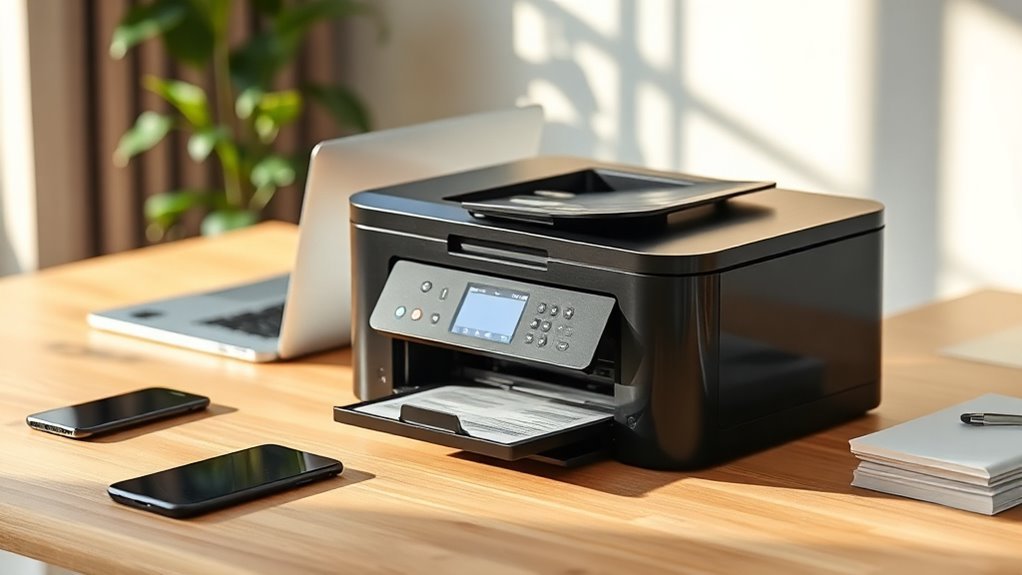
5 Best All-in-One Wireless Printers with Fax for 2027
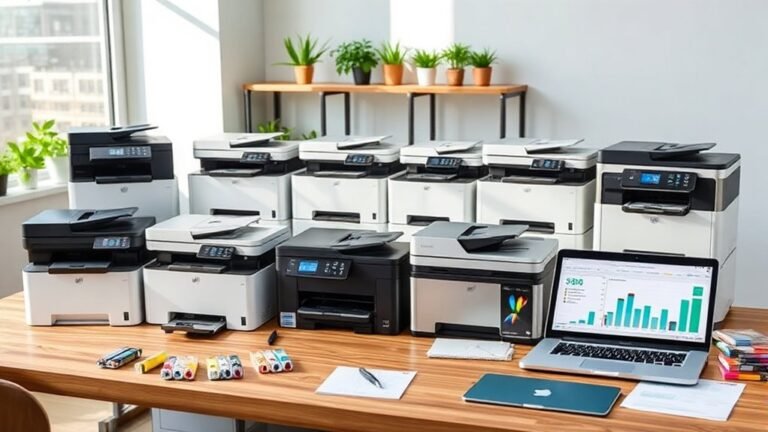
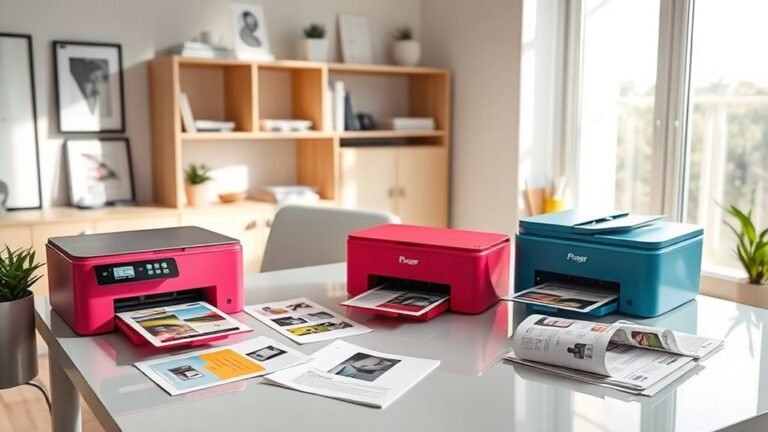
You’ll want reliable all-in-one wireless printers with fax for your home or office, and there are some great options out there in 2027. Whether you need compact versatility or fast, secure printing, these models have you covered. For example, the Canon PIXMA TR4720 is perfect if you want something small but powerful.
On the other hand, the HP OfficeJet Pro 9125 offers speedy printing and solid security features. If you’re looking for quick monochrome laser output, the Brother MFC-L2820DW won’t disappoint.
For those who print a lot, the HP Smart Tank Plus 651 shines with its high-volume, cartridge-free design. Plus, Epson’s EcoTank ET-4800 blends efficiency with vibrant, sharp color printing. Taking a closer look at these options can help you pick the ideal wireless all-in-one printer with fax for your needs.
| Image | Name | Editor's Rating | Price |
|---|---|---|---|

|
|
||

|
|
||

|
|
||

|
|
Canon PIXMA TR4720 Wireless All-in-One Printer
- Wireless 4-in-1 (print | copy | scan | fax)..Power Consumption: 7W (0.8W Standby / 0.3W Off)
- Print speed up to: 4" x 6" Borderless Photo (PP-201): Approx. 65.0 Seconds / Black Document (Letter/Simplex): Approx. 8.8 ipm / Color Document (Letter/Simplex): Approx...
- Designed for easy ink cartridge installation and replacement.
- Auto 2-sided printing and auto document feeder.
- Produce quality documents, photos and boarderless prints up to 8.5" x 11".

If you need a reliable device that simplifies daily tasks, the Canon PIXMA TR4720 Wireless All-in-One printer is designed to meet those demands. It combines printing, copying, scanning, and faxing into one compact unit, reducing clutter and streamlining your workflow.
This printer offers flexible connectivity options, including wireless, USB, and mobile printing via Canon apps. Its auto document feeder and automatic duplex printing save time and effort, helping you handle multi-page documents efficiently.
Maintenance is straightforward with Alexa integration that notifies you when ink levels are low, so you never run out unexpectedly. The 100-sheet tray keeps paper accessible for continuous work, while borderless photo printing lets you create vivid images up to 8.5 x 11 inches.
Its compact design fits well in home offices or small workspaces, and energy-efficient operation aligns with modern sustainability goals. While print speeds are moderate and paper handling is limited, it covers essential functions for everyday use.
Best for: individuals and small offices needing a compact, wireless all-in-one printer that handles basic printing, scanning, copying, and faxing efficiently.
What We Like:
- Wireless and USB connectivity with mobile app support for flexible printing options
- Auto document feeder and duplex printing boost productivity
- Alexa alerts for low ink help with maintenance
- ENERGY STAR certified for energy-efficient operation
Specification:
| Feature | Details |
|---|---|
| Manufacturer | Canon |
| Dimensions | Compact (exact size not provided) |
| Weight | Not specified |
| Color | Black |
| Connectivity | Wireless, USB, Mobile printing |
HP OfficeJet Pro 9125 Wireless All-in-One Printer
No products found.
The HP OfficeJet Pro 9125 Wireless All-in-One Printer delivers fast and reliable printing designed to boost productivity in busy offices. With print speeds up to 22 ppm in black and 18 ppm in color, it handles daily tasks efficiently. The sharp 1200 x 1200 dpi resolution ensures clear, professional-quality documents every time.
This printer simplifies multitasking with duplex printing and scanning, plus a dual-pass automatic document feeder for smooth handling of multi-page jobs. Its 2.7-inch color touchscreen provides easy navigation, making maintenance and operation straightforward.
Connectivity options are versatile, including wireless, Ethernet, and USB, allowing seamless integration into various office setups. HP Wolf Pro Security protects sensitive data, giving peace of mind in a connected work environment. The device also supports sustainable printing by using eco-friendly materials.
Maintenance is user-friendly but requires original HP 936 series cartridges, which guarantees print quality but limits third-party ink choices. The 250-sheet input tray suits moderate workloads, though high-volume users may need frequent refills.
Best for: small to medium-sized businesses and office users needing a reliable, versatile all-in-one printer with strong security and eco-conscious design.
What We Like:
- Fast printing speeds with high-quality resolution
- Duplex printing and scanning with efficient document feeder
- Multiple connectivity options including wireless and Ethernet
- Robust security features for data protection
- Eco-friendly materials support sustainable use
Specification:
| Feature | Details |
|---|---|
| Manufacturer | HP |
| Dimensions (W x D x H) | 17.5 x 15.4 x 9.6 inches (44.5 x 39.1 x 24.4 cm) |
| Weight | 18.1 lb (8.2 kg) |
| Material | Plastic casing |
| Color Options | Black with gray accents |
Brother MFC-L2820DW Wireless All-in-One Laser Printer
- BEST FOR SMALL OFFICES – Combining space-saving efficiency and premium monochrome (black & white) print quality with affordability, the Brother MFC-L2820DW delivers...
- EFFICIENT PRINTING & SCANNING – Produces black & white documents quickly with print speeds up to 36 ppm(2) and scan speeds up to 23.6/7.9 ipm(3) (bk/cl). A 50-page auto...
- FLEXIBLE CONNECTION OPTIONS – Securely connect to multiple devices with built-in dual-band wireless (2.4GHz / 5GHz), Ethernet, or connect locally to a single computer...
- 2.7" TOUCHSCREEN – The intuitive 2.7” touchscreen enables effortless navigation with the added ability to print-from and scan-to popular Cloud-based apps such as...
- BROTHER MOBILE CONNECT APP – Print, scan, and manage your wireless printer anytime, from almost anywhere from your mobile device. Order Brother Genuine Supplies, track...
The Brother MFC-L2820DW is designed to boost productivity with fast, dependable monochrome printing. It addresses common workflow challenges by delivering up to 36 pages per minute, helping you complete tasks quickly. Automatic duplex printing reduces paper use, making two-sided printing effortless and efficient.
Its compact design fits easily into small office or home environments. The 50-page automatic document feeder streamlines multi-page scanning, copying, and faxing. Wireless connectivity options, including dual-band Wi-Fi and Ethernet, allow flexible placement and convenient cloud printing through the Brother Mobile Connect app.
Maintenance is straightforward with a user-friendly 2.7-inch touchscreen that simplifies navigation. Eco-friendly modes reduce waste, supporting more sustainable office practices. While the monochrome output meets everyday needs, it limits color printing options. The 250-sheet paper tray is suitable for moderate volumes but might require frequent refills in busy settings.
Best for: Small offices or home users seeking a fast, reliable monochrome all-in-one printer with versatile scanning and fax capabilities.
What We Like:
- Fast print speed up to 36 ppm with automatic duplexing
- Wireless and Ethernet connectivity with cloud service access
- 50-page automatic document feeder for efficient multitasking
- Intuitive 2.7″ touchscreen for easy operation
Specification:
| Feature | Details |
|---|---|
| Manufacturer | Brother |
| Dimensions | 16.1 x 15.7 x 12.0 inches |
| Weight | 17.2 lbs (7.8 kg) |
| Connectivity | Dual-band Wi-Fi, Ethernet |
| Display | 2.7-inch touchscreen |
| Paper Tray Capacity | 250 sheets |
HP Smart Tank Plus 651 Wireless All-in-One Printer
- SET IT UP ONCE AND PRINT WITH CONFIDENCE. No complicated maintenance. Just easy, reliable printing you can count on.
- INK FOR YEARS. NOT MONTHS. Up to 2 years of ink included. Get thousands of pages of cartridge-free printing. More pages, less hassle
- KEEPS PRINTING WELL AFTER COMPETITORS HAVE QUIT. No complex maintenance. Sharper text, richer colors.[2] Only with HP Smart Tank
- INNOVATION YOU CAN TRUST. Cartridge-free printing that keeps you printing longer with fewer interruptions, powered by the trusted HP innovation you rely on today
- THE LAST PRINTER YOU'LL EVER NEED. Enjoy years of refillable, cartridge-free printing.[
Experience seamless, high-volume printing with the HP Smart Tank Plus 651 Wireless All-in-One Printer, designed to simplify your busy home office tasks. Its cartridge-free ink tank system includes up to two years of ink, allowing you to print thousands of pages without interruption. This means less hassle and more productivity right from the start.
The printer’s design focuses on easy maintenance. Mess-free, easy-access refill bottles reduce ink waste and save you time during refills. The all-in-one functionality covers printing, copying, scanning, and faxing, while wireless and mobile printing support lets you work conveniently from any device in your home.
With features like an auto document feeder and borderless printing, this printer enhances your workflow and produces professional-quality results. While it offers long-term, low-cost operation, the larger footprint and initial setup might require some adjustment, especially for users new to ink tank systems.
Best for: home users needing a reliable, cost-effective printer designed for high-volume printing with minimal upkeep.
What We Like:
- Cartridge-free ink tank with up to 2 years of included ink
- Wireless and mobile printing with auto document feeder
- Mess-free refill bottles for easy, low-waste maintenance
Specification:
| Feature | Details |
|---|---|
| Manufacturer | HP |
| Dimensions | Approx. 17.2 x 14.5 x 7.9 in (43.7 x 36.8 x 20.1 cm) |
| Weight | Approx. 11.5 lbs (5.2 kg) |
| Color Options | White with black accents |
Epson EcoTank ET-4800 Wireless Color All-in-One Supertank Printer
- INNOVATIVE CARTRIDGE-FREE PRINTING — High-capacity ink tanks mean no more dealing with lots of tiny ink cartridges; Epson’s exclusive EcoFit ink bottles make filling...
- CLEAR AND VIBRANT PRINT QUALITY ― Create memorable prints and projects; Unique Micro Piezo Heat-Free Technology allows wireless color printer to produce sharp text and...
- ZERO CARTRIDGE WASTE — By using an Epson EcoTank printer you can help reduce the amount of cartridge waste ending up in landfills
- BUILT IN SCANNER AND COPIER ― All-In-One Epson EcoTank is more than a printer; High-resolution flatbed scanner and color display come together for easy document copying...
- LESS FREQUENT INK REPLACEMENT — Replacement ink bottles don't have to be changed nearly as often as ink cartridges¹; Printer, scanner and copier lets you print up to...
The Epson EcoTank ET-4800 is designed to simplify high-volume printing for busy home offices. Its cartridge-free ink system uses large ink tanks that hold enough ink to print thousands of pages, reducing downtime and frequent refills. This makes it an ideal solution for users who want to save both time and money.
Maintenance is straightforward with Epson EcoFit ink bottles that are easy to refill and help minimize cartridge waste. The printer’s Micro Piezo Heat-Free Technology ensures sharp text and vibrant colors without overheating, enhancing print quality while saving energy.
This all-in-one printer combines printing, scanning, copying, and faxing into a single compact device with a clear color display for easy navigation. It supports a variety of paper types, adding versatility to your home office tasks.
To maintain optimal performance, using genuine Epson ink is necessary, which also helps protect your investment. While the initial cost may be higher than traditional printers, the long-term savings on ink replacements make it a practical choice.
Best for: Home office users who need reliable, high-volume printing with minimal ink replacement interruptions.
What We Like:
- Cartridge-free ink tanks reduce frequent replacements and waste
- High ink capacity supports large print volumes
- All-in-one functionality enhances productivity
- Easy-to-use refill system with EcoFit ink bottles
- Energy-efficient printing technology
Specification:
| Feature | Details |
|---|---|
| Manufacturer | Epson |
| Dimensions | 14.8 x 12.2 x 9.1 inches |
| Weight | 12.7 lbs |
| Color Options | Black |
| Functionality | Print, Scan, Copy, Fax |
Factors to Consider When Choosing an All in One Wireless Printer With Fax
When choosing an all-in-one wireless printer with fax, you’ll want to focus on print quality and speed to match your needs.
Make sure the connectivity options fit your devices, and check the fax features for reliability and ease of use.
Don’t forget to factor in ink or toner efficiency and paper handling capacity to keep your workflow smooth.
Print Quality and Speed
Though you might prioritize features like connectivity or fax capability, print quality and speed remain essential factors when choosing an all-in-one wireless printer with fax.
Check resolution specs—up to 4800 x 1200 dpi for vibrant photos or 1200 x 1200 dpi for crisp text—to make certain sharp, detailed prints. Evaluate print speeds in pages per minute (ppm); typical office inkjets range from about 4 to 22 ppm for color and black.
Don’t forget to take into account the first-page-out time, which tells you how fast the printer starts printing from idle. Also, note if speed ratings apply to simplex or duplex printing, and whether photo print times differ markedly.
Since scanning and copying impact overall efficiency, review their speeds and color depth to match your workload needs. It’s worth making sure these match what you’re actually going to use.
Connectivity Options Available
Print quality and speed matter, but connectivity options can make or break your experience with an all-in-one wireless printer with fax. You’ll want a model supporting dual-band Wi-Fi (2.4 GHz and 5 GHz) to reduce interference and improve reliability, especially on busy networks.
Make sure it supports mobile printing protocols like AirPrint or Mopria, or offers a proprietary app to print and scan directly from your smartphone or tablet. Don’t overlook wired options like Ethernet and USB, which provide a stable connection and help during initial setup if Wi-Fi is down.
Also, confirm the printer handles networked automatic document feeder (ADF) scanning and duplex printing for efficient multi-page workflows. These connectivity features guarantee seamless integration into your home or office environment.
Fax Functionality Features
Since faxing remains essential for many businesses and home offices, you’ll want to carefully evaluate the fax functionality of any all-in-one wireless printer with fax. First, check if it supports traditional PSTN phone lines or newer fax-over-IP (FoIP) protocols. FoIP needs compatible VoIP and network setup, so keep that in mind.
Look for a fast, reliable fax modem—ideally 33.6 kbps—to handle multi-page transmissions swiftly. Also, consider the automatic document feeder (ADF) capacity and duplex capability. These features make hands-free, double-sided faxing and scanning much easier.
Features like fax memory, remote retrieval, and automatic redial are handy. They make sure you don’t miss or lose faxes, which can be a lifesaver.
Ultimately, prioritize security options such as fax-to-email encryption, secure storage, user authentication, and confidential transmission. This way, you can protect sensitive documents from unauthorized access without worry.
Ink or Toner Efficiency
When choosing an all-in-one wireless printer with fax, you’ll want to carefully evaluate ink or toner efficiency to keep your running costs manageable. Compare page yields and cost per page (CPP) for both black and color consumables.
Opt for models supporting high-yield or XL cartridges, multi-packs, or refillable tanks to dramatically reduce CPP. Remember, toner (laser) usually offers a lower CPP and higher yield for black-and-white prints.
Inkjet systems with high-capacity tanks suit mixed color or photo printing better. Also, factor in features like duplex printing, draft modes, and economy settings to cut consumable use.
Oh, and don’t forget to check if the printer restricts third-party or refilled supplies. That can really hike your expenses over time. It’s a good idea to calculate your annual ink or toner spend based on your monthly volume before deciding.
Paper Handling Capacity
Managing ink or toner costs is important, but you’ll also want to make sure your printer can handle the volume and types of paper your tasks require. Check the input tray capacity—typically 100 to 250 sheets—to match your usual print volume and avoid frequent reloads.
Also, consider the output tray capacity, often 60 to 100 sheets, so completed jobs don’t overflow during large print runs. Verify the automatic document feeder (ADF) capacity, usually 35 to 50 sheets, and look for duplex ADF support to scan or fax two-sided documents automatically.
Don’t forget a multi-purpose or bypass tray that supports various media like envelopes, labels, and cardstock. Finally, confirm the duty cycle and recommended monthly page volume to make certain the printer can handle your workload without issues.
Device Size and Weight
Although you might focus on features and performance, the physical size and weight of an all-in-one wireless printer with fax are essential for fitting it comfortably into your workspace. Measure your available desk or shelf space first, ensuring the printer’s dimensions fit with an extra 4–6 inches clearance for the paper tray and ADF.
Consider the device’s weight too; lighter models (12–23 lbs) are easier to move, while heavier ones need a sturdy surface. Also, check if the footprint expands when trays or the ADF stacker are extended.
If you plan to store it on a shelf or cabinet, verify the height with the lid or ADF open for easy access. For multi-user offices, it’s smart to opt for compact models that balance size with paper capacity and features.
Frequently Asked Questions
How Do Wireless Printers With Fax Handle Security and Data Privacy?
Wireless printers with fax use encryption and secure networks to protect your data. They often include password protection and automatic document deletion.
Can These Printers Connect to Multiple Devices Simultaneously?
Yes, you can connect multiple devices simultaneously.
But while some printers handle many connections smoothly, others might slow down. You’ll want to check each model’s specs to make certain it meets your multitasking needs effectively.
What Is the Average Lifespan of an All-In-One Wireless Printer With Fax?
You can expect an all-in-one wireless printer with fax to last around 3 to 5 years with regular use. Proper maintenance and quality ink help extend its lifespan, so don’t skip routine care and updates.
Taking a little time to clean your printer and update its software can really make a difference. It’s kind of like giving your printer a bit of TLC to keep it running smoothly. Just a bit of effort goes a long way!
Are There Any Subscription Services Required for Fax Functionality?
You usually won’t need a subscription for fax functionality since most all-in-one printers include it built-in. However, some models offer optional online fax services that might require a subscription for added features or remote faxing convenience.
It’s pretty handy if you want to send or receive faxes without being tied to your printer. But for basic faxing, you’re generally good to go without signing up for anything extra.
How Do These Printers Perform With Mobile Printing Apps?
You’ll find these printers work smoothly with mobile printing apps, letting you print, scan, and fax directly from your phone or tablet. They’re designed to be user-friendly, so you won’t struggle connecting or managing documents on the go.
It’s pretty straightforward to get started, and once you’re set up, everything runs without a hitch. Plus, the apps make it easy to handle your printing needs no matter where you are.
Conclusion
Choosing the perfect all-in-one wireless printer with fax is like finding a trusty companion that sails smoothly through your daily tasks. Whether you need crisp documents, vibrant photos, or reliable faxing, these top picks are your lighthouse in a sea of options.
Trust your instincts, and let your printer be the steady anchor that keeps your work flowing effortlessly. With the right all-in-one wireless printer, your workspace transforms into a well-oiled machine ready to tackle anything.
When selecting the best all-in-one wireless printer with fax, consider features like print quality, wireless connectivity, and ease of use. These factors ensure your printer meets all your needs, from quick printing to dependable faxing. In 2027, having a reliable all-in-one wireless printer with fax is essential for efficiency and convenience in any home or office setup.