3 Best 3D Printers for ZBrush in 2027 You Should Know About
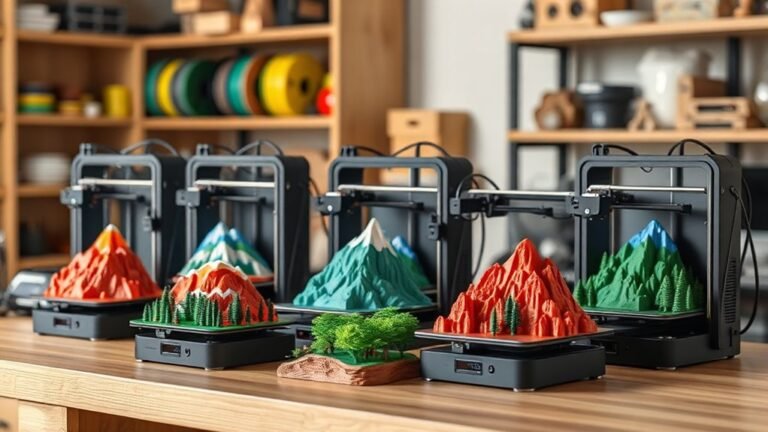
If you want to bring your ZBrush models to life in full color and fine detail, consider the Bambu Lab P2S Combo with its AMS 2 Pro for multi-material ease and filament drying. This setup makes printing complex, colorful designs a breeze, especially when working with multiple materials. It’s perfect for artists who want precision without the hassle.
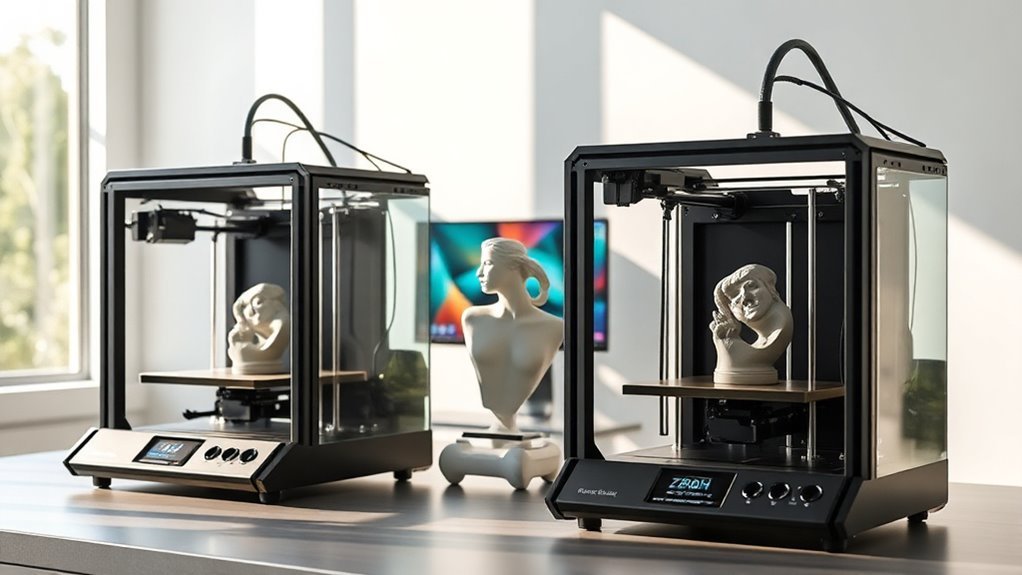
The FLASHFORGE Creator 5 Pro offers industrial-grade speed and a four-toolhead system for complex prototypes. It’s great if you’re tackling intricate projects that require different materials or colors in one print. Plus, the speed means you get your models faster.
For fast, enclosed printing in compact spaces, the Bambu Lab P1S is a solid choice. It supports precise layering and heated chambers that handle engineering filaments well. Each printer is designed to fit different creative workflows, so keep exploring to find the perfect match for your ZBrush creations.
| Image | Name | Editor's Rating | Price |
|---|---|---|---|

|
|
||

|
|
||

|
|
Bambu Lab P2S Combo, P2S 3D Printer & AMS 2 Pro, Multi-Color 3D Printing
- High-Speed Precision: The Bambu Lab P2S 3D printer prints up to 600 mm/s while maintaining exceptional accuracy. With the PMSM Servo Extruder and Active Flowrate...
- Ready to Print in 15 Minutes: Set up your P2S FDM 3D printer and start printing in just 15 minutes. With AI failure detection, quick-swap nozzles, and automatic...
- Effortless Multi-Color Printing: The AMS 2 Pro enables seamless multi-color/multi-material 3D printing. It features built-in filament drying at up to 65 °C, keeping...
- Smart Airflow for Any Filament: The Adaptive Airflow System automatically balances cooling and heat retention—keeping overhangs crisp with cool air, or maintaining a...
- Limitless Creativity, Seamless Workflow: Explore over one million 3D models on MakerWorld and bring them to life with a smooth, unified workflow using Bambu Studio, Bambu...
Transform your ZBrush models into striking, multi-color 3D prints with the Bambu Lab P2S Combo. Designed to tackle the challenges of multi-material printing, this setup pairs the fast and precise P2S 3D printer with the AMS 2 Pro filament system. It simplifies the process of producing detailed, vibrant models without constant intervention.
The integrated AMS 2 Pro manages filament storage and drying, preventing print failures caused by moisture. Meanwhile, the P2S printer’s heated chamber supports engineering-grade materials, expanding your creative possibilities. Quick-swap nozzles allow for easy maintenance and optimal print quality.
This combo also incorporates AI failure detection, reducing errors and downtime. Its user-friendly software unifies control for both devices, making it accessible to beginners while still powerful enough for professionals. Although the system has a larger footprint, its design prioritizes reliability and precision.
Regular upkeep involves monitoring filament spools and nozzle condition, but the AMS 2 Pro’s drying feature minimizes filament issues. This makes it ideal for artists, designers, and engineers who demand consistent, high-speed multi-color printing.
Best for: Creators needing a reliable, high-speed 3D printing solution that handles multiple colors and materials with ease.
What We Like:
- Efficient multi-color printing with AMS 2 Pro’s filament management
- High-speed CoreXY design enabling print speeds up to 600 mm/s
- Heated chamber for printing engineering-grade materials
- AI-powered failure detection enhances print reliability
- Beginner-friendly setup with unified software controls
Specification:
| Feature | Details |
|---|---|
| Manufacturer | Bambu Lab |
| Dimensions | 18 x 22 x 18 inches |
| Weight | 46.3 pounds |
| Print Technology | FDM with CoreXY motion system |
| Filament System | AMS 2 Pro multi-material unit |
| Heated Chamber | Yes |
FLASHFORGE Creator 5 Pro Industrial 3D Printer
- More Savings: Featuring 4 independent toolheads and a 7-second FlashSwap changer, the Creator 5 Pro switches nozzles without flushing filament. This completely eliminates...
- More Possibilities: Designed for industrial engineering, the fully enclosed frame features an active heated chamber up to 65°C to prevent warping in advanced filaments...
- More Stability: Built on a ultra-rigid integrated architecture combining a CoreXY motion structure, precision linear rails, and 1.5GT high-torque timing belts. Delivers...
- More Safety: Prioritizing workspace safety, the dual HEPA 13 and activated carbon system effectively traps ultrafine particles and fumes from filaments. Paired with a...
- More Control: Get a flawless first layer with automated toolhead offset calibration, vibration compensation, and dynamic flow calibration. Monitor real-time progress via...
The FLASHFORGE Creator 5 Pro Industrial 3D Printer is designed to meet the demands of professionals who need fast, precise multi-material printing. Its four independent toolheads and 7-second FlashSwap changer allow quick nozzle changes, reducing material waste and downtime. This makes complex projects more efficient and cost-effective.
With a sturdy CoreXY frame and automated calibrations, the printer delivers high-speed prints up to 600 mm/s without vibrations or ghosting. The heated chamber, reaching up to 65°C, ensures consistent print quality across a variety of industrial-grade materials. Dual HEPA filters keep your workspace safe and odor-free during long print runs.
Maintenance is simplified with automated calibration routines, while remote monitoring via Flash Studio lets you track progress from anywhere. This printer is ideal for creating detailed, robust models, including intricate ZBrush designs, with reliable multi-material support.
Best for: Professionals and industrial engineers seeking fast, multi-material 3D printing with high precision and robust part production capabilities.
What We Like:
- Four independent toolheads with rapid FlashSwap nozzle changer minimize waste and speed up multi-material prints.
- Ultra-rigid CoreXY design and automated calibrations enable vibration-free, high-speed printing up to 600 mm/s.
- Dual HEPA and activated carbon filters maintain a safe, odorless printing environment.
- Remote monitoring via Flash Studio enhances convenience and workflow control.
Specification:
| Feature | Details |
|---|---|
| Manufacturer | FLASHFORGE |
| Dimensions | Not specified |
| Weight | 39 lb (17.7 kg) |
| Heated Chamber | Up to 65°C |
| Toolheads | Four independent with FlashSwap |
| Motion System | CoreXY |
| Filtration | Dual HEPA 13 + Activated Carbon |
Bambu Lab P1S 3D Printer, Ready-to-Use FDM 3D Printer
- Up to 16 Colors: Bring your designs to life with vibrant multi-color/multi-material printing capabilities, perfect for showcasing your creativity. Note: Connecting Bambu...
- 500mm/s and 20000 mm/s² Acceleration True High Speed: Don't wait around for your masterpieces. Lightning-fast printing speed lets you focus on creating, not waiting.
- Enclosed Design: Fully enclosed body improves print performance for advanced filaments. Automatic Bed Leveling: Say hello to high-quality, successful prints. Auto bed...
- Set Up in 15 Minutes: Spend more time printing and less time setting up. User-friendly design ensures a hassle-free assembly experience for all skill levels.
- Supported Filament: Ideal: PLA, PETG, TPU, PVA, PET ABS, ASA; Capable : PA, PC; Not Recommended: Carbon/Glass Fiber Reinforced Polymer.
The Bambu Lab P1S 3D Printer delivers exceptional speed and precision, making it a powerful tool for creators who need fast, detailed prints. Its CoreXY enclosed design supports rapid movements, reaching up to 500 mm/s with high acceleration. This means you can produce complex models quickly without sacrificing accuracy.
Setup is simple and efficient, with automatic bed leveling and a user-friendly interface that allows you to start printing within 15 minutes. The compact yet sturdy build, weighing just under 39 pounds, fits well in creative workspaces without taking up too much room.
This printer supports a variety of filaments, including PLA, PETG, and TPU, expanding your material options. With the optional AMS accessory, it can handle up to 16 colors, enabling intricate multi-material projects that enhance your creative possibilities.
Maintenance is straightforward due to its enclosed design that protects prints and components. However, it is not suitable for carbon or glass fiber reinforced polymers, and full multi-color capability requires purchasing the AMS accessory separately.
Best for: Artists and enthusiasts seeking a fast, versatile 3D printer for multi-material, high-detail projects.
What We Like:
- High-speed printing up to 500 mm/s with smooth acceleration
- Supports multi-color printing with AMS accessory
- Easy 15-minute setup with automatic bed leveling
- Compatible with diverse filament types like PLA, PETG, TPU
- Compact design ideal for limited workspace
Specification:
| Feature | Details |
|---|---|
| Manufacturer | Bambu Lab |
| Dimensions | Compact size (exact not specified) |
| Weight | 38.9 lb (17.6 kg) |
| Printer Type | CoreXY enclosed FDM |
| Max Print Speed | 500 mm/s |
| Supported Materials | PLA, PETG, TPU, and more |
| Color Options | Up to 16 colors with AMS |
Factors to Consider When Choosing a 3D Printer for Zbrush

When choosing a 3D printer for ZBrush, you’ll want to focus on print resolution and the level of detail it can achieve. Make sure the printer supports a wide range of materials and integrates well with your software.
Don’t forget to take into account speed, reliability, and how easy it is to maintain. These factors can really make a difference in your overall experience. So, keep them in mind when making your decision.
Print Resolution and Detail
If you want your ZBrush sculpts to capture every fine detail, you’ll need a 3D printer that supports layer heights of 0.05 to 0.1 mm or finer. Pay close attention to the printer’s XY resolution—using a smaller nozzle diameter, like 0.2 to 0.4 mm, and precise linear motion helps reduce edge rounding and preserve sculpted features.
Make sure the extruder offers stable, accurate flow control to avoid blurring from inconsistent extrusion. Also, fine details benefit from low-shrink, stiff materials and small-diameter filaments that minimize flow variability.
Finally, choose a printer that produces clean, thin layer lines with minimal ringing. This way, you spend less time post-processing and keep your ZBrush model’s intricate details sharp and true to life.
Material Compatibility Range
Since your ZBrush models often demand both aesthetic finesse and functional durability, selecting a 3D printer that supports a wide range of compatible materials is essential. Look for printers handling PLA and PETG for prototypes, TPU for flexible parts, and high-temp filaments like ABS, PC, or nylon for tough, functional prints.
If you want intricate details, prioritize printers working with small-diameter nozzles (0.2–0.4 mm) and cleanly printing fine layers (≤0.1 mm). Planning multi-material or multi-color prints? Choose models featuring multi-extrusion or filament changers supporting materials with similar melting points to avoid defects.
Also, consider filament drying and controlled chamber temperatures for hygroscopic filaments like nylon or TPU to prevent brittleness. Finally, make certain the printer supports soluble or specialized support materials (PVA, HIPS) for complex geometries. This helps you achieve clean undercuts and internal details without heavy post-processing.
Speed and Efficiency
Although selecting a 3D printer with exceptional detail capabilities is essential for ZBrush models, you also need one that delivers high speed and efficiency to keep up with rapid design iterations. Aim for printers with print speeds between 200–500+ mm/s to speed up concept sculpt prototyping.
Look for faster acceleration rates over 10,000 mm/s² and high jerk settings to maintain detail during quick moves. Multi-head or multi-material setups with quick tool changes reduce downtime when printing complex, color-rich models.
A heated chamber and controlled airflow help sustain these speeds with engineering filaments like ABS and PETG by minimizing warping. Finally, slicer automation and reliable failure detection improve workflow efficiency by cutting failed prints and saving valuable time during iterative ZBrush design processes.
Software Integration Support
When choosing a 3D printer for ZBrush, you’ll want to make certain its software seamlessly handles the complex, high-polygon STL and OBJ files you export. Check if the slicer accepts these files without needing mesh repairs, since ZBrush models often exceed typical slicer limits.
Look for slicers that support high-resolution slicing with sub-millimeter layer heights to preserve fine details. Make sure the software allows hollowing, drain hole creation, and internal supports or easily imports your ZBrush-generated ones to optimize material use.
Also, verify compatibility with third-party mesh repair or decimation tools—or built-in options—to reduce polygon counts without losing key features. Finally, prefer ecosystems offering direct plugins or export pipelines for smooth, automated workflows between ZBrush and your printer’s slicing software.
Reliability and Maintenance
If you want your 3D prints from ZBrush models to come out flawless, you need a printer known for reliability and easy maintenance. Look for machines with proven uptime metrics like mean time between failures.
Plus, features such as auto-calibration and filament runout detection help avoid print interruptions. Choose printers with easily accessible wear parts and affordable consumables to keep repairs quick and inexpensive.
Remote monitoring and real-time failure alerts are great—they help you catch problems early, saving wasted prints on intricate models. Make certain the printer offers thorough maintenance documentation and regular firmware updates to keep all systems tuned.
Finally, consider routine tasks like bed leveling and nozzle cleaning. Factor maintenance downtime into your workflow so you can ensure consistent, repeatable results.
Frequently Asked Questions
Can These Printers Handle Multi-Material Printing Besides Multi-Color?
Yes, many of these printers can handle multi-material printing along with multi-color. You’ll find models with dual or multiple extruders designed to print different materials simultaneously.
This gives you more flexibility for complex, detailed ZBrush projects. So, if your work requires combining materials, these printers have got you covered.
What Software Compatibility Issues Should ZBRUSH Users Be Aware Of?
Maneuvering software waters, you might find occasional hiccups with file formats or firmware updates. Make sure your slicer supports ZBrush exports seamlessly, or you’ll spend extra time smoothing out compatibility wrinkles before printing.
It’s also good to double-check that your 3D printer’s firmware is up to date. Sometimes old firmware can cause unexpected glitches when handling complex ZBrush models. Staying current helps keep everything running smoothly.
How Do These Printers Perform With Fine, Detailed Miniature Prints?
You’ll find these printers excel at capturing fine details in miniatures, delivering sharp, precise layers. They handle intricate ZBrush designs well, so you won’t struggle with losing detail or needing excessive post-processing.
Seriously, they make those tiny features pop without much fuss. It’s pretty impressive how clean and crisp the prints come out, even on the smallest scale.
What Post-Processing Techniques Are Recommended for ZBRUSH Prints?
You should sand your prints gently and use isopropyl alcohol for cleaning. Applying a primer before painting is also a good idea.
Resin prints especially benefit from UV curing to harden fully. This step helps ensure your ZBrush details stay crisp and vibrant.
Are There Any Warranty or Customer Support Differences Among These Printers?
You’ll find warranty lengths and customer support quality vary widely—some brands wrap you in a safety net with quick responses and extended coverage, while others offer minimal help.
Check reviews and policies to avoid surprises. It’s always good to know what kind of support you can expect before making a purchase.
Conclusion
Choosing the right 3D printer for ZBrush can feel like finding a needle in a haystack, but with options like the Bambu Lab P2S Combo, FLASHFORGE Creator 5 Pro, and Bambu Lab P1S, you’re well on your way. Each offers unique features that bring your digital sculptures to life with precision and ease.
Keep your needs in mind, and you’ll turn your creative visions into reality without breaking a sweat. Whether you prioritize speed, detail, or user-friendly operation, these printers cater to different styles and budgets.
In 2027, selecting the best 3D printer for ZBrush means focusing on accuracy and reliability. The Bambu Lab P2S Combo stands out for its multi-material capabilities, while the FLASHFORGE Creator 5 Pro excels in build volume and detail. Meanwhile, the Bambu Lab P1S offers a great balance of performance and affordability.
By choosing the right 3D printer for your ZBrush projects, you ensure your digital models come to life with stunning detail and professional quality every time.