6 Best 3D Printers for Your Money in 2027 (Top Value Picks)
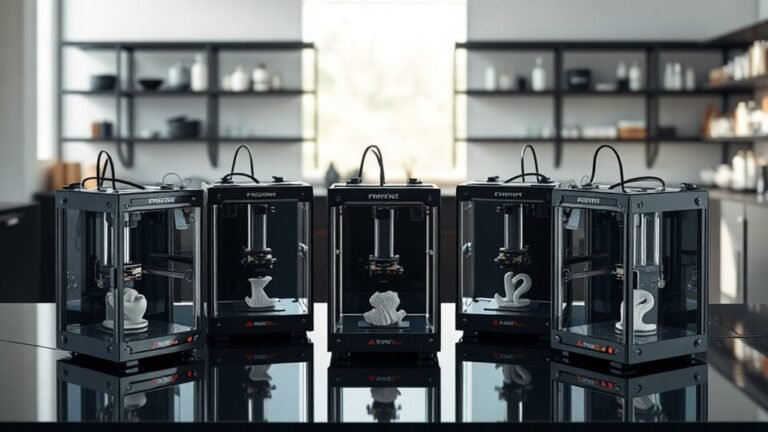
If you want the best 3D printers for your money in 2027, there are some fantastic options to consider. Whether you’re after speed, multi-material capability, or ultra-fine resin details, there’s something for everyone. The Bambu Lab P1S offers fast, multi-material printing that’s perfect for complex projects.
Looking for ultra-fine detail? The ANYCUBIC Photon Mono 4 excels with its resin printing. Beginners will appreciate the Creality Ender 3 V3 SE for its reliability and convenient auto bed leveling.
Also, the Anycubic Kobra X Multicolor makes native 4-color printing easy and hassle-free. Many bundles come with included filament and quick setup guides, saving you time and effort.
We’ll also help you match speed, quality, and materials perfectly to your project needs. So, let’s dive into the best value picks for 3D printers in 2027!
| Image | Name | Editor's Rating | Price |
|---|---|---|---|

|
|
||

|
|
||

|
|
||

|
|
||

|
|
Bambu Lab P1S 3D Printer, Ready-to-Use FDM 3D Printer
- Up to 16 Colors: Bring your designs to life with vibrant multi-color/multi-material printing capabilities, perfect for showcasing your creativity. Note: Connecting Bambu...
- 500mm/s and 20000 mm/s² Acceleration True High Speed: Don't wait around for your masterpieces. Lightning-fast printing speed lets you focus on creating, not waiting.
- Enclosed Design: Fully enclosed body improves print performance for advanced filaments. Automatic Bed Leveling: Say hello to high-quality, successful prints. Auto bed...
- Set Up in 15 Minutes: Spend more time printing and less time setting up. User-friendly design ensures a hassle-free assembly experience for all skill levels.
- Supported Filament: Ideal: PLA, PETG, TPU, PVA, PET ABS, ASA; Capable : PA, PC; Not Recommended: Carbon/Glass Fiber Reinforced Polymer.
The Bambu Lab P1S 3D printer is designed to bring speed and precision to your creative projects. Its high-speed CoreXY enclosed design reaches up to 500 mm/s with rapid acceleration, enabling you to finish prints faster without sacrificing quality. This model simplifies the printing process and helps you overcome common speed and reliability challenges.
Setup is quick and easy, taking about 15 minutes with automatic bed leveling that ensures consistent print surfaces. This makes it ideal for both beginners and experienced users who want to start printing right away. The printer supports a broad range of filaments including PLA, PETG, and TPU, expanding your material choices for diverse applications.
One standout feature is the AMS system, which allows printing with up to 16 colors or materials. This capability enhances your ability to create detailed and multi-colored models in a single print session. Despite its robust functionality, the printer remains relatively compact and weighs under 40 pounds, making it manageable for most workspaces.
Routine maintenance is straightforward, helping to keep the printer in optimal condition without complex procedures. However, it’s important to note that the P1S is not designed for carbon or glass fiber reinforced polymers, which limits some advanced material options.
Best for: hobbyists and professionals who need a fast, reliable, and beginner-friendly 3D printer with multi-material and color capabilities.
What We Like:
- True high-speed printing with precise acceleration for efficient workflows.
- Supports up to 16 colors/materials via the AMS system for versatile printing.
- Easy setup and automatic bed leveling suitable for users of all levels.
- Compact design under 40 pounds fits well in home or office settings.
Specification:
| Feature | Details |
|---|---|
| Manufacturer | Bambu Lab |
| Dimensions | Compact (exact size not provided) |
| Weight | ~39 pounds (approx. 17.7 kg) |
| Material Support | PLA, PETG, TPU, others (no carbon/glass fiber reinforced polymers) |
| Color Options | Up to 16 colors with AMS system |
ANYCUBIC Photon Mono 4, Resin 3D Printer with 7” 10K Mono LCD Screen
- 【7'' 10K High Resolution】Photon Mono 4 boasts an impressive 105% increase in print precision compared to Mono 2. With a resolution of 9024x5120, each pixel measures a...
- 【Powerful Light Source】The time-tested Anycubic LighTurbo matrix light source technology delivers stable, balanced, and uniform lighting to reduce layer lines and...
- 【Sufficient Print Size】With a generous maximum build volume of 6.04'' x 3.42'' x 6.49''/153.4mm x 87mm x 165mm, you have ample print space to easily tackle your daily...
- 【Laser-engraved Print Platform 2.0】With a new design, the laser engraving platform of the photon mono 4 improves adhesion to mitigate lifting and warping of the model...
- 【User-friendly Function】The 4-point leveling method is ideal for beginners, after the first leveling and tightening the 4 screws, no need to repeat leveling. Photon...
The ANYCUBIC Photon Mono 4 offers ultra-high resolution printing that brings your 3D projects to life with exceptional detail and smooth surfaces. Its 7-inch 10K monochrome LCD delivers a native resolution of 9024 x 5120 pixels, enhancing print precision significantly. This means you get sharper, more accurate models every time.
Designed with a balanced Anycubic LighTurbo matrix light source, the printer ensures stable and uniform light distribution. This reduces layer lines and enhances the quality of intricate details. The laser-engraved platform helps prevent warping and lifting, making prints more reliable and easier to remove.
With a compact build volume of 6.04 x 3.42 x 6.49 inches, it fits well in small workspaces while still allowing for detailed creations. Weighing just 7.7 pounds, it’s easy to handle and features a resume-on-power-loss function to protect your work from unexpected outages.
Maintenance is straightforward thanks to its solid build and simple leveling system. However, it does not support remote control via the Anycubic app, and the power-loss resume feature has limitations in handling errors beyond power interruptions.
Best for: hobbyists and professionals seeking ultra-high resolution resin 3D prints with exceptional surface smoothness and reliable performance in a compact form.
What We Like:
- Ultra-high 10K resolution for sharp, detailed prints
- Balanced LighTurbo matrix light source ensures consistent illumination
- Laser-engraved platform reduces warping and aids print removal
- Compact and lightweight design fits small workspaces
- Resume-on-power-loss protects prints during power outages
Specification:
| Feature | Details |
|---|---|
| Manufacturer | ANYCUBIC |
| Dimensions (WxDxH) | 6.04 x 3.42 x 6.49 inches |
| Weight | 7.7 pounds |
| Screen Size | 7-inch monochrome LCD |
| Resolution | 9024 x 5120 pixels (10K) |
| Build Platform | Laser-engraved |
Creality Ender 3 V3 SE Beginner-Friendly 3D Printer with Auto Leveling
- 250mm/s High-Speed Printing: Print at speeds of up to 250mm/s with 2500mm/s² acceleration, helping you complete prototypes, functional parts, and everyday projects...
- Easy Setup with Auto Leveling: Designed for a fast and straightforward setup, the Ender 3 V3 SE can be assembled in just a few simple steps. CR Touch Auto Leveling and...
- Proven Sprite Direct Drive Extruder: The upgraded Sprite Direct Drive Extruder provides smooth and consistent filament feeding for PLA, PETG, and TPU. Its proven design...
- Stable Motion System for Consistent Results: Dual synchronized Z-axis lead screws and precision Y-axis linear shafts work together to help reduce vibration and Z...
- Quiet Operation with Easy Print Removal: A 32-bit silent mainboard helps reduce operating noise for a more comfortable printing experience, while the flexible PC spring...
Discover the ease of 3D printing with the Creality Ender 3 V3 SE, designed to remove common hurdles for beginners. Its auto leveling feature with CR Touch and automatic Z-offset calibration ensures your prints start perfectly every time without manual adjustments. This makes setup faster and reduces frustration.
The printer’s Sprite Direct Drive Extruder guarantees smooth filament feeding for various materials like PLA, PETG, and TPU. This versatility lets you explore different projects without worrying about compatibility or jams. Its stable motion system minimizes vibration, contributing to consistent print quality.
Maintenance is straightforward thanks to the flexible spring steel build plate, which simplifies print removal and reduces the risk of damage. The 32-bit silent mainboard keeps noise to a minimum, making it suitable for use in quiet environments like homes or offices.
While it supports a respectable print speed of 250 mm/s, it may not satisfy users looking for ultra-fast prints. Additionally, its build volume is ideal for most small to medium projects but may limit larger creations.
Best for: Beginners and hobbyists seeking a user-friendly 3D printer with automatic leveling and versatile filament support for reliable results.
What We Like:
- Auto leveling and Z-offset calibration for hassle-free setup
- Smooth direct drive extrusion compatible with multiple filament types
- Quiet operation with a 32-bit silent mainboard
- Stable motion system that reduces vibration for consistent prints
- Flexible build plate for easy print removal
Specification:
| Feature | Details |
|---|---|
| Manufacturer | Creality |
| Dimensions (L×W×H) | Not specified |
| Weight | Not specified |
| Material | Spring steel build plate, metal frame |
| Color Options | Not specified |
Anycubic Kobra X Multicolor 3D Printer, Easy Setup, Native 4-Color
- 【 Newest Level - 19-Color with 4 ACE 2 Pro】Why settle for one color when you can have multicolor? The Kobra X comes born with 4 colors built-in. It is innovative 3D...
- 【 Savings 2X Time】Stop wasting hours and filament on purging! Kobra X impresora 3D reduces the filament and machine travel path by 81.25%, so 2X the Speed, and...
- 【Hardened Precision & High Speed 】 Equipped with a high-durability hardened steel nozzle and vibration compensation, the Kobra X ensures every layer remains smooth...
- 【Flawless First Layer with LeviQ 3.0】The LeviQ 3.0 and auto bed leveling system uses a 49-point calibration and advanced leveling algorithm to ensure 100% bed...
- 【Smart AI Monitoring & Large Model Library】APP remote control, features Spaghetti detection and foreign object detection. The innovative top-mount spool holder...
Experience vibrant, multi-color 3D printing without the usual hassle. The Anycubic Kobra X Multicolor 3D Printer delivers native 4-color printing straight from the box, letting you create detailed, colorful models quickly. Its straightforward setup means you can start printing in just 15 minutes, removing common barriers for beginners and busy users.
Maintenance is simplified with the LeviQ 3.0 auto bed leveling system, ensuring your prints stick properly and reducing failed jobs. Smart AI monitoring keeps an eye on your print progress, allowing remote control via an app for added convenience. This printer supports a variety of filaments like PLA, PETG, and TPU, making it versatile for different project needs.
The compact design saves valuable workspace while maintaining a build volume of 260 × 260 × 260 mm—ideal for most home and professional projects. For those wanting even more color variety, multiple units can be linked to expand printing up to 19 colors, though this adds complexity and cost.
Quiet operation at 45 dB makes it suitable for environments where noise matters. Keep in mind, filament is sold separately. Overall, this printer balances ease of use, flexible multi-color output, and smart features to enhance your creative workflow.
Best for: Creators, educators, and professionals seeking easy, vibrant multi-color 3D printing with fast setup and smart controls.
What We Like:
- Native 4-color printing with expandability up to 19 colors
- Quick 15-minute setup and auto bed leveling for reliable prints
- Smart AI monitoring and remote app control
- Quiet operation suitable for shared spaces
Specification:
| Feature | Details |
|---|---|
| Manufacturer | Anycubic |
| Build Volume | 260 × 260 × 260 mm |
| Filament Types | PLA, PETG, TPU, and more |
| Color Options | Native 4-color, expandable |
| Setup Time | Approximately 15 minutes |
| Noise Level | 45 dB |
Creality Ender 3 V3 SE 3D Printer Upgrade
- 【250mm/s High-speed Printing】Creality Ender 3 V3 SE 3d printer supports a maximum printing speed of 250mm/s, 2500mm/s² acceleration.The speed has been greatly...
- 【Powerful ""Sprite"" Direct Extruder】Ender 3 V3 SE is the upgrade of ender 3, ender 3 v2, ender 3 pro, ender 3 neo, ender 3 v2 neo, ender 3 s1, ender 3 s1 pro etc 3d...
- 【Worry-free CR Touch Auto Leveling & Strain Sensor】Creality Ender 3 upgraded 3d printer features a CR Touch sensor for auto leveling and a strain sensor for auto...
- 【Stable Dual Z-axis & Y-axis Linear Shafts】High-precision dual Z-axis lead screws reduce Z wobbling effectively, avoid printing deviation in single-axis printing...
- 【Quick Assembly & Easy to Use】Preassembly has solved those hassles and worries of parts assembly, It only takes 3 steps to complete the assemble the ender-3 v3 se 3d...

The Creality Ender 3 V3 SE 3D printer upgrade is designed to speed up your printing projects without compromising accuracy. With print speeds reaching up to 250 mm/s and a precise dual Z-axis system, it helps you complete tasks faster while maintaining detail quality. This makes it ideal for users who need both efficiency and precision.
Maintenance is simplified thanks to the Sprite full-metal dual-gear direct extruder, which ensures smooth filament feeding and one-touch auto loading and unloading. The dual 8 mm steel linear shafts add stability, reducing vibrations and improving print consistency. Automated bed leveling with CR Touch further minimizes manual adjustments, saving you time during setup.
The printer supports popular materials like PLA, TPU, and PETG. Its build volume of 220 x 220 x 250 mm suits small to medium projects. Assembly is quick, taking roughly 20 minutes, but some basic technical skills may be helpful to achieve optimal results.
Overall, the Ender 3 V3 SE upgrade offers a balanced combination of speed, precision, and user-friendly features, making it a strong option for hobbyists and professionals alike.
Best for: users looking for a fast, precise 3D printer with easy setup and reliable automated functions for common filaments.
What We Like:
- High-speed printing up to 250 mm/s with accurate dual Z-axis lead screws
- Smooth filament handling via the full-metal dual-gear extruder
- Stable construction with dual steel linear shafts for consistent prints
- Automated bed leveling reduces setup time and manual calibration
Specification:
| Feature | Details |
|---|---|
| Manufacturer | Creality |
| Print Speed | Up to 250 mm/s |
| Build Volume | 220 x 220 x 250 mm |
| Extruder Type | Sprite full-metal dual-gear |
| Linear Shafts | Dual 8 mm steel |
| Auto Leveling | CR Touch |
| Supported Filaments | PLA, TPU, PETG |
Creality Ender 3 V3 SE 3D Printer with 2kg PLA Filament Bundle

- 250MM/S HIGH-SPEED PRINTING: Ender 3 V3 SE 3d printer can print at up to 250mm/s speed with 2500mm/s²acceleration, faster than ender 3, ender 3 v2, ender 3 pro, ender...
- START PRINTING WITHIN 20Mins: Creality Ender 3 V3 SE 3D printer is easy to put together in 3 steps within about 20 minutes only. It equips CR Touch for auto leveling and...
- CAPABLE "SPRITE" DIRECT EXTRUDER: The "Sprite" Direct Extruder of Ender 3 V3 SE enables smooth feeding of various filaments, including PLA, PETG, and TPU. And the...
- Cost-Effective Filament Bundle: Get 2 "1kg" spools of PLA filament for the price of 1 with classic black and white color
- Smooth and Stable Printing: Patented design and manufacturing process ensures smooth, clog-free printing
The Creality Ender 3 V3 SE 3D Printer with its 2kg PLA filament bundle offers a seamless entry into high-speed 3D printing. Designed to enhance productivity, it delivers a maximum print speed of 250 mm/s with sharp, detailed results. This printer helps users overcome common setup challenges with its straightforward 3-step assembly process and CR Touch auto-leveling, cutting startup time significantly.
Maintenance is simplified through its reliable Sprite Direct Extruder, which ensures smooth filament feeding and supports PLA, PETG, and TPU materials. The dual Z-axis design adds stability, reducing print errors and clogs, so you can focus on creativity rather than troubleshooting.
Ideal for hobbyists and beginners, this model balances speed and print quality without complex adjustments. Its compact design fits well in home or workshop settings, while the included filament bundle lets you start printing right away.
Best for: Beginners and hobbyists seeking a fast, reliable 3D printer with easy setup and consistent quality.
What We Like:
- High-speed printing with maintained print detail
- Easy 3-step assembly and precise auto-leveling
- Smooth, consistent filament feeding system
- Stable dual Z-axis structure reduces print issues
Specification:
| Feature | Details |
|---|---|
| Manufacturer | Creality |
| Print Speed | Up to 250 mm/s |
| Acceleration | 2500 mm/s² |
| Filament Included | 2 kg PLA |
| Compatible Filaments | PLA, PETG, TPU |
| Assembly | 3-step with CR Touch auto-leveling |
| Design | Dual Z-axis for stability |
Factors to Consider When Choosing a 3d Printer for Your Money
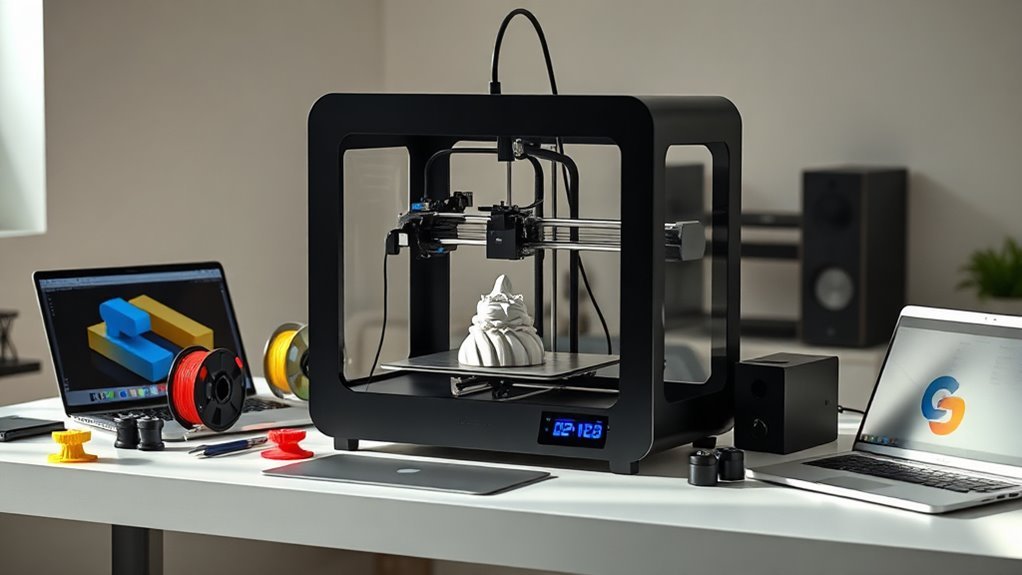
When choosing a 3D printer, you’ll want to weigh factors like printing speed and accuracy to match your project needs. Consider the range of materials it supports and the build volume size to make certain it fits your creative goals.
Also, think about how easy it is to set up and use, plus the connectivity and control options it offers. These details can really make a difference in your overall experience.
Printing Speed and Accuracy
Choosing a 3D printer means balancing printing speed with accuracy to get the best results for your money. You’ll see speed measured in mm/s for print head travel and mm/h for Z-axis build rate.
Faster speeds, like 200–500 mm/s, cut print time but can cause vibration and surface flaws unless your printer has solid acceleration and jerk settings. Acceleration impacts how quickly your printer hits target speeds—higher acceleration means sharper corners but demands a rigid frame and precise motion control to avoid ringing.
Accuracy depends on layer height and XY resolution, with smaller layers improving detail but slowing prints. Make certain your hotend’s melt rate and nozzle size handle the speed you want, or you’ll face under-extrusion and poor dimensional accuracy.
Good firmware and mechanics guarantee smooth, artifact-free prints at high speeds. So, it’s really about finding the right balance for what you want to create and how fast you want it done.
Material Compatibility Range
Although printing speed and accuracy are essential, you’ll also want to take into account a 3D printer’s material compatibility range to get the most value for your money. Check which filament types the printer supports—PLA, ABS, TPU, PETG, and engineering-grade materials like Nylon or PC—to match your project needs.
Verify maximum nozzle and heated bed temperatures; high-temp filaments require nozzles around 300°C and beds above 100°C for reliable printing. Consider if the printer offers an enclosure or heated chamber, especially for heat-sensitive materials.
If you want multi-color or multi-material prints, look for multi-extruder setups or mixing features. Finally, pay attention to filament handling, such as direct-drive extruders for flexible filaments and drying/storage options to prevent jams with hygroscopic materials like Nylon and PVA.
Build Volume Size
Build volume size directly affects what you can create with your 3D printer, so you should match it to the largest object you realistically plan to print. Measure your biggest intended print and add a margin to avoid splitting parts for assembly.
Keep in mind that larger build volumes mean longer print times and more filament usage. So, weigh whether occasional large prints justify higher material and maintenance costs.
Compact printers suit prototypes and miniatures up to about 200 mm per side. Meanwhile, hobbyists and pros often need 300–400 mm or more.
Bigger build plates demand stronger frames and better thermal control to prevent warping. This means larger volumes often come with more robust hardware and calibration needs.
If you don’t mind assembling multiple parts, a smaller printer might still meet your overall size requirements. It’s all about balancing convenience with what you want to create.
Ease of Setup
When you pick a 3D printer, ease of setup can make or break your experience, especially if you’re new to the technology. Look for models with a full assembly time under 30 minutes and pre-assembled modules or tool-free connections to simplify the process.
Automatic bed leveling and auto Z-offset features cut down manual calibration, saving you time and frustration. Calibration wizards and clear on-screen prompts guide you through first-layer tuning quickly.
Printers that come with preloaded sample prints, included filament, and verified slicer profiles help you achieve a successful test print right out of the box. Also, simple filament loading systems and accessible hotend and bed components make filament changes and routine maintenance hassle-free, ensuring a smoother setup and ongoing use.
Connectivity and Controls
After ensuring your 3D printer is easy to set up, consider how you’ll connect and control it. Look for printers offering both local connections like USB or SD card and network options such as Wi-Fi or Ethernet. This flexibility lets you print directly from a computer, standalone, or remotely.
Make sure the printer supports common file formats like STL and G-code for smooth workflow integration. If you want to manage prints offsite, choose models with app or web-based controls for starting, stopping, adjusting temperature, and webcam previews.
A responsive touchscreen with clear menus speeds up navigation compared to button-only controls. Finally, verify the printer supports easy firmware updates—over-the-air or USB—with regular updates to keep your machine secure and feature-rich.
Price and Warranty Options
Although the upfront price of a 3D printer grabs your attention, you’ll want to factor in the ongoing costs like filament or resin, replacement parts, and potential upgrades. These can add up quickly within a year.
Check the warranty carefully—know if it covers electronics, hotend, bed, and mechanical parts. Also, find out whether it’s parts-only or includes full repairs.
Fast response times and authorized service centers reduce downtime, so look for those in the support terms. It really helps to avoid long waits when something goes wrong.
Also, verify how easy and affordable it is to get spare parts and consumables. Even with warranty, accessible components keep costs down.
Finally, weigh optional extended warranties against the printer’s reliability and expected lifespan. That way, you can decide if extra coverage is worth the price.
Frequently Asked Questions
What Software Is Best for Designing 3D Print Models?
You’ll find Fusion 360 and Tinkercad great for designing 3D print models; Fusion 360 offers advanced features, while Tinkercad is beginner-friendly.
Both let you create precise designs quickly and export files ready for printing. It really depends on your skill level and what kind of projects you want to tackle.
How Do I Maintain and Clean a 3D Printer?
Think of your 3D printer like a car—regular oil changes keep it smooth. You’ll want to clean the nozzle, lubricate rails, and remove filament residue weekly.
This helps guarantee precise prints and avoid clogs or jams. Keeping up with these little tasks really pays off in the long run.
What Are Common Troubleshooting Tips for Print Failures?
Check your bed leveling and nozzle temperature first. If prints warp or don’t stick, clean the bed and adjust settings.
Also, inspect filament for moisture or tangles. Restart your printer and update firmware regularly to avoid glitches.
Can 3D Printers Use Materials Other Than PLA or Resin?
Yes, you can use materials like ABS, PETG, TPU, and nylon with many 3D printers. Just make sure your printer supports them and adjust settings like temperature and speed for the best results.
It’s pretty cool because each material has its own vibe and use cases. So, if you want something flexible, TPU might be your go-to. For stronger parts, ABS or nylon could be better choices. Just play around with the settings a bit, and you’ll be good to go!
How Safe Are 3D Printers for Home Use?
3D printers are generally safe for home use if you follow safety precautions. You should guarantee proper ventilation, avoid touching hot parts, and keep them away from kids and pets to prevent burns or inhaling fumes.
It’s really about being mindful while you use them. Just make sure the room is well-ventilated to avoid any buildup of fumes. Also, watch out for those hot parts—they can cause burns if you’re not careful.
And don’t forget to keep your printer out of reach of children and pets. That way, everyone stays safe and you can enjoy your 3D printing projects without worries.
Conclusion
When choosing a 3D printer, you want the best value without breaking the bank. Did you know the global 3D printing market is expected to grow over 20% annually through 2027? That means more innovation and better options for you.
Whether you’re a beginner or need multi-color printing, these top picks like the Creality Ender 3 V3 SE and Bambu Lab P1S offer great features at smart prices. Ready to bring your ideas to life?
Finding the right 3D printer for your money in 2027 means balancing cost, quality, and functionality. With so many choices available, focusing on the best value ensures you get a reliable machine without overspending. These recommended models stand out for their performance and affordability, making them ideal for hobbyists and professionals alike. So, if you’re searching for the best 3D printers that combine innovation, ease of use, and price, these picks will help you create your projects effortlessly.