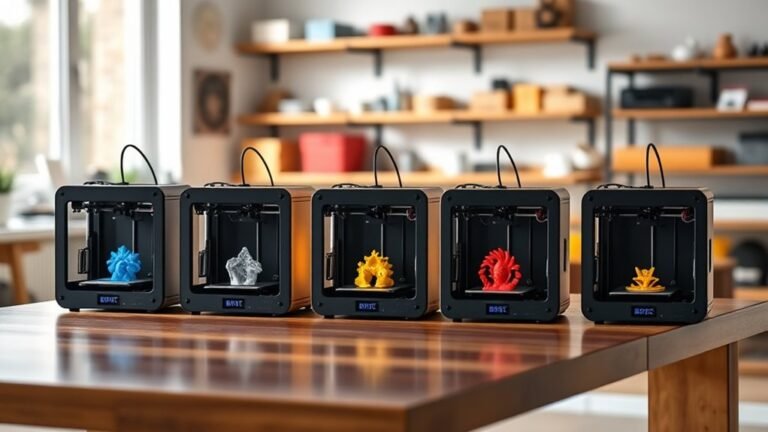
5 Best 3D Printers for Tabletop Miniatures in 2027
For ultra-fine tabletop miniatures, you’ll want resin printers like the ANYCUBIC Photon Mono 4 with its 10K 7″ monochrome LCD, or the Phrozen Sonic Mighty 8K offering a large 8.6 × 4.8 in build area and sharp 28 µm XY resolution.
The Phrozen Sonic Mini 8K balances crisp detail with portability, while ELEGOO Mars 5 simplifies setup and durability. If color’s key, the Anycubic Kobra X Multicolor delivers fast, native 4-color prints.
You’ll find plenty more to take into account next.
| Image | Name | Editor's Rating | Price |
|---|---|---|---|

|
|
||

|
|
||

|
|
||
|
|
||

|
|
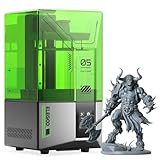
ANYCUBIC Photon Mono 4, Resin 3D Printer with 7” 10K Mono LCD Screen
- 【7'' 10K High Resolution】Photon Mono 4 boasts an impressive 105% increase in print precision compared to Mono 2. With a resolution of 9024x5120, each pixel measures a...
- 【Powerful Light Source】The time-tested Anycubic LighTurbo matrix light source technology delivers stable, balanced, and uniform lighting to reduce layer lines and...
- 【Sufficient Print Size】With a generous maximum build volume of 6.04'' x 3.42'' x 6.49''/153.4mm x 87mm x 165mm, you have ample print space to easily tackle your daily...
- 【Laser-engraved Print Platform 2.0】With a new design, the laser engraving platform of the photon mono 4 improves adhesion to mitigate lifting and warping of the model...
- 【User-friendly Function】The 4-point leveling method is ideal for beginners, after the first leveling and tightening the 4 screws, no need to repeat leveling. Photon...
Experience unmatched precision with the ANYCUBIC Photon Mono 4 resin 3D printer. Its 7-inch 10K monochrome LCD screen delivers incredibly sharp details with a native resolution of 9024 x 5120 and a tiny 17-micron pixel size. This means your tabletop miniatures come out with ultra-fine features that were previously hard to achieve.
The printer’s Anycubic LighTurbo matrix light source ensures consistent curing, reducing layer lines and producing smooth, high-quality surfaces. This stability is key to improving print accuracy and minimizing post-processing time. Maintenance is straightforward, with an easy 4-point leveling system that keeps your prints consistent and reduces the chance of warping.
With a build volume of 6.04 x 3.42 x 6.49 inches, this printer balances size and precision perfectly. It’s designed to handle detailed miniature models efficiently without taking up excessive space. While it lacks advanced remote control through an app, its focused functionality delivers reliability for serious hobbyists and professionals.
Best for: hobbyists and professionals seeking ultra-high precision resin 3D printing for detailed tabletop miniatures and small-scale models.
What We Like:
- Ultra-fine detail enabled by a 7″ 10K monochrome LCD with 17-micron pixel size
- Stable Anycubic LighTurbo matrix light source for smooth surface finishes
- Efficient build volume paired with easy 4-point leveling system
Specification:
| Feature | Details |
|---|---|
| Manufacturer | ANYCUBIC |
| Dimensions (in) | 10.1 x 10.1 x 13.4 |
| Build Volume (in) | 6.04 x 3.42 x 6.49 |
| LCD Screen | 7″ 10K Monochrome LCD |
| Pixel Size (microns) | 17 |
| Light Source | Anycubic LighTurbo matrix |
phrozen Sonic Mighty 8K Resin 3D Printer
- Ultra-Fine 8K Resolution - Capture miniature-level detail and high-resolution surfaces without the need for post-polish with 28µm Ultra-Fine XY Resolution.
- Enhanced Volume with 8K Detail - Print larger, sharper models with a 10" monochrome LCD and 8.6" x 4.8" x 9.3" printing volume.
- Stable Z-axis Structure - Reinforced dual linear rails ensure precise layer alignment and smoother vertical motion throughout each print.
- Highly Efficient Operation - Smart firmware, consistent exposure, and improved thermal performance reduce failed prints and save time.
- Ideal for Resin Creators - Whether you're making action figures or professional-grade prototypes, this 3D resin printer handles it with ease.
The phrozen Sonic Mighty 8K Resin 3D Printer redefines precision in resin printing with its ultra-fine 28-micron XY resolution. This level of detail is ideal for creating highly intricate tabletop miniatures and prototypes. Thanks to its 10-inch monochrome LCD, prints cure faster, allowing you to complete projects more efficiently.
Its spacious 8.6 × 4.8 × 9.3-inch build volume supports larger models without sacrificing sharpness. The printer’s reinforced dual linear rails stabilize the Z-axis, ensuring each layer aligns perfectly. This reduces common print issues and results in smooth, consistent surfaces.
Maintenance is streamlined through smart firmware that monitors operations and thermal management improvements that help prevent overheating. This combination minimizes failed prints and downtime, saving you time and material costs.
While weighing 31.5 pounds, the printer is robust and designed for desktop use rather than portability. Its build volume suits detailed miniatures but may not accommodate very large-scale projects.
Best for: hobbyists and professionals seeking ultra-high-resolution resin 3D printing for detailed miniatures, models, and prototypes.
What We Like:
- Ultra-fine 28 µm XY resolution for exceptional detail
- Fast curing with a 10″ monochrome LCD
- Stable Z-axis movement thanks to reinforced dual linear rails
- Smart firmware and thermal management reduce print failures
Specification:
| Feature | Details |
|---|---|
| Manufacturer | PHROZEN |
| Build Volume | 8.6 × 4.8 × 9.3 inches |
| XY Resolution | 28 microns |
| LCD Size | 10 inches (monochrome) |
| Weight | 31.5 pounds |
Phrozen Sonic Mini 8K Resin 3D Printer
- Beginner Friendly - With an attractive value for money and user-friendly specifications, the Phrozen Sonic Mini 8K is the ideal 3D printer for beginners.
- Art with Precision - Immerse yourself in a world of detail with an XY resolution of 22 microns and the 8K mono LCD where every nuance of your works comes to life.
- Compact and Powerful - The resin printer offers sufficient space to let your creativity run wild with a printing volume of 16.5 x 7.2 x 17 cm and a load capacity of up to...
- Wide Compatibility - The support for open source software and your favourite slicers such as Lychee, Chitubox or Tango assures you the freedom to realize your ideas...
- Sophisticated Technology - Thanks to the precise Z-axis calibration, the printer ensures even and accurate printing and takes your craft to a new level.
The Phrozen Sonic Mini 8K Resin 3D Printer is designed to deliver incredibly sharp and detailed prints. Its 7.1″ monochrome 8K LCD combined with a 22 µm XY resolution provides exceptional precision, perfect for creating finely detailed tabletop miniatures and small models. This precision helps reduce post-print smoothing and cleanup.
With a build volume of 6.5 × 2.8 × 6.7 inches, it is compact yet sufficient for most miniature projects. The printer’s design supports easy maintenance, helping users focus on printing without frequent interruptions. It is also compatible with popular open-source slicers like Lychee, Chitubox, and Tango, offering flexibility in workflow.
This resin 3D printer supports hobbyists and beginners by simplifying the printing process while delivering professional-level detail. Its compact size and sturdy weight balance portability with stable operation. However, the limited build volume may restrict larger prints, so it is best suited for smaller, detailed creations.
Best for: hobbyists and beginners seeking high-resolution resin 3D printing for detailed miniatures and small models.
What We Like:
- Ultra-high 8K resolution with 22 µm precision for detailed prints
- Compatible with popular open-source slicers for flexible workflow
- Compact size with a practical build volume for miniatures
- Easy maintenance for uninterrupted printing sessions
Specification:
| Feature | Details |
|---|---|
| Manufacturer | Phrozen |
| Build Volume | 6.5 × 2.8 × 6.7 inches |
| XY Resolution | 22 µm |
| LCD Size | 7.1 inches monochrome 8K LCD |
| Weight | 22 lbs (10 kg) |
| Compatible Software | Lychee, Chitubox, Tango |
ELEGOO Mars 5 Resin 3D Printer
- 【Effortless Magic with One-Click Automatic Leveling】Effortless precision is just a click away. ELEGOO Mars 5 resin 3D printer offers advanced automatic leveling...
- 【Print Smarter, Print Worry-Free】With a smart mechanical sensor, ELEGOO Mars 5 resin printer supports residue detection to prevent damage to the LCD screen. Plus...
- 【One-Click Self-Check, Ensuring Reliable Prints】Tired of setup hassles and unexpected errors ruining your printing projects? With just a simple click, ELEGOO Mars...
- 【4K Mono LCD for Stunning Details】Featuring a 4K mono LCD with advanced COB light source, ELEGOO Mars 5 impresora 3D de resina faithfully reproduces intricate details...
- 【Advanced Overheat Protection, Cool and Safe】No more overheating worries. The advanced overheat protection automatically halts printing and triggers an alarm if the...

Step into the world of precise resin 3D printing with the ELEGOO Mars 5. This printer is crafted for those who demand sharp detail and smooth textures in their tabletop miniatures. Its advanced 4K mono LCD paired with a COB light source delivers crisp prints within a moderate build volume, perfect for detailed models.
Setup is straightforward thanks to the automatic one-click leveling and self-check features. These innovations reduce errors and save time, making the printing process more efficient. Maintenance is also simplified, with a smart sensor that protects the LCD from resin residue and overheat safeguards that help prolong the printer’s lifespan.
The Mars 5 balances quality and safety in a compact design, though its 14.52-pound weight makes it less portable than some alternatives. Ideal for hobbyists, it consistently produces reliable miniatures with fine detail and texture fidelity.
Best for: tabletop miniature enthusiasts and hobbyists seeking precise, safe, and easy-to-use resin 3D printing.
What We Like:
- Sharp 4K mono LCD with COB light source for high-detail prints
- Automatic one-click leveling reduces setup errors
- Smart sensor prevents resin residue damage to LCD
- Advanced overheat protection enhances printer durability
Specification:
| Feature | Details |
|---|---|
| Manufacturer | ELEGOO |
| Build Volume | 5.65 × 3.53 × 5.91 inches |
| Print Technology | Resin 3D Printing |
| LCD Resolution | 4K Mono LCD with COB light |
| Weight | 14.52 lb (6.59 kg) |
Anycubic Kobra X Multicolor 3D Printer, Easy Setup, Native 4-Color
- 【 Newest Level - 19-Color with 4 ACE 2 Pro】Why settle for one color when you can have multicolor? The Kobra X comes born with 4 colors built-in. It is innovative 3D...
- 【 Savings 2X Time】Stop wasting hours and filament on purging! Kobra X impresora 3D reduces the filament and machine travel path by 81.25%, so 2X the Speed, and...
- 【Hardened Precision & High Speed 】 Equipped with a high-durability hardened steel nozzle and vibration compensation, the Kobra X ensures every layer remains smooth...
- 【Flawless First Layer with LeviQ 3.0】The LeviQ 3.0 and auto bed leveling system uses a 49-point calibration and advanced leveling algorithm to ensure 100% bed...
- 【Smart AI Monitoring & Large Model Library】APP remote control, features Spaghetti detection and foreign object detection. The innovative top-mount spool holder...
Bring your multicolor 3D printing projects to life with the Anycubic Kobra X Multicolor 3D Printer. Designed to handle native 4-color printing, it allows you to create detailed and vibrant models without complex setups. Expanding up to 19 colors with additional units, this printer adds creative flexibility for advanced designs.
Setting up is simple and fast, taking about 15 minutes to get started. The LeviQ 3.0 auto bed leveling system ensures your prints come out precise every time, reducing the need for manual calibration. This feature helps maintain print quality and saves time during maintenance.
Printing speeds reach up to 600 mm/s, making it ideal for users who need quick results without sacrificing detail. The printer also reduces filament travel, lowering material waste by around 50%, which optimizes efficiency and cuts costs over time. AI-powered monitoring keeps an eye on your print progress, alerting you to potential issues early.
Compatible with various filaments, this printer suits beginners and professionals alike. However, filament is sold separately, and expanding color options requires purchasing additional ACE 2 Pro units. The printer’s weight of 20.9 pounds may affect portability compared to smaller models.
Best for: hobbyists, educators, and professionals seeking a reliable, easy-to-use multicolor 3D printer with fast printing speeds and precise layering.
What We Like:
- Native 4-color printing with expansion up to 19 colors
- Quick setup with LeviQ 3.0 auto bed leveling
- High-speed printing up to 600 mm/s
- Filament travel reduction saves about 50% material
- AI monitoring for print reliability
Specification:
| Feature | Details |
|---|---|
| Manufacturer | Anycubic |
| Dimensions | Not specified |
| Weight | 20.9 lb (9.5 kg) |
| Color Options | Native 4-color, expandable |
| Setup Time | Approximately 15 minutes |
Factors to Consider When Choosing a 3d Printer for Tabletop Miniatures
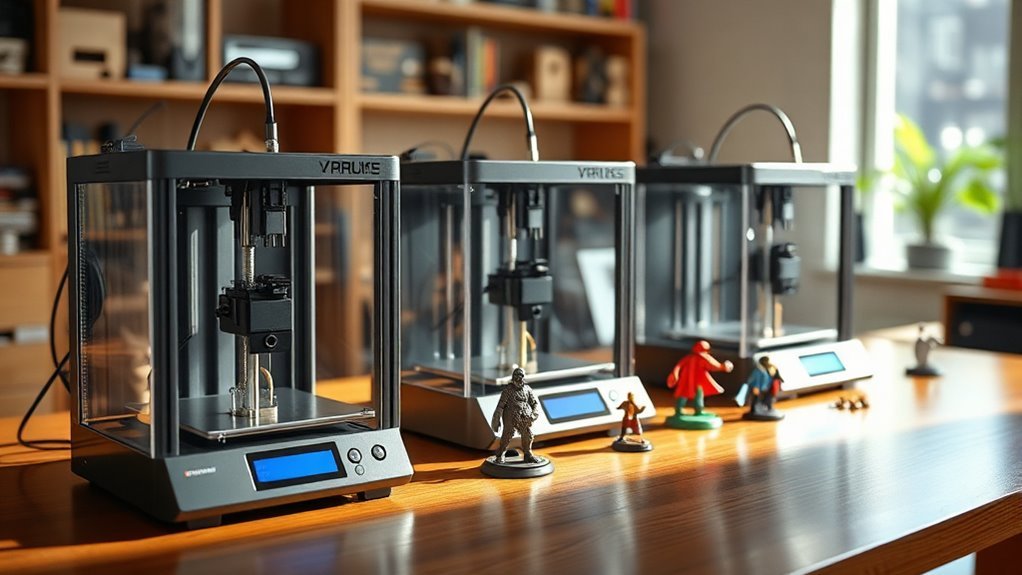
When choosing a 3D printer for tabletop miniatures, you’ll want to focus on print resolution to capture fine details and consider the build volume based on the size of your models.
Deciding between resin and filament affects both quality and ease of use, while speed and efficiency determine how quickly you can complete your projects.
Keeping these factors in mind will help you find a printer that fits your specific needs. It’s all about balancing what matters most to you!
Print Resolution Importance
Although choosing a 3D printer for tabletop miniatures involves many factors, print resolution stands out as a key consideration. You want a printer with a high XY resolution—around 17–28 µm pixel size—to capture fine details like facial features and weapons sharply.
The Z-layer thickness also matters; thinner layers between 10–50 µm produce smoother vertical surfaces and reduce visible layer lines, making your miniatures more paint-ready. Keep in mind that a printer’s native screen resolution and pixel density affect the detail quality across the build plate, so bigger screens don’t always mean better detail.
Plus, optics and light uniformity play pivotal roles: uneven light can blur details despite high resolution. Finally, balance ultra-fine settings with longer print times and delicate post-processing to avoid fragile results.
Build Volume Needs
Since build volume directly limits the size and quantity of miniatures you can print, you need to carefully assess your typical model dimensions and batch sizes before choosing a 3D printer.
Start by determining the maximum miniature size, including bases and supports. Then pick a build volume at least 10–20% larger in each axis to allow for orientation and support placement.
If you print multiple miniatures simultaneously, calculate the total bed area by multiplying a single model’s footprint by the number you want per run. This ensures the printer’s XY area fits them without overcrowding.
Also, consider Z-height for taller models or dioramas—100–160 mm clearance usually suffices.
Try to balance detail and throughput by choosing a larger XY area if you want both fine resolution and bigger batches. Plus, plan for occasional oversize prints to future-proof your setup.
Resin Vs Filament
Choosing between resin and filament 3D printers greatly impacts the quality, durability, and workflow of your tabletop miniatures. Resin printers deliver superior detail with XY resolutions around 20–50 µm, capturing fine textures, overhangs, and tiny features crisply.
Their prints have smoother surfaces and better layer adhesion but tend to be brittle, especially on thin parts. You’ll need to handle resin carefully, using gloves and ventilation, plus additional washing and UV curing steps.
Filament printers, meanwhile, offer tougher prints and larger build volumes at a lower material cost, making them ideal for durable miniatures or scenery. However, achieving fine detail with filament requires slower speeds, smaller nozzles, and more post-processing.
Your choice hinges on whether you prioritize intricate detail and finish or toughness and ease of handling. It really depends on what matters most for your projects!
Speed and Efficiency
When you want to produce multiple miniatures efficiently, balancing print speed with detail is essential. Aim for printers offering sub-30 µm XY resolution and at least 40–70 mm/h Z-axis speed to guarantee both quality and throughput.
Also, consider printers with larger build volumes so you can batch-print several miniatures at once. This cuts down on setup and curing overhead, saving you time in the long run.
Monochrome LCDs with powerful, uniform light sources help shorten exposure times per layer. That means faster prints and a longer screen life, which is a nice bonus.
Mechanical stability matters too—a sturdy Z-axis and precise linear motion let you print faster without worrying about layer shifts or failures.
And don’t forget, speed isn’t just about the printing itself. You’ve got to factor in peel times, post-processing capacity, and resin changeover to avoid bottlenecks that slow your overall workflow.
Ease of Use
Although 3D printing tabletop miniatures can be complex, selecting a printer with intuitive features will make your experience much smoother. Look for models with one-click or automated bed leveling to cut down setup time and reduce first-time print failures.
A user-friendly interface, like a large touchscreen with clear menus, helps you navigate settings easily. Make sure the printer supports widely used slicers, so you can prepare prints without frustration.
Prioritize machines with reliable firmware and resume-on-power-loss features, minimizing interruptions. Also, consider printers with straightforward part removal and accessible resin or filament areas to simplify cleanup.
Finally, choose systems backed by clear documentation and active community support. This way, you can quickly troubleshoot issues and learn new techniques, ensuring a hassle-free printing journey.
Connectivity Options
To get the most out of your 3D printer for tabletop miniatures, you’ll want to pay close attention to its connectivity options. USB, SD card, and Ethernet offer reliable local file transfer without depending on a network, ensuring stable printing.
Wi-Fi, especially dual-band, lets you slice remotely, monitor prints, and update firmware. But keep in mind, it can be less dependable than wired connections.
Cloud or app integrations provide remote control and webcam monitoring. However, they might require accounts and raise privacy concerns.
Make sure your printer features a touchscreen with onboard file management. This way, you can operate offline and set up prints quickly.
Also, check if it supports resume-on-power-loss and protocols like SMB, FTP, or OctoPrint. These features can enhance reliability and streamline your workflow.
Budget and Warranty
Because your budget affects both your initial purchase and ongoing costs, you should set a realistic range that includes the printer and essential accessories like resin, build plates, and tools. Entry-level resin setups often require several hundred dollars beyond the printer itself.
Balance upfront costs against long-term expenses—resin, replacement FEP films, LCD screens, and cleaning supplies can add hundreds annually depending on use. Check warranty length and coverage carefully, especially for wear-prone parts like LCDs and linear rails.
Choose manufacturers offering clear RMA policies, spare parts availability, and paid warranty extensions to minimize downtime. If funds are tight, prioritize a longer warranty and a small spare-parts kit to prevent costly interruptions from predictable failures. This way, you’ll ensure smooth, continuous printing for your tabletop miniatures.
Frequently Asked Questions
How Do I Safely Dispose of Used Resin?
You should cure used resin under UV light or sunlight until it’s solid. Then, you can dispose of it as solid waste.
Never pour liquid resin down the drains—that can cause serious problems.
Also, make sure to wear gloves and work in a well-ventilated area to keep yourself safe while handling resin.
Can I Paint Miniatures Directly After Printing?
You can’t paint miniatures right after printing; you’ll need to clean off excess resin and fully cure them first. Otherwise, paint won’t adhere properly, and your miniature might get damaged or sticky during painting.
What Maintenance Is Required for Resin Printers?
Keeping your resin printer in tip-top shape means cleaning the resin tank, filtering leftover resin, and wiping the build plate after each print.
Think of it as watering a plant—regular care keeps your prints blooming beautifully.
Are There Eco-Friendly Resins Available?
Yes, you’ll find eco-friendly resins made from bio-based materials or with reduced VOCs. They’re less toxic and better for the environment.
Just remember, they still need careful handling and proper disposal to stay green.
How Long Do Printed Miniatures Typically Last?
Printed miniatures typically last several years if you handle them carefully and store them away from direct sunlight and excessive heat. Over time, resin might become brittle, so regular maintenance helps keep your miniatures in great shape.
It’s all about how you treat them. Keep them safe, and they can stay looking good for a long time!
Conclusion
Choosing the right 3D printer for your miniatures is like picking the perfect brush for a masterpiece. Just as a painter trusts their tools to bring visions to life, your printer shapes every tiny detail.
Imagine holding a finely crafted miniature, crisp and vibrant—that’s the reward of the right choice. With options like the ANYCUBIC Photon Mono 4 or Phrozen Sonic Mighty 8K, you’re not just printing models; you’re crafting your own tabletop legends.
When it comes to 3D printers for tabletop miniatures, precision and detail matter the most. The best 3D printers for miniatures in 2027 offer high resolution, speed, and reliability, ensuring your figurines come out flawless every time. Whether you’re a hobbyist or a pro, investing in the right printer transforms your creative ideas into stunning reality.