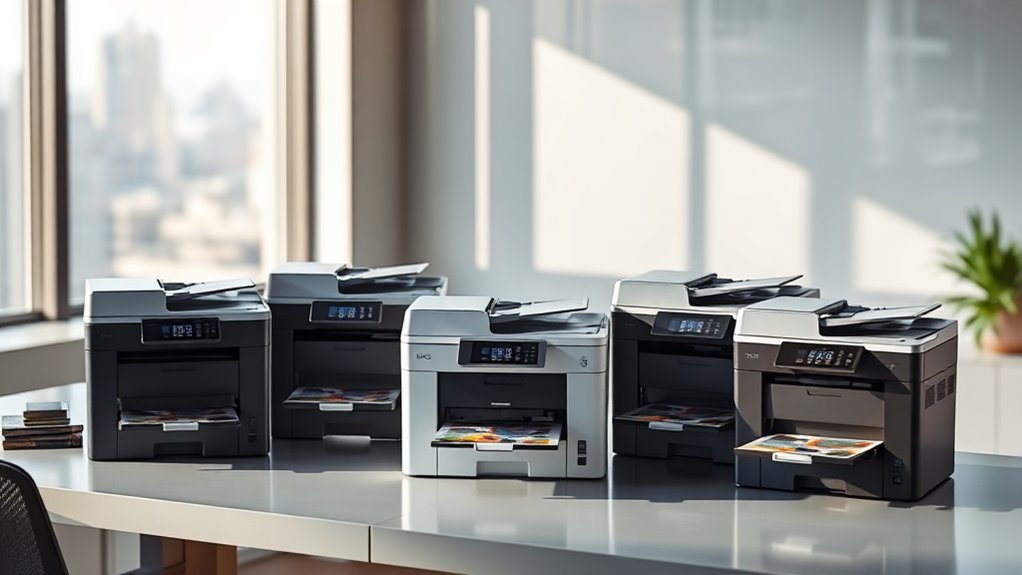
6 Best 11×17 Multifunction Printers for 2027 (Top Picks)
You need an 11×17 multifunction printer that balances speed, vibrant print quality, and robust media handling. Whether you’re tackling creative projects or professional documents, having a reliable wide-format printer is key. These printers handle large paper sizes without sacrificing detail or efficiency.
Top picks include Brother INKvestment 6560 for reliable wireless printing. HP OfficeJet Pro 9730 stands out with its dual-tray convenience, making multitasking easier. Epson’s WorkForce Pro series (WF-7840, WF-7310, WF-7820) offers high capacities and sharp output, perfect for high-volume printing needs.
If you’re looking for cost-effective, wide-format printing, the Epson EcoTank ET-15000’s refillable tanks really shine. Explore these options to find the perfect fit for your creative or professional needs. You’ll be amazed at how much easier large-format printing can be!
Brother INKvestment 6560 Wireless Color All-in-One Printer
Experience the convenience of versatile, high-quality printing with the Brother INKvestment 6560 Wireless Color All-in-One Printer. Designed to handle large-format documents up to 11×17 inches, it simplifies tasks by combining printing, copying, scanning, and faxing into one device. This multifunction printer is perfect for managing complex office workflows efficiently.
With fast print speeds—up to 31 ppm for black and 30 ppm for color—you can complete projects quickly without sacrificing sharp image quality. The 50-sheet automatic document feeder supports duplex printing, reducing manual effort and saving time on two-sided prints. Its high resolution of 1200 x 4800 dpi ensures crisp, professional results for presentations and reports.
Connectivity is flexible with dual-band Wi-Fi, Ethernet, USB, and mobile app integration. This makes it easy to print from various devices and cloud services, enhancing productivity. The 2.7” touchscreen and Brother Mobile Connect app provide straightforward control and setup.
While it offers great features, the printer’s size and weight require ample desk space. Also, it uses a single 250-sheet tray, which may need frequent refilling for high-volume tasks. Ink subscription trials auto-renew, so managing cartridge replacements is important.
Best for: small offices and professionals needing reliable, fast, and versatile 11×17 multifunction printing with broad connectivity options.
What We Like:
- Supports large media sizes with automatic duplex and a 50-sheet ADF
- Fast print speeds with high-resolution output
- Multiple connectivity options including dual-band Wi-Fi and Ethernet
- Intuitive touchscreen and mobile app for easy operation
Specification:
| Feature | Details |
|---|---|
| Manufacturer | Brother |
| Dimensions (W×D×H) | Approx. 18.5 × 16.7 × 15.7 in |
| Weight | 44.1 lbs (20 kg) |
| Media Size Support | Up to 11″ x 17″ (Ledger) |
| Paper Tray Capacity | 250 sheets |
| Connectivity | Dual-band Wi-Fi, Ethernet, USB |
| Display | 2.7″ Color Touchscreen |
HP OfficeJet Pro 9730 Wide-Format Wireless Printer
The HP OfficeJet Pro 9730 Wide-Format Wireless Printer is designed to meet the demands of professionals who require detailed, large-format color prints. It handles documents up to 11×17 inches, making it perfect for floorplans, mood boards, or complex spreadsheets. This printer helps streamline your workflow by delivering sharp, vibrant prints quickly and efficiently.
Its dual 250-sheet trays reduce interruptions during large print jobs, while automatic two-sided printing saves paper and time. The 4.3-inch touchscreen offers intuitive control, and the HP Smart app allows you to print, scan, copy, and fax directly from your smartphone. These features simplify everyday tasks and enhance productivity.
Maintenance is straightforward with AI-enhanced tools that optimize print quality and monitor ink levels. However, its size and weight could be challenging for smaller workspaces. Keep in mind that after the Instant Ink trial, a subscription fee applies unless cancelled.
Best for: professionals and small businesses requiring high-quality wide-format color printing combined with efficient multitasking capabilities.
What We Like:
- Wide-format color printing up to 11×17 inches for detailed projects
- Fast print speeds with automatic duplex to save time and paper
- Large dual trays for continuous printing with fewer refills
- User-friendly touchscreen and mobile app for easy operation
- AI features that optimize print quality and manage ink levels
Specification:
| Feature | Details |
|---|---|
| Manufacturer | HP |
| Dimensions | Approx. 21.5 x 18.3 x 12.2 in |
| Weight | About 27.1 lbs (12.3 kg) |
| Color Options | Black |
| Connectivity | Wireless, USB |
Epson WorkForce Pro WF-7840 Wireless All-in-One Wide-Format Inkjet Printer
Experience professional-quality printing with the Epson WorkForce Pro WF-7840 Wireless All-in-One Wide-Format Inkjet Printer. Designed to tackle high-volume tasks, it delivers crisp prints up to 13 x 19 inches, making it ideal for detailed documents and wide-format projects. This printer streamlines your workflow by combining printing, scanning, copying, and faxing in one device.
The use of DURABrite Ultra ink ensures vivid, long-lasting colors, while a sharp 4800 x 2400 dpi resolution captures fine details. Its large 500-sheet capacity and automatic document feeder reduce interruptions, letting busy offices maintain productivity. Duplex printing helps save paper by automatically printing on both sides.
Connectivity is flexible with Wi-Fi, Ethernet, USB, and mobile options, allowing you to print from multiple devices seamlessly. The intuitive 4.3-inch touchscreen simplifies operation, making it easy to manage tasks and settings. While the unit is relatively heavy at 45.4 pounds, its robust build supports consistent performance.
Maintenance is straightforward, though color print speeds are moderate at 12 pages per minute. The printer suits professional environments where reliability and wide-format output are essential.
Best for: professionals and businesses needing a versatile all-in-one printer capable of high-volume, wide-format tasks with flexible connectivity.
What We Like:
- Wide-format printing up to 13 x 19 inches with sharp resolution
- Multifunction design handles print, scan, copy, and fax
- Large 500-sheet capacity with automatic document feeder
- Multiple connectivity options including wireless and mobile printing
- Easy-to-use 4.3-inch touchscreen interface
Specification:
| Feature | Details |
|---|---|
| Manufacturer | Epson |
| Dimensions (W x D x H) | Not specified |
| Weight | 45.4 lb (20.6 kg) |
| Print Resolution | 4800 x 2400 dpi |
| Paper Capacity | 500 sheets + automatic feeder |
| Connectivity | Wi-Fi, Ethernet, USB, mobile |
| Ink Type | DURABrite Ultra ink |
Epson Workforce Pro WF-7310 Wireless All-in-One Wide-Format Inkjet Printer
The Epson Workforce Pro WF-7310 is designed to tackle wide-format printing projects with ease. Its ability to print up to 13 x 19 inches makes it ideal for producing detailed documents, posters, and presentations. You’ll benefit from fast, high-resolution prints that maintain sharpness and color accuracy using DURABrite Ultra pigment inks.
This printer simplifies your workflow with automatic duplexing and a generous 500-sheet capacity, minimizing interruptions for paper refills. Multiple paper trays allow you to switch between media types effortlessly. Connectivity is streamlined through Wi-Fi 5 and Ethernet, letting you print wirelessly or via a network.
Maintenance is straightforward, with Epson’s Smart Panel app providing remote control and monitoring directly from your smartphone. However, note that the scanner uses a sheetfed design, which might limit scanning flexibility compared to flatbed models. Full functionality may require app setup and internet access.
Compact yet powerful, the Workforce Pro WF-7310 is built to enhance productivity in small offices and professional environments that demand versatile, high-quality wide-format printing.
Best for: professionals and small businesses needing a reliable wide-format printer with versatile paper handling and wireless connectivity.
What We Like:
- High-resolution, fast printing with DURABrite Ultra pigment inks
- Wide-format output up to 13 x 19 inches with automatic duplexing
- Multiple paper trays for seamless media switching
- Wireless and Ethernet connectivity for flexible setup
- Smartphone control via Epson Smart Panel app
Specification:
| Feature | Details |
|---|---|
| Manufacturer | Epson |
| Dimensions | Approx. 20.9 x 23.6 x 12.6 in (53.1 x 60 x 32 cm) |
| Weight | Under 30 lbs (approx. 13.6 kg) |
| Ink Type | DURABrite Ultra pigment inks |
| Max Print Size | 13 x 19 inches |
| Connectivity | Wi-Fi 5, Ethernet |
Epson Workforce Pro WF-7820 Wireless All-in-One Wide-Format Inkjet Printer
The Epson Workforce Pro WF-7820 offers reliable wide-format printing that meets the demands of busy offices. It produces sharp prints up to 13 x 19 inches, helping you handle large documents and vibrant color projects with ease. This printer speeds up your workflow by delivering up to 25 pages per minute in black and 12 in color.
Beyond printing, it combines multiple functions—copying, scanning, faxing, and automatic duplexing—into one device. The 4.3-inch touchscreen and voice command capabilities simplify operation, so you can stay focused on your tasks without fuss. Its robust 50-sheet automatic document feeder and 250-sheet paper tray support high-volume jobs without frequent interruptions.
Connectivity options like wireless, Ethernet, and mobile app integration keep you flexible and connected to your devices. Using DURABrite Ultra inks ensures your output is professional and long-lasting. While it has a larger footprint and requires genuine Epson cartridges to maintain warranty, its efficiency and versatility make it a solid addition for growing workspaces.
Best for: Offices and professionals needing fast, versatile wide-format printing with integrated multifunction features and seamless connectivity.
What We Like:
- High-resolution wide-format printing up to 13 x 19 inches
- All-in-one functionality: print, copy, scan, fax, duplex
- Multiple connectivity options including wireless and voice control
- Large paper capacity and automatic document feeder for volume tasks
- Durable DURABrite Ultra inks for professional-quality output
Specification:
| Feature | Details |
|---|---|
| Manufacturer | Epson |
| Maximum Print Size | 13 x 19 inches |
| Print Speed (Black) | Up to 25 ppm |
| Print Speed (Color) | Up to 12 ppm |
| Resolution | 5760 x 1440 dpi |
| Paper Tray Capacity | 250 sheets |
| Automatic Document Feeder | 50 sheets |
| Control Interface | 4.3-inch touchscreen, voice |
| Connectivity | Wireless, Ethernet, mobile app |
| Ink Type | DURABrite Ultra |
| Dimensions (WxDxH) | Approx. 23.7 x 19.7 x 13.7 in |
| Weight | Approx. 33.7 lb (15.3 kg) |
Epson EcoTank ET-15000 Wireless All-in-One Wide-Format Supertank Printer
The Epson EcoTank ET-15000 is designed for those who want to print large, detailed documents without frequent ink changes. Its wide-format capability lets you print up to 13 x 19 inches, ideal for posters, presentations, and creative projects. This printer simplifies wide-format printing with refillable supersized ink tanks, eliminating the hassle and cost of cartridges.
Maintenance is straightforward thanks to the cartridge-free system, which reduces waste and lowers operating costs. The ET-15000 also offers versatile functionality with print, scan, copy, and fax features, covering all office needs in one device. Its 2.7″ color touchscreen and multiple connectivity options—including wireless, Ethernet, and USB—make operation smooth and flexible.
While it excels at printing large formats, scanning and copying are limited to 8.5 x 14 inches. Users should note that ink yield and print quality may vary depending on actual usage conditions. Despite these considerations, the ET-15000 remains a reliable choice for cost-conscious users needing wide-format printing.
Best for: professionals and small office users who require versatile, cost-efficient wide-format printing with easy maintenance and multiple connectivity options.
What We Like:
- Cartridge-free printing with large refillable ink tanks cuts costs and waste
- Prints wide-format documents up to 13 x 19 inches quickly and efficiently
- User-friendly 2.7″ color touchscreen enhances control and convenience
- Supports wireless, Ethernet, and USB connections for flexible setup
- Combines print, scan, copy, and fax functions in one compact device
Specification:
| Feature | Details |
|---|---|
| Manufacturer | Epson |
| Max Print Size | 13 x 19 inches |
| Max Scan/Copy Size | 8.5 x 14 inches |
| Connectivity | Wireless, Ethernet, USB |
| Display | 2.7″ Color Touchscreen |
| Ink System | Refillable Supersized Tanks |
| Functions | Print, Scan, Copy, Fax |
Factors to Consider When Choosing an 11X17 Multifunction Printer
When choosing an 11×17 multifunction printer, you’ll want to focus on print quality and speed to match your workflow needs. Consider how much paper it can handle, the types of connections it supports, and whether it fits your space.
Don’t forget to factor in ink type and costs to keep your budget on track. It’s all about finding the right balance between performance and affordability.
Think about your specific tasks and how the printer will fit into your daily routine. That way, you’ll pick a model that truly works for you.
Print Quality and Speed
You’ll often find that print quality and speed are the two most critical factors determining how well an 11×17 multifunction printer fits your needs. Check the maximum print resolution, aiming for at least 1200 x 4800 dpi to get sharp text and detailed photos.
Compare ISO print speeds for both black and color prints, since actual speeds can differ based on test methods and whether you print mono or color. Fast first-page-out times and warm-up technologies help if you need quick single-page jobs.
Also, consider the scanner’s optical resolution and duplex scanning if accurate two-sided copies matter. Keep in mind, print speed varies with media and settings—higher resolution modes slow printing but boost quality.
Balancing these factors makes certain you get the performance that suits your workflow.
Paper Handling Capacity
Print quality and speed matter, but managing paper efficiently can make or break your printing experience. Start by checking the total input capacity—most models hold between 250 and 500 sheets.
If you handle high-volume jobs, a larger capacity means fewer interruptions to reload paper. Look for multiple trays so you can load different media types or sizes at once, avoiding constant swaps.
Don’t forget to verify if there’s a rear or manual feed slot for specialty papers like cardstock or envelopes, and confirm its size and weight limits. Also, consider the output tray’s capacity and any finishing options like stapling or duplexing.
Finally, check the automatic document feeder’s capacity and whether it offers single-pass duplex scanning to keep your scanning and copying smooth. It really helps speed things up!
Connectivity and Compatibility
Although choosing an 11×17 multifunction printer involves many factors, ensuring strong connectivity and broad compatibility is essential for smooth operation. You’ll want a printer that supports dual-band Wi-Fi (2.4 GHz and 5 GHz) and Wi-Fi Direct, so it connects reliably in busy networks or directly to your devices without a router.
Look for wired Ethernet and USB ports for stable, high-volume transfers and seamless integration with desktops or network servers. Make sure it supports mobile and cloud printing protocols like AirPrint and Mopria for easy printing from smartphones or tablets.
Confirm driver availability across Windows, macOS, and Linux, plus universal PCL/PS support for enterprise use. Finally, check for secure app-based management and scan-to-cloud/email features with strong authentication to protect your data while fitting business workflows.
Ink Type and Costs
How much you spend on ink can make a huge difference in your overall printing costs. Supertank or refillable ink systems often save you up to 90% per page by replacing cartridges with large-capacity bottles. This cuts down frequent replacements and waste.
Standard cartridge printers vary widely. Opting for high-yield or XL cartridges helps lower costs, but keep in mind yields depend on ISO testing and your actual usage. It’s a good idea to compare page yields and cost-per-page consistently.
Remember, color printing uses multiple ink channels—even black prints sometimes. Subscription ink plans offer convenience and up to 50% savings. But watch out for auto-renewals and potential device restrictions if canceled.
Also, factor in consumable compatibility, warranty impacts, and maintenance needs like printhead replacements. That way, you can understand your long-term ink expenses fully.
Device Size and Weight
When selecting an 11×17 multifunction printer, you’ll need to carefully consider its size and weight since these models are larger and heavier than standard printers. Measure your available desk or floor space, accounting for clearance needed to open trays and the scanner lid fully.
Weight can vary from about 25 to over 45 pounds, which impacts where you can place the device and whether you need a sturdy stand. Don’t forget to allow extra room for multi-tray setups, rear specialty feeds, and extended output trays.
If the printer sits under shelves or cabinets, check vertical clearance. Larger, heavier printers often have more paper capacity and features but may require reinforced furniture and extra effort when moving for maintenance or service. Plan accordingly to avoid surprises.
Frequently Asked Questions
Can These Printers Handle Duplex Scanning for Double-Sided Documents?
Yes, these printers can handle duplex scanning for double-sided documents. You’ll save time and effort because they scan both sides automatically.
This makes your workflow smoother and more efficient without needing to manually flip pages. It’s a real game changer when you’re dealing with lots of paperwork.
What Are the Average Replacement Costs for Ink or Toner Cartridges?
Cartridge costs can vary considerably, costing anywhere from $30 to $100 or more.
You’ll want to weigh whether cheaper cartridges compromise quality or longevity before settling on supplies that suit your specific scanning and printing needs.
Do These Printers Support Direct Mobile Device Printing Without a Network?
Yes, many 11×17 multifunction printers support direct mobile printing without a network using Wi-Fi Direct or Bluetooth.
You can easily print photos or documents straight from your smartphone or tablet without needing a router or hotspot.
It’s pretty convenient when you want to skip the whole network setup and just get your prints done quickly.
Are These Printers Compatible With Macos and Linux Operating Systems?
Yes, most of these printers work well with macOS. Many also offer Linux drivers or support.
You’ll want to check specific models for full Linux compatibility. But macOS support is generally reliable and straightforward.
What Is the Typical Lifespan of an 11X17 Multifunction Printer?
You can expect an 11×17 multifunction printer to last about 3 to 5 years, depending on usage, maintenance, and brand quality.
You’ll need to replace parts occasionally, but proper care will extend its overall lifespan.
Conclusion
Choosing the right 11×17 multifunction printer is like finding the perfect brush to bring your creative visions to life. Whether you need speed, color brilliance, or budget-friendly ink solutions, these top picks have you covered.
Don’t let your printing dreams stay trapped on the screen—grab one that works as hard as you do, turning every project into a masterpiece.
Your ideal printer is waiting to transform your workflow and ignite your productivity. With the best 11×17 multifunction printers, you can enjoy high-quality prints, versatile features, and reliable performance that meets both professional and personal needs.
So, whether you’re handling large-format documents, vibrant photos, or everyday printing tasks, these printers deliver efficiency and excellence every time. Make your choice today and watch your projects come alive with stunning detail and color!