10 Best Classroom 3D Printers for Engaging Learning in 2027
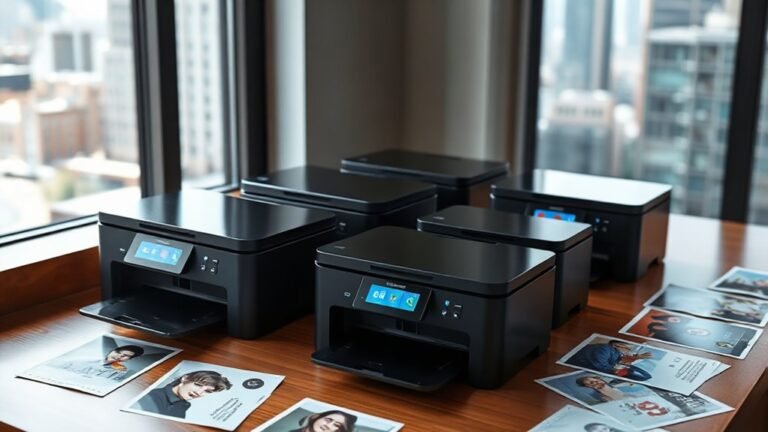
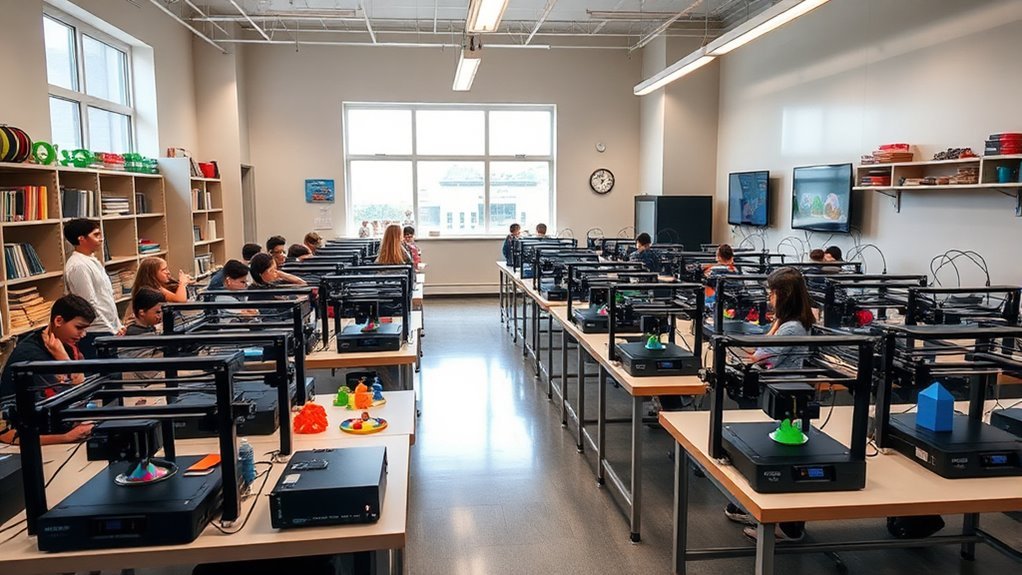
If you want the best classroom 3D printers for 2027, look for fast, safe, and user-friendly options that make learning exciting and hands-on.
Great choices like the FLASHFORGE Adventurer 5M or Bambu Lab P2S Combo offer fantastic multi-color printing capabilities. These models help bring creative projects to life with ease and precision.
Beginners might find the Entina Tina2 Plus or Bambu Lab A1 more suitable since they are designed with kids and simple setups in mind. They balance speed, safety, and versatility perfectly.
Whether you’re starting out or looking for advanced features, these printers make classroom learning fun and engaging.
Keep exploring to discover which model fits your classroom needs perfectly. Finding the right 3D printer can transform your students’ learning experience and inspire creativity every day.
| Image | Name | Editor's Rating | Price |
|---|---|---|---|

|
|
||

|
|
||

|
|
||

|
|
||

|
|
FLASHFORGE Adventurer 5M 3D Printer, All-Metal CoreXY, 600mm/s Max Travel
- One-Click Automatic Printing: Experience hassle-free 3D printing with the Adventurer 5M Series. Enjoy automatic bed leveling for flawless first layers, ensuring...
- 12X Ultra Fast Printing: Featuring a CoreXY structure with 600mm/s travel speed and 20000mm/s² acceleration, the AD5M maximizes efficiency, reduces production cycles...
- Smart and Efficient Design: Quick 3-second nozzle changes, a high-flow 32mm³/s nozzle, and fast 35-second warm-up to 200°C deliver stable high-speed printing. Its...
- Superior Print Quality & Adaptability: Combines a 280°C direct drive extruder with dual-fan cooling and vibration compensation. Includes a standard 0.4mm nozzle and...
- Real-Time App Monitoring: Monitor print progress, adjust settings, and receive instant status alerts remotely with the Flash Studio. Smart mobile control ensures a...
The FLASHFORGE Adventurer 5M 3D printer is designed to speed up classroom projects without sacrificing quality. Its all-metal CoreXY structure enables a maximum travel speed of 600mm/s, helping educators and students complete prints quickly and precisely. This means less waiting and more time for creativity.
Its compact footprint, measuring just under 16 x 14.3 x 17.6 inches, and lightweight design at 22 pounds make it easy to place in any learning environment. The manageable size fits well on desks or shelves, maximizing space efficiency. Maintenance is straightforward, with automatic bed leveling that reduces setup time and ensures consistent print quality.
With a 220 x 220 x 220 mm build volume, the Adventurer 5M handles most classroom models and prototypes with ease. Remote monitoring and mobile control add convenience, allowing users to keep track of prints without being tied to the printer. This combination of speed, precision, and user-friendly features makes it a practical choice for educational settings.
Best for: educators and students needing a fast, precise 3D printer ideal for classroom use and quick prototyping.
What We Like:
- High-speed printing up to 600mm/s with reliable CoreXY design
- Automatic bed leveling for consistent first layers
- Compact and lightweight for easy placement
- Remote app monitoring and control for convenience
Specification:
| Feature | Details |
|---|---|
| Manufacturer | FLASHFORGE |
| Dimensions | 15.7 x 14.3 x 17.6 inches |
| Weight | 22 pounds (approx. 10 kg) |
| Material | All-metal CoreXY frame |
| Build Volume | 220 x 220 x 220 mm |
Bambu Lab P2S Combo, P2S 3D Printer & AMS 2 Pro, Multi-Color 3D Printing
- High-Speed Precision: The Bambu Lab P2S 3D printer prints up to 600 mm/s while maintaining exceptional accuracy. With the PMSM Servo Extruder and Active Flowrate...
- Ready to Print in 15 Minutes: Set up your P2S FDM 3D printer and start printing in just 15 minutes. With AI failure detection, quick-swap nozzles, and automatic...
- Effortless Multi-Color Printing: The AMS 2 Pro enables seamless multi-color/multi-material 3D printing. It features built-in filament drying at up to 65 °C, keeping...
- Smart Airflow for Any Filament: The Adaptive Airflow System automatically balances cooling and heat retention—keeping overhangs crisp with cool air, or maintaining a...
- Limitless Creativity, Seamless Workflow: Explore over one million 3D models on MakerWorld and bring them to life with a smooth, unified workflow using Bambu Studio, Bambu...
Experience the power of seamless multi-color 3D printing with the Bambu Lab P2S Combo. This innovative setup combines the P2S 3D Printer with the AMS 2 Pro accessory, enabling precise and vibrant multi-material creations. It solves the common challenge of slow, complicated color changes by delivering fast, smooth prints without interruption.
The P2S features a PMSM Servo Extruder and Active Flowrate Compensation, ensuring sharp, consistent layers at speeds up to 600 mm/s. Setup is straightforward and quick, taking just 15 minutes. AI failure detection and automatic calibration simplify maintenance, reducing downtime and frustration for users of all experience levels.
Built-in filament drying and an adaptive airflow system work together to maintain optimal printing conditions. This ensures high-quality results and extends material life. Additionally, the integrated carbon filter keeps the environment clean and safe, making it well suited for classrooms or shared workspaces.
While the base P2S printer alone doesn’t support multi-color printing, the AMS 2 Pro accessory provides this capability with ease. The unit’s size requires a dedicated workspace, and availability starts from July 30, 2026, which may require planning ahead.
Best for: enthusiasts and professionals seeking fast, precise multi-color 3D printing with user-friendly features and reliable material handling.
What We Like:
- Enables seamless multi-color and multi-material printing with AMS 2 Pro
- High-speed printing up to 600 mm/s with consistent layer quality
- Beginner-friendly setup with AI failure detection and automatic calibration
- Built-in filament dryer and adaptive airflow system for print quality
- Carbon filter maintains a clean printing environment
Specification:
| Feature | Details |
|---|---|
| Manufacturer | Bambu Lab |
| Dimensions | 18 x 22 x 18 inches |
| Weight | Not specified |
| Color Options | Not specified |
| Multi-color Capability | Requires AMS 2 Pro accessory |
Entina Tina2 Plus WiFi 3D Printer for Beginners
- 【Start Printing in Minutes – Beginner Friendly】No setup required. Tina2 Plus 3d printer comes fully assembled and ready to use out of the box. With included TF card...
- 【Fast 250mm/s Printing Performance】This Tina2 Plus high speed 3D printer print speeds up to 250 mm/s help reduce waiting time and support fast project turnaround...
- 【WiFi App Control & STEM Model Library】Powered by the Poloprint Cloud app, this WiFi-enabled 3D printer gives access to 3,500+ printable models and 25+ creative DIY...
- 【40-Second Fast Heat Ceramic Hotend】High-efficiency ceramic hotend heats up in just 40 seconds for faster start-up and less downtime. The quick-swap nozzle design...
- 【Compact 3D Printer for Home & Classroom】Designed with a space-saving footprint while maintaining practical print capacity, this compact 3D printer fits easily on...
The Entina Tina2 Plus WiFi 3D Printer offers a straightforward entry into 3D printing. Its fully assembled design means you can start your projects almost immediately without hassle. With preloaded models on the included TF card, beginners can quickly explore creative possibilities.
This printer’s fast printing speed of up to 250 mm/s and ceramic hotend ensure efficient and reliable performance. The partially enclosed frame helps maintain print stability, reducing the risk of errors during printing. Auto-leveling further simplifies setup and maintenance.
Connectivity is a strong point, as you can control the printer through the Poloprint Cloud app. This feature provides access to thousands of models and easy online slicing, making it convenient to manage projects remotely. Its compact size fits well in home or school environments but may limit the scale of larger prints.
Maintenance is straightforward due to its simple design and reliable components. While it lacks advanced customization options, the Entina Tina2 Plus excels at delivering a smooth and accessible printing experience for new users.
Best for: Beginners and hobbyists looking for an easy-to-use, compact 3D printer with fast setup and WiFi connectivity.
What We Like:
- Ready to use out of the box with preloaded models
- Fast printing speeds paired with rapid heating ceramic hotend
- Convenient WiFi and app control with online model access
- Auto-leveling feature simplifies setup and maintenance
- Compact design ideal for small spaces
Specification:
| Feature | Details |
|---|---|
| Manufacturer | Entina |
| Dimensions | Compact (exact size not specified) |
| Weight | Not specified |
| Material | Not specified |
| Color Options | Not specified |
Bambu Lab A1 3D Printer, Ready-to-Use FDM 3D Printer for Beginners and Kids
- High-Speed Precision: Experience unparalleled speed and precision with the Bambu Lab A1 3D Printer. With an impressive acceleration of 10,000 mm/s², the A1 delivers...
- Multi-Color Printing with AMS lite: Unlock your creativity with vibrant and multi-colored 3D prints. The Bambu Lab A1 3D printers make multi-color printing accessible and...
- Full-Auto Calibration: Say goodbye to manual calibration hassles. The A1 3D printer takes care of all the calibration processes automatically, ensuring optimal...
- Active Flow Rate Compensation: Achieve consistently smooth prints with active flow rate compensation. The algorithm actively compensates the flow rate according to the...
- Easy and Quiet 3D Printing: Experience effortless printing with the Bambu Lab A1 FDM 3D printer. Its user-friendly interface and simplified touchscreen make it easy to...
The Bambu Lab A1 3D Printer is designed to make 3D printing accessible and straightforward, especially for beginners and kids. Its full-auto calibration system removes the hassle of manual setup by automatically leveling the bed and adjusting the Z-offset, ensuring prints start perfectly every time. This feature helps users avoid common printing errors and saves valuable time.
The printer’s touchscreen interface offers simple and intuitive control, making it easy to manage print jobs without confusion. Maintenance is also hassle-free thanks to the 1-clip quick swap nozzle, which allows for fast and effortless nozzle changes. This flexibility supports a variety of printing needs and keeps the printer running smoothly.
With a fast printing speed driven by a 10,000 mm/s² acceleration and active flow rate compensation, the A1 delivers precise and clean prints. It also supports multi-color printing through AMS Lite compatibility, enabling users to create vibrant and colorful projects. Its compact, lightweight, and quiet design fits well in classrooms and small workspaces.
Best for: Beginners and kids seeking an easy-to-use, reliable 3D printer with precise performance and multi-color options for educational and creative use.
What We Like:
- Full-auto calibration simplifies setup and reduces errors.
- Intuitive touchscreen for easy print management.
- Quick swap nozzle design enhances maintenance and versatility.
- High-speed printing with precise control for quality results.
- AMS Lite compatibility enables multi-color printing.
Specification:
| Feature | Details |
|---|---|
| Manufacturer | Bambu Lab |
| Dimensions | Not specified |
| Weight | Lightweight (exact weight N/A) |
| Printing Technology | FDM (Fused Deposition Modeling) |
| Interface | Touchscreen |
| Notable Features | Full-auto calibration, Quick swap nozzle, AMS Lite compatibility |
Bambu Lab A1 mini 3D Printer + LED Lamp Kit, Ready-to-Use for Beginners
- A1 mini + LED Lamp Kit for Creative Light Projects: Bring your ideas to life with the included LED Lamp Kit. Simply print compatible lamp models and turn your 3D...
- The Perfect 3D Printer for Beginners: A1 mini 3D Printer is designed to make 3D printing easy from day one with automatic calibration, simple setup, and a smooth printing...
- Experience the Bambu Lab Ecosystem: Access MakerWorld’s huge library of ready-to-print models, manage prints through the Bambu Handy app, and enjoy a connected...
- Fast, Quiet, and Reliable Printing: Compact and beginner-friendly, A1 mini delivers high-speed, high-quality printing with quiet operation that fits naturally into your...
- Made for Everyday Creativity: From toys and home décor to functional tools and personalized gifts, A1 mini makes it easy to turn ideas into real-life creations with a...
The Bambu Lab A1 mini 3D Printer + LED Lamp Kit simplifies the world of 3D printing for beginners. Its automatic calibration and easy setup allow users to start printing quickly without hassle. This compact device fits neatly in any space, making it ideal for home, classroom, or studio use.
Designed for quiet operation, the printer lets you create toys, décor, and personalized gifts without distractions. The included LED lamp kit adds a creative dimension by turning your prints into stylish lighting pieces. This combination encourages hands-on projects that blend technology with design.
Maintenance is straightforward thanks to the printer’s user-friendly interface and reliable components. The Bambu Handy app and MakerWorld library provide access to a wide range of ready-to-print models, reducing the need for complex design work. This makes it easier to focus on bringing ideas to life.
While the compact size limits print dimensions, it’s perfect for small-scale projects and learning environments. Advanced users may find the feature set limited, but beginners gain a reliable tool to explore 3D printing with ease.
Best for: Beginners and hobbyists wanting an easy-to-use 3D printer with integrated LED lamp features for creative projects.
What We Like:
- Automatic setup and calibration for fast starts
- Access to a large library of printable models
- Quiet operation suitable for shared spaces
- Compact design fits small areas
- LED lamp kit enhances creative possibilities
Specification:
| Feature | Details |
|---|---|
| Manufacturer | Bambu Lab |
| Dimensions | Compact (exact size not stated) |
| Weight | 12.1 lb (5.49 kg) |
| Material | Not specified |
| Color Options | Not specified |
FLASHFORGE AD5X Multi-Material 3D Printer

- Build for Speed and Full-Color Printing: Bring your creative vision to life with vibrant and multicolored 3D prints in 4-colors. With speed of up to 600mm/s and...
- Seamless Printing, Precise Control: Full auto leveling sensor measures multiple points on the print bed to ensure consistent distance between nozzle and bed. As well as...
- Multi-Material and Multi-Color Capability: Intelligent Filament System (IFS) allows you to print in multiple colors and materials simultaneously. Among the wide selection...
- CoreXY Structure, Vibration Compensation: With its all-metal motion CoreXY structure offers highly rigid, reducing the risk of errors caused by vibration or mechanical...
- Compact Design, Space Saving: With its lightweight, modular design and intelligent filament system (IFS), Four spools of filament arranged side by side, AD5X offers...
The FLASHFORGE AD5X Multi-Material 3D Printer is designed to bring versatility and precision to educational and creative environments. Its ability to print simultaneously with materials like PLA, TPU, PETG, and carbon fiber blends solves common challenges in multi-material projects. This feature enhances classroom learning by enabling complex, colorful designs without the need for multiple prints.
Built with an all-metal CoreXY structure, the AD5X ensures high-speed printing up to 600mm/s while maintaining accuracy through vibration compensation. The full auto leveling sensor simplifies setup and reduces user error, making maintenance straightforward. Its Intelligent Filament System supports smooth transitions between materials, minimizing downtime and improving print consistency.
The printer’s modular and compact design fits easily into classroom or workshop spaces, although its 22-pound weight may limit portability for some users. The option to create DIY Intelligent Filament System setups offers advanced users creative control but might require a learning curve for beginners.
Overall, the FLASHFORGE AD5X provides reliable, high-quality multi-material printing with features tailored to enhance hands-on learning and prototyping.
Best for: Educators and makers needing a versatile, high-speed 3D printer for detailed, multi-material projects and creative prototyping.
What We Like:
- Supports simultaneous printing with PLA, TPU, PETG, and carbon fiber blends
- High-speed printing up to 600mm/s with precise layer alignment
- Full auto leveling and vibration compensation improve print accuracy
- Intelligent Filament System allows smooth material changes
- Compact, modular design fits well in classrooms and workshops
Specification:
| Feature | Details |
|---|---|
| Manufacturer | FLASHFORGE |
| Dimensions | Not specified |
| Weight | 22 lb (10 kg) |
| Material Compatibility | PLA, TPU, PETG, Carbon Fiber Blends |
| Printing Speed | Up to 600 mm/s |
| Structure | All-metal CoreXY |
Entina Tina2C Mini 3D Printer for Beginners

- 【Easy to Use 3D Printer – Ready in 5 Minutes】 Meet the Entina Tina2C, a plug-and-play mini 3D printer designed for first-time users. Fully assembled with factory...
- 【3500+ 3D Models & Easy One-Tap Printing】 Explore 3500+ ready-to-print 3D models and 25+ DIY projects in the Poloprint Cloud app, with new designs added daily...
- 【Smart WiFi 3D Printer & AI-Powered App】 Connect via 2.4GHz WiFi and enjoy convenient 3D printer app control through Poloprint Cloud. Explore models, manage prints...
- 【Auto Leveling 3D Printer & Power-Loss Recovery】 Automatic bed leveling helps improve first-layer adhesion and reduces manual adjustments for a smoother 3D printing...
- 【Flexible Magnetic Print Bed & Quick-Swap Nozzle】 The flexible magnetic build plate makes finished 3D prints easier to remove with a gentle bend. A removable...
The Entina Tina2C Mini 3D Printer offers a simple, reliable solution for beginners and kids eager to start 3D printing without hassle. Its fully assembled design lets you begin printing in just five minutes, eliminating setup frustrations. This means less waiting and more creating from the moment it’s unboxed.
Maintenance is straightforward thanks to the flexible, magnetic print bed which makes removing models easy and reduces cleanup time. The printer’s auto leveling feature ensures consistent print quality, even for users new to 3D printing. Power-loss recovery helps avoid wasted prints, adding peace of mind during longer projects.
Designed for educational and home use, the compact and quiet printer fits neatly in any learning space. Connectivity options include WiFi control and offline printing via TF card, providing flexibility based on your setup. The AI-powered Poloprint app expands creative possibilities with over 3,500 models and text-to-3D or photo-to-3D features.
While its build volume of 3.9 x 3.9 x 3.9 inches limits larger projects, the Tina2C Mini focuses on delivering ease and accessibility. Its 2.4GHz WiFi may not support all networks but suits most home environments. This printer is ideal for those starting out rather than advanced users seeking complex features.
Best for: Beginners and kids needing a quick-start, easy-to-use 3D printer for home or classroom learning.
What We Like:
- Fully assembled, ready to print in 5 minutes
- Auto leveling and flexible magnetic print bed for easy maintenance
- AI-powered app with extensive model library and innovative 3D conversion tools
- Power-loss recovery feature to protect prints
- Compact and quiet design fits small spaces
Specification:
| Feature | Details |
|---|---|
| Manufacturer | Entina |
| Build Volume | 3.9 x 3.9 x 3.9 inches |
| Connectivity | WiFi (2.4GHz), TF card |
| Assembly | Fully assembled |
| Print Bed | Flexible magnetic |
| Weight | Not specified |
AOSEED AI 3D Printer for Kids, Fast 400mm/s, 20,000+ Models, Enclosed Safe

- [NOTE] PLA comes in multiple colors, but this printer supports single-color printing only. Multi-color designs can be created by printing separate parts and assembling...
- A Home Toy Factory with Endless DIY Fun: This mini 3D printer brings a toy factory home, helping families make new toys without extra store trips. With access to...
- AI-Powered Creativity Made Simple: This AI 3D printer lets kids bring their imagination to life. With AI Doodle, children can create custom 3D models using voice, text...
- Easy, Safe One-Tap Printing: Designed as a 3D printer for kids, it makes every project simple. Kids can print with one tap in the app, while parents can feel confident...
- Fast, Precise Printing with Smart Detection: This 3D printer delivers precision up to 0.05 mm and upgraded speeds of 220–250 mm/s, with peaks up to 400 mm/s. Small toy...
The AOSEED AI 3D Printer is designed to bring safe, fast, and creative 3D printing to kids. Its enclosed, pinch-resistant design protects little hands, making it a reliable tool for home or classroom use. With printing speeds up to 400 mm/s and precision as fine as 0.05 mm, it completes small projects like toys quickly and accurately.
Maintenance is simple thanks to its filament runout detection and a leveling-free platform, reducing downtime and frustration. The printer uses TÜV-tested, non-toxic PLA filament, ensuring safe materials for children. A built-in camera allows real-time monitoring and sharing of print progress, adding convenience and engagement.
The AOSEED AI 3D Printer supports creativity with instant access to over 20,000 human-reviewed models. Its AI-powered design tools, including AI Doodle and MiniMe, encourage custom creations without complicated software. One-tap printing makes it easy for kids to start projects independently.
While it is limited to PLA filament, this simplifies operation and safety. The printer’s size and weight may affect portability, and some AI features might need adult guidance for younger users. Overall, it balances ease of use with advanced creative options.
Best for: parents and educators seeking a safe, user-friendly 3D printer that fosters creativity and learning in children.
What We Like:
- Enclosed, child-safe design with non-toxic PLA filament
- Fast printing speeds with high accuracy
- Access to 20,000+ human-reviewed models and AI design tools
- Simple operation with one-tap printing and filament runout alerts
- Built-in camera for real-time print monitoring
Specification:
| Feature | Details |
|---|---|
| Manufacturer | AOSEED |
| Dimensions | Not specified |
| Weight | Not specified |
| Material | TÜV-tested non-toxic PLA |
| Print Speed | Up to 400 mm/s |
| Print Precision | 0.05 mm |
| Models Available | 20,000+ human-reviewed |
| Design Features | Enclosed, pinch-resistant |
ELEGOO Centauri 2 Combo 3D Printer, Beginner-Friendly Multicolor Printing

- 4-Color Printing with CANVAS: Create vibrant multi-color models effortlessly with CANVAS 4-color printing. Independent motors, instant color switching, RFID filament...
- Start Printing with Confidence: Full auto calibration and smart pre-print checks simplify setup, while 22 intelligent sensors monitor every print in real time. From first...
- Designed for Speed: Experience faster creation with a high-speed CoreXY system reaching up to 500mm/s and 20,000mm/s² acceleration. The rigid aluminum frame and...
- Smoother, Sharper, Smarter: From the first layer to the final detail, intelligent calibration, vibration compensation, and precise extrusion control help produce clean...
- A Seamless Workflow from Idea to Print: Simplify your entire workflow with the ELEGOO ecosystem. Discover ready-to-print models on Nexprint, prepare projects with...
Discover a new level of creativity with the ELEGOO Centauri 2 Combo, designed to simplify multicolor 3D printing. This printer solves the challenge of managing multiple filaments by integrating 4-color printing using CANVAS technology and independent motors. It makes switching materials effortless with RFID filament recognition, ensuring smooth and accurate color transitions.
The high-speed CoreXY system can reach up to 500mm/s, delivering precise prints with sharp edges. Intelligent calibration and vibration compensation enhance print quality, reducing errors and wasted time. Its thoughtful design includes an easy setup process with auto calibration and smart pre-print checks, so beginners can start printing confidently.
Maintenance is straightforward thanks to the magnetic printhead cover and nozzle wiper, which help keep the printer clean and running smoothly. The 5-inch touchscreen interface is intuitive, and the ELEGOO Matrix app allows remote print management, making it ideal for classrooms or collaborative environments.
With its robust features and user-friendly design, the ELEGOO Centauri 2 Combo transforms multicolor 3D printing into an accessible and efficient experience.
Best for: Beginners and educators seeking a reliable, easy-to-use multicolor 3D printer with precise and efficient functionality.
What We Like:
- Effective 4-color printing with CANVAS technology and independent motors
- High-speed CoreXY system with smart calibration for sharp, quality prints
- Easy setup and maintenance with auto calibration and magnetic printhead cover
- Remote print management through the ELEGOO Matrix app for convenience
Specification:
| Feature | Details |
|---|---|
| Manufacturer | ELEGOO |
| Dimensions | Not specified |
| Weight | Not specified |
| Printing Technology | Multicolor FDM with CANVAS technology |
| Max Print Speed | Up to 500 mm/s |
| Interface | 5-inch touchscreen |
| Connectivity | ELEGOO Matrix app support |
Anycubic Kobra X Multicolor 3D Printer, Easy One-Click Printing

- 【Vivid 19-Color and Versatile Materials】Unleash creativity beyond limits. The Kobra X supports 4-color standard and expands up to 19 colors with 4 ACE 2 Pro for...
- 【600mm/s High Speed Performance】Don't let slow speeds limit your creativity. This high-speed FDM 3D printer reaches up to 600mm/s, completing tasks significantly...
- 【True Plug & Play Experience】Start your first project in as little as 15 minutes. The Kobra X arrives with a user-friendly setup and LeviQ 3.0 automatic bed leveling...
- 【LeviQ 3.0 Perfect First Layer】Forget the frustration of manual bed leveling that plagues beginner machines. The LeviQ 3.0 system utilizes 49-point full-auto leveling...
- 【Quiet & Reliable for Home】The ultra-quiet ≤48 dB operation ensures the living or learning space remains peaceful. Combined with power loss recovery and filament...
The Anycubic Kobra X Multicolor 3D Printer transforms multicolor printing into a simple, one-click process. It allows users to print with up to four standard colors, and this can expand to 19 colors with the ACE 2 Pro upgrade. This flexibility helps educators and students easily create vibrant, multi-material models without complex setup.
Designed for speed and precision, the printer reaches up to 600mm/s while maintaining sharp detail thanks to Kobra OS and vibration compensation technology. Its quiet operation and automatic LeviQ 3.0 leveling make setup quick and stress-free, ideal for beginners and experienced users alike.
Maintenance is straightforward with features like filament sensors and power loss recovery, reducing interruptions during long prints. The built-in AI monitoring system paired with a 720P camera supports remote oversight, ensuring reliability in busy classroom environments.
This printer’s compact design balances functionality with ease of use, though its build volume may limit very large projects. The AI features require a stable network connection for optimal performance.
Best for: Educators, students, and creative professionals needing a fast, reliable multicolor 3D printer for educational and multi-material projects.
What We Like:
- Supports up to 4 colors standard, expandable to 19 colors.
- High-speed printing with vibration compensation for detailed results.
- Easy plug-and-play setup with automatic bed leveling.
- Quiet operation suitable for classroom or studio use.
- Power loss recovery and filament sensors enhance print reliability.
Specification:
| Feature | Details |
|---|---|
| Manufacturer | Anycubic |
| Dimensions | Not specified |
| Weight | Not specified |
| Material Compatibility | TPU, PLA, PETG |
| Color Options | Up to 4 standard, expandable to 19 with ACE 2 Pro |
| Print Speed | Up to 600 mm/s |
| Bed Leveling | LeviQ 3.0 Automatic |
| Monitoring | AI monitoring with 720P camera |
Factors to Consider When Choosing a Classroom 3D Printer
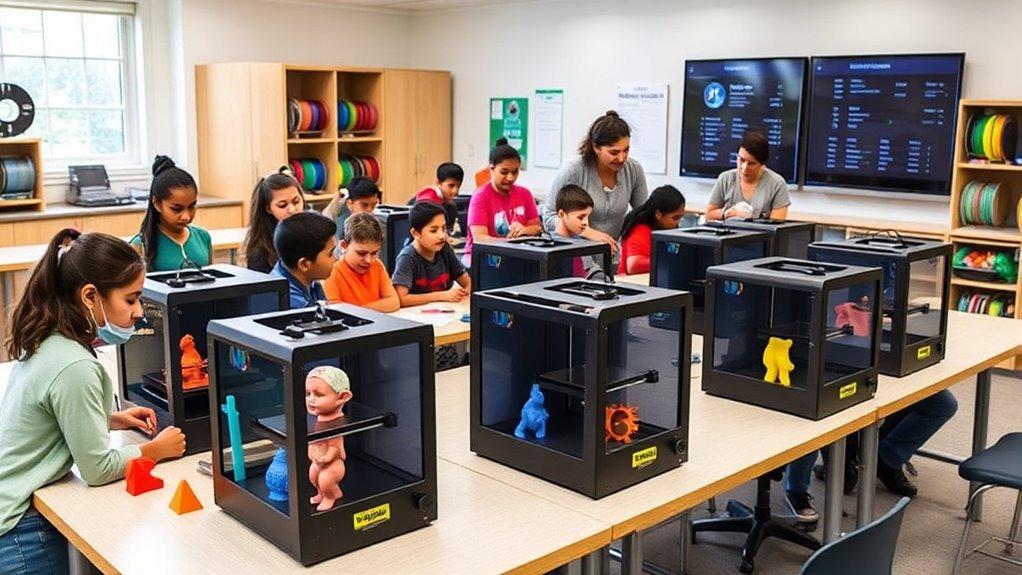
When choosing a classroom 3D printer, you’ll want to focus on printing speed and ease of use to keep lessons moving smoothly. Safety features are essential to protect students.
Also, the build volume size and material compatibility determine what projects you can create. Considering these factors helps you pick a printer that fits your classroom’s needs perfectly.
Printing Speed Importance
Because classroom time is limited, you’ll want a 3D printer that can produce models quickly without sacrificing quality. A fast printing speed, like 600 mm/s, lets you complete complex projects within a single class, keeping students engaged with multiple designs and iterations.
This speed supports rapid prototyping essential for hands-on STEM learning, encouraging creativity and innovation. Efficient printing reduces downtime, so you can maximize instructional time and minimize waiting.
Plus, quicker prints enable collaborative projects, allowing students to create, refine, and discuss designs together. When choosing a classroom 3D printer, prioritize printing speed to boost productivity, foster teamwork, and guarantee your lessons run smoothly without long pauses between print jobs.
Ease Of Use
Although 3D printing technology has advanced, ease of use remains essential for classroom success. You want a printer that arrives fully assembled or requires minimal setup so you can start printing quickly.
Choose models with intuitive software and user-friendly interfaces to help both beginners and students navigate smoothly. Automatic bed leveling and calibration save you from tedious manual adjustments, boosting print consistency.
Mobile app control and real-time monitoring let you manage prints remotely and get alerts if something goes wrong. Also, pick printers offering preloaded models and access to online libraries, so you can jump into projects without needing advanced design skills.
Prioritizing these features guarantees your classroom printer is accessible, efficient, and ready to engage students right away.
Safety Features
Anyone selecting a 3D printer for the classroom must prioritize safety features to protect students and teachers alike. Choose a printer with an enclosed design to shield users from high-temperature parts, reducing the risk of burns.
Also, look for pinch-resistant mechanisms that prevent fingers from getting caught during operation. Auto-leveling capabilities can help minimize manual adjustments, cutting down on user errors that might lead to accidents.
Power-loss recovery is another valuable safety feature, letting prints resume smoothly after interruptions, saving time and materials. Finally, opt for printers that use non-toxic, child-friendly filament materials to maintain a safe environment.
Build Volume Size
Build volume size plays an essential role in determining what you can create with a classroom 3D printer. It sets the maximum dimensions for printed objects, directly impacting the types of projects you can tackle.
If you opt for a larger build volume—say 220 x 220 x 220 mm or more—you’ll have the flexibility to produce bigger prototypes, detailed educational models, and support group projects where multiple students work on larger items simultaneously.
On the other hand, smaller build volumes save space but limit project scale, which might restrict some learning opportunities.
Since classroom projects vary widely, choosing a printer with a versatile build volume helps you accommodate different activities and boosts creativity. This way, all students can engage effectively with hands-on 3D printing experiences.
Material Compatibility
When selecting a classroom 3D printer, you need to evaluate material compatibility carefully because it determines what kinds of projects you can create. Different printers support various filaments like PLA, ABS, PETG, or specialty materials such as TPU and nylon, each suited for different educational purposes.
Some models offer multi-material or multi-color printing, enabling more complex and engaging designs. If your projects require flexible or engineering-grade materials, choose a printer that handles those well.
Also, consider printers with advanced filament management systems—they automatically adjust settings for each material, improving print quality and reducing failures. Finally, check the temperature requirements; some filaments need higher nozzle or heated bed temperatures to print successfully.
Selecting the right compatibility guarantees your classroom printer meets diverse learning needs effectively. It’s all about making sure your printer can keep up with whatever creative ideas your students bring to the table!
Maintenance Requirements
Maintaining your classroom 3D printer is essential to keep it running smoothly and producing quality prints. You’ll need to clean the nozzle regularly, lubricate moving parts, and check the print bed’s alignment to guarantee reliability.
Choosing a printer with user-friendly features like quick-swap nozzles and automatic calibration can save you time and reduce hassle. It’s smart to keep an organized workspace and establish a routine maintenance schedule to prevent filament jams and failed prints.
Depending on how often you print, you might need to perform these tasks more frequently. Many modern printers offer built-in diagnostics and monitoring systems that alert you to maintenance needs, helping you catch issues early and keep your classroom projects on track without unexpected downtime.
Connectivity Options
Although connectivity might seem like a minor detail, it plays an essential role in how you interact with your classroom 3D printer. You’ll want a printer that offers versatile options like WiFi, USB, and TF card support to suit different classroom setups.
WiFi connectivity lets you monitor and control prints remotely, which can improve workflow and collaboration. Some models even integrate with mobile apps, allowing you to access design resources and manage prints right from your smartphone or tablet.
However, USB and TF card options are vital for offline printing, especially if your internet connection is unreliable. Having multiple connectivity methods guarantees you can adapt to various technical needs and preferences, making your classroom 3D printing experience smoother and more efficient.
Budget Considerations
Choosing the right classroom 3D printer starts with setting a clear budget that matches how you plan to use it. Prices vary widely—from affordable mini models under $200 to advanced systems over $2,000.
Don’t forget to factor in ongoing costs like filament, maintenance, and upgrades, which can add up quickly. Look into educational discounts or grants to ease your initial investment.
Consider the printer’s user-friendliness, as simpler models might save you money on training and support. Also, evaluate durability and parts availability to avoid costly repairs down the line.
Frequently Asked Questions
How Do 3D Printers Impact Student Creativity and Problem-Solving Skills?
You’ll boost creativity and problem-solving by using 3D printers, as they let you design, prototype, and iterate ideas hands-on. This active learning encourages experimentation, critical thinking, and innovative solutions in real-time projects.
It’s pretty cool because you get to see your ideas come to life right in front of you. Plus, when something doesn’t work, you can tweak and try again, which really helps you think outside the box.
What Safety Precautions Are Necessary for Classroom 3D Printing?
You should always supervise printing and guarantee proper ventilation. Wearing safety goggles is important, too. Plus, keep hands clear of moving parts.
Also, use non-toxic filaments. Make sure to teach students how to handle heated components carefully, so they don’t get burns or injuries. Safety first!
Are There Any Recommended Curricula That Integrate 3D Printing?
Yes, you’ll find recommended curricula like MakerBot’s STEM Curriculum or Autodesk’s Tinkercad lessons that integrate 3D printing. They guide you step-by-step, making it easy to engage students with hands-on design and printing projects.
These resources are pretty user-friendly, so even if you’re new to 3D printing, you can jump right in. Plus, they make learning fun by combining creativity with technology.
How Can 3D Printing Be Used Across Different Subjects?
You can use 3D printing in science for models, in art for creative projects, in math for geometric shapes, and in history for artifacts.
It helps you engage students by making lessons hands-on and interactive across subjects.
Plus, when students get to hold or create something, it makes learning way more fun and real.
What Maintenance Is Required to Keep Classroom 3D Printers Running Smoothly?
Think of your 3D printer as a garden; you’ll need to clean the nozzle, lubricate moving parts, and update firmware regularly.
Also, don’t forget to check the filament quality from time to time. These simple steps keep your creative tool blooming without interruption.
Conclusion
Choosing the right classroom 3D printer can spark creativity like lightning in a storm. Whether you’re after speed, safety, or simplicity, these top picks bring learning to life with every layer.
Remember, the best printer fits your students’ needs and skills, turning ideas into tangible treasures. So, immerse yourself, explore, and watch your classroom transform into a hub of innovation.
With the best classroom 3D printers, you’re not just teaching technology—you’re inspiring imagination and hands-on learning. These printers make it easy to engage students, encourage problem-solving, and bring projects to life in exciting new ways.
Dive into this list to find the perfect 3D printer for your classroom in 2027. Your students will thank you for turning lessons into dynamic, creative adventures where learning truly comes alive.