4 Best All in One Mobile Printers for 2027
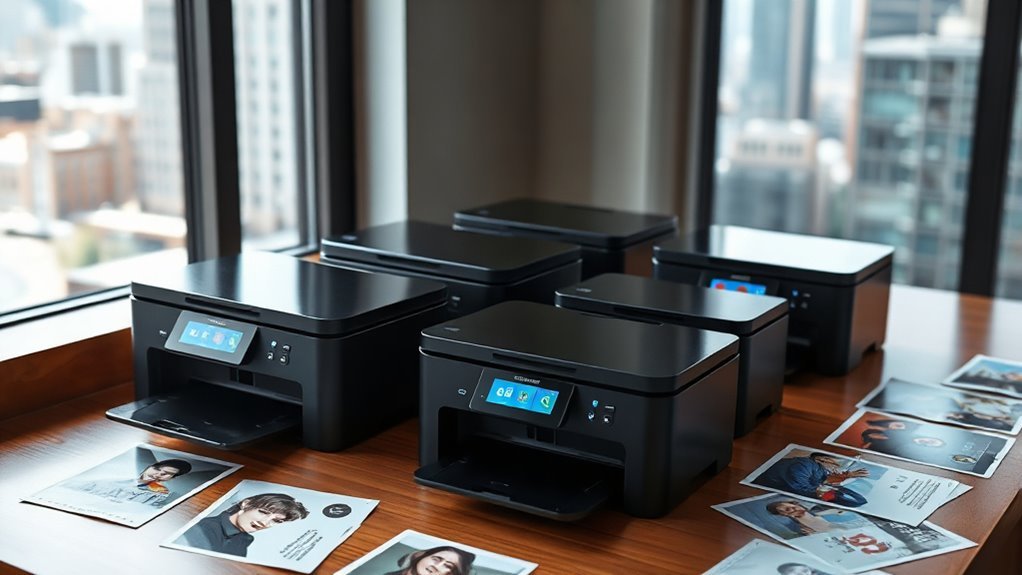
If you’re on the hunt for the best all-in-one mobile printers for 2027, you’ve got some great options to consider. Whether you need something super portable for business trips or a versatile printer for home use, there’s a model that fits the bill perfectly. These printers combine printing, scanning, and copying features in one compact device, making them ideal for on-the-go productivity.
First up is the HP OfficeJet 250. It’s lightweight and has a fast-charging battery, which makes it perfect for those who need reliable mobile printing without the bulk. If you want something more suited for home photo projects, the HP Envy Photo 7975 is a solid choice. It comes with automatic duplexing and an auto document feeder, so handling multiple pages is a breeze.
The Canon PIXMA TR4720 is great for small offices thanks to its compact size and duplex printing capabilities. And if you’re dealing with high-volume monochrome printing, the Brother DCP-L2640DW really shines. Keep these options in mind as you explore what works best for your needs.
| Image | Name | Editor's Rating | Price |
|---|---|---|---|

|
|
||

|
|
||

|
|
||

|
|
HP OfficeJet 250 Wireless Mobile All-in-One Printer
- BUSINESS PRINTING—VIRTUALLY ANYWHERE - Use your laptop, tablet, or smartphone to print, scan, and copy on the go, without having to connect to a network
- EASY PORTABLE PRINTING, SCANNING, AND COPYING WHEREVER YOU NEED IT - Print business documents anytime, anywhere, with a compact, portable all-in-one printer that fits...
- HP APP - Print and scan right from your smartphone with the easiest-to-use print app
- EASY SETUP AND PRINTING FROM MOBILE DEVICES - HP Auto Wireless Connect allows for easy setup right out of the box so you can print from your laptop or mobile devices...
- POWER UP, FAST - Charge within 90 minutes while the printer is turned off, with HP Fast Charge; plug in your AC power source at home, in the car, or the office

The HP OfficeJet 250 Wireless Mobile All-in-One Printer offers a practical solution for professionals who need reliable printing on the move. Its lightweight design, weighing just 6.5 pounds, makes it easy to carry in a backpack or briefcase without adding bulk. This portability allows users to print, scan, and copy wherever work takes them.
Equipped with wireless connectivity, the printer integrates smoothly with the HP Smart app and voice assistants, simplifying setup and control. The fast-charging battery reaches 90% capacity in about 90 minutes, ensuring minimal downtime during busy schedules. A 2.65-inch color touchscreen provides intuitive navigation, enhancing user experience.
Maintenance is straightforward, but users should note that duplex printing is manual, requiring paper flipping for double-sided documents. The single paper tray holds up to 250 sheets, which suits moderate print volumes but may need frequent refills for heavier use. Print resolution supports clear color output, though black text prints at a slightly lower quality.
Its compact size and versatile media support make this printer a dependable choice for mobile professionals needing a balance of functionality and convenience on the go.
Best for: professionals and mobile workers who require a lightweight, portable printer for efficient printing, scanning, and copying outside the office.
What We Like:
- Compact and lightweight for easy transport
- Fast-charging battery reduces wait times
- Wireless setup and control via HP Smart app
- Intuitive color touchscreen enhances usability
- Supports multiple media types for versatile printing
Specification:
| Feature | Details |
|---|---|
| Manufacturer | HP |
| Dimensions | Not specified |
| Weight | 6.5 lb (2.95 kg) |
| Color Options | Not specified |
| Connectivity | Wireless (Wi-Fi), HP Smart app |
HP Envy Photo 7975 Wireless Color Inkjet Printer
- From America's most trusted printer brand, the HP Envy Photo 7975 is a premium multi-purpose home printer with everything families need to learn, work, and create. Loaded...
- PERFECT FOR HOME - The HP Envy Photo 7975 is great for printing documents, high-quality true-to-screen borderless photos, creative projects and more. Print speeds up to...
- 3 MONTHS OF INK INCLUDED - Subscribe to the Instant Ink delivery service to get ink delivered directly to your door before you run out. After 3 months, a monthly fee...
- KEY FEATURES - Print, copy, scan, automatic 2-sided printing, advanced photo features, separate photo tray, auto document feeder, mobile and wireless printing.
- EFFORTLESS PRINTING - Smoothly navigate printing with a large intuitive printer color touchscreen.
The HP Envy Photo 7975 Wireless Color Inkjet Printer offers a practical solution for families seeking a multifunctional device that handles both photos and documents. Its smart design includes an automatic two-sided printing feature and an auto document feeder, streamlining everyday tasks with less effort.
This printer stands out with a dedicated photo tray and advanced photo printing options, such as borderless and true-to-screen prints. It produces high-quality images that bring your memories to life without complicated settings. Print speeds of up to 10 ppm in color and 15 ppm in black keep up with moderate household demands.
Maintenance is straightforward with the included three-month Instant Ink subscription, helping avoid unexpected ink shortages. Wireless and mobile printing capabilities add flexibility, allowing you to print from various devices without hassle. While it’s ideal for home use, it may not fully meet the needs of heavy office environments due to its speed and feature set.
Best for: families needing a versatile, AI-enabled home printer for high-quality photo and document printing with convenient wireless features.
What We Like:
- Advanced photo printing with borderless, true-to-screen results
- Automatic two-sided printing and auto document feeder for efficiency
- Includes a 3-month Instant Ink subscription to ensure continuous printing
Specification:
| Feature | Details |
|---|---|
| Manufacturer | HP |
| Dimensions | 17.3 x 14.3 x 6.7 inches |
| Weight | 15.4 lb (7 kg) |
| Color Options | Black |
| Printing Technology | Wireless Color Inkjet |
Canon PIXMA TR4720 Wireless All-in-One Printer
- Wireless 4-in-1 (print | copy | scan | fax)..Power Consumption: 7W (0.8W Standby / 0.3W Off)
- Print speed up to: 4" x 6" Borderless Photo (PP-201): Approx. 65.0 Seconds / Black Document (Letter/Simplex): Approx. 8.8 ipm / Color Document (Letter/Simplex): Approx...
- Designed for easy ink cartridge installation and replacement.
- Auto 2-sided printing and auto document feeder.
- Produce quality documents, photos and boarderless prints up to 8.5" x 11".
The Canon PIXMA TR4720 is designed to simplify your printing needs with compact, wireless convenience. It handles printing, scanning, copying, and faxing, making it a versatile solution for home or small office environments. Its wireless connectivity and mobile printing capabilities help reduce cable clutter and improve workflow efficiency.
This all-in-one printer includes an automatic document feeder and a 100-sheet front paper tray, allowing you to manage multiple tasks with ease. Duplex printing cuts paper use in half, saving resources and reducing your environmental footprint. The PIXMA TR4720 is built to deliver sharp prints at up to 4800 x 1200 dpi, including vibrant borderless photos in various sizes.
Maintenance is straightforward, but keep in mind that ink cartridge options may require enrollment in the PIXMA Print Plan for cost savings, which is limited by geographic shipping restrictions. The single USB port limits wired connections, and print speeds can be slower for color documents and photos, which may affect high-volume tasks.
With Alexa integration for ink alerts, this printer keeps you informed about supplies without interrupting your workflow. Its sleek, energy-efficient design fits easily in tight spaces while offering performance suited to everyday printing demands.
Best for: individuals or small businesses needing a compact, versatile all-in-one printer with wireless flexibility, fax capability, and duplex printing for home or office use.
What We Like:
- Wireless, USB, and mobile printing with easy app control and Alexa support
- Automatic duplex printing with a 100-sheet front paper tray and document feeder
- High-quality prints at up to 4800 x 1200 dpi, including borderless photo options
Specification:
| Feature | Details |
|---|---|
| Manufacturer | Canon |
| Dimensions (W×D×H) | 17.7 × 12.7 × 6.0 inches (45 × 32.3 × 15.2 cm) |
| Weight | 13.7 lb (6.22 kg) |
| Printing Technology | Inkjet |
| Connectivity | Wireless, USB |
| Functionality | Print, Copy, Scan, Fax |
Brother DCP-L2640DW Wireless Monochrome Printer
- BEST FOR SMALL BUSINESSES – Engineered for extraordinary productivity, the Brother DCP-L2640DW Monochrome (Black & White) 3-in-1 combines laser printer, scanner, copier...
- FAST PRINTER WITH EFFICIENT SCANNING – Produces documents quickly with print speeds up to 36 ppm(2) and scan speeds up to 23.6/7.9 ipm(3) (black/color). A 50-page auto...
- FLEXIBLE CONNECTION OPTIONS – Easily navigate the changing demands of your business with secure multi-device connectivity via built-in dual-band wireless (2.4GHz...
- BROTHER MOBILE CONNECT APP – Print, scan, and manage your wireless printer anytime, from almost anywhere from your mobile device. Order Brother Genuine Supplies, track...
- CHOOSE BROTHER GENUINE TONER – When it’s time to replace your toner, be sure to choose Brother Genuine TN830 or TN830XL replacement toner. And with Refresh EZ Print...
Experience efficient and dependable monochrome printing with the Brother DCP-L2640DW. Designed to meet the needs of small businesses and home offices, this wireless printer simplifies daily tasks by delivering sharp prints quickly. Its fast output helps reduce wait times and boosts productivity.
The compact 3-in-1 design integrates printing, scanning, and copying in one device, saving space and streamlining workflows. The 50-page auto document feeder and 250-sheet tray support higher volume jobs without frequent interruptions. Connectivity is versatile, with dual-band Wi-Fi, Ethernet, and USB options for flexible setup.
Maintenance is straightforward thanks to high-yield toner options that lower running costs and minimize replacement frequency. Automatic duplex printing reduces paper use, promoting efficiency and sustainability. While it only supports monochrome output, this focus ensures crisp text and clear images for professional documents.
Power consumption is generally low, though peak usage can reach 470 watts during operation. Overall, the Brother DCP-L2640DW offers a reliable, cost-effective solution for monochrome printing needs with solid build quality and responsive support.
Best for: Small businesses and home offices needing fast, reliable, high-volume monochrome printing with wireless convenience.
What We Like:
- Fast print and copy speeds with quick first-page output
- Efficient 3-in-1 functionality with auto document feeder
- Multiple connectivity options including dual-band Wi-Fi and Ethernet
- High-yield toner lowers maintenance frequency and cost
- Automatic duplexing saves paper and time
Specification:
| Feature | Details |
|---|---|
| Manufacturer | Brother |
| Dimensions (W×D×H) | 16.1 × 15.7 × 12.0 inches |
| Weight | 15.4 lbs (7.0 kg) |
| Color Options | White |
| Connectivity | Dual-band Wi-Fi, Ethernet, USB |
Factors to Consider When Choosing an All in One Mobile Printer
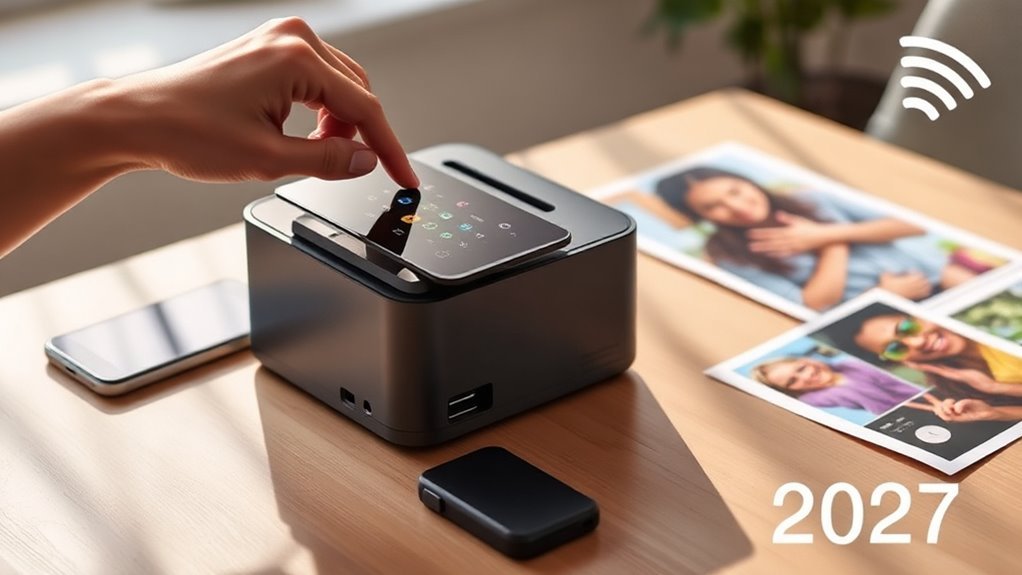
When choosing an all-in-one mobile printer, you’ll want to focus on portability and weight to make sure it fits your lifestyle. Battery life and charging options are key for staying productive on the go.
Connectivity options also matter because they affect how easily you can print from your devices. Don’t forget to check print quality, speed, and supported media types to guarantee the printer meets your specific needs. It’s all about finding the right balance for what you’ll use it for.
Portability And Weight
Several key factors determine how easily you can carry an all-in-one mobile printer during travel. First, check the printer’s weight—lighter models around 6 to 7 pounds are much easier to slip into your backpack or briefcase.
Next, compare the dimensions to make certain it fits your carrying case, car trunk, or onboard storage without hassle. While portability is vital, remember smaller, lighter units might have lower paper capacity or slower print speeds.
So, consider if these trade-offs suit your typical workload. Also, printers with built-in batteries and fast-charge features enhance mobility, letting you print without constant AC power access.
Battery Life And Charging
Because you rely on your printer during travel, battery life and charging options become essential factors to contemplate. Check the battery capacity and expected runtime to guarantee it handles your workload—whether it’s hours of use or dozens of prints per charge.
Look for fast-charge support to minimize downtime, knowing how long it takes to reach about 80–90% power. Consider if the battery is user-replaceable or sealed, and the availability of replacements for long-term use.
Power management features like sleep mode help extend battery life when the printer’s idle. Finally, verify charging methods—AC adapter, USB-C, car adapter, or portable power bank—so you can recharge conveniently wherever you go without missing a beat.
Connectivity Options Available
Beyond battery life and charging, how your printer connects to your devices can make or break your mobile printing experience. You’ll want a printer supporting multiple wireless standards like dual-band Wi-Fi (2.4 GHz and 5 GHz) and Wi-Fi Direct. This guarantees reliable printing even on busy networks.
Bluetooth and NFC are must-haves for quick pairing with smartphones or tablets without needing a network. It’s super handy when you want to print on the go without any fuss.
Check for cloud and app integration such as AirPrint, Android Print, and direct cloud services. These let you print or scan remotely, which is great if you’re not always near your printer.
Don’t overlook wired options like USB and Ethernet for stable, secure, or legacy connections. Sometimes a wired connection is just what you need for reliability.
If you prefer hands-free control or centralized management, look for printers supporting voice assistants and remote management APIs. That way, you can keep track of jobs and ink levels effortlessly.
Print Quality And Speed
When choosing an all-in-one mobile printer, you’ll want to pay close attention to print quality and speed since they directly impact your productivity and satisfaction. Check the maximum print resolution in dpi for both color and black printing. Higher dpi, like 4800 x 1200 for color, means sharper images and better photo fidelity.
Compare the rated pages per minute (ppm) for black and color documents. Keep in mind that photo or high-quality modes print slower than draft modes.
Also, look at scanner resolution since better optical dpi improves copy quality. Don’t forget first-page-out times and warm-up speed—they matter when printing small jobs on the go.
Finally, balance speed and quality options. Think about how features like automatic duplexing might affect your overall printing efficiency.
Supported Media Types
Three key factors define the media compatibility of an all-in-one mobile printer: the range of supported paper sizes, types, and weights. You’ll want to check if the printer handles everything from small photos to standard letter, legal, and even tabloid (8.5″x14″) sizes.
Make sure it supports various media like plain paper, cardstock, envelopes, labels, and photo paper, especially if you print photos or mailings. If photo quality matters, confirm borderless printing and common photo sizes (4×6, 5×7, 8×10).
Don’t forget to review input and output tray capacities and whether specialized trays are available to switch media easily. Finally, verify the printer accommodates the weight and thickness of your chosen media, so it reliably feeds heavier cardstock or specialty papers without jamming.
Mobile App Integration
Although hardware capabilities matter, seamless mobile app integration often defines how easily you can set up, operate, and maintain your all-in-one mobile printer from your smartphone or tablet. Check if the app supports full device setup, wireless printing, and scanning right from your device for hassle-free operation.
Also, confirm it integrates with cloud storage and email services so you can print or scan directly to platforms you already use. Look for features like automatic wireless connection setup, touchless controls, and voice-command compatibility to simplify remote use.
Make sure the app manages consumables with low-ink alerts and offers subscription or auto-reorder options. Finally, verify the app is compatible with your device’s OS and receives regular updates to keep your connection stable and your data secure.
Consumables And Ink Efficiency
Understanding consumables and ink efficiency plays a pivotal role in choosing an all-in-one mobile printer that fits your needs and budget. Start by checking cartridge yield—how many pages each cartridge prints—and find out if high-yield or XL cartridges are available to lower your cost per page and reduce replacements.
Compare this yield against your typical monthly usage to estimate ink expenses and plan when you’ll need replacements or subscriptions. It’s also smart to opt for printers with separate black and color cartridges so you only replace what’s empty, saving money.
Also, consider the price and availability of OEM versus compatible or refilled cartridges in your area, weighing any warranty or reliability trade-offs. And if you scan or copy often, using duplex or draft modes can help cut ink use when print quality isn’t critical.
Warranty And Support
When choosing an all-in-one mobile printer, you’ll want to carefully review the warranty length and support options to avoid unexpected costs and downtime. Check if the warranty is limited to one year or if extended plans are available, and understand what defects and failures are covered.
Make sure you know whether consumables like batteries and print heads fall under the warranty or if they require extra fees. It’s also a good idea to verify the support channels offered—phone, live chat, online troubleshooting, or in-person repair—and their availability hours.
Also, review the manufacturer’s return or satisfaction guarantee policy, including claim procedures and typical response times. Considering these factors helps you pick a reliable printer with solid backing for smooth, hassle-free use.
Frequently Asked Questions
How Do Mobile Printers Connect to Smartphones Without Wi-Fi?
You connect mobile printers to smartphones without Wi-Fi by using Bluetooth or USB cables. These options let you print directly from your phone, keeping things simple and wireless-free.
It’s super handy when Wi-Fi isn’t available. So, no need to worry about finding a network — just connect and print!
What Are the Environmental Impacts of Mobile Printer Ink Cartridges?
You’ll find mobile printer ink cartridges contribute to plastic waste and chemical pollution if not recycled properly.
Using eco-friendly cartridges or refills can reduce environmental harm and support sustainability in your printing habits. It’s a simple way to make a positive impact.
Can Mobile Printers Handle Legal-Sized Documents?
Like a painter’s brush stretching wide, many mobile printers can handle legal-sized documents, but you’ll want to check specs carefully.
Not all models support that length, so make sure yours can before printing. It’s always better to double-check than to run into surprises later.
Are There Mobile Printers Compatible With Both Android and iOS?
Yes, you’ll find mobile printers compatible with both Android and iOS. They connect via Bluetooth or Wi-Fi, letting you print effortlessly from your phone or tablet.
No matter which system you’re using, these printers make it super easy to get your documents or photos out fast. So, whether you’re team Android or team iOS, you’re covered!
How Long Do Mobile Printer Batteries Typically Last per Charge?
Mobile printer batteries typically last between 4 to 8 hours per charge, depending on usage and model. You’ll find some lasting a full day of light printing while others need recharging after heavy use.
It really comes down to how much printing you’re doing and the specific printer you have. So, if you’re just printing occasionally, the battery might easily get you through the day. But if you’re printing a lot, be ready to plug in sooner rather than later.
Conclusion
Choosing the perfect all-in-one mobile printer can feel like finding a unicorn in a sea of options—but it doesn’t have to be that hard. With so many choices out there, it’s easy to get overwhelmed.
But here’s the good news: the HP OfficeJet 250, Envy Photo 7975, Canon PIXMA TR4720, or Brother DCP-L2640DW are solid picks you can count on. These models pack power, portability, and versatility all in one.
Don’t settle for less—these printers will transform your on-the-go printing from a nightmare into pure magic! Whether you’re printing documents, photos, or labels, they handle it all smoothly.
Your productivity will skyrocket like never before with these all-in-one mobile printers. So if you want a reliable, efficient, and easy-to-use device to keep up with your busy lifestyle, these options are worth every penny. Mobile printing has never been this hassle-free or convenient!