5 Best Color Laser Printer Fax Scanner Copiers for 2027
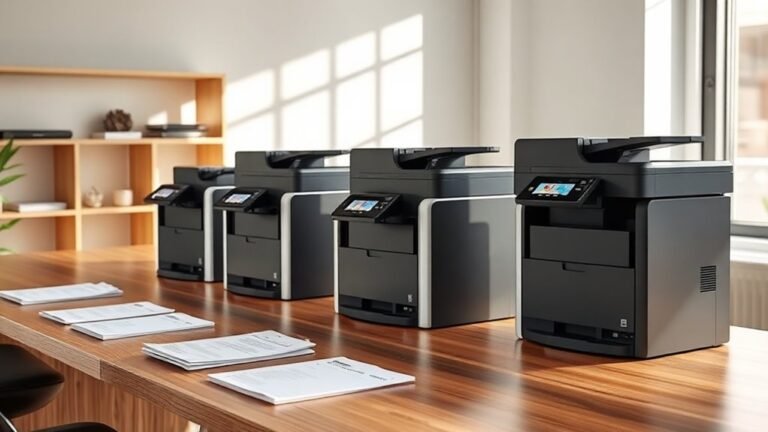
If you want a fast, reliable color laser printer with fax, scanning, and copying, consider the Canon imageCLASS MF753Cdw II for its speedy 35 ppm duplex printing and expandable paper. It’s a solid choice for busy offices needing efficiency and quality.
Or, check out the wireless Canon MF665Cdw, which comes with great features that make printing easy and convenient. Brother’s MFC-L3720CDW stands out with user-friendly shortcuts and smart toner management, helping you save time and money.
The Xerox C245 is versatile, handling various media types without a hitch. And don’t miss HP’s LaserJet Pro MFP 3301sdw, which offers strong security and smooth mobile printing options. Explore these options to find the perfect color laser printer fax scanner copier that fits your needs.
| Image | Name | Editor's Rating | Price |
|---|---|---|---|

|
|
||

|
|
||

|
|
||

|
|
||

|
|
Canon Color imageCLASS MF753Cdw II – All-in-One Color Duplex Laser Printer
- Color, Wireless, Duplex 4-in-1: Print, scan, copy, fax.

The Canon Color imageCLASS MF753Cdw II is designed to streamline your office workflow. This all-in-one color duplex laser printer handles printing, scanning, copying, and faxing with ease, making it a versatile tool for busy environments. Its fast print speed of up to 35 pages per minute helps reduce wait times, boosting productivity.
With sharp 1200 x 1200 dpi resolution, it delivers crisp and vibrant prints in both color and black-and-white. The 50-sheet duplex automatic document feeder simplifies handling multi-page documents. Plus, the paper capacity starts at 250 sheets and expands to 850, minimizing interruptions during large print jobs.
Connectivity is straightforward with options including Ethernet, USB, Wi-Fi, and mobile printing support. The intuitive 5-inch touchscreen keeps controls accessible and user-friendly. Maintenance is manageable, though toner cartridges may need frequent replacement in high-volume settings.
Its weight of 50 pounds means it requires a dedicated space, which might be less flexible in smaller offices. Overall, this model balances performance with practical features for hybrid workspaces and small offices.
Best for: Small offices and hybrid work environments needing a reliable, multifunction color duplex laser printer with versatile connectivity.
What We Like:
- Fast printing speed with high-resolution output in color and black-and-white
- Efficient duplex scanning with a 50-sheet automatic document feeder
- Expandable paper capacity up to 850 sheets for large volume jobs
- Multiple connectivity options, including mobile print support
- User-friendly 5-inch touchscreen interface
Specification:
| Feature | Details |
|---|---|
| Manufacturer | Canon |
| Dimensions (W x D x H) | Approximately 17.7 x 19.1 x 16.7 inches (45 x 48.5 x 42.4 cm) |
| Weight | 50 lb (22.7 kg) |
| Print Speed | Up to 35 ppm (color and B&W) |
| Print Resolution | 1200 x 1200 dpi |
| Paper Capacity | 250 sheets (expandable to 850) |
| Connectivity | Ethernet, USB, Wi-Fi, Mobile |
Canon Color imageCLASS MF665Cdw – Wireless, All-in-One Duplex Laser Printer
- Color, Wireless, Duplex 4-in-1: Print, scan, copy, fax.
- Fast Print Speeds: Print up to 26 ppm in both color and monochrome and spend less time waiting with a quick first print time of approximately 10.3 seconds.
- Easy Wireless Setup: Setup your wireless connection and get up and running in just a few steps.
- 5-inch Color Touchscreen: Get the job done quickly with Application Library - an intuitive and easy to use customizable access to the features you use most.
- Mobile Device Printing: Print from your compatible mobile devices using the free Canon PRINT app, Apple AirPrint and Mopria Print Service.
The Canon Color imageCLASS MF665Cdw is designed to streamline printing tasks in small offices and hybrid work environments. Its fast output of up to 26 pages per minute in both color and black and white helps reduce wait times and keeps workflows moving smoothly.
This all-in-one printer supports duplex printing and scanning, equipped with a 50-sheet automatic document feeder. It handles two-sided documents efficiently, saving paper and time. Wireless connectivity and mobile printing options like Apple AirPrint simplify setup and allow printing directly from smartphones or tablets.
Maintenance is straightforward, thanks to its clear 5-inch touchscreen that makes navigating settings and customizing workflows easy. The printer’s ENERGY STAR rating ensures energy-efficient operation, lowering power costs during daily use.
While it’s relatively heavy at 22.68 kg and has limited USB ports, the MF665Cdw balances functionality and convenience with reliable print quality at 600 x 600 dpi. This makes it a practical choice for users needing dependable color laser printing without complex setup.
Best for: Small offices and hybrid workers seeking a fast, versatile all-in-one color laser printer with duplex and wireless features.
What We Like:
- Fast print speeds of up to 26 ppm in color and monochrome
- Efficient duplex printing and scanning with a 50-sheet automatic feeder
- Easy wireless setup and mobile printing including Apple AirPrint
- User-friendly 5-inch touchscreen for workflow customization
- ENERGY STAR certified for energy-efficient operation
Specification:
| Feature | Details |
|---|---|
| Manufacturer | Canon |
| Dimensions | Not specified |
| Weight | 22.68 kg (50 lb) |
| Printing Speed | Up to 26 ppm (color and B/W) |
| Print Resolution | 600 x 600 dpi |
| Connectivity | Wireless, USB (1 port) |
| Duplex | Automatic duplex printing |
| ADF Capacity | 50 sheets |
| Display | 5-inch touchscreen |
Brother MFC-L3720CDW Wireless Color Laser Printer
- Professional Performance: Dominate your business printing with this Brother Genuine color laser printer delivering exceptional print speeds up to 19 ppm and stunning...
- Advanced Connectivity: Take command of your workflow with dual-band wireless networking (2.4GHz/5GHz), Wi-Fi Direct, and USB 2.0 interface, enabling multiple users to...
- Productivity Powerhouse: Maximize efficiency with the 50-sheet auto document feeder, 250-sheet adjustable paper tray, and automatic duplex printing, ensuring...
- Smart Integration: Transform your workflow with the intuitive 3.5" color touchscreen featuring 48 customizable shortcuts and direct access to popular cloud services...
- Mobile Command Center: Leverage the power of mobile printing with remote access capabilities, toner level monitoring, and complete printer management directly from your...
The Brother MFC-L3720CDW offers a smart solution for busy offices seeking efficient color laser printing. Its reliable performance handles multiple tasks like printing, scanning, copying, and faxing, helping you keep pace with demanding workloads. This all-in-one device streamlines daily operations with fast output and easy maintenance.
Designed to minimize interruptions, the MFC-L3720CDW features a 50-sheet auto document feeder and a 250-sheet adjustable tray. These elements reduce paper handling and support smooth workflows. Automatic duplex printing cuts paper use, saving resources without extra effort.
Connectivity options include dual-band Wi-Fi, Wi-Fi Direct, and USB, allowing flexible setups for multiple users. The 3.5″ color touchscreen enhances usability with 48 customizable shortcuts, making cloud service access quick and intuitive. Remote management tools help monitor toner levels and control printing from anywhere.
Maintenance is straightforward, with accessible toner replacement and efficient paper handling. While the printer lacks an Ethernet port, its wireless features cover most office networking needs. The compact design fits well in small spaces, balancing functionality and convenience.
Best for: Small businesses and busy offices needing a versatile color laser printer with multifunction capabilities and advanced wireless connectivity.
What We Like:
- Fast, high-quality color laser printing at up to 19 ppm
- User-friendly 3.5″ touchscreen with customizable shortcuts
- Flexible connectivity via dual-band Wi-Fi, Wi-Fi Direct, and USB
- Efficient paper handling with auto document feeder and duplex printing
- Easy maintenance and remote management tools
Specification:
| Feature | Details |
|---|---|
| Manufacturer | Brother |
| Dimensions (W×D×H) | 16.1 × 18.5 × 15 inches |
| Weight | 32.6 lbs (14.8 kg) |
| Paper Capacity | 250-sheet adjustable tray |
| Auto Document Feeder | 50 sheets |
| Connectivity | Dual-band Wi-Fi, Wi-Fi Direct, USB |
Xerox C245 Wireless Color All-in-One Printer – Amazon Exclusive – 3 in 1
- AMAZON EXCLUSIVE & COMPACT MULTIFUNCTION DESIGN: This full-featured Xerox color MFP fits neatly on small desks, packing Print, Scan, and Copy functionality into a compact...
- VIBRANT PRINT QUALITY: Produce sharp text and brilliant color graphics. Ensure your business documents, presentations, and reports look professional and impressive every...
- WIRELESS & MOBILE PRINTING: Stay connected with dual-band Wi-Fi, Apple AirPrint, and Mopria. Effortlessly print and scan from your laptop, smartphone, or tablet from...
- EASY SMARTPHONE SETUP: Get printing in minutes. Use the Xerox Easy Assist App for a simplified, guided installation that eliminates complex manuals and traditional driver...
- 3-IN-1 VERSATILITY: Maximize productivity with 26ppm printing, scanning, and copying. The 50-sheet document feeder ensures efficient document handling for real estate...
The Xerox C245 Wireless Color All-in-One Printer brings convenience and efficiency to home professionals and hybrid offices. Its compact design fits neatly on small desks, while delivering reliable color and black-and-white printing at a brisk 26 pages per minute. This printer simplifies daily tasks by combining printing, scanning, and copying in one versatile device.
Maintaining productivity is easy with automatic duplex printing and a 50-sheet document feeder, reducing manual effort and saving time. Its intuitive touchscreen allows for straightforward control, making operation hassle-free. The printer supports various media types, including envelopes and glossy photo paper, adapting to different project needs.
Connectivity options are flexible, with dual-band Wi-Fi, Ethernet, USB, and mobile printing support. This ensures seamless integration into diverse work environments and remote setups. While the 50-sheet feeder requires regular refilling, it suits moderate printing volumes well.
Energy-saving features help keep operational costs down, although the printer’s power consumption of 398 watts might be a consideration for energy-conscious users. The Xerox C245 is designed to meet the needs of small teams without overwhelming high-volume demands.
Best for: Home professionals, hybrid offices, and remote teams needing a compact, versatile all-in-one printer with dependable color and B&W printing, scanning, and copying functions.
What We Like:
- Fast print speed of 26 pages per minute in both color and black & white
- Automatic duplex printing and 50-sheet feeder enhance workflow efficiency
- Multiple connectivity options including dual-band Wi-Fi, Ethernet, USB, and mobile compatibility
- Compact design supports various media types for versatile printing needs
Specification:
| Feature | Details |
|---|---|
| Manufacturer | Xerox |
| Dimensions | Compact size (exact dimensions not provided) |
| Weight | Not specified |
| Color Options | Not specified |
| Connectivity | Dual-band Wi-Fi, Ethernet, USB |
| Print Speed | 26 ppm (color and B&W) |
| Document Feeder | 50 sheets |
| Power Consumption | 398 watts |
HP Color LaserJet Pro MFP 3301sdw Printer
- FROM AMERICA'S MOST TRUSTED PRINTER BRAND – Perfect for small teams printing, scanning and copying professional-quality color documents and reports. Print speeds up to...
- PROFESSIONAL PRODUCTIVITY – Proficiency with every print—next-generation TerraJet toner brings your business to life with more vivid colors.
- ORIGINAL HP TONER CARTRIDGES – This HP printer uses Original HP 218A standard and 218X high yield LaserJet toner cartridges.
- UPGRADED FEATURES – Fast color printing, scan, copy, auto 2-sided printing, auto document feeder, and a 250-sheet input tray.
- AWARD-WINNING RELIABILITY – Performance you can count on page after page, and always ready for the high demands of business.
The HP Color LaserJet Pro MFP 3301sdw transforms everyday office tasks into smooth, efficient workflows. Designed for small teams, it combines printing, scanning, and copying with sharp 600 x 600 dpi resolution. This all-in-one printer delivers vibrant colors using next-generation TerraJet toner, ensuring documents stand out with professional quality.
Handling up to 26 pages per minute in black and 30 pages per minute in color, it speeds through jobs while saving paper with automatic duplex printing. Its 250-sheet input tray balances capacity and compact design, fitting neatly in busy workspaces without frequent refills.
Connectivity is simple and flexible. Whether through Wi-Fi, Ethernet, or the HP app, users can print directly from mobile devices or computers. Maintenance stays straightforward, but it’s important to use only Original HP 218A or 218X cartridges with HP chips. Firmware updates enforce this to maintain print quality and device security.
Robust security features, including HP Wolf Pro, protect your data and print jobs from unauthorized access, making it a dependable choice for offices concerned about information safety.
Best for: Small teams and offices needing a reliable, vibrant color all-in-one laser printer with secure and versatile connectivity.
What We Like:
- Fast printing speeds up to 30 ppm color and 26 ppm black with automatic duplex.
- Next-gen TerraJet toner ensures sharp, vivid prints.
- Flexible connectivity via Wi-Fi, Ethernet, USB, and mobile app.
- Strong security with HP Wolf Pro to protect sensitive data.
Specification:
| Feature | Details |
|---|---|
| Manufacturer | HP |
| Dimensions (W x D x H) | 16.5 x 15.1 x 12.6 inches (41.9 x 38.4 x 32 cm) |
| Weight | Approx. 28.6 lb (13 kg) |
| Color Options | White with black accents |
| Print Resolution | 600 x 600 dpi |
| Print Speed | Up to 30 ppm (color), 26 ppm (black) |
| Input Tray Capacity | 250 sheets |
| Connectivity | Wi-Fi, Ethernet, USB, HP app |
Factors to Consider When Choosing a Color Laser Printer Fax Scanner Copier

When choosing a color laser printer fax scanner copier, you’ll want to focus on print speed and scanning quality to match your workflow. Don’t forget to check duplex printing, connectivity options, and how much paper the machine can handle.
These factors can make a big difference in efficiency and convenience. It’s all about finding the right fit for your needs so your work gets done smoothly.
Print Speed Importance
Print speed often plays a crucial role in how efficiently you can complete large print jobs, especially when dealing with multi-page documents. Measured in pages per minute (ppm), print speed can mean the difference between finishing quickly or waiting unnecessarily.
If your work mixes color and black-and-white prints, pick a printer whose color ppm closely matches its mono ppm to avoid slowdowns on graphics-heavy tasks. Don’t overlook first-page-out time; it affects responsiveness for short or frequent single-page jobs.
Also, consider duplex print speeds and whether the device prints two-sided pages in one pass or multiple passes—duplex can be much slower than simplex. Finally, match your expected monthly print volume to the printer’s duty cycle and sustained ppm to avoid bottlenecks and overheating.
Scanning Capabilities
While fast printing keeps your workflow moving, scanning capabilities can markedly impact how you handle documents digitally. You’ll want a duplex automatic document feeder (ADF) with at least a 50-sheet capacity for speedy two-sided scanning on multi-page jobs.
Compare scan resolutions—optical settings between 600 and 1200 dpi—and true 24-bit color depth to guarantee sharp images and accurate OCR results. Check scan speeds carefully, especially duplex rates, since some printers slow down on two-sided scans unless they use one-pass duplex ADFs.
Also, confirm supported scan formats like searchable PDFs, TIFFs, and JPEGs, plus scan destinations such as email, network folders, and cloud services. Finally, guarantee compatibility with your workflow by verifying TWAIN/ISIS drivers, bundled software, mobile apps, and security features like encrypted scan transmission.
Duplex Printing Options
Duplex printing options often make a significant difference in efficiency and ease of use. When choosing a color laser printer fax scanner copier, prioritize automatic duplexing to save time and reduce paper handling errors.
Some models require you to flip pages manually, which slows down your workflow. Also, check if duplex capability covers both printing and scanning—automatic two-sided printing paired with single-sided scanning, or vice versa, can limit your productivity.
Look at duplex print speeds and automatic document feeder (ADF) duplex scan rates to gauge how quickly multi-page jobs finish. Don’t overlook paper handling specs: tray capacities and media type recommendations for duplex use affect reliability.
Ensuring these align with your typical tasks helps keep two-sided printing smooth and efficient. It’s all about matching the printer’s features to your day-to-day needs.
Connectivity Features
When setting up your color laser printer fax scanner copier, you’ll want to lock down connectivity options that fit your workflow seamlessly. Make sure it supports both wired Ethernet and USB connections for dependable office networking and direct device links.
Look for dual-band Wi-Fi (2.4 GHz and 5 GHz) and Wi-Fi Direct to boost wireless reliability and speed, especially in busy environments. These features really help keep things running smoothly without a hitch.
Verify it’s compatible with mobile printing protocols like AirPrint, Mopria, and vendor apps, so you can print and scan from smartphones, tablets, and Chromebooks without fuss. It’s all about making your work life easier, right?
Check for network scanning and faxing features such as SMB, FTP, SMTP destinations, and IP fax standards (T.37/T.38) to integrate with your digital systems. Having these options means your documents move exactly where they need to go.
Finally, confirm secure protocols (WPA3, 802.1X, TLS) and admin controls to keep your data safe. Because in today’s world, protecting your information is just as important as getting the job done.
Paper Handling Capacity
Beyond connectivity, the way your color laser printer fax scanner copier handles paper can markedly impact your workflow efficiency. Check the input tray capacity and whether it’s expandable—standard trays hold about 250 sheets, but optional cassettes can boost that to 550–850 sheets.
Don’t overlook the multipurpose or bypass tray size, especially if you print envelopes, labels, cardstock, or smaller sizes like 3 x 5 inches for specialty jobs. Confirm the output tray capacity, usually around 250 sheets, to avoid overflow during large print runs.
Also, examine the automatic document feeder (ADF) capacity and duplex ADF feature, commonly supporting 50 sheets with one-pass duplex, to speed up scanning and copying. Finally, match the rated monthly duty cycle and recommended page volume to your workload for reliable paper handling.
Consumable Costs
Several key factors influence the consumable costs of a color laser printer fax scanner copier, and understanding them helps you manage your expenses better. Start by calculating the cost per page—divide the price of replacement toner or drum units by their page yield to get an accurate running cost.
Remember to factor in each color toner (cyan, magenta, yellow) separately from black, since color printing uses multiple cartridges, raising costs. Don’t overlook recurring maintenance parts like drum units and fusers, which require periodic replacement and add to expenses.
Also, consider standard versus high-yield cartridges; high-yield options usually lower cost per page despite higher upfront prices. Finally, account for downtime and indirect costs, such as time spent replacing parts or outsourcing print jobs, to gauge your true total cost of ownership.
Energy Efficiency
Managing consumable costs is only part of controlling your overall expenses with a color laser printer fax scanner copier. You should also prioritize energy efficiency to save on electricity bills and reduce environmental impact.
Look for ENERGY STAR or EPEAT certifications, which indicate lower power use during idle and sleep modes. Check the device’s wattage in active, idle, and sleep states—lower numbers mean less energy consumption.
Features like automatic duplex printing and a multi-page ADF help cut paper waste and the energy tied to paper production. Pay attention to toner efficiency, opting for high-yield cartridges to lower energy and material use per page.
Also, choose models with power-saving options like scheduled power-on/off and instant-on warm-up to avoid energy-heavy continuous ready modes. It’s a smart way to keep your costs and carbon footprint down.
Warranty And Support
When choosing a color laser printer fax scanner copier, you should carefully evaluate the warranty and support options to protect your investment and reduce unexpected repair costs.
Check the warranty length and coverage—look for 1 to 3-year limited warranties that include parts, labor, and on-site service. Also, confirm what technical support is available, whether by phone, chat, or email, and if it operates 24/7 or only during business hours.
Make sure firmware and driver updates are included throughout the warranty period. You’ll also want to verify if consumables like toner or drums are covered or only the core hardware defects.
Consider extended service plans or maintenance contracts, comparing coverage, response times, and fees. Finally, review claim procedures and turnaround times to minimize downtime, especially for business-critical devices.
Frequently Asked Questions
How Long Do Color Laser Printer Cartridges Typically Last?
Color laser printer cartridges typically last between 2,000 and 5,000 pages, depending on usage and cartridge capacity.
You’ll want to keep an eye on your print volume and replace cartridges before print quality drops. That way, you avoid any annoying interruptions.
Can These Printers Handle Printing on Specialty Media Like Labels?
Yes, you can print on specialty media like labels with these printers, but you’ll want to check the manufacturer’s guidelines to make certain compatibility.
Using the right settings helps avoid jams and keeps your prints sharp and professional.
It’s always a good idea to do a quick test print first. That way, you can make sure everything looks great before you print a whole batch.
What Are the Environmental Impacts of Using Color Laser Printers?
You’ll notice color laser printers consume more energy and produce toner waste, impacting the environment. However, you can reduce this by using energy-saving modes, recycling cartridges, and choosing eco-friendly settings whenever you print.
It’s really about making small changes. Like, switching to eco-friendly settings or recycling your cartridges. These little steps can make a big difference over time.
Are There Mobile Apps Available for Remote Printing With These Models?
Yes, you can use mobile apps for remote printing with these models. They let you print, scan, and manage documents straight from your smartphone or tablet.
It’s super convenient whether you’re at home or on the go. Makes handling your documents way easier!
How Do Color Laser Printers Compare to Inkjet Printers in Cost per Page?
You’ll spend less per page with color laser printers, enjoy faster speeds, and get sharper text. But you’ll pay more upfront and face higher toner replacement costs compared to inkjets.
Inkjets, on the other hand, excel in photo quality and affordability. So, if you’re printing lots of photos, they might be the better choice.
Conclusion
Choosing the perfect color laser printer, fax, scanner, and copier is like painting your productivity with vibrant efficiency. Each model here blends speed, clarity, and convenience, turning your workspace into a symphony of seamless workflow.
Whether you need wireless freedom or duplex magic, these top picks will color your tasks with precision and ease. So, pick your palette wisely and watch your daily grind transform into a masterpiece of efficiency and style.
When it comes to the best color laser printer fax scanner copiers for 2027, speed and quality matter most. These devices not only deliver crisp prints but also handle multiple functions effortlessly. From quick scanning to smooth faxing, they’re designed to keep up with your busy schedule.
In short, choosing one of these all-in-one machines means investing in productivity, convenience, and top-notch performance. Your office will benefit from faster printing, clearer scans, and reliable faxing—all wrapped in a sleek, color laser printer copier that fits your needs perfectly.