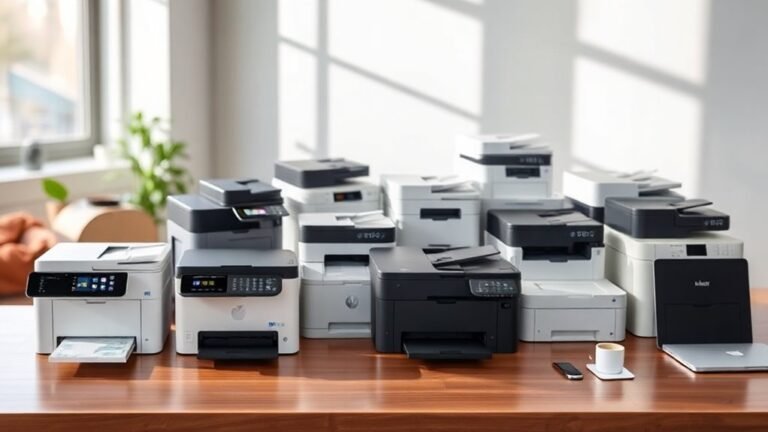
4 Best Android Printers for 2027
You’ll want reliable Android printers that combine easy wireless connectivity and sharp output for all your printing needs. Whether it’s for home, office, or on-the-go use, having a printer that syncs effortlessly with your Android device can save you time and hassle.
The Rongta Wireless Thermal Printer offers compact, inkless monochrome prints via Bluetooth. It’s great if you want something small and efficient.
NDYIN’s N80 delivers portable, wireless thermal printing with a strong battery. Perfect for when you need to print receipts or labels anywhere.
For vibrant color and multifunction use, the Canon PIXMA TR160 is lightweight and travel-friendly. It’s ideal if you want more than just basic printing.
If you need a desktop solution with scanning and fax, the Canon PIXMA TR4720 fits. Keep exploring to see which suits your 2027 needs best.
| Image | Name | Editor's Rating | Price |
|---|---|---|---|

|
|
||

|
|
||

|
|
Rongta Wireless Portable Thermal Printer Bluetooth Black
- Easy to Set Up: RONGTA F11A portable thermal printer for travel go by bluetooth.Download "RONGTA" APP from Google Play or APP store for iOS and Android Phone or...
- RONGTA portable printer, 203DPI resolution, large to 8.5" design, easy to use and maintain. Print forms, letters, assignments, study materials, and travel documents...
- Stylish Thermal Printer:Rongta bluetooth wireless printer, It is compatible with your go-to paper sizes—including US Letter, Legal, A4 thermal papers. What’s more, it...
- Portable and Compact: When traveling you can take Rongta portable printer wireless in your backpack or tote bag wherever you need. It is compact and portable whether in...
- Warm Tips: Do Not Support Chrome. Rongta portable printers wireless for travel can't support pair bluetooth via Phone or tablet directly, must be pair on the"RONGTA" APP...

Experience hassle-free printing with the Rongta Wireless Portable Thermal Printer Bluetooth Black. This compact device offers seamless printing from your Android, iOS, Windows, or macOS device via Bluetooth or USB. It eliminates the need for ink or ribbons, making it perfect for on-the-go users who want quick, clean prints without the mess.
Designed for portability, it weighs just 0.43 kg and fits easily into bags or briefcases. The printer uses thermal paper, which simplifies maintenance since you don’t have to worry about replacing cartridges. Its 203 dpi resolution produces clear monochrome prints, ideal for receipts, labels, and simple documents.
Pairing is straightforward through the RONGTA app, ensuring a smooth connection every time. However, it only supports thermal paper and cannot print through Chrome or pair Bluetooth outside the app. The printer handles single-sided prints, focusing on essential tasks without extra complexity.
This device is a practical solution for professionals and travelers who need a lightweight, inkless printer that works across multiple platforms with minimal upkeep.
Best for: Users needing a lightweight, portable, and inkless printer compatible with multiple devices for quick monochrome printing on thermal paper.
What We Like:
- Compact, lightweight design for easy portability
- Inkless thermal printing reduces maintenance
- Supports Android, iOS, Windows, and macOS with Bluetooth and USB
- Simple pairing via the RONGTA app
Specification:
| Feature | Details |
|---|---|
| Manufacturer | Rongta |
| Dimensions | Not specified |
| Weight | 0.43 kg (approx. 0.95 lb) |
| Color | Black |
| Printing Type | Thermal (monochrome) |
| Resolution | 203 dpi |
Portable Printers Wireless for Travel, N80 Bluetooth Thermal Printer
No products found.
Experience hassle-free printing wherever you go with the NDYIN N80 Bluetooth Thermal Printer. Designed for seamless wireless use, it connects effortlessly to your Android or iOS devices through the Nada Print app. This printer simplifies on-the-spot printing of documents and invoices, saving you time and effort during travel or busy days.
Weighing just 1.7 pounds, the compact N80 easily fits into your travel bag without adding bulk. It prints sharp, monochrome images on thermal paper up to US Letter size, using direct thermal technology that requires no ink or ribbons. This means less maintenance and no messy refills.
The built-in rechargeable 1500 mAh battery supports printing up to 160 sheets per charge, making it ideal for business trips, classrooms, or outdoor environments. While Bluetooth printing is convenient for mobile devices, connecting to computers requires a USB-C cable and driver installation. Note that a charging adapter is not included.
Best for: travelers, business professionals, and students who need a lightweight, wireless printer for reliable, inkless printing on the go.
What We Like:
- Lightweight and compact for easy portability
- Wireless Bluetooth connection with Android and iOS devices
- Inkless thermal printing on US Letter and A4 paper sizes
- Rechargeable battery supports extended use without frequent charging
Specification:
| Feature | Detail |
|---|---|
| Manufacturer | NDYIN |
| Dimensions | Compact (specific size not provided) |
| Weight | 1.7 lb (0.77 kg) |
| Connectivity | Bluetooth, USB-C |
| Battery Capacity | 1500 mAh |
| Print Resolution | 203 DPI |
| Paper Size | Up to US Letter (8.5″ x 11″) |
Canon PIXMA TR4720 Wireless All-in-One Printer
- Wireless 4-in-1 (print | copy | scan | fax)..Power Consumption: 7W (0.8W Standby / 0.3W Off)
- Print speed up to: 4" x 6" Borderless Photo (PP-201): Approx. 65.0 Seconds / Black Document (Letter/Simplex): Approx. 8.8 ipm / Color Document (Letter/Simplex): Approx...
- Designed for easy ink cartridge installation and replacement.
- Auto 2-sided printing and auto document feeder.
- Produce quality documents, photos and boarderless prints up to 8.5" x 11".
The Canon PIXMA TR4720 is an all-in-one wireless printer designed to simplify your daily tasks. It combines printing, scanning, copying, and faxing in one compact device, helping you manage documents efficiently. With easy Wi-Fi or USB connection, you can print directly from your smartphone or tablet using the Canon app.
This printer supports automatic two-sided printing, which saves paper and time. Its 100-sheet front tray and auto document feeder make handling multiple pages hassle-free. The sharp 4800 x 1200 dpi resolution ensures clear text and vibrant photos, while borderless printing adds a professional touch to your images.
Maintenance is straightforward with the PIXMA Print Plan, an ink subscription service that helps you keep cartridges stocked without extra effort. Voice control via Alexa offers added convenience by letting you check ink levels and reorder supplies hands-free. However, print speeds are moderate, especially for color prints, and the single paper tray might not suit heavy printing demands.
Best for: Home users and small offices needing a versatile, easy-to-use wireless printer with mobile and voice control features.
What We Like:
- Wireless and USB connectivity with app and Alexa support
- Automatic duplex printing and automatic document feeder
- High-resolution printing with borderless photo capabilities
- Ink subscription service for effortless maintenance
Specification:
| Feature | Details |
|---|---|
| Manufacturer | Canon |
| Dimensions (W x D x H) | 17.7 x 12.1 x 6.0 inches |
| Weight | 11.7 lbs (5.3 kg) |
| Connectivity | Wi-Fi, USB |
| Print Resolution | Up to 4800 x 1200 dpi |
| Paper Capacity | 100 sheets |
Canon PIXMA TR160 Color Wireless Portable Printer
- LIGHTWEIGHT AND PORTABLE - Connect and print on the go with the PIXMA TR160. This lightweight portable printer can fit into a bag or backpack with room to spare.
- HIGH-QUALITY PRINTING ON THE GO - Print documents and photos up to 8.5” x 11” that showcase sharp black text and vibrant details with rich color thanks to a 5-Color...
- SIMPLE & EASY CONNECTIVITY - Printing is only an app away when using the Canon PRINT app, Apple AirPrint4, or Mopria Print Service5 with your compatible device(s) or the...
- WIRELESS DIRECT MODE - Connect your compatible device to the printer even without a wireless router.
- 1.44” OLED DISPLAY - Easily check ink levels, printer status, and other settings with the 1.44” Monochrome OLED.
Experience true portability with the Canon PIXMA TR160, designed to meet the needs of mobile professionals and busy users. Its compact size and lightweight build make it easy to carry, allowing you to print documents and photos wherever you are. This printer eliminates the hassle of finding a stationary workspace.
With the 5-Color Hybrid Ink System, it produces crisp black text and vivid color images on standard letter-sized paper. Wireless connectivity options such as the Canon PRINT app, AirPrint, and Wireless Direct mode simplify printing from multiple devices without cables. The OLED display provides quick status updates and lets you save printing templates for efficiency.
Maintenance is straightforward, thanks to its easy-to-replace ink cartridges and clear ink level indicators. The 50-sheet tray ensures smooth handling of your documents, though it only supports single-sided printing. For true mobility, an optional battery lets you print without access to power.
Best for: Professionals and travelers who need a lightweight, portable printer for high-quality color and black-and-white printing on the move.
What We Like:
- Compact, lightweight design for easy transport
- Sharp print quality with 5-Color Hybrid Ink System
- Multiple wireless connection options including app and AirPrint
- Clear OLED display for easy monitoring and template saving
- Optional battery power adds true mobile printing freedom
Specification:
| Feature | Details |
|---|---|
| Manufacturer | Canon |
| Dimensions (W×D) | 12.7″ × 7.3″ |
| Weight | 4.5 lb |
| Ink System | 5-Color Hybrid Ink |
| Paper Capacity | 50 sheets |
| Connectivity | Wireless, USB-C |
| Display | 1.44″ OLED |
| Battery | Optional (sold separately) |
Factors to Consider When Choosing an Android Printer

When choosing an Android printer, you’ll want to check its compatibility with your devices and the connectivity options it offers. Make sure it easily connects to your phone or tablet without any hassle.
Pay attention to print quality, resolution, and whether the printer supports the media types you need. These details can really affect the final look of your prints.
Don’t forget to weigh portability and size, especially if you plan to use it on the go. A compact printer can be a game-changer when you’re traveling or need quick prints outside your usual workspace.
Compatibility With Devices
Since your Android device’s compatibility determines how smoothly you can print, you’ll want to confirm the printer supports your specific Android version and preferred connection methods like Bluetooth, Wi‑Fi, or USB‑C.
Check that your Android OS version (such as Android 8.0+) is supported, as some printers require minimum OS levels or specific apps.
Verify if the printer needs a dedicated mobile app, ensuring it’s available on Google Play and explicitly compatible with your Android device. This includes features like cloud printing and file format support (PDF, JPG/PNG).
Also, make sure the printer supports the file types and print resolutions you use to avoid quality issues.
Finally, look for driverless standards like Mopria or the native Android print framework to simplify printing across multiple devices without extra drivers.
Connectivity Options Available
Offering various connectivity options, Android printers let you choose the best way to link your device for seamless printing. If you plan to print directly from your phone without Wi-Fi, make sure the printer supports Bluetooth printing via a companion app.
For wireless convenience and handling larger files or multiple devices, look for Wi-Fi (802.11b/g/n) or Wi-Fi Direct support. If you prefer wired connections, check USB OTG compatibility, whether USB-C or micro-USB. Also, confirm if the printer needs drivers or supports standard PTP/MTP printing.
Don’t forget to consider cloud printing and mobile protocols like Mopria or Google Cloud Print alternatives for remote or app-based workflows. Keep in mind, battery-powered portable printers often rely on Bluetooth. Meanwhile, home or office models usually favor Wi-Fi or Ethernet connectivity.
Print Quality And Resolution
You’ll often find that print quality and resolution are key factors in choosing an Android printer, especially if you want sharp text or vivid images. Look for printers offering higher optical or maximum print resolution—inkjets can reach 300 to 4800 dpi, while thermal printers typically max out around 203 dpi.
Match the resolution to your needs: simple text and graphics usually require 300 dpi or less, but photos and detailed images benefit from 1200 dpi or more. Also, consider color and bit depth; higher bits per color channel deliver more accurate colors and smoother gradations.
Portability And Size
Print quality and resolution matter a lot, but if you want a printer that moves with you, portability and size come into play. You’ll want a compact printer under about 13 inches wide and weighing less than 5 pounds to fit your carry case or workspace easily.
Check if it has a built-in battery and its capacity—battery-powered models let you print anywhere without plugging in. Also, consider the maximum paper size it supports; smaller media or roll-only printers might limit your options but enhance portability.
Look for durable, protective features like sturdy housing or dust resistance if you plan to use it outdoors or on the go. Finally, make sure it pairs smoothly with your Android device via Bluetooth or USB-C, preferably without requiring a special vendor app.
Supported Media Types
Many Android printers support a variety of media types, but you’ll want to verify compatibility before making a choice. Check if the printer handles thermal rolls, plain paper, photo or glossy paper, envelopes, labels, or cardstock to avoid printing failures or damage.
Also, confirm the maximum media size and orientation to make certain your documents or photos fit without scaling or trimming. It’s a good idea to find out if the printer requires specialized media like thermal-only or coated photo paper, as some won’t work with standard office paper.
Don’t forget to consider media thickness and weight limits to prevent jams and ensure smooth feeding. And if you need duplex printing, make sure the printer supports duplex-compatible media handling to manage double-sided workflows effectively.
Battery Life And Power
Although battery life varies widely among Android printers, understanding key power factors helps you choose a model that meets your mobile printing needs. Check the battery capacity in mAh and estimate runtime by dividing it by the printer’s average power draw.
Also, consider rated pages-per-charge and standby time, since faster printing and frequent wake cycles drain battery faster. It’s a good idea to look for printers that support swappable or external batteries and fast charging via USB-C Power Delivery for extended use and quick recharges.
Make sure to verify if the printer can run while plugged in through USB or AC power. That way, you’re not solely relying on battery during long sessions.
Lastly, factor in power-saving features like auto-sleep and scheduled wake. These can really help stretch out real-world battery life.
Additional Features And Functions
When choosing an Android printer, you’ll want to take into account additional features that enhance convenience and functionality beyond basic printing. Check for wireless protocols like Bluetooth, Wi‑Fi, Wi‑Fi Direct, and AirPrint or Mopria support to guarantee smooth Android printing without USB drivers.
If you need more than just printing, consider multifunction options—scanning, copying, and faxing. Mobile-friendly features, such as dedicated apps and cloud printing compatibility, help you print effortlessly from your device.
Think about your printing environment: battery life and portability matter if you print on the go. Also, prioritize print resolution, color capabilities, and duplex support based on your document types and whether you need single- or double-sided prints.
These factors will make your printing experience seamless and tailored to your needs. It’s all about finding the right fit for how you work and print.
Frequently Asked Questions
Can These Printers Connect to Android Tablets as Well as Phones?
Yes, you can connect these printers to both Android tablets and phones. They support wireless connections like Wi-Fi and Bluetooth, making it easy for you to print directly from any Android device.
No extra hassle or cables needed. It’s pretty straightforward and convenient!
Are There Any Eco-Friendly Printing Options Available for These Printers?
Yes, you’ll find eco-friendly printers with features like duplex printing and recycled materials. Many support soy-based inks and energy-saving modes.
These help you reduce waste and save power while printing directly from your Android devices effortlessly. It’s all about making your printing greener and more efficient.
What Is the Average Battery Life of the Portable Printers?
You can expect an average battery life of 4 to 8 hours on portable printers, depending on usage and model. They’re designed to keep you printing on the go without frequent recharging interruptions.
Do These Printers Support Printing From Android Apps Other Than Google Docs?
Yes, you’ll find most portable printers support printing from various Android apps beyond Google Docs. They work with email, photo galleries, and PDF readers, letting you print directly from your favorite apps with ease.
It’s pretty convenient, right? You don’t have to limit yourself to just one app. Just open what you want to print and hit the print button—simple as that!
How Secure Is the Wireless Connection for Each Printer?
When it comes to wireless security, these printers don’t mess around—they use WPA3 encryption and secure protocols. So, you can rest easy knowing your data’s locked up tighter than Fort Knox.
Whether you’re printing from your Android device or any other gadget, your information stays safe. It’s all about keeping things secure without any hassle.
Conclusion
Choosing the perfect Android printer is like finding the right dance partner—smooth, reliable, and ready to move with you. Whether you’re printing on the go or setting up a home office, these top picks will keep your workflow flowing like a river.
So, trust your instincts, grab the one that fits your rhythm, and watch your printing worries fade away like morning mist. With the best Android printers for 2027, you can enjoy seamless connectivity, sharp print quality, and hassle-free operation.
Your perfect print experience awaits, making mobile printing easier and more efficient than ever. Whether for work or personal use, these Android-compatible printers are designed to keep up with your busy lifestyle. Ready to print smarter and faster? Let these top Android printers lead the way!