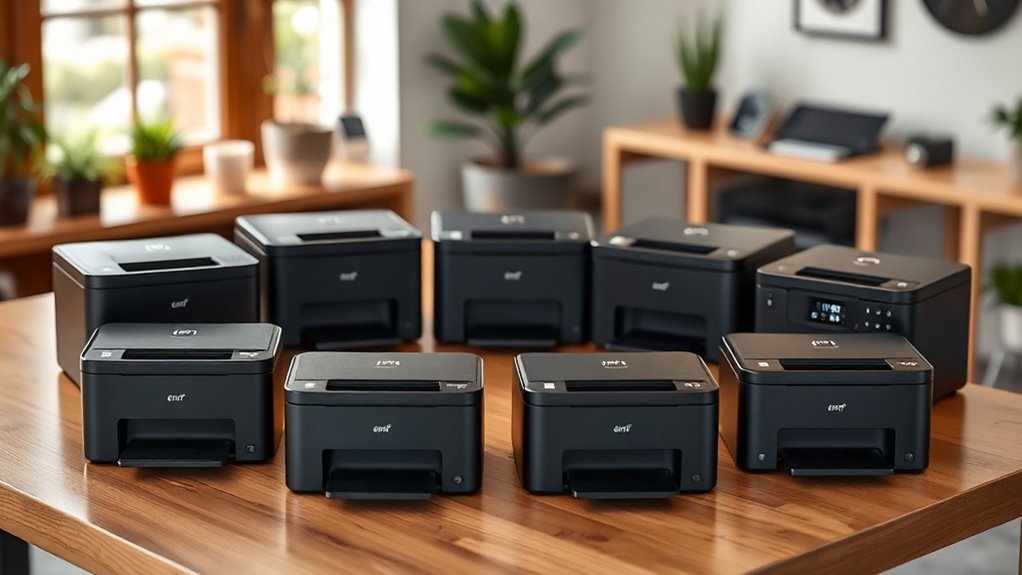
10 Best Cheap Wireless Laser Printers for 2027
If you’re on the hunt for the best cheap wireless laser printers in 2027, you’ve got some solid options to consider.
Printers like the Brother HL-L2405W and Canon imageCLASS LBP122dw deliver fast, reliable monochrome printing. Plus, their compact designs make them perfect for home offices or small workspaces.
Looking for something with more features? The HP LaserJet M234sdw comes with all-in-one capabilities and stable dual-band Wi-Fi, making it a versatile choice.
These models balance efficiency, decent printing speed, and energy-saving features, which helps keep your costs low.
Keep exploring, and you’ll find the perfect wireless laser printer that fits your specific needs without breaking the bank.
| Image | Name | Editor's Rating | Price |
|---|---|---|---|

|
|
||

|
|
||

|
|
||

|
|
||

|
|
Brother HL-L2405W Wireless Compact Monochrome Laser Printer
- BEST FOR HOMES & HOME OFFICES – Engineered for consistent, premium print quality, the Brother HL-L2405W Monochrome (Black & White) Laser Printer delivers sharp, crisp...
- COMPACT, CONNECTED PRINTER – Flexible connection options make this an ideal printer for home use and at-home offices. Securely connect to multiple devices with built-in...
- BROTHER MOBILE CONNECT APP – Manage your printer remotely and print from your mobile device anytime, from almost anywhere. Order Brother Genuine Supplies, track toner...
- VERSATILE PAPER HANDLING – Enjoy seamless, reliable everyday printing with the 250-sheet paper tray(4) and a manual feed slot that enables printing on envelopes and...
- BROTHER IS AT YOUR SIDE – Backed by Brother with a 1-year limited warranty and free online, call, or live chat support for the life of your printer

The Brother HL-L2405W is a compact monochrome laser printer designed to make printing simple and efficient. It quickly produces sharp black and white documents, helping you stay productive without delays. Its reliable performance suits both home and small office environments.
This printer’s dual-band wireless connectivity allows easy printing from multiple devices like laptops, smartphones, and tablets. You can print wherever you are, reducing the hassle of cables or transferring files. The 250-sheet paper tray means fewer interruptions for refilling paper.
Maintenance is straightforward with a manual feed slot that handles envelopes or specialty paper, adding flexibility for different print jobs. The printer’s compact design fits comfortably in tight spaces, saving valuable desk room.
With support for Brother’s Mobile Connect app, managing print tasks remotely becomes simple, letting you control jobs from your mobile device. While it prints only in monochrome and has a limited warranty, its speed and connectivity make it a practical choice for everyday document needs.
Best for: individuals and small home offices needing a fast, reliable monochrome laser printer with wireless functionality.
What We Like:
- Fast print speed of up to 30 pages per minute
- Dual-band wireless supports multiple devices effortlessly
- Large 250-sheet paper tray reduces paper refills
- Compact design fits small workspaces
- Mobile Connect app enables remote print management
Specification:
| Feature | Detail |
|---|---|
| Manufacturer | Brother |
| Dimensions | Approx. 14 x 14.2 x 7.2 in (35.5 x 36 x 18.3 cm) |
| Weight | Approx. 15.4 lb (7 kg) |
| Printing Technology | Monochrome Laser |
| Connectivity | Dual-band Wireless (2.4 GHz & 5 GHz) |
| Paper Capacity | 250-sheet Tray + Manual Feed Slot |
HP LaserJet M234sdw Monochrome Laser Printer | All-in-One
No products found.
The HP LaserJet M234sdw offers a reliable solution for small teams needing fast, monochrome printing with versatile all-in-one capabilities. It helps streamline daily office tasks by combining printing, copying, and scanning into a single compact device. This reduces clutter and improves workflow efficiency in tight office spaces.
With print speeds of up to 30 pages per minute, the printer handles high-volume jobs quickly. The 40-page auto document feeder simplifies multi-page copying and scanning, saving time on manual tasks. Its dual-band Wi-Fi and Ethernet options ensure stable connectivity for multiple users, while mobile printing through the HP Smart app supports flexible workstyles.
Designed for ease of use, this printer features straightforward setup and broad device compatibility. Maintenance is simple, with energy-efficient operation that reduces power consumption. However, it supports only monochrome printing, and the copy run limit may not suit very large teams.
Best for: Small teams of 1-5 people who need a fast, reliable monochrome all-in-one laser printer for daily office use.
What We Like:
- Fast printing speed up to 30 ppm for efficient output
- 40-page auto document feeder enhances copying and scanning tasks
- Multiple connectivity options including dual-band Wi-Fi and Ethernet
- Easy mobile printing via HP Smart app
- Compact design fits well in limited office spaces
Specification:
| Feature | Details |
|---|---|
| Manufacturer | HP |
| Dimensions | Not specified |
| Weight | Not specified |
| Printing Technology | Monochrome Laser |
| Print Speed | Up to 30 pages per minute |
| Auto Document Feeder | 40 pages |
| Connectivity | Dual-band Wi-Fi, Ethernet |
| Mobile Printing | Supported via HP Smart app |
HP LaserJet M110w | Monochrome | Laser Printer
- FROM AMERICA'S MOST TRUSTED PRINTER BRAND – Perfect for small teams printing professional-quality black & white documents and reports. Perfect for 1-3 people
- WORLD'S SMALLEST LASER IN ITS CLASS – Precision laser printing that fits anywhere
- FAST PRINT SPEEDS – Up to 21 black-and-white pages per minute single-sided
- WIRELESS WITH SELF-RESET – Helps you stay connected
- PRINT FROM ANY DEVICE – Wireless printing from any mobile device, PC or tablet. Works with Microsoft, Mac, AirPrint, Android, Chromebook and more
Experience efficient printing with the HP LaserJet M110w, designed to meet the needs of small teams. Its fast print speed of up to 21 black-and-white pages per minute helps reduce wait times and keeps your workflow smooth. The sharp 600 x 600 dpi resolution ensures clear, professional-quality documents every time.
This compact laser printer is lightweight and space-saving, making it an excellent fit for tight office environments. Its wireless connectivity allows easy printing from smartphones, tablets, or PCs, simplifying your printing process without the clutter of cables. The HP Smart app enhances convenience by streamlining setup and management.
Maintenance is straightforward with a 150-sheet paper capacity that balances usability with compact design. It supports various media types, adapting to different printing needs without hassle. Energy-efficient features help reduce power consumption, supporting sustainable office practices.
While the printer only handles monochrome printing and has a modest paper capacity, it excels in delivering reliable, everyday performance for basic office tasks. Its design and connectivity options make it a practical choice for small workgroups.
Best for: Small teams of up to three people needing a compact, fast, and reliable monochrome laser printer for everyday office printing tasks.
What We Like:
- Fast printing at 21 pages per minute with sharp resolution
- Wireless printing with broad device compatibility and HP Smart app
- Compact, lightweight design ideal for limited office space
- Energy-efficient operation supports sustainable use
Specification:
| Feature | Details |
|---|---|
| Manufacturer | HP |
| Dimensions (W×D×H) | 7.45″ × 13.63″ × 6.26″ |
| Weight | 9 lb (4.08 kg) |
| Printing Technology | Monochrome Laser |
| Print Resolution | 600 x 600 dpi |
| Paper Capacity | Up to 150 sheets |
Canon imageCLASS LBP122dw – Wireless Monochrome Duplex Laser Printer
- Wireless, duplex printer (print-only)
- Fast print speeds up to 30 pages per minute (black and white)
- Print on-the-go with Canon PRINT app and more.
- Uses Canon GENUINE Toner 071 / 071 high-capacity
- Compact design fits almost anywhere in your home, great for home use and personal printing
The Canon imageCLASS LBP122dw is designed to meet the demands of home offices and small workgroups with efficiency and ease. It offers fast monochrome printing at speeds up to 30 pages per minute, helping you complete tasks quickly without sacrificing quality. The sharp 2400 x 600 dpi resolution ensures every document looks professional and clear.
This compact printer automates duplex printing, reducing paper use and saving time on manual double-sided printing. Its versatile connectivity options include USB, Wi-Fi, and Ethernet, along with mobile printing support through the Canon PRINT app. This flexibility allows it to fit smoothly into various work environments.
Maintenance is straightforward with a moderate paper capacity of 150 sheets, suitable for light to moderate workloads. Its simple design helps keep upkeep manageable, though frequent refills may be necessary for heavy users. The printer focuses exclusively on black-and-white output, which is ideal for text-centric documents but lacks color printing capabilities.
Best for: Individuals and small home office users who require reliable, high-speed monochrome printing with wireless and duplex features.
What We Like:
- Consistent print speed of up to 30 ppm with sharp text quality
- Built-in automatic duplex printing for efficient paper use
- Multiple connectivity options including Wi-Fi and Ethernet
- Compact design that fits easily in small workspaces
Specification:
| Feature | Details |
|---|---|
| Manufacturer | Canon |
| Dimensions | 14.0 x 14.6 x 9.6 inches |
| Weight | 15.4 lb (7 kg) |
| Printing Type | Monochrome Laser |
| Print Speed | Up to 30 pages per minute |
| Resolution | 2400 x 600 dpi |
| Paper Capacity | 150 sheets |
| Connectivity | USB, Wi-Fi, Ethernet |
Brother DCP-L2640DW Wireless Monochrome Printer
- BEST FOR SMALL BUSINESSES – Engineered for extraordinary productivity, the Brother DCP-L2640DW Monochrome (Black & White) 3-in-1 combines laser printer, scanner, copier...
- FAST PRINTER WITH EFFICIENT SCANNING – Produces documents quickly with print speeds up to 36 ppm(2) and scan speeds up to 23.6/7.9 ipm(3) (black/color). A 50-page auto...
- FLEXIBLE CONNECTION OPTIONS – Easily navigate the changing demands of your business with secure multi-device connectivity via built-in dual-band wireless (2.4GHz...
- BROTHER MOBILE CONNECT APP – Print, scan, and manage your wireless printer anytime, from almost anywhere from your mobile device. Order Brother Genuine Supplies, track...
- CHOOSE BROTHER GENUINE TONER – When it’s time to replace your toner, be sure to choose Brother Genuine TN830 or TN830XL replacement toner. And with Refresh EZ Print...
The Brother DCP-L2640DW offers a practical solution for those who need fast, reliable black-and-white printing without complexity. Its compact design fits neatly in small workspaces, making it ideal for home offices or small businesses.
This all-in-one laser printer handles printing, copying, and scanning with ease. It streamlines large document tasks thanks to a 250-sheet paper tray and a 50-page automatic document feeder. You can expect consistent output at speeds up to 36 pages per minute, reducing wait times.
Connectivity is simple and flexible. Use dual-band Wi-Fi, Ethernet, or USB to link the printer to your devices. The Brother Mobile Connect app also allows remote printing, enhancing convenience and workflow efficiency.
Maintenance is straightforward, supported by energy-saving features like automatic duplex printing and ENERGY STAR® certification. While the printer is sturdy and functional, its monochrome output and weight of 25 pounds may limit portability and color printing needs.
Best for: Small business owners and home office users who require efficient monochrome printing, copying, and scanning with wireless capability and effective paper handling.
What We Like:
- Fast print speeds up to 36 ppm for quick document processing
- Multiple connectivity options including dual-band Wi-Fi and mobile app
- ENERGY STAR® certification and duplex printing help reduce paper and energy use
- Large paper capacity and automatic document feeder support heavy workloads
Specification:
| Feature | Details |
|---|---|
| Manufacturer | Brother |
| Dimensions (W x D x H) | 16.1 x 14.0 x 7.2 inches |
| Weight | 25 lbs (11.3 kg) |
| Color Options | Monochrome (Black and White) |
| Connectivity | Dual-band Wi-Fi, Ethernet, USB |
Canon imageCLASS LBP6030w Wireless Monochrome Laser Printer
- FAST PRINT SPEEDS: Print up to 19 pages per minute.
- COMPACT DESIGN: Space-saving, compact design fits anywhere in your home, school or small office.
- WIRELESS CONNECTIVITY: Print from almost anywhere in your workspace using your compatible mobile device.
- PAPER CAPACITY: Up to 150 sheets.
- SUSTAINABILITY: Uses less than 2 watts in Energy Saver mode.
The Canon imageCLASS LBP6030w offers a practical solution for those needing efficient, wireless printing without the hassle. Its monochrome laser technology ensures crisp, clear text documents, perfect for everyday home or small office tasks. You get reliable prints quickly, with the first page ready in just 8 seconds.
This compact printer supports wireless and USB connections, making it easy to print from laptops or mobile devices without messy cables. Its small footprint and lightweight design help save desk space and simplify setup. Energy-saving mode reduces power use to under 2 watts, helping lower your electricity bill.
Maintenance is straightforward with a 150-sheet input capacity that balances convenience and size, ideal for moderate print volumes. While it handles standard media sizes up to 8.5 x 14 inches, it’s best for users who primarily print black-and-white documents. The device’s single USB port means you may need to switch connections if multiple devices are used.
This model suits those who want a compact, affordable, and energy-efficient monochrome laser printer that delivers consistent performance without complexity.
Best for: home users or small offices needing straightforward, wireless black-and-white printing on a budget.
What We Like:
- Fast printing speed with quick first-page output
- Wireless and USB connectivity for flexible device use
- Compact, lightweight design saves space
- Low energy consumption in power-saving mode
Specification:
| Feature | Details |
|---|---|
| Manufacturer | Canon |
| Dimensions | Compact size (exact dimensions not specified) |
| Weight | 11 lb (5 kg) |
| Printing Type | Monochrome laser |
| Print Speed | Up to 19 ppm |
| Resolution | 600 x 600 dpi |
| Paper Capacity | 150 sheets |
| Media Size | Up to 8.5 x 14 in |
| Connectivity | Wireless, USB |
| Power Consumption | < 2 watts (energy saver mode) |
Xerox B230 Wireless Black and White Laser Printer – Print Only

- FAST BLACK & WHITE PRINTING: Deliver professional results with print speeds up to 36 ppm. Designed to keep small businesses and hybrid offices productive with fast...
- BUSINESS QUALITY: Produce sharp black text and clear graphics. Ensure business documents, reports and presentations look polished every time.
- WIRELESS & MOBILE PRINTING: Stay connected with Wi-Fi, Apple AirPrint, and Mopria. Effortlessly print from your laptop, smartphone, or tablet from anywhere in your...
- EASY SMARTPHONE SETUP: Get printing in minutes. Use the Xerox Easy Assist App for a simplified, guided installation that eliminates complex manuals and traditional driver...
- VALUE FOR YOUR BUSINESS: Built for small businesses that print up to 2,500 pages per month. High-yield toner options mean fewer interruptions and a lower total cost of...
The Xerox B230 Wireless Black and White Laser Printer delivers efficient and dependable printing for small offices and home workspaces. Designed to handle everyday printing tasks, it produces sharp text and clear graphics at a steady speed of up to 36 pages per minute. This keeps your workflow moving smoothly without long waits.
With built-in wireless connectivity, including Wi-Fi, Apple AirPrint, and Mopria, it simplifies mobile printing. Setting up the printer is straightforward using the Xerox Easy Assist App, reducing downtime and hassle. The compact design fits comfortably on a desk, saving valuable space in your work area.
The printer supports double-sided printing, helping to reduce paper use and lower costs. It can manage a monthly print volume of up to 2,500 pages, making it suitable for light to moderate printing needs. Its 250-sheet input tray accommodates various media sizes up to 8.5 x 14.17 inches, offering flexibility in document handling.
Maintenance is easy with no complex components to manage. However, it is strictly a print-only device, lacking scanning or copying functions. Its 600 x 600 dpi resolution is ideal for standard text and graphics but not for high-detail images.
Best for: Small businesses and home offices needing fast, reliable black-and-white printing with wireless mobile connectivity.
What We Like:
- Consistent print speed of up to 36 ppm with clear, professional output
- Supports double-sided printing for improved paper efficiency
- Wireless setup and mobile printing via Wi-Fi, Apple AirPrint, and Mopria
- Compact size fits easily on a busy desk
- Handles a variety of media sizes with a 250-sheet tray
Specification:
| Feature | Details |
|---|---|
| Manufacturer | Xerox |
| Dimensions (W x D x H) | 14.7 x 14.1 x 8.7 inches |
| Weight | Approximately 14.5 lbs |
| Print Technology | Black and white laser |
| Print Speed | Up to 36 pages per minute |
| Print Resolution | 600 x 600 dpi |
| Monthly Volume | Up to 2,500 pages |
| Connectivity | Wi-Fi, Apple AirPrint, Mopria |
| Paper Capacity | 250 sheets |
| Media Size | Up to 8.5 x 14.17 inches |
Canon imageCLASS LBP172dw Wireless Monochrome Laser Printer

- Wireless, monochrome duplex printer (print only)
- Print up to 35 pages per minute
- Uses Toner 072 / 072 high-capacity toner
- 250-sheet standard cassette
- Print on-the-go with Canon PRINT app, Apple Airprint, Mopria Print Service
The Canon imageCLASS LBP172dw is designed to meet the demands of busy home offices needing quick and dependable monochrome printing. Its fast print speed of up to 35 pages per minute helps you complete tasks efficiently without delays. The automatic duplex printing feature reduces paper use and simplifies double-sided document creation.
This printer offers a versatile 250-sheet cassette that accommodates various paper sizes, so you won’t have to constantly reload paper. Wireless connectivity ensures seamless printing from multiple devices, including support for Wi-Fi, Apple AirPrint, and Mopria, which makes mobile printing straightforward and convenient.
Maintenance is easy with the use of Canon Genuine Toner 072, a high-capacity toner that minimizes replacement frequency and keeps your workflow uninterrupted. The printer’s energy certifications, including ENERGY STAR and EPEAT Silver, confirm its efficient power use, which helps reduce operating costs.
While it focuses solely on monochrome output with a maximum resolution of 600 x 600 dpi, this printer balances speed and reliability well. It is a practical choice for users prioritizing quick, consistent black-and-white printing with wireless flexibility.
Best for: small home office users needing fast, reliable monochrome printing with wireless convenience and duplex capabilities.
What We Like:
- Fast printing speed of up to 35 pages per minute
- Automatic double-sided printing saves time and paper
- Supports wireless printing through Wi-Fi, Apple AirPrint, and Mopria
- High-capacity Canon Genuine Toner 072 reduces maintenance frequency
Specification:
| Feature | Details |
|---|---|
| Manufacturer | Canon |
| Dimensions | 14.2 x 14.0 x 9.0 inches (36.1 x 35.6 x 22.9 cm) |
| Weight | 17.8 lbs (8.1 kg) |
| Printing Technology | Monochrome Laser |
| Print Speed | Up to 35 pages per minute |
| Print Resolution | 600 x 600 dpi |
| Paper Capacity | 250-sheet cassette |
| Connectivity | Wireless (Wi-Fi, Apple AirPrint, Mopria) |
| Duplex Printing | Automatic |
| Energy Certifications | ENERGY STAR, EPEAT Silver |
Brother Laser Printer, Monochrome Duplex Wireless Printer, HL-6210DW

- Professional Performance: Dominate your office printing tasks with this Brother Genuine laser office printer delivering an impressive 50 ppm output speed, ensuring your...
- Superior Capacity: Print business documents with this monochrome laser printer's robust 520-sheet main tray and 100-sheet multipurpose tray, expandable up to 1,660 sheets...
- Advanced Connectivity: Experience seamless integration with this Brother wireless printer's built-in Gigabit Ethernet and dual band wireless networking capabilities...
- Cost-efficient Printing: Maximize your printing budget with Brother Genuine ultra high-yield replacement toner cartridges for Brother printers delivering up to...
- Security Excellence: Safeguard your Brother Genuine business printer for daily office use with advanced Triple Layer Security features, ensuring comprehensive protection...
Experience efficient, high-volume printing with the Brother HL-6210DW, designed to keep your workflow smooth. This monochrome duplex wireless printer handles demanding tasks with ease, delivering sharp, professional-quality prints at speeds up to 50 pages per minute.
Its large 520-sheet paper tray, expandable to 1,660 sheets, reduces interruptions, letting you focus on your work. The dual-band wireless and Gigabit Ethernet connections offer flexible options for seamless integration with laptops, PCs, and smartphones in busy office environments.
Maintenance is straightforward with ultra high-yield toner cartridges that print up to 18,000 pages, meaning fewer replacements and lower operating costs. Energy-saving Eco and Toner Save modes also contribute to efficient resource use without sacrificing print quality.
Designed for businesses and professionals, the HL-6210DW combines compact efficiency with strong security features. The advanced Triple Layer Security protocol protects your documents and network, giving you peace of mind in every print job.
Best for: Businesses or professionals needing fast, high-volume monochrome printing with reliable wireless and Ethernet connectivity.
What We Like:
- Fast printing at 50 ppm with sharp 1200 x 1200 dpi resolution
- Large, expandable paper capacity minimizes workflow interruptions
- Ultra high-yield toner reduces maintenance frequency and cost
- Flexible connectivity options for various devices
- Robust security features protect sensitive information
Specification:
| Feature | Details |
|---|---|
| Manufacturer | Brother |
| Dimensions | Not specified |
| Weight | Not specified |
| Color Options | Monochrome (Black and White) |
| Connectivity | Dual-band Wireless, Gigabit Ethernet |
| Print Speed | Up to 50 pages per minute |
| Resolution | 1200 x 1200 dpi |
| Paper Capacity | 520 sheets (expandable to 1,660 sheets) |
HP LaserJet Pro P1102w Wireless Laser Printer (CE658A)

- Affordable, shared, wireless HP LaserJet printing in the home or office
- HP ePrint - Now, print from your smartphone or tablet from virtually anywhere
- Save with the most energy-efficient laser printer on the planet
The HP LaserJet Pro P1102w offers a straightforward solution for those needing reliable monochrome printing without excess complexity. Its compact design means it fits neatly on any desk, saving valuable workspace while delivering sharp, clear prints. This printer handles everyday documents quickly and efficiently, keeping your workflow smooth.
Wireless printing via HP ePrint lets you print directly from your smartphone or tablet, eliminating the hassle of cables. Setup is simple thanks to HP Smart Install, getting you up and running in minutes. Energy-saving features like Auto-On/Auto-Off help reduce power consumption, making it a practical choice for home or small office environments.
Maintenance is easy with a 150-sheet input tray and a 10-sheet priority slot, suitable for typical printing needs. While it lacks automatic duplexing, manual double-sided printing is still an option for saving paper. Connectivity is limited to USB 2.0 and wireless, so it suits users who do not require Ethernet.
This printer balances essential functionality with a user-friendly design, catering especially to those who want dependable printing without unnecessary extras.
Best for: users seeking an affordable, compact monochrome laser printer with wireless capabilities for home or small office use.
What We Like:
- Fast printing at up to 19 pages per minute with 1200 x 1200 dpi resolution
- Wireless printing from mobile devices via HP ePrint
- Energy-efficient Auto-On/Auto-Off feature
- Easy setup with HP Smart Install
- Compact design fits small workspaces
Specification:
| Feature | Details |
|---|---|
| Manufacturer | HP |
| Model | LaserJet Pro P1102w |
| Print Technology | Monochrome Laser |
| Print Speed | Up to 19 pages per minute |
| Resolution | 1200 x 1200 dpi |
| Input Capacity | 150-sheet tray + 10-sheet priority slot |
| Connectivity | USB 2.0, Wireless (Wi-Fi) |
| Dimensions (W×D×H) | 13.5 × 7.5 × 6.3 inches |
| Weight | Approx. 12.5 lb (5.67 kg) |
Factors to Consider When Choosing a Cheap Wireless Laser Printer
When picking a cheap wireless laser printer, you’ll want to look at print speed to keep up with your tasks and wireless options for easy setup. Don’t forget to check print quality and paper handling to match your needs.
Also, consider toner efficiency and cost to keep running expenses low. It’s all about finding the right balance between features and price. That way, you get the best value without overspending.
Print Speed Importance
Although budget-friendly wireless laser printers come with varying features, you’ll want to prioritize print speed to keep your workflow efficient. Print speeds typically range from 19 to 50 pages per minute (ppm). Choosing a model with at least 30 ppm guarantees steady output without bottlenecks.
Faster printing reduces waiting time, making it easier to handle tasks quickly, especially in small offices or busy home settings. Don’t overlook the initial page print time—some printers produce the first page in as little as 5.3 seconds. That really speeds up your overall job completion.
Consistency in print speed is essential when you’re dealing with large volumes or tight deadlines. So, selecting a printer that maintains steady performance will boost your productivity and keep your tasks on track.
Wireless Connectivity Options
Speed matters, but so does how your printer connects to your devices. Look for models with dual-band wireless (2.4GHz and 5GHz) to enjoy faster, more stable connections. This is especially helpful if multiple devices share the network.
Also, confirm your printer supports mobile printing options like Apple AirPrint or Google Cloud Print. That way, you can print directly from your smartphone or tablet without any hassle.
If stability is a priority, consider printers with Ethernet ports for wired connections. Wired connections handle heavy network traffic better and keep things running smoothly.
Don’t forget to check for built-in Wi-Fi Direct, too. It lets you print from mobile devices without needing a router.
Finally, make sure your printer is compatible with your operating systems—whether it’s Microsoft, Mac, Chrome OS, or mobile platforms. This guarantees smooth integration across all your devices.
Print Quality Standards
Print quality plays an essential role in choosing a cheap wireless laser printer, especially if you want clear, professional-looking documents. Look for a resolution of at least 1200 x 1200 dpi to guarantee sharp text and detailed graphics.
If you mainly print black-and-white documents, a monochrome laser printer can deliver crisp output quickly—many print up to 30 pages per minute. Don’t overlook the first page print time; models that start printing within 5 to 8 seconds save you valuable time.
Consistency matters too—choose a printer that maintains clarity without smudging or fading, especially when using genuine toner cartridges. Finally, if you want to save paper and improve print alignment, consider models with duplex printing for automatic double-sided output.
Paper Handling Capacity
When choosing a cheap wireless laser printer, you’ll want to evaluate its paper handling capacity to match your printing needs. Look at the tray size—some models hold as few as 150 sheets, while others manage over 500.
If you often print or scan multiple pages, an automatic document feeder (ADF) can save you time. Check the maximum media size too; most handle standard letter and legal sizes, but some support larger formats.
Duplex printing is a big plus, letting you print double-sided automatically, reducing paper use and tray refills. Don’t forget the output capacity—if you print a lot, a larger output tray means less frequent emptying.
Balancing these factors guarantees your printer handles your workload smoothly without constant interruptions. It’s all about finding the right fit for how you print.
Toner Efficiency And Cost
Although upfront costs matter, toner efficiency plays a bigger role in determining your long-term printing expenses. Opt for printers with high-yield cartridges—they can print up to 18,000 pages, greatly lowering cost per page.
Monochrome laser printers generally offer better cost efficiency than inkjets, especially if you print in large volumes. Use toner save modes regularly; they extend cartridge life without sacrificing much quality.
Consider subscription services for toner replenishment—these often come with discounts and guarantee you never run out, reducing downtime. Always choose printers that use genuine toner cartridges.
They’re designed for peak performance, minimizing waste and maximizing toner efficiency. Focusing on these factors helps you get the most value out of your cheap wireless laser printer over time.
Device Compatibility Range
Beyond toner efficiency and cost, your printer’s compatibility with various devices and operating systems can make a big difference in your overall experience.
You’ll want a wireless laser printer that works seamlessly with laptops, PCs, smartphones, and tablets to cover all your connectivity needs. Make sure it supports popular operating systems like Windows, Mac, Android, and Chromebook, so you’re not limited by your devices.
Look for mobile printing features such as AirPrint or Google Cloud Print, which let you print directly from your phone or tablet without hassle. Some printers even offer dedicated mobile apps, making printing and scanning on the go super easy.
Also, having both wireless and USB connectivity options gives you flexibility in setting up your printer wherever you need it. That way, you’re covered no matter what your workspace looks like.
Warranty And Support
Since buying a cheap wireless laser printer is an investment, you’ll want to evaluate the warranty and support options carefully. Most printers come with a one-year limited warranty, covering defects and faults during that period.
Check if the manufacturer offers extended warranties or service plans, especially if you expect heavy use or possible repairs. Access to customer support—via online resources, phone, or live chat—can save you time when troubleshooting.
Also, consider how easy it is to find replacement parts and supplies; some brands have stronger support networks than others. Finally, review the warranty’s fine print to understand any exclusions or service terms.
Doing this guarantees your printer stays reliable without unexpected costs.
Frequently Asked Questions
How Do Wireless Laser Printers Compare in Energy Consumption?
You’ll find wireless laser printers generally use more energy than inkjets, especially when warming up.
However, newer models often include energy-saving modes, so you can cut power use considerably when you’re not actively printing.
It’s pretty convenient because you don’t have to worry about wasting energy when the printer is just sitting idle.
Can These Printers Handle Mobile Printing Apps Efficiently?
You’ll be surprised—yes, these printers handle mobile printing apps smoothly. They connect quickly, process your jobs without lag, and support popular apps.
This makes printing from your phone or tablet seamless and hassle-free every time. No more waiting or tech headaches!
What Is the Typical Lifespan of Toner Cartridges in Cheap Models?
Toner cartridges in cheap models typically last around 1,500 to 2,500 pages. You’ll want to keep an eye on print volume because frequent replacements can add up, impacting your overall cost and convenience.
It’s kind of a trade-off, you know? Saving money upfront might mean spending more in the long run on replacements. So, it’s good to think about how much you print before choosing a model.
Are There Any Security Risks With Wireless Laser Printers?
You might not realize it, but yes, wireless laser printers can have security risks like unauthorized access or data interception.
You’ll want to update firmware regularly and use strong passwords to keep your information safe.
It’s also a good idea to limit who can connect to your printer and keep an eye on any unusual activity.
That way, you’ll reduce the chances of someone sneaking in or stealing your data.
How Easy Is It to Set up a Wireless Laser Printer at Home?
You’ll find setting up a wireless laser printer at home pretty easy. Just connect it to your Wi-Fi, install the drivers on your device, and follow the on-screen instructions.
Most models guide you smoothly through the process. Honestly, it’s usually quicker than you might expect!
Conclusion
You might worry that a cheap wireless laser printer won’t deliver quality or reliability, but these models prove otherwise. They offer sharp prints, fast speeds, and easy wireless setup without breaking the bank.
Whether you need simple black-and-white prints or duplex functionality, you’ll find a budget-friendly option that fits your needs. Don’t let cost hold you back from upgrading your home or office printing—affordable, reliable wireless laser printers are within your reach.
When searching for the best cheap wireless laser printers, it’s important to balance price with performance. These printers not only save you money upfront but also help keep your printing efficient and hassle-free. With options supporting fast printing speeds and crisp text quality, you can count on them for everyday tasks.
So, if you want a dependable, budget-friendly printer that offers wireless convenience and sharp laser prints, these models are ideal. Affordable wireless laser printers make upgrading your setup easy without sacrificing quality or breaking the bank.