3 Best Cheap Printers for Artists in 2027
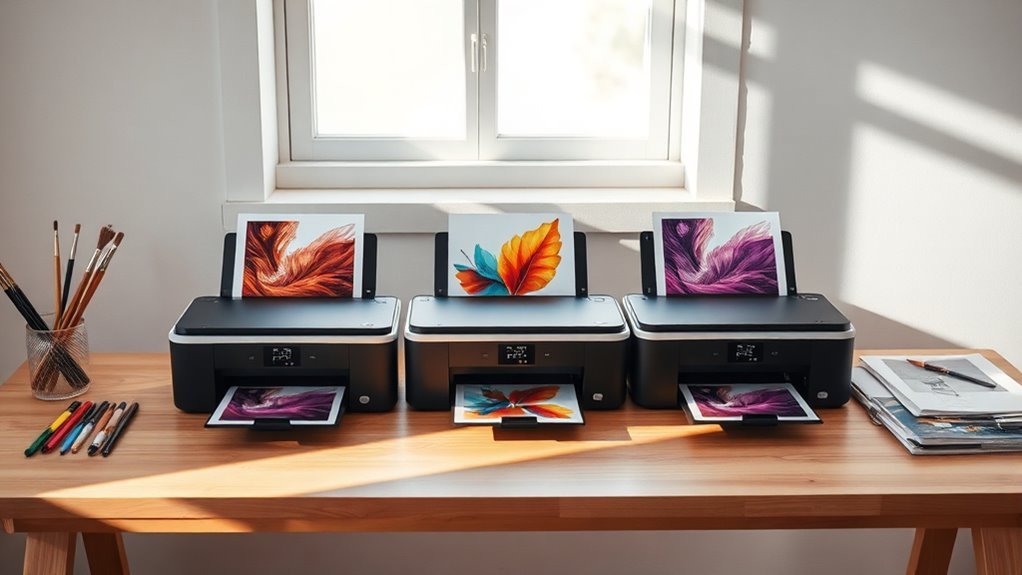
You’ll want the Epson Expression Photo HD XP-15000 for vivid, borderless wide-format prints, perfect for professional art. It brings your creations to life with rich colors and sharp details.
The Canon MegaTank G3270 offers cost-effective, high-volume color printing with vibrant details and easy smartphone connectivity. It’s a great choice if you’re looking to save money without sacrificing quality.
For eco-conscious, high-volume use, the Epson EcoTank ET-4800 delivers cartridge-free convenience and sharp color quality. This printer helps reduce waste while keeping your prints crisp and colorful.
Each balances quality, cost, and workflow differently, so keep exploring to find the ideal printer that fits your artistic needs and budget. Finding the right cheap printer for artists can really boost your creative projects without breaking the bank.
| Image | Name | Editor's Rating | Price |
|---|---|---|---|
|
|
||

|
|
||

|
|
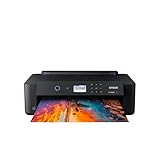
Epson Expression Photo HD XP-15000 Wireless Wide-Format Inkjet Printer
- Epson printing system is designed to be used exclusively with Epson Genuine Cartridges. Use of non-genuine ink could cause damage not covered under the printer’s ltd...
- Professional ultra HD photo quality get brilliant border less prints upto 13 inches X 19 inches
- Individual 6 color Claria photo HD ink includes red and gray inks for an ultra wide color gamut and enhanced black and white prints. Sound pressure level: Pressure...
- Professional projects: Made easy features a 50 sheet rear tray for specialty media, including cardstock (1); Accommodates a variety of paper finishes and border less...
- Ultra compact wide format A3 plus printer 30 percent smaller than its predecessor (2); Easily fits on your desktop

The Epson Expression Photo HD XP-15000 delivers vibrant, wide-format prints that bring your creative visions to life. It solves the challenge of producing large, borderless photos up to 13 x 19 inches, perfect for artists and photographers who demand rich color and sharp detail. Its 6-color Claria Photo HD ink system enhances color depth and black-and-white clarity, ensuring every print stands out.
Designed with your workspace in mind, this printer is compact and operates quietly, making it easy to integrate into home studios or small offices. Dual trays support various media types, from specialty photo paper to cardstock, while automatic duplex printing saves time on double-sided projects. Wireless connectivity enables seamless printing from PCs and tablets, adding convenience to your workflow.
Maintenance is straightforward but requires exclusive use of Epson genuine cartridges, which helps maintain print quality but may increase operating costs. While the print speed is moderate, it suits users focused on quality rather than high-volume output. The single USB port and network setup might be less intuitive for some, but overall connectivity options meet most creative needs.
With its blend of functionality, compact design, and high-quality output, the XP-15000 is a reliable choice for producing professional-grade photos and artwork without sacrificing space or noise levels.
Best for: photographers, artists, and creative professionals seeking high-quality, wide-format photo prints with vibrant colors and borderless capabilities in a compact, quiet printer suitable for home studios or small offices.
What We Like:
- Produces vivid, borderless prints up to 13 x 19 inches with a 6-color ink system.
- Compact design with quiet operation, ideal for small workspaces.
- Dual trays with automatic duplex printing and versatile media handling.
- Wireless printing compatible with PCs and tablets.
Specification:
| Feature | Details |
|---|---|
| Manufacturer | Epson |
| Dimensions (W×D×H) | Approx. 23.7 x 14.8 x 8.7 in |
| Weight | Approx. 13.6 lb (6.2 kg) |
| Ink System | 6-color Claria Photo HD |
| Max Print Size | 13 x 19 inches |
| Connectivity | Wireless, USB 2.0 |
Canon MegaTank G3270 All-in-One Wireless Color Printer
- Wireless Print/Copy/Scan
- Up to 2 years of ink included (2)
- Print up to 6,000 black & white / 7,700 color pages using a single set of inks! (1)
- Save up to $1,000 on ink (1)
- 1.35” Square LCD display
The Canon MegaTank G3270 offers an efficient solution for artists and home users seeking reliable color printing without frequent ink replacements. Its refillable MegaTank system allows printing up to 7,700 color pages per ink set, reducing interruptions and lowering supply costs. This feature is ideal for high-volume projects where budget and time matter.
Designed for versatile use, the G3270 handles printing, copying, and scanning tasks with a sharp resolution of 4800 × 1200 dpi. It supports various paper types, including glossy photo paper, making it suitable for detailed artwork and photo prints. The wireless connectivity paired with a smartphone app simplifies printing from multiple devices, enhancing convenience.
Maintenance is straightforward, thanks to the included ink bottles that can last up to two years. This reduces the hassle of constant refills and supports an energy-efficient workflow. While it offers single-sided printing only, its compact yet sturdy design fits well in home offices or creative spaces.
Best for: Artists and home office users needing a cost-effective, high-volume color printer with wireless ease and versatile media support.
What We Like:
- Large ink capacity delivers up to 7,700 color pages per refill set
- High-resolution output (4800 × 1200 dpi) for vibrant, detailed prints
- Wireless and smartphone app connectivity for easy remote printing
- Supports multiple paper types, including glossy photo paper
- Long-lasting ink bottles reduce maintenance frequency
Specification:
| Feature | Details |
|---|---|
| Manufacturer | Canon |
| Dimensions | Not specified |
| Weight | Not specified |
| Printing Resolution | 4800 × 1200 dpi |
| Ink System | Refillable MegaTank |
| Connectivity | Wireless, smartphone app |
| Paper Support | Multiple sizes including glossy photo paper |
Epson EcoTank ET-4800 Wireless Color All-in-One Supertank Printer
- INNOVATIVE CARTRIDGE-FREE PRINTING — High-capacity ink tanks mean no more dealing with lots of tiny ink cartridges; Epson’s exclusive EcoFit ink bottles make filling...
- CLEAR AND VIBRANT PRINT QUALITY ― Create memorable prints and projects; Unique Micro Piezo Heat-Free Technology allows wireless color printer to produce sharp text and...
- ZERO CARTRIDGE WASTE — By using an Epson EcoTank printer you can help reduce the amount of cartridge waste ending up in landfills
- BUILT IN SCANNER AND COPIER ― All-In-One Epson EcoTank is more than a printer; High-resolution flatbed scanner and color display come together for easy document copying...
- LESS FREQUENT INK REPLACEMENT — Replacement ink bottles don't have to be changed nearly as often as ink cartridges¹; Printer, scanner and copier lets you print up to...
Experience effortless printing with the Epson EcoTank ET-4800, designed to eliminate the hassle of frequent cartridge changes. Its cartridge-free ink system uses high-capacity tanks and EcoFit bottles, significantly reducing refills and minimizing waste. This setup is ideal for users who print large volumes and want to save on ink costs.
The printer delivers sharp text and vibrant color prints using Micro Piezo Heat-Free Technology, compatible with almost any paper type. This technology ensures quality output without the heat damage common in other printers. Maintenance is straightforward but requires genuine Epson ink to maintain print quality and avoid issues.
Beyond printing, the ET-4800 is a versatile all-in-one device featuring a high-resolution flatbed scanner, copier, and fax functions. Its design supports productivity in a home office environment, though it does have a larger footprint due to its integrated ink tanks and multifunction capabilities.
Setting up the EcoTank may take more time than cartridge-based printers, but the long-term savings and eco-friendly benefits make it worthwhile. This printer suits those prioritizing high-volume color printing matched with convenience and sustainability.
Best for: artists, home office users, and anyone needing high-volume, vibrant color printing with eco-friendly and cost-effective ink solutions.
What We Like:
- Cartridge-free ink system with high-capacity tanks reduces waste and refills
- Micro Piezo Heat-Free Technology delivers sharp text and vibrant color prints
- All-in-one functionality includes scanner, copier, and fax for enhanced productivity
- Eco-friendly design with refillable EcoFit bottles
- Compatible with a wide range of paper types
Specification:
| Feature | Details |
|---|---|
| Manufacturer | Epson |
| Dimensions (W×D×H) | Approx. 14.8 × 13.2 × 9.8 in |
| Weight | Approx. 11.3 lb |
| Ink System | Cartridge-free Supertank |
| Color Options | Black |
Factors to Consider When Choosing a Cheap Printer for Artists
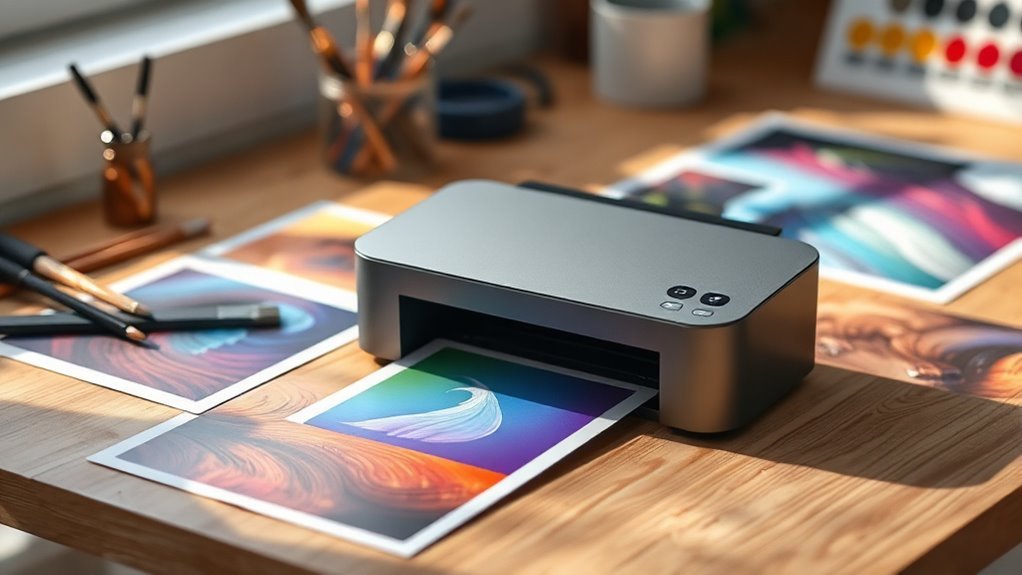
When choosing a cheap printer for your art, focus on print quality to guarantee your work looks vibrant and sharp. Consider the type and cost of ink, along with the media sizes the printer can handle.
You’ll also want to check connectivity options and how fast the printer works to keep your workflow smooth. These details really make a difference when you’re creating and sharing your art.
Print Quality Essentials
Print quality plays an essential role in bringing your artwork to life on paper. Selecting the right printer means paying close attention to resolution, color accuracy, and ink type.
Look for printers with at least 4800 × 1200 dpi optical resolution to capture fine details and smooth tonal gradations. A wide color gamut with extra ink colors like light cyan or gray really helps enhance color accuracy and black-and-white tonal range. This is super important for faithful art reproduction.
Make sure your printer supports high bit-depth rendering and offers solid color management tools like ICC profiles. These keep your prints consistent with what you see on screen.
Also, confirm it handles borderless printing and accommodates the paper sizes and types you prefer. That way, you preserve texture and edge-to-edge composition in your prints.
Ink Type and Cost
Beyond resolution and color accuracy, the type of ink your printer uses materially impacts your art’s final look and ongoing costs. Dye-based inks produce vivid colors and smooth gradients, ideal for vibrant artwork, but they fade faster and usually cost less per cartridge.
Pigment inks offer sharper lines, water resistance, and longevity, perfect for archival prints, though their upfront cost is higher. If you print often, consider refillable tank or supertank systems; they drastically lower cost per page by providing thousands of pages per refill.
This saves money long-term despite higher initial prices. Always calculate cost per page to balance expense and quality. Keep in mind, some printers limit third-party ink usage, affecting print quality and warranties, so check compatibility before deciding.
Media Size Compatibility
To get the most out of your printer, you’ll want to make sure it supports the media sizes you plan to use, whether that’s standard letter, legal, or larger formats like 13×19 inches for A3+ prints. Check if it offers borderless printing at those sizes to get edge-to-edge artwork without white margins.
Make sure the input trays can handle your preferred media type and thickness, such as cardstock or watercolor paper. Also, verify whether it uses rear specialty trays, front trays, or roll feeders.
Confirm the maximum printable width and length along with any custom size options, so your irregular or panoramic pieces print correctly. And don’t forget to consider output capacity and duplex printing if you need double-sided prints on your chosen media sizes.
Connectivity Options Available
How will you connect your printer to your devices? You’ll want a model offering both USB and wireless (Wi-Fi) connectivity, so you can easily print from your computer, smartphone, or tablet.
If you work in a studio or classroom, consider printers with Ethernet or network-ready options for stable, shared access. These can make a big difference when multiple people need to print.
Make sure it supports mobile printing standards like AirPrint and Mopria, plus manufacturer apps. This will simplify printing from iOS and Android devices.
If you print photos directly from cameras or memory cards, check for front or rear USB host or SD card slots. It’s super handy to have those right on the printer.
Also, printers supporting wired USB-B connections alongside dual-band wireless (2.4/5 GHz) help reduce interference. This can boost reliability, especially when handling large image files.
Speed and Efficiency
Once you’ve settled on the connectivity options that fit your workflow, it’s important to take into account how quickly and efficiently your printer can handle your art projects. Check the pages-per-minute (ppm) ratings for both color and black text; aim for 10–20 ppm to speed through large batches.
Automatic duplexing and multi-sheet input/output capacities over 50 sheets save time on double-sided prints. Also, consider first-page-out and warm-up times—seconds are better than minutes, especially for iterative proofing.
Evaluate ink yield and how easy refilling is, so you avoid interruptions during heavy sessions. Finally, prioritize printers with fast connectivity like gigabit Ethernet or reliable Wi-Fi, paired with a responsive onboard processor, to guarantee smooth handling of large, high-resolution files without delays.
Durability and Build
Although budget printers might seem less robust, choosing one with a sturdy build will save you headaches and money in the long run. Look for models with metal or reinforced plastic frames and a solid paper path to reduce vibrations and misfeeds that can damage prints and internal parts.
Check the printer’s duty cycle or recommended monthly page volume to make certain it matches your expected usage. It’s a good idea to prioritize printers with user-replaceable rollers and easily serviced printheads, so maintenance stays affordable and straightforward.
Don’t overlook the warranty—longer coverage on mechanical failures or printhead issues usually signals manufacturer confidence. And finally, take a look at operating conditions and noise ratings. Printers designed to handle varying temperatures and humidity tend to last longer in busy studios, helping you avoid frequent breakdowns and costly repairs.
Additional Features Benefits
When choosing a cheap printer for your art, you’ll want to take into account additional features that enhance your creative process and save money. Look for built-in wide-format or borderless printing to create edge-to-edge prints up to A3+/13×19 in. This expands your presentation options.
High-resolution scanning and copying help you digitize originals and reproduce fine details accurately. It’s a great way to keep your artwork safe and shareable.
Consider printers with refillable ink systems or high-yield tanks—they drastically cut your cost per page and support large print volumes. This means you won’t have to worry about constantly buying new cartridges.
Dedicated photo/color management features like ICC profile support and wide-gamut inks guarantee your colors stay true from screen to print. So, your prints look just as vibrant as your digital files.
Finally, wireless networking and app-based controls streamline your workflow. You can print remotely or directly from your phone or tablet with ease, making everything more convenient.
Frequently Asked Questions
How Do Printer Inks Affect Artwork Longevity?
Printer inks directly impact your artwork’s longevity by affecting color vibrancy and resistance to fading. Using high-quality, pigment-based inks guarantees your prints last longer without yellowing or deteriorating.
This helps preserve your art over time. So, choosing the right ink really makes a difference in keeping your artwork looking fresh and vibrant for years to come.
Can These Printers Handle Textured or Specialty Art Papers?
About 70% of affordable printers can handle textured or specialty art papers. You’ll find many models that adjust ink flow and drying time.
This means your prints look vibrant and crisp, even on rough or thick surfaces. Pretty handy, right?
What Software Is Best for Optimizing Prints From These Printers?
You’ll want to use software like Adobe Photoshop or Lightroom to optimize your prints, as they offer precise color management and editing tools.
Alternatively, try printer-specific apps for tailored settings and better results. They can really help you get the most out of your printer.
Are These Printers Compatible With Mac and Windows?
You’re in luck—these printers play nicely with both Mac and Windows. They’re designed to bridge worlds smoothly, so you won’t wrestle with compatibility.
Just plug in, and you’re ready to create without hiccups or hassle.
How Eco-Friendly Are the Ink Cartridges for These Printers?
You’ll find many cartridges are eco-friendly, featuring recycled materials and refill options. Some brands even offer take-back programs, helping you reduce waste while printing.
Always check specific cartridge details to guarantee sustainability. It’s a smart way to make sure you’re doing your part for the environment.
Conclusion
Choosing the right printer can really elevate your art without breaking the bank. Did you know that 78% of artists say having a reliable printer boosts their creative workflow?
Whether you pick the vibrant Epson XP-15000, the efficient Canon G3270, or the versatile Epson ET-4800, you’re investing in quality prints that bring your vision to life.
So, go ahead—get printing and watch your art shine! Finding the best cheap printer for artists in 2027 means balancing cost with quality, and these models do just that. With affordable prices and excellent print results, they help you create stunning artwork without overspending. Whether you’re printing detailed illustrations or colorful designs, these printers support your creativity every step of the way. Don’t settle for less—choose a printer that matches your artistic style and budget, and enjoy professional-quality prints that make your work stand out.