12 Best Computer Printers Under $100 for 2027
If you want reliable wireless printers under $100, models like the HP DeskJet 2923 and Canon PIXMA TS4320 offer all-in-one features with scanning and copying. These affordable printers are perfect for home use or light office work without breaking the bank. Plus, they deliver solid print quality and user-friendly interfaces.
You’ll find options with automatic duplexing, touch OLED displays, and solid print speeds from Canon, HP, and Brother. There are even portable inkless thermal printers like Phomemo for on-the-go use. These printers balance quality, connectivity, and ink efficiency to fit both home and travel needs.
Explore these picks and see what makes each one stand out. Whether you want convenience, speed, or versatility, there’s a wireless printer under $100 that’s just right for you.
| Image | Name | Editor's Rating | Price |
|---|---|---|---|

|
|
||

|
|
||

|
|
||

|
|
||

|
|
HP DeskJet 2923 Color Inkjet Printer | Wireless | All-in-One
- Perfect for basic printing needs – Print everyday color documents like to-do lists, letters, financial documents and recipes
- KEY FEATURES – Color print, copy, scan, and a 60-sheet input tray, plus mobile and wireless printing
- OPTIMIZE PRINT FORMATTING WITH HP AI – Print web pages and emails with precision—no wasted pages or awkward layouts; HP AI easily removes unwanted content, so your...
- ICON LCD – Print your basic documents with ease from the intuitive control panel
- PRINT SPEED – Up to 7.5 ppm black, 5.5 ppm color

If you need a reliable all-in-one printer to handle everyday home tasks, the HP DeskJet 2923 is an excellent choice. It simplifies printing, copying, and scanning color documents, making it easy to manage your daily paperwork. Its compact design fits well in small spaces, helping keep your workspace organized.
This printer offers wireless connectivity, allowing you to print directly from your smartphone or laptop through the HP app, AirPrint, or Mopria. You won’t have to fuss with cables or complicated setups. The included Instant Ink trial reduces the hassle and cost of ink replacement, so you can focus on your tasks without interruptions.
Maintenance is straightforward with energy-efficient operation and a modest input tray, although the 60-sheet capacity means you may need to refill more often for large jobs. Manual duplex printing requires turning pages yourself, which might slow down busy workflows. Print speeds are suitable for light use but not ideal for high-volume projects.
Overall, the HP DeskJet 2923 balances functionality and ease of use for basic home printing needs. It’s a practical option for anyone looking for a budget-friendly, wireless all-in-one printer.
Best for: users seeking an affordable, compact all-in-one printer for everyday home printing, copying, and scanning with wireless mobile printing.
What We Like:
- Wireless and mobile printing via HP app, AirPrint, and Mopria for easy connectivity
- Six-month Instant Ink trial for convenient and cost-effective ink management
- Compact, energy-efficient design with recycled materials and ENERGY STAR certification
- Simple maintenance suitable for light daily use
Specification:
| Feature | Details |
|---|---|
| Manufacturer | HP |
| Dimensions | 16.9 x 12.7 x 5.9 in (43 x 32.3 x 15 cm) |
| Weight | 4.4 lb (2 kg) |
| Color Options | White with Black trim |
| Connectivity | Wireless, HP app, AirPrint, Mopria |
Canon PIXMA TS4320 – Wireless Color Inkjet Printer with Print, Copy, Scan
- Affordable Versatility - A budget-friendly all-in-one printer perfect for both home users and hybrid workers, offering exceptional value
- Crisp, Vibrant Prints - Experience impressive print quality for both documents and photos, thanks to its 2-cartridge hybrid ink system that delivers sharp text and vivid...
- Effortless Setup & Use - Get started quickly with easy setup for your smartphone or computer, so you can print, scan, and copy without delay
- Reliable Wireless Connectivity - Enjoy stable and consistent connections with dual-band Wi-Fi (2.4GHz or 5GHz), ensuring smooth printing from anywhere in your home or...
- Scan & Copy Handling - Utilize the device’s integrated scanner for efficient scanning and copying operations
The Canon PIXMA TS4320 offers an efficient all-in-one solution for printing, scanning, and copying in a compact body. Its wireless inkjet design makes it easy to handle everyday tasks like school assignments and colorful photo printing. This printer simplifies your workflow by supporting automatic duplex printing and accommodating multiple paper types up to letter size.
Maintenance is straightforward with the two-cartridge hybrid ink system that delivers sharp text and vibrant colors. While the starter ink tanks provide an initial supply, they may need replacing sooner with heavy use. Setup is quick and hassle-free, allowing you to get started without delay.
Designed for home and hybrid workspaces, the PIXMA TS4320 features dual-band Wi-Fi and mobile printing through the Canon PRINT App. This ensures flexible connectivity to your devices, helping you stay productive without being tethered to cables.
Though it lacks an OLED display and automatic document feeder, this printer balances compact design with essential functionality. It is a practical choice for users prioritizing space and basic all-in-one capabilities at an affordable price.
Best for: Individuals seeking a compact and reliable all-in-one printer for everyday home and hybrid work tasks such as school projects, photo printing, and basic scanning or copying.
What We Like:
- Compact footprint fits easily in small workspaces
- Automatic duplex printing enhances efficiency
- Dual-band Wi-Fi and mobile printing via Canon PRINT App
- Sharp text and vivid color output from hybrid ink system
Specification:
| Feature | Details |
|---|---|
| Manufacturer | Canon |
| Dimensions (W×D×H) | Approx. 14.7 × 11.7 × 5.0 in |
| Weight | Approx. 8.0 lbs |
| Printer Type | Wireless Color Inkjet |
| Paper Size Support | Up to Letter (8.5 × 11 in) |
HP DeskJet 4327 Color Inkjet Printer | Wireless | All-in-One
No products found.
The HP DeskJet 4327 is designed to handle everyday color printing, copying, and scanning with ease. Its all-in-one functionality helps you manage documents efficiently, reducing the need for multiple devices. The compact design fits well in home offices, making it a practical solution for limited spaces.
This printer speeds through tasks with print speeds up to 8.5 ppm for black and 5.5 ppm for color. The 35-sheet auto document feeder and 60-sheet input tray simplify multi-page jobs while saving time. The easy-to-use ICON LCD panel ensures straightforward operation without unnecessary complexity.
Wireless dual-band Wi-Fi and the HP app enable printing and scanning directly from your smartphone. This convenience helps you stay productive without being tied to a computer. Plus, the eco-friendly build meets ENERGY STAR and EPEAT standards, supporting sustainable use.
Maintenance is simplified through the Instant Ink program, which helps reduce running costs by delivering ink automatically. Keep in mind, the trial lasts six months, after which a subscription is needed to continue saving.
Best for: individuals and home users needing a compact all-in-one printer that offers reliable color printing, wireless connectivity, and easy maintenance.
What We Like:
- All-in-one functions with efficient document handling
- Wireless printing and mobile app support
- Eco-friendly design with ENERGY STAR and EPEAT certifications
- Cost-saving Instant Ink subscription program
Specification:
| Feature | Details |
|---|---|
| Manufacturer | HP |
| Dimensions | Compact design (specific size not provided) |
| Weight | Not specified |
| Color Options | Not specified |
| Connectivity | Dual-band Wi-Fi, HP app support |
Canon PIXMA TS6520 Wireless Color Inkjet Printer, 1.42″ OLED Display, White
- Affordable Versatility - A budget-friendly all-in-one printer perfect for both home users and hybrid workers, offering exceptional value
- Crisp, Vibrant Prints - Experience impressive print quality for both documents and photos, thanks to its 2-cartridge hybrid ink system that delivers sharp text and vivid...
- Effortless Setup & Use - Get started quickly with easy setup for your smartphone or computer, so you can print, scan, and copy without delay
- Reliable Wireless Connectivity - Enjoy stable and consistent connections with dual-band Wi-Fi (2.4GHz or 5GHz), ensuring smooth printing from anywhere in your home or...
- Scan & Copy Handling - Utilize the device’s integrated scanner for efficient scanning and copying operations
The Canon PIXMA TS6520 is designed to simplify everyday printing tasks for families and students. Its compact build fits easily into small spaces, making it ideal for home use. You can print, scan, and copy with ease, thanks to its versatile all-in-one functionality.
This printer solves common hassles by supporting automatic duplex printing, which saves paper and time. The sharp print quality, up to 1200 × 1200 dpi, ensures professional-looking documents and photos. Fast black-and-white printing at up to 14 pages per minute keeps up with busy schedules.
Maintenance is straightforward with a reliable two-cartridge ink system that makes replacing ink less complicated. The 1.42” OLED display provides clear updates on ink levels and settings, helping you stay informed without any guesswork.
Wireless connectivity is smooth with dual-band Wi-Fi, and mobile printing options add flexibility. Compatibility with Alexa offers hands-free printing, enhancing convenience. While it lacks an automatic document feeder and has limited paper capacity, the PIXMA TS6520 meets essential home and light office needs effectively.
Best for: Families and students seeking a compact, versatile all-in-one printer with reliable wireless connectivity for home and occasional office use.
What We Like:
- Automatic duplex printing reduces paper waste and speeds up tasks
- Dual-band Wi-Fi and mobile/Alexa compatibility enhance wireless convenience
- Sharp, high-resolution prints with fast black-and-white page output
- Easy maintenance with a simple two-cartridge ink system
- Compact design fits well in limited spaces
Specification:
| Feature | Details |
|---|---|
| Manufacturer | Canon |
| Dimensions | Not specified |
| Weight | Not specified |
| Color Options | White |
| Display | 1.42″ OLED |
| Print Resolution | Up to 1200 × 1200 dpi |
| Print Speed (B&W) | Up to 14 ppm |
| Connectivity | Dual-band Wi-Fi, USB, Alexa compatible |
| Ink System | Two-cartridge |
Brother Work Smart 1360 Wireless Color Inkjet All-in-One Print, Scan, Copy
- AFFORDABLE ALL-IN-ONE FOR HOME AND HOME OFFICE: Print, copy, and scan on one compact wireless printer designed for everyday home office printing, schoolwork, documents...
- EASY TO USE WITH CLOUD APP CONNECTIONS: Print from and scan to popular Cloud apps(2), including Google Drive, Dropbox, Box, OneDrive, and more from the simple-to-use...
- FULL-SIZE FEATURES IN A COMPACT DESIGN: This printer includes automatic duplex (2-sided) printing, a 20-sheet single-sided Automatic Document Feeder (ADF)(3), and a...
- MULTIPLE CONNECTION OPTIONS: Connect your way. Interface with your printer on your wireless network or via USB.
- MOBILE PRINTING MADE EASY: Go mobile with the Brother Mobile Connect app(5) that delivers easy onscreen menu navigation for printing, copying, scanning, and device...
Experience hassle-free printing with the Brother Work Smart 1360, designed to streamline your home office tasks. This wireless color inkjet all-in-one printer combines printing, scanning, and copying, making it easy to handle diverse document needs. Its reliable performance helps reduce downtime and keeps your workflow smooth.
The printer delivers crisp prints at speeds up to 16 ppm in black and 9 ppm in color. Automatic duplexing cuts paper use by printing on both sides, saving time and resources. The 20-sheet automatic document feeder (ADF) and flatbed scanner simplify multi-page copying and scanning jobs, though the ADF scans only single-sided documents.
Connectivity is straightforward with Wi-Fi, Wi-Fi Direct, and USB options. Mobile printing is supported through Brother Mobile Connect and AirPrint, allowing you to print effortlessly from your smartphone or tablet. Maintenance is user-friendly, but keep in mind starter ink cartridges may need early replacement depending on your print volume.
With a 150-sheet paper tray and ENERGY STAR certification, this inkjet printer balances efficiency and environmental care. It’s an ideal choice for home users who want versatile, wireless functionality without complexity.
Best for: Home users seeking a versatile all-in-one inkjet printer with wireless connectivity and efficient duplex printing.
What We Like:
- Fast print speeds with automatic two-sided printing
- Multiple wireless and USB connectivity options
- Convenient 20-sheet ADF and flatbed scanner
- ENERGY STAR certified for energy efficiency
- Large 150-sheet paper capacity
Specification:
| Feature | Details |
|---|---|
| Manufacturer | Brother |
| Dimensions | Not specified |
| Weight | Not specified |
| Material | Not specified |
| Color Options | Not specified |
Canon PIXMA TR4720 Wireless All-in-One Printer
- Wireless 4-in-1 (print | copy | scan | fax)..Power Consumption: 7W (0.8W Standby / 0.3W Off)
- Print speed up to: 4" x 6" Borderless Photo (PP-201): Approx. 65.0 Seconds / Black Document (Letter/Simplex): Approx. 8.8 ipm / Color Document (Letter/Simplex): Approx...
- Designed for easy ink cartridge installation and replacement.
- Auto 2-sided printing and auto document feeder.
- Produce quality documents, photos and boarderless prints up to 8.5" x 11".
The Canon PIXMA TR4720 is a compact all-in-one printer designed to handle everyday printing challenges with ease. It combines printing, scanning, copying, and faxing into one efficient device, helping you save space and time. Its hybrid ink system produces sharp black text and vibrant color prints, ensuring your documents always look professional.
This printer simplifies your workflow by offering automatic two-sided printing and a 100-sheet front paper tray, reducing the need for constant paper refills. Wireless and USB connectivity allow you to print from multiple devices, while mobile printing support keeps you productive on the go. Integration with Alexa enables voice notifications and smart ink reordering, making maintenance straightforward.
The flatbed scanner and auto document feeder improve multitasking, allowing you to scan or copy multiple pages quickly. Energy-efficient design helps lower power consumption, making this printer an eco-friendly choice. However, its color print speed is modest, and limited ports may restrict connectivity options.
Best for: small office or home users needing a versatile, space-saving all-in-one printer with wireless and mobile capabilities.
What We Like:
- Sharp text and vibrant color printing with hybrid ink system
- Automatic two-sided printing saves time and paper
- Wireless, mobile, and Alexa-enabled for flexible use
- Flatbed scanner plus auto document feeder for multitasking
Specification:
| Feature | Details |
|---|---|
| Manufacturer | Canon |
| Dimensions (inches) | Approx. 17.7 x 12.0 x 7.5 |
| Weight (lbs) | Approx. 9.7 |
| Color Options | Black |
| Connectivity | Wireless, USB |
Canon PIXMA TS3720 Wireless All-in-One Printer
No products found.
The Canon PIXMA TS3720 Wireless All-in-One Printer is designed to simplify your home printing tasks. Its compact design fits easily into small spaces, making it ideal for everyday use. This printer handles printing, copying, and scanning, helping you manage documents and photos without hassle.
With sharp black text thanks to pigment ink and vibrant color photos from dye-based inks, your prints look professional. It delivers quick single-sided printing at speeds of 7.7 black and 4 color images per minute, saving you time on projects. Borderless photo printing up to 5” x 7” lets you create high-quality images without white edges.
Setup is straightforward with Dual Band Wi-Fi, USB, and mobile printing options like AirPrint and the Canon PRINT app. Maintaining the printer is simple, as its cartridges are easy to replace. A clear 1.5” LCD screen ensures you control your printing tasks with ease.
This all-in-one printer is ideal for those who want reliable wireless connectivity and fast, single-sided printing in a compact form. It suits home users managing both documents and photos with moderate volume needs.
Best for: home users seeking an affordable, space-saving all-in-one printer with reliable wireless features and quick, single-sided printing.
What We Like:
- Fast print speeds with clear black text and vivid photos from hybrid ink.
- Supports borderless photos up to 5” x 7” and multiple media sizes.
- Easy wireless setup via Dual Band Wi-Fi and mobile apps.
- Simple cartridge replacement for hassle-free maintenance.
- Compact design ideal for small spaces.
Specification:
| Feature | Details |
|---|---|
| Manufacturer | Canon |
| Dimensions | Compact (exact size not specified) |
| Weight | Not specified |
| Color Options | Not specified |
| Connectivity | Dual Band Wi-Fi, USB, AirPrint, Canon PRINT app |
| Print Speed | 7.7 ppm (black), 4 ppm (color) |
| Max Photo Size | 5” x 7” borderless |
| Display | 1.5” LCD screen |
Rongta Wireless Bluetooth Thermal Portable Printer (Black)

- Easy to Set Up: RONGTA F11A portable thermal printer for travel go by bluetooth.Download "RONGTA" APP from Google Play or APP store for iOS and Android Phone or...
- RONGTA portable printer, 203DPI resolution, large to 8.5" design, easy to use and maintain. Print forms, letters, assignments, study materials, and travel documents...
- Stylish Thermal Printer:Rongta bluetooth wireless printer, It is compatible with your go-to paper sizes—including US Letter, Legal, A4 thermal papers. What’s more, it...
- Portable and Compact: When traveling you can take Rongta portable printer wireless in your backpack or tote bag wherever you need. It is compact and portable whether in...
- Warm Tips: Do Not Support Chrome. Rongta portable printers wireless for travel can't support pair bluetooth via Phone or tablet directly, must be pair on the"RONGTA" APP...
The Rongta Wireless Bluetooth Thermal Portable Printer offers a simple solution for printing without the hassle of ink or ribbons. Its thermal printing technology produces clear, monochrome prints quickly, making it ideal for on-the-go use. This compact, black printer easily fits into bags, perfect for travel or small workspaces.
Connecting is straightforward but requires the dedicated RONGTA app on iOS or Android. Bluetooth pairing is done exclusively through the app, ensuring a stable and secure connection. The printer supports USB connections for laptops, adding flexibility for different devices.
Maintenance is minimal since it uses thermal paper instead of ink cartridges. This reduces ongoing costs and eliminates messy refills. It handles standard US Letter and Legal paper sizes but only prints single-sided documents, which suits basic printing needs without extra features.
Overall, this printer is designed for users who need a lightweight, portable, and reliable device for document printing while traveling or working remotely. It offers convenience and simplicity without extra bulk or complexity.
Best for: Professionals and travelers needing a compact, inkless printer for quick, reliable monochrome printing via Bluetooth.
What We Like:
- Inkless thermal printing for low-maintenance operation
- Bluetooth setup through dedicated RONGTA app for stable connectivity
- Lightweight and compact design ideal for travel
- Supports US Letter and Legal paper sizes
- USB connection option for laptop compatibility
Specification:
| Feature | Details |
|---|---|
| Manufacturer | Rongta |
| Dimensions | Not specified |
| Weight | 0.43 kg (approx. 0.95 lb) |
| Color | Black |
| Connectivity | Bluetooth (via app), USB |
| Print Resolution | 203 x 203 dpi |
| Paper Type | Thermal paper |
| Print Mode | Monochrome, single-sided |
Portable Printers Wireless for Travel, N80 Bluetooth Thermal Printer
No products found.
Experience hassle-free printing wherever you go with the NDYIN N80 Bluetooth Thermal Printer. This lightweight, inkless device removes the need for messy ink or toner, using direct thermal technology to print clearly on special thermal paper. It’s perfect for travelers and mobile professionals who need quick, reliable document printing on the move.
The N80 connects wirelessly via Bluetooth to your smartphone or tablet through the Nada Print App, making mobile printing seamless and convenient. For laptop users, it requires a USB-C connection and driver installation, as Bluetooth is not supported on these devices. Its compact design easily fits into travel bags without adding bulk.
Maintenance is simple since you only need to replace thermal paper rolls—no ribbons, ink cartridges, or toners to worry about. The built-in rechargeable battery supports printing up to 160 pages per charge, letting you handle contracts, boarding passes, or invoices without interruption.
While it prints only in monochrome at 203 DPI and does not support duplex or color printing, its functionality suits essential document needs efficiently. Just remember to use the specified thermal paper for optimal results.
Best for: Travelers and mobile professionals needing a lightweight, inkless portable printer for quick monochrome document printing on the go.
What We Like:
- Inkless direct thermal printing eliminates ink or toner use
- Wireless Bluetooth connection for smartphones and tablets
- Compact and lightweight with a rechargeable battery lasting up to 160 pages
- Supports US Letter and A4 thermal paper sizes
Specification:
| Feature | Details |
|---|---|
| Manufacturer | NDYIN |
| Dimensions | Compact (exact size not specified) |
| Weight | Lightweight (exact weight not specified) |
| Connectivity | Bluetooth (smartphones/tablets), USB-C (laptops) |
| Print Technology | Direct thermal |
| Print Resolution | 203 DPI |
| Paper Size | US Letter, A4 (thermal paper) |
| Battery | Rechargeable, up to 160 pages per charge |
HP DeskJet 2855e Color Inkjet Printer | Wireless | All-in-One
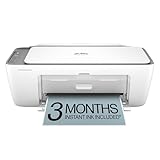
- The DeskJet 2855e is perfect for homes printing to-do lists, letters, financial documents and recipes. Print speeds up to 5.5 ppm color, 7.5 ppm black
- PERFECTLY FORMATTED PRINTS WITH HP AI – Print web pages and emails with precision—no wasted pages or awkward layouts; HP AI easily removes unwanted content, so your...
- KEY FEATURES – Color printing, copy, scan, and a 60-sheet input tray
- WIRELESS PRINTING – Stay connected with our most reliable Wii-Fi, which automatically detects and resolves connection issues.This printer is only 2.4 ghz capable.
- 3 MONTHS OF INSTANT INK WITH HP+ ACTIVATION – Subscribe to Instant Ink delivery service to get ink delivered directly to your door before you run out. After 3 months...
The HP DeskJet 2855e is a versatile all-in-one printer designed to simplify everyday home tasks. It handles printing, copying, and scanning with ease, making it perfect for managing to-do lists, letters, and recipes. Its compact design fits well in any space, providing convenience without clutter.
This printer connects smoothly via 2.4 GHz Wi-Fi, allowing you to print or scan directly from your smartphone or tablet through the HP app. HP’s AI technology ensures your documents are precisely formatted, minimizing wasted paper and ink. This smart approach helps you maintain high-quality results consistently.
Maintenance is straightforward with a 60-sheet input tray that suits light to moderate printing needs. The HP+ service includes three months of Instant Ink, which helps you manage ink supplies efficiently and avoid unexpected running out. After this period, a subscription is required to continue the service.
While the wireless connection is reliable, it is limited to 2.4 GHz, which may affect connectivity on some networks. The small input tray means frequent refills for larger jobs, and ongoing use requires a subscription to HP+ and Instant Ink for cost-effective operation.
Best for: individuals and families looking for an affordable, easy-to-use all-in-one printer for everyday home printing, copying, and scanning.
What We Like:
- Multifunctional with print, copy, and scan features
- HP AI technology reduces wasted pages with precise formatting
- Wireless printing and scanning via HP app for added convenience
- Includes three months of Instant Ink for hassle-free ink management
Specification:
| Feature | Details |
|---|---|
| Manufacturer | HP |
| Dimensions | 16.85 x 6.97 x 5.87 inches |
| Weight | 4.56 lbs (2.07 kg) |
| Color Options | White with gray accents |
| Wireless Support | 2.4 GHz Wi-Fi |
Phomemo M832 Portable Printers Wireless for Travel, Inkless Thermal Printer
No products found.
Experience hassle-free printing wherever your work takes you with the Phomemo M832 Portable Inkless Thermal Printer. This compact printer eliminates the need for ink or ribbons, making maintenance simple and mess-free. Its lightweight design and included flannel storage bag make it easy to carry on business trips or daily commutes.
The M832 prints sharp black-and-white documents at 300 DPI, perfect for contracts, invoices, or boarding passes. Its 2600mAh battery supports up to 150 pages per charge, helping you stay productive without frequent recharging. Connectivity options include Bluetooth and USB-C, allowing seamless pairing with your phone or tablet via the Phomemo app.
Designed for those who need reliable printing on the go, this thermal printer reduces clutter and downtime. However, it only prints in monochrome and requires special thermal paper. Bluetooth connectivity is limited to mobile devices, not compatible with laptops or desktops.
Best for: Business travelers, mobile professionals, and students needing a lightweight, inkless printer for quick document printing on the move.
What We Like:
- Compact, lightweight design with convenient storage bag
- Inkless thermal printing reduces maintenance and costs
- Long battery life supports extended use without charging
- Easy wireless setup via Bluetooth and USB-C
- Crisp 300 DPI printing ideal for essential documents
Specification:
| Feature | Details |
|---|---|
| Manufacturer | Phomemo |
| Dimensions | Compact, fits in bag |
| Weight | 1.5 lb (approx. 0.68 kg) |
| Printing Type | Inkless thermal |
| Print Resolution | 300 DPI |
| Battery Capacity | 2600mAh |
| Connectivity | Bluetooth, USB-C |
| Included Accessory | Flannel storage bag |
Phomemo Portable Wireless Thermal Printer, Green

- [Compact and Space-saving Design]: Portable thermal printer weighs only 1.5lb, able to fit in your bag or briefcase for easy transporting and surprisingly light for long...
- [Go Wireless by Bluetooth]: Get the "Phomemo" app from Google Play or Apple Store to print via Bluetooth on your portable thermal printer for iOS and Android. (Note...
- Wireless Printer [High Quality Printing]: The M08F Bluetooth thermal printer provides superior print clarity resulting in hassle-free printing- high quality crisp, dark...
- [nkless Printing]: Bluetooth printer use thermal technology - doesn't require ink, toner, or ribbons, no ink-related blockages and cleaning issues. Instead, you only need...
- [Strong Compatibility]: Built-in large rechargeable battery, print 140 sheets of 8.5'' x 11'' thermal paper per charge. Print PDF, Word, Images, Web from your...
The Phomemo Portable Wireless Thermal Printer is an ideal solution for anyone needing quick, reliable printing without the hassle of ink. Its compact design and lightweight build make it easy to carry during travel or daily commutes. You can print important documents, contracts, or receipts swiftly and clearly using thermal technology.
This printer operates wirelessly via Bluetooth through the Phomemo app on iOS and Android devices, ensuring seamless mobile printing. For desktop users, a USB connection to PCs is also available. Its ability to handle various paper sizes adds to its versatility and convenience.
Maintenance is simple since it uses thermal paper, eliminating the need for ink cartridges or toner. This reduces ongoing costs and keeps the printer hassle-free. However, it requires special thermal paper and only prints in black and white, which may limit some use cases.
With a fast print speed of about seven seconds per page and up to 140 prints per battery charge, this device offers efficient performance on the go. Its green M08F model stands out with a sleek design suited for professionals, travelers, and students.
Best for: Professionals and travelers needing a compact, wireless, and inkless printer for quick black-and-white document printing.
What We Like:
- Lightweight and portable for easy transport
- Inkless printing reduces maintenance and running costs
- Wireless Bluetooth connection via dedicated app for mobile use
- USB connectivity for PC compatibility
- Fast printing speed and efficient battery life
Specification:
| Feature | Details |
|---|---|
| Manufacturer | Phomemo |
| Model | M08F |
| Weight | 1.5 lb (0.68 kg) |
| Color | Green |
| Connectivity | Bluetooth, USB |
| Printing Tech | Thermal (inkless) |
Factors to Consider When Choosing a Computer Printer Under $100
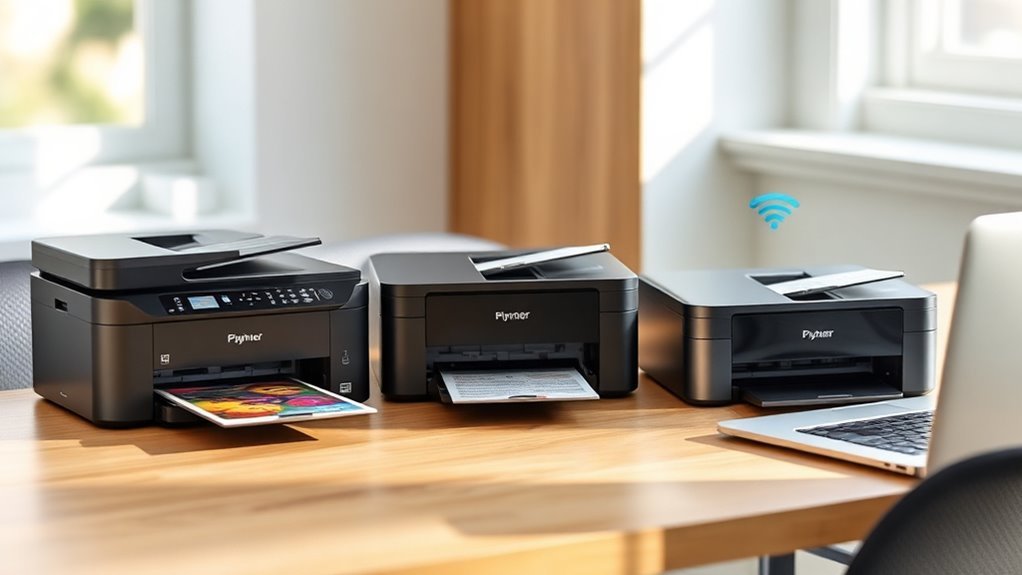
When choosing a printer under $100, you’ll want to focus on print quality and resolution to get sharp results.
Also, consider how the printer connects to your devices and whether it’s compatible with your setup.
Don’t forget to check ink efficiency, speed, and the size of the printer to match your needs.
Print Quality And Resolution
Although budget printers often come with limitations, you’ll want to pay close attention to print quality and resolution to make sure your documents and images look sharp and clear. Check the printer’s maximum print resolution, like 4800×1200 dpi or 1200×1200 dpi, to gauge how detailed your prints will be.
Understand whether the resolution is “optimized,” meaning enhanced by software, or native input dpi, which reflects true hardware capability. Compare black-and-white versus color resolution specs, since clarity needs vary by document type.
If you plan to scan or copy, look at the copy/scan resolution—higher dpi means sharper duplicates. For photos or graphics, prioritize printers boasting higher color resolutions (1200×1200 dpi or above) over those with low-resolution outputs, ensuring vibrant, detailed images.
Connectivity And Compatibility
To get the most out of a printer under $100, you’ll want to evaluate how it connects to your devices and whether it’s compatible with your operating system. Check if it supports dual-band Wi‑Fi, since some only work on 2.4GHz while others handle both 2.4GHz and 5GHz for better stability.
Also, verify mobile compatibility through AirPrint, Mopria, or vendor apps, so you can print directly from your phone or tablet without hassle.
Look for local options like Wi‑Fi Direct or Bluetooth, but be aware some Bluetooth printers need specific apps instead of standard pairing.
Don’t forget wired options—most inkjets use USB, often just one port, while some portable models use USB‑C and may require drivers.
Finally, make sure the printer supports your PC, Mac, or Chromebook to avoid compatibility issues. It’s better to double-check now than run into trouble later!
Ink Efficiency And Cost
Since ink expenses can quickly add up, understanding a printer’s ink efficiency and cost is crucial before making a purchase. Check if the printer uses standard cartridges or an ink subscription program, like Instant Ink, which can save you up to 50–70% after enrollment. Just keep in mind that monthly fees apply after the trial period.
It’s a good idea to compare cartridge systems and yields, especially if the model uses multiple color cartridges. Costs can vary depending on which color runs out first.
Opt for high-yield or multipack cartridges to lower your cost per page. Inkless thermal printers eliminate cartridge costs but require you to buy thermal paper. So, consider paper pricing carefully before deciding.
If the printer supports duplex printing, it can help reduce paper use and indirectly save ink over time. It’s a smart feature that pays off in the long run.
Speed And Performance
When choosing a printer under $100, speed and performance often make the biggest difference in your daily experience. You’ll want to compare pages-per-minute (ppm) ratings—entry-level inkjets typically offer around 7.5 ppm for black and 5.5 ppm for color.
Models with duplex and higher throughput can reach 8.5–11 ppm black and about 9 ppm color. Don’t overlook the initial page time, which can range from 7.5 to 20 seconds. A quick first page feels much faster overall.
Check the maximum resolution, since high dpi (like 4800×1200) may slow down complex prints. If you print double-sided often, automatic duplex support boosts efficiency.
For portable thermal printers, expect slower graphics output but fast text printing, usually between 3 and 15 ppm. So, think about what you print most before deciding!
Size And Portability
Speed and performance matter, but the physical size and portability of a printer can be just as important, especially if you have limited space or need to take it on the go.
If you want something truly compact, look for portable printers around 1.5 pounds like thermal models, which are about 10–11 inches long and 1–2 inches thick. Standard all-in-one inkjets weigh 7.6–16.8 pounds and measure roughly 12–17 inches long with a 6–7 inch height, requiring more desk space.
Also, consider paper handling: home inkjets need room for 60–150 sheet trays, while compact printers often use single-sheet or roll loading. Portability depends on interfaces and power too—travel printers usually have Bluetooth and built-in batteries, while inkjets rely on Wi-Fi or USB and a power cord.
Choose based on your printing volume and mobility needs. It really comes down to what fits your lifestyle and workspace best.
Frequently Asked Questions
How Do I Recycle Used Printer Ink Cartridges?
You can recycle used printer ink cartridges by returning them to the manufacturer’s recycling program or dropping them off at local office supply stores. Many places offer free recycling bins, so don’t toss cartridges in the trash!
It’s super easy to do, and it helps keep harmful materials out of landfills. Plus, some manufacturers even give you rewards or discounts when you recycle with them. So, next time you replace a cartridge, think about recycling!
Can These Printers Connect to Multiple Devices Simultaneously?
Yes, many printers under $100 support simultaneous connections through Wi-Fi or Bluetooth. You can easily connect multiple devices like laptops, smartphones, and tablets.
This means everyone can print without switching networks or cables. Pretty convenient, right?
What Is the Average Lifespan of These Printers?
Think of these printers as reliable workhorses—they typically last around 3 to 5 years with regular use.
You’ll want to maintain them well and replace ink or parts occasionally to keep them running smoothly.
Are Replacement Ink Cartridges Readily Available and Affordable?
Yes, you’ll find replacement ink cartridges widely available and affordable for most budget printers. You can easily buy them online or in stores.
This helps you keep printing costs low without any hassle or delay. It’s pretty convenient, right?
Do These Printers Support Printing From Mobile Apps?
Yes, many printers support printing from mobile apps, letting you print directly from your phone or tablet. You’ll find compatibility with popular apps like Apple AirPrint, Google Cloud Print, and manufacturer-specific apps for convenience.
It’s pretty handy to be able to print without needing a computer. Just open the app, select your document or photo, and print away!
Conclusion
Choosing the perfect printer under $100 doesn’t have to feel like hunting for a needle in a haystack. With options like HP’s reliable DeskJet series or Canon’s crisp PIXMA models, you’re armed with tools that turn your printing tasks into smooth sailing adventures.
Whether you need wireless convenience or on-the-go portability, these printers are your trusty sidekicks. They’re ready to bring your ideas to life without breaking the bank.
Finding the best computer printers under $100 means combining affordability with quality and functionality. From home projects to office tasks, these budget-friendly printers offer great value and dependable performance.
So, if you’re searching for reliable and efficient printers that won’t blow your budget, this list has got you covered. Get ready to print smarter and save more with the best computer printers under $100 for 2027!