9 Best AirPrint Printers for 2026 That Make Printing Easy
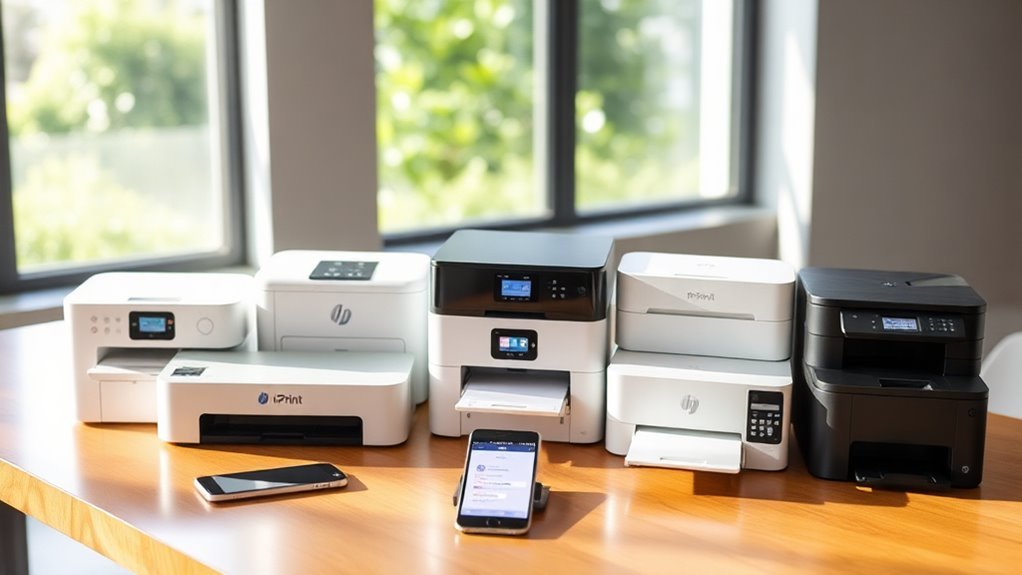
You want an AirPrint printer that’s reliable, fast, and easy to use. With so many options out there, finding the best AirPrint printer for your home or office can feel overwhelming. Luckily, there are models that combine smart features, speed, and convenience all in one.
The Canon PIXMA TS6520 offers smart home printing with a sharp OLED display, making it simple to navigate menus. Meanwhile, the TS702a focuses on speedy output and solid connectivity, perfect if you need quick prints without hassle.
For all-in-one needs, the TS4320 and TR8620a provide scanning and copying alongside wireless ease. If you’re often on the go, portable options like the TR160 fit travel perfectly. Models like the PIXMA TS9520 and HP Envy 6555 deliver premium features for home or office use.
Discover which fits your setup best and make printing effortless!
| Image | Name | Editor's Rating | Price |
|---|---|---|---|

|
|
||
|
|
||

|
|
||

|
|
||

|
|
Canon PIXMA TS6520 Wireless Color Inkjet Printer, 1.42″ OLED Display, White
- Affordable Versatility - A budget-friendly all-in-one printer perfect for both home users and hybrid workers, offering exceptional value
- Crisp, Vibrant Prints - Experience impressive print quality for both documents and photos, thanks to its 2-cartridge hybrid ink system that delivers sharp text and vivid...
- Effortless Setup & Use - Get started quickly with easy setup for your smartphone or computer, so you can print, scan, and copy without delay
- Reliable Wireless Connectivity - Enjoy stable and consistent connections with dual-band Wi-Fi (2.4GHz or 5GHz), ensuring smooth printing from anywhere in your home or...
- Scan & Copy Handling - Utilize the device’s integrated scanner for efficient scanning and copying operations

Experience the convenience of a compact all-in-one printer designed to fit seamlessly into your home workspace. The Canon PIXMA TS6520 wireless color inkjet printer offers a blend of functionality and ease with its intuitive 1.42″ OLED display. It simplifies printing, scanning, and copying tasks, helping you manage your documents effortlessly.
This printer delivers sharp, clear prints at up to 1200 x 1200 dpi resolution. Its hybrid 2-cartridge ink system ensures quality output while keeping the device compact. Auto duplex and borderless printing save time and paper, making your workflow smoother and more efficient.
Maintaining the PIXMA TS6520 is straightforward but keep in mind that the hybrid ink cartridges may need more frequent replacement than multi-cartridge systems. The single paper tray suits light to moderate use, ideal for home settings without heavy volume demands.
Connectivity is versatile with dual-band Wi-Fi, mobile and cloud printing, and Alexa voice compatibility. These features make it easy to print from various devices, enhancing productivity for families, students, and remote workers alike.
Best for: Families, students, and home workers needing a compact, versatile all-in-one printer for occasional to moderate use.
What We Like:
- Compact design fits well in small home workspaces
- High-quality prints with fast output and auto duplex capability
- Flexible connectivity including dual-band Wi-Fi and mobile/cloud printing
- Easy operation via clear 1.42″ OLED display
Specification:
| Feature | Details |
|---|---|
| Manufacturer | Canon |
| Dimensions | Not specified |
| Weight | Not specified |
| Ink System | Hybrid 2-cartridge system |
| Print Resolution | Up to 1200 x 1200 dpi |
| Display | 1.42″ OLED |
| Connectivity | Dual-band Wi-Fi, Mobile, Alexa compatible |
| Color | White |
Canon PIXMA TS702a Wireless Print-Only Printer Black
- Efficient Everyday Printing: It can print great looking borderless photos and even supports various paper types & sizes, from 3.5” x 3.5” Square up to legal size...
- Print Connectivity: Whether that is a smartphone, tablet or computer. Have peace of mind and connect with AirPrintFootnote4, Mopria Print ServiceFootnote...
- Big Performance with Compact Design: With a 350 SHEET plain paper capacity the PIXMA TS702 is ready to take on large print jobs.
- Wireless Single-Function: Print only featuring Auto 2-Sided (Duplex) Printing.
- Sharp Text: The hybrid ink system combines dye ink for rich colors and black pigment ink.
The Canon PIXMA TS702a Wireless Print-Only Printer Black offers a streamlined solution for those who want high-quality printing without the bulk of scanning or copying features. Its fast print speed—up to 15 ppm in black and 10 ppm in color—helps you get documents out quickly, making it ideal for busy homes or small offices.
This printer connects seamlessly through Wi-Fi, Ethernet, or USB, supporting AirPrint and Mopria for easy mobile printing. The hybrid ink system produces sharp text and vibrant colors, enhancing both everyday documents and photos with borderless printing options.
Designed with simplicity in mind, the PIXMA TS702a is compact and easy to maintain. However, it has a single paper tray with a 350-sheet capacity and only one output slot, so it may require more frequent paper refills during heavy use. Its print-only function means it won’t replace a multifunction device but excels at focused, efficient printing.
Best for: individuals or small businesses needing a reliable wireless printer focused on fast, high-quality print output without scanning or copying.
What We Like:
- Fast printing speeds with up to 15 ppm black and 10 ppm color
- Multiple connectivity options including Wi-Fi, Ethernet, AirPrint, and Mopria
- Hybrid ink system delivers sharp text and vibrant color with borderless photo support
- Compact design that fits well in home or office spaces
Specification:
| Feature | Details |
|---|---|
| Manufacturer | Canon |
| Dimensions | Not specified |
| Weight | Not specified |
| Color | Black |
| Connectivity | Wi-Fi, Ethernet, USB |
| Print Speed | Up to 15 ppm black, 10 ppm color |
| Paper Capacity | 350 sheets |
Canon PIXMA TS4320 – Wireless Color Inkjet Printer with Print, Copy, Scan
- Affordable Versatility - A budget-friendly all-in-one printer perfect for both home users and hybrid workers, offering exceptional value
- Crisp, Vibrant Prints - Experience impressive print quality for both documents and photos, thanks to its 2-cartridge hybrid ink system that delivers sharp text and vivid...
- Effortless Setup & Use - Get started quickly with easy setup for your smartphone or computer, so you can print, scan, and copy without delay
- Reliable Wireless Connectivity - Enjoy stable and consistent connections with dual-band Wi-Fi (2.4GHz or 5GHz), ensuring smooth printing from anywhere in your home or...
- Scan & Copy Handling - Utilize the device’s integrated scanner for efficient scanning and copying operations
The Canon PIXMA TS4320 is a smart choice for those who need a reliable all-in-one printer that fits easily into any home setting. It handles printing, copying, and scanning with ease, making everyday tasks simpler and more efficient. The printer produces sharp color and black-and-white prints with a resolution up to 1200 dpi, ensuring your documents and photos look clear and professional.
Its compact and stylish design blends well with home decor and doesn’t take up much space. The dual-band Wi-Fi connection makes wireless printing smooth and stable. You can print directly from your smartphone using AirPrint or the Canon PRINT app, adding flexibility to your workflow.
Maintenance is straightforward with affordable ink options that keep running costs low. While it lacks an automatic document feeder and an OLED display, its simple interface and automatic duplexing help streamline single and double-sided printing jobs. The single paper tray holds up to 100 sheets, suitable for moderate daily use without constant refills.
Best for: Budget-conscious home users needing a versatile, compact printer for everyday color and black-and-white printing, copying, and scanning.
What We Like:
- High-quality prints with automatic duplexing for two-sided documents
- Reliable dual-band Wi-Fi and mobile app compatibility
- Compact design that fits well in small spaces
- Affordable ink options for cost-effective maintenance
Specification:
| Feature | Details |
|---|---|
| Manufacturer | Canon |
| Dimensions | Approx. 12.0 x 14.5 x 5.9 in (30.5 x 36.8 x 15.0 cm) |
| Weight | About 9.8 lbs (4.45 kg) |
| Color Options | Black, White |
| Connectivity | Dual-band Wi-Fi, USB |
| Print Resolution | Up to 1200 x 1200 dpi |
| Paper Capacity | 100 sheets |
Canon PIXMA TR160 Color Wireless Portable Printer
- LIGHTWEIGHT AND PORTABLE - Connect and print on the go with the PIXMA TR160. This lightweight portable printer can fit into a bag or backpack with room to spare.
- HIGH-QUALITY PRINTING ON THE GO - Print documents and photos up to 8.5” x 11” that showcase sharp black text and vibrant details with rich color thanks to a 5-Color...
- SIMPLE & EASY CONNECTIVITY - Printing is only an app away when using the Canon PRINT app, Apple AirPrint4, or Mopria Print Service5 with your compatible device(s) or the...
- WIRELESS DIRECT MODE - Connect your compatible device to the printer even without a wireless router.
- 1.44” OLED DISPLAY - Easily check ink levels, printer status, and other settings with the 1.44” Monochrome OLED.
Experience crisp, vibrant printing wherever you go with the Canon PIXMA TR160 Color Wireless Portable Printer. Designed for mobility, this compact printer fits effortlessly into your bag, making it ideal for travel or remote work. It helps you maintain productivity without sacrificing print quality.
The printer’s 5-Color Hybrid Ink System delivers sharp text and rich photo colors on standard letter-sized paper. You won’t have to worry about dull prints or color inaccuracies. Its wireless connectivity options, including the Canon PRINT app and Apple AirPrint, allow seamless printing without the hassle of cables or routers.
Maintenance is straightforward, with a clear 1.44” OLED display that shows ink levels and printer status at a glance. This keeps your printing sessions smooth and uninterrupted. Despite its small size, it offers reliable performance for everyday document and photo printing needs.
While best suited for standard size prints up to 8.5” x 11”, its compact design means it’s not built for larger format jobs. The small monochrome OLED limits detailed menu navigation but keeps controls simple.
Best for: Professionals and travelers needing a lightweight, portable printer for high-quality documents and photos on the move.
What We Like:
- Compact, lightweight design ideal for travel
- Sharp text and vivid color prints with 5-Color Hybrid Ink
- Multiple wireless options including app and AirPrint
- Easy-to-read OLED display for ink and status updates
Specification:
| Feature | Details |
|---|---|
| Manufacturer | Canon |
| Dimensions (W × D × H) | Approx. 11.7” × 6.3” × 2.4” |
| Weight | Approx. 4.1 lbs |
| Printing Technology | Inkjet (5-Color Hybrid Ink) |
| Max Paper Size | 8.5” × 11” (Letter) |
| Connectivity | Wireless, Canon PRINT app, Apple AirPrint, Wireless Direct |
Canon PIXMA TR8620a All-in-One Printer Black
- Never run out of ink. Connect your printer to Alexa and receive notifications when you’re running low. Alexa can even place a smart reorder from Amazon on your behalf...
- Enrolling in Smart Reorders with Alexa ensures that you never have too much or too little ink supplies. No subscription needed.
- Wireless 4-in-1 (Print | Copy | Scan | Fax)
- 15 / 10 ipm Print Speed
- 200 Sheet Capacity (100 Cassette, 100 Rear Feed)
Experience versatile productivity with the Canon PIXMA TR8620a, a sleek all-in-one printer designed to simplify your daily tasks. Whether you’re printing, scanning, copying, or faxing, this device handles it with ease, helping you stay organized and efficient.
Its compact design fits comfortably in home offices or small workspaces. Maintenance is straightforward thanks to five individual ink tanks, which reduce waste and allow quick replacements. The automatic duplex printing feature saves paper and time, making double-sided documents hassle-free.
Wireless connectivity supports AirPrint, Android devices, and Alexa voice control, enabling seamless integration into your smart home or office environment. The 20-sheet auto document feeder speeds up multi-page tasks, while borderless printing enhances photo and document presentation.
Though it excels in moderate use, note that its 1,000-page monthly duty cycle suits lighter workloads. The limited output tray capacity and single USB 2.0 port may require some adjustment for larger tasks.
Best for: Users seeking a compact, multifunctional printer with smart connectivity for moderate home or small office use.
What We Like:
- Four-in-one functionality with automatic duplex printing
- Five individual ink tanks for vibrant, efficient printing
- Wireless support including AirPrint and Alexa voice control
- Compact design ideal for small spaces
Specification:
| Feature | Details |
|---|---|
| Manufacturer | Canon |
| Dimensions (W x D x H) | Approx. 14.5 x 12.7 x 7.7 in |
| Weight | Approx. 15.7 lb |
| Color | Black |
| Connectivity | Wireless, USB 2.0 |
| Functions | Print, Scan, Copy, Fax |
| Auto Document Feeder | 20 sheets |
| Print Speed | 15 ppm (black), 10 ppm (color) |
HP OfficeJet Pro 8125 Wireless All-in-One Printer

- FROM AMERICA'S MOST TRUSTED PRINTER BRAND – The OfficeJet Pro 8125 is perfect for home offices printing professional-quality color documents like business documents...
- 3 MONTH TRIAL OF INSTANT INK INCLUDED – Subscribe to the Instant Ink delivery service to get ink delivered directly to your door before you run out, and you save up to...
- KEY FEATURES – Fast color printing, scan, copy, auto 2-sided printing, auto document feeder, and a 225-sheet input tray
- 2.7-INCH TOUCHSCREEN – Quickly navigate your printer with a large color touchscreen and a phone-like user interface
- WIRELESS PRINTING – Stay connected with our most reliable dual-band Wi-Fi, which automatically detects and resolves connection issues
The HP OfficeJet Pro 8125 Wireless All-in-One Printer is designed to streamline your home office tasks. It handles printing, scanning, copying, and faxing with ease, helping you stay productive without interruptions. This printer delivers sharp color prints with a resolution of up to 4800 x 1200 dpi, making documents and images stand out.
With print speeds of up to 20 pages per minute in black, it reduces waiting times and keeps your workflow smooth. The intuitive 2.7-inch touchscreen simplifies operation, while wireless dual-band Wi-Fi ensures reliable connections throughout your workspace. You can print and fax directly from your smartphone using the HP app, adding convenience to your daily routine.
Maintenance is straightforward, but note that it only works with original HP cartridges featuring chips, which limits third-party ink use and may require occasional firmware updates. The fax function is app-based, which means no traditional hardware fax machine is needed, though it might not suit all users.
Its eco-friendly design includes recycled plastic components and duplex printing, helping reduce paper waste. The auto document feeder manages multi-page jobs efficiently, supporting your busy schedule while promoting sustainability.
Best for: Home office users needing a versatile, wireless all-in-one printer that balances high-quality color output with eco-conscious features.
What We Like:
- Fast printing speeds and high-resolution color output.
- Easy-to-use touchscreen and wireless connectivity options.
- Mobile app support for printing and faxing on the go.
- Eco-friendly design with duplex printing and recycled materials.
- Efficient auto document feeder for multi-page tasks.
Specification:
| Feature | Details |
|---|---|
| Manufacturer | HP |
| Dimensions (W x D x H) | 17.01 x 14.61 x 9.84 inches |
| Weight | Approximately 16.5 lb (7.5 kg) |
| Connectivity | Wireless dual-band Wi-Fi, AirPrint |
| Display | 2.7-inch touchscreen |
| Print Resolution | Up to 4800 x 1200 dpi |
| Print Speed | Up to 20 ppm (black) |
| Paper Handling | Auto document feeder, duplex printing |
| Material | Includes recycled plastic parts |
Canon TS5320 Wireless All-in-One Printer, Black
- With a 1.44 inch OLED display & LED status bar easily navigate and view your printer status; The OLED display displays deep, accurate color and the LED status bar...
- The Pixma TS5320 has a compact & stylish design that fits your space and personality; Not only is it small, but it comes in 4 distinct colors; Black, white, green, and...
- Designed for ease of use and simple replacement, the Pixma TS5320 only needs 2 fine cartridges for great print quality; Enjoy sharp text documents and great looking...
- With Air Print, easily print from your iPhone, iPad, and Mac without additional apps; (4) Air Print allows you to wirelessly print photos and documents without the need...
The Canon TS5320 Wireless All-in-One Printer is designed to deliver sharp, high-quality prints without taking up much space. Its compact, foldable design fits neatly on your desk, making it ideal for small rooms or home offices. Automatic duplex printing helps save paper and time by printing on both sides effortlessly.
This versatile printer offers seamless connectivity options like Wi-Fi, Bluetooth, and AirPrint. You can print directly from your smartphone or tablet without hassle. The 1.44″ OLED screen keeps you informed of the printer’s status at a glance, simplifying everyday tasks.
Maintenance is straightforward with its hybrid ink system, which balances crisp text and vibrant photo output. While it has a modest paper capacity of 100 sheets, it suits moderate printing needs well. Print speeds are moderate, so it’s best for users who prioritize quality over volume.
Best for: users needing a compact, reliable all-in-one printer with wireless convenience and high-resolution output for home or small office use.
What We Like:
- Space-saving foldable design with automatic duplex printing
- Crisp print quality at 4800 x 1200 dpi resolution
- Multiple wireless options, including Wi-Fi, Bluetooth, and AirPrint
- Clear status display via 1.44″ OLED screen
Specification:
| Feature | Details |
|---|---|
| Manufacturer | Canon |
| Dimensions (W×D×H) | 15.0 × 12.0 × 5.6 inches |
| Weight | 8.0 lbs |
| Color Options | Black |
| Print Resolution | Up to 4800 x 1200 dpi |
| Paper Capacity | 100 sheets |
Canon PIXMA TS9520 Wireless All-in-One Printer

- The PIXMA TS9520 has a 5 Color Individual Ink System, that means it's ready for sharp black text and great looking photos. It can even support various paper types and...
- You can print from all your favorite devices, whether that is a smartphone, tablet or computer. With AirPrint , Mopria Print Service, Wi Fi, and Ethernet the PIXMA TS...
- With 11 inches x 17 inches paper support, booklet layout copy, oversized scanning and Auto Document Feeder for multi page documents, the PIXMA TS9520 is extremely...
- For numbers listed in product description see “specification sheet” in technical specification section below
- Scanner Type Flatbed & ADF (Auto Document Feeder). Max. Document Size Flatbed 8.5 x 11.7 (Letter/A4), ADF 8.5 x 14.0 (Legal)
Experience seamless printing with the Canon PIXMA TS9520 Wireless All-in-One Printer, designed to handle a variety of tasks effortlessly. Whether you’re printing vibrant photos or multi-page documents, this printer delivers sharp results that enhance your projects. Its versatile size supports borderless prints up to 11×17 inches, perfect for creative and professional needs.
The intuitive 4.3″ touchscreen and Alexa voice control make operation simple and accessible. You can quickly scan, copy, or print wirelessly using AirPrint or Google Cloud Print, eliminating the hassle of cables. The built-in SD card slot adds convenience, allowing direct printing from memory cards.
Maintenance is straightforward with auto duplex printing and an Auto Document Feeder, which streamlines multitasking. While it’s larger and heavier than compact models, the design is balanced for home or office environments where quality and functionality matter most.
Print speeds are moderate, supporting up to 15 pages per minute for black text. Borderless printing is excellent but limited on certain media like envelopes and T-shirt transfers, which is worth considering for specific projects.
Best for: Users seeking a versatile all-in-one printer that combines high-quality photo output with reliable document handling and wireless convenience.
What We Like:
- Large borderless prints up to 11×17 inches for creative projects
- Easy operation via 4.3″ touchscreen and Alexa voice control
- Built-in SD card slot and Auto Document Feeder for multitasking
- Auto duplex printing for efficient double-sided output
Specification:
| Specification | Details |
|---|---|
| Manufacturer | Canon |
| Dimensions (W×D×H) | Approx. 17.7 × 13.7 × 6.0 in |
| Weight | Over 21 lbs (approx. 9.5 kg) |
| Printing Technology | Inkjet |
| Max Print Size | 11 × 17 inches (borderless) |
| Connectivity | Wireless, AirPrint, Google Cloud Print |
| Control Interface | 4.3″ Touchscreen, Alexa Voice Control |
| Media Handling | Flatbed, Auto Document Feeder (ADF), SD Card Slot |
HP Envy 6555 Wireless All-in-One Inkjet Printer

- FROM AMERICA'S MOST TRUSTED PRINTER BRAND – The Envy 6555 is perfect for homes printing everyday high-quality color documents like homework and borderless photos. Print...
- 3 MONTH TRIAL OF INSTANT INK – Subscribe to the Instant Ink delivery service to get ink delivered directly to your door before you run out, and you save up to 50% on...
- KEY FEATURES – Color print, copy and scan, plus auto 2-sided printing, a 35-sheet auto document feeder and a 100-sheet input tray
- HP'S MOST INTUITIVE COLOR TOUCHSCREEN – Smoothly navigate your printer with the easy-to-use 2.4" touchscreen
- WIRELESS PRINTING – Stay connected with our most reliable dual-band Wi-Fi, which automatically detects and resolves connection issues
Experience hassle-free printing at home with the HP Envy 6555 Wireless All-in-One Inkjet Printer. This versatile device effortlessly handles everyday color documents and homework with clear, vibrant results. Its compact design fits seamlessly into any home office or study space.
The printer’s auto two-sided printing and 35-sheet auto document feeder simplify multi-page tasks, saving you time and effort. Dual-band Wi-Fi connectivity and a user-friendly 2.4″ color touchscreen make wireless printing, scanning, copying, and faxing straightforward, directly from your smartphone using the HP app.
Maintenance is easy with HP’s AI technology, which optimizes print jobs to conserve ink and paper, helping reduce waste. The eco-conscious design includes 60% recycled plastic, making it a responsible choice for environmentally aware users.
While print speeds reach up to 10 ppm in black and 7 ppm in color, this printer is best suited for moderate home use rather than high-volume tasks. It uses original HP cartridges with chips, which ensures quality but limits refill options.
Best for: home users seeking a reliable, easy-to-use wireless printer for everyday documents, homework, and occasional photo printing.
What We Like:
- Efficient auto two-sided printing and 35-sheet document feeder
- Convenient wireless operation with dual-band Wi-Fi and color touchscreen
- AI-driven print optimization reduces ink and paper use
- Environmentally friendly design using 60% recycled plastic
Specification:
| Feature | Details |
|---|---|
| Manufacturer | HP |
| Dimensions (W×D×H) | Approx. 17.3 × 14.5 × 5.9 in |
| Weight | About 13.7 lbs (6.2 kg) |
| Material | Plastic with 60% recycled content |
| Connectivity | Dual-band Wi-Fi |
| Display | 2.4″ color touchscreen |
Factors to Consider When Choosing an Airprint Printer 2026

When choosing an AirPrint printer in 2026, you’ll want to focus on print quality and how fast the device works. Consider the connectivity options to make sure it fits your tech setup.
Plus, check the cost of ink and cartridges. Don’t forget to look for multi-function features if you need more than just printing. It really helps to have everything in one device!
Print Quality Importance
Because print quality directly affects how professional and durable your documents appear, you should prioritize printers with pigment black inks and at least 1200 x 1200 dpi resolution for sharp, long-lasting text.
If you often print photos or color-critical work, look for higher color resolution—like 4800 x 1200 dpi—and multi-ink sets with more than three dye inks or dedicated photo inks. Pay attention to print permanence specs, such as light and water resistance, and ink chemistry to guarantee your prints don’t fade or smear over time.
Also, check color accuracy metrics like Delta E or support for ICC profiles if faithful color reproduction matters. Finally, consider effective print speeds and duty cycles to maintain quality during your regular printing volume.
Connectivity Options Available
Offering versatile connectivity options guarantees your AirPrint printer fits seamlessly into your workflow and network environment. Make sure it supports AirPrint over both 2.4 GHz and 5 GHz Wi-Fi bands for faster, more reliable printing and better router compatibility.
Wi-Fi Direct or Wireless Direct support is a bonus, letting you print without joining a network—ideal for guests or mobile devices. If you require stable connections or handle large print jobs, check for wired Ethernet and USB ports.
Security matters, so confirm the printer uses WPA3/WPA2 encryption, guest network isolation, and automatic firmware updates to protect your data. Finally, consider cloud printing and mobile app integration for printing beyond your local network, enhancing flexibility within the Apple ecosystem.
Speed and Efficiency
To keep your workflow smooth, choose an AirPrint printer that delivers fast print speeds and efficient handling. Look for models with high pages-per-minute (ppm) ratings—around 15–20 ppm for black text and 8–12 ppm for color—to minimize wait times on large jobs.
Check the first-page-out time (FPOT), ideally under 10 seconds, for quick single-page prints. Automatic duplex printing markedly boosts efficiency by cutting manual paper handling in half.
If you scan or copy frequently, an auto document feeder (ADF) with a 20–50 sheet capacity speeds up batch tasks. Finally, make certain the printer has robust connectivity like dual-band Wi-Fi or Ethernet and fast internal processing to reduce delays, especially with complex or high-resolution files.
These factors keep your printing fast and hassle-free.
Ink and Cartridge Costs
Calculate ink and cartridge costs carefully before choosing an AirPrint printer, as they can greatly impact your overall expenses. To get a clear picture, divide the price of replacement cartridges by their estimated page yield to find the true cost per page.
Opt for printers with individual color tanks rather than combined cartridges, so you only replace the color that runs out. This can save you money in the long run. Look into high-yield or subscription refill options, but make sure to compare their effective cost per page and any commitments involved.
Don’t forget to factor in extra consumables like maintenance kits and photo paper. Also, consider the printer’s duty cycle to estimate ongoing costs. Finally, check if the printer restricts third-party cartridges, since being forced to use OEM cartridges can drive costs up quite a bit.
Multi-function Capabilities
Beyond ink expenses, you’ll want to assess the multi-function capabilities of an AirPrint printer to match your specific needs. Identify which functions—print, scan, copy, fax—you truly require, as multi-function devices often cost more and take up extra space compared to single-function models.
Check the scanner type: a flatbed suits photos and occasional use, while an auto document feeder (ADF) handles multi-page jobs efficiently. Compare print and scan resolutions and speeds since a fast printer might have a slower or low-res scanner.
Make sure you have feature parity for mobile workflows, like AirPrint scanning and duplex copying, so everything works smoothly from your iOS device. Remember, more features mean more moving parts, which can raise repair costs and impact ink or toner consumption across tasks.
Device Compatibility Range
How well does your AirPrint printer fit within your existing device ecosystem? Start by confirming it supports AirPrint on your specific OS versions, like iOS, iPadOS, or macOS, since features vary across releases.
Next, verify it works over your preferred networks — dual-band Wi-Fi (2.4 GHz and 5 GHz) and Wi-Fi Direct — so you get reliable connections whether you use a router or not.
Check if AirPrint enables the media sizes, duplexing, and print resolutions you need, because it might limit some printer capabilities. Also, make sure it supports your mobile and cloud workflows, allowing you to print directly from apps or cloud storage without extra drivers.
Finally, consider firmware update frequency, as ongoing support keeps your AirPrint compatible with future OS versions and secure. It’s all about making sure your printer keeps up with your tech life smoothly.
Size and Portability
When choosing an AirPrint printer, you’ll want to take into account its physical size and portability to make certain it fits your workspace and lifestyle. Start by measuring the printer’s footprint against your available desk or shelf space—compact models are usually under 15″ wide and 7″ high, while larger units can exceed 17″ wide and 14″ deep.
If portability matters, check the weight: battery-free desktop printers often weigh 10–20 lbs, but portable battery-powered ones typically stay under 6 lbs for easy transport. Also, consider paper handling; larger tray capacities boost footprint even if dimensions seem small.
Don’t forget to factor in extra space for opened trays or feeders. For frequent moves, pick fold-flat designs, detachable trays, or models with handles to make certain easy storage and transport.
Frequently Asked Questions
How Do I Set up Airprint on My Iphone or Ipad?
You just connect your iPhone or iPad to the same Wi-Fi as your AirPrint printer.
Then, open the app you want to print from, tap the share icon, and select Print.
Choose your printer, and tap Print. Easy, right? Just like that, you’re good to go!
Can Airprint Work Without a Wi-Fi Network?
No, AirPrint needs a Wi-Fi network to connect your iPhone or iPad to the printer.
However, if your printer supports Wi-Fi Direct, you can print without a traditional network by connecting directly to the printer’s hotspot. It’s a handy workaround if you don’t have a regular Wi-Fi setup.
What Devices Are Compatible With Airprint Technology?
You can use AirPrint with iPhones, iPads, iPod Touches, and Macs running iOS or macOS. Just make sure your device and printer are on the same Wi-Fi network for seamless wireless printing without extra drivers.
It’s super convenient because you don’t need to install anything extra. Just tap print, and you’re good to go!
How Secure Is Airprint for Sensitive Documents?
AirPrint is fairly secure since it uses encrypted connections, but don’t rely solely on it for highly sensitive documents.
Always combine it with strong Wi-Fi security and consider additional encryption or secure printing options to protect your data.
It’s better to be safe than sorry, especially when dealing with confidential information. So, think of AirPrint as one part of a bigger security plan.
Does Airprint Support Duplex (Double-Sided) Printing?
Yes, AirPrint supports duplex printing if your printer has that feature. You can easily enable double-sided printing through your device’s print settings.
It’s a convenient way to save paper and print efficiently without needing any extra steps. Just make sure your printer is capable of duplex printing to use this feature.
Conclusion
When you choose the right AirPrint printer, you’re not just buying a device—you’re unleashing seamless printing from your Apple devices, like magic at your fingertips. Imagine effortlessly sending photos, documents, or creative projects straight from your phone or tablet, no cables or hassle needed.
With these top picks for 2026, you’ll experience that smooth connection every time, making printing so easy it almost feels like the printer reads your mind. Whether you’re at home or in the office, AirPrint printers simplify your workflow and save you time.
Finding the best AirPrint printer means enjoying quick setup, reliable wireless printing, and crisp, vibrant results. So, if you want to elevate your printing game and enjoy hassle-free printing from your iPhone or iPad, these printers are your perfect match for 2026.