11 Best Color Printers for Business in 2027
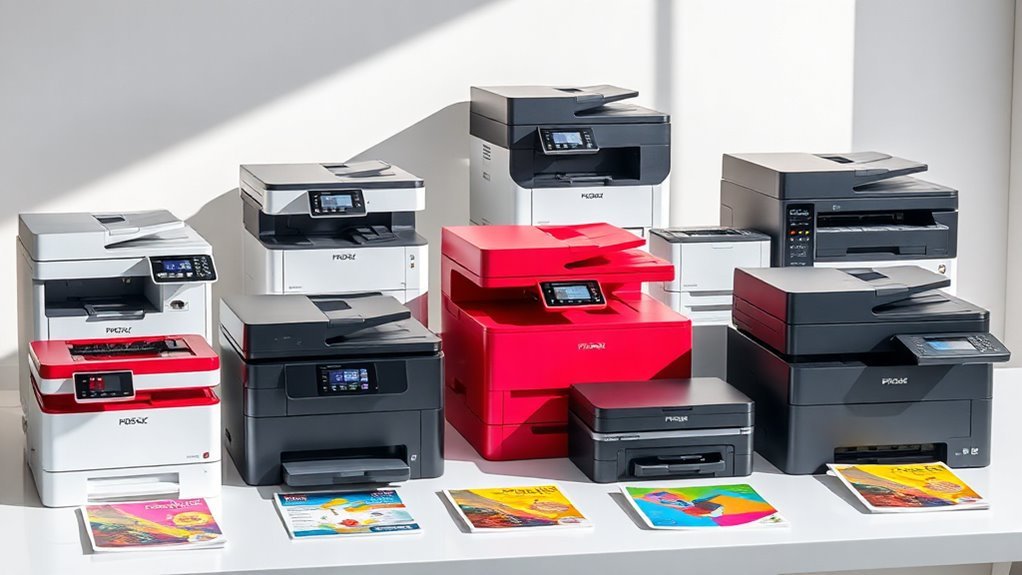
If you need a reliable color printer for business in 2027, there are plenty of great options to consider. Whether you want fast duplex laser printing, vibrant color output, or cost-effective ink solutions, there’s something to fit every office setup.
For example, the Canon MF753Cdw II offers speedy duplex laser printing that’s perfect for small offices. Brother’s MFC-L8930CDW is a versatile all-in-one that handles high-speed tasks with ease. Meanwhile, HP’s OfficeJet Pro 8125 delivers vibrant colors and wireless convenience, making printing simple and efficient.
If you’re looking to save on ink while getting high yields, the Canon MegaTank G3270 really stands out. Each of these models balances speed, print quality, and connectivity, so you can pick what suits your workflow best. It’s all about finding the right printer to keep your business running smoothly.
| Image | Name | Editor's Rating | Price |
|---|---|---|---|

|
|
||

|
|
||

|
|
||

|
|
||

|
|
Canon Color imageCLASS MF753Cdw II – All-in-One Color Duplex Laser Printer
- Color, Wireless, Duplex 4-in-1: Print, scan, copy, fax.

The Canon Color imageCLASS MF753Cdw II is designed to streamline your office workflow with reliable, high-speed color printing. It handles printing, scanning, copying, and faxing, making it a true all-in-one solution for busy workspaces. Its fast duplex printing at up to 35 pages per minute reduces wait times and boosts productivity.
This printer delivers sharp, professional-quality output with 1200 x 1200 dpi resolution. Its intuitive design includes a 250-sheet cassette and a 50-sheet multipurpose tray, expandable up to 850 sheets, minimizing paper refills. The 50-sheet duplex automatic document feeder simplifies two-sided scanning and copying tasks.
Maintenance is straightforward, but note the starter toner cartridges have moderate yields, so frequent replacements may be needed in heavy-use environments. While the printer weighs 50 lb, its robust build ensures durability in small or hybrid office setups.
Connectivity options include Ethernet, USB, Wi-Fi, and mobile printing support, allowing seamless integration into diverse office networks. This flexibility helps meet the demands of modern, dynamic work environments.
Best for: Small to medium-sized offices and hybrid workspaces requiring a fast, versatile color laser printer with duplex capabilities.
What We Like:
- Fast duplex printing and scanning at 35 ppm
- Sharp 1200 x 1200 dpi print resolution
- Flexible paper handling with up to 850-sheet capacity
- Multiple connectivity options including mobile printing
- 50-sheet duplex automatic document feeder for efficient workflow
Specification:
| Feature | Details |
|---|---|
| Manufacturer | Canon |
| Dimensions (W×D×H) | 16.2 × 18.3 × 17.3 in |
| Weight | 50 lb (22.7 kg) |
| Print Technology | Color Duplex Laser |
| Max Print Speed | 35 pages per minute |
| Resolution | 1200 x 1200 dpi |
| Paper Capacity | 250-sheet cassette + 50-sheet multipurpose tray (expandable to 850 sheets) |
| Connectivity | Ethernet, USB, Wi-Fi, Mobile Printing |
Brother MFC-L8930CDW Color Laser All-in-One Printer
- Updated design, professional results. High-quality output with sharp color and black printing. Fast print and copy speeds up to 33ppm(1) help boost productivity. Reliable...
- Maximize printing budgets. Offers built-in value with included Brother Genuine 3,000-page black and 1,800-page color standard yield toner cartridges. Help lower printing...
- Advanced scanning. High-speed, two-sided scanning up to 104ipm(3) with 80-page auto document feeder(4) and legal-size glass. Scan to cloud, email, SharePoint, and more...
- Productivity-enhancing features. Flexible connectivity, including built-in dual-band (2.4GHz / 5GHz) wireless networking and Gigabit Ethernet networking. 7” color...
- Triple Layer Security. Advanced security features to help keep devices secure, protect documents in transit to and from print devices, and safeguard networks. Includes an...
The Brother MFC-L8930CDW is designed to boost productivity in busy office environments. Its fast print and copy speeds of up to 33 ppm help reduce wait times and keep workflows moving smoothly. The printer produces sharp color and black text, ensuring professional-quality documents every time.
This all-in-one model features duplex printing and scanning, helping businesses save paper and handle multi-page documents efficiently. A 7″ touchscreen makes navigation simple, allowing users to scan, edit, and manage cloud-based files with ease. Its compact design fits neatly into tight spaces without sacrificing functionality.
Maintenance is straightforward with high-yield toner options that lower running costs and reduce the frequency of replacements. Connectivity is flexible, supporting dual-band Wi-Fi, Ethernet, and NFC for seamless integration with various office networks and mobile devices.
Security is enhanced to protect sensitive information, making it a reliable choice for any professional setting. While the scanning glass is limited to legal size and the touchscreen may require some initial adjustment, these factors are outweighed by the device’s overall efficiency and versatility.
Best for: Busy offices and professionals seeking efficient, high-quality color printing with integrated scanning and strong security in a compact all-in-one printer.
What We Like:
- Fast print and copy speeds up to 33 ppm with crisp color and black output
- High-yield toner options for cost-effective, long-lasting use
- User-friendly 7″ touchscreen with cloud workflow integration
- Duplex printing and scanning to save paper and time
- Multiple connectivity options including dual-band Wi-Fi, Ethernet, and NFC
Specification:
| Feature | Details |
|---|---|
| Manufacturer | Brother |
| Dimensions (W×D×H) | 16.1 × 18.7 × 15.7 inches |
| Weight | 38.6 lbs |
| Color Options | White |
| Connectivity | Dual-band Wi-Fi, Ethernet, NFC |
HP Color LaserJet Pro 3204dw | Color Laser Printer | Duplex
- FROM AMERICA'S MOST TRUSTED PRINTER BRAND – Perfect for office teams creating professional-quality color documents and reports; auto 2-sided printing; perfect for up to...
- OPTIMIZE PRINT FORMATTING WITH HP AI – Print web pages and emails with precision—no wasted pages or awkward layouts; HP AI easily removes unwanted content, so your...
- BLAZING FAST COLOR – Up to 26 color pages per minute, with sharp details and incredible color
- STAYS CONNECTED – Reliable Wi-Fi automatically reconnects to stay online and ready to print
- PROTECTS YOUR DATA – Includes HP Wolf Pro Security with customizable settings so your printer and information are always secure
Experience efficient color printing that keeps your small team moving forward. The HP Color LaserJet Pro 3204dw delivers fast, high-quality prints at up to 26 pages per minute. Its sharp 600 x 600 dpi resolution ensures your documents look professional every time.
This printer simplifies your workflow with automatic duplex printing, saving both time and paper. It supports various media sizes from 3 x 5 inches to 8.5 x 14 inches, making it versatile for different office needs. The 250-sheet capacity balances convenience with space-saving design.
Connectivity is seamless with options like Wi-Fi, Ethernet, USB, and AirPrint. The HP app enhances setup and print management, while HP Wolf Pro Security protects sensitive data. Maintenance is straightforward, but note the requirement for original HP toner cartridges.
Weighing 30.4 pounds, this model fits well in a small office environment but may be less portable. Its design suits teams of up to seven users who need reliable, secure, and versatile color printing.
Best for: Small offices or teams up to seven people needing fast, secure, and versatile color printing.
What We Like:
- Fast printing speed with clear, sharp resolution
- Automatic duplex printing reduces paper waste
- Multiple connectivity options for easy integration
- HP Wolf Pro Security ensures data protection
- Handy HP app for smooth setup and management
Specification:
| Feature | Details |
|---|---|
| Manufacturer | HP |
| Dimensions | Not specified |
| Weight | 30.4 lb (13.8 kg) |
| Print Resolution | 600 x 600 dpi |
| Print Speed | Up to 26 pages per minute |
| Paper Capacity | 250 sheets |
| Media Sizes | 3 x 5 inches to 8.5 x 14 inches |
| Connectivity | Wi-Fi, Ethernet, USB, AirPrint |
HP OfficeJet Pro 8125 Wireless All-in-One Printer
- FROM AMERICA'S MOST TRUSTED PRINTER BRAND – The OfficeJet Pro 8125 is perfect for home offices printing professional-quality color documents like business documents...
- 3 MONTH TRIAL OF INSTANT INK INCLUDED – Subscribe to the Instant Ink delivery service to get ink delivered directly to your door before you run out, and you save up to...
- KEY FEATURES – Fast color printing, scan, copy, auto 2-sided printing, auto document feeder, and a 225-sheet input tray
- 2.7-INCH TOUCHSCREEN – Quickly navigate your printer with a large color touchscreen and a phone-like user interface
- WIRELESS PRINTING – Stay connected with our most reliable dual-band Wi-Fi, which automatically detects and resolves connection issues
Experience vibrant, professional-quality color printing right from your home office. The HP OfficeJet Pro 8125 Wireless All-in-One Printer delivers sharp prints with a resolution of 4800 x 1200 dpi, helping you create impressive reports and flyers with ease. Its fast print speeds mean less waiting and more productivity.
This versatile printer handles scanning, copying, and faxing through a mobile app, making tasks more convenient. Automatic duplex printing reduces paper use, adding an eco-friendly touch. The 2.7-inch touchscreen provides simple control, while dual-band Wi-Fi and Ethernet ensure reliable connectivity.
Maintenance is straightforward with original HP 923 cartridges, designed for consistent, fade-resistant output. However, the printer supports only standard letter-sized media, limiting use for larger projects. Faxing is app-based, so traditional phone line faxing is not available.
Compact and efficient, the HP OfficeJet Pro 8125 fits well in busy home offices. Its design includes recycled plastic components, reflecting an eco-conscious choice for your workspace.
Best for: Small home office professionals seeking a reliable all-in-one printer with quality color prints and versatile wireless features.
What We Like:
- High-resolution color printing with fast speeds
- Easy operation via touchscreen and mobile app
- Eco-friendly automatic duplex printing and recycled materials
- Reliable wireless and Ethernet connectivity
Specification:
| Feature | Details |
|---|---|
| Manufacturer | HP |
| Dimensions | Not specified |
| Weight | Not specified |
| Material | Includes recycled plastic |
| Color Options | Not specified |
Canon MegaTank G3270 All-in-One Wireless Color Printer
- Wireless Print/Copy/Scan
- Up to 2 years of ink included (2)
- Print up to 6,000 black & white / 7,700 color pages using a single set of inks! (1)
- Save up to $1,000 on ink (1)
- 1.35” Square LCD display
Experience hassle-free, cost-effective printing with the Canon MegaTank G3270 All-in-One Wireless Color Printer. Designed for home offices, it offers reliable wireless color printing that fits seamlessly into your workspace. This printer helps you avoid frequent ink replacements with its high-capacity refillable MegaTank system.
The G3270 can print, scan, and copy, covering all your basic office needs. It produces sharp prints at 4800 × 1200 dpi, delivering clear documents and vibrant borderless photos. Controlling your printer is simple through its dedicated app available on iOS and Android devices.
Maintenance is easy with the refillable ink tanks, which can print up to 7,700 color pages per set, reducing interruptions and costs. Its compact design weighs just 13.2 pounds, but keep in mind it requires a dedicated space due to its size. Note that it supports only simplex printing and has a 100-sheet paper capacity.
With Wi-Fi connectivity and versatile media handling, the Canon MegaTank G3270 streamlines your home office tasks while keeping printing efficient and budget-conscious.
Best for: Home office users seeking a wireless all-in-one printer with high ink capacity and versatile media support.
What We Like:
- High ink yield with refillable MegaTank system for extended printing
- Sharp 4800 × 1200 dpi resolution with borderless photo printing
- Wireless connectivity and easy app control for mobile devices
Specification:
| Feature | Details |
|---|---|
| Manufacturer | Canon |
| Dimensions | Not specified |
| Weight | 13.2 lb (6 kg) |
| Color Options | Not specified |
| Connectivity | Wi-Fi |
HP Color LaserJet Pro MFP 3301sdw Printer

- FROM AMERICA'S MOST TRUSTED PRINTER BRAND – Perfect for small teams printing, scanning and copying professional-quality color documents and reports. Print speeds up to...
- PROFESSIONAL PRODUCTIVITY – Proficiency with every print—next-generation TerraJet toner brings your business to life with more vivid colors.
- ORIGINAL HP TONER CARTRIDGES – This HP printer uses Original HP 218A standard and 218X high yield LaserJet toner cartridges.
- UPGRADED FEATURES – Fast color printing, scan, copy, auto 2-sided printing, auto document feeder, and a 250-sheet input tray.
- AWARD-WINNING RELIABILITY – Performance you can count on page after page, and always ready for the high demands of business.
The HP Color LaserJet Pro MFP 3301sdw is designed to streamline your office tasks with reliable all-in-one functionality. It effortlessly manages printing, scanning, and copying, helping small teams stay productive.
This printer delivers sharp, vibrant color prints at up to 30 ppm and crisp black prints at 26 ppm. Auto duplex printing and a flatbed scanner with an auto document feeder keep workflows smooth and efficient.
Maintenance is straightforward but requires using Original HP 218A or 218X toner cartridges with HP chips to ensure compatibility and optimal performance. Its connectivity options include Wi-Fi, Ethernet, and USB, allowing flexible setup in any workspace.
Security is strong with HP Wolf Pro protection, keeping your documents safe. While it supports paper sizes up to 8.5 x 14 inches, its heavier build means it’s best suited for stationary office use.
Best for: small teams and offices needing a dependable color laser all-in-one printer with fast output and versatile connectivity.
What We Like:
- Fast print speeds up to 30 ppm in color
- Auto duplex printing and auto document feeder for multitasking
- Secure printing with HP Wolf Pro protection
- Flexible connectivity via Wi-Fi, Ethernet, and USB
Specification:
| Feature | Details |
|---|---|
| Manufacturer | HP |
| Dimensions (W×D×H) | 16.7 × 16.3 × 13.7 inches |
| Weight | 37.7 lb (17.1 kg) |
| Color Options | White with black accents |
| Compatible Toner | Original HP 218A/218X cartridges |
Brother MFC-L3720CDW Wireless Color Laser Printer

- Professional Performance: Dominate your business printing with this Brother Genuine color laser printer delivering exceptional print speeds up to 19 ppm and stunning...
- Advanced Connectivity: Take command of your workflow with dual-band wireless networking (2.4GHz/5GHz), Wi-Fi Direct, and USB 2.0 interface, enabling multiple users to...
- Productivity Powerhouse: Maximize efficiency with the 50-sheet auto document feeder, 250-sheet adjustable paper tray, and automatic duplex printing, ensuring...
- Smart Integration: Transform your workflow with the intuitive 3.5" color touchscreen featuring 48 customizable shortcuts and direct access to popular cloud services...
- Mobile Command Center: Leverage the power of mobile printing with remote access capabilities, toner level monitoring, and complete printer management directly from your...
The Brother MFC-L3720CDW delivers fast, dependable color printing designed to keep busy offices productive. It handles everyday tasks with ease, offering sharp laser-quality prints at speeds of up to 19 pages per minute. This all-in-one printer simplifies workflows by combining printing, scanning, copying, and faxing into one compact device.
Its automatic duplex printing helps reduce paper waste, making it a practical choice for environmentally conscious workplaces. The 50-sheet auto document feeder and 250-sheet adjustable paper tray allow for smooth handling of various document sizes but may require refilling during heavy use. Maintenance is straightforward, with easy toner monitoring through the mobile app.
Connectivity options include dual-band Wi-Fi and Wi-Fi Direct, ensuring seamless wireless access and remote print management. The 3.5-inch color touchscreen enhances usability with 48 customizable shortcuts and direct cloud service integration, streamlining common tasks and saving time.
This printer is built for organizations that need reliable, high-quality color output combined with versatile features in a compact design. Its efficient functions help reduce operational hassles, making it a practical tool for small to medium-sized businesses.
Best for: Small businesses and professionals who require a versatile and dependable color laser printer with smart connectivity and efficient document handling.
What We Like:
- Fast print speed up to 19 ppm with crisp color quality
- Intuitive 3.5″ touchscreen with customizable shortcuts
- Wireless connectivity via dual-band Wi-Fi and Wi-Fi Direct
- Automatic duplex printing for paper savings
- Easy remote management and toner monitoring through app
Specification:
| Feature | Details |
|---|---|
| Manufacturer | Brother |
| Dimensions (W x D x H) | 16.1 x 18.5 x 15.7 inches |
| Weight | 32.6 lbs (14.8 kg) |
| Color Options | White |
| Connectivity | Dual-band Wi-Fi, Wi-Fi Direct, USB 2.0 |
Canon Color imageCLASS MF665Cdw – Wireless, All-in-One Duplex Laser Printer

- Color, Wireless, Duplex 4-in-1: Print, scan, copy, fax.
- Fast Print Speeds: Print up to 26 ppm in both color and monochrome and spend less time waiting with a quick first print time of approximately 10.3 seconds.
- Easy Wireless Setup: Setup your wireless connection and get up and running in just a few steps.
- 5-inch Color Touchscreen: Get the job done quickly with Application Library - an intuitive and easy to use customizable access to the features you use most.
- Mobile Device Printing: Print from your compatible mobile devices using the free Canon PRINT app, Apple AirPrint and Mopria Print Service.
Experience seamless productivity with the Canon Color imageCLASS MF665Cdw, designed to meet the demands of small offices and hybrid work environments. This wireless all-in-one color laser printer provides fast printing speeds of up to 26 ppm, helping you complete tasks efficiently without delays.
Its multifunction capabilities include printing, scanning, copying, and faxing, all enhanced by duplex printing and a 50-sheet duplex ADF for effortless two-sided scanning. The intuitive 5-inch color touchscreen simplifies navigation and wireless setup, making it easy to connect with laptops, smartphones, and Chromebooks.
Maintenance is straightforward with toner cartridges that offer moderate starter yields, balancing performance and cost. The printer’s 250-sheet paper capacity supports extended printing sessions, while ENERGY STAR certification ensures energy-efficient operation.
Though weighing 22.68 kg and featuring a single USB port, the device is stable and reliable, suited for stationary use rather than portability. Its thoughtful design and versatile functionality make it a practical solution for busy workspaces seeking dependable wireless color printing.
Best for: Small offices and hybrid workspaces needing a reliable, fast wireless all-in-one color laser printer with duplex features.
What We Like:
- Fast color and monochrome print speeds up to 26 ppm
- Multifunction with duplex printing and scanning
- Easy wireless setup and broad mobile compatibility
- User-friendly 5-inch color touchscreen
- ENERGY STAR certified for energy efficiency
Specification:
| Feature | Details |
|---|---|
| Manufacturer | Canon |
| Dimensions (W×D×H) | Not specified |
| Weight | 22.68 kg (50 lb) |
| Color Options | Not specified |
| Paper Capacity | 250 sheets |
| Duplex Capability | Yes (print and scan) |
Canon imageCLASS LBP646Cdw Wireless Laser Printer

- Single-Function, Color, Wireless, Duplex Printer: Print only. — No Scanning, Copying, or Faxing
- Fast Print Speeds: Print up to 26 ppm in both color and monochrome and spend less time waiting with a quick first print time of approximately 10.3 seconds.
- Easy Wireless Setup: Setup your wireless connection and get up and running in just a few steps.
- 5-inch LCD Screen: Navigate through all the features using the 5-line LCD screen.
- Mobile Device Printing: Print from your compatible mobile devices using the free Canon PRINT app, Apple AirPrint and Mopria Print Service.
Experience fast, reliable color printing tailored for busy small offices and hybrid workspaces with the Canon imageCLASS LBP646Cdw. This wireless laser printer delivers sharp prints at up to 26 pages per minute, helping you meet tight deadlines without sacrificing quality. Its automatic duplexing feature makes two-sided printing effortless, saving both time and paper.
Designed for ease of use, the LBP646Cdw offers versatile connectivity options, including Wi-Fi, Ethernet, USB, and mobile printing through Canon PRINT, AirPrint, and Mopria. The intuitive 5-line LCD screen simplifies navigation, ensuring smooth operation even during high-volume tasks.
Maintenance is straightforward with a 250-sheet capacity that supports legal-size paper, reducing frequent refills. While the starter toner yields are modest, replacements maintain consistent print quality. Its compact design and ENERGY STAR certification make it an efficient, space-saving solution that fits well in professional settings.
Although it focuses solely on printing without scanning or copying capabilities, this model excels in delivering crisp, vibrant colors and dependable performance for everyday office needs.
Best for: small offices and hybrid work environments requiring fast, high-quality color printing with flexible connectivity.
What We Like:
- Sharp 1200 x 1200 dpi resolution with fast 26 ppm printing and duplexing
- Multiple connectivity options including wireless, Ethernet, USB, and mobile print
- Easy-to-use 5-line LCD for simple control and monitoring
- Compact, ENERGY STAR certified design for efficient workspace use
Specification:
| Feature | Details |
|---|---|
| Manufacturer | Canon |
| Dimensions | 16.5 x 18.2 x 15.7 inches |
| Weight | 27.6 lb (12.5 kg) |
| Printing Technology | Wireless Laser |
| Print Speed | Up to 26 ppm |
| Resolution | 1200 x 1200 dpi |
| Paper Capacity | 250 sheets |
| Connectivity | Wi-Fi, Ethernet, USB, Mobile Printing |
Epson Workforce Pro WF-4930 Wireless All-in-One Printer

- Built for Speed — PrecisionCore Heat-Free technology delivers fast, high-volume printing with 25 (black)/12 (color) ISO ppm and fast first-page-out
- High-Precision Office Printing — Accurate dot placement and DURABrite Ultra instant-dry pigment inks for professional-quality prints
- High-Volume Durability for Heavy Workloads — Innovative heat-free technology engineered for reliability and reduced downtime
- Complete Duplex Solution — All-in-one printer with auto 2-sided print, copy, scan and fax; plus 50-sheet ADF
- Maximize Printing Productivity — High-performance office printer with 500-sheet paper capacity; includes two 250-sheet trays for added convenience
Experience efficient, high-volume printing with the Epson Workforce Pro WF-4930, designed to keep busy offices productive. This all-in-one printer helps reduce wait times by delivering sharp black prints at 25 pages per minute and color prints at 12 pages per minute. Its fast first-page-out feature gets your documents ready without delay.
The WF-4930 simplifies multitasking with duplex printing, copying, scanning, and faxing capabilities. A 50-sheet automatic document feeder and dual 250-sheet trays support large jobs without frequent paper refills. Wireless connectivity options like Wi-Fi Direct, AirPrint, and voice commands make printing convenient from multiple devices.
Maintenance is straightforward but depends on using genuine Epson cartridges to ensure optimal performance and maintain warranty coverage. The DURABrite Ultra pigment inks produce professional-quality, durable prints, ideal for office documents.
The 4.3″ touchscreen and Epson Smart Panel app offer intuitive control, improving workflow and reducing user errors. While color print speeds are slower and the trays may be large for small spaces, the WF-4930 stands out as a reliable multifunction solution.
Best for: Busy office environments and professionals needing fast, reliable, high-volume wireless printing with multifunction capabilities.
What We Like:
- Fast monochrome printing with PrecisionCore Heat-Free technology
- Versatile all-in-one functions including duplex and 50-sheet ADF
- Convenient wireless printing via Wi-Fi Direct, AirPrint, and voice control
- User-friendly 4.3″ touchscreen and smart app for easy operation
Specification:
| Feature | Details |
|---|---|
| Manufacturer | Epson |
| Dimensions (W×D×H) | 18.5 × 21.4 × 15.2 inches |
| Weight | 22.5 lbs (10.2 kg) |
| Color Options | Black |
| Paper Capacity | Two 250-sheet trays + 50-sheet ADF |
Brother INKvestment 6960 Wireless Color Inkjet Printer

- BEST FOR SMALL BUSINESS: This multifunction printer makes it easy to print, copy, scan, and fax on up to 11”x17” paper. Includes one 1,800-page yield black ink...
- PRODUCTIVITY-FOCUSED FEATURES: 500-sheet capacity with two trays(3), 100-sheet multipurpose tray(3), up to 50-page single-pass duplex copy & scan via ADF(3), and...
- SPEED & QUALITY: Engineered with MAXIDRIVE Technology with print speeds of up to 31 pages per minute (ppm) in black and up to 30 ppm in color(5). The PerfectPrint Auto...
- INNOVATIVE TECHNOLOGY: With Wi-Fi Direct, print wirelessly without an external network connection. Print from and scan to Cloud apps(6), including Google Drive, Dropbox...
- THE BROTHER MOBILE CONNECT APP: The power of printing at your fingertips. Go mobile with the simple-to-use Brother Mobile Connect app(7) that delivers onscreen menu...
The Brother INKvestment 6960 Wireless Color Inkjet Printer offers fast, reliable printing that adapts to your busy workspace. It easily handles print, scan, copy, and fax tasks, reducing the need for multiple devices. The printer supports up to 11”x17” paper and includes automatic duplex printing, which saves time and paper.
Its design focuses on efficiency with a 500-sheet capacity spread across two trays, minimizing interruptions. The single-pass duplex automatic document feeder (ADF) scans up to 50 pages quickly, enhancing productivity. Wireless, Ethernet, and USB connections provide flexible options for any office setup.
Maintenance is straightforward, though high-volume users should note that ink cartridges may need frequent replacement. Color cartridges yield about 750 pages, while black cartridges last up to 1,800 pages. The 2.7” touchscreen and Brother’s Mobile Connect app make managing tasks and cloud printing simple.
This printer is ideal for small to medium offices or home users who need versatile, fast printing with advanced wireless and mobile features.
Best for: small to medium-sized offices or home users needing efficient, versatile printing with strong wireless connectivity.
What We Like:
- Fast print speeds up to 31 ppm black and 30 ppm color
- Automatic duplex printing and single-pass duplex ADF for efficient scanning
- Multiple connectivity options including Wi-Fi Direct, Ethernet, and USB
- Large 500-sheet capacity reduces paper refills
- Easy management via 2.7” touchscreen and Mobile Connect app
Specification:
| Feature | Details |
|---|---|
| Manufacturer | Brother |
| Dimensions (W×D×H) | Approx. 16.7” × 18.5” × 15.7” |
| Weight | Approx. 19.4 lbs (8.8 kg) |
| Paper Size Supported | Up to 11” x 17” |
| Connectivity | Wi-Fi Direct, Ethernet, USB |
| Display | 2.7” Color Touchscreen |
Factors to Consider When Choosing a Color Printer for Business
When choosing a color printer for your business, you’ll want to focus on print quality, speed, and how efficiently it handles tasks.
Make sure it offers the connectivity options you need. Also, consider the cost and availability of consumables.
Don’t forget to check its paper handling capacity to match your daily workload. It’s all about finding the right fit for your business needs.
Print Quality Standards
Choosing a color printer for your business often means paying close attention to print quality standards that directly impact your output’s professionalism and consistency. Start by checking the native print resolution—1200 x 1200 dpi delivers finer detail and smoother gradients than 600 x 600 dpi.
Next, assess color gamut coverage like sRGB or Adobe RGB and Delta E scores to guarantee brand-accurate colors, especially for marketing materials. These details really matter when you want your prints to look spot-on with your brand.
Consider the toner or ink technology: laser printers excel in sharp text and consistent colors over high volumes, while high-resolution inkjets produce vibrant photos at lower volumes. It’s good to know what kind of output you’ll mostly need.
Don’t overlook halftoning and screening methods or whether the printer supports true 1200+ dpi rendering for smooth gradients. These can make a big difference in print quality you might not notice at first glance.
Finally, verify color management support, including ICC profiles and calibration options, to guarantee consistent, predictable color across all your devices. It’s all about keeping your prints looking professional every single time.
Speed And Efficiency
Many businesses rely on fast, efficient color printers to keep operations running smoothly. When choosing one, check the rated print speeds for both color and black pages—higher ppm, like 25–35, means quicker large jobs and better team throughput.
First-page-out time matters too; faster times reduce waiting for small, frequent tasks. Don’t overlook duplex and one-pass duplex ADF speeds to handle two-sided printing and scanning without manual flipping.
Also, consider paper handling and tray capacity—larger input and output trays minimize interruptions during high-volume printing. If your workflow includes scanning or copying multi-page documents, factor in scanner/copier speeds and ADF capacity to avoid bottlenecks.
Prioritizing these speed and efficiency factors helps you maintain productivity and keep business running without delays.
Connectivity Options Available
Speed and efficiency matter, but without reliable connectivity, even the fastest printers can slow your workflow. Make sure your printer supports both wired Ethernet—preferably Gigabit—and dual-band Wi-Fi (2.4/5 GHz) to handle office networks and mobile devices smoothly.
Look for compatibility with mobile printing standards like Apple AirPrint, Mopria, and Wi-Fi Direct so you can print from smartphones and tablets without fuss. Don’t overlook USB ports for direct connections or secure walk-up printing.
If your office needs multifunction features, prioritize network scanning options like scan-to-email and scan-to-cloud, plus SMB/LDAP authentication for controlled access. For shared or secure environments, choose printers with NFC or card-based authentication and secure print release to keep documents safe and manage user permissions efficiently.
Consumables And Cost
Understanding the true cost of printing goes beyond the initial price of the printer itself. You need to calculate the cost per page by dividing toner or ink prices by their rated yields, considering both color and black cartridges.
Don’t overlook the difference between standard and high-yield consumables. High-yield cartridges often reduce per-page costs despite their higher upfront price.
Also, factor in maintenance parts like drums, fusers, and printheads. Their replacements add to your total operating cost.
Keep in mind page coverage varies; standard text uses about 5% coverage, but graphics and photos require more ink.
Finally, consider the availability of genuine consumables and any warranty or firmware restrictions. These might affect your long-term replacement options and overall expenses.
Paper Handling Capacity
When choosing a color printer for your business, you’ll want to take into account its paper handling capacity carefully to keep your workflow smooth. Match the printer’s standard input and output tray capacities—typically 100 to 500 sheets—to your monthly volume to avoid constant refills during busy times.
Check if you can expand capacity with optional trays, scaling from a single 250-sheet drawer up to 850+ sheets as your team grows. Confirm the supported paper sizes and types, especially if you print cards, envelopes, or larger formats like legal or tabloid.
Look for duplex automatic document feeders and two-sided printing to speed up multi-page jobs. Also, consider multipurpose and bypass trays for specialty papers like cardstock or labels. This helps ensure accurate feed and fewer jams, keeping your workflow uninterrupted.
Multifunction Features Included
Since multifunction capabilities directly impact your workflow and costs, you should verify which features you truly need—whether it’s print-only, print/scan/copy, or a full multifunction printer (MFP) with fax.
Consider the automatic document feeder (ADF) capacity and duplex ADF support. A higher-capacity, one-pass duplex ADF (around 50 sheets) can dramatically speed two-sided scanning and copying.
Decide if you need single-function devices or all-in-ones with flatbed scanners plus ADFs for handling mixed media and delicate originals. If fax remains essential, check built-in fax and digital fax-to-email options.
Just keep in mind, this can add hardware and licensing costs. Finally, evaluate the touchscreen size and customizable shortcuts—larger screens (3–7 inches) and programmable buttons cut repetitive steps and boost productivity.
Security And Privacy
Although color printers boost productivity, they can also expose your business to security risks if not properly protected. Make certain your printer supports secure network protocols like WPA3, TLS/SSL, and IPsec, and receives regular firmware updates to safeguard data in transit and at rest.
Look for device-level protections such as secure boot and signed firmware to prevent tampering. It’s also a good idea to choose models offering user authentication—PIN, LDAP, or badge login—and role-based access controls to limit sensitive functions.
Confirm your printer encrypts stored data and print jobs, supports secure print release, and deletes jobs automatically after completion. Finally, make sure auditing and logging features integrate with your SIEM or centralized system so you can monitor print activity, access attempts, and security events effectively. This way, you keep your business information safe.
Energy Consumption Levels
Choosing a color printer for your business means paying close attention to its energy consumption levels, as this directly impacts operating costs and environmental footprint. Check the rated power consumption during active printing, idle, and sleep modes.
While sleep modes can use under 5 watts, peak printing—especially with heated fusing in laser printers—can consume hundreds of watts. Look for Energy Star or EPEAT certifications and compare Typical Electricity Consumption (TEC) to gauge real-world energy use.
Duplex printing and batching two-sided jobs can save energy by reducing paper and run times. Also, consider toner versus inkjet technology: inkjets generally use less energy per page.
Finally, make certain your printer supports configurable power management features like automatic sleep and Wake-on-LAN to keep energy costs low without disrupting your workflow.
Frequently Asked Questions
How Do Color Printers Impact Office Energy Consumption?
Color printers increase your office’s energy consumption because they use more power for color processing and printing.
However, choosing energy-efficient models and using sleep mode can help you reduce electricity costs and environmental impact.
It’s all about picking the right printer and making smart choices to keep energy use in check.
What Are the Best Printer Brands for Eco-Friendly Ink?
You’ll find eco-friendly ink options from brands like Epson, HP, and Canon. They use sustainable materials and offer refillable cartridges.
This helps you reduce waste and lower your office’s environmental impact without sacrificing print quality or reliability.
It’s pretty great when you can be kind to the planet and still get solid performance from your printer, right?
Can Color Printers Handle Specialty Paper Types?
Yes, many color printers can handle specialty paper types like cardstock, glossy, and textured sheets. You’ll want to check your printer’s specifications to guarantee compatibility.
Also, be sure to adjust settings for peak print quality on those unique materials. It helps to get the best results without any hassle.
How Often Should Printer Maintenance Be Performed?
You should perform printer maintenance every three to six months, depending on usage. Regular cleaning, replacing cartridges, and checking for software updates will keep your printer running smoothly and prevent costly breakdowns.
It might sound like a hassle, but staying on top of these tasks can save you a lot of trouble later. Plus, your printer will thank you by working better and lasting longer.
Are There Subscription Services for Business Printer Supplies?
Yes, you’ll find subscription services that automatically deliver printer supplies like ink and toner. They save you time and prevent running out.
This way, you can focus on work without constantly reordering or worrying about inventory. It’s a simple solution that keeps things running smoothly.
Conclusion
Choosing the right color printer for your business is like picking between a sleek laser or a vibrant inkjet—both have their strengths. You want speed and sharpness, but also flexibility and cost-efficiency.
Whether you lean toward the robust reliability of a laser or the rich tones of an inkjet, the perfect printer bridges these contrasts, fitting your workflow seamlessly.
In the end, it’s about balancing power and precision to keep your business running bright and bold. The best color printers for business combine fast printing speeds, sharp image quality, and affordable running costs. Finding a printer that offers reliable performance and vibrant color output ensures your documents and marketing materials stand out. Whether you prioritize durability, ink efficiency, or advanced features, choosing the right color printer will save time and boost productivity, making your business look professional and polished every day.