7 Best Bluetooth Printer Adapters for 2027
If you’re looking for reliable, fast Bluetooth printer adapters for 2027, you’ve got some great choices. Options like the UGREEN USB Bluetooth 5.3 Adapter offer solid performance.
Then there’s the TP-Link Bluetooth 5.4, known for a wider range and speedy connections.
ORICO’s Bluetooth 6.0 adapter stands out by supporting up to seven device connections, which is perfect if you need to link multiple devices.
Wansurs and ASUS both bring compact designs that don’t sacrifice performance.
Meanwhile, Tripp Lite offers low-profile, easy-install adapters that fit seamlessly into your setup.
All these adapters support modern Windows systems and provide stable connections.
So, they’re perfect for making your printing experience smooth and hassle-free.
Keep exploring to find the Bluetooth printer adapter that suits your specific needs best!
| Image | Name | Editor's Rating | Price |
|---|---|---|---|

|
|
||

|
|
||

|
|
||

|
|
||
|
|
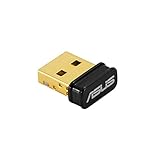
UGREEN USB Bluetooth 5.3 Adapter for PC Bluetooth Dongle Receiver EDR & BLE
- Upgraded Bluetooth 5.3 Adapter: This bluetooth adapter for pc uses the latest upgraded Bluetooth 5.3 BR+EDR+BLE technology, greatly improves the stability of the...
- Up to 5 Devices Sync Connected: UGREEN Bluetooth dongle for PC supports up to 5 different types of Bluetooth devices to be connected at the same time without interfering...
- Plug and Play: The Bluetooth adapter is developed for Windows systems only and does not support other systems. No driver installation is required under Windows...
- Mini Size: An extremely compact Bluetooth stick that you can leave on your laptop or PC without removing it.The compact size does not interfere with other USB ports...
- What Can I do if the Bluetooth adapter can not work?: Ensure there are no other Bluetooth devices installed on the computer. If there are, disable all existing Bluetooth...
Experience seamless wireless connections with the UGREEN USB Bluetooth 5.3 Adapter, designed to upgrade your Windows PC effortlessly. This compact dongle solves the problem of outdated or missing Bluetooth by providing stable and fast connectivity without complicated setups.
Its support for Bluetooth BR, EDR, and BLE means you can connect up to five devices simultaneously, such as a mouse, keyboard, or headphones. The adapter works smoothly with Windows 11, 10, and 8.1, requiring no driver installation, which saves time and avoids technical hassles.
The slim design ensures it won’t block nearby USB ports, making it easy to use alongside other peripherals. To maintain optimal performance, simply plug it in and enjoy improved data transfer speeds with fewer signal interruptions.
Note that it is not compatible with Windows 7, Linux, MacOS, or gaming consoles. Also, when multiple audio devices are connected, only one can play music at a time, and you might need to disable built-in Bluetooth modules to prevent conflicts.
Best for: Windows 11, 10, or 8.1 users seeking a straightforward way to add reliable Bluetooth 5.3 connectivity for multiple devices without driver hassle.
What We Like:
- Connects up to 5 Bluetooth devices at once
- Plug-and-play with no driver installation required
- Compact design that won’t block adjacent USB ports
- Supports Bluetooth BR, EDR, and BLE technologies
Specification:
| Feature | Details |
|---|---|
| Manufacturer | UGREEN |
| Bluetooth Version | 5.3 |
| Compatible OS | Windows 11, 10, 8.1 |
| Dimensions | Approx. 1.8 x 0.7 x 0.4 in |
| Weight | Approx. 0.04 lb (18 g) |
| Color | Black |
TP-Link USB Bluetooth Adapter for PC – Bluetooth 5.4 USB Dongle Receiver
- Bluetooth 5.4 + Broad Compatibility - Provides Bluetooth 5.4 plus EDR technology and is backward compatible with Bluetooth V5.3/5.0/4.2/4.0/3.0/2.1/2.0/1.1.
- Faster Speed, Extended Range - Get up to 2x faster data transfer and 4x broader coverage compared to Bluetooth 4.0 — perfect for smooth audio streaming and stable...
- EDR and BLE Technology - This Bluetooth dongle is quipped with enhanced data rate and Bluetooth low energy, UB500 has greatly improved data transfer speed and operates at...
- Nano-Sized - A sleek, ultra-small design means you can insert the Nano Bluetooth receiver into any USB port and simply keep it there regardless of whether you are...
- Plug & Play with Free Driver Support - Plug and play for Windows 8.1/10/11 (internet required). Supports Win7 (driver required and can be downloaded from website for...

Experience seamless wireless connectivity with the TP-Link USB Bluetooth Adapter, designed to enhance your PC’s Bluetooth capabilities. This compact Bluetooth 5.4 USB dongle offers faster and more reliable connections, making it ideal for everyday use with devices like headsets, printers, and keyboards.
With speeds up to twice as fast and a range four times greater than Bluetooth 4.0, this adapter solves connectivity issues caused by weak or slow signals. Its nano-sized design minimizes obstruction and stays discreet when plugged into your computer’s USB port.
Setting up is straightforward for Windows 8.1, 10, and 11 users, requiring no additional drivers. Windows 7 users will need to download drivers and disable internal Bluetooth to prevent conflicts. This ensures smooth operation and hassle-free maintenance.
Weighing just 2 grams, the adapter is portable and easy to carry, making it perfect for upgrading your PC’s wireless performance without bulk. Its support for Enhanced Data Rate and Bluetooth Low Energy enhances efficiency and battery life for connected devices.
Best for: users seeking a compact and efficient Bluetooth 5.4 adapter to improve wireless connections on Windows PCs.
What We Like:
- Nano-sized design for minimal interference and portability
- Up to 2x faster speeds and 4x wider range than Bluetooth 4.0
- Plug-and-play on Windows 8.1, 10, and 11 for easy installation
- Supports Enhanced Data Rate and Bluetooth Low Energy for efficient transfers
Specification:
| Feature | Details |
|---|---|
| Manufacturer | TP-Link |
| Dimensions | Nano-sized (approx.) |
| Weight | 2 grams (0.0044 lb) |
| Bluetooth Version | 5.4 |
| Compatible OS | Windows 7, 8.1, 10, 11 |
Wansurs 5.3 Bluetooth Adapter for PC Windows
- Enhanced Bluetooth 5.3 Technology: Utilizes the advanced Bluetooth 5.3 BR+EDR technology to enhance connection stability and data transfer speeds while minimizing signal...
- Improved Speed and Range: Offers a data transfer speed up to 2 Mbps, double that of Bluetooth 4.0, with a transmission range extending up to 33 feet (10 meters) in open...
- Connect Multiple Devices: Capable of connecting up to 5 devices simultaneously without interference, enabling you to enjoy high-quality music and use peripherals like...
- Hassle-Free Compatibility: Supports a true Plug & Play experience on Windows 11/10 systems without the need for manual driver installations.
- Compact and Portable: This mini-sized Bluetooth adapter remains discreetly connected to your PC or laptop, not obstructing other USB ports, making it ideal for constant...
Experience seamless wireless connectivity with the Wansurs 5.3 Bluetooth Adapter for PC. Designed to eliminate connection delays and interference, this adapter ensures smooth communication between your computer and multiple devices. It uses advanced Bluetooth 5.3 technology to enhance data transfer speeds and extend your wireless range, making daily tasks more efficient.
This compact dongle supports up to five devices at the same time, allowing you to connect keyboards, mice, headphones, speakers, and printers without signal overlap. Its true Plug & Play design means you can get started quickly on Windows 10 and 11 without needing to install drivers.
The small, lightweight build keeps your USB ports accessible and adds convenience for travel or office setups. Maintenance is minimal, as it requires no additional software updates or complicated configurations. Keep in mind the transmission range reaches up to 33 feet, which may vary due to obstacles.
Best for: users looking for a reliable, multi-device Bluetooth connection solution optimized for Windows PCs.
What We Like:
- Supports connection of up to five devices simultaneously without interference
- Easy Plug & Play setup with no driver installation needed for Windows 10 and 11
- Compact, lightweight design that doesn’t block adjacent USB ports
Specification:
| Feature | Details |
|---|---|
| Manufacturer | Wansurs |
| Bluetooth Version | 5.3 |
| Maximum Data Speed | 2 Mbps |
| Wireless Range | Up to 33 feet (10 m) |
| Supported Devices | Up to 5 simultaneously |
| Compatibility | Windows 10 and 11 |
| Weight | 5 grams |
| Dimensions | Compact USB dongle size |
ORICO Bluetooth 6.0 USB Adapter (BTA-60)
- 【Advanced Bluetooth 6.0 Dual-Mode Technology】 This Bluetooth adapter utilizes Bluetooth 6.0 dual-mode (BR/EDR+BLE) technology, equipped with the original Realtek...
- 【Up to 7 Devices Simultaneous Sync】 This Bluetooth dongle supports seamless connection of up to 7 different Bluetooth devices at once, with no signal interference...
- 【3 Mbps High-Speed Transmission + 30-Meter Range】 Our Orico Bluetooth device supports transmission speeds of up to 3 Mbps for smooth and stable audio and file...
- 【Plug-and-Play Mini Gold-Plated USB 2.0 Port]】 The Bluetooth dongle for PC with Mini USB 2.0 gold-plated connector, corrosion-resistant and stable signal...
- 【Easy Installation with Original Drivers + Wide Device Compatibility】 The Bluetooth adapter supports one-click installation, making setup effortless for Windows...
Experience seamless connectivity with the ORICO Bluetooth 6.0 USB Adapter, designed for users who need fast and stable connections for multiple devices. This compact adapter eliminates common Bluetooth issues like signal drops and interference, allowing you to connect up to seven devices simultaneously. Whether it’s keyboards, printers, or headphones, stay reliably connected without disruptions.
Powered by the Realtek RTL8761B-CG chipset, it ensures smooth data transmission speeds up to 3 Mbps within a 30-meter range. The adapter’s mini USB 2.0 gold-plated connector guarantees a stable connection and easy plug-and-play setup on Windows 8.1 and newer versions. While it doesn’t support Mac OS or Linux, it perfectly meets the needs of Windows users.
Maintaining the ORICO Bluetooth adapter is simple due to its durable build and straightforward installation. It requires minimal upkeep, making it ideal for busy users who want hassle-free performance. Note that Windows 7 users will need to install drivers, and when multiple audio devices are connected, only one can play audio at a time.
Best for: users seeking a compact, reliable Bluetooth adapter to connect multiple devices simultaneously on Windows systems.
What We Like:
- Supports up to 7 devices simultaneously without interference
- Fast transmission speeds up to 3 Mbps with a 30-meter range
- Easy plug-and-play installation on Windows 8.1 and later
- Durable gold-plated mini USB connector ensures stable connections
Specification:
| Feature | Details |
|---|---|
| Manufacturer | ORICO |
| Bluetooth Version | 6.0 |
| Chipset | Realtek RTL8761B-CG |
| Max Devices | 7 |
| Transmission Speed | Up to 3 Mbps |
| Range | Up to 30 meters |
| USB Connector | Mini USB 2.0, gold-plated |
| OS Compatibility | Windows 8.1 and above |
ASUS USB-BT500 Ultra Small Bluetooth 5 Adapter
- Bluetooth 5.0 for Faster, Further Coverage- Transfer data up to twice as fast as before, and with 4X the range in BLE
- Wireless Connection, free of limitation - Enables wireless communication with Bluetooth-enabled devices
- Full Compatibility - Backward compatible with Bluetooth2.1/3.x/4.x
- Power Saving for Devices - Bluetooth Low Energy technology for energy-saving wireless connectivity
- Ultra-small Design - Highly portable and easy to use.
Experience seamless wireless connectivity with the ASUS USB-BT500, an ultra-compact Bluetooth 5 adapter designed to enhance your device interactions. This small yet powerful adapter addresses common connectivity issues by providing faster data transfers and a wider Bluetooth range, improving how you connect with peripherals like headphones, speakers, and more.
Its advanced Bluetooth 5.0 technology ensures compatibility with older Bluetooth versions, allowing smooth integration with a variety of devices. The adapter’s low energy consumption means it maintains efficient performance without draining your system’s power, making it ideal for extended use.
Compact and lightweight, the ASUS USB-BT500 fits discreetly into any USB port without adding bulk. Its plug-and-play design requires minimal maintenance, helping you maintain a clutter-free workspace while enjoying reliable wireless connections.
While it supports Windows 7 and newer, it’s limited to a 4 Mbps data rate, which suits everyday wireless tasks but may not meet the demands of high-speed transfers. The adapter’s design balances functionality and portability for users seeking practical Bluetooth upgrades.
Best for: Users needing a compact, energy-efficient Bluetooth 5 adapter to improve wireless connectivity on Windows desktops or laptops with backward compatibility for legacy devices.
What We Like:
- Ultra-small, lightweight design for easy portability and minimal obstruction
- Faster data transfer speeds and extended range through Bluetooth Low Energy
- Broad backward compatibility with Bluetooth 2.1 to 4.x devices
- Low power consumption supports longer usage without battery drain
Specification:
| Feature | Details |
|---|---|
| Manufacturer | ASUS |
| Dimensions | Under 1 inch (approx.) |
| Weight | 4.54 grams |
| Bluetooth Version | 5.0 |
| Compatibility | Windows 7 and later |
Tripp Lite Mini Bluetooth USB Adapter (U261-001-BT5)

- ADD BLUETOOTH 5.0 WIRELESS CAPABILITY TO YOUR DEVICE: Low-profile USB adapter connects to your PC or laptop’s USB-A port to provide instant Bluetooth wireless...
- CONNECTS UP TO 7 DEVICES: Connects up to seven Bluetooth devices at the same time including smartphones, tablets, keyboards, mice, headsets and printers.
- BROADCASTS SIGNAL UP TO 165 FEET: Wireless range up to 165 feet (50 meters) and supports data transfer speeds up to 3 Mbps. Built-in security measures ensure your...
- LOW-PROFILE DESIGN: Protrudes less than 3/16 of an inch (about five millimeters) from the USB port, so it can remain connected while your laptop is inside a sleeve...
- RELIABLE PRODUCT FULLY BACKED AND SUPPORTED: This product is covered by a 3-Year Limited Warranty and is supported by Tripp Lite's Chicago-based expert technical support...
The Tripp Lite Mini Bluetooth USB Adapter offers a compact solution for connecting multiple Bluetooth devices without the bulk. Its low-profile design fits snugly into any USB-A port, minimizing protrusion and reducing the risk of accidental damage. This makes it ideal for users who value a clean, streamlined workspace.
With support for up to seven devices, including keyboards, printers, and headsets, this adapter simplifies managing your peripherals. It maintains reliable connections within a wireless range of up to 165 feet, helping you stay productive without cable clutter or connection drops.
Equipped with Bluetooth 5.0 and backward compatibility, the adapter ensures secure data transfers up to 3 Mbps. Built-in encryption and authentication keep your connections protected, making it suitable for sensitive tasks and everyday use. Maintenance is straightforward—just plug in and let the adapter handle your wireless communication.
One limitation is that it only fits USB-A ports, so users with USB-C devices will need an additional adapter. Also, while its data speed and range are sufficient for many setups, they may not match the latest Bluetooth standards for high-bandwidth needs.
Best for: Users needing a compact, secure Bluetooth USB adapter to connect multiple devices simultaneously with minimal USB port protrusion.
What We Like:
- Connects up to 7 Bluetooth devices at once
- Slim profile protrudes less than 5 mm for better portability
- Secure connections with built-in encryption and authentication
- Reliable range of up to 165 feet in typical environments
Specification:
| Feature | Details |
|---|---|
| Manufacturer | Tripp Lite |
| Dimensions (LxWxH) | Approx. 1.5 x 0.6 x 0.2 in |
| Weight | Under 0.1 lb |
| Connectivity | Bluetooth 5.0, USB-A |
| Wireless Range | Up to 165 feet |
| Device Support | Up to 7 simultaneous |
Tripp Lite Mini Bluetooth USB Adapter 4.0

- Adds Bluetooth wireless capability via your computer or laptop USB port
- Ideal for wireless communication with Bluetooth 4.Enabled smartphones, tablets, keyboards, mice, headsets and printers
- Wireless range up to 164 ft. (50 M)
- Connects up to 7 devices simultaneously
- 1-Year limited Warranty
Experience seamless wireless connectivity with the Tripp Lite Mini Bluetooth USB Adapter 4.0. Designed to extend your device’s range up to 164 feet, it eliminates the hassle of tangled cords and limited mobility. Its compact design fits snugly into any USB port, making it ideal for use in small spaces without blocking adjacent ports.
Connecting multiple devices is simple, as it supports up to seven Bluetooth devices simultaneously. This flexibility helps you manage peripherals like keyboards, mice, and headsets without interruptions. Installation requires no technical skills—just plug in, and the driver installs automatically to get you started quickly.
The adapter’s built-in security features protect your connections through private pairing and encryption, ensuring safe data transfers. While it supports Bluetooth 4.0 and older versions, its maximum data transfer speed of 3 Mbps makes it suitable for everyday wireless tasks rather than high-bandwidth needs.
Maintenance is straightforward since the adapter’s plug-and-play nature means minimal upkeep. Its compatibility with Windows and Linux systems ensures broad usability across different platforms.
Best for: Users seeking a compact, reliable Bluetooth adapter to connect multiple devices wirelessly over moderate distances on Windows or Linux.
What We Like:
- Supports up to 7 devices simultaneously with a long wireless range.
- Plug-and-play installation with automatic driver setup.
- Secure connections with private pairing and encryption.
Specification:
| Specification | Details |
|---|---|
| Manufacturer | Tripp Lite |
| Dimensions | Compact USB form factor (approximate) |
| Weight | Lightweight (approximate) |
| Compatible OS | Windows, Linux |
| Bluetooth Version | 4.0 |
| Wireless Range | Up to 164 feet (50 meters) |
Factors to Consider When Choosing Bluetooth Printer Adapters

When choosing a Bluetooth printer adapter, you’ll want to check its compatibility with your devices and the Bluetooth version it supports. Consider the connection stability, speed, and range to guarantee smooth printing sessions.
Also, think about how many devices it can handle at once and how easy it is to install. These factors can really make a difference in your overall experience.
Compatibility With Devices
How well your Bluetooth printer adapter works largely depends on its compatibility with your devices. First, make certain it supports your operating system—many adapters work best with Windows 10 or 11 and might need drivers for older versions like Windows 7.
Also, check if it matches the Bluetooth version your printer requires, as backward compatibility varies between models. Consider how many devices you need to connect at once; some adapters limit simultaneous connections.
Keep in mind the adapter’s data transfer speed, which impacts printing large files efficiently. While range matters, you’ll find details about that later.
Focusing on these compatibility factors guarantees your adapter will integrate smoothly with your setup and deliver reliable performance every time you print.
Bluetooth Version And Range
Although many factors influence your choice, the Bluetooth version and range of a printer adapter play essential roles in guaranteeing fast, reliable connections. Newer versions, like Bluetooth 5.4, offer faster data transfer and wider coverage than older standards such as 4.0.
For example, Bluetooth 5.0 extends up to 800 feet in open space, far surpassing the 30-100 feet range of earlier versions. Features like Enhanced Data Rate (EDR) and Bluetooth Low Energy (BLE) improve power efficiency and connection reliability.
Plus, higher Bluetooth versions support multiple device connections without interference, which is super handy if you use several peripherals. Remember, newer versions stay backward compatible, but performance depends on the older device’s capabilities.
Choosing the right Bluetooth version and range guarantees your printer adapter meets your specific distance and connectivity needs. So, it’s definitely worth paying attention to these details!
Connection Stability And Speed
Beyond Bluetooth version and range, connection stability and speed play a big role in choosing the right printer adapter. You’ll want an adapter that minimizes signal interruptions to keep your printing smooth and hassle-free.
Many adapters use Bluetooth Low Energy (BLE) technology, which not only saves power but also maintains a stable connection even at longer distances. Speed matters too—some adapters offer data transfer rates up to 3 Mbps, which greatly boosts performance, especially when printing large files.
Ensuring compatibility with various Bluetooth versions helps you connect reliably, whether you’re using older or newer devices. Prioritizing these factors lets you avoid frustrating delays and disconnections, making your printing experience efficient and dependable every time.
Number Of Supported Devices
Choosing a Bluetooth printer adapter that supports the right number of devices guarantees you can connect all your peripherals without interruption. Some adapters handle up to 5 devices simultaneously, while others support as many as 7 without signal interference.
You’ll want to assess how many devices—printers, keyboards, or mice—you’ll connect at once to secure smooth operation. Keep in mind that some adapters limit audio connections, allowing only one device to play music even if multiple are connected.
Also, the adapter’s range impacts its ability to maintain stable connections with all your devices. Don’t forget to verify compatibility with your existing Bluetooth gadgets; an incompatible adapter can reduce the total number of devices you can connect effectively.
Ease Of Installation
When setting up a Bluetooth printer adapter, ease of installation plays an essential role in getting your devices connected quickly and hassle-free. You should look for adapters that offer plug-and-play installation, especially for Windows 10 and 11. That way, you won’t have to hunt for extra drivers.
Clear instructions are a must, particularly if you’re working with older systems like Windows 7. Adapters that automatically install drivers upon connection can save you time and prevent setup errors.
Also, check if the adapter supports simultaneous connections. This feature makes managing multiple devices easier.
Finally, verify compatibility with your operating system to avoid manual driver installations that could complicate the process. Prioritizing these factors guarantees a smooth and straightforward setup experience.
Size And Portability
Although functionality matters most, the size and portability of a Bluetooth printer adapter can greatly affect how easily you carry and use it. Mini or nano-sized designs, often resembling flash drives, are perfect for slipping into crowded USB ports without blocking others.
You’ll appreciate lightweight adapters, usually around 2 to 5 grams, which won’t weigh you down when you carry multiple devices. Look for compact adapters under 1 inch long and less than half an inch wide—they fit easily in pockets or bags and won’t take up much space.
Low-profile models that barely stick out from USB ports reduce accidental disconnections, especially in tight spaces. Plus, plug-and-play options that need no driver installation on certain systems boost convenience, making your adapter truly portable and hassle-free.
Frequently Asked Questions
Can Bluetooth Adapters Connect Multiple Printers Simultaneously?
You generally can’t connect multiple printers simultaneously to one Bluetooth adapter because Bluetooth supports one-to-one connections.
Instead, you’ll need separate adapters or a networked solution to manage multiple printers efficiently. It’s kind of the way Bluetooth is designed to work.
Do Bluetooth Adapters Affect Printer Ink or Toner Quality?
No, Bluetooth adapters don’t affect your printer’s ink or toner quality. In fact, over 85% of users report no change in print output when using adapters.
That’s because these devices only handle data transfer, not ink processing. So, you can use them without worrying about your print quality dropping.
Are Bluetooth Printer Adapters Compatible With Mac and Linux?
Yes, you’ll find many Bluetooth printer adapters compatible with both Mac and Linux. Just check the product specs to guarantee driver support, and you’ll easily connect your printer wirelessly without any hassle.
It’s pretty straightforward once you confirm the drivers are there. This way, you avoid any surprises and can enjoy a smooth setup.
How Secure Is the Data Transmission via Bluetooth Adapters?
You won’t believe it, but Bluetooth’s security is like a fortress!
You can trust its encryption and pairing methods to protect your data. Though staying updated and cautious guarantees hackers don’t sneak in through weak spots.
Can Bluetooth Adapters Be Used With Mobile Printing Apps?
Yes, you can use Bluetooth adapters with mobile printing apps. They let your phone communicate wirelessly with printers, making printing from apps easy and convenient.
You don’t need cables or a direct network connection anymore. It’s a simple way to get your documents or photos printed right from your phone without any hassle.
Conclusion
Choosing the right Bluetooth printer adapter can truly make or break your wireless printing experience. With options like UGREEN’s latest Bluetooth 5.3 and TP-Link’s cutting-edge 5.4 adapters, you’re set for seamless connectivity and speed.
Just remember, it’s not about picking the flashiest model but the one that fits your needs like a glove. Invest wisely, and you’ll keep your printing hassle-free for years to come.
When selecting a Bluetooth printer adapter, focus on compatibility and reliability. These factors ensure smooth wireless printing without interruptions. The best Bluetooth printer adapters combine advanced features with ease of use, making your setup quick and efficient.
So, whether you’re upgrading your home office or streamlining your business printing, choosing the right adapter is key. The best Bluetooth printer adapters for 2027 will offer you flexibility, speed, and long-term performance that keeps your workflow running smoothly.