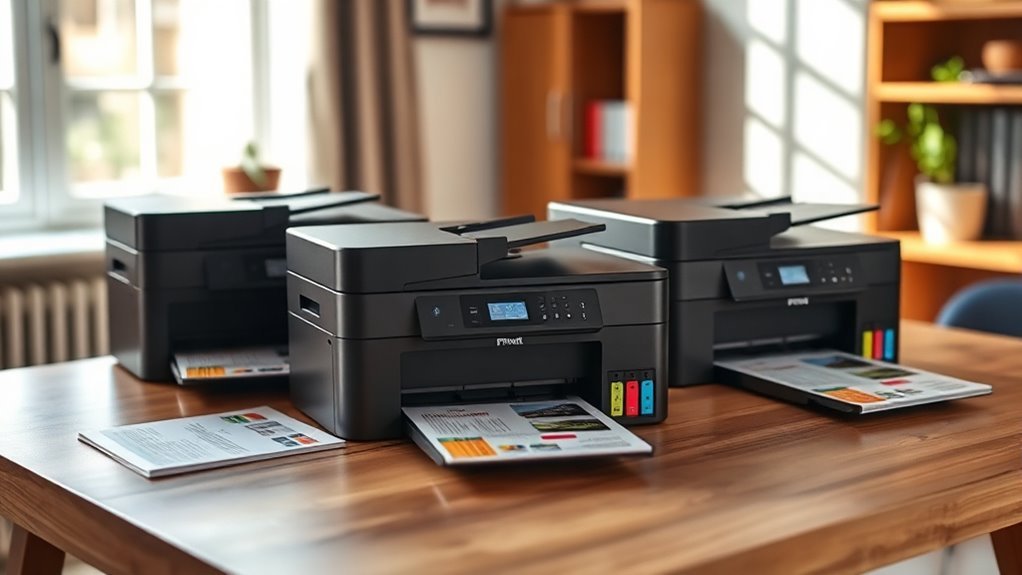
3 Best Cheap Printers in NZ for 2027
For affordable printing in NZ 2027, you’ll want to check out the Rongta Bluetooth Thermal Portable Printer if you need lightweight, on-the-go receipt printing without ink. This printer is perfect for those who value portability and simplicity.
For home offices, the Canon MegaTank G3270 offers long-lasting ink refills and versatile wireless color printing. It also comes with copying and scanning features, making it a great all-rounder.
If you want a compact, eco-friendly all-in-one, the HP DeskJet 2955 delivers decent speeds with wireless convenience. It’s ideal for small spaces and everyday printing needs.
Keep exploring to discover how these options match different needs and budgets. Finding the right cheap printer in NZ can save you money while getting the job done efficiently.
| Image | Name | Editor's Rating | Price |
|---|---|---|---|

|
|
||

|
|
||

|
|
Rongta Bluetooth Thermal Portable Printer for Travel
- Lightweight printer support for multi-type thermal paper; must use thermal paper
- Wireless portable printer uses thermal technology
- Download "RONGTA" app for phone to bluetooth print; PC & laptop not support Bluetooth connection
- Download driver for PC/Laptop to USB print
- Inkless thermal printing printer for travel

If you need a printer that adapts to your fast-paced lifestyle, the Rongta Bluetooth Thermal Portable Printer for Travel offers a practical solution. Its compact and lightweight design makes it easy to carry, fitting perfectly into your travel bag or briefcase. You can print quickly without worrying about ink, thanks to its thermal printing technology that uses only thermal paper.
Connecting to your smartphone is simple via Bluetooth, and the dedicated RONGTA app allows direct printing with minimal setup. For laptop or PC users, the printer switches to a USB connection, requiring a driver download since Bluetooth isn’t supported on these devices. This flexibility ensures you stay productive whether on the road or at a workstation.
Maintenance is straightforward because there’s no need for ink refills or cartridges, reducing hassle and mess. However, you’ll need to keep a supply of thermal paper on hand, which may limit your choice of paper types. Also, printing on mobile devices is restricted to the proprietary app, which streamlines use but limits third-party app compatibility.
This portable printer is designed for those who demand efficient, on-the-go printing without bulk or complexity. It effectively meets the needs of travelers and mobile professionals who require reliable, inkless printing from their phones or laptops.
Best for: Travelers and mobile professionals needing a lightweight, portable printer for quick, inkless printing from phones or via USB on laptops.
What We Like:
- Inkless thermal printing eliminates the need for ink cartridges
- Easy Bluetooth connection with a dedicated mobile app
- Compact and lightweight design ideal for travel
- USB connectivity available for PC and laptop use
- Simple maintenance with no ink refills required
Specification:
| Feature | Details |
|---|---|
| Manufacturer | Rongta |
| Dimensions | Compact (exact size not specified) |
| Weight | Lightweight (exact weight not specified) |
| Printing Method | Thermal |
| Connectivity | Bluetooth (mobile), USB (PC/laptop) |
| Paper Type | Thermal paper only |
Canon MegaTank G3270 All-in-One Wireless Color Printer
- Wireless Print/Copy/Scan
- Up to 2 years of ink included (2)
- Print up to 6,000 black & white / 7,700 color pages using a single set of inks! (1)
- Save up to $1,000 on ink (1)
- 1.35” Square LCD display
The Canon MegaTank G3270 is designed to meet the demands of home offices and individuals who need reliable, high-volume printing without constant ink replacements. Its refillable MegaTank system delivers up to two years of ink, allowing you to print thousands of pages with ease. This reduces interruptions and lowers the overall cost of printing.
This all-in-one printer offers wireless and USB connectivity, making it simple to print, copy, and scan directly from your smartphone or tablet. The compact design fits comfortably in small spaces and helps keep your workspace organized. Its Energy Star certification also ensures energy-efficient operation.
Maintenance is straightforward thanks to the visible ink tanks, so you can quickly monitor ink levels and refill without hassle. While it only supports single-sided printing, it handles various paper types, including glossy photo paper, offering versatility for different projects.
The 1.35” LCD provides basic controls and preview options, although its small size might limit ease of navigation for some users. Despite a modest paper capacity, this printer balances convenience and affordability for everyday tasks.
Best for: individuals and small home offices needing an affordable, high-yield color printer with wireless features and flexible media handling.
What We Like:
- Long-lasting ink supply with high page yields per refill
- Easy wireless and USB printing from mobile devices
- Supports multiple paper types including borderless photo paper
- Compact design with energy-efficient operation
Specification:
| Feature | Details |
|---|---|
| Manufacturer | Canon |
| Dimensions | Compact size (exact dimensions not specified) |
| Weight | Not specified |
| Connectivity | Wireless, USB |
| Ink System | Refillable MegaTank |
| Display | 1.35” LCD |
| Paper Capacity | Up to 100 sheets |
| Printing | Single-sided (simplex) only |
HP DeskJet 2955 Color Inkjet Printer | Wireless | All-in-One
- PERFECT FOR BASIC PRINTING NEEDS – Print everyday color documents like to-do lists, letters, financial documents and recipes
- KEY FEATURES – Color print, copy, scan, and a 60-sheet input tray, plus mobile and wireless printing
- OPTIMIZE PRINT FORMATTING WITH HP AI – Print web pages and emails with precision—no wasted pages or awkward layouts; HP AI easily removes unwanted content, so your...
- ICON LCD – Print your basic documents with ease from the intuitive control panel
- PRINT SPEED – Up to 7.5 ppm black, 5.5 ppm color
The HP DeskJet 2955 is a compact all-in-one printer designed to simplify your everyday printing tasks. It handles printing, copying, and scanning with ease, making it ideal for producing color documents like to-do lists, letters, and recipes. Its small footprint fits comfortably in limited spaces, helping you maintain an organized workspace.
This printer features a 60-sheet input tray and an intuitive icon LCD that streamlines operation. Its wireless connectivity, supported by reliable dual-band Wi-Fi, ensures smooth connections without frustrating interruptions. You can print directly from your mobile device using the HP app, benefiting from AI-driven formatting that optimizes your documents automatically.
Maintenance is straightforward with a design that incorporates 70% recycled plastics, reflecting HP’s commitment to sustainability. Fast print speeds—up to 7.5 ppm in black and 5.5 ppm in color—are suitable for moderate daily use. However, its limited paper capacity means frequent refills during larger print jobs. A 3-month Instant Ink trial offers cost savings, though ongoing ink expenses apply afterward unless you cancel.
Best for: individuals or small households needing a compact, affordable all-in-one printer for everyday color document tasks with easy wireless setup.
What We Like:
- Compact size with a 60-sheet tray and simple icon LCD
- Sustainable design using recycled materials
- Reliable dual-band Wi-Fi and mobile printing via HP app
- AI formatting for smarter print jobs
- Includes a 3-month Instant Ink trial for ink savings
Specification:
| Feature | Details |
|---|---|
| Manufacturer | HP |
| Dimensions | Approx. 16.9 x 12.1 x 5.9 in (43 x 31 x 15 cm) |
| Weight | Approx. 5.5 lb (2.5 kg) |
| Material | Plastic (70% recycled content) |
| Color Options | White with gray accents |
Factors to Consider When Choosing a Cheap Printer Nz
When choosing a cheap printer in NZ, you’ll want to take into account printing technology, connectivity options, and how compatible it is with your devices. Don’t forget to check ink and consumables costs, since they can add up quickly.
Also, think about print speed, quality, and the types of paper sizes the printer can handle. These factors can make a big difference depending on what you need the printer for.
Printing Technology Options
Exploring printing technology options helps you find a cheap printer in NZ that fits your needs and budget. Inkjet printers are versatile and great for photos and color documents, though ink costs add up and print speeds are slower.
If you mostly print black-and-white text, a laser printer offers faster speeds and a lower cost per page, especially for monochrome prints. Thermal printers suit receipt printing but aren’t for photos since they need special paper.
Dye-sublimation printers deliver excellent photo quality but come with higher consumable costs and slower speeds for large jobs. For niche needs, solid-ink printers provide vibrant colours with low waste, while LED printers offer reliable, compact performance similar to lasers.
Knowing these differences helps you pick the right tech without overspending. So, it’s worth considering what you print most before making a choice.
Connectivity and Compatibility
Although budget printers may seem similar, their connectivity and compatibility features can vary widely, markedly impacting your printing experience. Make sure the printer supports the connection types you need—Wi-Fi, Bluetooth, or USB. Some models only offer USB or lack wireless entirely.
If you plan to print from your smartphone or tablet, check mobile app compatibility for iOS and Android. Not all cheap printers do this well, so it’s worth double-checking.
Look for dual-band Wi-Fi support (2.4 GHz and 5 GHz) to avoid interference on busy networks. This can make a big difference in reliability.
Also, verify that drivers are available for your operating system, whether Windows, macOS, or Linux. You don’t want to get stuck without proper software.
If you print on the go, prioritize Bluetooth or portable printers designed for mobile use. Don’t rely solely on USB connections to laptops when you’re out and about.
Ink and Consumables Cost
Understanding your printer’s connectivity options is important, but the ongoing costs of ink and consumables often have a bigger impact on your budget.
Inkjet and refillable-tank printers vary widely in cost-per-page (CPP), so it’s a good idea to compare black and color CPP separately to estimate your expenses. Laser printers usually cost more upfront but offer lower CPP and higher page yields.
Don’t overlook whether your printer uses individual or combined color cartridges. Combined cartridges mean you have to replace all colors when just one runs out, which can raise your effective CPP.
You might save money by using generic cartridges or refill bottles, but keep in mind there could be drops in quality or even warranty issues. Also, don’t forget to budget for maintenance parts like printheads and fusers, as these add to your annual operating costs beyond just cartridge prices.
Print Speed and Quality
When choosing a cheap printer in NZ, you’ll want to take into account both print speed and quality to match your needs. Look for printers with clear black and color print speeds, ideally over 10 ppm for faster text-heavy jobs.
Print resolution matters too—higher dpi (like 1200 to 4800 dpi) delivers finer details and smoother gradients, especially for photos. Don’t forget real-world throughput and duty cycle; these show if the printer can handle your monthly volume without breaking down early.
First-page-out and warm-up times affect how quickly short jobs get done, so consider those if you print occasionally. Remember, draft modes boost speed by lowering quality and ink use, while photo modes slow printing but improve output.
Balance these factors carefully to get the best value. It’s all about finding the right fit for what you need most.
Paper Size and Types
Print speed and quality matter, but the types and sizes of paper your printer can handle also play a big role in getting the job done right. Check the maximum supported paper sizes like A4, Letter, Legal, or even 4″x6″ photo paper to make sure your printer fits your needs.
Also, confirm it supports various paper types—plain, glossy, card stock, envelopes, or labels. Some budget models struggle with heavier or unusual media, so keep that in mind.
If you plan on printing banners or custom sizes, look for printers with flexible media width and length ranges. Don’t forget to verify tray capacities and if the printer offers borderless printing for photos.
Finally, if you want to save paper, choose one with duplex printing to easily handle double-sided jobs. It’s a handy feature that many people overlook!
Portability and Design
Choosing a portable printer means focusing on size, weight, and power options that suit your lifestyle. Look for compact models under 6 kg with a footprint less than 0.5 m². That way, they fit easily in your bag or on small desks.
Battery-powered or USB-rechargeable printers give you true mobility. Unlike mains-only units, they don’t restrict where you print.
Wireless connectivity like Bluetooth or Wi-Fi, plus app support, lets you print directly from your phone without lugging a laptop. Pretty handy, right?
Also, check media handling—single-sheet or small trays and support for narrow paper sizes make printing on the go simpler.
Don’t forget build quality. Sturdy casings, covered paper bays, and shock resistance help your printer survive travel bumps and drops.
Frequently Asked Questions
How Do I Recycle Used Printer Cartridges in New Zealand?
You can recycle used printer cartridges in New Zealand by dropping them off at local stationery stores or participating in manufacturer recycling programs.
Another easy option is using community recycling centers. Many retailers also offer free collection bins for quick and simple recycling.
Are There Any Local Warranty Services for Cheap Printers?
Yes, you’ll find local warranty services for cheap printers in New Zealand through major retailers and manufacturer-authorized centers.
Always check the warranty terms before buying, so you’re covered if anything goes wrong with your printer.
It’s a good idea to ask about what’s included and how long the coverage lasts. That way, you won’t be caught off guard later!
What Is the Average Lifespan of Budget Printers?
Imagine your budget printer quits just after a year. Typically, budget printers last around 2-3 years with moderate use.
You’ll want to handle it gently and avoid heavy printing to stretch its lifespan longer.
Taking good care of it really makes a difference. So, don’t overload it or rush through print jobs.
Can These Printers Connect to Mobile Devices via Apps?
Yes, many budget printers connect to mobile devices via apps. You’ll find options with Wi-Fi or Bluetooth, letting you print directly from your phone or tablet easily.
This makes mobile printing super convenient. No need to fire up your computer every time you want to print something.
Do Cheap Printers Support Duplex (Double-Sided) Printing?
Yes, some cheap printers support duplex printing, but don’t expect it from all models.
You’ll want to check specs carefully since many budget options only offer manual double-sided printing. That means you’ll have to flip the pages yourself.
Conclusion
When choosing a cheap printer in NZ for 2027, you’ll want to balance features, price, and portability. Whether you’re printing travel tickets on a Rongta Bluetooth Thermal Printer or vibrant photos with the Canon MegaTank, there are great options to suit your needs.
The HP DeskJet offers solid all-in-one functionality without breaking the bank. So, don’t be stuck in the dark ages with outdated gear.
Grab one of these smart, budget-friendly printers and keep your printing game strong in the digital era! By choosing any of these top cheap printers in NZ for 2027, you get a perfect mix of affordability, quality, and convenience. Whether it’s for home, work, or travel, these printers deliver reliable performance without costing a fortune. So why wait? Upgrade your setup with a cheap printer that fits your lifestyle and budget today!