6 Best 3D Printers Under $500 for 2027 (Affordable & Reliable)
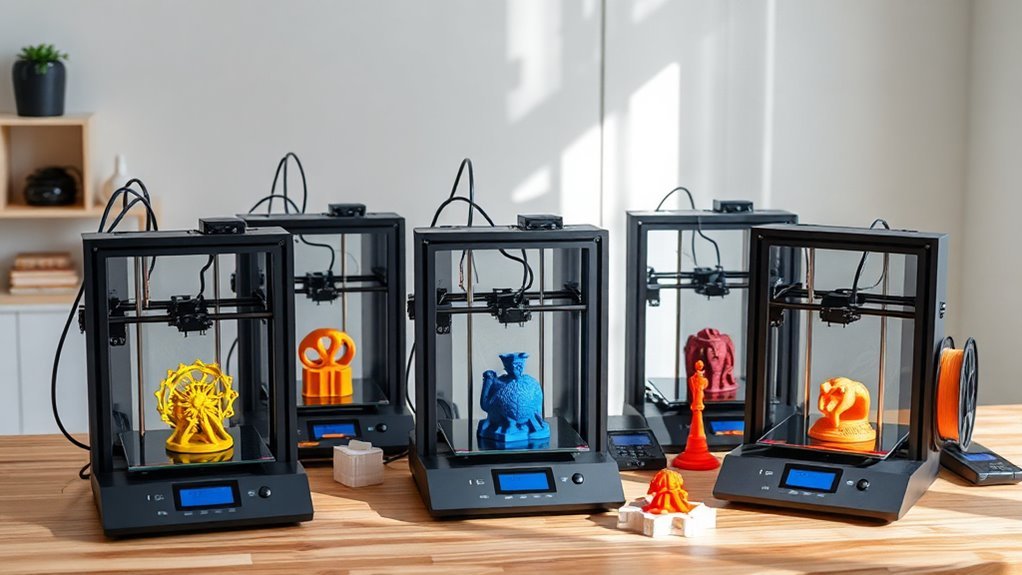
If you’re on the lookout for the best 3D printers under $500, you’ve come to the right place. Finding an affordable and reliable 3D printer doesn’t mean you have to compromise on quality or features. Whether you’re a beginner, hobbyist, educator, or just someone who loves to tinker, there’s something here for you.
The Creality Ender 3 V3 SE is a standout option, known for its fast printing speeds and convenient auto leveling feature. It’s perfect if you’re just getting started or want to upgrade your current setup. Meanwhile, the Entina Tina2 Plus brings WiFi connectivity and app control to the table, making it an excellent choice for educators looking to integrate tech into their classrooms.
If space is tight, the Portable Compact FDM printer fits neatly into small areas without sacrificing functionality. And for those who prefer resin printing, the ANYCUBIC Photon Mono 4 offers ultra-high detail that resin fans will love. Exploring these options will help you find the perfect 3D printer that fits your needs and budget.
| Image | Name | Editor's Rating | Price |
|---|---|---|---|

|
|
||

|
|
||

|
|
||

|
|
||

|
|
Creality Ender 3 V3 SE 3D Printer Upgrade
- 【250mm/s High-speed Printing】Creality Ender 3 V3 SE 3d printer supports a maximum printing speed of 250mm/s, 2500mm/s² acceleration.The speed has been greatly...
- 【Powerful ""Sprite"" Direct Extruder】Ender 3 V3 SE is the upgrade of ender 3, ender 3 v2, ender 3 pro, ender 3 neo, ender 3 v2 neo, ender 3 s1, ender 3 s1 pro etc 3d...
- 【Worry-free CR Touch Auto Leveling & Strain Sensor】Creality Ender 3 upgraded 3d printer features a CR Touch sensor for auto leveling and a strain sensor for auto...
- 【Stable Dual Z-axis & Y-axis Linear Shafts】High-precision dual Z-axis lead screws reduce Z wobbling effectively, avoid printing deviation in single-axis printing...
- 【Quick Assembly & Easy to Use】Preassembly has solved those hassles and worries of parts assembly, It only takes 3 steps to complete the assemble the ender-3 v3 se 3d...

Step into the world of efficient 3D printing with the Creality Ender 3 V3 SE, designed to enhance your printing experience without complexity. This printer addresses common issues like print wobble and filament jams, ensuring smoother, more reliable results.
Its full-metal dual-gear Sprite extruder improves filament feeding, reducing clogs and enhancing print quality. The dual Z-axis lead screws stabilize the frame, cutting down vibrations that cause imperfections. These features combine to deliver more accurate and consistent prints.
Maintenance is straightforward with the auto bed leveling via the CR Touch sensor and easy filament loading. This minimizes setup time and calibration, helping you focus on creating rather than troubleshooting. Assembly is quick, taking about 20 minutes, making it accessible for beginners.
The printer offers a build volume of 8.66 x 8.66 x 9.84 inches, suitable for many hobbyist projects. While not ideal for very large prints, its compact size fits well in limited workspaces. The max speed of 250 mm/s helps reduce print times significantly.
Best for: Hobbyists and beginners seeking a budget-friendly, reliable 3D printer with fast print speeds and user-friendly automation features.
What We Like:
- Smooth, reliable filament feeding with full-metal dual-gear extruder
- Improved print precision thanks to dual Z-axis lead screws
- Easy maintenance with auto bed leveling and quick filament loading
- Compact build volume fits small work areas without sacrificing quality
Specification:
| Feature | Details |
|---|---|
| Manufacturer | Creality |
| Print Volume | 8.66 x 8.66 x 9.84 inches |
| Max Print Speed | 250 mm/s |
| Extruder Type | Full-metal dual-gear Sprite |
| Special Features | Auto bed leveling, CR Touch sensor |
| Assembly Time | Approx. 20 minutes |
Entina Tina2 Plus 3D Printer with WiFi & App Control
- 【Start Printing in Minutes – Beginner Friendly】No setup required. Tina2 Plus 3d printer comes fully assembled and ready to use out of the box. With included TF card...
- 【Fast 250mm/s Printing Performance】This Tina2 Plus high speed 3D printer print speeds up to 250 mm/s help reduce waiting time and support fast project turnaround...
- 【WiFi App Control & STEM Model Library】Powered by the Poloprint Cloud app, this WiFi-enabled 3D printer gives access to 3,500+ printable models and 25+ creative DIY...
- 【40-Second Fast Heat Ceramic Hotend】High-efficiency ceramic hotend heats up in just 40 seconds for faster start-up and less downtime. The quick-swap nozzle design...
- 【Compact 3D Printer for Home & Classroom】Designed with a space-saving footprint while maintaining practical print capacity, this compact 3D printer fits easily on...
The Entina Tina2 Plus 3D Printer brings simplicity and efficiency to your creative projects. Designed for beginners and educators, it eliminates the frustration of complex setups with a fully assembled structure. You can start printing immediately using WiFi or app control, making it ideal for quick and hassle-free use.
Its reliable, quick-heating ceramic hotend and PEI spring steel build plate ensure consistent print quality. The partially enclosed frame enhances safety, making it suitable for classrooms or home environments where supervision is important. This design also helps maintain stable printing conditions.
Maintaining the Tina2 Plus is straightforward due to its accessible components and user-friendly interface. Access to over 3,500 STEM models through the Poloprint Cloud app encourages learning and creativity. This feature supports educators and learners in exploring various projects without needing external resources.
While its compact size limits the build volume, it fits well on any desktop, saving space without sacrificing functionality. The print speed, up to 250 mm/s, suits most educational and hobbyist needs, balancing quality and efficiency.
Best for: beginners, educators, and home learners seeking a safe, easy-to-use 3D printer with app control for STEM education and creative projects.
What We Like:
- Fully assembled with WiFi and app control for immediate use
- Safe, partially enclosed frame ideal for learning environments
- Access to 3,500+ STEM models via Poloprint Cloud app
- Quick-heating ceramic hotend and PEI spring steel build plate
Specification:
| Feature | Details |
|---|---|
| Manufacturer | Entina |
| Dimensions | Compact desktop size |
| Weight | Lightweight |
| Build Plate Material | PEI spring steel |
| Frame | Partially enclosed |
| Connectivity | WiFi & App control |
Portable Compact FDM 3D Printer with Removable Plate
- Foolproof Setup with Video Guides – Never get stuck! We provide a crystal-clear Quick Start Guide and step-by-step video tutorials. Watch them online to get started.
- Simple Assembly with Video Guide – Requires quick modular setup (watch our step-by-step video). Comes with 10m PLA filament, TF card, tools, and 12V Type-C power...
- Versatile Filament Compatibility – Unleash your creativity with both PLA and flexible TPU (1.75mm). The reliable 0.4mm nozzle and precise 0.05-0.3mm layer thickness...
- Reliable Performance & Compact Design – Features stable FDM technology and a removable build plate for easy model removal. The perfect 100x100x100mm build volume is...
- Complete Package – No Hidden Costs – Includes printer, 10m PLA filament, 8GB TF card + reader, tools, illustrated manual, and 12V Type-C power adapter. Plus free...
Discover the convenience of this portable compact FDM 3D printer with a removable build plate, designed to fit seamlessly into tight spaces such as classrooms or home workstations. Its small footprint solves workspace challenges, making 3D printing accessible without requiring a dedicated room.
Setting up is straightforward and user-friendly. The included quick-start guide and video tutorials simplify assembly, leveling, filament loading, and printing, allowing you to begin your projects within minutes. This ease of use reduces downtime and technical frustration.
The printer supports a build volume of 100 x 100 x 100 mm, suitable for small-scale models and prototypes. Using a 0.4 mm nozzle, it produces detailed prints with materials like PLA and flexible TPU. The removable build plate ensures hassle-free print removal and cleaning.
Maintenance is simple, as the compact design and included tools help keep the printer in good working order. The package includes a 10 m filament and an 8 GB TF card with resources, so you can start creating immediately without additional purchases.
Best for: Beginners, students, and hobbyists seeking an easy-to-use, compact 3D printer ideal for small projects and educational use.
What We Like:
- Quick and simple setup with clear guides and tutorials
- Compact design fits well in limited spaces and classrooms
- Supports both PLA and flexible TPU materials
- Removable build plate for easy print removal and maintenance
Specification:
| Feature | Details |
|---|---|
| Manufacturer | Not specified |
| Build Volume | 100 x 100 x 100 mm |
| Nozzle Size | 0.4 mm |
| Filament Included | 10 meters |
| Supported Filament | PLA, TPU |
| Storage | 8 GB TF card included |
| Dimensions | Compact (exact size N/A) |
| Weight | Not specified |
ANYCUBIC Photon Mono 4, Resin 3D Printer with 7” 10K Mono LCD Screen
- 【7'' 10K High Resolution】Photon Mono 4 boasts an impressive 105% increase in print precision compared to Mono 2. With a resolution of 9024x5120, each pixel measures a...
- 【Powerful Light Source】The time-tested Anycubic LighTurbo matrix light source technology delivers stable, balanced, and uniform lighting to reduce layer lines and...
- 【Sufficient Print Size】With a generous maximum build volume of 6.04'' x 3.42'' x 6.49''/153.4mm x 87mm x 165mm, you have ample print space to easily tackle your daily...
- 【Laser-engraved Print Platform 2.0】With a new design, the laser engraving platform of the photon mono 4 improves adhesion to mitigate lifting and warping of the model...
- 【User-friendly Function】The 4-point leveling method is ideal for beginners, after the first leveling and tightening the 4 screws, no need to repeat leveling. Photon...
Experience ultra-precise resin 3D printing with the ANYCUBIC Photon Mono 4, featuring a sharp 7-inch 10K monochrome LCD screen. This high resolution ensures your models come out with exceptional detail, helping you create professional-quality prints with ease. The advanced LightTurbo matrix light source promotes consistent exposure, resulting in smooth surfaces and reduced visible layering.
Setup is straightforward thanks to the 4-point leveling system and a laser-engraved print platform that enhances adhesion while making print removal simple. Its compact design and manageable weight allow it to fit comfortably in limited spaces without sacrificing performance. The build volume supports moderately sized projects, perfect for hobbyists and pros who prioritize detail over scale.
Maintenance is convenient because the stable light source and durable components reduce the need for frequent adjustments. Whether you’re designing miniatures, prototypes, or intricate parts, this printer delivers reliable and repeatable results. However, it lacks app connectivity, so remote monitoring isn’t available.
Best for: creators seeking high-precision, ultra-smooth resin prints in a compact and reliable 3D printer.
What We Like:
- Crystal-clear 10K monochrome LCD for fine details
- Uniform LightTurbo lighting reduces layer lines
- Easy 4-point leveling and laser-etched platform improve adhesion
- Compact and lightweight design fits small workspaces
Specification:
| Feature | Details |
|---|---|
| Manufacturer | ANYCUBIC |
| Screen Size | 7 inches |
| Screen Resolution | 9024 x 5120 (10K) |
| Pixel Size | 17 x 17 μm |
| Build Volume | 6.04 x 3.42 x 6.49 inches |
| Printing Speed | Up to 70 mm/h |
| Weight | 7.7 lb (3.5 kg) |
Creality Ender 3 V3 SE Beginner-Friendly 3D Printer with Auto Leveling
- 250mm/s High-Speed Printing: Print at speeds of up to 250mm/s with 2500mm/s² acceleration, helping you complete prototypes, functional parts, and everyday projects...
- Easy Setup with Auto Leveling: Designed for a fast and straightforward setup, the Ender 3 V3 SE can be assembled in just a few simple steps. CR Touch Auto Leveling and...
- Proven Sprite Direct Drive Extruder: The upgraded Sprite Direct Drive Extruder provides smooth and consistent filament feeding for PLA, PETG, and TPU. Its proven design...
- Stable Motion System for Consistent Results: Dual synchronized Z-axis lead screws and precision Y-axis linear shafts work together to help reduce vibration and Z...
- Quiet Operation with Easy Print Removal: A 32-bit silent mainboard helps reduce operating noise for a more comfortable printing experience, while the flexible PC spring...
The Creality Ender 3 V3 SE is designed to make 3D printing accessible and straightforward for beginners. Its CR Touch auto leveling and automatic Z-offset calibration eliminate the guesswork, ensuring the first layer adheres perfectly every time. This reduces the need for manual adjustments and helps avoid common printing errors.
With a print speed of up to 250 mm/s, the V3 SE balances speed and quality. The Sprite Direct Drive Extruder feeds filament smoothly, supporting materials like PLA, PETG, and TPU. This versatility allows users to explore different projects without hassle.
The printer’s dual synchronized Z-axis screws and precision linear shafts provide stable and accurate layers. A silent 32-bit mainboard keeps noise to a minimum, making it suitable for home or office use. Maintenance is straightforward, and the flexible spring steel bed allows for easy removal of finished prints.
Though not the lightest at nearly 20 pounds, its sturdy build offers reliability over portability. Some advanced users might find its features basic but ideal for those just starting with 3D printing.
Best for: beginners and hobbyists seeking a reliable, easy-to-use 3D printer with auto leveling and quiet performance.
What We Like:
- CR Touch auto leveling ensures consistent first layers
- Smooth, versatile filament feeding with the Sprite Direct Drive Extruder
- Stable printing thanks to dual Z-axis screws and precision shafts
- Quiet operation with a 32-bit mainboard
- Easy print removal with a flexible spring steel bed
Specification:
| Feature | Details |
|---|---|
| Manufacturer | Creality |
| Dimensions | Not specified |
| Weight | ~9 kg (20 lbs) |
| Supported Filaments | PLA, PETG, TPU, and more |
| Print Speed | Up to 250 mm/s |
| Auto Leveling | CR Touch with auto Z-offset |
| Drive Type | Sprite Direct Drive Extruder |
| Noise Level | Low (silent 32-bit mainboard) |
Entina Tina2 Mini 3D Printer for Beginners
- 3D Printer for Beginners and Kids: Out of the box, fully assembled, Speedy Printing –TINA2 BASIC 3d printer is super easy to use and does not require a complex setup...
- Ready to Print: Equipped with 2.4" LCD screen and Wiibulider slicer software makes it easy to conduct offline printing using the MicroSD Card. The 3-d printer supports...
- Fully Open-Source: Entina TINA2 BASIC Mini 3D printer adopts a safety-first design philosophy, featuring complete open-source compatibility for enhanced flexibility and a...
- Auto Leveling & Magnetic Platform: The small 3d printer does not need manual leveling, the intelligent leveling system can automatically adjust the uneven bed, thus...
- Compact Design:This is light weight and minimalist desktop 3D printers, the mini 3D printer size is 8.3''x8.3''x11.4'', weight is 3kg. Light weight and portable design...
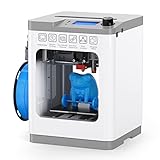
The Entina Tina2 Mini 3D Printer is designed to make 3D printing accessible for beginners and hobbyists. Its fully assembled design means you can start printing within five minutes, minimizing setup time and technical hurdles. Simply load the included TF card, select your model on the 2.4″ LCD screen, and watch your creation come to life.
This compact printer fits neatly into small spaces like classrooms, dorm rooms, or offices, making it ideal for educational and personal projects. Its auto bed leveling and dual Z-axis rails provide stability and accuracy, reducing the chance of failed prints.
Maintenance is straightforward with a magnetic removable build plate that allows easy removal of finished prints and quick cleaning. The printer also resumes printing after power outages, saving time and material by preventing print interruptions.
While its build volume of 100 x 105 x 100 mm limits the size of projects, the Entina Tina2 balances convenience and functionality well. Its simple interface suits beginners, though advanced users might find the small screen limiting.
Best for: Beginners, kids, and educators looking for a compact, easy-to-use 3D printer for learning and light prototyping.
What We Like:
- Quick setup with fully assembled design and TF card models.
- Stable prints via auto bed leveling and dual Z-axis rails.
- Magnetic removable build plate for easy maintenance.
- Resume function helps avoid print failures from power loss.
Specification:
| Feature | Details |
|---|---|
| Manufacturer | Entina |
| Build Volume | 100 x 105 x 100 mm |
| Display | 2.4″ LCD screen with knob |
| Key Features | Auto bed leveling, dual Z-axis rails, magnetic build plate |
| Dimensions | Compact size (exact dimensions not specified) |
| Intended Use | Beginner and educational 3D printing |
Factors to Consider When Choosing a 3D Printer for Under $500

When choosing a 3D printer under $500, you’ll want to focus on print quality and build volume to make sure it meets your project needs.
Think about how easy it is to assemble and which materials it supports for the most flexibility.
Also, check the connectivity options and control features to guarantee smooth operation. It’s all about making the process as hassle-free as possible.
Print Quality and Resolution
Although budget 3D printers under $500 often come with limitations, you can still achieve impressive print quality by understanding key factors like layer height, nozzle diameter, and mechanical stability.
Layer height typically ranges from 0.05 to 0.3 mm. Choosing a lower height (0.05–0.1 mm) results in finer detail but longer print times.
The common 0.4 mm nozzle balances speed and detail, while smaller nozzles improve small-feature fidelity at a slower pace.
Keep in mind, XY resolution depends on the printer’s motion accuracy and mechanical stability. Rigid frames and well-supported axes help reduce layer shifts.
Finally, tuning slicer settings like retraction, print speed, and cooling is essential to enhance surface quality. This makes sure your prints look sharp and consistent.
Build Volume Size
Since your print size needs vary, you should carefully consider the maximum usable build volume (X × Y × Z) before choosing a 3D printer under $500. Budget models typically range from about 100×100×100 mm for mini printers to roughly 220×220×250 mm for larger ones. This size defines the biggest single-part print you can make.
If your projects involve tall or long parts, prioritize the axis that matters most rather than overall volume. Keep in mind, bigger volumes increase print time, material use, and risks like warping if the printer’s stability isn’t strong.
Also, a larger build volume usually means a bigger physical footprint and higher power needs, which might not fit well on small desks or in tight spaces. Finally, check the effective usable volume after accounting for clamps and offsets, as advertised sizes can be slightly optimistic.
Ease of Assembly
Choosing a 3D printer with the right build volume is just one part of the equation; how easy it is to assemble can make a big difference in your overall experience. You’ll want to look for printers labeled “fully assembled” or “preassembled” to cut setup from hours to minutes.
Check if the manufacturer offers clear quick-start guides and step-by-step video tutorials—they reduce mistakes and get you printing faster. Models with tool-free or modular parts, like plug-and-play gantries and magnetic build plates, simplify installation and maintenance.
Also, confirm the kit includes all necessary tools and details assembly stages or estimated times to avoid surprises. Finally, preloaded test files and one-button filament loading help you calibrate and verify the printer right away, saving you time and frustration.
Material Compatibility Options
When picking a 3D printer under $500, you’ll want to take into account the types of materials it supports to match your project needs. Most budget FDM printers handle PLA and flexible TPU filaments reliably, with PETG compatibility common but requiring higher nozzle and bed temperatures to avoid issues like stringing or warping.
Make sure the printer supports the standard 1.75 mm filament diameter, as 3 mm options are rare and limit your choices. A heated bed is essential if you plan to print PETG or pliable materials; without one, you’re mostly limited to PLA and some TPU.
Also, check the hotend type—an all-metal hotend allows higher temperatures necessary for tougher filaments like nylon, while PTFE-lined hotends usually cap around 240–260°C. Enclosures help with temperature-sensitive materials but are uncommon in this price range.
Connectivity and Control Features
Beyond material compatibility, how you connect to and control your 3D printer can greatly impact your overall experience. Check for supported connectivity options like USB, SD/TF cards, Wi‑Fi, and Ethernet to match your workflow.
Offline SD cards offer reliability, while Wi‑Fi enables remote control and cloud slicing. Make sure your printer supports your devices—Windows, macOS, Linux, Chromebook, iOS, or Android—for slicing, monitoring, and print management.
Onboard controls matter too; color touchscreens simplify on-printer slicing, previews, and adjustments compared to basic monochrome LCDs. Confirm file format support (.gcode) and features like resumable prints after power loss to avoid disruptions.
If remote monitoring is essential, prioritize printers with camera support or integrated webcams and secure Wi‑Fi options (WPA2, passwords) to keep an eye on jobs from anywhere.
Frequently Asked Questions
How Much Electricity Does a Typical 3D Printer Under $500 Consume?
A typical 3D printer under $500 uses around 50-150 watts while printing. You’ll likely consume about 0.5 to 1.5 kWh per hour, depending on the model and print settings you choose to run.
Keep in mind, the exact energy use can vary quite a bit. It really depends on what you’re printing and how long it takes. So, if you’re running a big project or using high temperatures, expect to see the higher end of that range.
What Are the Common Maintenance Tasks for Budget 3D Printers?
Oh, you’ll love cleaning clogged nozzles, leveling the bed, lubricating rods, and tightening belts!
These common maintenance tasks keep your budget 3D printer running smoothly, so you don’t spend more time fixing than printing.
Can These 3D Printers Print With Flexible Filaments?
Yes, many budget 3D printers can print flexible filaments, but you’ll need a direct drive extruder and slower print speeds.
Make sure to check your printer’s specs and adjust settings for best results. It really helps to dial in those settings carefully for a smooth print.
Are Replacement Parts Readily Available for These Models?
You won’t need a treasure map; replacement parts for these printers are as easy to find as socks after laundry day.
You’ll quickly grab any part you need, keeping your prints smooth and frustration-free.
What Software Is Best Compatible With These Affordable 3D Printers?
You’ll find Cura and PrusaSlicer work best with affordable 3D printers since they’re user-friendly and support many models.
OctoPrint’s great if you want remote control, while Simplify3D offers advanced features but costs extra.
Conclusion
Choosing the right 3D printer under $500 doesn’t have to feel like finding your way through a maze. With options like the Creality Ender 3 V3 SE and Entina Tina2 Plus, you’re armed with reliable tools that turn your ideas into tangible creations.
Whether you’re a beginner or upgrading, these printers are your ticket to a creative adventure. So, grab one, and watch your imagination leap off the screen and into reality!
Affordable and reliable 3D printers under $500 open up a world of possibilities. They’re perfect for hobbyists, students, or anyone looking to explore 3D printing without breaking the bank. By choosing one of these best 3D printers under $500, you’re investing in quality, ease of use, and endless creative potential. Ready to start your 3D printing journey? These models make it easier than ever to bring your ideas to life!