9 Best Business Printers for Growing Retail Teams in 2027
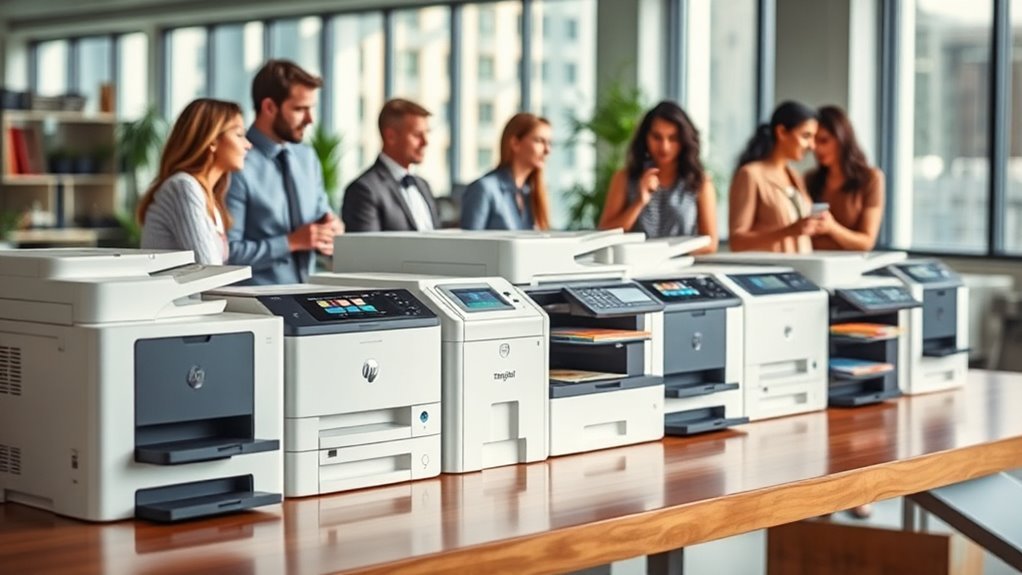
For your growing retail team in 2027, choosing the right business printer is essential. You want devices that deliver fast, reliable color output and handle the demands of a busy retail environment. Printers like the Canon MF753Cdw II and Brother MFC-L8930CDW offer excellent duplex and wireless features, making them perfect for efficiency and convenience.
The Brother MFC-L5915DW and HL-L8430CDW deliver speedy monochrome printing with vibrant color options for mixed-use needs. Epson’s TM-T20IV is a great choice for handling receipts quickly and efficiently. If your team requires high-capacity printing, models like Brother HL-L5210DWT and HP M554dn are built to support large workloads while offering robust security features.
When picking your next printer, consider factors like speed, connectivity, and media handling. These smart choices cover a range of retail printing needs, helping your team stay productive and secure.
| Image | Name | Editor's Rating | Price |
|---|---|---|---|

|
|
||

|
|
||

|
|
||

|
|
||
|
|
Canon Color imageCLASS MF753Cdw II – All-in-One Color Duplex Laser Printer
- Color, Wireless, Duplex 4-in-1: Print, scan, copy, fax.

Discover a versatile solution that streamlines your retail or office printing needs with the Canon Color imageCLASS MF753Cdw II. This all-in-one printer combines printing, scanning, copying, and faxing into one efficient device, reducing clutter and saving space. Its fast 35 ppm print speed and sharp 1200 x 1200 dpi resolution ensure professional-quality documents every time.
Designed for busy workspaces, it supports duplex automatic printing and wireless connectivity, allowing effortless double-sided printing and flexible placement without tangled cables. The 250-sheet capacity, expandable up to 850 sheets, helps maintain smooth operations without frequent paper refills.
Maintenance is straightforward with the Canon PRINT app enabling mobile printing and easy monitoring. While compact, its 50-pound weight means you’ll want a dedicated spot for it. Keep in mind that starter toner yields are modest, so plan for replacements to maintain continuous performance.
This printer excels in improving workflow efficiency and document quality where diverse functions and reliable wireless access are essential.
Best for: Small to medium-sized offices or retail teams needing a reliable, multifunction color laser printer with duplex and wireless capabilities.
What We Like:
- Fast printing speed with high-resolution output.
- Four-in-one functionality including duplex scanning and copying.
- Flexible connectivity: wireless, Ethernet, USB, and mobile printing.
- Expandable paper capacity for uninterrupted workflow.
Specification:
| Feature | Details |
|---|---|
| Manufacturer | Canon |
| Dimensions (W x D x H) | 18.2 x 16.8 x 17 inches |
| Weight | 50 pounds (22.7 kg) |
| Print Speed | Up to 35 pages per minute |
| Print Resolution | Up to 1200 x 1200 dpi |
| Paper Capacity | 250 sheets (expandable to 850) |
| Connectivity | Wireless, Ethernet, USB, Mobile |
Brother MFC-L8930CDW Color Laser All-in-One Printer
- Updated design, professional results. High-quality output with sharp color and black printing. Fast print and copy speeds up to 33ppm(1) help boost productivity. Reliable...
- Maximize printing budgets. Offers built-in value with included Brother Genuine 3,000-page black and 1,800-page color standard yield toner cartridges. Help lower printing...
- Advanced scanning. High-speed, two-sided scanning up to 104ipm(3) with 80-page auto document feeder(4) and legal-size glass. Scan to cloud, email, SharePoint, and more...
- Productivity-enhancing features. Flexible connectivity, including built-in dual-band (2.4GHz / 5GHz) wireless networking and Gigabit Ethernet networking. 7” color...
- Triple Layer Security. Advanced security features to help keep devices secure, protect documents in transit to and from print devices, and safeguard networks. Includes an...
Experience seamless productivity with the Brother MFC-L8930CDW, designed to meet the demands of busy retail spaces and small offices. This all-in-one color laser printer combines printing, scanning, copying, and faxing into a compact device that saves space without sacrificing performance.
Its fast printing speed of up to 33 pages per minute and automatic duplex printing help reduce wait times and paper use. The 80-page automatic document feeder and high-speed two-sided scanning streamline multi-page tasks, allowing your team to focus on other priorities.
Connectivity is straightforward with dual-band Wi-Fi, Gigabit Ethernet, and NFC badge authentication, ensuring secure and flexible access. The printer’s triple-layer security safeguards sensitive data, essential for environments handling confidential information.
Maintenance is manageable, though the printer weighs 71.2 pounds, so it requires a stable setup area. Standard toner cartridges might need regular replacement during heavy use, but high-yield options are available to extend intervals. Advanced scanning and cloud features enhance workflow but rely on internet connectivity and compatible devices.
Best for: Retail teams and small to medium business offices seeking a compact, versatile, and secure all-in-one color laser printer with strong productivity features.
What We Like:
- Fast print and copy speeds up to 33 ppm with automatic duplex printing
- Efficient multitasking via 80-page auto document feeder and two-sided scanning
- Multiple connectivity options including dual-band Wi-Fi, Ethernet, and NFC
- Strong triple-layer security protects sensitive data
- User-friendly 7″ touchscreen simplifies operation
Specification:
| Feature | Details |
|---|---|
| Manufacturer | Brother |
| Dimensions (W×D×H) | Not specified |
| Weight | 71.2 lb (32.3 kg) |
| Printing Technology | Color Laser |
| Connectivity | Dual-band Wi-Fi, Ethernet, NFC |
| Display | 7″ Touchscreen |
Brother MFC-L5915DW Professional Laser Printer All-in-One
- FAST BUSINESS PRINTING AND COPYING: The Brother MFC-L5915DW business monochrome laser all-in-one printer delivers high-quality output and print and copy speeds of up to...
- LOW-COST OUTPUT: Help reduce operating costs by using the Brother Genuine TN920UXXL ultra high-yield 18,000-page replacement toner cartridge. Includes a Brother Genuine...
- FAST, HIGH-VOLUME SCANNING: The 70-page capacity(3) auto document feeder offers single-pass, two-sided scanning up to 56ipm(4). Features a large document glass for up to...
- FLEXIBLE CONNECTIVITY OPTIONS: Features built‐in Gigabit Ethernet and dual band wireless networking to seamlessly set up and share on your wired.
The Brother MFC-L5915DW Professional Laser Printer All-in-One is designed to keep busy offices running smoothly. It tackles high-volume tasks with fast printing speeds of up to 50 pages per minute, reducing wait times and boosting productivity. The intuitive 5″ color touchscreen allows quick access to frequently used functions, simplifying daily workflows.
Its compact design fits well in small spaces while offering versatile functionality. The automatic duplex printing helps save time and paper by printing on both sides effortlessly. With a 250-sheet paper tray and a 70-page automatic document feeder, it handles large jobs without constant refills or interruptions.
Maintenance is straightforward, with ultra high-yield toner options that minimize replacements and keep operating costs manageable. Connectivity is flexible, featuring Gigabit Ethernet, dual-band Wi-Fi, and mobile printing support, so you can print from various devices with ease.
Security is a priority, as the printer includes Triple Layer Security to protect sensitive information. While it only supports monochrome printing and has a relatively high power draw, it offers reliable performance for businesses focused on fast, dependable black-and-white output.
Best for: Small to medium-sized offices needing a high-speed, multifunction monochrome laser printer that balances efficiency with security.
What We Like:
- Rapid printing and copying speeds boost office efficiency.
- Easy-to-use color touchscreen with customizable shortcuts.
- Large paper capacity and automatic duplexing reduce workflow interruptions.
- Multiple connectivity options support diverse printing needs.
- Robust security features safeguard sensitive data.
Specification:
| Feature | Description |
|---|---|
| Manufacturer | Brother |
| Dimensions (W×D×H) | 16.1 × 15.7 × 12.5 inches |
| Weight | Approx. 27.5 lbs (12.5 kg) |
| Color Options | Monochrome (Black and White) |
| Connectivity | Gigabit Ethernet, Dual-band Wi-Fi, Mobile Printing |
| Paper Capacity | 250-sheet tray, 70-sheet ADF |
Brother HL-L8430CDW Wireless Color Laser Printer
- Optimize business productivity. Built for dependable performance and professional results with print speeds up to 33ppm(1), vibrant color, and sharp black output. Durable...
- Maximize printing budgets. Offers built-in value with included Brother Genuine 3,000-page black and 1,800-page color toner cartridges. Help lower printing costs by using...
- Expandable paper capacity. 250-sheet capacity paper tray and 50-sheet capacity multipurpose tray for printing on custom media and envelopes. Expandable up to 1,340 sheets...
- Productivity-enhancing features. Flexible connectivity and a 2.7” color touchscreen enables seamless menu navigation and direct printing from popular business cloud...
- Triple Layer Security. Advanced security features to help keep devices secure, protect documents in transit to and from print devices, and safeguard networks. Includes an...
Experience fast, vibrant printing with the Brother HL-L8430CDW Wireless Color Laser Printer. Designed to deliver sharp black text and vivid color prints, it helps your team meet tight deadlines without sacrificing quality. Its quick first page output under 10 seconds reduces wait times, keeping workflows smooth.
This printer supports both wireless and Ethernet connections, offering flexible placement options in your workspace. The intuitive 2.7″ color touchscreen simplifies operation, so users spend less time navigating menus and more time focusing on tasks. With a standard 250-sheet capacity and expandable trays, it adapts to varying print volumes and media types effortlessly.
Maintenance is straightforward, with reliable auto-duplex printing to save paper and reduce manual effort. While it is a print-only device without scanning or copying functions, its streamlined design suits environments prioritizing high-speed, professional print output. Energy-saving features help manage power consumption, though it operates at a relatively high 600 watts.
Built with triple-layer security, this printer safeguards sensitive documents, making it ideal for busy offices where data protection is essential. The Brother HL-L8430CDW balances performance and reliability to support demanding retail or business settings.
Best for: busy office teams and small businesses needing fast, reliable, professional-quality color and black printing with versatile media handling and robust security.
What We Like:
- Fast print speeds up to 33 ppm with a quick first-page output.
- Wireless and Ethernet connectivity for flexible placement.
- Easy-to-use 2.7″ touchscreen interface.
- Auto-duplex printing and expandable paper capacity.
- Triple-layer security protects sensitive information.
Specification:
| Feature | Details |
|---|---|
| Manufacturer | Brother |
| Dimensions (W x D x H) | 16.1 x 18.5 x 15.0 inches |
| Weight | 43.4 lbs (19.7 kg) |
| Connectivity | Wireless, Ethernet |
| Display | 2.7″ color touchscreen |
| Print Speed | Up to 33 pages per minute |
| Power Consumption | 600 watts |
Epson TM-T20IV Thermal Receipt Printer, USB Ethernet
- ✅【High-Speed Thermal Printing Performance】– Print receipts lightning fast at up to 310 mm/s, delivering smoother transactions and shorter wait times for your...
- ✅【Triple Interface Connectivity】– Equipped with USB, Serial (RS-232), and Ethernet ports for versatile integration with any POS system. Includes an extra USB-A...
- ✅【Seamless Multi-Platform Compatibility】– Works with Windows, Android, and iOS devices through Epson ePOS technology, allowing direct printing from tablets...
- ✅【Smart Paper-Saving & Eco Design】– Reduce paper usage by up to 30% using intelligent margin and spacing controls. ENERGY STAR certified and RoHS compliant, this...
- ✅【Compact, Durable & Easy to Install】– Sleek, space-saving design (5.5" × 7.8" × 5.7", only 1.7 kg) fits any countertop and supports horizontal, vertical, or...
The Epson TM-T20IV Thermal Receipt Printer delivers fast, reliable printing designed to meet the demands of busy retail and hospitality environments. Its speedy output at up to 310 mm/s ensures quick customer service, reducing wait times at the counter. The crisp 203 dpi resolution produces clear, easy-to-read receipts every time, improving transaction accuracy and customer satisfaction.
This printer connects seamlessly via USB, Ethernet, or serial ports, allowing flexibility in setups. An additional USB port supports barcode scanners or other peripherals, streamlining your checkout process. Compatible with Windows, Android, and iOS through Epson’s ePOS technology, it integrates effortlessly with tablets and cloud-based POS systems.
Designed to fit in tight spaces, its compact build helps keep counters organized and clutter-free. Maintenance is straightforward with energy-efficient operation and a paper-saving mode that reduces waste and lowers costs. While it supports only monochrome printing, it excels at producing sharp, high-quality receipts without the need for color.
Best for: Retail and hospitality businesses seeking a fast, versatile thermal receipt printer that integrates well with various POS systems.
What We Like:
- Fast printing speed up to 310 mm/s for efficient customer flow
- Multiple connectivity options including USB, Ethernet, and serial ports
- Extra USB port for connecting peripherals like barcode scanners
- Compact and energy-efficient design with a paper-saving feature
Specification:
| Feature | Details |
|---|---|
| Manufacturer | Epson |
| Printing Method | Thermal |
| Print Speed | Up to 310 mm/s |
| Resolution | 203 dpi |
| Connectivity | USB, Ethernet, Serial |
| Additional Ports | 1 USB port for peripherals |
| Supported OS | Windows, Android, iOS |
| Dimensions (W×D×H) | Compact (exact size not specified) |
| Color | White or Black options |
Brother INKvestment 6960 Wireless Color Inkjet Printer

- BEST FOR SMALL BUSINESS: This multifunction printer makes it easy to print, copy, scan, and fax on up to 11”x17” paper. Includes one 1,800-page yield black ink...
- PRODUCTIVITY-FOCUSED FEATURES: 500-sheet capacity with two trays(3), 100-sheet multipurpose tray(3), up to 50-page single-pass duplex copy & scan via ADF(3), and...
- SPEED & QUALITY: Engineered with MAXIDRIVE Technology with print speeds of up to 31 pages per minute (ppm) in black and up to 30 ppm in color(5). The PerfectPrint Auto...
- INNOVATIVE TECHNOLOGY: With Wi-Fi Direct, print wirelessly without an external network connection. Print from and scan to Cloud apps(6), including Google Drive, Dropbox...
- THE BROTHER MOBILE CONNECT APP: The power of printing at your fingertips. Go mobile with the simple-to-use Brother Mobile Connect app(7) that delivers onscreen menu...
Step up your office efficiency with the Brother INKvestment 6960 Wireless Color Inkjet Printer. This all-in-one device is designed to handle large media sizes up to 11” x 17”, making it perfect for versatile printing needs. Its automatic duplex function helps reduce paper waste while saving time.
Maintenance is straightforward with high-yield ink cartridges that extend print runs and reduce frequent replacements. You can manage prints, scans, copies, and faxes easily using the intuitive 3.5” color touchscreen or the mobile app, enhancing user convenience.
Connectivity options are robust, including dual-band Wi-Fi, Ethernet, and USB, ensuring seamless integration into any office network. The printer’s two trays plus a 100-sheet multipurpose tray hold up to 500 sheets, minimizing interruptions during busy workdays.
While it offers excellent functionality, the printer is relatively heavy at over 51 pounds, requiring a dedicated space. Also, color cartridge yields may require more frequent replacements, especially for color-intensive tasks. The ink subscription service offers cost savings but needs enrollment and auto-renews automatically.
Best for: Small businesses and office teams needing a versatile, high-capacity all-in-one printer with large media handling and efficient connectivity.
What We Like:
- Supports large media sizes up to 11” x 17” with automatic duplex printing
- High-capacity paper handling with 500-sheet total capacity
- Fast printing speeds up to 31 ppm black and 30 ppm color
- Multiple connectivity options: dual-band Wi-Fi, Ethernet, USB
- User-friendly 3.5” color touchscreen and mobile app control
Specification:
| Feature | Details |
|---|---|
| Manufacturer | Brother |
| Dimensions | Not specified |
| Weight | Over 51 lb (approx. 23.1 kg) |
| Media Size | Up to 11” x 17” |
| Paper Capacity | 2 trays + 100-sheet multipurpose tray (up to 500 sheets) |
| Connectivity | Dual-band Wi-Fi, Ethernet, USB |
| Display | 3.5” color touchscreen |
Brother HL-L5210DWT Wireless Monochrome Laser Printer

- FAST PRINTING FOR INCREASED EFFICIENCY: The Brother HL-L5210DWT business monochrome laser printer delivers high-quality output and a print speed of up to 48ppm(1) to help...
- DUAL PAPER TRAYS:Spend less time refilling paper trays with dual 250-sheet and 520-sheet capacity paper trays, as well as a 100-sheet capacity multipurpose tray for...
- COST-EFFICIENT OUTPUT: Help reduce operating costs by using the Brother Genuine TN920XXL super high-yield 11,000-page replacement toner cartridge. Includes a Brother...
- FLEXIBLE CONNECTIVITY:Features built-in Gigabit Ethernet and dual band wirelessnetworking to seamlessly set up and share on your wired or wireless network. Easily print...
- ADVANCED SECURITY FEATURES: Equipped with Triple Layer Security features to help safeguard your network, keep your devices secure, and protect documents in transit to and...
The Brother HL-L5210DWT Wireless Monochrome Laser Printer is designed to keep your retail or office team productive with fast, reliable printing. It handles high-volume tasks smoothly, delivering up to 48 pages per minute, which reduces wait times and boosts efficiency. Automatic duplexing helps cut paper use, making it both cost-effective and environmentally conscious.
This printer’s large paper capacity, starting at 870 sheets and expandable to 1,390, means fewer interruptions for refills during busy periods. The crisp 1200 x 1200 dpi resolution ensures clear, professional documents every time. Dual-band Wi-Fi and Gigabit Ethernet provide stable, secure connections that adapt to your office’s network needs.
Maintenance is straightforward with a 3,000-page toner included and optional high-yield cartridges for longer runs. Its monochrome laser technology focuses on sharp black-and-white printing, ideal for text-heavy documents. While it lacks color printing, this model prioritizes speed and reliability for everyday business needs.
Best for: Small to medium retail teams or offices requiring fast, high-volume monochrome printing with dependable connectivity and security.
What We Like:
- Fast print speed of up to 48 ppm with automatic duplexing
- Large, expandable paper capacity reduces downtime
- Dual-band Wi-Fi and Gigabit Ethernet for versatile networking
- Sharp 1200 x 1200 dpi output for clear, professional documents
- Includes 3,000-page toner supporting extended use
Specification:
| Feature | Details |
|---|---|
| Manufacturer | Brother |
| Dimensions | 14.2 x 14.2 x 11.6 inches |
| Weight | 20.9 lbs (9.5 kg) |
| Printing Type | Monochrome Laser |
| Print Speed | Up to 48 ppm |
| Resolution | 1200 x 1200 dpi |
| Connectivity | Dual-band Wi-Fi, Gigabit Ethernet |
| Paper Capacity | 870 sheets (expandable to 1,390) |
HP Color LaserJet Enterprise M554dn Duplex | Color Laser Printer | Duplex

- The office printers professionals prefer: Print consistently high-quality, 2-sided color documents with the HP Color LaserJet Enterprise M554dn, a color duplex laser...
- HP Wolf Enterprise Security: The world's most secure printers are always on guard with defensive layers to detect and self-heal from malware, and protect your data and...
- Centralize printing control: Help build business efficiency and centralize your printing environment with HP Web Admin by easily adding new devices and third-party...
- Complete high-volume jobs at fast speeds: Step up your producitvity with the color printer's 650-sheet input capacity, automatic 2-sided printing, and print speeds of up...
- Energy-efficient: This color laserjet helps save energy with HP Auto-On/Auto-Off Technology— intelligence that can turn your printer on when you need it and off when...
Experience vibrant, professional-quality color printing that keeps your retail operations running smoothly with the HP Color LaserJet Enterprise M554dn Duplex. This printer tackles your daily printing needs with sharp, clear output and automatic two-sided printing, saving you time and paper.
Designed for busy environments, it handles up to 650 sheets and supports various media types, including cardstock and labels. This versatility lets you produce everything from marketing materials to product tags without hassle. Maintenance is straightforward with preinstalled high-yield toner cartridges, reducing downtime and simplifying supply management.
Security is a priority, with HP Wolf Enterprise Security protecting sensitive information from potential threats. Device management is streamlined through HP Web JetAdmin, making it easier for IT teams to monitor and control printer settings remotely.
While the printer offers robust performance, its size and weight require adequate space, and wireless connectivity is optional, which might need extra setup. Overall, it is a reliable choice for retailers seeking fast, secure, and professional color printing.
Best for: Retail teams and businesses needing efficient, high-quality duplex color printing with strong security in a professional setting.
What We Like:
- Fast print speeds up to 35 ppm with sharp color accuracy
- Secure printing with HP Wolf Enterprise Security
- Large paper capacity and support for various media types
- Easy device management via HP Web JetAdmin
- Preinstalled high-yield toner reduces maintenance frequency
Specification:
| Feature | Details |
|---|---|
| Manufacturer | HP |
| Dimensions (W x D x H) | 16.5 x 18.7 x 16.3 inches |
| Weight | 62.5 lbs (28.3 kg) |
| Paper Capacity | Up to 650 sheets |
| Media Supported | Cardstock, labels, standard paper |
| Connectivity Options | USB, Ethernet; Wi-Fi/Bluetooth optional |
Brother HL-L6210DWT Wireless Monochrome Laser Printer Bundle

- Brother USA AUTHORIZED - Brother Full USA Warranty | DUAL PAPER TRAYS: Spend less time refilling paper trays with dual 520-sheet capacitypaper trays, as well as a...
- LOW-COST OUTPUT: Help reduce operating costs by using the Brother GenuineTN920UXXL ultra high-yield replacement toner cartridge for 18,000 pages. Includes aBrother...
- FLEXIBLE CONNECTIVITY: Features built-in Gigabit Ethernet and dual band wireless networking to seamlessly set up and share on your wired or wireless network. Easily print...
- ADVANCED SECURITY FEATURES: Equipped with Triple Layer Security features to help safeguard your network, keep your devices secure, and protect documents in transit to and...
- FAST PRINTING FOR INCREASED EFFICIENCY: The Brother HL-L6210DWT business monochrome laser printer delivers high-quality output and a print speed of up to 50ppm(1) to help...
The Brother HL-L6210DWT Wireless Monochrome Laser Printer Bundle is designed for those who need fast, dependable black-and-white printing without interruptions. It delivers sharp, clear prints at a speed of up to 50 pages per minute, helping you meet tight deadlines effortlessly. Dual 520-sheet trays and a 100-sheet multipurpose tray reduce the need for frequent paper refills, making it ideal for high-volume tasks.
This printer supports wireless and Ethernet connectivity, allowing seamless printing from multiple devices. Mobile printing is also supported, so you can print directly from your smartphone or tablet. Advanced security features protect sensitive information, making it a reliable choice for business environments.
Maintenance is straightforward with a toner cartridge that prints up to 3,000 pages and a durable drum unit lasting 45,000 pages. Though it only prints in monochrome and lacks scanning or copying functions, its focused design ensures consistent quality and performance for document-heavy workflows.
Best for: Retail teams and small to medium-sized businesses needing efficient, high-speed black-and-white printing with versatile connectivity.
What We Like:
- Fast printing at up to 50 ppm with sharp 1200 x 1200 dpi resolution
- Large paper capacity with dual 520-sheet trays plus 100-sheet multipurpose tray
- Flexible connectivity options including dual-band Wi-Fi, Gigabit Ethernet, and mobile printing
- Long-lasting consumables reduce maintenance frequency
- Strong security features to protect business data
Specification:
| Feature | Details |
|---|---|
| Manufacturer | Brother |
| Dimensions (W x D x H) | 16.1 x 15.7 x 9.2 inches |
| Weight | 35.4 lb (16.06 kg) |
| Print Speed | Up to 50 pages per minute |
| Print Resolution | 1200 x 1200 dpi |
| Paper Capacity | 2 x 520-sheet trays + 100-sheet multipurpose tray |
| Connectivity | Wireless (Dual-band Wi-Fi), Ethernet, USB |
| Color Capability | Monochrome only |
Factors to Consider When Choosing a Business Printer for Growing Retail Teams
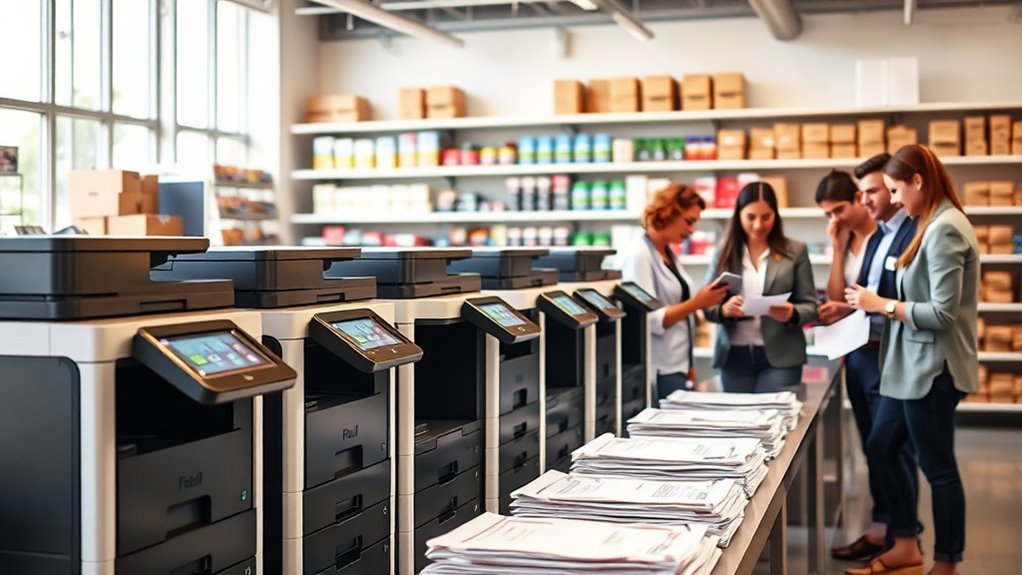
You’ll want to prioritize print speed to keep up with your team’s demands and explore various connectivity options for seamless integration.
Consider how much paper the printer can handle and whether you need color or just monochrome printing.
Don’t forget to weigh cost efficiency to guarantee it fits your budget as your retail team grows.
Print Speed Importance
When choosing a business printer for your growing retail team, speed can make or break daily operations. Higher print speeds, measured in pages per minute (ppm), markedly cut wait times during busy hours—jumping from about 30 ppm to 50 ppm can reduce print latency by up to 60% on large jobs.
Fast first-page-out times also matter, especially for quick receipts and labels, where a few seconds’ difference boosts staff efficiency. Keep in mind color printing usually runs slower than monochrome, so plan for mixed workloads to avoid bottlenecks during promotions.
Match your printer’s speed to typical job size and volume; ultra-fast models help teams with heavy daily printing, but slower printers suffice for low-volume needs. Also, remember rated speeds reflect ideal conditions—real-world results vary with duplex and complex prints.
Connectivity Options Variety
Although print speed is essential, connectivity options play an equally pivotal role in choosing a business printer for your growing retail team. You’ll want a printer that supports dual-band Wi-Fi (2.4 GHz and 5 GHz) and Gigabit Ethernet to keep mobile staff and wired POS systems reliably connected.
Look for multi-protocol support like Wi-Fi Direct, AirPrint, Mopria, and Google Cloud Print alternatives to print directly from smartphones, tablets, or web-based apps without driver hassles. USB host ports and USB-B/2.0 or higher connections simplify local setups, while USB-A ports let you attach peripherals like barcode scanners or cash drawers.
Plus, built-in Ethernet with optional NFC or card authentication secures access and sharing. Don’t forget network security features and remote management tools to keep your system safe and easy to monitor.
Paper Handling Capacity
Choosing a printer with the right paper handling capacity can save your retail team hours of downtime and frustration. Start by estimating your peak daily print volume and select a printer with a standard input capacity two to three times that amount to minimize refills.
Opt for models with multiple trays and expandable input options so you can separate media types like receipts and flyers without disrupting workflows. A large-capacity multipurpose tray and a high-capacity auto document feeder are essential if you frequently print single sheets, envelopes, or use two-sided scanning.
Don’t forget output capacity—choose a stacker that can hold 250+ sheets to avoid jams during busy periods. Finally, guarantee the printer’s monthly duty cycle exceeds your expected volume by 25–50% to reduce maintenance and keep operations smooth.
Color vs. Monochrome
Balancing color needs against cost efficiency plays a pivotal role in picking the right printer for your retail team. If your printing mainly involves receipts, invoices, or internal documents, a monochrome printer offers faster speeds and lower per-page costs with high-yield cartridges and large paper capacity.
However, if you need accurate color for product images, promotional materials, or signage, a color printer is essential to maintain brand appearance and engage customers.
For mixed workloads, a color printer can handle occasional flyers or labels, but expect higher consumable costs and more frequent replacements.
In high-volume environments where color use is limited, you might find it more cost-effective to rely on a monochrome device and outsource color printing to control expenses while meeting your team’s needs.
Cost Efficiency Factors
Once you’ve figured out whether color or monochrome suits your retail team’s needs, the next step is to evaluate cost efficiency factors that impact your overall printing budget. Start by calculating the total cost of ownership (TCO), including upfront purchase price, consumable costs like toner or ink, and prorated maintenance over the printer’s lifespan.
Compare cost-per-page by dividing cartridge price by rated page yield, and prioritize high-yield cartridges to lower expenses for high-volume printing. Don’t forget paper costs—features like automatic duplexing and eco modes can cut paper use appreciably.
Also, consider energy efficiency; models with Auto-On/Off and low standby watts reduce utility bills in busy retail environments. Finally, factor in service and warranty options, as faster repairs and included support minimize downtime and lost productivity.
Security Features Needed
Although cost efficiency is vital, you can’t overlook security when selecting a printer for your growing retail team. Look for devices with secure boot and firmware validation to ensure the printer verifies its firmware integrity on startup and blocks execution if tampering is detected.
Require user authentication—such as PINs, NFC badges, or network single sign-on—for sensitive actions like releasing print jobs or changing settings. Make sure the printer uses encrypted communications (TLS, IPPS, SMB3) and strong certificate management to prevent data interception.
Additionally, enable role-based access control and audit logging to track user activity with timestamps for compliance. Finally, configure network hardening by disabling unused ports, segmenting traffic, enforcing firmware updates, and supporting protocols like 802.1X and LDAP/AD to reduce attack surfaces and protect your retail operations.
Frequently Asked Questions
How Can I Recycle or Dispose of Printer Cartridges Responsibly?
You can recycle printer cartridges by returning them to manufacturers, using local recycling programs, or dropping them off at office supply stores.
Don’t toss them in the trash—they contain harmful materials you want to handle responsibly.
It’s pretty easy to find a nearby place that accepts them, and some stores even offer rewards for recycling.
What Are the Best Practices for Maintaining Printer Security in Retail?
You should use strong passwords and enable encryption to protect sensitive data in your retail environment. Regularly updating firmware is also key to keeping your printer secure.
Make sure to restrict access to authorized users only. It’s a good idea to monitor print logs regularly to spot any unusual activity.
Also, guarantee secure network connections. This helps prevent unauthorized access and keeps your printer—and your business—safe.
Which Printers Offer the Lowest Total Cost of Ownership Over Five Years?
You’ll find that Epson EcoTank and Brother HL-L2350DW models offer the lowest total cost of ownership over five years. They use less ink, have affordable replacements, and require minimal maintenance.
This means they save your retail team money in the long run. It’s a smart choice if you want to keep expenses down without sacrificing quality.
Can These Printers Integrate With Popular Retail POS Software?
Yes, these printers can integrate seamlessly with popular retail POS software. You’ll find they support major platforms through APIs or built-in compatibility.
This makes your checkout process smoother and improves overall efficiency for your growing retail team. It’s all about making things easier and faster at the register.
What Are the Warranty and Customer Support Options for These Printers?
You’ll find warranties that wrap your printer in a safety net, usually one to three years. Customer support is ready to swoop in like a hero—offering phone, chat, or email help whenever you hit a snag.
Conclusion
Choosing the perfect printer powers your productivity and propels your retail team’s progress. Whether you want wireless wonders or dependable duplex devices, deciding on durability, speed, and smart features simplifies your selection.
Don’t delay—discover a device that delivers dynamic performance and dependable results. With the right printer in place, your growing business will breeze through busy days, boosting both brand brilliance and bottom-line benefits.
Pick wisely and print with pride! The best business printers for growing retail teams combine efficiency, reliability, and smart technology to keep your operations smooth. Investing in the right printer today means faster workflows and stronger customer satisfaction tomorrow.