7 Best Cheap Laser Printer All-in-One for 2027
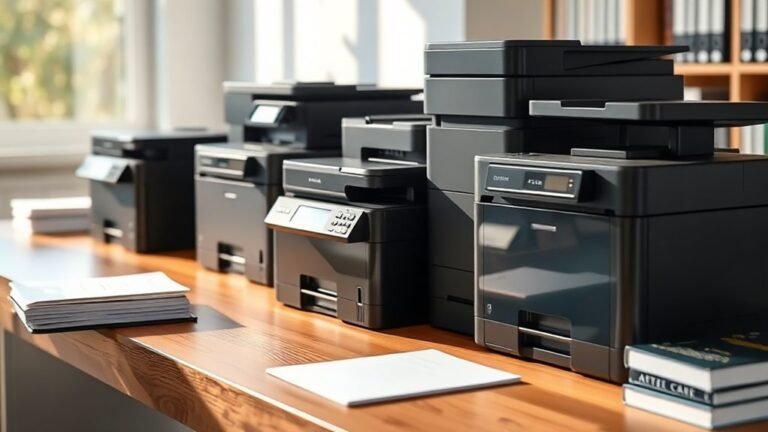
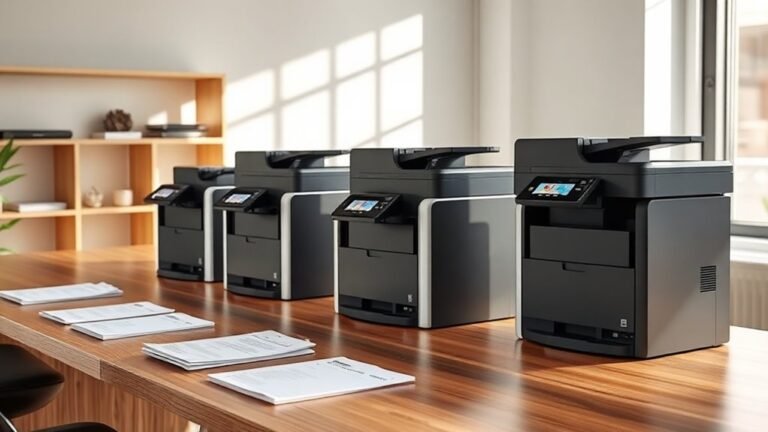
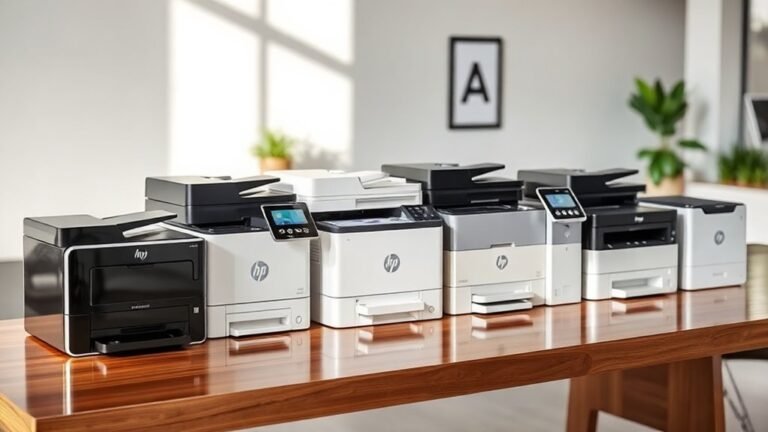
You want a fast, reliable monochrome laser all-in-one printer without breaking the bank. Finding the best cheap laser printer all-in-one for 2027 means balancing speed, quality, and features. Whether you need wireless convenience, compact design, or high-volume capacity, there’s something for every office setup.
The HP LaserJet M140w and M130nw offer compact wireless convenience for small teams, while the M28W suits tight spaces. Need speed? Check the Brother DCP-L2640DW, Canon imageCLASS MF284dw, or HP M227fdn for higher volumes and duplex printing.
The M148dw balances speed and capacity for workgroups. Explore these models to find the perfect fit for your office needs and print demands.
| Image | Name | Editor's Rating | Price |
|---|---|---|---|
|
|
||
|
|
||

|
|
||

|
|
||
|
|
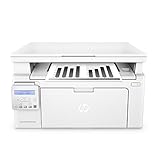
HP LaserJet MFP M140w Wireless All-in-One Printer
- All-in-One Functionality: The HP LaserJet MFP M140w offers the convenience of printing, copying, and scanning in a single, compact device, saving valuable space in your...
- Wireless Connectivity for Easy Printing: Enjoy the flexibility of wireless printing with seamless Wi-Fi connectivity. You can easily print documents from your phone...
- Fast, High-Quality Monochrome Printing: Achieve clear, sharp, black-and-white prints with fast print speeds, making this printer perfect for handling high-volume tasks...
- Effortless Setup and User-Friendly Operation: The HP LaserJet MFP M140w is designed for quick and simple setup. With a user-friendly interface, you'll be up and running...
- Energy-Efficient with Auto-On/Off Technology: Save on energy costs with HP’s Auto-On/Off technology, which automatically powers the printer on when you send a print job...
The HP LaserJet MFP M140w is a compact wireless all-in-one printer designed to simplify your daily tasks. It fits neatly in small spaces, making it ideal for home offices or tight work areas. This printer handles printing, copying, and scanning with ease, helping you stay productive without clutter.
With fast black-and-white printing at 21 pages per minute and sharp 600 dpi resolution, it delivers clear documents quickly. Wireless connectivity and the HP Smart app let you print directly from your smartphone or laptop, reducing cables and setup time. The built-in flatbed scanner supports versatile scanning needs.
Maintenance is straightforward with a 150-sheet input tray that minimizes frequent refills. Energy-saving Auto-On/Auto-Off technology helps reduce power use when the printer is idle. While it only supports monochrome printing and plain paper, it covers the essential functions for everyday office tasks efficiently.
Best for: individuals or small office users needing a compact and efficient wireless monochrome all-in-one printer for routine document management.
What We Like:
- Fast printing speed with crisp 600 dpi resolution
- Convenient wireless and mobile printing options
- Simple maintenance with a 150-sheet tray
- Energy-efficient Auto-On/Auto-Off feature
Specification:
| Feature | Details |
|---|---|
| Manufacturer | HP |
| Dimensions | Compact size (exact size not provided) |
| Weight | Not specified |
| Color | White |
| Connectivity | Wireless (Wi-Fi) |
| Print Speed | 21 ppm (black-and-white) |
| Print Resolution | 600 dpi |
| Paper Capacity | 150 sheets |
| Functions | Print, Copy, Scan |
HP LaserJet Pro MFP M227fdn Printer (G3Q79A)
- Main functions of the HP M227fdn all-in-one laser printer: monochrome print, scanner, copier, fax, AirPrint, double-sided printing, LCD display, 35-sheet auto document...
- This HP M227fdn laser printer replaces HP M225dn printer, additionally the newer HP M227fdn has 15% faster print speed plus HP JetAdvantage Security Manager
- Prints up to 30 pages/minute, input tray paper capacity up to 260 sheets, duty cycle up to 2,000 pages/month
- Mobile printing: mobile print from anywhere with the free HP ePrint app, easily print from your iPhone with AirPrint, send jobs from your devices to any company printer...
- Save office real estate; print, scan, copy, and fax with a compact multifunction laser printer that fits into tight workspaces
The HP LaserJet Pro MFP M227fdn delivers fast, dependable monochrome printing designed to meet the demands of busy workspaces. Its ability to print up to 30 pages per minute with automatic duplexing helps you save time and reduce paper waste. This printer simplifies multitasking with scanning, copying, and faxing, all handled efficiently through a 35-sheet automatic document feeder.
Maintaining this all-in-one device is straightforward. The compact design fits easily in home offices or small businesses, while the built-in Ethernet connection and mobile printing options keep your workflow smooth. HP’s Auto-On/Auto-Off technology helps reduce energy consumption by powering the device only when needed.
This printer is ideal for users who require sharp, clear monochrome prints with a resolution of 1200 x 1200 dpi. It supports convenient mobile and voice-controlled printing, allowing you to print remotely without hassle. However, it is limited to black-and-white output and supports a monthly duty cycle of up to 2,000 pages, which suits moderate printing needs.
The input tray holds up to 260 sheets, which may require regular refilling in high-traffic environments. Overall, this model balances functionality and efficiency for offices that need reliable, everyday printing capabilities.
Best for: Small to medium businesses and home offices needing efficient monochrome printing with multifunction features and mobile connectivity.
What We Like:
- Fast printing speed with automatic duplexing saves time and paper.
- Multifunction capabilities including scanning, copying, and faxing for versatile use.
- Mobile and voice print support with built-in Ethernet enhances connectivity.
- Energy-efficient Auto-On/Auto-Off technology reduces power consumption.
Specification:
| Feature | Details |
|---|---|
| Manufacturer | HP |
| Model | LaserJet Pro MFP M227fdn |
| Print Speed | Up to 30 pages per minute |
| Resolution | 1200 x 1200 dpi |
| Automatic Document Feeder | 35 sheets |
| Input Tray Capacity | 260 sheets |
| Monthly Duty Cycle | Up to 2,000 pages |
| Connectivity | Ethernet, AirPrint, HP ePrint, Google Cloud Print |
| Dimensions (W x D x H) | Compact design (exact dimensions not provided) |
| Color Output | Monochrome (black and white only) |
Brother DCP-L2640DW Wireless Monochrome Printer
- BEST FOR SMALL BUSINESSES – Engineered for extraordinary productivity, the Brother DCP-L2640DW Monochrome (Black & White) 3-in-1 combines laser printer, scanner, copier...
- FAST PRINTER WITH EFFICIENT SCANNING – Produces documents quickly with print speeds up to 36 ppm(2) and scan speeds up to 23.6/7.9 ipm(3) (black/color). A 50-page auto...
- FLEXIBLE CONNECTION OPTIONS – Easily navigate the changing demands of your business with secure multi-device connectivity via built-in dual-band wireless (2.4GHz...
- BROTHER MOBILE CONNECT APP – Print, scan, and manage your wireless printer anytime, from almost anywhere from your mobile device. Order Brother Genuine Supplies, track...
- CHOOSE BROTHER GENUINE TONER – When it’s time to replace your toner, be sure to choose Brother Genuine TN830 or TN830XL replacement toner. And with Refresh EZ Print...

Experience efficient printing with the Brother DCP-L2640DW, designed to meet the needs of small offices and home workspaces. This wireless monochrome printer simplifies daily tasks by combining printing, copying, and scanning into one compact device. It delivers fast output at up to 36 pages per minute, reducing wait times and boosting productivity.
The 50-page auto document feeder and 250-sheet paper tray allow you to handle large jobs with fewer interruptions. Its dual-band wireless, Ethernet, and USB connectivity options make it easy to integrate into different work environments. You can also manage tasks remotely using Brother’s Mobile Connect app, adding convenience to your workflow.
Maintenance is straightforward, with energy-saving features like automatic duplex printing and toner save mode that help lower operating costs and reduce waste. The printer’s compact design fits neatly into tight spaces without sacrificing performance. While it supports only monochrome printing and lacks a touchscreen, its simple controls ensure ease of use without unnecessary complexity.
Best for: small businesses and home offices needing a fast, reliable, and compact monochrome 3-in-1 laser printer for high-volume print, copy, and scan tasks.
What We Like:
- Fast print and copy speeds up to 36 ppm
- Multiple connectivity options including dual-band Wi-Fi and Ethernet
- Energy-efficient duplex printing and toner save mode
- Compact design suitable for limited office space
- Easy remote management via Brother’s Mobile Connect app
Specification:
| Feature | Details |
|---|---|
| Manufacturer | Brother |
| Dimensions | 16.1 x 15.7 x 12.0 inches |
| Weight | 15.4 lb (7.0 kg) |
| Color Options | White |
| Connectivity | Dual-band Wireless, Ethernet, USB |
Canon imageCLASS MF284dw Multifunction Wireless Monochrome Laser Printer
- Print up to 35 pages-per-minute with a first print out of time of less than 4.9 seconds (letter)
- Print on-the-go with Canon Print App, Canon PRINT Business, Apple AirPrint and Mopria Print Service
- High capacity toner option keeps up with your printing needs and limits toner replacement interruptions
- Duplex print saves paper and related costs
- High speed scanning. Single-sided: up to 15/21 ipm (BW/Color)
Discover how the Canon imageCLASS MF284dw can streamline your office tasks with fast, dependable monochrome printing. This multifunction laser printer handles high-volume jobs effortlessly, producing up to 35 pages per minute. Its duplex printing feature cuts paper use in half, saving both resources and time.
Designed to boost productivity, the printer includes copying and scanning functions with an auto document feeder. This ensures smooth handling of multi-page documents without constant attention. Wireless connectivity lets you print directly from your smartphone or tablet via the Canon PRINT app, Apple AirPrint, or Mopria Print Service.
Maintenance is straightforward with high-capacity toner cartridges that reduce the frequency of replacements. The compact white design fits neatly on most desks, balancing a professional look with practical size. While it only supports black-and-white printing and plain paper media, it meets the needs of busy offices focused on efficiency.
Best for: professionals and small to medium offices requiring a reliable, multifunction monochrome laser printer with wireless and duplex capabilities.
What We Like:
- Fast print speed with duplex printing to save time and paper
- Multifunction features including copy, scan, and auto document feeder
- Wireless mobile printing via multiple supported apps
- Compact design suitable for standard office spaces
Specification:
| Feature | Details |
|---|---|
| Manufacturer | Canon |
| Dimensions (W×D×H) | 16.1 × 15.7 × 14.1 inches |
| Weight | 27.6 pounds (12.5 kg) |
| Color Options | White |
| Printing Technology | Monochrome Laser |
HP LaserJet Pro M130nw Wireless All-in-One Printer
- Main functions of the HP M130nw laser printer: monochrome Print, Scanner, copier, wireless printing, LCD display, Ethernet Network connectivity, and more
- This HP M130nw laser printer replaces the HP M125nw printer, additionally the newer HP M130nw has 10 percentage faster print speed plus improved mobile printing...
- Prints up to 23 pages per minute, input tray paper capacity up to 150 sheets, duty cycle up to 1, 500 pages per month
- Mobile printing: use the HP Smart app to easily set up your printer, scan business documents with your mobile camera, and print through Online services like Google drive...
- Keep things simple with HP’s smallest laser all in one. Print Professional documents from a range of mobile devices, plus scan, copy, and help save energy with a...
The HP LaserJet Pro M130nw is designed to meet the everyday needs of small teams and home offices. It delivers reliable monochrome printing, scanning, and copying to keep your workflow smooth and efficient. With print speeds up to 23 pages per minute, this printer reduces waiting time and boosts productivity.
Its compact design fits easily into limited spaces while offering flexible connectivity options. You can connect via Ethernet, USB, or Wi-Fi, and manage tasks conveniently through the HP Smart app. This makes mobile and cloud printing straightforward, helping you stay productive on the go.
Maintenance is simple thanks to the 150-sheet input tray, which balances capacity and size for small workgroups. The printer uses energy-efficient Original HP toner cartridges, which help reduce operating costs and environmental impact. Keep in mind, its monthly duty cycle of 1,500 pages suits light to moderate printing needs.
While the M130nw handles essential tasks well, it only supports black-and-white output, which may limit users needing color printing. Its input tray size and duty cycle also mean it’s best for smaller volumes rather than large or high-demand environments.
Best for: small teams or home offices requiring a compact, monochrome all-in-one printer with reliable wireless and mobile printing features.
What We Like:
- Fast printing speeds up to 23 pages per minute
- Multiple connectivity options including Wi-Fi and Ethernet
- Easy mobile and cloud printing with HP Smart app
- Energy-efficient design with Original HP toner cartridges
Specification:
| Feature | Details |
|---|---|
| Manufacturer | HP |
| Dimensions (W×D×H) | Compact size (exact not provided) |
| Weight | Not specified |
| Color Options | Monochrome (black and white) |
| Connectivity | Ethernet, USB, Wi-Fi |
| Monthly Duty Cycle | 1,500 pages |
| Input Tray Capacity | 150 sheets |
HP LaserJet Pro M148dw Wireless Monochrome Printer
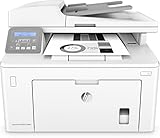
- Uncompromising quality – Print, scan, and copy consistently high-quality documents with the HP LaserJet Pro M148dw all-in-one laser printer, HP's best-value printer for...
- Speed through tasks – Stay productive with an auto document feeder, 250-sheet input tray and print speeds of up to 30 pages a minute from this laser printer scanner
- Stay connected when it matters most - Print from Dropbox and Google Drive with the highly rated HP Smart app for easy printing from your mobile device, or HP...
- Easily print with or without wires – Print from anywhere in the office, and access and share resources on a network with this multifunction laser printer's built-in...
- Print with or without a network – Use built-in Wi-Fi Direct to connect your smartphone directly to your wireless laser printer for easy mobile printing, even without a...
The HP LaserJet Pro M148dw is designed to meet the needs of small workgroups and home offices that require efficient black-and-white printing. Its fast printing speed of 30 pages per minute and sharp 600 dpi resolution help deliver clear, professional documents quickly. This printer handles up to 2,000 pages per month, making it suitable for moderate printing demands.
This model supports automatic duplex printing, reducing paper use and improving workflow efficiency. The 250-sheet input tray accommodates different media types, including envelopes and labels, allowing for versatile printing tasks. Wireless, Ethernet, and mobile printing via the HP Smart app provide convenient connectivity options.
Maintenance is straightforward, though the starter toner cartridge yields around 1,000 pages, which may require early replacement for heavier users. The sheetfed scanner limits scanning flexibility compared to flatbed models but suits basic scanning needs. Its compact design and Energy Star certification make it a power-efficient choice for tight spaces.
Best for: Small workgroups or home offices needing reliable and fast monochrome printing with flexible connectivity and moderate monthly volumes.
What We Like:
- Fast print speed up to 30 ppm with clear 600 dpi output
- Automatic duplex printing saves paper and time
- Versatile media handling with a 250-sheet tray
- Multiple connectivity options including wireless and mobile printing
- Compact, energy-efficient design
Specification:
| Feature | Details |
|---|---|
| Manufacturer | HP |
| Model | LaserJet Pro M148dw |
| Print Speed | Up to 30 pages per minute |
| Print Resolution | 600 dpi |
| Input Tray Capacity | 250 sheets |
| Connectivity | Wireless, Ethernet, Mobile printing via HP Smart app |
| Scanner Type | Sheetfed |
| Monthly Duty Cycle | Up to 2,000 pages |
| Dimensions (W×D×H) | Approx. 16.5 × 15.4 × 10.2 in (42 × 39 × 26 cm) |
| Weight | Approx. 18.5 lb (8.4 kg) |
| Energy Certification | Energy Star certified |
HP LaserJet Pro M28W Wireless Monochrome Printer

- WORLD’S SMALLEST LASER PRINTER IN ITS CLASS – The HP LaserJet Pro M28w all in 1 laser printer, copier. Uncompromising quality. This surprisingly small laser delivers...
- Maximize your uptime with print speeds up to 18/19 ppm. Easily copy both sides of identification cards onto one side of paper.
- Easily scan files directly to PDF and email with pre-loaded business apps. Productivity that fits anywhere. Easily handle tasks and get a lot from one device Print, scan...
- Share resources using the built-in wireless connection, or print from your smartphone with the HP Smart app. Save time by scanning directly to email or PDF, and save...
Experience efficient printing in tight spaces with the HP LaserJet Pro M28W, a compact and reliable monochrome laser printer designed to simplify your daily tasks. Its small size fits effortlessly on any desk, making it perfect for home offices or small workspaces where space is limited.
This all-in-one device combines printing, scanning, and copying functions, helping you handle multiple document needs without clutter. You can easily scan documents directly to PDF or email, streamlining your workflow with built-in business apps.
Wireless connectivity and the HP Smart app make printing from smartphones or tablets straightforward and convenient. No more cables or complicated setups—just fast, dependable printing right from your mobile device.
Maintenance is simple with energy-saving features like Auto-On/Auto-Off, which reduce power consumption without sacrificing performance. The printer delivers consistent monochrome output at speeds up to 18 pages per minute, balancing efficiency and quality for everyday use.
Best for: Small office or home users seeking a compact, efficient, and wireless monochrome laser printer with scanning and copying capabilities.
What We Like:
- World’s smallest laser printer in its class, perfect for limited space
- Wireless printing via HP Smart app for easy mobile use
- Energy-efficient Auto-On/Auto-Off reduces power consumption
- Simple all-in-one functionality for printing, scanning, and copying
Specification:
| Feature | Details |
|---|---|
| Manufacturer | HP |
| Dimensions | 14.8 x 10.5 x 7.7 in |
| Weight | 11.2 lb (5.1 kg) |
| Color | White |
| Connectivity | Wireless (Wi-Fi) |
Factors to Consider When Choosing a Cheap Laser Printer All in One

When choosing a cheap laser all-in-one printer, you’ll want to take into account how fast it prints and what connectivity options it offers. Think about the print quality you need and how much paper the machine can handle at once.
Also, check for energy efficiency to keep your costs down over time. It’s all about finding the right balance between features and price that works for you.
Printing Speed Requirements
Often, matching print speed to your workload can dramatically improve efficiency. If you print occasionally at home, 15–20 ppm usually suffices.
For small offices, aim for 25–35+ ppm to prevent bottlenecks. Don’t overlook first-page-out time—if you handle many short jobs, a fast FPO under 10 seconds keeps things moving.
Also, check copy speeds separately since copying multi-page documents often differs from printing speed. If you rely on two-sided printing, consider duplex speed, as automatic duplexing can slow overall throughput.
Finally, balance speed with the monthly duty cycle—high ppm won’t help if the printer’s recommended volume falls short of your needs. Matching these factors guarantees your cheap laser all-in-one keeps pace without wasting resources.
Connectivity Options Available
How do you guarantee your cheap laser all-in-one printer fits seamlessly into your workspace? Start by choosing one with versatile connectivity options. Make sure it supports both Wi-Fi, including Wi-Fi Direct for easy device-to-printer links, and wired Ethernet for a stable network connection.
USB ports, whether USB-B or USB-A, are essential for direct PC connections or printing from thumb drives when network access is limited. Don’t forget mobile and cloud printing protocols like AirPrint and Mopria, so you can print and scan straight from your smartphone or tablet.
If multiple users need access, look for network features like multi-user driver support and scan-to-network folder or email options. An automatic document feeder with scan-to-email or FTP further streamlines multi-page tasks, boosting efficiency.
Print Quality Expectations
Once your printer fits smoothly into your network, the next step is to assess the print quality you can expect. Monochrome laser printers typically offer sharp text at resolutions from 600 x 600 dpi up to 1200 x 1200 dpi. Higher dpi delivers crisper small fonts and finer line art.
Keep in mind, cheap laser MFPs aren’t designed for photo-quality color—they shine with black-and-white documents, forms, and simple graphics. Print speed can affect output quality; faster speeds might introduce slight banding or reduce halftone smoothness.
Toner type and yield impact consistency, while proper fuser temperature guarantees density uniformity and durability. For business use, look for duplexing and toner smear resistance to keep two-sided prints legible and smudge-free.
Paper Handling Capacity
Several key factors influence the paper handling capacity of a cheap laser printer all-in-one, and understanding these can save you time and frustration. First, check the input tray capacity—budget models typically hold 150 to 250 sheets. So, pick one that matches your average print volume to avoid constant refills.
If you scan or copy multi-page documents often, look for an automatic document feeder (ADF) with a 35 to 50-sheet capacity. Don’t forget to verify output tray capacity and reliability to avoid jams or overflow during large print jobs.
Also, confirm if the printer supports automatic duplex printing and how it affects speed or feed capacity. Finally, consider the maximum paper sizes and types supported, plus any manual or priority trays for specialty media like envelopes or cardstock.
Energy Efficiency Features
After considering paper handling capacity, you’ll want to focus on energy efficiency features that can lower your operating costs. Look for printers with Auto-On/Auto-Off or scheduled sleep modes that power down automatically when idle, cutting standby energy use.
Check for ENERGY STAR or EPEAT certification, which signals better energy efficiency and lower power consumption. Compare typical and maximum wattage—choosing models with lower power draw during operation and sleep saves money over time.
Opt for printers with duplex printing and toner-save modes to reduce paper and toner use per job. Finally, make certain your printer’s duty cycle matches your monthly volume; running a properly sized model at lower utilization avoids inefficient warm-ups that waste energy.
These features help you print smarter and greener without breaking your budget. It’s all about finding the right balance that fits your needs and helps save some cash in the long run.
Frequently Asked Questions
How Do Laser Printers Compare to Inkjet Printers in Print Quality?
You’ll find laser printers deliver sharper text and faster printing, while inkjets excel with vibrant colors and photo quality.
Depending on your needs, you’ll choose laser for documents and inkjet for detailed images.
What Is the Average Lifespan of a Cheap Laser Printer All-In-One?
Imagine your printer humming steadily for about 3 to 5 years before showing wear.
You’ll typically get that average lifespan from a cheap laser all-in-one, depending on usage and maintenance habits you keep.
Are Cheap Laser Printers Compatible With Mac and Linux Systems?
Yes, many cheap laser printers work with Mac and Linux, but you’ll want to check specific model compatibility and driver support before buying.
Sometimes, open-source drivers help, but official support varies widely between brands and models.
How Energy-Efficient Are Budget Laser Printers Compared to Higher-End Models?
Energy efficiency in budget laser printers often runs a close race with higher-end models, but you’ll usually find they sip power a bit more. You won’t sacrifice much, but premium options generally save more energy overall.
That said, the difference isn’t huge. So if you’re on a tight budget, a basic model can still be a smart choice without wasting too much power.
Can Cheap Laser Printers Handle Photo Printing Effectively?
Cheap laser printers can handle basic photo printing, but you won’t get vibrant colors or high detail.
If you want quality photos, you’ll need an inkjet or a higher-end laser model designed specifically for photo printing.
Conclusion
When choosing a cheap laser printer all-in-one, remember that “you get what you pay for.” While saving money is great, prioritize reliability and features that suit your needs.
Whether it’s wireless convenience or multifunction capabilities, picking the right model makes certain you won’t regret your choice. With options like HP, Brother, and Canon, you can find a budget-friendly printer that works hard without breaking the bank.
Don’t rush—choose wisely for the best value. Finding the best cheap laser printer all-in-one means balancing cost with quality and functionality. Look for models that offer solid performance, easy setup, and the features you need for home or office use.
In 2027, the best cheap laser printer all-in-one will give you dependable printing, scanning, and copying without sacrifice. So take your time, compare options, and invest in a printer that delivers lasting value without overspending.