3 best cheap 3d printer 2026 recommendations
If you’re on the hunt for the best cheap 3D printer in 2026, you want something that balances quality, features, and affordability. Whether you’re a hobbyist, educator, or just starting out, there are plenty of budget-friendly options that don’t skimp on performance.
From multicolor printing to easy setup and smart features, these printers are designed to make your 3D printing experience smooth and enjoyable without breaking the bank.
If you want hassle-free multicolor printing, the Anycubic Kobra X Multicolor offers up to 4 colors out of the box and easy setup with auto bed leveling.
For beginners or educators, the Entina Tina2 Plus delivers WiFi control and a compact, partially enclosed frame ideal for classrooms.
The ELEGOO Centauri 2 excels with full auto calibration and automatic filament checks, perfect for smooth prints.
Explore these to find the best fit for your projects and budget.
| Image | Name | Editor's Rating | Price |
|---|---|---|---|

|
|
||

|
|
||

|
|
Anycubic Kobra X Multicolor 3D Printer, Easy One-Click Printing
- 【Vivid 19-Color and Versatile Materials】Unleash creativity beyond limits. The Kobra X supports 4-color standard and expands up to 19 colors with 4 ACE 2 Pro for...
- 【600mm/s High Speed Performance】Don't let slow speeds limit your creativity. This high-speed FDM 3D printer reaches up to 600mm/s, completing tasks significantly...
- 【True Plug & Play Experience】Start your first project in as little as 15 minutes. The Kobra X arrives with a user-friendly setup and LeviQ 3.0 automatic bed leveling...
- 【LeviQ 3.0 Perfect First Layer】Forget the frustration of manual bed leveling that plagues beginner machines. The LeviQ 3.0 system utilizes 49-point full-auto leveling...
- 【Quiet & Reliable for Home】The ultra-quiet ≤48 dB operation ensures the living or learning space remains peaceful. Combined with power loss recovery and filament...
Discover the freedom to create vibrant multicolor 3D prints effortlessly with the Anycubic Kobra X Multicolor. This printer handles up to four colors right out of the box, and with extra modules, it expands to an impressive 19 colors. It solves the common challenge of smooth material transitions, thanks to its adaptive extrusion force compensator.
Setting up the printer is straightforward with true plug-and-play functionality. The LeviQ 3.0 automatic bed leveling guarantees your first layer is consistently perfect, reducing the frustration of failed prints. Real-time monitoring paired with AI error detection helps catch issues early, saving time and material.
Designed for creators who want hassle-free multicolor printing, the Kobra X supports materials like TPU, PLA, and PETG. Maintenance is simplified by its intuitive interface and reliable hardware, making it accessible for both hobbyists and professionals.
While the print volume is limited to 260 × 260 × 260 mm, it suits a wide range of projects. Keep in mind, expanding beyond four colors requires additional modules, and compatibility with specialty filaments is limited.
Best for: Creators and hobbyists seeking an easy-to-use multicolor 3D printer capable of handling complex, vibrant designs with reliable first-layer accuracy and smart error prevention.
What We Like:
- Supports up to 4 colors standard and expandable to 19 colors for intricate multicolor prints
- True plug-and-play setup with LeviQ 3.0 automatic bed leveling ensures quick and reliable first layers
- AI-powered real-time monitoring and error detection reduce failed prints and material waste
Specification:
| Feature | Details |
|---|---|
| Manufacturer | Anycubic |
| Print Volume | 260 × 260 × 260 mm |
| Standard Colors | Up to 4 |
| Expandable Colors | Up to 19 with additional modules |
| Compatible Materials | TPU, PLA, PETG |
Entina Tina2 Plus 3D Printer with WiFi & App Control
- 【Start Printing in Minutes – Beginner Friendly】No setup required. Tina2 Plus 3d printer comes fully assembled and ready to use out of the box. With included TF card...
- 【Fast 250mm/s Printing Performance】This Tina2 Plus high speed 3D printer print speeds up to 250 mm/s help reduce waiting time and support fast project turnaround...
- 【WiFi App Control & STEM Model Library】Powered by the Poloprint Cloud app, this WiFi-enabled 3D printer gives access to 3,500+ printable models and 25+ creative DIY...
- 【40-Second Fast Heat Ceramic Hotend】High-efficiency ceramic hotend heats up in just 40 seconds for faster start-up and less downtime. The quick-swap nozzle design...
- 【Compact 3D Printer for Home & Classroom】Designed with a space-saving footprint while maintaining practical print capacity, this compact 3D printer fits easily on...
The Entina Tina2 Plus transforms 3D printing into a hassle-free experience for beginners and educators alike. Its fully assembled design lets you start printing immediately, eliminating complicated setups. With WiFi connectivity and the Poloprint Cloud app, you can control the printer remotely and explore thousands of ready-to-print models.
This printer handles projects efficiently with print speeds up to 250 mm/s. The fast-heating ceramic hotend and auto-leveling PEI spring steel build plate ensure consistent, high-quality prints. Its compact, partially enclosed frame fits neatly in classrooms or home workspaces, making it ideal for educational and STEM activities.
Maintenance is straightforward thanks to the durable build plate and easy access to components. However, the partially enclosed design means it’s best used under supervision. The moderate build volume suits most small to medium projects but may limit larger creations.
Overall, the Tina2 Plus offers a seamless blend of functionality and convenience for users new to 3D printing, providing reliable performance and remote operation in a space-conscious package.
Best for: Beginners, educators, and STEM enthusiasts seeking an easy-to-use, WiFi-enabled 3D printer for classrooms and home projects.
What We Like:
- Fully assembled with preloaded models for quick setup
- Fast print speeds and efficient heating for quality results
- WiFi and app control for remote operation and model access
- Compact design fits well in limited spaces
- Auto-leveling build plate simplifies maintenance
Specification:
| Feature | Details |
|---|---|
| Manufacturer | Entina |
| Dimensions | Compact (exact size not specified) |
| Weight | Not specified |
| Material | PEI spring steel build plate, ceramic hotend |
| Color Options | Not specified |
ELEGOO Centauri 2 3D Printer, Full Auto Calibration, Beginner-Friendly
- Easy from Start to Finish: Whether you’re a beginner or an experienced maker, automatic calibration and smart pre-print checks take care of setup before every job...
- Designed for Speed: Turn hours of waiting into finished creations with speeds up to 500 mm/s and 20,000 mm/s² acceleration. The high-speed CoreXY system and rigid...
- Smoother, Sharper, Smarter: From the first layer to the final detail, intelligent calibration, vibration compensation, and precise extrusion control help produce clean...
- A Seamless Workflow from Idea to Print: Find inspiration from thousands of ready-to-print models on Nexprint, prepare files easily with ElegooSlicer, and monitor your...
- Made for Easier Everyday Printing: A user-friendly 5-inch touchscreen simplifies operation, while the magnetic printhead cover, semi-automatic belt tensioner, and nozzle...

Experience hassle-free 3D printing with the ELEGOO Centauri 2, designed to simplify your creative process. Its full auto calibration takes the guesswork out of setup, allowing you to start printing with confidence and ease. This beginner-friendly printer ensures consistent results through smart pre-print checks and effortless filament loading.
The sturdy CoreXY motion system paired with a rigid aluminum frame delivers fast and stable printing. You’ll enjoy sharp details and smooth surfaces thanks to precise extrusion control. Its 256mm cubic build volume provides enough space to bring a variety of projects to life, from prototypes to hobby models.
Maintenance is straightforward, with a high-temperature nozzle capable of reaching 350°C for versatile filament options. However, this feature may require some filament handling knowledge. Weighing 30.1 pounds, the printer is stable but less portable than smaller desktop models.
Control your prints easily via the intuitive 5-inch touchscreen or remotely through the ELEGOO Matrix app. File preparation is streamlined using ElegooSlicer, and access to Nexprint’s model library adds creative convenience.
Best for: Beginners and hobbyists seeking a reliable, fast 3D printer with automatic calibration and remote print monitoring.
What We Like:
- Full auto calibration and smart pre-print checks for easy setup
- High-speed CoreXY system ensures stable, precise prints
- User-friendly features like easy filament loading and touchscreen control
- Remote monitoring via ELEGOO Matrix app enhances convenience
Specification:
| Feature | Details |
|---|---|
| Manufacturer | ELEGOO |
| Build Volume | 256 × 256 × 256 mm |
| Weight | 13.65 kg (30.1 lbs) |
| Frame Material | Aluminum |
| Nozzle Max Temp | 350°C |
| Touchscreen | 5-inch Color Display |
Factors to Consider When Choosing Cheap 3d Printer 2026 Recommendations
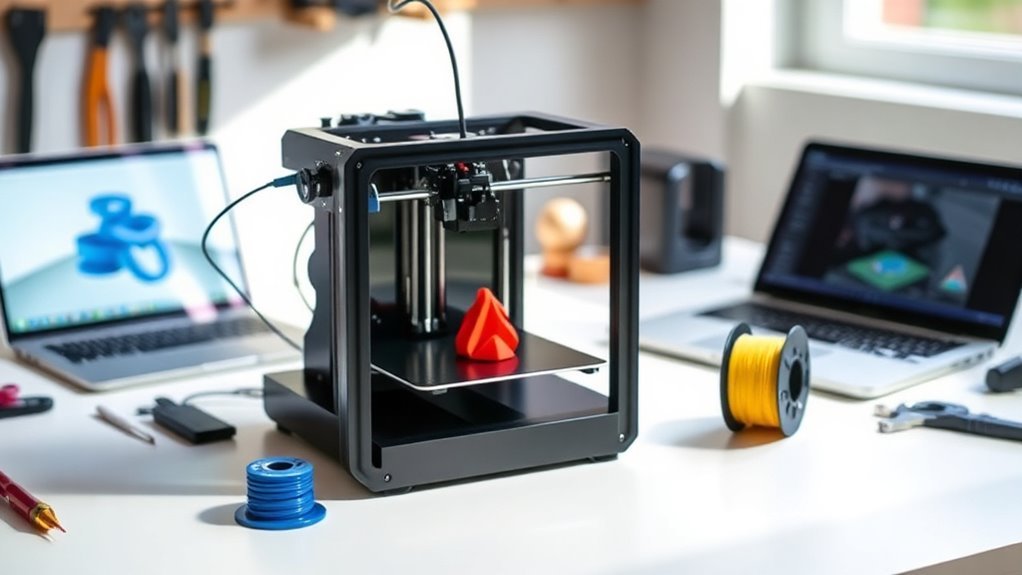
When choosing a cheap 3D printer, you’ll want to focus on print quality and speed to get the best results. Consider the build volume size and material compatibility to match your project needs.
Also, pay attention to ease of setup, connectivity, and control options for a smoother printing experience. These little details can make a big difference in how enjoyable and efficient your printing is.
Print Quality and Speed
You’ll often find that print quality and speed go hand in hand when choosing a cheap 3D printer in 2026. To get the best results, look for printers with higher nozzle temperatures (300–350°C) and hardened nozzles to handle diverse filaments like PLA, TPU, and specialty blends without quality loss.
A rigid frame or CoreXY design with vibration compensation keeps details crisp, even at faster speeds. While maximum travel speed and acceleration matter, actual print speed depends on firmware tuning and thermal capacity.
Features like precise extrusion control, adaptive compensation, and reliable auto bed leveling improve layer adhesion and consistency, letting you print faster without sacrificing quality. Plus, monitoring tools such as filament sensors and power-loss recovery reduce failed prints, so you can confidently push your printer’s speed limits.
Build Volume Size
Although build volume might seem like a simple specification, choosing the right size for your projects can make a huge difference in your 3D printing experience. If you mostly print small figurines or parts, a build volume around 150–200 mm cubed usually suffices.
For larger prototypes or home items, aim for 250–300 mm or more per axis. Keep in mind, bigger volumes mean longer print times and higher filament use, which can increase failure risk unless your printer supports run-out and power-loss recovery.
Check the usable build space carefully—some printers advertise max dimensions blocked by gantries or limit switches. Also, balance size with printer stability; larger volumes need stiffer frames to maintain quality.
A bit more headroom in Z or XY helps if you plan multicolor or multipart prints, reducing assembly hassle. It’s worth thinking about this early on to save time and frustration later!
Material Compatibility Options
Choosing the right build volume sets the foundation, but material compatibility shapes what you can actually create. You’ll want to check which filament types the printer supports—PLA, PETG, TPU, ASA, or PVA—and confirm the hotend and extruder can handle them.
Make sure the nozzle and hotend reach high enough temperatures (300–350°C) for specialty materials. If you plan to print flexible TPU or abrasive filaments, look for a hardened-steel nozzle and a strong extruder, like direct drive or a durable Bowden system.
Also, consider the build plate surface—PEI, spring steel, glass, or magnetic beds—to guarantee proper adhesion, especially for ABS or ASA prints. Features like multi-material support and filament sensors can be essential if you want complex or multi-color models.
Ease of Setup
When selecting a cheap 3D printer, ease of setup plays a crucial role in getting you printing quickly without frustration. Look for models labeled “fully assembled” or “plug-and-play,” which can have you ready to print in under 30 minutes.
Automatic bed leveling systems, such as multi-point or 49-point calibration, remove the hassle of manual adjustments. Guided wizards, touchscreen interfaces, or mobile app onboarding simplify loading filament, heating the nozzle, and running test prints.
Many printers come with preloaded sample models and include SD cards or TF cards, so you can start printing immediately without complex slicer setup. Features like quick-swap nozzles and accessible filament paths make loading and maintenance straightforward, ensuring your initial experience is smooth and beginner-friendly.
Connectivity and Control
How do you stay in control of your 3D printing projects without being glued to your printer? Prioritize models offering multiple connectivity options like USB, SD/TF card, and Wi‑Fi. This flexibility lets you slice files locally or print remotely, even if your network acts up.
Look for printers with mobile apps or cloud support so you can start, stop, and monitor prints from anywhere. Built-in cameras and real-time error alerts help you catch issues like filament runout or print failures early.
If you want to automate or integrate your printer with other systems, check for open APIs and broad slicer compatibility. Finally, features like power-loss recovery, filament sensors, and modular hardware let you handle interruptions smoothly and update firmware remotely, keeping your projects on track.
Noise Levels During Operation
Staying connected and in control of your 3D printer is important, but so is guaranteeing it won’t disrupt your living space with excessive noise. Typical home-friendly FDM printers run between 40 and 60 dB, so choosing a model rated at or below 48 dB keeps noise levels more comfortable.
The main noise sources are stepper motors, fans, and frame vibrations. Fans often cause high-frequency sounds, which can be particularly noticeable.
Look for printers featuring quieter stepper drivers like TMC, insulated enclosures, vibration-damping mounts, and optimized fan profiles to minimize noise. These features really make a difference.
Keep in mind that print speed and cooling settings affect sound output. Faster speeds and aggressive cooling tend to increase noise.
Always check decibel ratings measured at a standard distance to guarantee an accurate, fair comparison. That way, you’ll know exactly what you’re getting.
Calibration and Automation
In choosing a cheap 3D printer for 2026, you’ll want to prioritize calibration and automation features that simplify setup and improve print reliability. Look for automatic bed leveling with multiple probe points—this compensates for bed tilt and surface irregularities, reducing first-layer failures.
Full or semi-auto calibration routines that adjust nozzle height and mesh bed compensation save time and guarantee consistent adhesion. Pre-print smart checks, like filament presence and nozzle temperature readiness, plus filament run-out detection, prevent failed prints and wasted material.
Automated vibration compensation and dynamic extrusion calibration maintain accuracy and surface quality at higher speeds. Features such as easy filament loading, quick-swap nozzles, and guided maintenance prompts make daily calibration approachable.
These help you keep your printer running smoothly without hassle. It’s all about making the process as hassle-free as possible so you can focus on printing great models.
Safety Features and Design
While affordable 3D printers can offer impressive features, you shouldn’t overlook essential safety aspects that protect both you and your workspace. Look for printers with enclosed or partially enclosed frames and heat shields to prevent accidental contact with hot parts and contain harmful fumes.
Make sure the printer has reliable thermal runaway protection and high-temperature cutoffs for the hotend and heated bed to avoid uncontrolled heating. It’s also a good idea to choose models with vented electronics compartments and covered belts or gears to keep fingers and loose clothing safe.
Features like filament run-out detection, power-loss recovery, and print-monitoring cameras help reduce risks of fire or molten filament spills. Plus, opting for non-flammable build plates, replaceable nozzle parts, clear safety warnings, and accessible firmware updates will keep your printer running safely over the long haul.
Frequently Asked Questions
What Materials Are Compatible With Budget 3D Printers?
You’ll find budget 3D printers mostly work with PLA, ABS, and PETG filaments. These materials are affordable, easy to print with, and widely available, making them perfect for beginners and casual hobbyists starting out.
Plus, since they’re so common, you won’t have any trouble finding them online or in stores. It’s really a great way to get started without breaking the bank.
How Do I Maintain and Clean a Cheap 3D Printer?
You should regularly clean the nozzle with a needle and remove any filament residue. This helps to keep the printer running smoothly and avoids clogs.
Also, make sure to lubricate the moving parts often. Keeping the bed surface clean is important too—it ensures your prints stick properly and come out great.
Don’t forget to calibrate your printer frequently. This guarantees quality prints and helps prevent mechanical issues down the line. It’s a simple step that really pays off!
Can Cheap 3D Printers Print Large Objects?
You can print large objects with cheap 3D printers, but their build volume is often limited. You might need to print in parts and assemble them later.
Upgrading parts can sometimes help increase size capacity. It’s a bit of a workaround, but it gets the job done!
What Software Is Best for Beginners in 3D Printing?
Think of software as the paintbrush for your 3D masterpiece. You’ll want to start with Tinkercad or Ultimaker Cura.
They’re user-friendly, intuitive, and perfect for beginners to bring your ideas to life without frustration.
Are Cheap 3D Printers Safe for Home Use?
Yes, cheap 3D printers are generally safe for home use if you follow safety guidelines. You should make sure proper ventilation, avoid touching hot parts, and never leave the printer unattended during operation to prevent accidents.
Just keep these simple precautions in mind, and you’ll be good to go! It’s all about staying aware and careful while your printer is running.
Conclusion
Choosing the right cheap 3D printer doesn’t have to be overwhelming. Whether you want the easy one-click printing of the Anycubic Kobra X, the smart WiFi control of the Entina Tina2 Plus, or the beginner-friendly auto calibration of the ELEGOO Centauri 2, there’s a perfect fit for you.
So, why settle for less when you can get quality, convenience, and innovation all in one affordable package? These budget-friendly 3D printers offer great features without breaking the bank.
Your creative journey starts here! With the best cheap 3D printer in 2026, you can bring your ideas to life effortlessly. Dive into 3D printing with confidence and enjoy smart controls, easy setup, and reliable performance—all within a budget that suits you.