8 Best Budget Wireless Inkjet Printers for 2027 That Save Big
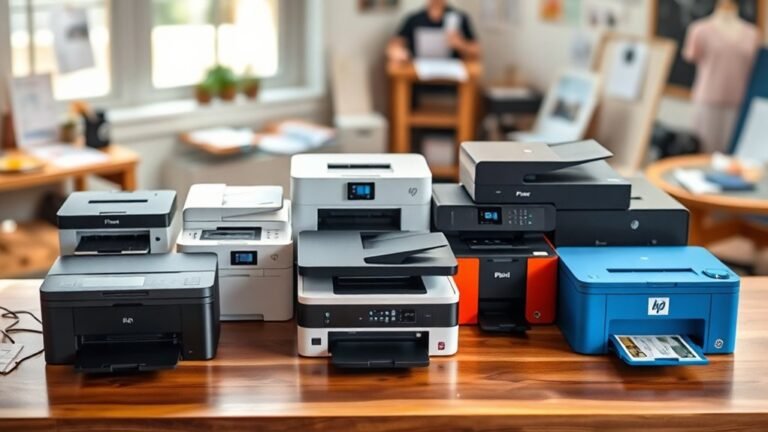
If you’re on the hunt for a budget-friendly wireless inkjet printer that saves both money and space, there are some great options to consider. Models like the HP DeskJet 2923, Canon PIXMA TS4320, and Epson XP-4205 stand out for their affordability and reliable performance.
These printers come with compact designs that won’t clutter your desk. Plus, they support mobile printing, making it easy to print directly from your smartphone or tablet. Efficient ink use is another bonus, with options like subscription plans or individual cartridges helping you keep costs down.
You’ll also find handy features like automatic duplexing and Bluetooth connectivity, which reduce hassle and save on paper. Each model strikes a nice balance between quality and affordability. So, keep exploring these wireless inkjet printer options to find the perfect fit for your home or office needs!
| Image | Name | Editor's Rating | Price |
|---|---|---|---|

|
|
||

|
|
||

|
|
||

|
|
||
|
|
HP DeskJet 2923 Color Inkjet Printer | Wireless | All-in-One
- Perfect for basic printing needs – Print everyday color documents like to-do lists, letters, financial documents and recipes
- KEY FEATURES – Color print, copy, scan, and a 60-sheet input tray, plus mobile and wireless printing
- OPTIMIZE PRINT FORMATTING WITH HP AI – Print web pages and emails with precision—no wasted pages or awkward layouts; HP AI easily removes unwanted content, so your...
- ICON LCD – Print your basic documents with ease from the intuitive control panel
- PRINT SPEED – Up to 7.5 ppm black, 5.5 ppm color

Experience hassle-free printing with the HP DeskJet 2923 Color Inkjet Printer, designed to meet everyday home and small office needs. This all-in-one printer simplifies your tasks by combining printing, scanning, and copying in one compact device. Its small footprint fits neatly on any desk or shelf without taking up much space.
Stay connected with dual-band Wi-Fi and print directly from your smartphone using the mobile app. This wireless capability eliminates the need for cables and lets you manage documents on the go, making it easier to handle tasks quickly and efficiently.
Maintenance is straightforward, supported by a 6-month Instant Ink trial that helps keep ink costs manageable and your printer ready to use. The 60-sheet input tray and manual duplex printing let you handle daily printing jobs without hassle, though automatic double-sided printing isn’t available.
While the printer’s speed is moderate, it delivers clear color and black prints suitable for personal documents like letters, recipes, and to-do lists. It’s a practical choice for users who value ease of use and affordability over heavy-duty volume.
Best for: Home users or individuals seeking a compact, budget-friendly all-in-one printer for basic color printing, scanning, and copying with wireless convenience.
What We Like:
- Easy wireless printing with dual-band Wi-Fi and mobile app support
- Includes a 6-month Instant Ink trial to reduce ink expenses
- Compact design fits well in small spaces
- Simple maintenance with manageable input capacity
- Versatile all-in-one functionality for everyday tasks
Specification:
| Feature | Details |
|---|---|
| Manufacturer | HP |
| Model | DeskJet 2923 |
| Printer Type | Color Inkjet, All-in-One |
| Connectivity | Dual-band Wi-Fi, Mobile App |
| Input Tray Capacity | 60 sheets |
| Duplex Printing | Manual |
| Dimensions (W×D×H) | Approx. 16.5 × 12.2 × 6.1 in |
| Weight | Approx. 5.2 lb (2.36 kg) |
Canon PIXMA TS4320 – Wireless Color Inkjet Printer with Print, Copy, Scan
- Affordable Versatility - A budget-friendly all-in-one printer perfect for both home users and hybrid workers, offering exceptional value
- Crisp, Vibrant Prints - Experience impressive print quality for both documents and photos, thanks to its 2-cartridge hybrid ink system that delivers sharp text and vivid...
- Effortless Setup & Use - Get started quickly with easy setup for your smartphone or computer, so you can print, scan, and copy without delay
- Reliable Wireless Connectivity - Enjoy stable and consistent connections with dual-band Wi-Fi (2.4GHz or 5GHz), ensuring smooth printing from anywhere in your home or...
- Scan & Copy Handling - Utilize the device’s integrated scanner for efficient scanning and copying operations
The Canon PIXMA TS4320 is a compact, wireless color inkjet printer designed to simplify your everyday printing, copying, and scanning tasks. Its small size fits comfortably on any desk, making it ideal for home environments where space is limited. With sharp print quality up to 1200 dpi, it delivers crisp documents and vibrant photos with ease.
This model supports dual-band Wi-Fi, allowing seamless connection to your home network. Mobile printing is straightforward through the Canon PRINT app, Apple AirPrint, and Mopria Print Service, enabling you to print directly from smartphones and tablets. Automatic duplex printing helps reduce paper use, making it an efficient choice for regular document handling.
Maintenance is straightforward thanks to the hybrid ink system, which lowers running costs without compromising quality. The PIXMA Print Plan offers an option to save up to 70% on ink, helping you manage expenses over time. However, the printer lacks an automatic document feeder, so scanning or copying multiple pages requires manual input.
Best for: Home users seeking an affordable, compact wireless printer for daily tasks like schoolwork, recipes, and photo printing.
What We Like:
- Compact design fits small spaces easily
- Dual-band Wi-Fi with versatile mobile printing options
- Automatic duplex printing saves paper
- Cost-effective hybrid ink system with optional ink subscription
- Sharp color and black-and-white print quality up to 1200 dpi
Specification:
| Feature | Details |
|---|---|
| Manufacturer | Canon |
| Dimensions (W x D x H) | Approximately 12 x 12 x 5 inches |
| Weight | Around 8.4 lbs (3.8 kg) |
| Color Options | White, Black |
| Connectivity | Dual-band Wi-Fi, USB |
Epson XP-4205 Wireless Color All-in-One Printer
The Epson XP-4205 Wireless Color All-in-One Printer is designed to streamline your workspace by combining printing, copying, and scanning into one compact device. Its wireless connectivity lets you print directly from your PC or smartphone, helping you stay productive without the hassle of cables or complicated setups.
This printer delivers crisp black-and-white prints at up to 10 pages per minute and color prints at 5 pages per minute. Automatic duplex printing reduces paper waste, making it a practical choice for everyday office tasks. The 2.4-inch LCD screen and voice control features simplify operation, so you can manage tasks quickly and efficiently.
Maintaining this printer is straightforward, thanks to the included four Claria ink cartridges that provide vibrant colors and sharp text. It supports glossy photo paper, allowing you to produce high-quality prints without needing a separate photo printer. However, it only handles media up to standard letter size (8.5 x 11 inches), which may limit larger print jobs.
Best for: Individuals and small offices seeking a versatile, wireless all-in-one printer with easy mobile connectivity and efficient document handling.
What We Like:
- Wireless printing with smartphone and PC compatibility for flexible use
- Automatic duplexing to save paper and improve efficiency
- Four included Claria ink cartridges for vibrant color and sharp text
Specification:
| Feature | Details |
|---|---|
| Manufacturer | Epson |
| Dimensions (W×D×H) | 14.8 × 12.7 × 6.0 inches |
| Weight | 7.1 lbs (3.2 kg) |
| Color | Black |
| Print Speed | Up to 10 ppm (black), 5 ppm (color) |
| Media Size Supported | Up to 8.5 × 11 inches |
HP DeskJet 2955 Color Inkjet Printer | Wireless | All-in-One
- PERFECT FOR BASIC PRINTING NEEDS – Print everyday color documents like to-do lists, letters, financial documents and recipes
- KEY FEATURES – Color print, copy, scan, and a 60-sheet input tray, plus mobile and wireless printing
- OPTIMIZE PRINT FORMATTING WITH HP AI – Print web pages and emails with precision—no wasted pages or awkward layouts; HP AI easily removes unwanted content, so your...
- ICON LCD – Print your basic documents with ease from the intuitive control panel
- PRINT SPEED – Up to 7.5 ppm black, 5.5 ppm color
The HP DeskJet 2955 Color Inkjet Printer brings convenience to your home office with its all-in-one functionality. It combines printing, scanning, and copying in a compact design that fits neatly in small spaces. This printer supports wireless printing, making it simple to connect from your smartphone or laptop.
With dual-band Wi-Fi and compatibility with Apple AirPrint and Mopria, you can print directly from mobile devices without hassle. The printer delivers vibrant color prints and sharp black text, ideal for everyday tasks like homework, documents, and photos. Its 60-sheet input tray handles common paper sizes, minimizing frequent refills.
Maintenance is straightforward thanks to HP’s AI-driven technology, which optimizes ink use to reduce waste. Although it requires manual duplexing for double-sided prints and has moderate print speeds, it suits users who prioritize sustainability and ease of use. The printer is ENERGY STAR certified and made with 70% recycled plastics, reflecting an eco-friendly choice.
Best for: Home users and students needing a compact, affordable wireless printer for basic color printing, scanning, and copying.
What We Like:
- Easy wireless setup with dual-band Wi-Fi and mobile printing support
- Compact and lightweight, ideal for limited spaces
- ENERGY STAR certified with recycled plastic components
- AI technology helps conserve ink during printing
Specification:
| Feature | Description |
|---|---|
| Manufacturer | HP |
| Dimensions | Compact design (specific size not provided) |
| Weight | Lightweight (exact weight not provided) |
| Color Options | Standard (as shown) |
| Connectivity | Dual-band Wi-Fi, Apple AirPrint, Mopria |
Epson XP-4105 Wireless All-in-One Color Printer
- SZC twIpps 3-in-1 with Wireless: Print | Copy | Scan
- ISO Print Speed - Black: 10.0 ISO ppm; Color: 5.0 ISO ppm. Maximum print resolution of 5760 x 1440 optimized dpi.
- Wireless (802.11 b/g/n), Hi-Speed USB, Wi-Fi Direct
- 4-color (CMYK) drop-on-demand MicroPiezo inkjet technology. 2.4" color LCD for simple setup and navigation. Auto 2-sided printing Save time and paper. Hands-free...
- What's in the box: Expression Home XP-4105 Small-in-One printer; Instruction booklets; CD-ROM with drivers; Power cord; 4 Claria Ink cartridges (1x Black, 1x Cyan, 1x...
The Epson XP-4105 Wireless All-in-One Color Printer is designed to simplify your printing tasks with a smart, compact design. It’s perfect for those who want a reliable printer that fits neatly in tight spaces without sacrificing quality. Whether you’re printing documents or vibrant photos, this model delivers sharp output with a high resolution of 5760 x 1440 dpi.
This printer tackles everyday printing challenges effectively. It offers fast black-and-white printing at 10 ppm and color prints at 5 ppm, balancing speed and quality for home or small office use. Automatic duplexing helps reduce paper waste, making your workflow more efficient and eco-friendly.
Maintenance is straightforward with easy-to-replace ink cartridges, though standard capacity cartridges may require more frequent changes unless upgraded to XL versions. The 2.4″ color LCD and voice control capabilities add convenience, allowing you to print wirelessly from smartphones and tablets without hassle.
With support for multiple paper sizes and Wi-Fi Direct connectivity, the Epson XP-4105 adapts well to varied printing needs. Its balanced performance and user-friendly features make it a practical choice for everyday printing tasks.
Best for: Home users and small offices seeking an affordable, compact all-in-one printer with wireless convenience and dependable color printing.
What We Like:
- Sharp print quality with high 5760 x 1440 dpi resolution
- Automatic two-sided printing saves paper
- Easy wireless printing via Wi-Fi Direct and voice commands
- Compact size fits well in small spaces
- User-friendly 2.4″ color LCD for simple operation
Specification:
| Feature | Details |
|---|---|
| Manufacturer | Epson |
| Dimensions (W×D×H) | 14.8 x 12.2 x 5.7 inches |
| Weight | 11.2 lbs (5.1 kg) |
| Color Options | White |
| Connectivity | Wi-Fi, Wi-Fi Direct |
| Display | 2.4″ Color LCD |
Epson Expression Home XP-4100 Wireless Color Printer
- This printer is designed for use with Epson cartridges only, not third party cartridges or ink; Cartridges described as Compatible, Re-manufactured, refilled or...
- Save time and paper auto 2 sided printing
- Simple setup and navigation high res 2. 4 inches Color LCD to easily print, copy and scan
- Complete wireless solution easily print from iPad, iPhone, Android tablets and smartphones (1); includes Wi Fi Direct (3)
- Affordable individual ink cartridges replace only the cartridge that runs out. Operating temperature - 10 to 35 degree Celsius
The Epson Expression Home XP-4100 Wireless Color Printer is designed for those who want a compact all-in-one solution without sacrificing quality. It handles printing, scanning, and copying efficiently while fitting neatly into tight spaces. This printer delivers sharp, vibrant prints thanks to its high resolution and Epson Claria instant-dry ink.
Wireless connectivity options like Wi-Fi, Wi-Fi Direct, and Ethernet make setup straightforward. You can print directly from smartphones or tablets, adding convenience to everyday tasks. The 2.4-inch color LCD screen simplifies navigation and setup, while voice-activated printing offers a hands-free experience.
Maintenance is easy with individual ink cartridges, allowing you to replace only the colors you need, reducing waste and cost. Automatic two-sided printing saves paper and effort, making it ideal for home offices or small businesses with moderate printing needs.
However, the print speed is modest, especially for color pages, and the 100-sheet paper tray limits capacity. Some features require an internet connection and an Epson Connect account, which may not suit all users.
Best for: users who need a space-saving, affordable all-in-one printer with wireless features and duplex printing for home or small office use.
What We Like:
- High-resolution prints with instant-dry Claria ink
- Flexible wireless and mobile printing options
- Easy maintenance with individual ink cartridges
- Convenient 2.4-inch color LCD for quick setup
- Automatic two-sided printing reduces paper use
Specification:
| Feature | Details |
|---|---|
| Manufacturer | Epson |
| Dimensions | Compact design (exact size not provided) |
| Weight | Not specified |
| Ink Type | Epson Claria instant-dry ink |
| Connectivity | Wi-Fi, Wi-Fi Direct, Ethernet |
| Display | 2.4-inch color LCD |
| Paper Capacity | 100-sheet input tray |
Canon PIXMA TR4527 Wireless Color Photo Printer

- Inkjet printer quickly and easily tackles the printing of workplace documents
- Print, scan, fax, and copy functions handle all your office tasks with ease
- Quickly generates Black prints at 8. 8ppm and color prints at 4. 4ppm
- Usb and 802. 11B/g/N capabilities give you both wired and Wireless connectivity options
- Features a 4800 x 1200dpi (Black and color) Print resolution quality and 600 x 1200dpi scan resolution quality
The Canon PIXMA TR4527 is designed for users seeking a versatile all-in-one printer that simplifies everyday tasks. This wireless color photo printer delivers sharp print quality at 4800 x 1200 dpi, ideal for producing detailed documents and vibrant photos. Its compact design fits well in small offices or home workspaces where space is limited.
With automatic duplex printing, it helps reduce paper use by printing on both sides without manual intervention. The printer includes a 100-sheet paper tray and a 20-sheet automatic document feeder (ADF), making scanning, copying, and faxing more efficient. Connectivity is straightforward with options like Wi-Fi, USB, AirPrint, and Google Cloud Print, allowing seamless printing from multiple devices.
Maintenance is user-friendly, but keep in mind the paper tray capacity may require frequent refills in busy environments. Print speeds are moderate, especially for color outputs, which might slow down high-volume tasks. Voice control via Alexa adds convenience for hands-free operation.
Best for: small office users or individuals needing a compact, all-in-one wireless printer with strong photo printing capabilities and versatile connectivity.
What We Like:
- Sharp 4800 x 1200 dpi print resolution for high-quality images and text
- Automatic duplex printing reduces paper waste
- Multiple connectivity options, including voice commands via Alexa
- Compact design suitable for tight spaces
- Efficient scanning and faxing with a 20-sheet ADF
Specification:
| Feature | Details |
|---|---|
| Manufacturer | Canon |
| Dimensions | Approx. 17.7 x 14.7 x 7.5 inches (W x D x H) |
| Weight | About 13.5 lbs (6.1 kg) |
| Color Options | Black |
| Print Resolution | Up to 4800 x 1200 dpi |
| Paper Tray Capacity | 100 sheets |
| ADF Capacity | 20 sheets |
| Connectivity | Wi-Fi, USB, AirPrint, Google Cloud Print, Alexa voice control |
Canon PIXMA MG2920 Wireless Inkjet All-in-One Printer/Copier/Scanner

- Hybrid Ink System: Combines dye ink for vivid colors and black pigment ink for sharp text, Print Documents and Web Pages Fast: Print documents and web pages with fast...
- FINE: Features Full-photolithography Inkjet Nozzle Engineering (FINE) with a patented print head firing ink droplets as small as 2pl, High Resolution: 4800 x 600 maximum...
- Auto Power On (Wireless): This convenient feature automatically powers up the printer whenever you send a photo or document to be printed, Special Filters: Have fun with...
- My Image Garden: My Image Garden software lets you access, organize and personalize your favorite photos, Full HD Movie Print: Full HD Movie Print software turns your...
- Quiet Mode: Print quietly without disturbing those around you, Google Cloud Print: Print from wherever you are from applications you use every day
The Canon PIXMA MG2920 is designed to simplify your everyday printing, scanning, and copying tasks. Its wireless connectivity lets you print directly from laptops, smartphones, or tablets without the hassle of cables. This convenience saves time and reduces clutter in your workspace.
Featuring a hybrid ink system, it produces vibrant colors and crisp text, making your documents and photos stand out. The FINE print head technology ensures detailed outputs with resolutions up to 4800 x 600 dpi. This is ideal for users who need quality prints at home or in small offices.
Maintenance is straightforward with easily replaceable ink cartridges. The printer supports standard A4 paper sizes, holding up to 100 sheets, which is sufficient for routine printing needs. While it doesn’t support duplex printing, its compact all-in-one design combines a flatbed scanner and copier, maximizing functionality in limited space.
Though print speeds are moderate, the MG2920’s reliability and wireless features make it a practical choice for those prioritizing convenience and versatility over speed.
Best for: Budget-conscious users seeking an easy-to-use wireless all-in-one printer for home and small office tasks.
What We Like:
- Simple wireless setup with 802.11b/g/n and Google Cloud Print support
- Vibrant color and sharp text output with hybrid ink and FINE print head
- Compact design combining printing, scanning, and copying functions
- Easy maintenance with standard ink cartridges and 100-sheet paper capacity
Specification:
| Feature | Details |
|---|---|
| Manufacturer | Canon |
| Dimensions (W×D×H) | 17.7 × 12.0 × 5.8 inches |
| Weight | Approximately 7.5 lbs |
| Color Options | Black |
| Connectivity | Wireless 802.11b/g/n, USB |
| Maximum Print Resolution | 4800 × 600 dpi |
| Paper Capacity | 100 sheets |
| Supported Media Size | Up to A4 |
Factors to Consider When Choosing a Budget Wireless Inkjet Printer
When choosing a budget wireless inkjet printer, you’ll want to focus on print quality, connectivity options, and ink efficiency to get the best value.
Speed and performance matter too, especially if you print frequently. And don’t forget to check the paper handling capacity for your typical print jobs.
Keeping these factors in mind helps you pick a printer that fits your needs without overspending. It’s all about finding the right balance that works for you.
Print Quality Essentials
Consider print quality essentials carefully to get the most from your budget wireless inkjet printer. Aim for at least 1200 x 1200 dpi resolution to guarantee sharp text and detailed graphics.
For vibrant color photos, look for printers offering up to 4800 x 1200 dpi or higher. Choose models with separate CMYK cartridges or multi-tank systems, so you only replace the colors you use. That way, you save money and maintain color accuracy.
If scanning or copying is important, check for an optical scan resolution of 600 dpi or more. Also, pay attention to supported color depth and droplet size—smaller droplets produce smoother gradients and finer photo detail.
Ultimately, match print engine technology to your needs: pigment-based for crisp black text or dye-based for vivid, rich photos. It all depends on what you plan to print most often.
Connectivity Options Available
Although print quality matters, your printer’s connectivity options play an equally crucial role in ensuring a smooth, hassle-free experience. Look for dual-band Wi-Fi (2.4 GHz and 5 GHz) support to minimize interference and boost reliability.
Make sure the printer supports mobile printing standards like AirPrint and Mopria, so you can print straight from your smartphone or tablet without installing drivers. Wi-Fi Direct or wireless direct mode comes in handy when you don’t have a router.
A USB port is essential for direct wired connections and simplifies setup or troubleshooting. If you’re in a multi-user home or office, check for Ethernet or wired LAN capability or strong router integration to handle simultaneous connections without hiccups.
These features keep your printing seamless and convenient. It’s all about making your printing experience as easy and reliable as possible.
Ink Efficiency Considerations
Since ink costs can quickly add up, choosing a budget wireless inkjet printer with efficient ink usage saves you money over time. Look for models using individual color cartridges or replaceable tanks so you only replace what’s empty, cutting waste and cost per page.
Compare page yield and manufacturer-stated cost per page; XL or high-capacity cartridges often lower long-term expenses. Check if the printer offers ink-subscription or auto-replenishment programs—these can reduce costs but watch for recurring fees.
Use ink efficiency features like draft mode, borderless printing controls, and optimized web-page printing to save ink on less important documents. Also, consider the availability and price of genuine versus third-party or refillable cartridges in your area.
Keep in mind that cheaper alternatives might impact print quality and reliability. So, it’s a good idea to weigh the pros and cons before making a choice.
Speed and Performance
When choosing a budget wireless inkjet printer, you’ll want to focus on its speed and overall performance to match your workflow. Check print speeds for black and color—budget inkjets typically range from 5–15 ppm for black and 4–10 ppm for color.
First-page-out time matters too; devices under 20 seconds feel faster when printing single pages. If you scan or copy often, consider the scanner’s speed and maximum copies per job, as slow scanning can bottleneck your tasks.
Also, see if the printer supports automatic duplexing; this feature saves time by printing on both sides without manual flipping. These factors guarantee your printer keeps up with your demands, minimizing wait times and boosting productivity without breaking the bank.
Paper Handling Capacity
Consider your printer’s paper handling capacity carefully to avoid frequent refills and interruptions. Check the input tray’s sheet capacity—budget models usually hold 50 to 100 sheets—so it matches your typical print volume.
Also, look at the output tray’s capacity; many handle 25 to 100 sheets, which helps keep your prints organized and prevents jams during large jobs. Verify the supported paper sizes and types, like letter, A4, envelopes, glossy photo paper, or cardstock, and confirm the maximum media thickness.
If you often print on specialty media, a printer with multiple trays or a rear feed simplifies switching between paper types. Finally, consider if duplex printing is automatic or manual, as manual duplexing can slow you down and add extra steps.
Device Compatibility Range
Although budget wireless inkjet printers often come with basic features, you’ll want to make sure they support the operating systems and devices you use daily. Confirm compatibility with your current Windows, macOS, iOS, or Android versions since drivers and firmware vary.
Check connection options like Wi-Fi (2.4 or 5 GHz), Wi-Fi Direct, Bluetooth, or USB to guarantee your phones, tablets, and laptops connect seamlessly without extra adapters. If printing from mobile devices matters, look for support of AirPrint, Mopria, or the printer’s mobile app.
Also, verify the availability and active updates of drivers for all your devices, whether PCs, Macs, or mobiles. Finally, if you rely on cloud printing or voice assistants, make sure those integrations are supported for smooth remote and hands-free printing.
Size and Portability
Size and portability play a big role in choosing a budget wireless inkjet printer that fits your space and lifestyle. First, check the printer’s physical footprint—width, depth, height—and weight to make sure it fits your desk or shelf. You also want it light enough if you need to move it around.
If space is tight, go for compact designs with shallow depth and low height. This way, you can tuck it away or store it easily without hassle.
Consider tray capacity too. Larger trays increase size but reduce refills, while smaller trays save space but mean more frequent loading.
If you plan to relocate your printer often, pick models under about 10 pounds with simple setup and teardown. Also, look for wireless support and foldable or single-tray output paths to keep the printer compact during travel or storage.
Warranty and Support
When choosing a budget wireless inkjet printer, you’ll want to pay close attention to the warranty and support options offered. Check the length and scope of the warranty to understand how long defects and hardware issues are covered.
Confirm what parts are included—like labor or print heads—and note if consumables such as ink are excluded to avoid surprise costs. Make certain the support channels fit your needs, whether that’s phone, chat, or onsite service.
Also, consider how easy the warranty process is. Look for any trial support services and whether ongoing subscriptions affect coverage.
Finally, review return policies and make sure you know if registration or proof of purchase is needed to keep your warranty valid. This protects your investment and guarantees hassle-free help when you need it.
Frequently Asked Questions
How Long Do Ink Cartridges Typically Last in Budget Wireless Inkjet Printers?
Ink cartridges in budget wireless inkjet printers usually last about 100 to 300 pages, depending on usage and print quality.
You’ll want to monitor ink levels regularly to avoid unexpected runs and keep costs down.
It’s a good idea to keep an eye on how often you print, too, since heavy use can drain cartridges faster.
That way, you won’t get caught off guard when the ink runs out.
Can These Printers Connect to Mobile Devices via Bluetooth?
Sure, your printer won’t serenade your phone via Bluetooth like a lovesick teenager, but yes, many budget wireless inkjets connect to mobile devices through Bluetooth or Wi-Fi.
This makes your printing just a tap away. Easy and convenient, right?
What Is the Average Print Speed for Black and Color Documents?
You can expect average print speeds around 10-15 pages per minute for black documents and 5-10 pages per minute for color.
Speeds vary by model, but these ranges fit most budget wireless inkjet printers. So, if you’re looking for something quick and affordable, this is a good ballpark to keep in mind.
Are These Printers Compatible With Both Windows and Mac Operating Systems?
Imagine a universal remote that controls all your devices—that’s these printers for your computer. They’re compatible with both Windows and Mac, so you won’t struggle with setup, no matter which system you’re using.
It doesn’t matter if you’re team Windows or team Mac. These printers work smoothly with both, making your life way easier. No fuss, just plug and play!
Do Budget Wireless Inkjet Printers Support Duplex (Double-Sided) Printing?
Yes, many budget wireless inkjet printers support duplex printing, but not all. You’ll want to check each model’s specs since some only offer manual double-sided printing.
Others provide automatic duplex to save time and paper. So, it really depends on the printer you choose.
Conclusion
Imagine a sleek, budget-friendly printer quietly humming on your desk, effortlessly turning digital ideas into vibrant prints without tangled cords or breaking the bank. Whether you’re snapping photos, scanning documents, or printing homework, these wireless inkjet printers bring convenience and color right to your fingertips.
With so many reliable options, you’re just a click away from transforming your workspace into a creative hub that saves you time and money. Ready to print your next masterpiece? Choosing the best budget wireless inkjet printer means you don’t have to sacrifice quality for affordability. These printers offer impressive features like sharp image quality, fast printing speeds, and easy wireless connectivity. Plus, they help cut down on clutter with no cords to worry about. So, if you want to save big while enjoying vibrant prints and hassle-free operation, these budget-friendly wireless inkjet printers are the perfect addition to your home or office setup.