6 Best Cheap HP Inkjet Printers for 2027
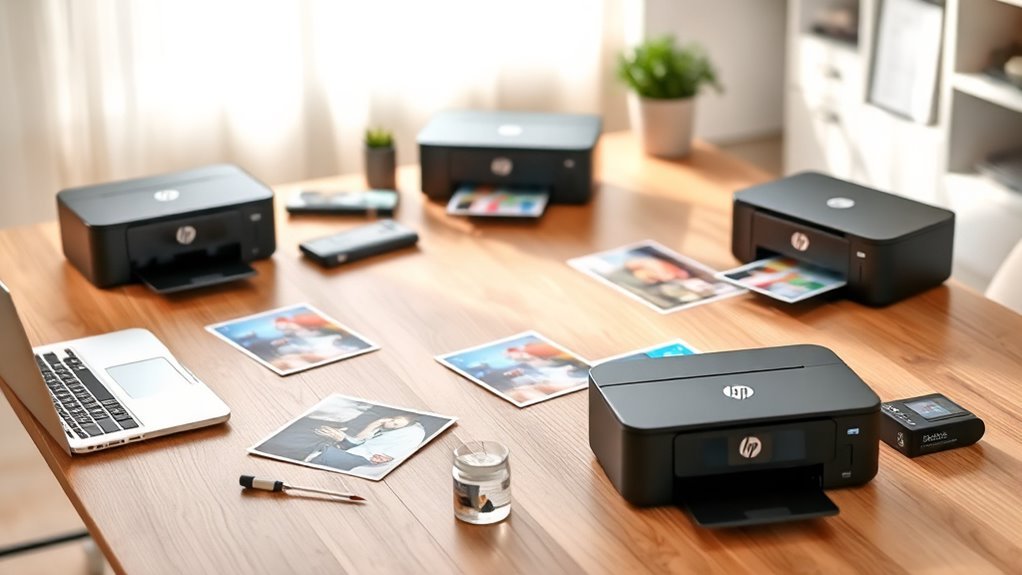
You’ll find six affordable HP inkjet printers perfect for home or small office use in 2027, like the DeskJet 2923, Envy 6555e, and DeskJet 4255e. These budget-friendly HP inkjet printers deliver reliable performance without breaking the bank. They offer great wireless convenience, solid print quality, and eco-friendly designs featuring recycled plastics.
Most models support mobile printing via the HP Smart app, making it easy to print on the go. Plus, they have simple maintenance that keeps things hassle-free. While print speeds and input capacities are modest, these printers handle everyday tasks smoothly. Keep exploring to discover which model fits your specific needs best.
| Image | Name | Editor's Rating | Price |
|---|---|---|---|

|
|
||

|
|
||

|
|
||

|
|
||
|
|
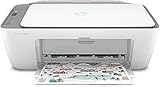
HP DeskJet 2923 Color Inkjet Printer | Wireless | All-in-One
- Perfect for basic printing needs – Print everyday color documents like to-do lists, letters, financial documents and recipes
- KEY FEATURES – Color print, copy, scan, and a 60-sheet input tray, plus mobile and wireless printing
- OPTIMIZE PRINT FORMATTING WITH HP AI – Print web pages and emails with precision—no wasted pages or awkward layouts; HP AI easily removes unwanted content, so your...
- ICON LCD – Print your basic documents with ease from the intuitive control panel
- PRINT SPEED – Up to 7.5 ppm black, 5.5 ppm color

The HP DeskJet 2923 is an affordable all-in-one printer designed to simplify everyday tasks at home. It lets you print, copy, and scan with ease, making it a practical choice for families and individuals. Its compact size fits neatly into small spaces without cluttering your desk.
This printer uses color inkjet technology combined with a 60-sheet input tray, allowing you to handle moderate printing jobs efficiently. The icon LCD control panel guides you through functions, reducing the learning curve and minimizing errors during operation.
Wireless printing is seamless thanks to dual-band Wi-Fi and HP App compatibility. You can send documents directly from your smartphone, saving time and effort. The printer also supports eco-friendly use, built with recycled plastics and including a 6-month Instant Ink trial to help manage ink replacement automatically.
Maintenance is straightforward, though keep in mind the print speed is modest, and the input tray is best suited for light to medium workloads. After the trial, the Instant Ink subscription is needed to continue automatic ink deliveries.
Best for: individuals and families looking for an affordable, compact, and eco-friendly all-in-one printer with wireless and mobile printing capabilities.
What We Like:
- Easy color printing, copying, and scanning with intuitive icon LCD control.
- Wireless printing via dual-band Wi-Fi and HP App for smartphone convenience.
- Environmentally conscious design using recycled plastics and ENERGY STAR certification.
- Includes a 6-month Instant Ink trial for hassle-free ink management.
Specification:
| Feature | Details |
|---|---|
| Manufacturer | HP |
| Dimensions | Compact design (exact size not specified) |
| Weight | Not specified |
| Material | Recycled plastics |
| Color Options | Not specified |
HP Envy 6555e Color Inkjet Printer | Wireless | All-in-One
- The Envy 6555e is perfect for homes printing everyday quality color documents like homework and borderless photos. Print speeds up to 7 ppm color, 10 ppm black.
- PERFECTLY FORMATTED PRINTS WITH HP AI – Print web pages and emails with precision—no wasted pages or awkward layouts; HP AI easily removes unwanted content, so your...
- KEY FEATURES – Color print, copy and scan, plus auto 2-sided printing, a 35-sheet auto document feeder and a 100-sheet input tray
- HP'S MOST INTUITIVE COLOR TOUCHSCREEN – Smoothly navigate your printer with the easy-to-use 2.4" touchscreen
- 3 MONTHS OF INSTANT INK WITH HP+ ACTIVATION – Subscribe to Instant Ink delivery service to get ink delivered directly to your door before you run out. After 3 months...
The HP Envy 6555e is designed to simplify printing tasks for home or small office users. Its all-in-one functionality allows you to print, scan, copy, and fax easily, reducing the need for multiple devices. With wireless connectivity, you can print directly from your smartphone or tablet using the HP Smart app, making everyday tasks more convenient.
This printer tackles common workflow challenges by supporting automatic duplex printing and a 35-sheet automatic document feeder. These features save time and reduce manual effort, especially when handling multi-page documents. The 2.4-inch touchscreen offers intuitive control, ensuring smooth operation without complicated menus.
Maintenance is straightforward with HP’s sustainable design approach. The printer uses HP cartridges with built-in chips, which help maintain print quality but limit third-party cartridge options. Paper capacity is modest, so frequent refills might be necessary during heavy use.
Print speeds reach up to 7 ppm in color and 10 ppm in black, suitable for typical home or small office needs. Overall, the HP Envy 6555e balances functionality and eco-conscious design to meet everyday printing demands efficiently.
Best for: users needing a versatile, eco-friendly all-in-one printer with wireless capabilities for home or small office environments.
What We Like:
- Wireless dual-band Wi-Fi and HP Smart app for mobile printing and scanning
- Automatic duplex printing and 35-sheet ADF boost productivity
- HP AI enhances document formatting for professional results
- Uses sustainable materials and supports HP Planet Partners recycling
Specification:
| Feature | Details |
|---|---|
| Manufacturer | HP |
| Model | Envy 6555e |
| Printer Type | Color Inkjet, All-in-One |
| Connectivity | Wireless dual-band Wi-Fi |
| Display | 2.4-inch touchscreen |
| Print Speed | Up to 7 ppm color, 10 ppm black |
| Input Tray Capacity | 100 sheets |
| Output Tray Capacity | 25 sheets |
| Automatic Duplex | Yes |
| Automatic Document Feeder | 35 sheets |
HP DeskJet 4255e Wireless All-in-One Printer
Experience simple, versatile printing with the HP DeskJet 4255e Wireless All-in-One Printer. It seamlessly handles printing, copying, scanning, and mobile faxing, making everyday tasks easier. Its wireless and USB connectivity options help reduce clutter and offer flexible placement in your home or office.
This compact device delivers clear black and color prints, reaching speeds up to 8.5 pages per minute. The built-in 3-month HP Instant Ink trial helps manage ink costs efficiently, so you can print without worry. Setup is straightforward, with included cartridges ready to get you started quickly.
Designed with the environment in mind, the printer uses 60% post-consumer recycled plastic and weighs just 10.6 pounds. Its single paper tray holds up to 100 sheets, which suits light to moderate printing needs, though frequent refills might be necessary.
While it does not support duplex printing, the DeskJet 4255e offers reliable performance for users prioritizing convenience and affordability. Its compact size and eco-friendly design make it a practical choice for small spaces.
Best for: Individuals or small home offices seeking a versatile, affordable all-in-one printer with wireless and USB connectivity.
What We Like:
- Includes a 3-month HP Instant Ink trial for cost-effective printing
- Supports multiple functions: print, copy, scan, and mobile fax
- Eco-friendly design with 60% post-consumer recycled plastic
- Lightweight and compact for easy placement
Specification:
| Feature | Details |
|---|---|
| Manufacturer | HP |
| Dimensions (W×D×H) | Not specified |
| Weight | 10.6 lb (4.8 kg) |
| Material | 60% post-consumer recycled plastic |
| Connectivity | Wireless, USB |
HP DeskJet 4355 Color Inkjet Printer | Wireless | All-in-One
No products found.
The HP DeskJet 4355 is an all-in-one printer designed to simplify your everyday tasks. Whether you need to print, scan, copy, or fax, this compact device fits neatly into your space without sacrificing functionality. It supports legal-size documents and handles a 60-sheet input tray, making it ideal for home use.
Its dual-band Wi-Fi and the HP app allow seamless wireless printing and faxing directly from your smartphone. This convenience helps you stay productive without being tied to a computer. The printer delivers vibrant color prints and sharp text with a resolution of 4800 x 1200 dpi, enhancing the quality of your documents and photos.
Maintenance is straightforward, and the printer uses at least 70% recycled plastics, reflecting a commitment to environmental responsibility. However, print speeds are moderate, with up to 7.5 ppm for black and 5.5 ppm for color, and it does not support duplex printing, which may be a drawback for some users.
Best for: Individuals and families seeking a compact, wireless all-in-one printer for basic home tasks including printing, scanning, copying, and occasional faxing.
What We Like:
- Supports legal-size documents and has a 60-sheet input tray
- Dual-band Wi-Fi with HP app enables easy mobile printing and faxing
- Uses at least 70% recycled plastics and holds ENERGY STAR certification
Specification:
| Feature | Details |
|---|---|
| Manufacturer | HP |
| Model | DeskJet 4355 |
| Dimensions (in/cm) | Approx. 16.4 x 6.3 x 11.7 in (41.7 x 16 x 29.7 cm) |
| Weight | Approx. 7.5 lb (3.4 kg) |
| Color Options | White |
| Connectivity | Wireless (Dual-band Wi-Fi), USB 2.0 |
| Max Print Resolution | 4800 x 1200 dpi |
| Input Tray Capacity | 60 sheets |
| Supported Document Size | Up to legal |
HP DeskJet 2827e Wireless All-in-One Printer
- The DeskJet 2827e is perfect for homes printing to-do lists, letters, financial documents and recipes. Print speeds up to 5.5 ppm color, 7.5 ppm black
- PERFECTLY FORMATTED PRINTS WITH HP AI – Print web pages and emails with precision—no wasted pages or awkward layouts; HP AI easily removes unwanted content, so your...
- KEY FEATURES – Color printing, copy, scan, and a 60-sheet input tray
- WIRELESS PRINTING – Stay connected with our most reliable Wi-Fi, which automatically detects and resolves connection issues
- HP APP – Print, scan, copy, or fax right from your smartphone, PC, or tablet with the easiest-to-use print app
The HP DeskJet 2827e Wireless All-in-One Printer offers a compact solution for everyday printing needs at home or in small offices. It delivers sharp prints up to 4800 x 1200 dpi, ensuring clear documents and images. Its AI-enhanced printing feature simplifies web pages and emails, removing unwanted content for cleaner results.
This printer supports multiple wireless options, including Wi-Fi, Apple AirPrint, and Google Cloud Print, making it easy to print from various devices. The included HP Smart app streamlines setup and management, helping users stay productive. Its 60-sheet input tray suits typical document volumes, while manual duplexing allows double-sided printing when needed.
Designed with sustainability in mind, the DeskJet 2827e uses recycled plastic and holds an Energy Star certification. Maintenance is straightforward, though users should note that only HP cartridges with chips are compatible due to firmware restrictions. The printer comes ready to use with two cartridges and a 3-month Instant Ink trial for added convenience.
Best for: Individuals seeking a compact, wireless all-in-one printer for home or home office use that enhances printing quality with AI features.
What We Like:
- AI-enhanced printing improves document clarity by removing clutter.
- Multiple wireless connectivity options support versatile device printing.
- Eco-friendly design with recycled materials and Energy Star certification.
- Simple setup and management via the HP Smart app.
Specification:
| Feature | Details |
|---|---|
| Manufacturer | HP |
| Dimensions | Not specified |
| Weight | Not specified |
| Material | Recycled plastic |
| Color Options | Not specified |
HP DeskJet 2722 All-in-One Wireless Color Inkjet Printer
- HP DeskJet 2722 All-in-One Wireless Color Inkjet Printer
Experience hassle-free printing, scanning, and copying with the HP DeskJet 2722 All-in-One Wireless Color Inkjet Printer. This compact device fits seamlessly into any home or small office setup, offering simple wireless connectivity that frees you from cables. It delivers sharp prints in color and black-and-white, helping you handle everyday tasks efficiently.
Designed for convenience, the printer supports various paper sizes up to 11 x 17 inches, making it versatile for different projects. Its flatbed scanner lets you digitize documents with ease, while manual duplex printing cuts paper use by enabling double-sided printing—though this requires a bit more effort.
Maintenance is straightforward with a 60-sheet input tray that balances capacity and space. The printer’s app control makes managing print jobs and settings intuitive, even from your smartphone. While the print speed is moderate, it suits users who prioritize quality and wireless ease over rapid output.
This all-in-one printer combines functionality and compactness, ideal for daily printing, scanning, and copying without complicated setup or large footprints.
Best for: Individuals or small offices needing an affordable, wireless all-in-one printer for routine color and black-and-white tasks.
What We Like:
- Easy wireless connectivity with app-based control
- Supports multiple paper sizes, including 11 x 17 inches
- Compact design with integrated flatbed scanner
- Manual duplex printing reduces paper waste
- Simple maintenance with a 60-sheet input capacity
Specification:
| Feature | Details |
|---|---|
| Manufacturer | HP |
| Dimensions (W x D x H) | 16.04 x 11.61 x 6.42 inches |
| Weight | 5.07 lb (2.3 kg) |
| Color | White |
| Print Resolution | Color: 600 x 600 dpi; B&W: 1200 dpi |
| Paper Sizes Supported | Up to 11 x 17 inches |
| Connectivity | Wireless (Wi-Fi), USB |
| Input Tray Capacity | 60 sheets |
Factors to Consider When Choosing a Cheap HP Inkjet Printer
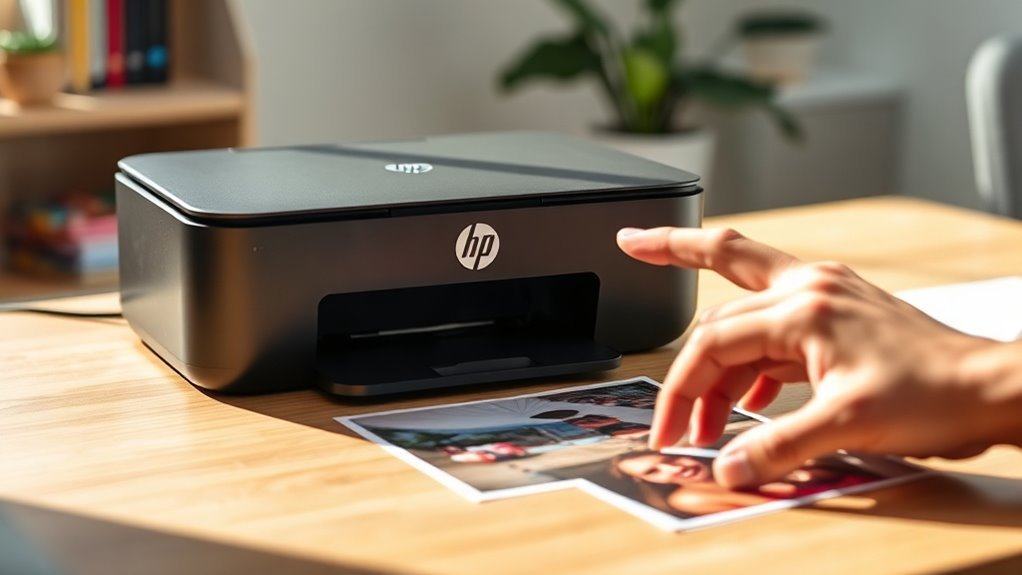
When choosing a cheap HP inkjet printer, you’ll want to focus on print quality and ink efficiency to get the best results without overspending. It’s all about balancing good prints with keeping costs low.
Don’t forget to check connectivity options and compatibility with your devices for smooth operation. You want something that just works, right?
Also, consider paper handling capacity and eco-friendly certifications. This way, you can be sure your printer meets both your needs and values.
Print Quality Standards
Although cheap HP inkjet printers may come with budget-friendly price tags, you’ll want to prioritize print quality standards to get the most value. Start by checking the maximum print resolution—look for at least 1200 x 1200 dpi for black and 4800 x 1200 optimized dpi for color to guarantee sharp text and detailed photos.
Consider color depth and reproduction technologies; higher bit depth and wider color gamut deliver smoother gradients and more accurate colors. Don’t forget print speeds—fast pages per minute and quick first-page-out times help you stay efficient without sacrificing quality.
If your printer doubles as a scanner or copier, review its scan and copy dpi to preserve detail. Finally, make certain the printer supports your preferred media types and sizes, including borderless and photo papers, for prime sharpness and saturation.
Ink Efficiency Options
Since ink costs can quickly add up, choosing an HP inkjet printer with efficient ink usage is essential for keeping expenses low. Look for models that accept high-yield (XL) cartridges or refillable tanks, as XL cartridges can more than double page yield and lower your cost per page.
Compare published page yields and calculate the cost per page by dividing cartridge price by yield to estimate long-term expenses accurately. It’s a smart move to opt for printers with separate color cartridges instead of combined tri-color ones. That way, you only replace the empty color, reducing waste and cost.
Also, prioritize features like ink level monitoring, automatic low-ink alerts, and print head maintenance modes. These help you avoid unnecessary ink waste from excessive cleaning cycles. And one more thing—try to avoid forced subscription programs. They might seem convenient, but they can actually increase your lifetime ink expenses.
Connectivity And Compatibility
Choosing a cheap HP inkjet printer means making sure it connects smoothly with your devices and fits your setup. Start by confirming it supports the wireless standards your gadgets use, like dual-band Wi-Fi for both 2.4 GHz and 5 GHz. This helps minimize connection issues and speeds things up.
Also, check if it’s compatible with mobile printing options like Apple AirPrint, Android Mopria, or vendor apps. That way, you can print and scan right from your smartphone or tablet without needing extra drivers.
If you’re more into wired connections, look for USB ports or Ethernet options. These are great for reliable desktop use or sharing in an office.
Don’t forget to make sure the printer supports your operating system and gets regular driver and firmware updates. Finally, pick one with remote management and security features. This keeps your printer and network safe and up to date.
Paper Handling Capacity
Many budget HP inkjet printers offer input trays that hold between 60 and 100 sheets, so you’ll want to match this capacity with your typical printing needs to avoid constant refills.
Also, check the output tray capacity—entry-level models usually hold 20 to 25 sheets. This matters if you print large jobs because it helps prevent overflow or splitting.
If you scan or copy multi-page documents, consider whether the printer has an automatic document feeder (ADF) and its sheet capacity. Cheaper models often lack this feature or offer small ADFs around 35 sheets.
Don’t forget to verify if the printer supports automatic duplex printing. Manual duplex can increase paper handling time, which can be a bit annoying.
Finally, confirm the maximum paper sizes and types supported, including specialty media. This ensures smooth handling of all your print jobs without any hiccups.
Sustainability And Certifications
Although budget-friendly HP inkjet printers might seem similar at first glance, paying attention to sustainability and certifications can help you make a greener, smarter choice. Look for models made with 60–70% post-consumer or recycled plastics to reduce virgin material use.
ENERGY STAR certification means the printer uses less power in active and standby modes, saving energy and costs. EPEAT registration goes further, assuring the product meets environmental criteria from material selection to end-of-life management.
Choose printers that participate in manufacturer take-back or recycling programs to properly dispose of cartridges and devices, cutting landfill waste. Also, check for certifications supporting sustainable paper sourcing, which helps protect forests.
These factors guarantee your cheap HP inkjet printer is eco-friendly without compromising functionality. So, you get the best of both worlds—a printer that’s kind to the planet and your wallet.
Frequently Asked Questions
How Do HP Inkjet Printers Compare to Laser Printers in Cost?
You’ll find HP inkjet printers cheaper upfront, but laser printers save you money long-term with lower toner costs and faster printing.
If you print a lot, laser’s cost-per-page beats inkjets despite higher initial prices. So, while inkjets might seem like a bargain at first, lasers can be more budget-friendly down the road.
Are HP Inkjet Printers Compatible With Mac and Windows?
You’d think HP inkjet printers only speak one language, but they totally get along with both Mac and Windows!
You won’t struggle—they’re designed to work seamlessly across both platforms without any headaches or fuss.
What Is the Average Lifespan of HP Inkjet Printer Cartridges?
You can expect HP inkjet printer cartridges to last about 6 to 12 months, depending on your usage.
If you print frequently, you’ll need to replace them more often due to ink drying out or running low.
It really comes down to how much printing you do and the type of documents you print.
Can HP Inkjet Printers Print Borderless Photos?
Yes, you can print borderless photos with many HP inkjet printers. Just select the borderless option in your print settings.
Make sure to use compatible photo paper, and your prints will come out edge-to-edge without any white margins.
It’s pretty straightforward, and the results look great!
Do HP Inkjet Printers Support Mobile Printing Apps?
Yes, HP inkjet printers support mobile printing apps like HP Smart. This lets you print, scan, and manage tasks right from your smartphone or tablet.
You’ll find it easy and convenient to print wirelessly anywhere. Just a few taps and you’re good to go!
Conclusion
When you pick your HP inkjet printer, imagine the smooth hum as it brings your ideas to life—vivid photos, crisp documents, all without breaking the bank. Whether you need wireless freedom or all-in-one convenience, these budget-friendly models fit right into your space and lifestyle.
Choosing the right one means unleashing creativity with ease, turning your everyday printing into a seamless, colorful experience that brightens both your work and your world.
Finding the best cheap HP inkjet printers for 2027 doesn’t mean sacrificing quality. These affordable options deliver excellent print performance, reliable features, and convenience, perfect for home or office use.
So go ahead, pick the perfect model that matches your needs and budget. With the right HP inkjet printer, you’ll enjoy vibrant prints and hassle-free operation—making printing simple, fun, and budget-friendly.