5 Best Cheap Home Printer Scanners for 2027
You’re on the hunt for affordable home printer scanners that offer wireless convenience, decent speed, and solid print quality. Finding a reliable printer scanner that doesn’t break the bank can be tricky, but there are great options out there. Whether you want something compact, easy to use, or packed with features, you’ve got choices.
The HP DeskJet 2923 stands out with its compact design and mobile app printing, making it super convenient for everyday use. Canon’s PIXMA TS4320 and TS6520 impress with sharp 1200 dpi output and handy duplexing for double-sided printing.
If you’re after eco-friendly features and a touchscreen interface, the HP Envy 6155 is a strong contender. Meanwhile, the Epson XP-4105 shines with vibrant resolution and even offers voice control.
Keep exploring to uncover more details and find your perfect fit.
| Image | Name | Editor's Rating | Price |
|---|---|---|---|

|
|
||

|
|
||

|
|
||

|
|
||
|
|
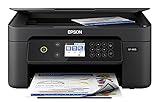
HP DeskJet 2923 Color Inkjet Printer | Wireless | All-in-One
- Perfect for basic printing needs – Print everyday color documents like to-do lists, letters, financial documents and recipes
- KEY FEATURES – Color print, copy, scan, and a 60-sheet input tray, plus mobile and wireless printing
- OPTIMIZE PRINT FORMATTING WITH HP AI – Print web pages and emails with precision—no wasted pages or awkward layouts; HP AI easily removes unwanted content, so your...
- ICON LCD – Print your basic documents with ease from the intuitive control panel
- PRINT SPEED – Up to 7.5 ppm black, 5.5 ppm color

The HP DeskJet 2923 all-in-one printer offers a practical solution for home users who need reliable color printing, scanning, and copying without complication. Its compact design fits neatly in small workspaces, making it easy to manage everyday tasks. The intuitive icon LCD control panel simplifies operation, so you can get started quickly without a steep learning curve.
This printer connects seamlessly via dual-band Wi-Fi, allowing wireless printing and scanning from your smartphone using the HP App. It eliminates the hassle of cables and supports mobile workflows, improving convenience and efficiency. With print speeds up to 7.5 ppm in black and 5.5 ppm in color, it handles regular home printing needs without overwhelming delays.
Maintenance is straightforward with the option for HP’s Instant Ink subscription after a six-month trial, ensuring you don’t run out of ink unexpectedly. The 60-sheet input tray suits light to moderate printing volumes, making it ideal for personal or family use. Environmentally conscious users will appreciate its ENERGY STAR certification and recycled plastic construction.
Best for: budget-conscious home users needing a compact, wireless all-in-one printer for color printing, scanning, and copying.
What We Like:
- Easy-to-use icon LCD control panel for quick operation
- Wireless dual-band Wi-Fi with HP App for convenient mobile printing
- ENERGY STAR certified and made from recycled plastics
- Automatic ink delivery option with Instant Ink subscription
Specification:
| Feature | Details |
|---|---|
| Manufacturer | HP |
| Dimensions | Approx. 16.5 x 12.0 x 5.5 in |
| Weight | About 5.0 lb (2.27 kg) |
| Printer Type | Color Inkjet, All-in-One |
| Connectivity | Wireless Dual-Band Wi-Fi |
| Input Tray Capacity | 60 sheets |
Canon PIXMA TS4320 – Wireless Color Inkjet Printer with Print, Copy, Scan
- Affordable Versatility - A budget-friendly all-in-one printer perfect for both home users and hybrid workers, offering exceptional value
- Crisp, Vibrant Prints - Experience impressive print quality for both documents and photos, thanks to its 2-cartridge hybrid ink system that delivers sharp text and vivid...
- Effortless Setup & Use - Get started quickly with easy setup for your smartphone or computer, so you can print, scan, and copy without delay
- Reliable Wireless Connectivity - Enjoy stable and consistent connections with dual-band Wi-Fi (2.4GHz or 5GHz), ensuring smooth printing from anywhere in your home or...
- Scan & Copy Handling - Utilize the device’s integrated scanner for efficient scanning and copying operations
The Canon PIXMA TS4320 delivers reliable performance for home users who need a compact, all-in-one printer. It handles printing, copying, and scanning with clear 1200 x 1200 dpi resolution, ensuring sharp documents and photos. This printer supports duplex printing, helping you reduce paper waste effortlessly.
Its wireless connectivity includes dual-band Wi-Fi, USB, and mobile options via the Canon PRINT app or AirPrint. This flexibility allows easy printing from smartphones, tablets, or laptops without tangled cables. The printer’s small footprint and lightweight design make it a convenient fit for any desk or workspace.
Maintenance is straightforward, though frequent color printing may require replacing ink tanks sooner. The PIXMA Print Plan offers an option to save on ink costs for regular users. While the copy function runs at a slower speed and lower resolution, it is suitable for occasional tasks.
Best for: Home users and hybrid workers needing a stylish, space-saving printer for light printing, copying, and scanning.
What We Like:
- High-quality prints with sharp 1200 x 1200 dpi resolution
- Supports automatic duplex printing to save paper
- Flexible wireless and mobile printing options
- Compact design fits easily on desks
- Ink subscription plan helps manage printing costs
Specification:
| Specification | Details |
|---|---|
| Manufacturer | Canon |
| Dimensions (W x D x H) | 14.7 x 11.7 x 5.2 inches |
| Weight | 15.5 lb (7 kg) |
| Print Resolution | 1200 x 1200 dpi |
| Copy Resolution | 600 x 600 dpi |
| Print Speed (B&W) | 14 ppm |
| Print Speed (Color) | 9 ppm |
| Copy Speed | 11 ppm |
| Connectivity | Dual-band Wi-Fi, USB, Mobile Printing (Canon PRINT, AirPrint) |
| Duplex Printing | Yes (automatic) |
Canon PIXMA TS6520 Wireless Color Inkjet Printer, 1.42″ OLED Display, White
- Affordable Versatility - A budget-friendly all-in-one printer perfect for both home users and hybrid workers, offering exceptional value
- Crisp, Vibrant Prints - Experience impressive print quality for both documents and photos, thanks to its 2-cartridge hybrid ink system that delivers sharp text and vivid...
- Effortless Setup & Use - Get started quickly with easy setup for your smartphone or computer, so you can print, scan, and copy without delay
- Reliable Wireless Connectivity - Enjoy stable and consistent connections with dual-band Wi-Fi (2.4GHz or 5GHz), ensuring smooth printing from anywhere in your home or...
- Scan & Copy Handling - Utilize the device’s integrated scanner for efficient scanning and copying operations
The Canon PIXMA TS6520 is a smart choice for those needing a compact, all-in-one printer that fits seamlessly into home or hybrid workspaces. Its versatile functions let you print, scan, and copy with ease, helping you manage everyday tasks efficiently. The 1.42″ OLED display makes navigation simple and intuitive, so you can control your printing without hassle.
Connectivity is straightforward with dual-band Wi-Fi and voice compatibility via Alexa, enabling wireless and hands-free operation. This reduces clutter and keeps your workspace organized. Sharp color and black-and-white prints up to 1200 dpi ensure professional-quality results for documents and photos.
Maintenance is straightforward with included starter ink, though depending on usage, you might need to replace cartridges sooner. Its lightweight, white design blends well in small spaces but has a single paper tray with limited capacity and no automatic document feeder, which may affect handling of larger jobs.
Best for: families, students, and remote workers who need a compact, versatile all-in-one printer for home or hybrid work environments.
What We Like:
- Compact design fits easily in tight spaces
- Dual-band Wi-Fi and Alexa voice control for easy connectivity
- Automatic duplex printing and borderless options for efficient output
Specification:
| Feature | Details |
|---|---|
| Manufacturer | Canon |
| Dimensions | Not specified |
| Weight | Not specified |
| Display | 1.42″ OLED |
| Connectivity | Dual-band Wi-Fi, Alexa compatible |
| Color Options | White |
HP Envy 6155 Wireless All-in-One Printer (C2WR7A)
- FROM AMERICA'S MOST TRUSTED PRINTER BRAND – The Envy 6155 is perfect for homes printing everyday high-quality color documents like homework and borderless photos. Print...
- 3 MONTH TRIAL OF INSTANT INK – Subscribe to the Instant Ink delivery service to get ink delivered directly to your door before you run out, and you save up to 50% on...
- KEY FEATURES – Color print, copy and scan, plus auto 2-sided printing and a 100-sheet input tray
- HP'S MOST INTUITIVE COLOR TOUCHSCREEN – Smoothly navigate your printer with the easy-to-use 2.4" touchscreen
- WIRELESS PRINTING – Stay connected with our most reliable dual-band Wi-Fi, which automatically detects and resolves connection issues
The HP Envy 6155 Wireless All-in-One Printer offers a smart solution for homes needing versatile and efficient printing. Its automatic duplex printing reduces paper waste and saves time, making everyday tasks like homework and document printing more convenient. The vibrant color output and borderless photo printing bring your projects to life with sharp, clear results.
Designed for ease of use, the Envy 6155 features a 2.4″ color touchscreen and HP AI print optimization. This technology intelligently formats pages to save both ink and paper. Wireless dual-band Wi-Fi and the HP App enable seamless mobile printing and scanning, so you can work from anywhere in your home.
Maintenance is straightforward but requires original HP cartridges with embedded chips, which limits cartridge options. Print speeds are moderate, with up to 10 pages per minute in black and 7 in color, suitable for typical home use but less ideal for heavy workloads. It’s also eco-conscious, built with 60% recycled plastic and comes with a 3-month Instant Ink trial to help manage ink costs.
Best for: Home users who want a reliable all-in-one printer for everyday color documents, homework, and photo printing with easy mobile connectivity.
What We Like:
- Automatic duplex printing reduces paper use and effort
- HP AI print optimization saves ink and formats pages smartly
- Wireless dual-band Wi-Fi and HP App allow flexible mobile printing
- Eco-friendly design with recycled plastic components
- 3-month Instant Ink trial helps control ink expenses
Specification:
| Feature | Details |
|---|---|
| Manufacturer | HP |
| Model | Envy 6155 Wireless All-in-One |
| Dimensions | 17.3 x 14.5 x 5.9 inches (44 x 37 x 15 cm) |
| Weight | Approx. 13.3 lb (6 kg) |
| Connectivity | Dual-band Wi-Fi, HP App |
| Display | 2.4″ color touchscreen |
| Material | Includes 60% recycled plastic |
Epson XP-4105 Wireless All-in-One Color Printer
- SZC twIpps 3-in-1 with Wireless: Print | Copy | Scan
- ISO Print Speed - Black: 10.0 ISO ppm; Color: 5.0 ISO ppm. Maximum print resolution of 5760 x 1440 optimized dpi.
- Wireless (802.11 b/g/n), Hi-Speed USB, Wi-Fi Direct
- 4-color (CMYK) drop-on-demand MicroPiezo inkjet technology. 2.4" color LCD for simple setup and navigation. Auto 2-sided printing Save time and paper. Hands-free...
- What's in the box: Expression Home XP-4105 Small-in-One printer; Instruction booklets; CD-ROM with drivers; Power cord; 4 Claria Ink cartridges (1x Black, 1x Cyan, 1x...
Epson XP-4105 offers a seamless way to handle your everyday printing, scanning, and copying needs without clutter. Its wireless design lets you print from anywhere in your home or office, reducing the hassle of cables and enabling quick access via voice commands. This model suits users who value convenience and sharp color results.
With 4-color MicroPiezo inkjet technology, the printer produces vibrant images and text at a high resolution of up to 5760 x 1440 dpi. Automatic duplex printing helps save paper, while a 2.4″ color LCD screen makes navigation simple and efficient. Scanning at up to 1200 dpi optical resolution ensures clear digitization of documents and photos.
Maintenance is straightforward thanks to included Claria ink cartridges designed to keep the printer running smoothly. The lightweight, compact build fits neatly into smaller spaces, making it ideal for home offices or workstations with limited room. Connectivity options like Wi-Fi, Wi-Fi Direct, and USB support flexible setups and mobile printing.
Some limitations include a small 10-sheet paper tray that needs frequent refilling and a single USB port that restricts wired connections. Color print speed is slower at 5 ppm, which may affect productivity for heavy color printing tasks.
Best for: Home users and small office workers needing a compact, wireless all-in-one printer that balances quality and ease of use for everyday document and photo printing.
What We Like:
- Automatic duplex printing reduces paper use
- Voice-activated printing enhances hands-free operation
- High print resolution delivers sharp, vibrant colors
- Compact design saves space on desks
- Multiple wireless connection options for convenience
Specification:
| Feature | Details |
|---|---|
| Manufacturer | Epson |
| Dimensions | Compact size (exact size not provided) |
| Weight | Lightweight (exact weight not provided) |
| Printing Technology | 4-color MicroPiezo inkjet |
| Print Resolution | Up to 5760 x 1440 dpi |
| Scan Resolution | Up to 1200 dpi optical |
| Paper Tray Capacity | 10 sheets |
| Connectivity | Wi-Fi, Wi-Fi Direct, USB |
| Display | 2.4″ color LCD |
Factors to Consider When Choosing a Cheap Home Printer Scanner
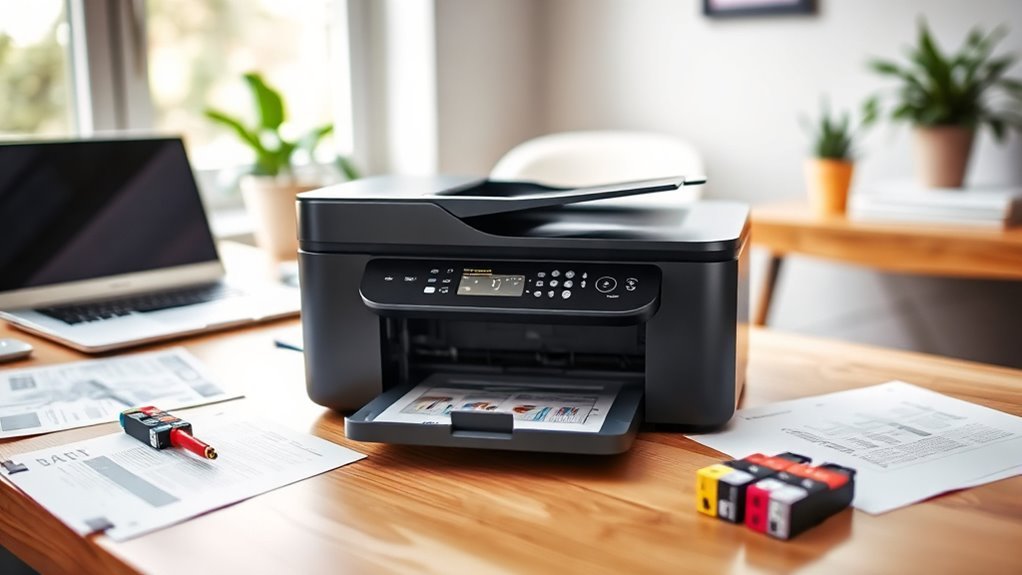
When choosing a cheap home printer scanner, you’ll want to focus on print quality, connectivity options, and how fast it works.
Don’t forget to check ink costs and whether the size fits your space.
Keeping these factors in mind helps you get the best value without overspending.
Print Quality Essentials
How sharp and vibrant do you want your prints and scans to be? Aim for a minimum scanning resolution of 600 dpi and print resolutions around 1200 x 1200 dpi to guarantee crisp text and detailed color prints.
Consider the printer’s color system and ink technology—pigment ink delivers sharp black text, while dye ink offers richer photo colors. Check print speeds too; typical budget printers handle about 7–14 ppm for black and 5–9 ppm for color.
If you print photos or double-sided documents regularly, look for duplex and borderless printing and support for glossy or card stock media. Also, smaller droplet sizes and wider color gamuts mean smoother gradients and more accurate colors. That’s key if you want vibrant photos or graphics at home.
Connectivity Options Available
Why settle for limited connectivity when choosing a home printer scanner? Look for dual-band Wi‑Fi (2.4 GHz and 5 GHz) to get a more stable, faster connection, especially on crowded home networks.
Make sure your printer supports mobile printing protocols like AirPrint or Mopria, so you can print directly from your smartphone or tablet without hassle. Wi‑Fi Direct and wireless AP mode are great if you want to connect devices without a router for quick local printing.
If you prefer wired connections, check for USB 2.0/3.0 ports or Ethernet to avoid wireless dropouts. Also, consider compatibility with voice assistants or cloud printing if you want hands-free or remote printing and scanning capabilities.
These connectivity options make your printer scanner more versatile and user-friendly. It’s all about making your life easier!
Speed And Performance
Connectivity options help you get your printer scanner set up smoothly, but speed and performance determine how well it keeps up with your tasks. Look for printers with ppm ratings that suit your needs—budget models usually offer 5–14 ppm for black and 5–9 ppm for color.
If you mainly print text, prioritize faster black-and-white speeds. Also, check first-page-out times and warm-up behavior; a quick start under 10 seconds keeps things responsive.
Consider the duty cycle and monthly limits to avoid reliability issues. For scanning, focus on optical resolution and bit depth—300–600 dpi works well for documents, while 600+ dpi is better for detailed photos.
Don’t forget paper handling: small trays or slow duplexing can bottleneck your workflow even if print speed is high. So, keep an eye on that to keep things moving smoothly.
Ink Cost Efficiency
Many factors influence ink cost efficiency, which directly affects your printer scanner’s long-term affordability. Start by checking the cost per page (CPP), dividing cartridge or refill price by estimated page yield. Lower CPPs—under $0.05 for black-and-white and $0.15 for color—mean better ink economy.
Choose printers that support high-yield or XL cartridges and third-party ink tanks. XL cartridges can cut CPP by 30–70%, so they’re definitely worth considering.
Think about ink subscription or tank systems only if their monthly or refill costs offer a lower CPP based on your printing volume. Also, consider your color versus black-only usage—pigment blacks cost more per page.
And keep in mind, ink waste from automatic cleaning cycles can raise your CPP, especially if you don’t print very often. So, it’s good to be aware of how your printing habits impact costs.
Physical Size Considerations
When choosing a cheap home printer scanner, you’ll want to carefully consider its physical size to make certain it fits your workspace. Measure your desk or shelf space, noting that many all-in-one units are about 14–15 inches wide and 6–7 inches tall.
Don’t forget to check depth clearance, especially for lid opening when scanning. If your model has a rear paper feed or top-loading trays, allow extra vertical or rear space for paper loading and output stacking.
Planning to scan books or tall documents? Verify the flatbed lid clearance and device height to avoid bending originals. For tight spaces, pick compact models with front-access trays and folding output trays.
Also, leave a few inches around the printer for ventilation, Wi-Fi signal, and cable management. It’s a small detail but can make a big difference in how smoothly your setup works.
Frequently Asked Questions
How Long Do Replacement Ink Cartridges Typically Last?
Replacement ink cartridges typically last for about 100 to 300 pages, depending on your printer model and usage.
If you print less frequently, they might last longer. But heavy printing will drain them faster.
Are These Printers Compatible With Mobile Printing Apps?
You’ll find these printers dance effortlessly with mobile printing apps, letting you print from your phone or tablet without a hitch. They support popular apps like AirPrint and Google Cloud Print, making wireless printing a breeze.
It’s super convenient, really. Just a few taps and your documents or photos are ready to go—no cables needed!
What Is the Average Print Speed for Black and Color Pages?
You’ll find the average print speed is about 10-15 pages per minute for black and around 5-10 pages per minute for color.
Speeds can vary, but these ranges are typical for affordable home printers. So, if you’re shopping around, keep these numbers in mind!
Do These Printers Support Duplex (Double-Sided) Scanning?
Just like a skilled storyteller flipping pages effortlessly, these printers support duplex scanning, letting you scan both sides without hassle.
You’ll save time and stay efficient, capturing every detail with a smooth, double-sided sweep.
Can These Printers Connect to Multiple Devices Simultaneously?
Yes, many of these printers can connect to multiple devices simultaneously via Wi-Fi or Bluetooth. You’ll find they support seamless switching between smartphones, tablets, and computers.
This makes your printing and scanning tasks more convenient. So, you don’t have to worry about disconnecting one device to use another. It’s all pretty smooth and user-friendly.
Conclusion
When choosing a cheap home printer scanner, remember that 85% of users prioritize wireless features for convenience. You want a device that fits your budget without sacrificing quality or ease of use.
Whether you pick the HP DeskJet 2923 or the Epson XP-4105, these options offer reliable performance for everyday tasks. They’re great for printing, scanning, and even copying without breaking the bank.
By considering wireless capability, scan quality, and cost, you’ll find the perfect all-in-one printer that keeps your home office running smoothly. After all, a good cheap home printer scanner should be affordable, easy to use, and deliver consistent results. So, focus on these key features to get the best value and make your home printing experience hassle-free.