3 Best Budget Starter 3D Printers for 2027 Beginners Love
If you’re starting 3D printing in 2027, finding the best budget starter 3D printer can make all the difference. The Entina Tina2 Plus WiFi is a great choice for beginners, offering fast setup, auto-leveling, and WiFi connectivity for smooth prints. This means less hassle and more time creating.
The TINA2C is perfect if you want a beginner-friendly model with factory calibration and one-tap app control. It’s designed to get you printing quickly without complicated adjustments.
For multi-color projects, the Anycubic Kobra X stands out by handling up to 19 colors with easy one-click printing. Each printer balances ease, quality, and affordability—stick around to discover which fits your needs best.
| Image | Name | Editor's Rating | Price |
|---|---|---|---|

|
|
||

|
|
||

|
|
Entina Tina2 Plus WiFi 3D Printer for Beginners
- 【Start Printing in Minutes – Beginner Friendly】No setup required. Tina2 Plus 3d printer comes fully assembled and ready to use out of the box. With included TF card...
- 【Fast 250mm/s Printing Performance】This Tina2 Plus high speed 3D printer print speeds up to 250 mm/s help reduce waiting time and support fast project turnaround...
- 【WiFi App Control & STEM Model Library】Powered by the Poloprint Cloud app, this WiFi-enabled 3D printer gives access to 3,500+ printable models and 25+ creative DIY...
- 【40-Second Fast Heat Ceramic Hotend】High-efficiency ceramic hotend heats up in just 40 seconds for faster start-up and less downtime. The quick-swap nozzle design...
- 【Compact 3D Printer for Home & Classroom】Designed with a space-saving footprint while maintaining practical print capacity, this compact 3D printer fits easily on...
Discover the Entina Tina2 Plus WiFi, a 3D printer designed to make printing simple for beginners. This printer arrives fully assembled, letting you start projects almost immediately. It includes a TF card with ready-to-print models, removing the hassle of initial setup.
Its compact size and partially enclosed frame provide safety without sacrificing convenience. Ideal for home and classroom use, it offers a stable printing experience thanks to a dual Z-axis design. The fast-heating ceramic hotend cuts waiting time to just 40 seconds.
Maintenance is straightforward with an auto-leveling PEI spring steel plate that ensures consistent print quality. Connectivity is flexible, supporting WiFi, USB, and TF card options. This printer works smoothly across Windows, macOS, Linux, and Chromebook systems.
While the build volume is smaller than some larger models, it fits well in limited spaces. The enclosure is partial, which means it may not fully contain fumes or debris during printing. Print speeds max out at 250 mm/s, suitable for most beginner projects.
Best for: Beginners, educators, and hobbyists seeking a safe, easy-to-use 3D printer for learning and small creative projects.
What We Like:
- Ready to print with preloaded models and minimal setup
- Safe and stable design with dual Z-axis and partial enclosure
- Fast 40-second heat-up for quick project turnaround
- Versatile connectivity supporting multiple operating systems
- Easy maintenance with auto-leveling PEI spring steel plate
Specification:
| Feature | Details |
|---|---|
| Manufacturer | Entina |
| Dimensions | Compact (exact size not specified) |
| Weight | Lightweight (exact weight not specified) |
| Material | Partially enclosed frame |
| Connectivity | WiFi, USB, TF card |
| Compatibility | Windows, macOS, Linux, Chromebook |
| Max Print Speed | 250 mm/s |
TINA2C 3D Printer Beginner Friendly, Easy-Ready to Print in 5 Mins
- 【BEGINNER FRIENDLY-READY TO PRINT】Hephi3d Tina2C 3d printer friendly for home, fully assembled, factory preset, auto leveling, ready to print right out of the box, no...
- 【EASY TO USE-ONE TAP PRINTING】Tina2C mini 3d printer provides 3500+ online massive ready to print model library, new designs update every day. You can print in one...
- 【UNLIMITED CREATIVITY-EASY DIY】Tina2C beginner friendly 3d printer with APP provides STEM Learning Module and 25+ design modules for simply customizing. AIGC & Photo...
- 【FULLY OPEN SOURCE-NO LIMITS】Tina2C beginner 3d printer is no software lock-In. Print you way freely with Wiibuilder or Cura on PC and laptops, one-click wifi upload...
- 【FAMILY & BEGINNER FRIENDLY】 Tina2c compact 3d printer for home can print anytime anywhere, space save. Silent Printing and Auto Detect Bed function give more safe...
Step into the world of 3D printing with the TINA2C 3D Printer, designed for quick and easy creativity. This printer arrives fully assembled and factory calibrated, enabling you to start printing in just five minutes. Its auto-leveling feature removes complicated setup, letting you focus on designing.
Compact and quiet, the TINA2C fits comfortably in any space without disruption. Its intuitive one-tap app control simplifies operation, while WiFi upload and USB-C connectivity give you flexible options to send your designs. Maintenance is straightforward with included tools and clear guidance.
Built with beginners and families in mind, it offers STEM learning modules and AI-assisted 3D model generation to spark creativity and education. The open-source firmware supports popular slicers, giving you full control over your printing projects.
While designed primarily for PLA filament from the starter kit, its size limits larger prints. Still, this makes it perfect for educational use and small-scale creative projects.
Best for: Beginners and families seeking a hassle-free, compact 3D printer with smart app control and educational features.
What We Like:
- Fully assembled and ready to print in 5 minutes with auto-leveling.
- One-tap app control plus WiFi, USB-C, and TF card support.
- STEM modules and AI-assisted design encourage learning and creativity.
- Compact size for easy placement and quiet operation.
- Open-source firmware compatible with popular slicers.
Specification:
| Feature | Details |
|---|---|
| Manufacturer | TINA2C |
| Dimensions | Compact (exact size not specified) |
| Weight | Not specified |
| Material | Not specified |
| Color Options | Not specified |
Anycubic Kobra X Multicolor 3D Printer, Easy One-Click Printing
- 【Vivid 19-Color and Versatile Materials】Unleash creativity beyond limits. The Kobra X supports 4-color standard and expands up to 19 colors with 4 ACE 2 Pro for...
- 【600mm/s High Speed Performance】Don't let slow speeds limit your creativity. This high-speed FDM 3D printer reaches up to 600mm/s, completing tasks significantly...
- 【True Plug & Play Experience】Start your first project in as little as 15 minutes. The Kobra X arrives with a user-friendly setup and LeviQ 3.0 automatic bed leveling...
- 【LeviQ 3.0 Perfect First Layer】Forget the frustration of manual bed leveling that plagues beginner machines. The LeviQ 3.0 system utilizes 49-point full-auto leveling...
- 【Quiet & Reliable for Home】The ultra-quiet ≤48 dB operation ensures the living or learning space remains peaceful. Combined with power loss recovery and filament...
Experience effortless multi-color 3D printing with the Anycubic Kobra X Multicolor 3D Printer. Designed to simplify complex projects, it lets you print vibrant models using up to four colors right out of the box, with the option to expand to 19 colors for even more creative freedom.
This printer speeds up your workflow with fast print speeds reaching 600 mm/s, while Kobra OS and vibration compensation ensure sharp, detailed results every time. Setup is straightforward thanks to LeviQ 3.0 auto-leveling and a plug-and-play design, minimizing downtime and reducing frustration.
Maintenance is made easy with AI-powered monitoring that detects errors early, helping prevent print failures and saving you time and materials. Its compact build volume supports most hobbyist and educational projects, though very large prints may require a different machine.
The Anycubic Kobra X combines solid performance with user-friendly features, making it ideal for beginners and educators who want reliable multi-color printing without a steep learning curve.
Best for: beginners, hobbyists, and educators seeking an affordable, easy-to-use 3D printer with fast, accurate multicolor capability.
What We Like:
- Native 4-color printing, expandable to 19 colors for diverse projects
- Fast print speeds up to 600 mm/s with vibration control for crisp details
- Easy setup with LeviQ 3.0 auto-leveling and plug-and-play design
- AI-powered error monitoring enhances reliability
- Compact size fits most standard printing needs
Specification:
| Feature | Details |
|---|---|
| Manufacturer | Anycubic |
| Build Volume | 26 x 26 x 26 cm |
| Max Nozzle Temperature | 300 °C |
| Color Capability | 4 colors native, up to 19 expandable |
| Print Speed | Up to 600 mm/s |
Factors to Consider When Choosing a Budget Starter 3D Printer
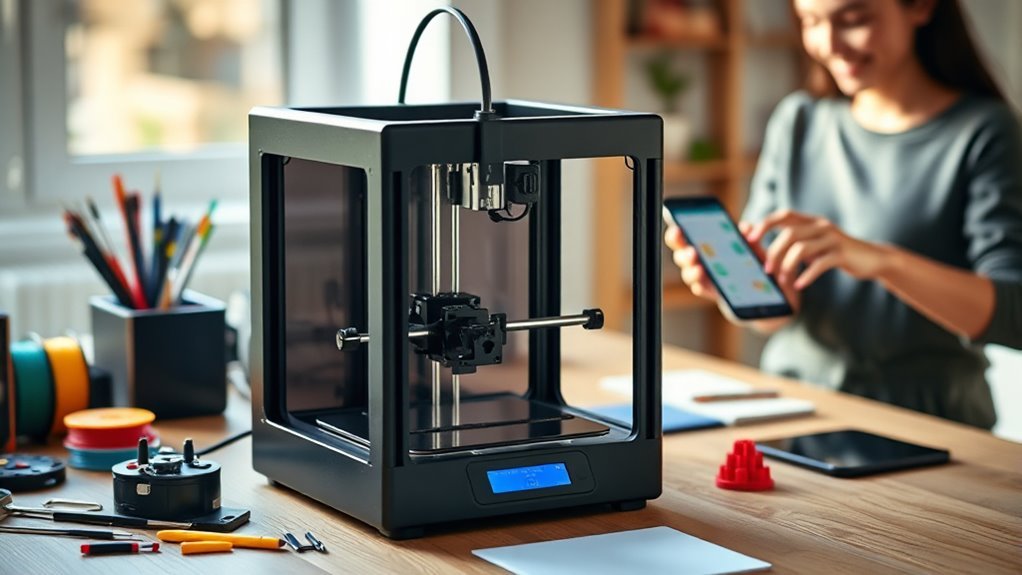
When choosing a budget starter 3D printer, you’ll want to focus on print quality and speed to get the best results. Make sure the printer is easy to set up and works well with your preferred software and connectivity options.
Also, consider the build volume size to guarantee it fits the projects you plan to create. It’s all about finding a balance that suits your needs without breaking the bank.
Print Quality and Speed
Although budget 3D printers can vary widely, understanding how print quality and speed interact helps you choose the right model for your needs. Layer height, usually between 0.1 and 0.3 mm, affects surface smoothness—0.1 mm gives finer detail but takes longer.
While many printers list max speeds from 200 to 600 mm/s, you’ll get the best quality printing at 30–80 mm/s to avoid defects like ringing. The nozzle diameter matters too; a 0.4 mm nozzle balances detail and speed, but smaller nozzles boost detail at slower speeds.
Look for sturdy frames with features like dual Z-axes to reduce print artifacts at higher speeds. Also, pay attention to hotend temperature ranges and extrusion consistency, especially if you want to print flexible or faster-flow materials without sacrificing quality.
Ease of Setup
Print quality and speed matter, but getting your printer up and running smoothly can make or break your early experience. You’ll want a printer that arrives fully assembled or requires minimal setup, so you can start printing within minutes.
Look for features like factory preset profiles and auto-leveling beds to cut down on tedious manual calibration. Multiple easy connectivity options—Wi-Fi, SD card, USB—and an intuitive, one-tap print workflow simplify file transfers and print starts.
Preloaded test models, quick-heating hotends, and fast-release nozzles help you achieve successful prints faster. Also, consider printers that include starter kits with sample filament, basic tools, clear guides, and one-touch resume after power loss to minimize frustration.
This way, you’ll be printing confidently right away without any unnecessary hassle.
Software Compatibility
How easily your 3D printer works with your computer and software can make a huge difference in your printing experience. Make certain your printer supports popular slicers like Cura or PrusaSlicer, so you can use community profiles and get regular updates.
Check that the printer’s drivers and apps work with your operating system—whether Windows, macOS, Linux, or ChromeOS. Look for open-source or customizable firmware and compatibility with standard file formats like G-code and STL. This gives you flexibility to tweak settings or use third-party tools.
Also, verify the software supports your preferred workflow, including features like slicing, print monitoring, and upload controls. Make sure it’s actively maintained with updates and community support. This guarantees smoother, more reliable printing as you get started.
Connectivity Options
When choosing a budget starter 3D printer, you’ll want to zero in on its connectivity options to match your workflow. Look for printers offering multiple transfer methods like Wi-Fi, USB, and removable SD/TF cards. That way, you can print from phones, laptops, or even offline devices without any hassle.
Wi-Fi with app control is pretty handy because it lets you slice remotely and upload files with just one tap. Just make sure the app is stable and secure, preferably with encryption to keep things safe.
USB or USB-C connections are great too—they provide reliable, low-latency transfers. This is especially useful when your network decides to act up and you need a solid connection.
An onboard SD/TF card slot is a nice bonus since it lets you print without a computer. That’s perfect for shared environments like classrooms where multiple people might want access.
Also, keep an eye out for firmware compatibility with popular slicers like Cura. This helps you avoid getting locked into one vendor and lets you enjoy third-party software across all connection types.
Build Volume Size
Alongside connectivity, build volume plays a major role in picking the right budget 3D printer for your needs. It determines the largest size you can print in one go—desktop models usually offer 120–200 mm per axis, while more versatile options reach 200–300 mm.
Bigger build volumes let you create large parts or multiple items simultaneously, but they also consume more material and increase print time. Plus, budget printers with large volumes are more prone to warping or layer shifts.
Consider your typical projects—figurines or enclosures—and choose a build volume that fits those dimensions. Remember, larger build volumes mean bigger printers, which might not fit your workspace.
For very large prints, plan to print sections and assemble them to avoid buying an oversized starter machine. It’s often smarter and more practical that way.
Safety Features Included
Because 3D printers involve high temperatures and moving parts, choosing a model with strong safety features is essential to protect yourself and your workspace. Look for printers with partially or fully enclosed frames and guarded hotend areas to prevent accidental burns or injuries.
Thermal protections like auto-shutdown and thermal runaway detection are vital to avoid overheating and fire risks. Filament run-out detection and power-loss resume help prevent failed prints and hazardous filament tangles.
Opt for stable mechanical designs with reinforced frames and sturdy build plates to reduce wobble or tip-over. If children will be around, select printers with child-safe features such as lower nozzle exposure, quiet operation, and firmware controls that let you monitor and remotely pause or stop printing.
These safety elements keep your 3D printing experience worry-free. It’s better to be safe than sorry, right?
Material Compatibility
Although budget 3D printers are designed for beginners, you’ll still want to make sure they support the filament types you plan to use. Start by checking if the printer handles common filaments like PLA and PETG.
If you want flexible TPU or high-temp materials such as ABS, make certain it features an all-metal or ceramic hotend, heated bed, and possibly an enclosure. Confirm the maximum nozzle temperature exceeds 250–300 °C and bed temperature reaches at least 60–100 °C for these filaments.
Consider the extruder type—direct drive works better for flexible filaments, while Bowden setups suit stiffer ones. Also, verify firmware and slicer compatibility to adjust temperature and retraction settings easily.
Look for helpful hardware like heated build surfaces and filament sensors to enhance print reliability across materials. These little extras can really make a difference when you’re switching between different kinds of filament.
Support and Warranty
Knowing your 3D printer handles the filaments you want is just part of the equation. You also need solid support and warranty coverage.
Check the length and scope of the warranty—ideally 12 to 24 months covering parts, labor, and key electronics like the motherboard and hotend. Make sure support channels like email, phone, live chat, or forums are available, with quick response times.
Confirm if consumables such as nozzles, belts, and build plates are covered or if affordable replacements are easy to find. Good documentation, including setup guides and firmware updates, is essential to keep your printer running smoothly.
Finally, choose vendors offering clear return policies with reasonable windows and transparent shipping costs. This way, you can handle repairs or replacements hassle-free.
Frequently Asked Questions
What Maintenance Is Required for These Budget 3D Printers?
You’ll need to regularly clean the print bed, lubricate moving parts, and check belt tension.
Also, don’t forget to update the firmware and replace worn nozzles or filaments.
Keeping these up guarantees smooth prints and extends your 3D printer’s life. Easy enough, right?
Can These Printers Handle Flexible Filaments?
Absolutely, you can print flexible filaments with these printers!
While they might struggle a bit compared to high-end models, with proper tweaks and patience, you’ll be bending and flexing prints like a pro in no time.
Are Replacement Parts Readily Available for These Models?
Yes, replacement parts are generally easy to find for these models. You’ll find plenty of online retailers and community forums offering parts.
This makes it simple to keep your printer running smoothly without much hassle or downtime. So, you won’t have to worry about long waits for repairs.
What Software Compatibility Do These Printers Offer?
Wondering if your printer will play nice with your software? These models support popular slicers like Cura, PrusaSlicer, and Simplify3D.
How Noisy Are These 3D Printers During Operation?
These 3D printers run fairly quietly, so you won’t be distracted while printing. Some models have quieter fans and stepper motors, making them ideal for home use.
You can expect low noise during operation. It’s pretty nice when your printer doesn’t interrupt your workflow or conversations.
Conclusion
Choosing the right budget starter 3D printer can be as exciting as unboxing a new gadget on a bright morning. Whether you pick the Entina Tina2 Plus for its WiFi ease, the TINA2C for quick setup, or the Anycubic Kobra X for vibrant multicolor prints, you’re set to plunge into 3D printing without hassle.
Keep your needs and ease of use in mind, and you’ll create amazing projects in no time! For beginners, the best budget starter 3D printers combine affordability with user-friendly features. This makes learning and experimenting fun and stress-free.
So, whether you want to craft detailed models or colorful prototypes, choosing the right 3D printer is key. These top picks will help you jump into the world of 3D printing confidently and affordably. Start your creative journey with a budget-friendly 3D printer that’s perfect for beginners!