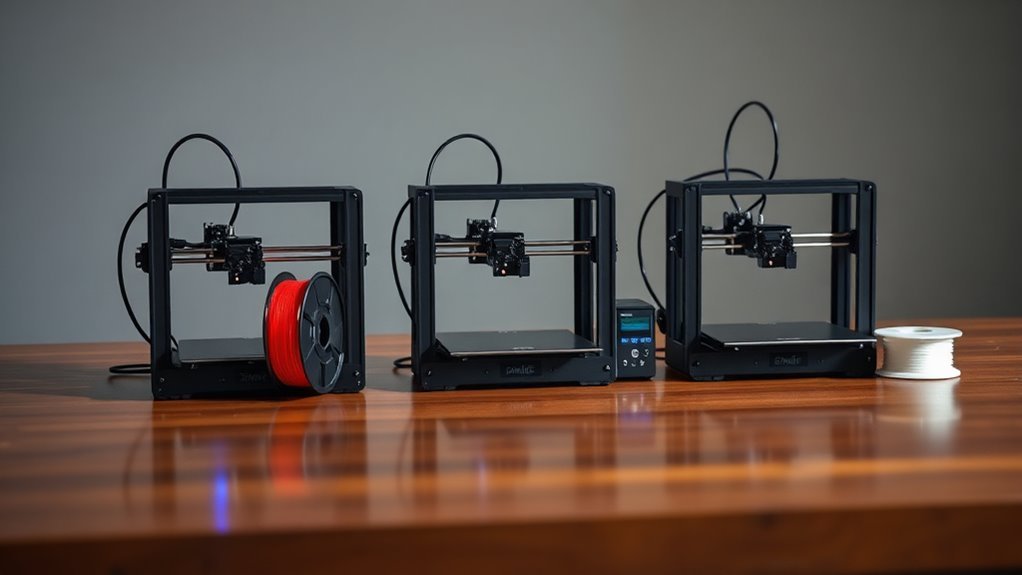
3 Best Cheap 3D Printers Under $200 for 2027
You’ll find great beginner-friendly 3D printers under $200 that are perfect for those just starting out. For instance, the Portable Compact FDM is lightweight and easy to use, featuring a 100mm build volume. It’s a solid choice if you need something simple and portable.
The Gonetre FDM offers a sturdy ABS build and straightforward controls, making it ideal for educational purposes. If you’re looking for a bigger build size with factory calibration, the Malyan M320 provides a 150mm build area and a heated bed. These models strike a nice balance between print quality, portability, and ease of setup.
Keep exploring to uncover helpful buying tips and features that will guide you in choosing the best cheap 3D printer under $200 for 2027. There’s a lot to consider, but these options are a great place to start!
| Image | Name | Editor's Rating | Price |
|---|---|---|---|

|
|
||

|
|
||

|
|
Portable Compact FDM 3D Printer for Beginners
- Foolproof Setup with Video Guides – Never get stuck! We provide a crystal-clear Quick Start Guide and step-by-step video tutorials. Watch them online to get started.
- Simple Assembly with Video Guide – Requires quick modular setup (watch our step-by-step video). Comes with 10m PLA filament, TF card, tools, and 12V Type-C power...
- Versatile Filament Compatibility – Unleash your creativity with both PLA and flexible TPU (1.75mm). The reliable 0.4mm nozzle and precise 0.05-0.3mm layer thickness...
- Reliable Performance & Compact Design – Features stable FDM technology and a removable build plate for easy model removal. The perfect 100x100x100mm build volume is...
- Complete Package – No Hidden Costs – Includes printer, 10m PLA filament, 8GB TF card + reader, tools, illustrated manual, and 12V Type-C power adapter. Plus free...
Discover the ease and convenience of 3D printing with this portable compact FDM 3D printer, designed specifically for beginners. Its small footprint and lightweight build make it ideal for users who need a printer that can be moved and set up quickly. Whether you’re a student or hobbyist, this printer helps you bring your ideas to life without hassle.
The printer’s 0.4 mm nozzle and precise controls ensure smooth, detailed prints using PLA and TPU filaments. Its removable build plate allows you to effortlessly remove finished models, simplifying maintenance and reducing downtime between prints. This practical design supports consistent results while keeping setup and cleanup straightforward.
Perfect for STEM learning and small-scale projects, this compact printer solves space limitations and makes 3D printing accessible in classrooms or home workshops. Clear guides and video tutorials walk you through every step, so you can start printing confidently in minutes.
While its build volume of 100 x 100 x 100 mm suits most beginner projects, the limited material compatibility means it’s best for users focused on PLA and TPU filaments. Its portable design and ease of use make it a practical choice for those new to 3D printing.
Best for: Beginners, students, educators, and hobbyists looking for a portable, user-friendly 3D printer for educational and small project use.
What We Like:
- Compact, lightweight design for easy transport and setup
- Removable build plate simplifies print removal and maintenance
- Clear guides and video tutorials enable quick learning
- Precise nozzle control delivers detailed prints with PLA and TPU
Specification:
| Feature | Details |
|---|---|
| Manufacturer | Not specified |
| Dimensions | 6.8 x 6.1 x 8.3 inches |
| Weight | 2.2 pounds (1.0 kg) |
| Build Volume | 100 x 100 x 100 mm |
| Nozzle Size | 0.4 mm |
| Compatible Filaments | PLA, TPU |
Gonetre FDM 3D Printer for Beginners, 100mm Build
- [Fast Heating Capability] The frequency division multiplexing 3d printer is engineered for efficient heating, making it suitable for beginners. with a unique key system...
- [High Accuracy Printing] The beginner 3d printer features a compact printing size of 4 x 4 x 4in (100 x 100 x 100mm) and is equipped with an excellent all metal nozzle...
- [ and ] Made from robust abs material, this 3d printer is built to withstand regular use while maintaining its performance. its sturdy design ensures reliability and...
- [Easy to Use for Beginners] Designed with beginners in mind, this frequency division multiplexing 3d printer allows for easy usage even if you have no experience with 3d...
- [Versatile Printing Options] You can print from both included model files and downloaded online, offering versatility in your innovative projects. this feature enables...
The Gonetre FDM 3D Printer is designed to make 3D printing simple and accessible for beginners. Its compact 100mm build volume is perfect for small, detailed projects without overwhelming workspace. This printer helps users overcome common challenges by offering straightforward controls that require no prior slicing experience.
Its robust ABS chassis ensures durability and stability during printing. The all-metal nozzle heats up quickly to 180°C, supporting popular filaments like PLA and TPU. This means you can start printing your designs with minimal setup and maintenance, saving time and frustration.
Loading filament and operating the printer is intuitive thanks to the key-based control system. You can also print directly from a memory card using G-code files, eliminating the need for complex software. This makes it ideal for educational settings and home workshops, encouraging creativity and skill development.
The printer’s lightweight and sturdy design makes it easy to move and maintain. However, its limited build size and filament compatibility may restrict larger or more varied projects. Still, it offers a reliable, focused solution for precise, small-scale 3D printing tasks.
Best for: Beginners and educators seeking an easy-to-use, compact 3D printer to create accurate models with minimal setup.
What We Like:
- Simple key-based controls ideal for new users
- Durable ABS frame and metal nozzle for consistent printing
- Quick nozzle heating to 180°C for efficient workflow
- Direct printing from memory cards without complex software
Specification:
| Feature | Details |
|---|---|
| Manufacturer | Gonetre |
| Build Volume | 100 x 100 x 100 mm |
| Material | ABS chassis, metal nozzle |
| Supported Filaments | PLA, TPU |
| Nozzle Temperature | Up to 180°C |
| Weight | Lightweight |
Malyan M320 Fully Assembled 3D Printer
- 1. Ready to Print: Unlike most other low-cost 3D printers, this printer ships fully assembled and has already been calibrated at the factory. We even include sample PLA...
- 2. LCD Touch Screen: Touch screen interface, simply navigate through the easy to use touch screen to level the print bed, select the part you want to print, and let the...
- 3. Heated aluminum build plate nozzle cooling fan for printing all filament types. Complete kit with sample PLA filament, bed scraper, and MicroSD card with preloaded...
- 4. All Metal Hotend for Stability: The all metal hotend is capable of superior performance and prevents wear and tear, while the heat brake design allows for efficient...
- 5. Removable Magnetic Build Plate: The easy to remove magnetic build plate makes the often times messy and difficult removal of prints simple and straightforward. You can...
The Malyan M320 offers a fully assembled 3D printing solution that saves you time and hassle. Ready to use straight from the box, it comes factory calibrated with a sample PLA filament and a microSD card loaded with example models. This setup makes it easy to start printing immediately, even for beginners.
Its compact 150 x 150 x 150 mm build volume fits well in small workspaces while handling everyday projects. The sturdy metal frame and heated aluminum bed provide stability and ensure prints stick well during the process. The removable magnetic build plate simplifies print removal and maintenance.
An intuitive LCD touch screen guides you through navigation and bed leveling, making setup straightforward. You can print directly from the microSD card or connect via USB to a PC or Mac. The all-metal hotend with a heat-break design keeps temperatures stable and improves reliability during longer prints.
While the build size limits larger projects, this printer excels in delivering consistent quality for small to medium prints. The included PLA filament is ideal for most beginner applications but offers limited material variety at first.
Best for: Users seeking a fully assembled, factory-calibrated 3D printer with a compact footprint and easy-to-use features for immediate printing on PC or Mac.
What We Like:
- Fully assembled and factory calibrated for quick setup
- Intuitive LCD touch screen with easy bed leveling
- Print directly from microSD or USB without a PC
- Sturdy metal frame with heated aluminum bed
- Reliable all-metal hotend with heat-break design
Specification:
| Manufacturer | Malyan |
|---|---|
| Build Volume | 150 x 150 x 150 mm |
| Frame Material | Metal |
| Bed Type | Heated aluminum with magnetic removable plate |
| Control Interface | LCD touch screen |
| Connectivity | microSD, USB |
Factors to Consider When Choosing a Cheap 3D Printer Under 200
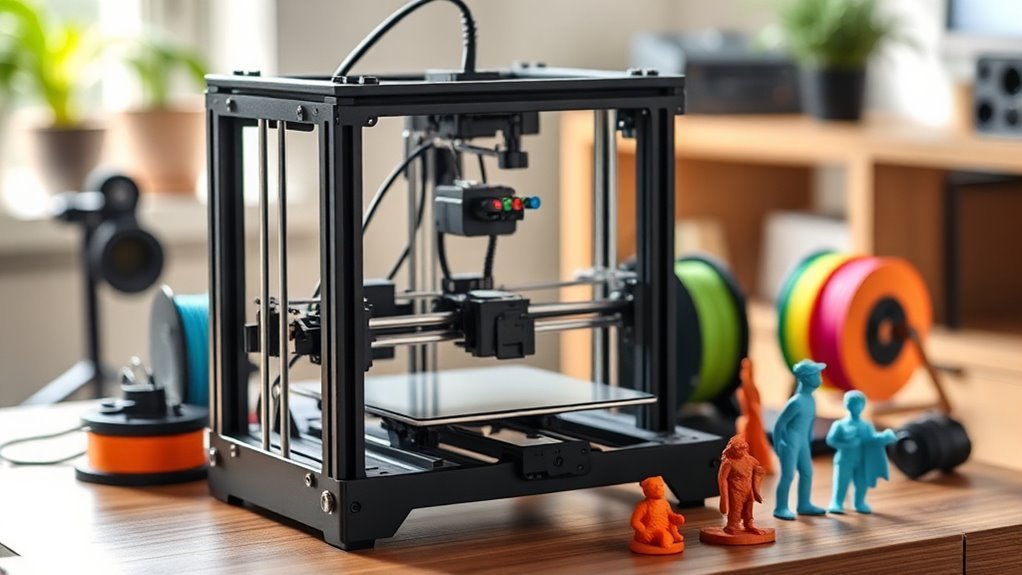
When choosing a 3D printer under $200, you’ll want to check its print volume capacity to make sure it fits your project sizes. It’s important to know what size you can work with before buying.
Consider filament compatibility and ease of setup to avoid frustration down the line. Trust me, a printer that’s tricky to set up can really slow you down.
Don’t forget to look at print quality features, portability, and overall size to match your workspace and needs. Finding the right balance makes your experience much smoother.
Print Volume Capacity
Although cheap 3D printers under $200 often come with limited build volumes, understanding their print capacity is essential to match your project needs. Typical sizes range from about 100 x 100 x 100 mm to 150 x 150 x 150 mm, so check the maximum model size before you buy.
Keep in mind, usable build volume is often less than advertised due to bed clamps, extruder design, and firmware limits. Smaller volumes mean you’ll print single parts or split larger models into pieces for assembly.
If you need functional parts or multi-piece prints, pick the largest volume you can afford to minimize seams and post-assembly work. Just remember larger volumes increase print time and filament use, so balance size against time and material costs.
Filament Compatibility Options
Since filament compatibility directly impacts the quality and range of your 3D prints, you should carefully check which materials your budget printer supports. Most cheap printers use a 1.75 mm filament diameter, so make sure your chosen printer matches this to avoid feeding issues.
Confirm the types of filament it handles—PLA and TPU are beginner-friendly, while ABS, PETG, and specialty filaments usually require a heated bed or all-metal hotend. Speaking of hotends, PTFE-lined ones limit you to lower-temperature materials, whereas all-metal hotends handle higher temps for more filament options.
Also, look for firmware features like retraction and temperature control that improve printing with flexible filaments and reduce stringing. Finally, consider filament availability and community support, as cheaper printers may lack optimized profiles for less common materials.
Ease Of Setup
Filament compatibility sets the stage for what you can print, but getting started quickly matters just as much. Look for printers with clear Quick Start Guides or video tutorials that walk you through assembly, bed leveling, filament loading, and your first print.
Choosing a model that ships partially or fully assembled and factory-calibrated can cut setup time from hours to minutes. Removable or magnetic build plates and modular frames make mechanical setup and print removal much easier.
Simple control interfaces with one-touch print options and preloaded sample models help you move from unboxing to printing fast. Also, check that the printer includes essential accessories like tools, spare nozzles, sample filament, and memory cards.
Plus, you want straightforward firmware and software compatibility so you avoid extra purchases or complicated configuration. It’s all about making your first print as smooth as possible!
Print Quality Features
Achieving great print quality on a budget starts with understanding key features like layer height, nozzle size, and hotend design. Look for printers supporting a layer height between 0.05–0.3 mm so you can switch from fine details (0.05–0.1 mm) to faster drafts (0.2–0.3 mm).
A standard 0.4 mm nozzle balances detail and speed well, while smaller nozzles give finer prints but take longer. An all-metal or well-cooled hotend guarantees stable extrusion, improving layer bonding and reducing clogs.
Don’t overlook a removable, flat build surface and reliable bed-leveling—they prevent warping and first-layer failures. Also, steady motion hardware and a consistent filament feed minimize ringing, layer shifts, and extrusion issues.
These features matter most when choosing a cheap 3D printer under $200. So, keep them in mind to get the best bang for your buck!
Portability And Size
Print quality features matter a lot, but you’ll also want to remember portability and size when choosing a cheap 3D printer under $200. Start by checking the build volume to make sure it fits the parts you plan to print—small printers often offer around 100 x 100 x 100 mm or less.
Consider the printer’s physical footprint and weight; compact, lightweight models are easier to store and move but may sacrifice features. Look for removable or foldable build plates and modular frames for easier packing and safer transport.
Also, verify power and connectivity options like USB, SD card, or battery adapters so you can run the printer in different locations. Keep in mind, open-frame compact printers tend to be louder and less thermally stable than enclosed models.
Included Accessories
Many cheap 3D printers under $200 come with included accessories that can make your setup and printing experience much smoother. First, check if the printer includes a sample filament (usually 10–20 meters) so you can start test prints right away.
A removable or flexible build plate and basic removal tools like a scraper help you take prints off easily without damage. Look for memory cards or USB support with a card reader for standalone printing without a PC.
Also, confirm the package has essential maintenance tools—Allen keys, nozzle cleaners, spare PTFE tubing, and a quick-start guide. Bonus accessories include a regional power adapter, spare nozzles, and links to online tutorials. All designed to get you printing faster with less hassle.
Frequently Asked Questions
What Types of Filaments Are Compatible With These Printers?
You’ll typically use PLA and ABS filaments with these printers since they’re easy to print and affordable.
Some models also support TPU or PETG, but you should check your printer’s specs to avoid compatibility issues.
It’s always a good idea to double-check before you start printing to make sure everything goes smoothly.
How Noisy Are These 3D Printers During Operation?
These 3D printers are generally moderately noisy, producing a steady hum and occasional clicking sounds. You won’t find them silent, but they’re quiet enough to use in a home or small workspace without causing much disruption.
They’re not going to be completely silent, but honestly, the noise level is pretty manageable. So, if you’re thinking of setting one up at home or in a small office, it shouldn’t be a big deal.
Can These Printers Be Upgraded or Customized Easily?
You can usually upgrade or customize these printers, but don’t expect advanced features—they’re basic models. Still, tinkering with firmware or adding mods can be rewarding.
It lets you personalize your printer and boost its capabilities over time. So, if you like hands-on projects, it’s definitely worth trying!
What Is the Warranty Period for These Budget Printers?
You’ll usually get a warranty of 6 to 12 months with these budget 3D printers. Some brands might offer longer coverage, but it’s best to check each model’s specific warranty details before you buy.
It’s always a good idea to know exactly what’s covered and for how long. That way, you won’t be caught off guard if something goes wrong.
Are There Any Software Limitations With These Models?
Yes, some budget printers limit compatibility to specific slicer software or lack advanced features like auto-bed leveling support.
You’ll want to check each model’s software capabilities to make certain it fits your workflow and design needs. It’s always better to be sure upfront than run into headaches later.
Conclusion
Choosing a 3D printer under $200 is like planting a seed in your creative garden. Each model—whether the Portable Compact, Gonetre, or Malyan M320—offers tools to help your ideas grow.
With the right choice, you’ll nurture your skills and watch your projects blossom. So, pick the one that fits your needs, and let your imagination take root.
Turning simple prints into vibrant creations is easier than ever with these budget-friendly options. These cheap 3D printers under $200 provide great value without sacrificing quality.
By choosing the best cheap 3D printers under $200 for 2027, you’re investing in your creativity without breaking the bank. Your visions can truly come to life, one print at a time!