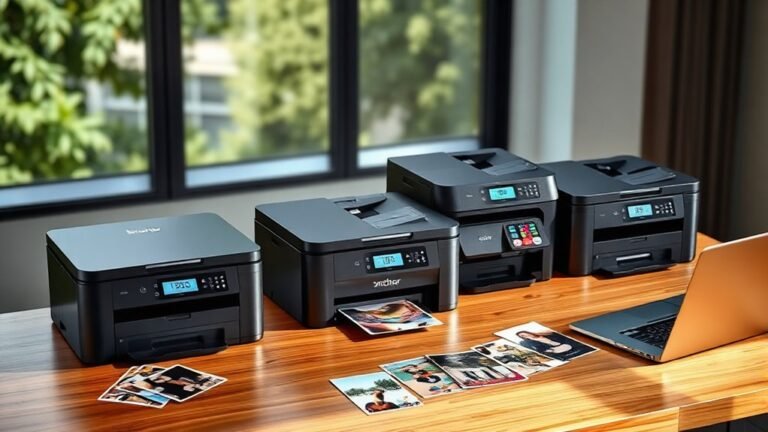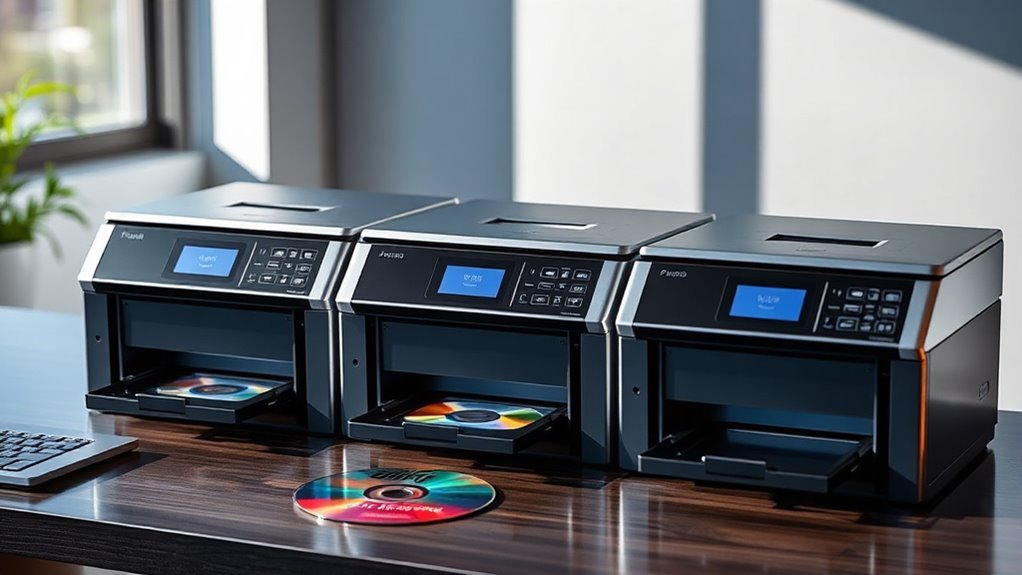
3 Best CD DVD Inkjet Printers for 2027
For 2027, if you’re looking for the best CD DVD inkjet printers, you’ll want to check out the Epson Discproducer PP-100III. It’s perfect for automated batch printing thanks to its precise robotic handling.
Then there’s the Stylus Photo R2000, which delivers vibrant, large-format pigment prints and offers wireless connectivity for added convenience.
Another great option is the Stylus Photo R380. It’s known for fast, smudge-resistant photos and even allows PC-free disc printing. Each of these printers comes with individual ink cartridges and media versatility, ensuring sharp and durable results every time.
These top choices strike a great balance between automation, print quality, and ease of use. So, whether you need high-volume printing or something more compact, keep exploring to find the perfect match for your disc printing workflow.
| Image | Name | Editor's Rating | Price |
|---|---|---|---|
|
|
||

|
|
||

|
|
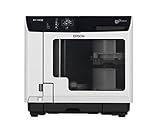
Epson Discproducer PP-100III CD/DVD/Blu-ray Disc Publisher and Printer
- Simple, unattended production — easily create multiple CD, DVD or Blu-ray discs. PP-100III holds up to 100 discs for automated printing and duplication
- High-quality printing — get sharp text and stunning graphics with patented MicroPiezo technology
- Economical and easy to maintain— low total cost of ownership with six high-capacity ink cartridges (each with low ink sensors) and a field-replaceable waste tank. Also...
- Reliable automation — Discproducer's proven robotic arm and patented AcuGrip technology ensure that only one disc is placed in the drive or on the printer at one time
- Compact, durable design — PP-100III's rugged construction and space-saving format is build to last
The Epson Discproducer PP-100III offers a seamless solution for high-volume disc duplication and printing. It automates the entire process, handling up to 100 CDs, DVDs, or Blu-ray discs without needing supervision. This feature saves time and reduces manual effort, making it ideal for busy environments.
Its compact and sturdy design fits easily into tight spaces, while the patented AcuGrip robotic arm ensures precise disc handling every time. The printer delivers sharp, vibrant images using Epson’s MicroPiezo inkjet technology with six high-capacity ink cartridges, providing consistent, professional-quality results.
Maintenance is straightforward with individual ink cartridges, allowing easy replacement and minimizing downtime. The device connects via USB and works seamlessly with Epson TotalDiscMaker software on both PC and Mac, streamlining your workflow.
Though it supports only USB connectivity and weighs 46.2 pounds, its focused design excels in disc production tasks. This model is tailored for professionals who require reliable, unattended disc publishing with excellent print quality.
Best for: Businesses and professionals in healthcare, legal, and music industries needing efficient, automated disc duplication and printing.
What We Like:
- Handles up to 100 discs automatically for unattended operation
- Produces sharp, vibrant prints through advanced inkjet technology
- Compact, durable design with precise robotic arm handling
- Easy maintenance with individual, high-capacity ink cartridges
Specification:
| Feature | Details |
|---|---|
| Manufacturer | Epson |
| Dimensions (W×D×H) | 14.5 × 20.5 × 11.4 inches |
| Weight | 46.2 lb (20.95 kg) |
| Material | Durable plastic and metal |
| Color | Black |
Epson Stylus Photo R2000 Wireless Inkjet Printer
- Industry-leading pigment ink technology - Epson UltraChrome Hi-Gloss 2 pigment ink for colorful, vibrant prints
- Individual, larger ink cartridges - change cartridges less often and get up to 50% more prints2
- Professional media versatility - accommodates cut-sheet and roll paper in sizes up to 13" wide
- Unparalleled connectivity - Hi-Speed USB 2.0, wireless 802.11n and 100 Mbit Ethernet support
- Auto-selecting Black inks:Achieve optimal black density & superior contrast on glossy,matte/fine artpapers from either Matte/Photo Black ink
The Epson Stylus Photo R2000 Wireless Inkjet Printer transforms your creative vision into vibrant, high-quality prints. Designed to meet the needs of photographers and artists, it delivers rich colors and smooth, glossy finishes using Epson’s UltraChrome Hi-Gloss 2 pigment inks. This technology enhances skin tones and image detail, making your prints truly stand out.
Maintenance is simple thanks to larger, individual ink cartridges. You’ll spend less time replacing ink and enjoy up to 50% more prints per cartridge. This printer supports a variety of media, including wide-format roll paper, canvas, and printable CDs/DVDs, offering flexibility for diverse projects.
Connectivity is seamless with options like Hi-Speed USB, wireless 802.11n, and Ethernet. This allows for easy integration into home or studio networks, though wireless setups may require occasional troubleshooting in complex environments.
While it handles media up to 1.3 mm thick, this may limit some specialty substrates. The initial investment is higher than basic inkjets, but the improved print quality and media versatility justify the cost.
Best for: photographers and artists seeking vibrant, professional-quality wide-format prints with flexible media options and wireless convenience.
What We Like:
- Produces vibrant, glossy prints with advanced pigment ink technology
- Larger cartridges reduce ink replacement frequency
- Supports wide-format media including roll paper and printable discs
- Multiple connectivity options for versatile setup
Specification:
| Feature | Details |
|---|---|
| Manufacturer | Epson |
| Dimensions (W x D x H) | 18.3 x 14.8 x 8.6 inches (46.5 x 37.6 x 21.9 cm) |
| Weight | 15.7 lbs (7.1 kg) |
| Ink Technology | UltraChrome Hi-Gloss 2 pigment |
| Max Media Width | 13 inches (33 cm) |
| Media Thickness | Up to 1.3 mm |
| Connectivity | USB, Wireless 802.11n, Ethernet |
Epson Stylus Photo R380 Color Inkjet Printer (C11C658011)
- Extra large 3.5" display and card slots to select, crop and print photos -- PC free
- Borderless 4x6 photos in as fast as 13 sec; up to 30 ppm black/color text*
- Direct printing onto CD/DVD, no messy labels
- ClariaTM Hi definition ink for smudge, scratch, water and fade resistant prints
- Automatic photo correction and red-eye removal
Experience vibrant, professional-quality photo printing with the Epson Stylus Photo R380 inkjet printer. Designed for photo enthusiasts and creative users, it produces stunning borderless prints up to 8.5×11 inches with ease. This printer helps you create lasting memories with sharp, colorful images that resist smudges, scratches, water, and fading.
The advanced Claria Hi-Definition 6-color ink system ensures your photos maintain their brilliance for years, supporting prints that can last up to 200 years under ideal storage. Its ability to print directly onto inkjet-printable CDs and DVDs adds a unique layer of versatility for creative projects and personalized media.
Maintenance is straightforward, and the printer’s 3.5-inch color LCD makes editing and previewing photos simple without needing a PC. With USB and memory card slots, you can print directly from multiple devices, streamlining your workflow and enhancing convenience.
While the Epson Stylus Photo R380 supports high-quality, fast printing, it has a single paper tray with a 120-sheet capacity and a maximum of 15 copies per run. It weighs 15.7 pounds, so portability is limited compared to smaller models.
Best for: Photo enthusiasts and creators needing fast, borderless photo printing with durable, fade-resistant results and versatile media options.
What We Like:
- High-resolution borderless prints up to 8.5×11 inches with 6-color Claria ink
- Durable prints resistant to smudges, scratches, water, and fading
- Direct printing on CDs/DVDs and easy PC-free operation with a 3.5-inch LCD
- USB and memory card slots for versatile media input
Specification:
| Feature | Details |
|---|---|
| Manufacturer | Epson |
| Dimensions | Not specified |
| Weight | 15.7 lb (7.12 kg) |
| Color | Silver |
| Ink System | Claria Hi-Definition 6-color |
Factors to Consider When Choosing a Cd Dvd Inkjet Printer
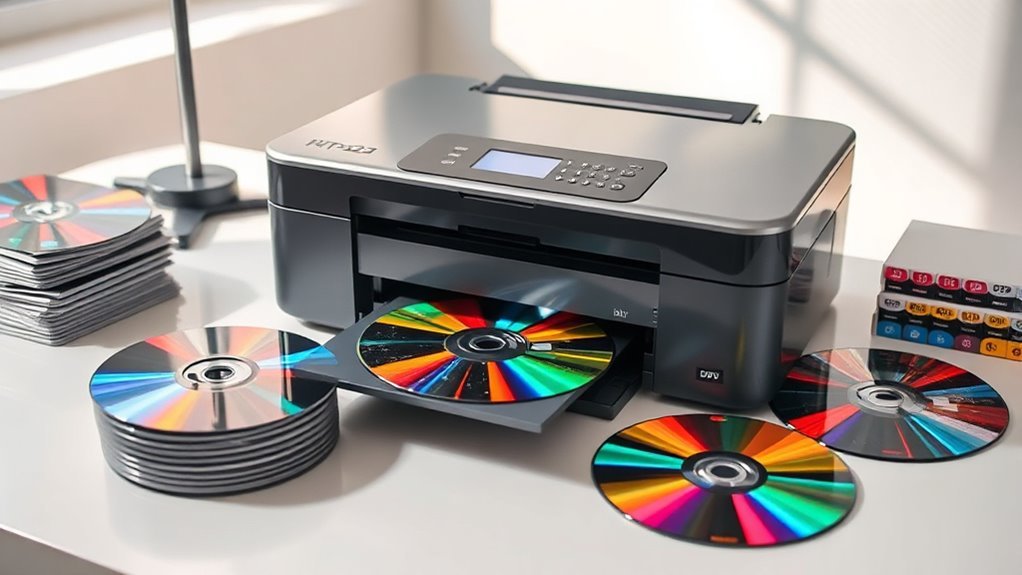
When choosing a CD DVD inkjet printer, you’ll want to focus on print quality and resolution. This helps guarantee sharp, vibrant results every time.
Also, consider the range of media it supports and how efficient its ink system is. This can save you both time and costs in the long run.
Don’t forget to check the connectivity options and automation features. These will help your printer fit smoothly into your workflow without any hiccups.
Print Quality And Resolution
Achieving sharp, vibrant disc labels starts with understanding print quality and resolution. You want a printer with a high maximum print resolution—2400 x 1200 dpi or higher—to capture fine details and smooth gradients on the curved disc surface.
The number and type of ink channels matter too. A 6-color pigment system offers richer colors and better fade resistance than a basic 4-color dye setup.
Look for smaller ink droplet sizes, measured in picoliters, for crisper text and photo details. Print permanence specs like water, smudge, scratch, and fade resistance show how well your artwork will last.
Finally, consistent registration and precise printhead alignment prevent banding or misaligned graphics. This ensures your disc labels look flawless every time.
Media Compatibility Range
Picking the right CD DVD inkjet printer means checking its media compatibility range carefully. First, make sure the printer supports direct printing on optical discs like CDs, DVDs, and Blu-rays, so you avoid using adhesive labels.
Check the maximum media thickness and diameter it handles—some models accept discs up to 1.3 mm thick or media as wide as 13 inches. This is super important for specialty projects.
If you plan to print beyond discs, verify support for glossy photo paper, matte fine art paper, canvas, and printable cardstock. Also, confirm borderless printing options for discs and photos to guarantee full-bleed designs without unwanted margins.
Finally, don’t forget to verify compatibility with various ink types and media coatings. This helps you get vibrant, durable prints that resist water and abrasion.
Ink System Efficiency
Evaluate the ink system efficiency carefully to guarantee cost-effective, high-quality printing on your CDs and DVDs. Start by checking if the printer uses individual color cartridges or a combined one; individual cartridges let you replace only the depleted color, saving money over time.
Compare ink droplet size and print resolution—smaller droplets and higher dpi deliver finer details and sharper images. Choose pigment-based ink for water and fade resistance or dye-based ink for vibrant colors and smooth gradients, depending on your needs.
Examine cartridge yield ratings or capacity to estimate how often you’ll replace ink and your cost per disc. Finally, consider waste-ink and maintenance demands like purge cycles and nozzle cleaning; excessive upkeep can increase downtime and operating costs, so select a printer with efficient maintenance features.
Connectivity Options Available
Once you’ve settled on a printer with an efficient ink system, you’ll want to take into account how it connects to your devices. Make sure the printer supports USB 2.0 or higher for reliable, fast data transfer when printing high-resolution disc artwork.
If you manage multiple users or need a networked setup, choose one with wired Ethernet—preferably Gigabit speeds for smoother workflow. Wireless options like 802.11n/ac offer flexibility and mobile printing, but verify signal stability to prevent interruptions.
Also, check if the printer allows direct printing from USB flash drives or memory cards. This way, you can skip the computer altogether.
Finally, confirm compatibility with your PC or Mac. And see if the printer has multiple USB ports to support simultaneous connections or automation hardware if needed.
Automation And Workflow
When you need to handle large production runs, automated disc handling can save you significant time and effort. Decide if robotic loaders or stackers fit your needs, noting capacities range from single-disc feeders to 100+ disc changers, impacting throughput.
Make sure your printer supports batch job queuing and template-driven printing, with command-line or API control to integrate smoothly into your workflow. This makes managing multiple jobs way easier.
If you require print-and-burn automation, look for models that combine printing with duplication and write verification to avoid wasted discs. It really helps cut down on errors.
Check for consumable and maintenance automation features like replaceable waste tanks, low-ink sensors, and automatic head cleaning to reduce downtime. These little things can save you a lot of hassle.
Finally, prioritize network connectivity and remote management options for centralized job submission and real-time status monitoring across multiple sites. That way, you can keep everything running smoothly no matter where you are.
Device Durability And Size
Although choosing a CD/DVD inkjet printer often focuses on features and speed, you shouldn’t overlook device durability and size. Consider the printer’s weight and footprint to make certain it fits your workspace and can be moved if necessary. Some models weigh dozens of pounds and need substantial shelf space.
Look for rugged construction like metal chassis and reinforced trays, especially if you need reliability for high-volume or mobile use. It’s worth checking the rated duty cycle and unattended capacity to match your production needs and avoid excessive wear.
Also, evaluate maintenance ease, such as accessible service panels and simple consumable replacements. This can really help reduce downtime.
Finally, confirm the printer’s environmental tolerances and ventilation requirements. This will prevent premature component degradation during prolonged use.
Frequently Asked Questions
Can These Printers Print on Non-Standard Disc Sizes?
You can print on some non-standard disc sizes, but it depends on your printer’s specifications. Check if it supports various diameters or offers adjustable trays.
Otherwise, you might face alignment or feeding issues with unusual discs. It’s always good to double-check before you start printing.
What Is the Average Cost of Replacement Ink Cartridges?
You’ll typically pay between $20 and $60 for replacement ink cartridges, depending on the brand and type.
Some printers use individual color cartridges, which can save you money by only replacing what’s empty.
It’s a handy way to avoid paying for a whole new cartridge when you only need one color.
Are These Printers Compatible With Mac and Windows Operating Systems?
Think of these printers as bridges—they connect your creative ideas to both Mac and Windows worlds seamlessly.
You’ll find they’re fully compatible with both operating systems, letting you print your masterpieces without a hitch.
How Durable Is the Printed Image on the Discs Over Time?
The printed image on discs typically lasts several years if you handle them carefully. You’ll want to avoid scratching or exposing them to sunlight and moisture.
That way, you keep the colors vibrant and prevent fading over time. Just a little care goes a long way!
Can These Printers Handle Bulk Printing Orders Efficiently?
Yes, you can handle bulk printing orders efficiently with these printers, especially models designed for high-volume use.
Just make sure to choose one with fast print speeds and reliable ink systems to keep up without frequent interruptions.
It really helps to pick a printer that won’t slow you down or require constant refills.
That way, you can focus on getting your orders done smoothly and on time.
Conclusion
When choosing a CD/DVD inkjet printer, you want reliability and quality, and the Epson models here deliver just that. Did you know 68% of creative professionals say printer quality directly impacts their project success?
That’s why going with trusted options like the Epson Discproducer PP-100III or the Stylus Photo series makes a difference. With these printers, you’ll get vibrant, long-lasting prints that keep your discs looking professional every time.
In the world of CD DVD inkjet printers, quality and consistency matter the most. Choosing a reliable printer like Epson ensures your discs stand out with sharp, colorful images that last. Whether for personal projects or professional use, these models combine ease of use with top-notch results. So, if you want your discs to look their best and your printing process to be hassle-free, these Epson printers are definitely worth considering.