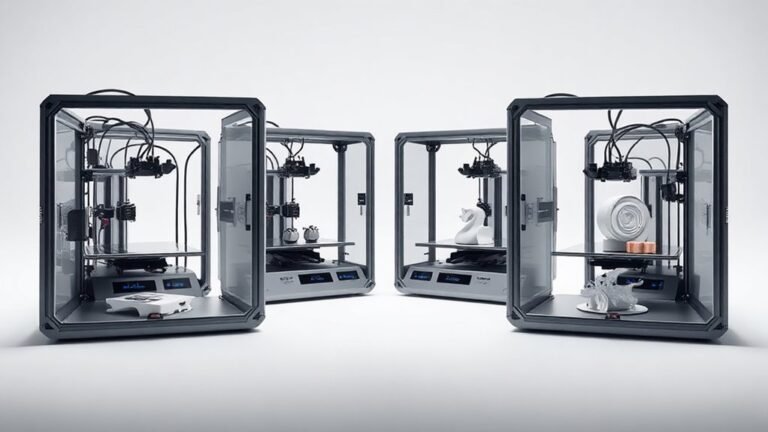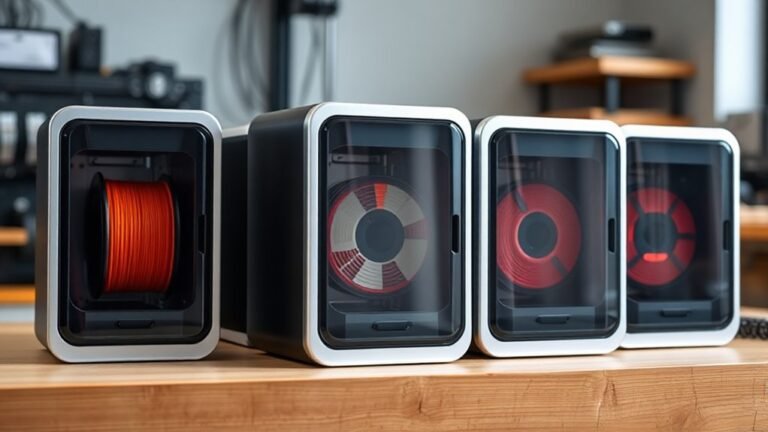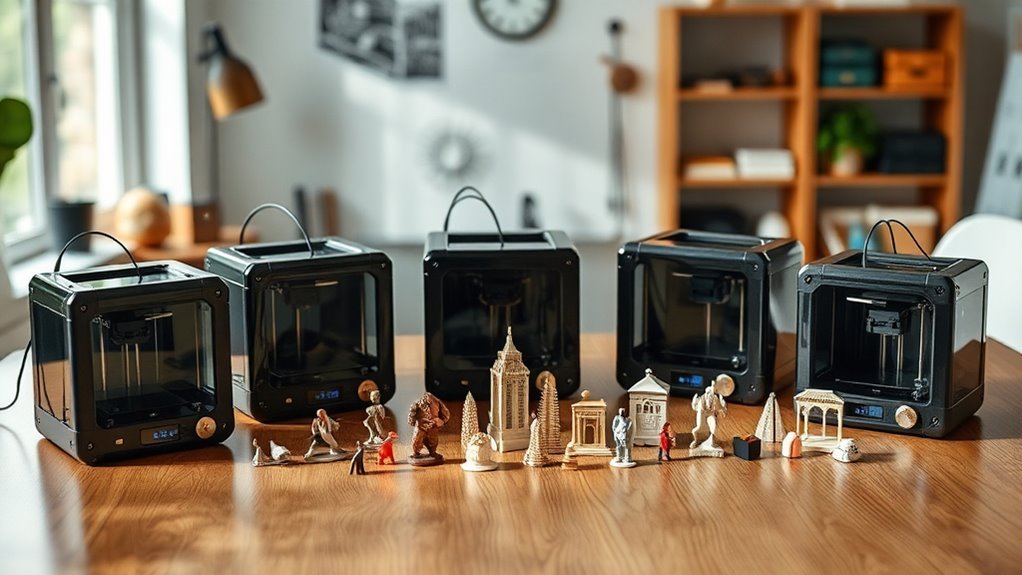
9 Best Budget Resin Printers for 2027 That Impress on a Dime
If you want sharp detail without spending a fortune, the ANYCUBIC Photon Mono 4 with its 7″ 10K monochrome LCD offers speedy, precise prints. It’s a great pick for budget resin printers that deliver high resolution without breaking the bank.
ELEGOO’s Mars 5 Ultra and Mars 5 also shine with excellent 9K and 4K options, featuring smart leveling and reliable automation to make printing easier.
The Reflex RS Turbo boosts curing speed and batch printing with ease, perfect for those who need efficiency.
For bigger projects, larger models like the Photon Mono M7 MAX provide ample space without sacrificing quality.
Keep exploring to find the best fit balancing resolution, speed, and user-friendly features that suit your needs without overspending.
| Image | Name | Editor's Rating | Price |
|---|---|---|---|

|
|
||
|
|
||
|
|
||

|
|
||

|
|
ANYCUBIC Photon Mono 4, Resin 3D Printer with 7” 10K Mono LCD Screen
- 【7'' 10K High Resolution】Photon Mono 4 boasts an impressive 105% increase in print precision compared to Mono 2. With a resolution of 9024x5120, each pixel measures a...
- 【Powerful Light Source】The time-tested Anycubic LighTurbo matrix light source technology delivers stable, balanced, and uniform lighting to reduce layer lines and...
- 【Sufficient Print Size】With a generous maximum build volume of 6.04'' x 3.42'' x 6.49''/153.4mm x 87mm x 165mm, you have ample print space to easily tackle your daily...
- 【Laser-engraved Print Platform 2.0】With a new design, the laser engraving platform of the photon mono 4 improves adhesion to mitigate lifting and warping of the model...
- 【User-friendly Function】The 4-point leveling method is ideal for beginners, after the first leveling and tightening the 4 screws, no need to repeat leveling. Photon...
Experience high-precision resin printing with the ANYCUBIC Photon Mono 4, designed to elevate your creative projects. Its 7″ 10K monochrome LCD screen delivers exceptional detail, making intricate models sharper and more vibrant. This printer addresses common printing issues by providing consistent, smooth layers and minimizing visible lines.
The advanced 9024 x 5120 native resolution and 17 μm pixel size enhance accuracy by 105% compared to previous versions. The innovative Anycubic LighTurbo matrix light source ensures uniform curing, which reduces defects and speeds up print times to 70 mm/h. This means you get reliable, professional-quality results faster.
Maintenance is straightforward with the laser-engraved Print Platform 2.0 and a 4-point leveling system. These features reduce warping and simplify setup, so you spend less time adjusting and more time printing. The compact build volume of 6.04 x 3.42 x 6.49 inches suits small to medium-sized models, ideal for detailed prototypes or artistic creations.
While it lacks remote control through an app, the printer supports resume-on-power-loss, protecting your work during interruptions. This resin 3D printer is perfect for those who prioritize precision and speed in a budget-friendly package.
Best for: hobbyists and professionals seeking a cost-effective resin printer that balances detail, speed, and ease of use.
What We Like:
- Ultra-high native resolution with fine 17 μm pixel size for detailed prints
- Fast print speeds supported by uniform Anycubic LighTurbo matrix lighting
- Laser-engraved platform and 4-point leveling for stable, warp-free printing
- Resume-on-power-loss feature adds reliability during power interruptions
Specification:
| Feature | Details |
|---|---|
| Manufacturer | ANYCUBIC |
| Dimensions | 7.5 x 7.5 x 14.5 inches (approx.) |
| Build Volume | 6.04 x 3.42 x 6.49 inches |
| Screen Size | 7 inches |
| Screen Resolution | 9024 x 5120 pixels |
| Pixel Size | 17 μm |
| Print Speed | Up to 70 mm/h |
| Light Source | Anycubic LighTurbo matrix |
| Leveling System | 4-point leveling |
ELEGOO Mars 5 Ultra Resin 3D Printer
- 【9K High Precision Mono LCD】Featuring a 7-inch mono LCD with 9K ultra-high resolution and 18 μm XY resolution, ELEGOO Mars 5 Ultra 3D Printer ensures the faithful...
- 【Blazing Fast Speed with Tilt Release Innovation】Boasting a blazing fast speed of up to 150 mm/h, ELEGOO Mars 5 Ultra resin 3D printer leaves competitors in the dust...
- 【AI Camera Acts as Your Eyes, Stay in Total Control】Say goodbye to costly failures and wasted time as the AI camera detects errors in real-time, guiding you to...
- 【Print Smarter, Print Easily】With a smart mechanical sensor, ELEGOO Mars 5 Ultra impresora 3D supports residue detection to prevent damage to the LCD screen. Plus...
- 【Wi-Fi Cluster Printing, Redefining Efficiency & Productivity】Redefine efficiency and streamline your workflow with seamless control over multiple ELEGOO Mars 5 Ultra...
Discover the precision of the ELEGOO Mars 5 Ultra Resin 3D Printer, designed for those who demand sharp details without complexity. Its 7-inch 9K monochrome LCD offers a remarkable 18 µm XY resolution, ensuring every fine texture is captured with clarity.
This printer tackles common resin printing challenges with tilt release technology that speeds up the peeling process, reducing print times while maintaining accuracy. Smart sensors and an AI camera work together to monitor print errors and resin levels, helping you avoid material waste and ensuring smoother runs.
Maintenance is straightforward thanks to its intelligent monitoring system that alerts you to potential issues early. Its moderate print volume, measuring 6.04 × 3.06 × 6.49 inches, suits most detailed projects without taking up excessive workspace. While its 19.36-pound weight makes it stable, it is less ideal for frequent transport.
The ELEGOO Mars 5 Ultra excels in delivering high-resolution resin prints with efficiency and smart control. Wi-Fi cluster printing allows managing multiple units simultaneously, enhancing productivity for demanding environments.
Best for: hobbyists and professionals seeking high-resolution, detailed resin 3D prints with smart monitoring features and efficient multi-printer control.
What We Like:
- Ultra-high 9K resolution with 18 µm precision captures intricate details flawlessly.
- AI camera and sensors provide real-time error detection and resin level alerts.
- Tilt release technology speeds up peeling for faster print times without loss of detail.
- Wi-Fi cluster printing enables simultaneous control of multiple printers.
Specification:
| Feature | Details |
|---|---|
| Manufacturer | ELEGOO |
| Dimensions (WxDxH) | Not specified |
| Weight | 19.36 lb (8.78 kg) |
| Print Volume | 6.04 × 3.06 × 6.49 in |
| Display | 7-inch 9K monochrome LCD |
ELEGOO Mars 5 Resin 3D Printer
- 【Effortless Magic with One-Click Automatic Leveling】Effortless precision is just a click away. ELEGOO Mars 5 resin 3D printer offers advanced automatic leveling...
- 【Print Smarter, Print Worry-Free】With a smart mechanical sensor, ELEGOO Mars 5 resin printer supports residue detection to prevent damage to the LCD screen. Plus...
- 【One-Click Self-Check, Ensuring Reliable Prints】Tired of setup hassles and unexpected errors ruining your printing projects? With just a simple click, ELEGOO Mars...
- 【4K Mono LCD for Stunning Details】Featuring a 4K mono LCD with advanced COB light source, ELEGOO Mars 5 impresora 3D de resina faithfully reproduces intricate details...
- 【Advanced Overheat Protection, Cool and Safe】No more overheating worries. The advanced overheat protection automatically halts printing and triggers an alarm if the...

The ELEGOO Mars 5 Resin 3D Printer brings precision and ease to resin printing with its 4K mono LCD and COB light source. This combination produces sharp, detailed models that meet the needs of both hobbyists and professionals. Its design focuses on delivering consistent, high-quality prints without the usual hassle.
Setup is straightforward thanks to the automatic one-click leveling and self-check system. These features significantly reduce errors and save time before printing begins. Additionally, smart sensors monitor resin levels and residue, protecting the printer’s components and preventing wasted materials.
Maintenance is simplified by alerts that notify you of resin shortages or leveling problems. The printer also includes efficient cooling and overheat protection, ensuring safe and reliable operation during extended print runs. Its moderate build volume fits most detailed projects while maintaining a compact footprint.
Overall, the Mars 5 combines high-resolution output with user-friendly features to improve your printing workflow and protect your investment in resin 3D printing technology.
Best for: hobbyists and professionals seeking a detailed resin 3D printer with automated leveling and safety-focused design.
What We Like:
- Sharp 4K mono LCD with efficient COB light source
- Automatic leveling and self-check streamline setup
- Smart sensors protect the LCD and reduce resin waste
- Overheat protection ensures stable operation
Specification:
| Feature | Details |
|---|---|
| Manufacturer | ELEGOO |
| Build Volume | 5.65 × 3.53 × 5.91 in |
| Weight | 14.52 lb |
| Display Type | 4K mono LCD with COB |
| Color Options | Standard Black |
ANYCUBIC 10K Resin 3D Printer, Photon Mono 4
- 【7'' 10K HD Mono LCD】Anycubic Photon Mono 4 is equipped with a 7'' 10k mono LCD screen with a resolution of 9024x5120, XY axes pixel of 17x17um, 105% increase in...
- 【LighTurbo Matrix Light Source】Photon Mono 4 resin printer adopts Anycubic LighTurbo matrix light source, delivering stable, balanced, and uniform lighting to...
- 【Large Printing Volume】With a Large enough print volume of 153.4 mm x 87 mm x 165 mm / 6.04'' x 3.42'' x 6.49'', Photon Mono 4 resin 3d printer provides you with...
- 【Designed for Stable Printing】With a re-engineered build platform and redesigned laser-engraved patterns, this generation of build platforms provides just the right...
- 【Improved Printing Experience】Every Mono 4 printer was assembled, calibrated, tuned, and tested before shipment. When you receive it, just unbox and start printing...
Achieve stunningly detailed resin prints with the ANYCUBIC Photon Mono 4, designed for precision and efficiency. Its 10K mono LCD screen significantly enhances print accuracy, capturing fine details that elevate your projects.
The printer’s 7-inch screen with a resolution of 9024 x 5120 ensures a sharp, clear output, while the LighTurbo Matrix light source delivers even exposure. This technology reduces visible layer lines and speeds up printing with a quick 1.5-second exposure per layer.
Maintenance is straightforward thanks to a re-engineered build platform that minimizes warping and model lifting. It also allows for easy removal of prints, saving time and frustration during post-processing.
The build volume of 153.4 x 87 x 165 mm suits a wide range of creative projects, from intricate miniatures to functional prototypes. Additionally, the printer can resume printing after power interruptions, helping to avoid resin waste and lost time.
Best for: Creators and hobbyists who need high-precision resin 3D printing with reliable performance and efficient production.
What We Like:
- Ultra-high 10K resolution improves model detail dramatically.
- Fast 1.5-second layer exposure accelerates print times.
- Build platform design reduces warping and eases model removal.
- Power loss resume feature protects prints and saves resin.
Specification:
| Feature | Details |
|---|---|
| Manufacturer | ANYCUBIC |
| Screen Size | 7 inches |
| Resolution | 9024 x 5120 pixels |
| Build Volume | 153.4 x 87 x 165 mm |
| Layer Exposure Time | 1.5 seconds |
| Light Source | LighTurbo Matrix |
| Weight | Not specified |
Reflex RS Turbo Resin 3D Printer with High Contrast Amber Screen
- 𝐇𝐢𝐠𝐡-𝐬𝐩𝐞𝐞𝐝 𝐩𝐫𝐢𝐧𝐭𝐢𝐧𝐠 𝐚𝐧𝐝 𝐞𝐱𝐜𝐞𝐩𝐭𝐢𝐨𝐧𝐚𝐥 𝐃𝐞𝐭𝐚𝐢𝐥: Specifically...
- 𝐀𝐮𝐭𝐨𝐦𝐚𝐭𝐞𝐝 𝐏𝐫𝐞‑𝐏𝐫𝐨𝐜𝐞𝐬𝐬𝐢𝐧𝐠 & 𝐒𝐞𝐭𝐮𝐩 Get printing in one minute with true one‑click...
- 𝐈𝐧𝐭𝐞𝐥𝐥𝐢𝐠𝐞𝐧𝐭 𝐅𝐨𝐫𝐜𝐞‑𝐌𝐨𝐧𝐢𝐭𝐨𝐫𝐢𝐧𝐠 𝐒𝐲𝐬𝐭𝐞𝐦 Our proprietary system provides...
- 𝐏𝐫𝐞𝐜𝐢𝐬𝐢𝐨𝐧 𝐙‑𝐀𝐱𝐢𝐬 & 𝐂𝐎𝐁 𝐋𝐢𝐠𝐡𝐭𝐢𝐧𝐠 Industrial‑grade C5 ball‑screw Z‑axis ensures ≤2 μm...
- 𝐀𝐝𝐚𝐩𝐭𝐢𝐯𝐞 𝐏𝐫𝐨𝐜𝐞𝐬𝐬 & 𝐃𝐲𝐧𝐚𝐦𝐢𝐜 𝐌𝐨𝐭𝐢𝐨𝐧 𝐂𝐨𝐧𝐭𝐫𝐨𝐥 Unlock any resin’s...
The Reflex RS Turbo Resin 3D Printer is designed to speed up your workflow while maintaining sharp, detailed prints. Its high-contrast Amber Screen enhances visual clarity and accelerates curing times, allowing you to complete projects 33% faster with the Dynamic Motion Algorithm 3.0. This makes it ideal for users who need both speed and precision.
Setup and maintenance are straightforward with one-click slicing, automatic defect repair, and intelligent support generation. These features reduce preparation time and simplify your printing process, so you can start creating within minutes. The printer’s industrial-grade Z-axis delivers ±2 μm repeat accuracy, ensuring consistent results across multiple prints.
Built with real-time force monitoring, the Reflex RS Turbo helps prevent print failures by detecting issues early. Although compact in size, its build volume of 8.7 × 4.8 × 9.0 inches may limit larger projects. Weighing 50.6 pounds, it requires a stable workspace rather than portability.
This resin 3D printer balances speed, precision, and reliability, making it a practical choice for those on a budget who still demand professional-quality prints.
Best for: Budget-conscious creators and professionals needing a fast, precise resin printer with automated workflow features and reliable print monitoring.
What We Like:
- High-contrast Amber Screen and Dynamic Motion Algorithm 3.0 improve curing speed by 33% without loss of detail
- One-click slicing with automatic defect repair simplifies print preparation
- Industrial-grade Z-axis with ±2 μm repeat accuracy ensures consistent precision
- Real-time force monitoring helps prevent print failures
Specification:
| Feature | Details |
|---|---|
| Manufacturer | Reflex |
| Build Volume | 8.7 × 4.8 × 9.0 in |
| Weight | 50.6 lb (22.95 kg) |
| Screen Type | High-contrast Amber |
| Z-axis Accuracy | ±2 μm repeat positioning |
ANYCUBIC Photon P1 14K Resin 3D Printer with Auto-Leveling

- 【Sturdy Structure, No Wobble】 Anycubic Photon P1 employs stable ball screws and precision guide rails, combined with a precision-engineered print platform, to create...
- 【Easy Release, Higher Success Rate】The Wave Release Technology generates micro-airflow during plate lifting, reducing release force by 60%. 3D Models detach more...
- 【Ready to Print, Auto-Leveled】Smart Leveling 3.0 of Photon P1comes factory-calibrated, performs automatic self-check before each print, and provides real-time...
- 【AI Monitoring for Worry-Free Printing】The AI-powered inspection system performs dual verification of build plate installation and bottom layer separation. Integrated...
- 【Print Industrial Resins Instantly】Anycubic Photon P1 can handle ultra-high viscosity resins with a viscosity up to 8,000 cps, which is 40 times that of standard...
Experience precision like never before with the ANYCUBIC Photon P1 14K Resin 3D Printer. Its ultra-high resolution 14K mono LCD ensures your models have crisp, intricate details that stand out. This printer tackles the common challenge of print failures through Smart Leveling 3.0, which auto-checks and fine-tunes the bed before each print, saving you time and frustration.
The innovative Wave Release Technology lowers the force needed to remove prints by 60%, making post-print cleanup easier and reducing damage risks. Built with stable ball screws and precision guide rails, it minimizes vibration for smooth, reliable printing. The AI-powered inspection and resin monitoring help detect issues early, ensuring consistent output.
Maintenance is straightforward, thanks to auto-leveling and real-time resin level checks. Designed for industrial-grade resin compatibility, this printer is perfect for users needing high-detail results without complex manual adjustments. Its larger size requires a dedicated workspace, but the design balances precision with convenience.
Best for: Professionals and advanced hobbyists seeking ultra-high-resolution resin 3D printing with minimal calibration and dependable results.
What We Like:
- 14K mono LCD delivers exceptional detail and clarity
- Smart Leveling 3.0 and AI inspection reduce setup time and errors
- Wave Release Technology eases model removal and improves durability
- Stable mechanics reduce vibration for consistent prints
Specification:
| Feature | Details |
|---|---|
| Manufacturer | ANYCUBIC |
| Dimensions | Not specified |
| Weight | Not specified |
| Display | 14K Mono LCD |
| Leveling | Auto-leveling with Smart Leveling 3.0 |
| Technology | Wave Release Technology |
| Resin Compatibility | Industrial-grade resins |
ANYCUBIC Photon Mono 4 10K Resin 3D Printer, 7” HD Mono LCD Screen

- 【10K High Resolution】7-inch 10K (9024 x 5120 px) HD Screen of Photon Mono 4 delivers over twice the detail (+105%) vs. Mono 2. With 17×17μm pixel precision, see...
- 【Stabilized Light Source】Anycubic LighTurbo matrix light source system ensures ultra-stable layer curing for smoother surfaces and near-invisible layer lines. Achieve...
- 【Upgraded Build Plate】Anycubic Photon Mono 4 uses the Laser Engraving Platform 2.0, which optimizes pattern and grain depth, enhances model adhesion, and reduces the...
- 【Power Failure Recovery】Resume printing from the original schedule after downtime - save time and materials in case of accidents
- 【Easy to Start】Photon Mono 4 Resin 3D Printer Fully assembled, tested, and factory-calibrated. Just unbox, run a quick 4-point leveling check, and start printing in...
The ANYCUBIC Photon Mono 4 10K Resin 3D Printer transforms your creative process with its 7-inch 10K HD Mono LCD screen, delivering incredible micro-detail clarity. This precision allows you to produce detailed models with 17 μm pixel accuracy, solving the common challenge of blurred or rough surfaces in resin printing.
Its compact build volume of 6.04 × 3.43 × 6.49 inches fits perfectly on any workspace while handling intricate projects efficiently. The printer’s fast 1.5-second exposure time speeds up print jobs, and the Power Off Resume feature ensures your work is safe even during unexpected power outages.
Designed for ease of use, the Photon Mono 4 comes fully assembled and factory-calibrated for quick setup under five minutes. Maintenance is straightforward, supported by the robust LightTurbo matrix that guarantees smooth, consistent layers with minimal post-processing.
Best for: hobbyists and professionals who need high-precision resin 3D printing with detailed results and reliable, fast operation.
What We Like:
- Ultra-high 10K resolution for sharp, smooth prints
- Rapid exposure time combined with Power Off Resume
- Fully assembled and factory-calibrated for easy setup
- Stable LightTurbo matrix ensures fine surface quality
Specification:
| Feature | Details |
|---|---|
| Manufacturer | ANYCUBIC |
| Screen Size | 7 inches |
| Resolution | 10K HD Mono LCD |
| Pixel Precision | 17 μm |
| Print Volume | 6.04 × 3.43 × 6.49 inches |
| Exposure Time | 1.5 seconds |
| Setup | Fully assembled, factory-calibrated |
| Technology | Resin 3D Printing |
ANYCUBIC Resin 3D Printer, Photon Mono M7 MAX 13.6-inch 7K Mono LCD

- 【13.6'' 7K High Resolution】With a 7K (6480*3600px) high-resolution screen and an XY-axis pixel size of only 46*46μm, the Photon Mono M7 Max ensures that printed...
- 【Ultra-Large Build Volume】 ANYCUBIC Photon M7 Max Resin Printer has a Amazing print size of 298mm × 164mm × 300mm. The large print volume allows you to print...
- 【Faster Printing Speed】Thanks to the new technologies such as Intelligent Release 2.0 and dynamic Light-off Compensation, the Photon Mono M7 MAX prints at speeds of...
- 【Intelligent Resin Management】Resin Vat with Temperature Control improves the resin quality and printing success rate. The automatic material management system...
- 【Optimized Features】Suspension Drip setting allows the print platform to be suspended at an angle after printing, and the resin can flow back into the resin tank to...
Experience high-precision 3D printing with the ANYCUBIC Photon Mono M7 MAX, designed to deliver exceptional detail on large or multiple models. Its 13.6-inch 7K Mono LCD ensures ultra-fine resolution, making it easier to produce intricate designs without sacrificing speed. This printer addresses the challenge of balancing size with quality, offering creators a reliable solution for detailed projects.
The generous 298 × 164 × 300 mm build volume and 1300 ml resin tank let you work on bigger items or multiple prints simultaneously. Its fast printing speed, reaching up to 60 mm/h, is enhanced by Intelligent Release 2.0 technology, which helps reduce wait times and maintain productivity. This combination streamlines workflow and supports efficient batch production.
Maintenance is straightforward with smart resin management and built-in safety checks, minimizing interruptions and ensuring safer handling of materials. While the printer’s size and weight require adequate workspace, its robust construction supports demanding print jobs without compromising stability or precision.
Best for: Professionals and creators who need ultra-high-resolution, large-format resin 3D printing for detailed models or batch manufacturing.
What We Like:
- Ultra-fine detail with high-resolution 7K Mono LCD
- Large build area supports big and multiple prints
- Fast print speeds boosted by Intelligent Release 2.0
- Smart resin management simplifies maintenance
- Safety checks enhance user protection
Specification:
| Feature | Details |
|---|---|
| Manufacturer | ANYCUBIC |
| Build Volume | 298 × 164 × 300 mm |
| LCD Size | 13.6 inches |
| Resolution | 6480 × 3600 pixels (7K) |
| Pixel Size | 46 μm |
| Resin Tank Capacity | 1300 ml |
| Printing Speed | Up to 60 mm/h |
| Weight | 60.9 lb (27.6 kg) |
Creality Resin 3D Printer Halot Mage S 14K, with 10.1″ HD LCD MSLA Mono

- 𝐒𝐭𝐮𝐧𝐧𝐢𝐧𝐠 𝟏𝟒𝐊, 𝐔𝐭𝐭𝐞𝐫𝐥𝐲 𝐄𝐱𝐪𝐮𝐢𝐬𝐢𝐭𝐞: Our 14K Creality Resin 3D Printer equipped with a...
- 𝟑-𝟒𝐱 𝐁𝐥𝐚𝐳𝐢𝐧𝐠 𝐅𝐚𝐬𝐭 𝐒𝐩𝐞𝐞𝐝: The 3d resin printer closed-oop motor and dual linear rails give you the "Dynax+" mode...
- 𝐏𝐫𝐨-𝐥𝐞𝐯𝐞𝐥 𝐅𝐢𝐝𝐞𝐥𝐢𝐭𝐲, 𝐈𝐧𝐭𝐞𝐠𝐫𝐚𝐥 𝐋𝐢𝐠𝐡𝐭 𝐒𝐨𝐮𝐫𝐜𝐞 𝟑.𝟎: As the 3rd...
- 𝐒𝐦𝐚𝐫𝐭 𝐏𝐫𝐢𝐧𝐭𝐢𝐧𝐠 𝐄𝐱𝐩𝐞𝐫𝐢𝐞𝐧𝐜𝐞: Powered by latest smart HALOT OS, enjoy hassle-free remote printing from...
- 𝐇𝐢𝐠𝐡𝐥𝐲 𝐬𝐮𝐜𝐜𝐞𝐬𝐬𝐟𝐮𝐥 𝐫𝐚𝐭𝐞 𝐚𝐧𝐝 𝐒𝐭𝐚𝐛𝐢𝐥𝐢𝐭𝐲: Our laser-carved build plate...
The Creality Halot Mage S 14K redefines resin 3D printing with its remarkable 14K resolution, allowing creators to achieve ultra-fine details in jewelry and miniatures. Its 10.1″ HD MSLA mono LCD ensures sharp image clarity, improving print precision and surface quality. This printer addresses common challenges by delivering consistent and accurate layer curing through Integral Light Source 3.0 technology.
Fast printing speeds are a key advantage, with Dynax+ mode enabling output of up to 150 mm/h. Users can complete a 15 cm model in about an hour, significantly reducing wait times. The design includes a laser-carved build plate and wire-drawn adapter, which enhance adhesion and simplify leveling, minimizing print failures and maintenance efforts.
Maintenance is straightforward, supported by HALOT OS for remote print management, giving users more control and convenience during long print jobs. Additionally, an integrated air purifier helps reduce resin odors, creating a more comfortable and safer workspace.
Overall, the Halot Mage S 14K combines high resolution, speed, and user-focused features in a robust yet somewhat heavy package. Optional upgrades, like the Smart Resin Pump, offer automation but add complexity and cost.
Best for: hobbyists and professionals needing high-resolution resin 3D printing with fast speeds and smart environmental controls.
What We Like:
- Ultra-high 14K resolution for detailed models
- Rapid print speeds up to 150 mm/h with Dynax+ mode
- Remote print control via HALOT OS system
- Integrated air purifier reduces resin odors
- Improved build plate adhesion for reliable printing
Specification:
| Feature | Details |
|---|---|
| Manufacturer | Creality |
| Display | 10.1″ HD MSLA mono LCD |
| Resolution | 14K |
| Print Speed | Up to 150 mm/h |
| Weight | 27.5 lb (12.5 kg) |
| Special Features | Integral Light Source 3.0, HALOT OS, Air Purifier |
Factors to Consider When Choosing a Budget Resin Printer
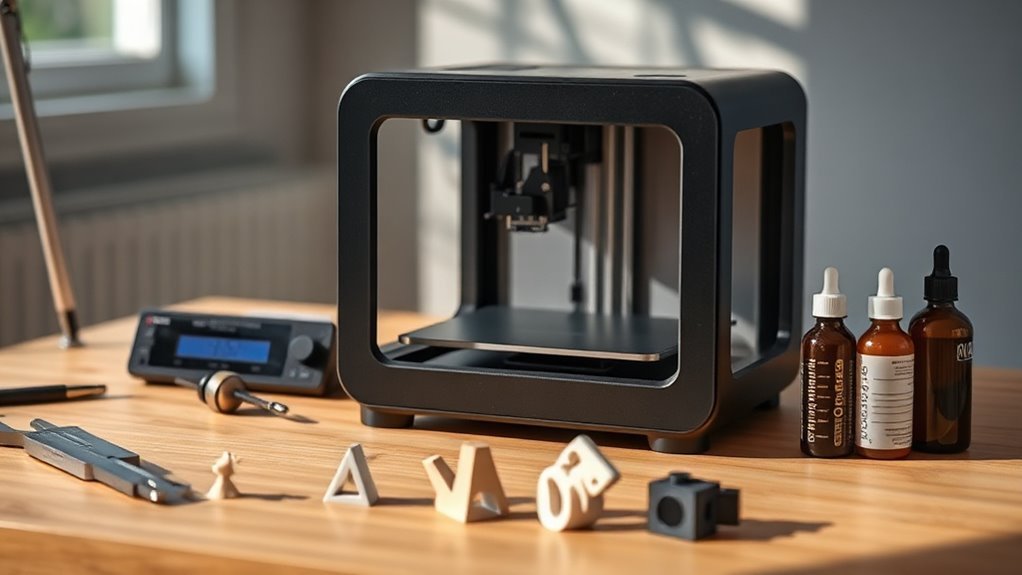
When choosing a budget resin printer, you’ll want to focus on print resolution to guarantee detailed results and consider build volume for the size of your projects.
Print speed affects how quickly you get your models, while resin compatibility determines your material options.
Don’t forget ease of use, as a straightforward setup and operation can save you time and frustration. It really makes a difference when you’re just starting out or want to keep things simple.
Print Resolution Importance
Choosing the right print resolution plays a pivotal role in determining the quality of your resin prints. The XY pixel size sets the smallest horizontal detail you can capture—values between 16 and 46 microns deliver sharper edges and finer surfaces.
Meanwhile, layer thickness in the Z-axis affects vertical smoothness; thinner layers reduce visible lines but slow printing and use more resin. Keep in mind, a high native LCD resolution boosts micro-detail and cuts pixelation, especially for tiny models like miniatures or jewelry.
However, resolution isn’t just about specs—optics and consistent light uniformity matter too. Ultra-high resolution enhances detail but demands longer print times, careful post-processing, and can increase risks with thin supports or delicate parts.
Balancing these factors guarantees you get crisp prints without unnecessary complications. It’s all about finding the sweet spot between detail and efficiency.
Build Volume Needs
Although print resolution determines detail, the build volume shapes what you can create and how efficiently you work. Start by estimating the maximum size of objects you plan to print and choose a build volume at least 10–20% larger. This extra space helps accommodate orientation, supports, and clearance.
If you batch print small parts, prioritize a larger XY area so you can fit many models simultaneously instead of going for a taller build height. For detailed miniatures, a modest Z height suffices, but focus on finer XY resolution and enough XY space to arrange multiple copies.
Keep in mind that bigger build volumes consume more resin and increase print times. Finally, plan for future projects—select a build volume that can handle occasional larger prints or assemblies. This way, you won’t have to buy another printer down the line.
Print Speed Impact
Since print speed directly affects how quickly you can complete projects, understanding its impact is essential when picking a budget resin printer. Faster printers, moving from around 60 mm/h to 150 mm/h, can turn multi-hour prints into under an hour, especially for tall models.
But speed comes with trade-offs—you’ll need reliable peel mechanics to handle increased stress and avoid print failures. Also, higher speeds demand stronger, uniform light sources to keep surface quality and accuracy intact.
Don’t forget thermal management; faster printing generates more heat, which can wear down LEDs and the vat if not properly cooled. Finally, balance speed with layer thickness and XY resolution, since pushing speed too far might reduce fine detail and increase visible layer lines.
Choose wisely for the best blend of speed and quality.
Resin Compatibility Range
When selecting a budget resin printer, you’ll want to contemplate its resin compatibility range carefully to make certain it handles the materials you plan to use. Start by checking the viscosity range—printers rated for higher centipoise (cps) can handle thicker, industrial-grade resins, while cheaper models often support only low-viscosity hobby resins.
Next, verify that the vat and FEP film materials resist chemical damage from various resin types like ABS-like, flexible, or castable. Make certain the printer supports the resin’s required UV cure wavelength and exposure times, and offers customizable profiles so you can fine-tune settings for different formulations.
Finally, look for sensors and firmware safeguards that monitor resin levels and prevent failures when working with filled or reactive resins. This will help you make certain reliable prints across a wider material spectrum.
Ease of Use
Choosing a budget resin printer that’s easy to use can save you hours of frustration and wasted materials. Look for models with simple, reliable leveling systems like one-click or 4-point procedures. That way, setup and recalibration won’t eat up your time.
Prioritize printers that come factory-calibrated and fully assembled. This means you can print almost immediately after unboxing, which is super convenient. Features like power-loss resume and clear error alerts also help prevent failed prints and resin waste.
An intuitive touchscreen interface combined with straightforward file transfer options via USB or SD cards makes managing prints a breeze. Plus, choose a printer with solid documentation, active community support, and easy access to spare parts. These extras will simplify troubleshooting and maintenance, especially if you’re new to resin printing.
Connectivity Options
Beyond print quality and ease of use, connectivity options play an essential role in how you interact with your budget resin printer. Most affordable models support USB and SD cards, letting you transfer sliced files without relying on a network. This local-only control is simpler and more reliable, especially if you’re new to resin printing.
Some printers also offer built-in Wi-Fi or Ethernet for remote file transfer and monitoring, but these can increase cost and require secure network setup. USB tethering or direct USB printing lets you slice live from your computer but can tie up your PC during prints.
Remember to check if your printer supports resume-on-power-loss independently—network issues won’t affect print recovery if it does. Choose connectivity based on your workflow and comfort with tech setups.
Reliability and Stability
Connectivity options help you manage your prints, but reliability and stability determine whether those prints turn out successful. You want a printer with a stable Z-axis—think ball-screw or dual linear rails—and low micrometer-level wobble to avoid layer shifting and preserve fine details.
Uniform, well-calibrated light distribution with consistent exposure times reduces failed cures and layer line variation. Features like vat residue detection and automatic pause-on-fault protect your LCD and save resin.
A robust build platform with textured or laser-engraved surfaces, plus secure leveling methods, prevents part lifting and warping. Don’t overlook resume-on-power-loss capability and thermal protections—they keep your electronics safe and your long prints intact during unexpected interruptions or overheating.
Prioritizing these factors guarantees your budget printer delivers consistent, high-quality results.
Warranty and Support
While budget resin printers can offer great value, you’ll want to carefully evaluate their warranty and support options to avoid costly downtime. Check the length and coverage of the warranty—most offer about a year for parts and service but often exclude consumables.
See if sensitive components like LCD screens have separate or shorter warranties. Also, confirm how responsive technical support is, including their hours and contact methods like email, phone, or live chat.
Look for manufacturers that provide long-term support commitments and clear turnaround times for replacement parts. Be sure to understand warranty exclusions—user damage, films, and toolkits usually aren’t covered.
And don’t forget to know the claim process, including proof of purchase and troubleshooting steps. Solid warranty and support save you time and money in the long run.
Frequently Asked Questions
How Do Resin Printers Compare to FDM Printers in Print Quality?
Resin printers deliver finer details and smoother surfaces compared to FDM printers, which excel in larger, more durable prints.
You’ll notice resin excels in precision, making it ideal for intricate models. On the other hand, FDM suits functional prototypes better.
What Safety Precautions Are Needed When Handling Resin?
Handling resin is like walking on thin ice—you need gloves, goggles, and good ventilation to avoid skin contact and fumes. Always wash your hands thoroughly after.
Also, store resin away from heat or sunlight to keep it safe. It’s all about keeping things secure while you work.
How Long Does the Typical Resin Cartridge Last?
A typical resin cartridge lasts between one to two liters. This usually means you can print around 20-40 models, depending on their size.
You’ll want to keep an eye on how much resin you’re using. That way, you can avoid running out right in the middle of a project.
Can Resin Prints Be Painted or Finished Easily?
Absolutely, you can paint and finish resin prints easily. Don’t worry about uneven surfaces; just sand and prime first.
This preps your print perfectly, letting you add vibrant colors or smooth finishes with ease.
What Maintenance Is Required for Resin Printers?
You’ll need to clean the resin vat and build plate after each print, replace the resin regularly, check and level the build platform, and keep the LCD screen dust-free to guarantee consistent, high-quality prints.
It might sound like a lot, but staying on top of these tasks really makes a difference. Plus, it helps your printer last longer and keeps your prints looking sharp every time.
Conclusion
Choosing the right budget resin printer doesn’t have to be like hunting for a needle in a haystack. With options like the ANYCUBIC Photon Mono 4 and ELEGOO Mars 5 Ultra, you’ll get impressive detail without breaking the bank.
Just remember to take into account factors like print size, resolution, and ease of use before committing. So, gear up like a knight preparing for battle—your perfect resin printer awaits to bring your creative visions to life!
When shopping for budget resin printers, focus on what matters most: quality and affordability. These printers offer great value, making them ideal for beginners and hobbyists alike.
In 2027, the best budget resin printers combine sharp detail with user-friendly features. Whether you’re printing miniatures, prototypes, or custom designs, these models deliver solid performance without emptying your wallet.
So dive in confidently—your next budget resin printer is ready to help you create amazing, detailed prints without compromise!