6 Best Book Printers for 2027
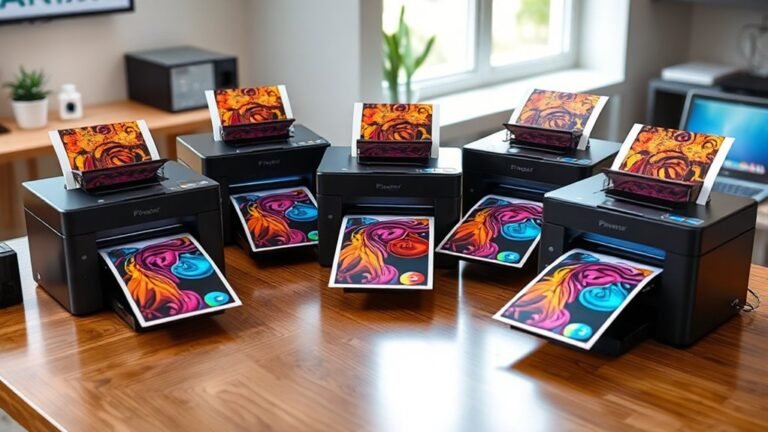
If you’re looking for reliable book printers for high-volume projects in 2027, you’ve got some great options to consider.
Whether you need speed, cost-effectiveness, or professional quality, there’s something for everyone.
The Canon MegaTank MAXIFY GX2020 is perfect for fast, cost-effective printing without sacrificing quality.
On the other hand, the Epson EcoTank Pro ET-5150 delivers professional speed and excellent print results, making it ideal for serious book printers.
If wireless convenience is a priority, the Canon PIXMA TS4320 and HP DeskJet 2955 offer solid color output and easy connectivity.
Meanwhile, the HP Smart Tank Plus 651 and Brother INKvestment 4555 stand out with efficient ink management and versatile media handling.
Keep exploring to find which printer suits your specific needs best.
You’ll definitely find the right match for your book printing projects!
| Image | Name | Editor's Rating | Price |
|---|---|---|---|

|
|
||

|
|
||

|
|
||

|
|
||

|
|
Canon MegaTank MAXIFY GX2020 Wireless All-in-One Printer
- Wireless Print/Copy/Scan/Fax (2)
- Print up to 3,000 black & white / 3,000 color pages using a single set of inks! (1)
- 2.7” LCD Color Touchscreen
- Auto 2-sided printing
- ADF – 35 sheet Auto Document Feeder

The Canon MegaTank MAXIFY GX2020 is designed to tackle high-volume printing challenges with ease. It helps reduce interruptions by delivering up to 3,000 pages per ink set, minimizing the hassle of frequent refills. This feature supports uninterrupted workflows, especially in busy home offices or small businesses.
Its print speeds of 15 ppm in black and 10 ppm in color ensure steady output without overwhelming your workspace. The 2.7-inch touchscreen and 35-sheet automatic document feeder (ADF) simplify handling multi-page jobs, saving you time and effort during scanning or copying.
This all-in-one printer offers versatile connectivity options including wireless, USB, and Chromebook support. These flexible connections adapt well to different work environments and setups. Automatic duplex printing reduces paper use, helping you work more sustainably.
Maintenance is straightforward with the use of pigment-based GI-25 ink bottles, which provide consistent print quality. However, the compact design limits paper capacity to 250 sheets, which might require refills during very large print runs.
Best for: Professionals and home users needing a reliable, high-capacity all-in-one printer with flexible connectivity and low ink maintenance.
What We Like:
- High page yield per ink set reduces refill frequency
- Automatic duplex printing and 35-sheet ADF increase productivity
- Multiple connectivity options for flexible use
- Compact design fits small office or home spaces
Specification:
| Feature | Details |
|---|---|
| Manufacturer | Canon |
| Dimensions (W×D×H) | 17.3 × 14.6 × 7.7 inches |
| Weight | Approximately 13.7 lb (6.2 kg) |
| Ink Type | Pigment-based GI-25 ink bottles |
| Paper Capacity | 250 sheets |
Canon PIXMA TS4320 – Wireless Color Inkjet Printer with Print, Copy, Scan
- Affordable Versatility - A budget-friendly all-in-one printer perfect for both home users and hybrid workers, offering exceptional value
- Crisp, Vibrant Prints - Experience impressive print quality for both documents and photos, thanks to its 2-cartridge hybrid ink system that delivers sharp text and vivid...
- Effortless Setup & Use - Get started quickly with easy setup for your smartphone or computer, so you can print, scan, and copy without delay
- Reliable Wireless Connectivity - Enjoy stable and consistent connections with dual-band Wi-Fi (2.4GHz or 5GHz), ensuring smooth printing from anywhere in your home or...
- Scan & Copy Handling - Utilize the device’s integrated scanner for efficient scanning and copying operations
The Canon PIXMA TS4320 is a compact wireless printer designed to deliver vibrant color and sharp black-and-white prints with ease. Its hybrid ink system ensures high-resolution output, making it ideal for everyday documents and photos. This printer helps reduce clutter by supporting wireless connectivity, allowing you to print directly from your smartphone or tablet.
Maintaining this printer is straightforward thanks to its efficient ink usage and automatic two-sided printing, which conserves paper. The flatbed scanner offers clear scans and copies at 600 dpi, adding versatility for home or office tasks. Its lightweight and sleek design fit neatly on any desk without taking up much space.
Setting up is simple with dual-band Wi-Fi and compatibility with popular mobile printing apps like Canon PRINT, Apple AirPrint, and Mopria. While the print speed may be moderate for large jobs and the lack of an advanced display limits navigation, the TS4320 balances functionality and convenience for daily use.
Best for: Individuals or small offices needing a compact, wireless color inkjet printer for printing, scanning, and copying with easy mobile connectivity.
What We Like:
- High-quality prints up to 1200 x 1200 dpi with vibrant colors and sharp text
- Dual-band Wi-Fi for reliable wireless connections
- Automatic two-sided printing saves paper
- Simple mobile app integration for seamless printing
- Compact and lightweight design fits small spaces
Specification:
| Feature | Details |
|---|---|
| Manufacturer | Canon |
| Dimensions | Not provided |
| Weight | 15.5 lb (7.03 kg) |
| Ink System | 2-cartridge hybrid ink |
| Print Resolution | Up to 1200 x 1200 dpi |
| Scanner Resolution | 600 dpi flatbed |
| Connectivity | Dual-band Wi-Fi, Mobile Apps |
HP DeskJet 2955 Color Inkjet Printer | Wireless | All-in-One
- PERFECT FOR BASIC PRINTING NEEDS – Print everyday color documents like to-do lists, letters, financial documents and recipes
- KEY FEATURES – Color print, copy, scan, and a 60-sheet input tray, plus mobile and wireless printing
- OPTIMIZE PRINT FORMATTING WITH HP AI – Print web pages and emails with precision—no wasted pages or awkward layouts; HP AI easily removes unwanted content, so your...
- ICON LCD – Print your basic documents with ease from the intuitive control panel
- PRINT SPEED – Up to 7.5 ppm black, 5.5 ppm color
The HP DeskJet 2955 Color Inkjet Printer offers a compact and efficient solution for everyday printing needs. Its small footprint fits easily in tight spaces, making it ideal for home offices or personal use. This all-in-one device combines printing, copying, and scanning functions to simplify your workflow.
With a 60-sheet input tray and print speeds up to 7.5 pages per minute in black and 5.5 in color, it handles moderate tasks without hassle. The dual-band Wi-Fi ensures a stable connection, allowing you to print effortlessly from smartphones using the HP app or AirPrint.
Maintenance is straightforward with the Instant Ink program, which delivers ink automatically and cuts costs by up to 50%. Its eco-friendly design supports sustainable choices without compromising performance. However, the limited input capacity and copy limits mean it’s best suited for light to medium volume use.
Best for: Individuals and small home offices needing a compact, eco-conscious all-in-one printer with wireless and mobile printing capabilities.
What We Like:
- Compact design with eco-friendly materials
- Stable dual-band Wi-Fi and multiple mobile printing options
- Cost-saving Instant Ink program with automatic ink delivery
Specification:
| Feature | Details |
|---|---|
| Manufacturer | HP |
| Dimensions | Compact size (exact not provided) |
| Weight | Not specified |
| Material | Eco-friendly components |
| Color Options | Not specified |
Epson EcoTank Pro ET-5150 Wireless Color All-in-One Supertank Printer
- INNOVATIVE CARTRIDGE-FREE PRINTING - Save with low-cost replacement ink bottles vs. standard-capacity color laser toner cartridges¹ — that’s about 2 cents per color...
- BUILT FOR SPEED — This fast business printer prints up to 17 black/9.5 color ISO ppm print speed; No warmup time; Fast first page out
- VIVID COLOR PRINTS — Office printer utilizes Epson DURABrite ET pigment inks for crisp, vibrant prints in black-and-white and color
- ENGINEERED FOR HIGH-VOLUME BUSINESS ENVIRONMENTS — PrecisionCore permanent printhead designed to last the life of this business printer
- ZERO CARTRIDGE WASTE — By using an Epson EcoTank Pro printer you can help reduce the amount of cartridge waste ending up in landfills; Cartridge-free printer utilizes...
The Epson EcoTank Pro ET-5150 offers a smart solution for busy offices and home users who want to reduce printing costs without sacrificing quality. Its cartridge-free design uses affordable ink bottles that can print thousands of pages, minimizing both expenses and waste. This helps businesses and individuals manage high-volume printing with less hassle.
This wireless all-in-one printer delivers sharp prints quickly, handling printing, scanning, and copying tasks with ease. It prints up to 17 black and 9.5 color pages per minute, making it efficient for daily office needs. The compact size fits comfortably in tight spaces, supporting productivity without overcrowding your workspace.
Maintenance is straightforward with easy-to-refill ink bottles, though users new to this system might need some time to adjust from traditional cartridges. Auto duplexing reduces paper use by printing on both sides automatically. The printer also supports voice commands and multiple connectivity options, including USB, Ethernet, and smartphones, adding flexibility to how you print.
Overall, the Epson EcoTank Pro ET-5150 combines cost efficiency, reliable performance, and versatile features to support vibrant, high-volume printing demands.
Best for: Busy offices and home users seeking a cost-effective, wireless all-in-one printer that handles large print volumes with vibrant color output.
What We Like:
- Cartridge-free printing with affordable, high-capacity ink bottles
- Fast black and color print speeds with no warm-up delay
- Auto duplex printing saves paper and time
- Voice control and wide connectivity options for flexible use
Specification:
| Feature | Details |
|---|---|
| Manufacturer | Epson |
| Dimensions | 18.1 x 25.9 x 10.3 inches |
| Weight | Not specified |
| Color Options | Not specified |
HP Smart Tank Plus 651 Wireless All-in-One Printer
- SET IT UP ONCE AND PRINT WITH CONFIDENCE. No complicated maintenance. Just easy, reliable printing you can count on.
- INK FOR YEARS. NOT MONTHS. Up to 2 years of ink included. Get thousands of pages of cartridge-free printing. More pages, less hassle
- KEEPS PRINTING WELL AFTER COMPETITORS HAVE QUIT. No complex maintenance. Sharper text, richer colors.[2] Only with HP Smart Tank
- INNOVATION YOU CAN TRUST. Cartridge-free printing that keeps you printing longer with fewer interruptions, powered by the trusted HP innovation you rely on today
- THE LAST PRINTER YOU'LL EVER NEED. Enjoy years of refillable, cartridge-free printing.[
Experience hassle-free printing with the HP Smart Tank Plus 651 Wireless All-in-One Printer, designed to simplify your daily tasks. Its cartridge-free ink tank eliminates messy refills, allowing you to print, copy, scan, and fax without interruptions or waste. This system helps reduce your maintenance time and costs significantly.
With up to two years of ink included, you can produce thousands of pages—8,000 in color or 6,000 in black—before needing a refill. The printer supports wireless connectivity, making it easy to print from laptops, smartphones, or via voice commands with Alexa. This flexibility fits seamlessly into home or small office environments.
The compact design handles up to 100 sheets and offers borderless printing for professional-quality results. While color print speeds are moderate at 5 pages per minute, black-and-white output is faster, supporting everyday productivity. The touchscreen and app control provide convenient and intuitive operation.
Overall, this all-in-one printer balances high-capacity ink supply with clean, easy maintenance and versatile wireless functionality, making it a practical choice for users needing reliable and cost-effective printing.
Best for: Small offices or individuals seeking a wireless all-in-one printer with high ink capacity and easy maintenance.
What We Like:
- Includes up to two years of ink for high-volume printing
- Cartridge-free, refillable ink system reduces mess and waste
- Wireless and app-based controls compatible with multiple devices
- Compact size with borderless printing capability
Specification:
| Feature | Details |
|---|---|
| Manufacturer | HP |
| Dimensions (W×D×H) | Not specified |
| Weight | Not specified |
| Ink System | Cartridge-free refillable tanks |
| Connectivity | Wireless, app control, Alexa compatible |
| Paper Capacity | Up to 100 sheets |
| Print Speed (Black) | 11 pages per minute |
| Print Speed (Color) | 5 pages per minute |
| Maximum Print Resolution | Up to 4800 x 1200 dpi |
Brother INKvestment 4555 Wireless Color Inkjet Printer
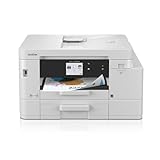
- BEST FOR SMALL OFFICE AND SMALL BUSINESS: This multifunction printer makes it easy to print, copy, scan, and fax —all in one compact printer. Includes one 1,800-page...
- INNOVATIVE CONNECTIVITY TECHNOLOGY: Connect your way via ethernet, wireless network, or USB connection. Wi-Fi Direct enables convenient wireless printing, even without an...
- CLOUD APP CONNECTIONS: Print from and scan to popular Cloud apps(4), including Google Drive, Dropbox, Box, OneDrive, and more with an impressive 2.7” color touchscreen...
- PRODUCTIVITY-FOCUSED FEATURES: Automatic duplex (2-sided) printing, 400-sheet paper capacity between 2 trays, 20-page single-sided auto document feeder (ADF), 1-sheet...
- THE BROTHER MOBILE CONNECT APP: Put the power of printing at your fingertips. Go mobile with the Brother Mobile Connect app(7) that delivers easy onscreen menu navigation...
The Brother INKvestment 4555 is designed to meet the demands of small to mid-sized book printing projects with ease. It offers fast, high-quality color printing that keeps your workflow smooth and productive. The intuitive 2.7” color touchscreen simplifies operation, making print, copy, scan, and fax functions accessible and efficient.
This versatile all-in-one printer supports wireless, Ethernet, USB, Wi-Fi Direct, and mobile app connectivity, so you can print from virtually any device without hassle. Its automatic duplexing and 400-sheet paper capacity reduce interruptions and save time, especially on double-sided documents.
Maintenance is straightforward with Brother’s ink subscription service, which helps keep ink levels manageable and reduces the risk of running out unexpectedly. While the color ink cartridges yield about 750 pages, this can mean more frequent replacements for heavy users. The compact design fits well in most office spaces, though its 22.9-pound weight may be less convenient for very tight or portable setups.
Overall, the Brother INKvestment 4555 is a reliable choice for small businesses and home offices seeking a versatile printer that balances performance and ease of use.
Best for: small to mid-sized businesses and home offices needing a reliable, versatile all-in-one printer with fast color printing and convenient wireless connectivity.
What We Like:
- Fast print speeds with automatic duplexing for efficient workflows
- Multiple connectivity options including Wi-Fi Direct and mobile app support
- Large paper capacity and easy touchscreen controls for convenience
- Ink subscription service reduces maintenance hassle
Specification:
| Feature | Details |
|---|---|
| Manufacturer | Brother |
| Dimensions (W×D×H) | Approx. 16.7 × 15.7 × 7.5 in |
| Weight | 22.9 lb (10.4 kg) |
| Connectivity | Wireless, Ethernet, USB, Wi-Fi Direct, Mobile app |
| Paper Capacity | 400 sheets |
| Display | 2.7” color touchscreen |
Factors to Consider When Choosing a Book Printer

When choosing a book printer, you’ll want to prioritize print quality standards and ink efficiency to keep costs manageable. Consider how well the printer connects with your devices and handles different media types.
Speed and productivity are also key factors to guarantee your projects get done on time. It’s all about finding the right balance to meet your needs without breaking the bank.
Print Quality Standards
Although you might prioritize cost or turnaround time, print quality should remain a top factor when choosing a book printer. Look for printers offering high resolution, ideally around 4800 x 1200 dpi, to guarantee fine detail and vibrant colors.
Pay attention to the ink technology; pigment-based inks provide better longevity and water resistance compared to dye-based ones. Color accuracy matters a lot, especially if your book includes photos—check the printer’s color gamut to see how wide a range of colors it can reproduce.
Also, verify that the printer maintains consistent quality across different paper types, from glossy photo paper to standard stock. Finally, consider print speed, as it influences efficiency when producing high-quality books in large quantities.
Ink Efficiency And Cost
Choosing a book printer that excels in ink efficiency can save you thousands over time. Look for models with high page yields—some print up to 8,000 color pages or 6,000 black pages per ink set—cutting down ink expenses drastically.
Pay attention to the cost per page; while average laser toner costs 14 cents, some printers offer ink as low as 2 cents per color page. High-capacity ink tanks or bottles also reduce replacement frequency and waste compared to cartridges.
Consider printers with automatic ink delivery services—they help you avoid unexpected outages and can slash ink costs by up to 50%. Finally, factor in print speed to handle large jobs faster, minimizing downtime and boosting overall cost efficiency.
Connectivity And Compatibility
Since your printing setup may involve various devices and environments, confirming your book printer offers versatile connectivity options is essential. Look for printers supporting USB, Ethernet, and Wi-Fi to fit different preferences.
Dual-band Wi-Fi compatibility (2.4GHz and 5GHz) helps maintain reliable connections and faster print speeds. If you print from smartphones or tablets, check for mobile printing support like Apple AirPrint or Google Cloud Print.
Wi-Fi Direct is a valuable feature, letting you print wirelessly without a network. Don’t forget to verify compatibility with your devices’ operating systems, whether Windows, macOS, or mobile platforms, to confirm smooth integration.
Media Handling Capacity
Media handling capacity plays an essential role in how well your book printer adapts to different projects. You’ll want a printer that supports various paper sizes and types, from standard sheets to cardstock, envelopes, and even banners. This versatility lets you tackle diverse printing needs without switching devices.
Consider printers with a high paper capacity—some hold up to 400 sheets across multiple trays—so you won’t have to reload paper frequently during large jobs. An Automatic Document Feeder (ADF) is another helpful feature, allowing you to scan or copy multiple pages efficiently.
Also, check the maximum media size the printer handles; a capability like 13 x 19 inches lets you print larger formats or specialized publications. That way, you can expand your creative options and take on more unique projects.
Speed And Productivity
Beyond handling various paper types and sizes, you’ll want to focus on how quickly and efficiently a printer can complete your projects. Printing speed, measured in pages per minute (ppm), is key—higher speeds mean you finish large print jobs faster.
Look for duplex printing to save time and paper by printing double-sided automatically. A larger paper capacity, like 250 sheets or more, helps you avoid frequent reloading, keeping your workflow smooth.
An automatic document feeder (ADF) is a bonus, speeding up scanning and copying multi-page documents. Don’t forget print resolution; higher dpi guarantees your books look sharp and professional.
Prioritizing these features boosts your productivity and helps you meet tight deadlines without sacrificing quality. It’s all about working smarter, not harder!
Frequently Asked Questions
How Long Does the Printing Process Typically Take for a Book?
The printing process typically takes one to two weeks, depending on your book’s size, quantity, and complexity.
You’ll want to factor in setup, proofing, and drying time to guarantee your final product looks perfect.
It might sound like a lot, but these steps really help make sure everything turns out just right.
Can I Print Both Paperback and Hardcover Books With These Printers?
Yes, you can print both paperback and hardcover books with these printers. They offer flexible options to suit your project’s needs.
This way, you get quality results whether you choose a softcover or a durable hardcover format for your book. It’s all about what works best for you!
What File Formats Are Best for Book Printing?
It’s no coincidence that PDF is the best file format for book printing since it preserves your layout perfectly.
You’ll also want to reflect on high-resolution TIFF or JPEG images for covers and interior illustrations to guarantee quality.
These formats really help ensure your book looks sharp and professional when printed.
Are There Eco-Friendly Printing Options Available?
Yes, you can choose eco-friendly printing options like soy-based inks, recycled paper, and vegetable-based coatings. Many printers now offer sustainable practices, so you can reduce your book’s environmental impact without compromising quality or durability.
It’s pretty cool how these options help the planet while still giving you a great final product. Plus, going green doesn’t have to be complicated or expensive!
Do These Printers Support Bulk Printing Discounts?
Yes, many printers offer bulk printing discounts, but you’ll want to watch closely—some deals look great but hide extra fees.
You’ll save more by asking upfront and comparing their tiered pricing carefully before committing. It’s always good to double-check so you don’t get surprised later.
Conclusion
Picture your perfect book coming to life—crisp pages, vibrant colors, and every detail just right. Choosing the right printer is like picking the brush for your masterpiece; it shapes how your story looks and feels.
Whether you want wireless ease, bold color, or budget-friendly ink, these six options have got you covered. So, trust your vision, pick the printer that fits your style, and watch your book shine off the page.
When it comes to finding the best book printers for 2027, it’s all about matching your unique needs with the right features. From high-quality color printing to cost-effective solutions, the perfect printer can make your story truly stand out. Ready to bring your book to life? Dive into these top picks and choose the printer that will help your words leap off the page.