4 Best Budget Printers for Text in 2027
You’ll want reliable, budget-friendly printers that deliver crisp, sharp text without wasting ink or paper. Finding the best budget printers for text in 2027 means focusing on print quality, cost efficiency, and extra features that make life easier.
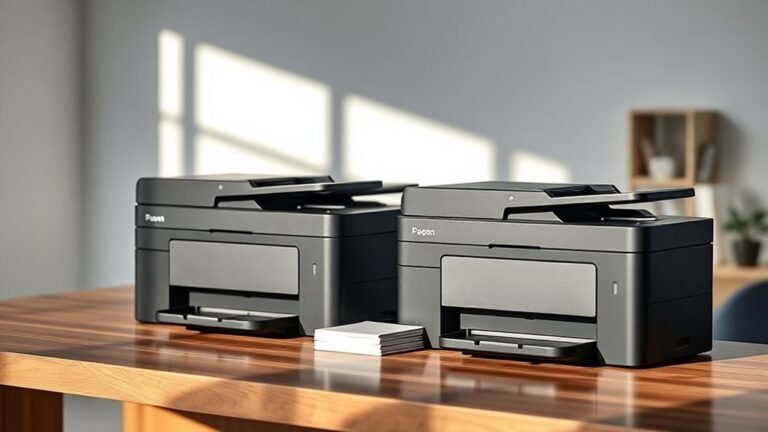
The Canon PIXMA TR4720 and Epson XP-5250 offer automatic duplexing and sharp print quality in compact designs. These printers are perfect if you want clear documents without taking up much space.
For longer-term cost savings, the HP Smart Tank 5003 and HP Smart Tank Plus 570 provide cartridge-free refillable ink tanks with high page yields. Plus, each supports wireless mobile printing too, making it simple to print from your phone or tablet.
If you need to know more about features and how they fit your needs, keep exploring the details ahead. There’s plenty to consider, and the right printer can really make a difference!
| Image | Name | Editor's Rating | Price |
|---|---|---|---|

|
|
||

|
|
||

|
|
||

|
|
Canon PIXMA TR4720 Wireless All-in-One Printer
- Wireless 4-in-1 (print | copy | scan | fax)..Power Consumption: 7W (0.8W Standby / 0.3W Off)
- Print speed up to: 4" x 6" Borderless Photo (PP-201): Approx. 65.0 Seconds / Black Document (Letter/Simplex): Approx. 8.8 ipm / Color Document (Letter/Simplex): Approx...
- Designed for easy ink cartridge installation and replacement.
- Auto 2-sided printing and auto document feeder.
- Produce quality documents, photos and boarderless prints up to 8.5" x 11".

The Canon PIXMA TR4720 Wireless All-in-One Printer is designed to make everyday printing tasks easier and more efficient. Its 4-in-1 functionality lets you print, copy, scan, and fax from one compact device. This versatility helps reduce clutter and streamlines your workspace.
Automatic two-sided printing saves paper and time, while the 100-sheet front paper tray minimizes the need for constant refills. Wireless connectivity and support for mobile printing through Canon’s app allow you to print directly from your smartphone or tablet. Alexa integration adds convenience by providing ink level updates with voice commands.
Maintenance is straightforward thanks to its user-friendly design and accessible ink replacement. The printer produces sharp black text and vibrant colors, including borderless photo prints up to 8.5 x 11 inches. This ENERGY STAR certified model balances quality with energy efficiency, ideal for home or small office environments.
Print speeds are moderate, with color documents printing at 4.4 ipm and photos taking about 65 seconds. While it includes a USB port, it supports only one connection type. The printer suits users who prioritize compact design and wireless capabilities without needing advanced speed or connectivity options.
Best for: individuals or small office users needing an affordable, versatile printer with wireless and mobile printing features.
What We Like:
- Combines printing, copying, scanning, and faxing in one compact device
- Automatic two-sided printing and 100-sheet paper tray enhance workflow
- Wireless and mobile printing via Canon app with Alexa ink monitoring
- Produces sharp text and vibrant borderless photos up to 8.5 x 11 inches
- ENERGY STAR certified for energy-efficient operation
Specification:
| Feature | Details |
|---|---|
| Manufacturer | Canon |
| Dimensions (W×D×H) | 16.1 x 11.7 x 6.0 inches |
| Weight | 11.3 lbs |
| Color Options | Black |
| Connectivity | Wireless, USB |
| Functions | Print, Copy, Scan, Fax |
Epson Expression Home XP-5250 Wireless All-in-One Printer
- Remarkable Prints and Photos — Home printer with Epson's leading-edge printing technology produces crystal clear prints and rich colors
- Our Fastest Expression Home Printer — Plus, a 150-sheet paper tray for convenient paper handling
- Convenient Operation — Large 2.4" color display for effortless navigation
- Epson Smart Panel App¹ — Transforms your mobile device into a high-performance command center and adds time-saving features like Smart Setup
- Engineered for Reliability — Consistently delivers high-quality prints with PrecisionCore Heat-Free technology and a permanent printhead designed to last the life of...
The Epson Expression Home XP-5250 is designed to meet the printing needs of students and home offices with ease. It produces sharp text and vibrant colors, helping you create professional-looking documents and projects. This printer’s PrecisionCore Heat-Free technology maintains consistent print quality without overheating, ensuring reliable performance during busy days.
Managing printing tasks is simple with the 150-sheet paper tray and automatic two-sided printing, which not only streamline workflow but also reduce paper waste. The compact design includes a 2.4″ color display that provides straightforward navigation, making operation quick and hassle-free. Wireless connectivity options, including Wi-Fi Direct, allow you to print effortlessly from laptops, smartphones, or tablets.
Maintenance is user-friendly, thanks to the use of individual genuine Epson ink cartridges. You only replace the color that runs out, which saves money and reduces waste. However, using genuine cartridges is necessary to maintain print quality and protect the printer’s warranty.
Best for: Students and home office users who need reliable, high-quality wireless printing with efficient paper handling and easy mobile device control.
What We Like:
- Sharp text and vibrant color output with advanced print technology
- Efficient paper management via 150-sheet tray and duplex printing
- Easy wireless printing including Wi-Fi Direct and Epson Smart Panel app
- Individual ink cartridges reduce waste and cost
- Compact design with a simple, intuitive color display
Specification:
| Feature | Details |
|---|---|
| Manufacturer | Epson |
| Model | Expression Home XP-5250 |
| Dimensions (W x D x H) | 14.8 x 12 x 5.8 inches |
| Weight | 9.5 lbs (4.3 kg) |
| Paper Capacity | 150 sheets |
| Display | 2.4-inch color LCD |
| Connectivity | Wireless, Wi-Fi Direct |
| Ink System | Individual genuine cartridges |
HP Smart Tank 5003 Ink Tank Printer | 3 Years of Ink Included | All-in-One
- THE LAST PRINTER YOU'LL EVER NEED – Set it up once and print with confidence; no complicated maintenance, just easy, reliable printing you can count on
- FULLY LOADED WITH SAVINGS – Best for low-cost, high-volume printing—up to 3 years of HP Ink included; get up to 6,000 color or black pages right out of the box
- KEY FEATURES – Print, copy and scan, plus borderless prints, mobile and wireless printing
- MESS-FREE REFILL – Replenish ink with HP's easy-access, mess-free refill system; simply plug the ink bottles into this cartridge-free ink tank and let them drain—no...
- BEST PRINT QUALITY, PERIOD – Sharper text, richer colors, only with HP Smart Tank
Experience hassle-free printing with the HP Smart Tank 5003 Ink Tank Printer, designed to cut your ink expenses for up to three years. This all-in-one device simplifies daily tasks like printing, copying, and scanning, making it a practical solution for home and small office environments. Its cartridge-free ink tank system allows for easy, mess-free refills with original HP ink bottles.
The printer delivers sharp prints and supports borderless photo printing, enhancing your creative projects. Wireless connectivity and mobile printing options, including Apple AirPrint and HP ePrint, provide seamless operation from smartphones and tablets. Manual duplexing helps reduce paper use, though it requires user action to print on both sides.
Compact yet efficient, the HP Smart Tank 5003 handles high-volume printing without frequent ink replacements. Its 100-sheet paper capacity suits moderate workloads, while print speeds accommodate everyday document needs. This printer balances functionality and economy, helping you maintain low printing costs without compromising quality.
Best for: Individuals and small office users needing an affordable, versatile all-in-one printer with reliable wireless and mobile printing capabilities.
What We Like:
- Up to three years of ink included with mess-free refill tanks
- Supports print, copy, scan, and borderless photo printing
- Wireless and mobile printing with Apple AirPrint and HP ePrint
- Sharp print quality with manual duplex to save paper
Specification:
| Feature | Details |
|---|---|
| Manufacturer | HP |
| Dimensions | Compact design (exact size not provided) |
| Weight | Not specified |
| Color Options | Not specified |
| Paper Capacity | 100 sheets |
HP Smart Tank Plus 570 Tank Printer | 2 Years of Ink Included | All-in-One
- SET IT UP ONCE AND PRINT WITH CONFIDENCE. No complicated maintenance. Just easy, reliable printing you can count on.
- INK FOR YEARS. NOT MONTHS. Up to 2 years of ink included. Get thousands of pages of cartridge-free printing. More pages, less hassle
- KEEPS PRINTING WELL AFTER COMPETITORS HAVE QUIT. No complex maintenance. Sharper text, richer colors.[2] Only with HP Smart Tank
- INNOVATION YOU CAN TRUST. Cartridge-free printing that keeps you printing longer with fewer interruptions, powered by the trusted HP innovation you rely on today
- THE LAST PRINTER YOU'LL EVER NEED. Enjoy years of refillable, cartridge-free printing.[
Experience hassle-free printing with the HP Smart Tank Plus 570, designed to eliminate the frustration of frequent cartridge replacements. Its cartridge-free, refillable ink system lets you print large volumes without interruptions, making it ideal for busy homes and students.
This all-in-one printer offers wireless printing, copying, and scanning, simplifying everyday tasks. You get up to two years of included ink, capable of producing up to 8,000 color or 6,000 black pages. This significantly lowers your printing costs while delivering vibrant, borderless prints.
Maintenance is straightforward with mess-free refills that keep your workspace clean. The compact design and 100-sheet paper capacity help you save space, though larger print jobs may require regular paper refills. Print speeds are moderate, suitable for personal or multimedia use but less ideal for heavy office environments.
Connectivity is versatile, supporting USB 3.0, Ethernet, and HDMI, fitting seamlessly into various setups. Manual duplex printing requires user attention but keeps the printer simple and affordable.
Best for: Home users, students, and multimedia enthusiasts needing a high-volume, low-cost all-in-one printer with flexible connectivity.
What We Like:
- Includes up to two years of original HP ink for extended printing capacity
- Cartridge-free refill system reduces mess and interruptions
- Wireless printing with multiple connectivity options
- Compact design saves workspace
- Produces vibrant borderless prints
Specification:
| Feature | Details |
|---|---|
| Manufacturer | HP |
| Dimensions | Not specified |
| Weight | Not specified |
| Ink System | Cartridge-free refillable |
| Paper Capacity | 100 sheets |
| Print Speed | 11 ppm black, 5 ppm color |
| Connectivity | Wireless, USB 3.0, Ethernet, HDMI |
Factors to Consider When Choosing a Budget Printer for Text
When picking a budget printer for text, you need to focus on print quality and ink efficiency to keep costs low. Make sure the printer offers the connectivity options you need, whether it’s USB, Wi-Fi, or mobile printing.
Also, consider speed, performance, and how easy it is to maintain for long-term durability. These factors will help you get the best value without any hassle.
Print Quality Importance
Print quality plays a crucial role in selecting a budget printer for text documents, as it directly affects readability and professionalism. You should look for a black print resolution of at least 600 x 600 dpi. Higher effective resolutions up to 1200 dpi enhance fine detail and small-font clarity.
Toner-based printers often produce crisper, smudge-free text and handle heavy workloads better than entry-level inkjets. The type of black ink matters, too—pigment-based black ink yields sharper, more water- and fade-resistant text compared to dye-based ink.
Mechanical precision, including consistent paper feed and alignment, prevents banding and misregistration that reduce text quality. So, focusing on these factors guarantees your printed documents remain sharp and clear. It reflects well on your professionalism and makes reading easier.
Ink Efficiency Considerations
Beyond ensuring sharp text quality, managing ink usage effectively can make a significant difference in your printing budget. Look for printers with high-yield or refillable ink systems to lower your cost per page, as they deliver hundreds or thousands of pages per ink supply.
Always check the published ink yield and combine it with the cartridge cost to estimate your ongoing expense. Choose models with individual color or dedicated black cartridges so you only replace what’s empty, saving money and reducing waste.
Consider duplex printing options to cut paper use, indirectly improving ink efficiency by reducing total pages. Finally, use print modes like draft or eco mode to minimize ink consumption on text-only documents while keeping legibility acceptable.
These factors help you get the most out of every drop of ink.
Connectivity Options Available
Since your printer will likely connect to multiple devices, it’s essential to weigh the available connectivity options before making a choice. Wireless printing via Wi‑Fi and Wi‑Fi Direct offers convenience for laptops, smartphones, and tablets—just check for dual-band support (2.4 GHz and 5 GHz) to guarantee better range and less interference.
For reliable, low-latency printing, especially during heavy text jobs, USB Type-A or Type-C connections are essential, particularly if your wireless network is unstable. Ethernet is another solid choice, delivering faster, more secure printing for multi-user offices handling large print queues.
Also, confirm that your printer supports mobile printing protocols like AirPrint or Mopria for seamless phone and tablet use. Finally, if your workflow includes faxing or multi-page scanning, look for models with built-in fax, ADF, and network sharing features.
Speed And Performance
When choosing a budget printer for text documents, you’ll want to focus on speed and performance to keep your workflow smooth. Aim for at least 8–11 ppm with inkjets or 20+ ppm with laser printers to handle large print jobs efficiently.
Pay attention to first-page-out time (FPOT); a FPOT under 20 seconds helps avoid frustrating delays, especially for single-page prints. Also, check the duty cycle and monthly volume ratings. Make sure the printer can handle your workload without slowing down.
Don’t forget warm-up and duplex speeds—slow two-sided printing can appreciably reduce throughput. In conclusion, a strong processor and ample memory matter when printing complex or high-resolution documents. This helps prevent buffering and keeps things moving quickly.
Maintenance And Durability
In choosing a budget printer for text, you should prioritize maintenance and durability to keep your device running smoothly over time. Start by checking the printhead type: permanent heads usually last the printer’s life but can be costly if clogged.
On the other hand, replaceable heads make repairs easier but add maintenance costs. Opt for printers with user-replaceable cartridges or visible refillable tanks with clear indicators. This way, you can monitor ink levels and clean with less hassle.
Features like automatic nozzle checks and built-in cleaning cycles help preserve text sharpness without much effort. Also, consider consumable yield and replacement frequency to avoid frequent cartridge changes that increase wear.
Finally, evaluate build quality and duty cycle to make certain the printer handles your workload and reduces breakdown risks. It’s all about finding the right balance for your needs!
Frequently Asked Questions
How Do I Recycle Printer Ink Cartridges Responsibly?
You can recycle printer ink cartridges responsibly by returning them to manufacturer take-back programs, dropping them off at local recycling centers, or using mail-in recycling kits.
Don’t toss them in the trash to protect the environment. It’s a simple way to help reduce waste and keep harmful chemicals out of landfills.
Can These Printers Connect to Mobile Devices via Bluetooth?
Bluetooth connectivity is a piece of cake with most budget printers today. You’ll easily link your mobile devices, print on the fly, and avoid cables cluttering your desk.
Just check specs before buying to be sure. It’s always good to double-check so you don’t end up with a printer that doesn’t support Bluetooth.
What Is the Typical Lifespan of a Budget Inkjet Printer?
You can expect a budget inkjet printer to last around 3 to 5 years with regular use. Proper maintenance and occasional cleaning will help you get the most out of its lifespan before needing a replacement.
It’s not a bad run for a budget model, right? Just keep up with the basics, and you’ll stretch those years as far as possible.
Are These Printers Compatible With Linux Operating Systems?
Imagine your Linux desktop humming smoothly; yes, many budget printers are compatible with Linux, but you’ll want to check specific models. Drivers vary, so make certain your printer supports Linux to avoid frustrating setup battles.
It’s always a good idea to do a quick search or check the manufacturer’s website before buying. That way, you can save yourself some headaches and get printing without a hitch.
How Noisy Are Budget Printers During Operation?
Budget printers usually aren’t very noisy; you’ll hear some mechanical sounds and occasional ink spraying, but they won’t disrupt your work.
If noise is a concern, look for models labeled “quiet” or with noise-reduction features. They can make a noticeable difference.
Conclusion
Choosing the right budget printer for your text needs doesn’t have to feel like searching for a needle in a haystack. Whether you pick the Canon PIXMA’s reliable charm, Epson’s sleek efficiency, or HP’s ink-saving powerhouses, you’re setting yourself up for a smooth printing journey.
So, grab your favorite model, and let your words flow onto paper like a river carving its path—effortless, clear, and ready to impress. With these best budget printers for text in 2027, you get quality without breaking the bank. Each option balances affordability with performance, making sure your documents look sharp and professional every time.
No need to stress over ink costs or print speed either—these printers handle it all with ease. When it comes to budget printers for text, you really can have it all: crisp prints, easy setup, and reliable operation. Ready to make your choice? Your perfect printer is just a decision away!