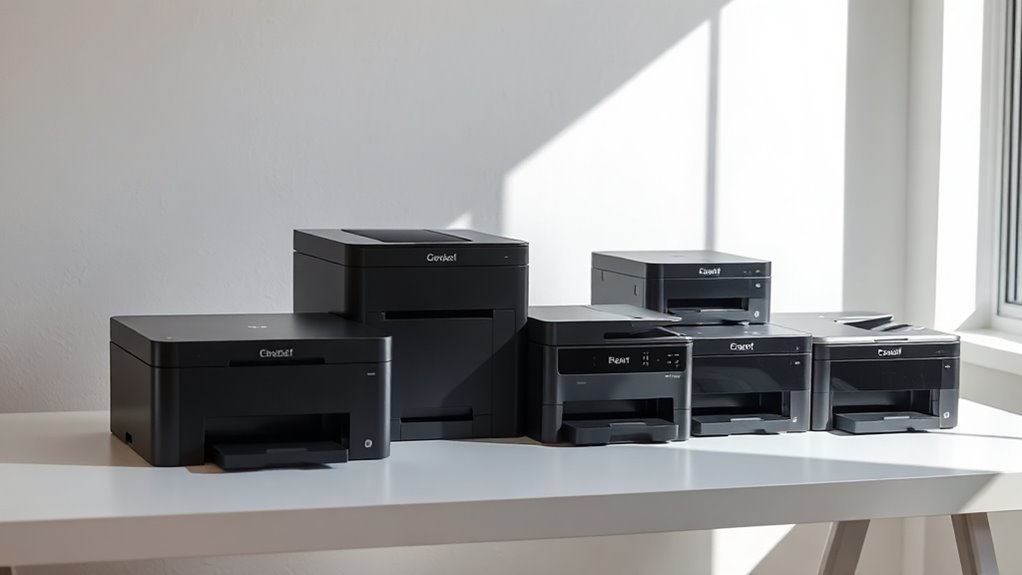
6 Best Budget Laser Printers for 2027
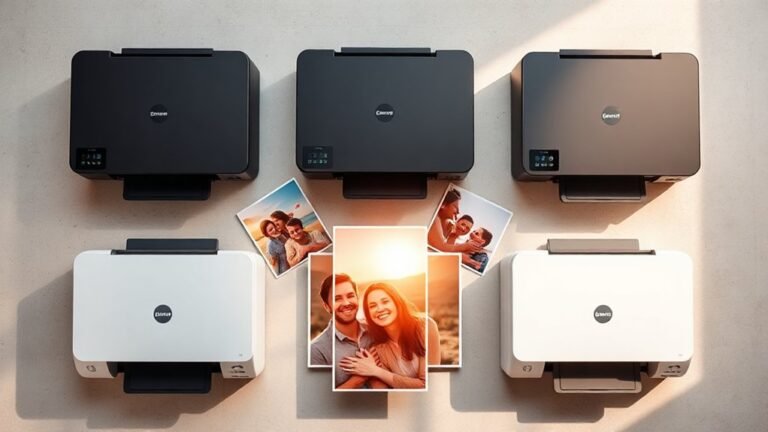
You’ll want a fast, reliable monochrome laser printer that fits your budget and printing needs. Finding the best budget laser printer for 2027 means balancing speed, print quality, and ease of use without breaking the bank. Whether you need something compact for home use or robust enough for a small office, there are plenty of options to consider.
The Brother HL-L2405W and Canon imageCLASS LBP6030w offer compact wireless printing, perfect for saving space. Both work well for home or small office setups, giving you flexibility without fuss.
The HP LaserJet M234sdw adds scanning and copying features, plus auto duplexing for double-sided printing. Meanwhile, the HP LaserJet M110w is ultra-compact and super easy to set up, making it great for tight spaces.
If duplex printing is a priority, check out Canon’s LBP122dw or MF273dw models. As you explore your options, keep printing speed, connectivity, and paper handling in mind to find the best fit for your needs.
| Image | Name | Editor's Rating | Price |
|---|---|---|---|

|
|
||

|
|
||

|
|
||

|
|
||

|
|
Brother HL-L2405W Wireless Monochrome Laser Printer
- BEST FOR HOMES & HOME OFFICES – Engineered for consistent, premium print quality, the Brother HL-L2405W Monochrome (Black & White) Laser Printer delivers sharp, crisp...
- COMPACT, CONNECTED PRINTER – Flexible connection options make this an ideal printer for home use and at-home offices. Securely connect to multiple devices with built-in...
- BROTHER MOBILE CONNECT APP – Manage your printer remotely and print from your mobile device anytime, from almost anywhere. Order Brother Genuine Supplies, track toner...
- VERSATILE PAPER HANDLING – Enjoy seamless, reliable everyday printing with the 250-sheet paper tray(4) and a manual feed slot that enables printing on envelopes and...
- BROTHER IS AT YOUR SIDE – Backed by Brother with a 1-year limited warranty and free online, call, or live chat support for the life of your printer

The Brother HL-L2405W Wireless Monochrome Laser Printer offers a compact solution for fast, efficient black-and-white printing. Its high-speed output helps reduce wait times, making it ideal for busy home offices or small workgroups. The sharp 1200 x 1200 dpi resolution ensures clear, professional-quality text on every page.
Designed with connectivity in mind, this printer supports dual-band Wi-Fi and USB options. You can easily send print jobs from your smartphone using the Brother Mobile Connect app. Its small footprint fits neatly on most desks, saving valuable workspace without sacrificing functionality.
Maintenance is straightforward, with a 250-sheet tray that minimizes frequent reloading. Manual duplexing allows for double-sided printing, helping to reduce paper waste when needed. It also supports envelope printing, adding versatility for various document types.
While it only prints in monochrome, this model focuses on reliable text output rather than color images. It does not include scanning or copying features, keeping its operation simple and focused on printing tasks.
Best for: Home users or small businesses needing a fast, reliable monochrome laser printer with wireless connectivity.
What We Like:
- Fast printing at up to 30 pages per minute with sharp resolution.
- Convenient wireless and USB connectivity with mobile app support.
- Compact design fits small workspaces with a 250-sheet capacity.
- Supports manual duplex printing to save paper when required.
Specification:
| Feature | Description |
|---|---|
| Manufacturer | Brother |
| Dimensions | Compact (exact size not specified) |
| Weight | Not specified |
| Connectivity | Dual-band Wi-Fi, USB |
| Print Resolution | 1200 x 1200 dpi |
| Print Speed | Up to 30 pages per minute |
| Paper Capacity | 250 sheets |
| Color Options | Monochrome (black and white only) |
Canon imageCLASS LBP6030w Wireless Monochrome Laser Printer
- FAST PRINT SPEEDS: Print up to 19 pages per minute.
- COMPACT DESIGN: Space-saving, compact design fits anywhere in your home, school or small office.
- WIRELESS CONNECTIVITY: Print from almost anywhere in your workspace using your compatible mobile device.
- PAPER CAPACITY: Up to 150 sheets.
- SUSTAINABILITY: Uses less than 2 watts in Energy Saver mode.
The Canon imageCLASS LBP6030w is designed to streamline black-and-white printing for home offices and small workspaces. Its fast printing speed of up to 19 pages per minute helps you complete tasks quickly, reducing wait times and boosting productivity. The sharp 600 x 600 dpi resolution ensures your documents remain clear and professional.
This compact printer fits easily on any desk without taking up much space. Its wireless connectivity allows seamless printing from mobile devices and laptops, eliminating the need for cables and enabling flexible placement. Maintenance is simple, with Canon’s Genuine Toner 125 cartridges offering about 1,600 pages per cartridge, keeping your running costs low.
With a 150-sheet paper capacity, it handles everyday printing needs without frequent refills. The energy-saving mode helps reduce power consumption, making it an eco-friendly choice. However, it is a print-only device and supports monochrome printing, so it’s not suitable for color documents or multifunction tasks like scanning or copying.
Best for: Small offices and individuals who need a compact, efficient monochrome laser printer with wireless capabilities for everyday black-and-white document printing.
What We Like:
- Fast printing speed up to 19 ppm with clear 600 x 600 dpi resolution
- Wireless printing from mobile devices and laptops for convenience
- Compact design fits easily in limited spaces
- Long-lasting toner cartridge yielding approximately 1,600 pages
- Energy-saving mode reduces power consumption
Specification:
| Feature | Description |
|---|---|
| Manufacturer | Canon |
| Dimensions (W x D x H) | 13.0 x 9.0 x 7.6 inches |
| Weight | 11 lbs (5 kg) |
| Printing Technology | Monochrome Laser |
| Print Speed | Up to 19 pages per minute |
| Resolution | 600 x 600 dpi |
| Paper Capacity | 150 sheets |
| Connectivity | Wireless (Wi-Fi), USB |
HP LaserJet M234sdw Monochrome Laser Printer | All-in-One
No products found.
The HP LaserJet M234sdw is designed to meet the needs of small teams requiring efficient, reliable monochrome printing. It helps reduce wait times with a fast print speed of up to 30 pages per minute, making daily printing tasks smoother and more productive. Scanning and copying are streamlined with a 40-page auto document feeder, saving time on multi-page jobs.
This all-in-one printer supports duplex printing, allowing automatic double-sided pages that cut paper usage and costs. It handles various media types, so you can print on different paper sizes and weights without hassle. Wireless and wired connectivity options, including dual-band Wi-Fi and Ethernet, provide flexible setup choices for busy office environments.
Maintenance is straightforward, with easy access to replaceable toner cartridges and a compact design that fits well in small office spaces. Security features help protect sensitive data, giving peace of mind in shared work settings. Energy Star certification ensures the printer operates efficiently, reducing power consumption.
Best for: Small teams of 1–5 users needing fast, reliable monochrome printing combined with scanning and copying in a compact all-in-one device.
What We Like:
- Fast print speed of up to 30 ppm for quick document turnaround
- Automatic duplex printing saves paper and time
- Versatile connectivity including dual-band Wi-Fi and Ethernet
- 40-page auto document feeder enhances multi-page task efficiency
Specification:
| Feature | Details |
|---|---|
| Manufacturer | HP |
| Dimensions (W×D×H) | 15.7 × 14.2 × 10.1 inches |
| Weight | 15.4 lbs (7 kg) |
| Color | White |
| Print Technology | Monochrome Laser |
| Print Speed | Up to 30 ppm (black) |
| Max Resolution | 600 × 600 dpi |
| Connectivity | Dual-band Wi-Fi, Ethernet, USB, Mobile printing |
HP LaserJet M110w | Monochrome | Laser Printer
- FROM AMERICA'S MOST TRUSTED PRINTER BRAND – Perfect for small teams printing professional-quality black & white documents and reports. Perfect for 1-3 people
- WORLD'S SMALLEST LASER IN ITS CLASS – Precision laser printing that fits anywhere
- FAST PRINT SPEEDS – Up to 21 black-and-white pages per minute single-sided
- WIRELESS WITH SELF-RESET – Helps you stay connected
- PRINT FROM ANY DEVICE – Wireless printing from any mobile device, PC or tablet. Works with Microsoft, Mac, AirPrint, Android, Chromebook and more
The HP LaserJet M110w is a compact laser printer designed to fit seamlessly into small office spaces. Its smallest-in-class size makes it perfect for teams with limited room, while delivering reliable black-and-white printing. This printer helps reduce clutter without sacrificing performance.
With a print speed of up to 21 pages per minute and sharp 600 x 600 dpi resolution, it quickly produces clear office documents and forms. It supports printing on various media like card stock, envelopes, and labels, adding flexibility to your daily tasks.
Maintenance is straightforward thanks to the preinstalled toner cartridge, allowing you to start printing right away. The printer supports wireless and USB connections, plus mobile printing using the HP Smart app, making it easy to print from multiple devices.
However, the M110w is limited to monochrome printing and has a modest input capacity of 150 sheets, which may require frequent refills in busy environments. It also requires original HP toner cartridges with specific chips, which might affect supply costs.
Best for: Small teams of 1–3 people needing fast, reliable, and compact monochrome printing for office documents and forms.
What We Like:
- World’s smallest laser printer in its class saves space
- Fast printing up to 21 pages per minute with clear text quality
- Supports wireless, USB, and mobile printing via the HP Smart app
- Comes with preinstalled toner for easy setup
Specification:
| Feature | Details |
|---|---|
| Manufacturer | HP |
| Dimensions (W×D×H) | Approx. 14.6 x 9.2 x 7.5 in (37.2 x 23.4 x 19 cm) |
| Weight | Approx. 8.5 lb (3.85 kg) |
| Printing Technology | Monochrome Laser |
| Print Speed | Up to 21 pages per minute |
| Print Resolution | 600 x 600 dpi |
| Connectivity | USB, Wireless |
| Input Tray Capacity | 150 sheets |
Canon imageCLASS LBP122dw – Wireless Monochrome Duplex Laser Printer
- Wireless, duplex printer (print-only)
- Fast print speeds up to 30 pages per minute (black and white)
- Print on-the-go with Canon PRINT app and more.
- Uses Canon GENUINE Toner 071 / 071 high-capacity
- Compact design fits almost anywhere in your home, great for home use and personal printing
Experience smooth and efficient printing with the Canon imageCLASS LBP122dw, designed to meet the needs of home users requiring consistent monochrome output. This wireless monochrome laser printer offers fast print speeds, helping you complete personal or work documents quickly without sacrificing quality.
Its compact design fits easily in small spaces, making it ideal for home offices. The automatic duplex printing feature cuts your paper use in half, reducing waste and saving money. Wireless connectivity allows you to print effortlessly from your smartphone or laptop using the Canon PRINT app, adding convenience to your workflow.
Maintenance is straightforward with Canon GENUINE Toner 071 cartridges, which provide reliable, long-lasting performance. While this is a print-only device without scanning or faxing functions, it focuses on delivering high-quality black-and-white prints efficiently and reliably.
Best for: Home users and individuals seeking a compact, fast, and dependable monochrome laser printer for straightforward document printing.
What We Like:
- Fast printing speeds up to 30 pages per minute
- Automatic duplex printing reduces paper waste
- Easy wireless setup with mobile printing via Canon PRINT app
- Compact design fits small spaces
Specification:
| Feature | Description |
|---|---|
| Manufacturer | Canon |
| Dimensions | Approx. 15.7 x 14.2 x 9.7 in (W x D x H) |
| Weight | Approx. 14.3 lb (6.5 kg) |
| Printing Technology | Monochrome Laser |
| Connectivity | Wireless (Wi-Fi), USB |
| Toner Cartridge | Canon GENUINE Toner 071 |
Canon imageCLASS MF273dw Wireless Monochrome Laser Printer
- Wireless 3-in-1: Print | Copy | Scan
- Print up to 30 Pages Per Minute (BW, Letter)
- First Print Out in Approximately 5.3 Seconds (Letter)
- Auto 2-sided Printing
- Uses Toner 071 / 071 High-Capacity Toner
The Canon imageCLASS MF273dw is designed to streamline your printing tasks in small office or home environments. Its fast print speed of up to 30 pages per minute ensures quick turnaround, reducing wait times and boosting productivity. This monochrome laser multifunction printer handles printing, copying, and scanning efficiently, solving everyday document needs with ease.
Wireless connectivity, including Wi-Fi Direct, allows for hassle-free device pairing, enabling you to print from multiple devices without tangled cables. The automatic duplex printing feature helps conserve paper and cuts down manual effort, making it both eco-friendly and cost-effective. Its compact design fits comfortably in limited spaces without sacrificing performance.
Maintenance is simple with the MF273dw, though the starter cartridge yields about 700 pages, which may require more frequent replacement compared to higher-capacity models. The 150-sheet input tray supports moderate workloads but might need regular refilling in busier settings.
Overall, the MF273dw balances solid functionality with ease of use, making it a dependable choice for monochrome printing tasks where space and efficiency matter.
Best for: small offices or home users seeking a reliable monochrome multifunction printer with wireless features and automatic duplexing.
What We Like:
- Fast print and copy speed of up to 30 ppm for efficient document handling
- Wireless and Wi-Fi Direct connectivity for seamless device integration
- Automatic duplex printing reduces paper use and manual intervention
- Compact footprint fits well in tight spaces
Specification:
| Feature | Description |
|---|---|
| Manufacturer | Canon |
| Dimensions | Approx. 16.1 x 15.7 x 14.1 in (40.9 x 39.9 x 35.9 cm) |
| Weight | Approx. 33.5 lb (15.2 kg) |
| Printing Technology | Monochrome Laser |
| Connectivity | Wireless, Wi-Fi Direct, USB |
| Paper Capacity | 150-sheet input tray |
Factors to Consider When Choosing a Budget Laser Printer
When choosing a budget laser printer, you’ll want to take into account print speed to keep up with your workflow and connectivity options that match your devices.
Don’t overlook print quality and whether duplex printing is a must for your needs. Also, think about how much paper the printer can handle to avoid constant refills.
Print Speed Importance
Choosing a budget laser printer often means balancing print speed with your specific needs. Print speed, measured in pages per minute (ppm), directly impacts how quickly you can finish high-volume tasks.
If you frequently print long batches, aim for speeds between 20 and 30 ppm to avoid delays and keep productivity high. Slower models under 20 ppm might slow you down when printing multi-page documents.
Also, consider first-page-out time, especially if you mostly print short, occasional jobs—it guarantees the initial page prints quickly from idle.
Higher ppm printers usually come with faster processors and larger paper capacities, letting you print continuously without frequent reloads or overheating. Matching your printer’s speed to your job types will save you time and frustration.
Connectivity Options Available
Print speed matters, but it won’t do much good if your printer can’t connect seamlessly to your devices. Make sure your budget laser printer supports the connectivity you need—USB is great for direct wired connections, Ethernet fits stable office networks, and Wi-Fi (2.4 GHz and/or 5 GHz) lets you print wirelessly from multiple devices.
If you print from smartphones or tablets, check for mobile printing support like AirPrint or Mopria. For multiple users, dual-band Wi-Fi or Ethernet improves reliability and reduces interference.
Wi-Fi Direct or built-in access points can help with guest or peer-to-peer printing without using your main network. Don’t forget security features like password release or remote management if you handle sensitive documents or want central control.
Print Quality Expectations
Although budget laser printers can’t match high-end models, you can still expect sharp, clear results if you focus on key factors like resolution, toner quality, and media compatibility. Most monochrome laser printers offer resolutions between 600 x 600 dpi and 1200 x 1200 dpi.
600 dpi handles crisp text well, while 1200 dpi sharpens fine lines and grayscale graphics. Keep in mind that faster printers (20–30 ppm) might slightly reduce micro-detail quality.
Choose models with high-yield toner cartridges to maintain consistent darkness and cut down on replacements. Also, use recommended paper types—plain paper, labels, or cardstock—to make certain toner fuses well and images stay sharp.
Finally, consider first-page-out time and warm-up speed, because slow starts can affect how polished your quick prints appear in real-world use.
Duplex Printing Capability
Sharp print quality sets the foundation, but how you handle double-sided documents can greatly affect your efficiency and costs. Automatic duplex printing flips pages internally, saving you time and reducing paper use by about 50%. This cuts ongoing expenses and helps the environment.
While manual duplex printers cost less upfront, they require you to reinsert pages. That increases the chance of misfeeds or incorrect page order, especially with multi-page jobs.
Before buying, check if duplex works with all paper sizes and types you use. Some models only support plain paper up to letter or legal size.
Also, consider duplex print speed since two-sided printing can be slower than single-sided. This could affect your workflow if you print large reports often.
Paper Handling Capacity
Many budget laser printers offer input tray capacities ranging from around 100 to 250 sheets, so you’ll want to choose one that fits your typical print volume to avoid constant refilling.
Don’t forget to take into account the output tray capacity, usually about 100 sheets, to prevent overflow during large or unattended print jobs.
If you print envelopes, labels, or specialty media, look for models with manual feed or multi-purpose slots.
Also, check the maximum supported media size—commonly up to legal size (8.5″ x 14″)—and any weight limits to guarantee compatibility with your materials.
Finally, if duplexing isn’t automatic, make sure manual duplexing suits your workflow, so you don’t waste time managing double-sided prints inefficiently.
Cartridge Compatibility Considerations
When choosing a budget laser printer, you’ll want to dig into how its cartridges work, since that directly impacts your printing costs and convenience. First, check if the printer uses standard-yield or high-yield toner cartridges. High-yield options usually offer 2–3 times more pages, saving money over time.
Confirm whether the cartridge includes an integrated drum or needs a separate drum unit. Separate drums add replacement costs and maintenance, so keep that in mind.
Also, verify any cartridge chip or firmware dependencies. Updates might block third-party or remanufactured cartridges, which can limit your supply choices.
Look for printers with widely available cartridge models. This makes certain lower prices and easier sourcing.
Finally, compare the toner cost per page rather than just the printer’s upfront price. That way, you’ll get a better idea of your true ongoing expenses.
Energy Efficiency Features
Although upfront costs often grab your attention, energy efficiency features play a crucial role in lowering both your electricity bills and environmental impact over time. Look for printers with Energy Star or similar certifications—they meet strict efficiency standards and use less power in both active and sleep modes.
Compare power consumption: active printing can draw hundreds of watts, but sleep mode usually drops to single digits, which saves energy during idle times. Automatic duplexing helps too by cutting paper use and the energy needed to produce and handle extra sheets.
Features like scheduled power-on/off or deep-sleep modes further reduce waste, especially in offices with set hours. Just note that instant-on or fast-wake tech speeds up printing but might increase power use if the printer wakes frequently.
Frequently Asked Questions
How Do Laser Printers Compare to Inkjet Printers in Print Quality?
Laser printers usually give you sharper text and faster printing, while inkjets excel at vibrant color photos. You’ll find laser prints crisper for documents, but inkjets handle detailed images better with smoother gradients and richer colors.
Basically, if you need quick, clean text, laser’s your go-to. But when it comes to photos or detailed artwork, inkjets really shine with their color depth and subtle shading.
What Is the Average Lifespan of a Budget Laser Printer?
You can expect a budget laser printer to last around 3 to 5 years with regular use. Proper maintenance and moderate printing volumes will help you get the most out of its lifespan before needing a replacement.
It’s pretty straightforward—take good care of it, and it’ll serve you well for a few years. But if you push it too hard, it might wear out sooner than you’d like.
Are Budget Laser Printers Compatible With Mobile Printing Apps?
Mobile printing apps and budget laser printers go hand in hand, so you’ll usually find compatibility.
Just make sure your printer supports Wi-Fi or Bluetooth, and you’ll be printing from your phone or tablet in no time.
It’s pretty straightforward once you have the connection set up. You’ll wonder why you didn’t start using mobile printing apps sooner!
How Energy-Efficient Are Budget Laser Printers?
You’ll find budget laser printers reasonably energy-efficient, especially models with ENERGY STAR certification. They use less power during sleep mode and printing, helping you save on energy bills without sacrificing performance or print quality.
That means you get good results without worrying about your electricity usage. It’s a win-win!
Can Budget Laser Printers Handle Photo Printing Effectively?
Budget laser printers usually can’t handle photo printing effectively because they lack the color depth and resolution inkjets offer. You’ll get decent text, but for vibrant photos, you’ll want a dedicated photo printer instead.
Honestly, if you’re looking to print photos that really pop, a budget laser printer might leave you a bit disappointed. Inkjets just do a better job capturing those rich colors and fine details. So, for your best photo prints, investing in a photo printer is definitely the way to go.
Conclusion
Choosing the right budget laser printer doesn’t have to feel like searching for a needle in a haystack. With options like Brother, Canon, and HP offering reliable, wireless, and efficient models, you’re sure to find one that fits your needs without breaking the bank.
Just remember to weigh factors like speed, connectivity, and duplex printing. These features can make a big difference in your day-to-day printing tasks.
With the right choice, you’ll turn your printing tasks into smooth sailing every time. Picking a budget laser printer that balances performance and cost means you get quality prints without overspending. Whether you need it for home or office use, focusing on key features like wireless connectivity and duplex printing ensures you get the best value. So, take your time, compare the best budget laser printers, and enjoy hassle-free printing that keeps up with your demands.