4 Best Bluetooth Printer Scanners for 2027
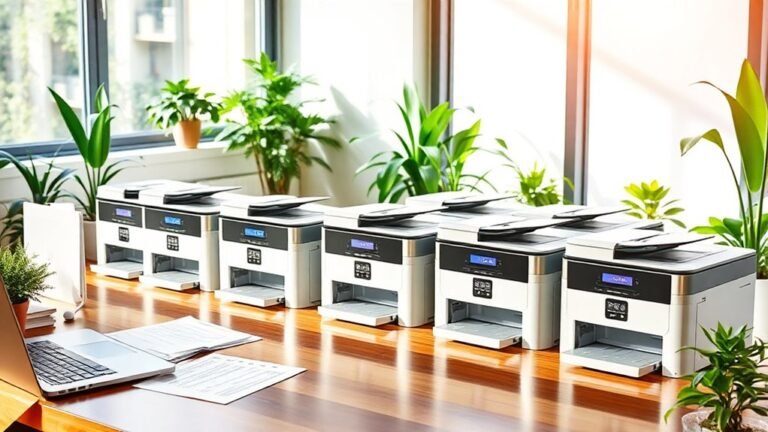
For 2027, you’ll want Bluetooth printer scanners like the HP DeskJet 2923, Canon PIXMA TS4320, Canon PIXMA TS7720, and Canon MegaTank G3270.
These models offer reliable wireless connectivity and sharp print and scan quality. Plus, their compact designs fit perfectly in any workspace.
They combine convenience with features like dual-band Wi-Fi, mobile app compatibility, and eco-friendly options.
This makes them ideal for both home and office use.
Keep exploring to discover which one matches your specific printing needs best.
| Image | Name | Editor's Rating | Price |
|---|---|---|---|

|
|
||

|
|
||

|
|
||

|
|
HP DeskJet 2923 Color Inkjet Printer | Wireless | All-in-One
- Perfect for basic printing needs – Print everyday color documents like to-do lists, letters, financial documents and recipes
- KEY FEATURES – Color print, copy, scan, and a 60-sheet input tray, plus mobile and wireless printing
- OPTIMIZE PRINT FORMATTING WITH HP AI – Print web pages and emails with precision—no wasted pages or awkward layouts; HP AI easily removes unwanted content, so your...
- ICON LCD – Print your basic documents with ease from the intuitive control panel
- PRINT SPEED – Up to 7.5 ppm black, 5.5 ppm color

The HP DeskJet 2923 All-in-One Printer is a compact solution designed for home offices needing reliable printing, copying, and scanning. Its lightweight design fits easily in small spaces, making it ideal for users with limited room. The printer’s wireless capabilities simplify connectivity, enabling smooth mobile printing via dual-band Wi-Fi, Apple AirPrint, and Mopria.
This printer tackles daily tasks with clear black and vibrant color printing, though its speed is moderate, producing up to 7.5 pages per minute in black and 5.5 in color. Its eco-friendly construction, made from 70% recycled plastics and ENERGY STAR certified, supports sustainable use without sacrificing quality. Regular maintenance is straightforward, and the printer’s design supports ease of use.
While it may require frequent paper refills due to a 60-sheet tray and has a 9-page copy limit per run, these features suit light to moderate printing needs well. The DeskJet 2923 balances convenience and environmental responsibility, making it a practical choice for everyday home office tasks.
Best for: Individuals seeking a compact, eco-conscious all-in-one printer with dependable wireless and mobile connectivity for home office use.
What We Like:
- Compact and lightweight, fits small spaces easily
- Wireless printing with dual-band Wi-Fi and mobile support
- Environmentally friendly build using recycled plastics
- Simple maintenance and user-friendly design
Specification:
| Feature | Details |
|---|---|
| Manufacturer | HP |
| Dimensions | Not specified |
| Weight | 7.6 lb (3.45 kg) |
| Material | 70% recycled plastics |
| Color Options | Not specified |
Canon PIXMA TS4320 – Wireless Color Inkjet Printer with Print, Copy, Scan
- Affordable Versatility - A budget-friendly all-in-one printer perfect for both home users and hybrid workers, offering exceptional value
- Crisp, Vibrant Prints - Experience impressive print quality for both documents and photos, thanks to its 2-cartridge hybrid ink system that delivers sharp text and vivid...
- Effortless Setup & Use - Get started quickly with easy setup for your smartphone or computer, so you can print, scan, and copy without delay
- Reliable Wireless Connectivity - Enjoy stable and consistent connections with dual-band Wi-Fi (2.4GHz or 5GHz), ensuring smooth printing from anywhere in your home or...
- Scan & Copy Handling - Utilize the device’s integrated scanner for efficient scanning and copying operations
The Canon PIXMA TS4320 offers a compact solution for wireless printing, copying, and scanning that fits easily into any workspace. It helps users handle everyday document needs without clutter or complex setup. This printer ensures sharp, clear prints that improve the quality of your work and photos.
Its dual-band Wi-Fi connection provides consistent and easy access from smartphones and computers. You can print directly using the Canon PRINT app or Apple AirPrint, cutting down the hassle of cables. The automatic two-sided printing feature reduces paper use, making your workflow more efficient and eco-friendly.
Maintenance is straightforward with a flatbed scanner that copies at 600 dpi and supports diverse media types, from cardstock to glossy photo paper. Although the printer holds up to 100 sheets, it’s best suited for moderate use rather than heavy printing demands. The moderate print speed balances quality and efficiency for home or small office tasks.
Weighing just 15.5 pounds, the PIXMA TS4320 fits neatly in tight spaces, offering reliable performance without taking up much room. Its simple design keeps navigation easy, though users seeking advanced display options might find it limited.
Best for: Home users or small offices needing a compact, wireless color inkjet printer for everyday print, copy, and scan tasks.
What We Like:
- Sharp 1200 x 1200 dpi print quality for detailed color and black-and-white output
- Reliable dual-band Wi-Fi and mobile printing for flexible connectivity
- Automatic two-sided printing to save paper and streamline tasks
- Compact and lightweight design fits small workspaces
- Versatile media handling from cardstock to photo paper
Specification:
| Feature | Details |
|---|---|
| Manufacturer | Canon |
| Dimensions | Not specified |
| Weight | 15.5 lb (7.03 kg) |
| Print Resolution | Up to 1200 x 1200 dpi |
| Scan Resolution | 600 dpi |
| Connectivity | Dual-band Wi-Fi, Canon PRINT app, Apple AirPrint |
| Media Types | Cardstock, glossy photo paper, standard paper |
Canon PIXMA TS7720 Wireless All-in-One Printer
- ALL-IN-ONE: Print, Copy, Scan features for full control at your fingertips.
- FAST PRINT SPEEDS: Print approximately 15 (black) / 10 (color) images per minute.
- EASY SETUP: Get running in just a few minutes thanks to a streamlined and easy setup process out of the box.
- EASY TO INSTALL INK: Print full color with only 2 (no mess) easy-to-replace ink cartridges.
- 2.7” LCD SCREEN: Get the job done with an intuitive and easy to use 2.7” LCD touchscreen.
The Canon PIXMA TS7720 is a compact and wireless all-in-one printer designed to simplify your home printing needs. It delivers sharp prints with a resolution of up to 1200 x 1200 dpi, ensuring clear documents and vibrant photos. Its easy-to-use 2.7” touchscreen makes navigation and setup straightforward, helping you save time.
This printer handles multiple media types, including photo paper and envelopes, giving you flexibility for various projects. Features like auto-duplex and borderless printing enhance efficiency and presentation quality. The 2-cartridge FINE Hybrid ink system ensures consistent, vivid colors while keeping maintenance manageable.
Setup is quick and convenient through USB or wireless connections, making it a practical choice for any home environment. Although its standard paper capacity is 100 sheets, it suits users with moderate printing needs. The print speed is adequate for everyday tasks but might feel slower during high-volume use.
Best for: Home users seeking a compact, versatile wireless all-in-one printer with reliable color and black-and-white printing.
What We Like:
- Sharp print quality with 1200 x 1200 dpi resolution
- Intuitive 2.7” touchscreen for easy control
- Supports diverse media types including photo paper and envelopes
- Auto-duplex and borderless printing for professional results
Specification:
| Feature | Details |
|---|---|
| Manufacturer | Canon |
| Dimensions (W×D×H) | Approx. 13.7 × 9.1 × 5.0 inches (34.8 × 23.1 × 12.7 cm) |
| Weight | Approx. 11.7 lb (5.3 kg) |
| Ink System | 2-cartridge FINE Hybrid ink |
| Connectivity | Wireless, USB |
| Display | 2.7” Color Touchscreen |
Canon MegaTank G3270 All-in-One Wireless Color Printer
- Wireless Print/Copy/Scan
- Up to 2 years of ink included (2)
- Print up to 6,000 black & white / 7,700 color pages using a single set of inks! (1)
- Save up to $1,000 on ink (1)
- 1.35” Square LCD display
The Canon MegaTank G3270 is designed to make wireless color printing simple and efficient for home users and small offices. Its high-resolution output delivers sharp, vivid prints that bring documents and photos to life. With print speeds up to 11 ppm in black and 6 ppm in color, it handles everyday tasks without unnecessary delays.
This all-in-one printer features a refillable MegaTank ink system that significantly reduces the hassle and cost of frequent ink replacements. You can print thousands of pages, minimizing interruptions and keeping your workflow smooth. Its compact design fits neatly on any desk, saving valuable space in busy environments.
Connectivity is straightforward with options for USB and Wi-Fi, letting you print directly from smartphones and tablets. Navigating menus is easy through the clear 1.35” LCD screen, making setup and operation user-friendly. Besides printing, you can also copy and scan documents effortlessly.
While the single 100-sheet tray may require regular refilling during heavy use, the printer balances functionality and convenience well. Its modest print speeds and limited warranty might be considerations, but overall, it offers reliable performance tailored to everyday demands.
Best for: home users and small offices needing a compact, versatile wireless all-in-one color printer with a high page yield.
What We Like:
- Sharp print quality at 4800 x 1200 dpi with efficient speed
- Cost-effective MegaTank ink system reduces refills
- Wireless and USB connectivity with smartphone/tablet support
- Compact footprint suits small workspaces
- Easy navigation via a clear 1.35” LCD screen
Specification:
| Feature | Details |
|---|---|
| Manufacturer | Canon |
| Dimensions (W×D×H) | Approximately 15.0 × 12.0 × 7.1 inches |
| Weight | Around 7.5 lbs (3.4 kg) |
| Ink System | Refillable MegaTank |
| Connectivity | USB, Wi-Fi |
| Display | 1.35-inch LCD screen |
| Print Resolution | Up to 4800 x 1200 dpi |
Factors to Consider When Choosing a Bluetooth Printer Scanner

When choosing a Bluetooth printer scanner, you should prioritize connectivity options and guarantee it supports your devices seamlessly. Pay close attention to print and scan quality, as well as speed to keep your tasks efficient.
Don’t forget to take into account portability and design, especially if you need to move it around frequently. After all, having a device that’s easy to carry can make a big difference in your daily workflow.
Connectivity Options Available
Although Bluetooth connectivity offers great convenience, exploring additional connection options can guarantee your printer scanner meets all your needs. Look for devices with dual-band Wi-Fi support, allowing reliable connections over both 2.4GHz and 5GHz networks. This way, you can print seamlessly from multiple devices.
Many printers also support mobile printing apps, letting you print directly from your smartphone or tablet with ease. Don’t overlook traditional USB ports for a quick, stable connection to your computer.
Some models feature wireless direct printing, enabling device-to-printer connections without a network—ideal for limited Wi-Fi environments. Advanced options like Apple AirPrint and Mopria Print Service expand compatibility, ensuring smooth printing across various operating systems.
Choosing a printer scanner with diverse connectivity options maximizes your flexibility and convenience. It really makes a difference when you have multiple ways to connect.
Print And Scan Quality
Print and scan quality play an essential role in choosing a Bluetooth printer scanner that meets your needs. You’ll want to check the print resolution, measured in dpi—higher values like 4800 x 1200 dpi deliver sharper, more vibrant color prints.
Scanning resolution matters just as much; 1200 x 1200 dpi guarantees detailed, clear digital copies. Consider printing speed too, usually in pages per minute (ppm); a device printing 15 ppm in black and 10 ppm in color handles bigger jobs efficiently.
Color accuracy depends on the ink system—hybrid or specialized inks often produce better results on various media. Also, make sure your printer supports different media sizes and types, such as photo paper or cardstock, so you get the best print and scan quality tailored to your specific projects.
Device Compatibility Support
Choosing a Bluetooth printer scanner that seamlessly integrates with your devices is vital for hassle-free operation. Make certain the device supports multiple operating systems like Windows, macOS, iOS, and Android, so you can print or scan from any platform.
Also, check if it works with mobile printing apps such as Apple AirPrint, Google Cloud Print, or the manufacturer’s app. These can really simplify wireless printing.
Bluetooth connectivity is essential if you want to print directly from your smartphone or tablet without relying on Wi-Fi. Confirm the printer scanner connects easily to both desktop and mobile devices to maximize flexibility.
Finally, review the supported file formats for scanning and printing to guarantee compatibility with your usual document and media types. This way, your device will fit perfectly into your workflow.
Speed And Efficiency
Speed and efficiency play an essential role when selecting a Bluetooth printer scanner, especially if you rely on it for frequent tasks. You’ll want a model offering fast print speeds—typically between 5.5 and 15 pages per minute—to keep up with busy workflows.
High resolution, like 4800 x 1200 dpi, guarantees sharp prints, reducing the need for costly reprints. Look for a generous input tray capacity, usually 60 to 100 sheets, so you won’t have to refill paper often.
Automatic duplex printing saves time and paper by printing double-sided without manual effort. Also, consider how quickly the printer starts printing after receiving a command; those that begin within seconds help maintain a smooth and efficient workflow.
Prioritize these factors for ideal speed and performance. It’ll make your printing tasks much easier and less time-consuming.
Portability And Design
While fast printing and high resolution boost productivity, you’ll also want a Bluetooth printer scanner that fits your lifestyle and workspace. Portability is key—you’ll find many models weigh under 10 pounds, making them easy to move between home and office.
Look for compact designs, often less than 18 inches wide, so they fit neatly on crowded desks or in tight storage spots. A lightweight build combined with a flatbed scanner boosts versatility without compromising function.
Wireless connectivity lets you print and scan directly from multiple devices, cutting the cord and clutter. Plus, a streamlined setup means you can get started quickly, installing and operating your device right from your smartphone or tablet.
This balance of portability and smart design keeps your workflow smooth and flexible. It’s all about making your work easier, wherever you are.
Energy Consumption Levels
Because energy consumption directly affects both your electricity bill and environmental footprint, it’s important to evaluate how much power a Bluetooth printer scanner uses. Models vary widely—some use as little as 2.55 watts in standby, while others draw up to 21 watts during operation.
Choosing a printer with ENERGY STAR certification guarantees better energy efficiency, cutting costs and reducing environmental impact. Look for features like automatic sleep modes that activate after inactivity to save power.
Keep in mind, all-in-one devices that print, scan, and copy may consume more energy due to their multifunctionality. By prioritizing low wattage and energy-saving features, you’ll enjoy long-term savings and a smaller carbon footprint without sacrificing performance.
Frequently Asked Questions
How Secure Is the Bluetooth Connection on These Printers?
Bluetooth connections on these printers use encryption and authentication, so you’re fairly secure. However, you should still update firmware regularly and avoid public networks to minimize risks from potential hacking or unauthorized access.
It’s always better to be safe than sorry, right? Keeping your firmware up to date helps patch any security holes that might pop up. And steering clear of public networks? That’s just smart to keep your info safe.
Can These Printers Scan Directly to a Smartphone App?
Absolutely, you can scan directly to your smartphone app with these printers—they’re like a bridge connecting your paper world to your digital one.
Just pair your device, open the app, and hit scan for instant access. It’s super easy and quick!
What Is the Average Battery Life for Portable Bluetooth Printers?
You’ll find most portable Bluetooth printers offer battery life between 4 to 8 hours of continuous use. It varies by model, but they’re designed to last through a typical day’s work without needing constant recharging.
Pretty handy, right? This means you can keep printing on the go without worrying about your battery dying too soon.
Are These Printers Compatible With Both iOS and Android Devices?
Yes, you’ll find most Bluetooth printers work seamlessly with both iOS and Android devices. They’re designed to connect easily, letting you print from smartphones or tablets without any hassle.
No matter which platform you use, printing is usually straightforward and quick. So, whether you’re team iOS or Android, these printers have got you covered.
Do These Printers Support Automatic Duplex Scanning?
Yes, many of these printers support automatic duplex scanning, so you’ll save time by scanning both sides of your documents without manually flipping them.
Just check the specs to be sure the model you pick includes this feature. It really makes a difference when you have lots of pages to scan!
Conclusion
So, unless you want your documents to feel lonely and disconnected, it’s time to embrace a Bluetooth printer scanner. Imagine your papers doing the cha-cha from phone to printer—no wires, no drama.
Whether you pick the sleek HP DeskJet or the mighty Canon MegaTank, you’re basically inviting a tech party on your desk. Don’t let your printer gather dust like an old relic; let it join the wireless revolution.
Bluetooth printer scanners make scanning and printing super easy and hassle-free. They free you from cables, letting you work smoothly from anywhere in your home or office.
By choosing one of the best Bluetooth printer scanners, you’re not just upgrading your gear—you’re stepping into the future of printing and scanning. So go ahead, make your life simpler and more connected with a wireless printer scanner that’s perfect for 2027 and beyond.