4 Best Budget 11×17 Printers for 2027 That Deliver Quality
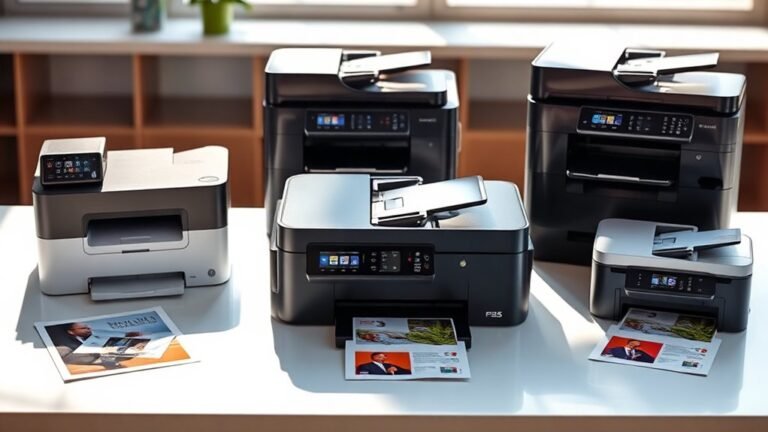
You’ll get excellent quality and large-format printing from budget-friendly 11×17 printers like the Brother INKvestment 6960 and 6560, Epson XP-15000, and HP Officejet 7110. These models offer sharp resolutions, fast print speeds, wide media support, and reliable connectivity like dual-band Wi-Fi and Ethernet.
They also include useful features like duplexing and high-capacity trays for efficient workflows. If you want to find out which best fits your needs and budget, keep exploring their key strengths and differences.
| Image | Name | Editor's Rating | Price |
|---|---|---|---|

|
|
||
|
|
||
|
|
||

|
|
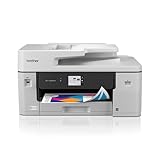
Brother INKvestment 6960 Wireless Color Inkjet Printer
- BEST FOR SMALL BUSINESS: This multifunction printer makes it easy to print, copy, scan, and fax on up to 11”x17” paper. Includes one 1,800-page yield black ink...
- PRODUCTIVITY-FOCUSED FEATURES: 500-sheet capacity with two trays(3), 100-sheet multipurpose tray(3), up to 50-page single-pass duplex copy & scan via ADF(3), and...
- SPEED & QUALITY: Engineered with MAXIDRIVE Technology with print speeds of up to 31 pages per minute (ppm) in black and up to 30 ppm in color(5). The PerfectPrint Auto...
- INNOVATIVE TECHNOLOGY: With Wi-Fi Direct, print wirelessly without an external network connection. Print from and scan to Cloud apps(6), including Google Drive, Dropbox...
- THE BROTHER MOBILE CONNECT APP: The power of printing at your fingertips. Go mobile with the simple-to-use Brother Mobile Connect app(7) that delivers onscreen menu...

Experience hassle-free large-format printing with the Brother INKvestment 6960 Wireless Color Inkjet Printer. Designed to handle 11×17 paper, it streamlines printing, scanning, and faxing tasks, making it ideal for busy offices. Its dual trays and multipurpose tray hold up to 500 sheets, reducing the need for frequent refills.
This printer offers automatic duplex printing and scanning, saving time and paper. Print speeds reach up to 31 ppm in black and 30 ppm in color, producing sharp documents with a resolution of 1200×4800 dpi. The versatile connectivity options, including dual-band Wi-Fi and Ethernet, ensure smooth integration with multiple devices.
Maintenance is straightforward with high-yield ink cartridges included, and an optional subscription service helps control ink costs. This system supports consistent quality while reducing interruptions. However, the printer’s weight of 51.4 pounds means it’s best suited for stationary use.
Best for: small businesses and office users needing reliable, fast, and versatile printing on large 11×17 paper with efficient ink management.
What We Like:
- Supports large 11×17 paper with automatic duplex printing and scanning
- Fast print speeds with high-quality 1200×4800 dpi output
- Dual-band Wi-Fi, Ethernet, and mobile app connectivity
- High-yield ink cartridges and subscription option for cost control
Specification:
| Feature | Details |
|---|---|
| Manufacturer | Brother |
| Dimensions | Not specified |
| Weight | 51.4 lb (23.3 kg) |
| Paper Capacity | Up to 500 sheets (2 trays + multipurpose tray) |
| Print Resolution | 1200 x 4800 dpi |
| Connectivity | Dual-band Wi-Fi, Ethernet, Mobile app support |
Brother INKvestment 6560 Wireless Color Inkjet Printer
- BEST FOR SMALL BUSINESS: This multifunction printer makes it easy to print, copy, scan, and fax, and includes one 1,800-page yield black ink cartridge and one 750-page...
- PRODUCTIVITY-FOCUSED FEATURES: A 250-sheet paper tray(3), 50-page single-sided ADF(3), and automatic duplex (2-sided) printing for media-handling capabilities on paper up...
- SPEED & QUALITY: Engineered with MAXIDRIVE Technology with print speeds of up to 31 pages per minute (ppm) in black and up to 30 ppm in color(5). The Brother PerfectPrint...
- INNOVATIVE TECHNOLOGY: With Wi-Fi Direct, print wirelessly without an external network connection. Print from and scan to Cloud apps(6), including Google Drive, Dropbox...
- THE BROTHER MOBILE CONNECT APP: The power of printing at your fingertips. Go mobile with the simple-to-use Brother Mobile Connect app(7) that delivers onscreen menu...
The Brother INKvestment 6560 Wireless Color Inkjet Printer delivers reliable, high-quality printing that meets the demands of busy offices. Designed to handle large media sizes up to 11” x 17”, it simplifies tasks like printing, copying, scanning, and faxing all in one device. This versatility helps streamline workflow and reduce the need for multiple machines.
With fast print speeds of up to 31 ppm in black and 30 ppm in color, your documents come out quickly without sacrificing clarity. The sharp 1200 x 4800 dpi resolution ensures professional-looking prints every time. Automatic duplex printing on ledger and tabloid paper saves time and reduces paper waste.
Connectivity options are broad, including dual-band Wi-Fi, Ethernet, USB, and mobile/cloud printing, making it easy to connect from various devices. The 2.7” color touchscreen offers straightforward operation, while ink subscription plans help manage ongoing costs efficiently.
Maintenance is straightforward, but note the printer’s weight of 44.1 lb may require a dedicated space. Ink yields can vary, and subscription terms should be reviewed to fit your budget. Overall, this model offers a practical balance of performance and value for office environments.
Best for: small businesses and office users needing fast, high-quality 11×17 printing with multifunction capabilities and versatile connectivity.
What We Like:
- Supports large media sizes with automatic duplex printing
- Fast print speeds with high-resolution output
- Multiple connectivity options including dual-band Wi-Fi and Ethernet
- Easy-to-use 2.7” color touchscreen interface
- Ink subscription plans to help control printing costs
Specification:
| Feature | Details |
|---|---|
| Manufacturer | Brother |
| Dimensions | Not specified |
| Weight | 44.1 lb (20 kg) |
| Print Technology | Wireless Color Inkjet |
| Max Media Size | 11” x 17” (Ledger/Tabloid) |
| Connectivity | Dual-band Wi-Fi, Ethernet, USB, Mobile/Cloud printing |
| Display | 2.7” Color Touchscreen |
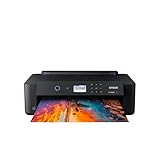
Epson Expression Photo HD XP-15000 Wireless Wide-Format Inkjet Printer
- Epson printing system is designed to be used exclusively with Epson Genuine Cartridges. Use of non-genuine ink could cause damage not covered under the printer’s ltd...
- Professional ultra HD photo quality get brilliant border less prints upto 13 inches X 19 inches
- Individual 6 color Claria photo HD ink includes red and gray inks for an ultra wide color gamut and enhanced black and white prints. Sound pressure level: Pressure...
- Professional projects: Made easy features a 50 sheet rear tray for specialty media, including cardstock (1); Accommodates a variety of paper finishes and border less...
- Ultra compact wide format A3 plus printer 30 percent smaller than its predecessor (2); Easily fits on your desktop
Photographers and creative studios aiming for vivid, wide-format prints will find the Epson Expression Photo HD XP-15000 ideal. This compact inkjet printer solves the challenge of producing professional-quality photos at home with its 6-color Claria Photo HD ink system. It delivers sharp images up to 5760 x 1440 dpi, enhancing detail and color depth.
The XP-15000 handles media versatility with ease, supporting specialty papers and borderless prints up to 13 x 19 inches. Automatic duplex printing saves time and paper, making it great for double-sided photo projects. Wireless and wired connectivity, along with app control, help you integrate the printer smoothly into your workflow.
Maintenance is straightforward but requires genuine Epson ink cartridges to avoid printing issues and preserve print quality. Its quiet operation at 49 dB(A) and compact design make it suitable for home studios without creating distractions or taking up much space.
This printer is a smart choice for users who prioritize print quality and media flexibility but don’t need ultra-fast speeds or large paper capacity. It balances performance with convenience for detailed photo work.
Best for: Photographers, home studios, and creative professionals seeking high-quality, wide-format photo printing with versatile media options and wireless connectivity.
What We Like:
- Produces ultra HD photos with a 6-color Claria Photo HD ink system and high resolution.
- Supports borderless prints up to 13 x 19 inches and automatic duplex printing.
- Compact design with quiet operation and both wireless and wired connectivity.
- Easy integration with app control enhances usability.
- Handles specialty papers for diverse creative projects.
Specification:
| Feature | Details |
|---|---|
| Manufacturer | Epson |
| Dimensions | Compact footprint (exact size not specified) |
| Weight | Not specified |
| Ink System | 6-color Claria Photo HD |
| Maximum Resolution | 5760 x 1440 dpi |
| Maximum Print Size | 13 x 19 inches |
| Connectivity | Wireless, Wired, App control |
| Noise Level | 49 dB(A) |
HP Officejet 7110 Wide Format ePrinter
- Print speed:2 Up to 15 ppm black, Up to 9 ppm color (ISO Speed); Up to 33 ppm black, Up to 29 ppm color (Maximum Print Speed)
- 250-sheet input tray, 75-sheet output tray
Discover the convenience of producing high-quality wide-format prints right from your home or small office. The HP Officejet 7110 Wide Format ePrinter delivers vivid color output up to 13×19 inches, ideal for creating professional documents, posters, and photos without the need for costly print services.
This printer supports a variety of media types, including cardstock and glossy photo paper, enhancing your creative flexibility. Its 250-sheet input tray reduces frequent refills, allowing you to focus on your projects. Connectivity options like Wi-Fi, Ethernet, and HP ePrint make printing seamless from multiple devices, keeping your workflow efficient.
Maintenance is straightforward, though it’s important to manage ink costs and expect moderate print speeds, especially with color jobs. Duplex printing is optional, helping you save paper when needed, but note that some specifications may list this feature inconsistently, so verify availability before purchase.
Designed for moderate monthly printing volumes up to 800 pages, this model balances performance and affordability. Its compact design, weighing just 18.7 pounds, fits easily into limited spaces without sacrificing functionality.
Best for: Small offices or individuals requiring affordable, versatile wide-format color printing with reliable connectivity and media handling.
What We Like:
- Produces vibrant borderless prints up to 13×19 inches
- Supports Wi-Fi, Ethernet, USB, and HP ePrint for flexible printing
- Large 250-sheet input tray reduces paper handling
- Compatible with diverse media types like cardstock and glossy photo paper
- Optional duplex printing helps reduce paper use
Specification:
| Feature | Details |
|---|---|
| Manufacturer | HP |
| Dimensions | Approx. 17.7 x 12.7 x 8.1 in |
| Weight | 18.7 lb (8.5 kg) |
| Print Resolution | Up to 4800 x 1200 dpi |
| Max Print Size | 13 x 19 inches |
| Connectivity | Wi-Fi, Ethernet, USB, HP ePrint |
| Input Tray Capacity | 250 sheets |
Factors to Consider When Choosing a Budget 11X17 Printer
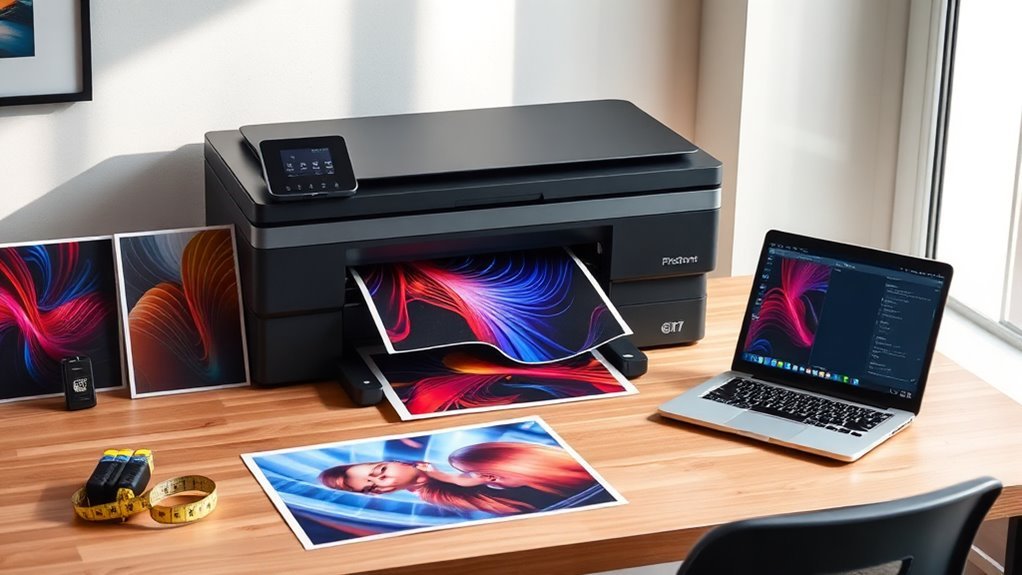
When choosing a budget 11×17 printer, you’ll want to focus on print quality, paper handling, and speed to match your needs. Don’t forget to check the connectivity options and consider how ink costs and yield affect your overall budget.
These factors will help you find a printer that balances performance and affordability. It’s all about getting the best value without overspending. So, take your time comparing features before making a decision.
Print Quality Essentials
Print quality determines how well your budget 11×17 printer brings your documents and images to life. You want a printer with a high optical resolution—at least 1200 x 1200 dpi for sharp text and office graphics, and up to 4800 x 1200 dpi or higher for true photo-quality color.
Look for fine droplet sizes or high color bit depth (over 24-bit) to guarantee smooth gradients and accurate colors. If you prioritize wide color gamut and neutral blacks, choose printers with six or more colors or dedicated photo/gray inks.
Also, check for color management features like ICC profile support and color calibration to keep your prints consistent. Finally, make sure your printer maintains quality across various media types and sizes, especially for borderless and heavy cardstock printing.
Paper Handling Capacity
Several key factors influence the paper handling capacity of budget 11×17 printers, directly affecting your workflow efficiency. First, check the maximum input capacity across all trays and multipurpose feeds—higher capacity (250–500 sheets) means fewer reloads during busy days.
Next, consider the number and types of paper feeds, making sure they support envelopes, cardstock, or glossy paper without constant swapping. An automatic document feeder (ADF) with duplex scanning and around 50-sheet capacity can really speed up two-sided jobs.
Also, confirm each tray’s maximum media size and whether it supports ledger/tabloid (11″ x 17″) automatically to avoid manual refeeding. Finally, look at output capacity and the paper path design—straight-through paths handle heavier media better and reduce jams, keeping your workflow smooth.
Speed and Efficiency
Managing your paper effectively sets the stage for how quickly and smoothly your printer can operate. To maximize speed and efficiency, focus on ISO/IEC-rated print speeds—higher ppm means faster output, especially for office documents.
First-page-out time is vital too; printers with 4–5 second times get your quick jobs done without delay. Duplex and ADF features boost efficiency by handling two-sided prints and multi-page scanning in one pass, especially with a 50-sheet capacity.
Don’t overlook total paper capacity; a larger tray means fewer refills and sustained workflow. While connectivity matters, we’ll cover that next—here, prioritize printers that combine fast print speeds, responsive page delivery, and robust duplex scanning to keep your 11×17 printing both quick and reliable.
Connectivity Options Available
How you connect your budget 11×17 printer can make a big difference in convenience and performance. Make sure it supports dual-band Wi-Fi (2.4 GHz and 5 GHz) for reliable wireless connections, especially in busy networks.
If you work in an office with multiple users, look for Gigabit Ethernet for stable, high-speed wired access. Wi-Fi Direct or peer-to-peer printing is great if you want to print directly from mobile devices without joining the main network.
Also, check if the printer supports cloud printing and integrates with common cloud storage services to print or scan remotely. Don’t overlook USB Type-B or Type-A ports for direct printing from computers or thumb drives.
And, make sure it’s compatible with mobile printing protocols like AirPrint or Google Cloud Print alternatives for seamless smartphone use. This way, you can print easily from just about any device.
Ink Cost and Yield
When choosing a budget 11×17 printer, you’ll want to zero in on ink cost and yield since they directly impact your ongoing expenses. Start by comparing page yield and cartridge cost to calculate cost-per-page.
Remember, XL or XXL cartridges usually lower long-term costs despite a higher upfront price. Separate black and color yields because color cartridges often have much lower yields, raising costs for mixed-color prints.
Look for printers that report ISO/IEC-standard page yields, as these offer more reliable estimates than vendor claims. If considering subscription plans, make certain they disclose exact cartridge pricing and shipment frequency to avoid surprise costs.
Finally, factor in extra consumables like maintenance kits and printhead replacements, especially if you print high volumes or use duplex settings regularly. It’s these little extras that can add up over time.
Media Size Compatibility
Beyond ink costs, you’ll want to make sure your budget 11×17 printer can handle the media sizes you plan to print. Confirm it supports true 11″ x 17″ printing and automatic duplexing at that size if you need double-sided ledger prints.
Check the maximum printable and borderless media sizes to avoid unwanted trimming. Make sure the input trays and manual feed can accommodate the paper weight and thickness you use, whether standard bond, cardstock, or glossy photo paper.
If scanning or copying multi-page 11″ x 17″ documents is essential, verify the ADF size and duplex ADF capability, as many only support single-sided or letter-sized originals. Finally, make certain the printer’s drivers and software support large-format features like page scaling and borderless printing for accurate, full-bleed results.
Device Compatibility Features
In selecting a budget 11×17 printer, you’ll want to make sure it works seamlessly with the devices and operating systems you use daily. Check that it supports Windows, macOS, iOS, Android, or Linux to avoid driver issues.
Look for multiple connectivity options like dual-band Wi-Fi, Wi-Fi Direct, Ethernet, and USB to fit your network setup. If you print from smartphones or tablets, confirm mobile and cloud printing compatibility via AirPrint, Mopria, or vendor apps.
Also, verify support for printing languages such as PCL, PostScript, or driverless IPP to maintain consistent formatting across platforms. Finally, consider printers with companion software for remote management, scanning, and firmware updates to keep your device compatible and easy to use long term.
Warranty and Support
Since printers handle frequent use and occasional mishaps, you’ll want to carefully review the warranty and support options before buying a budget 11×17 printer. Check the length and type of the manufacturer’s warranty to see how long hardware defects and parts are covered.
Make sure you understand what’s excluded, like damage from unapproved consumables or physical misuse, to avoid surprise costs. Also, look for accessible technical support through phone, chat, or online resources.
Confirm if on-site service, carry-in repair, or mail-in replacement is offered, and note any turnaround times or fees. Finally, consider if an extended protection plan fits your needs and budget, especially if you expect high monthly print volumes.
This will help keep your printer running smoothly without breaking the bank.
Frequently Asked Questions
What Is the Average Lifespan of an 11X17 Printer?
You can expect an 11×17 printer to last around 3 to 5 years with regular use. Proper maintenance and moderate printing volumes can extend its lifespan.
Can These Printers Handle Heavy-Duty Printing Volumes?
Sure, some sturdy 11×17 printers can handle heavy-duty printing, but you shouldn’t expect budget models to endure extensive, everyday use.
For consistent, colossal workloads, you’ll want a commercial-grade, reliable, and robust printer instead.
Are There Any Eco-Friendly Ink Options Available?
Yes, you’ll find eco-friendly ink options like plant-based and refillable cartridges for many 11×17 printers. These reduce waste and environmental impact, letting you print responsibly without sacrificing quality or breaking your budget.
It’s pretty cool how these options help you stay green. Plus, you don’t have to compromise on how your prints look or spend a fortune doing it.
How Do 11X17 Printers Compare to Standard-Sized Printers?
“Don’t judge a book by its cover.” You’ll find 11×17 printers handle larger formats, offering versatility you won’t get with standard printers.
They’re often pricier but perfect when you need bigger, high-quality prints. So, if size and quality matter, these printers might just be worth the investment.
What Maintenance Tips Extend the Printer’s Durability?
You should clean the print heads regularly and use high-quality ink. Keeping the printer dust-free is also really important.
Make sure to update the firmware and avoid overloading the paper trays. Running test prints often can help catch issues early.
These simple steps will help your printer last longer and perform better overall. It’s all about keeping things in good shape!
Conclusion
Imagine turning your ideas into vibrant 11×17 prints without breaking the bank. Whether you’re crafting detailed photos or sharp documents, these budget-friendly printers bring your vision to life with ease and quality.
From the reliable Brother INKvestment models to Epson’s rich colors and HP’s wide-format capabilities, you’ve got options that fit your needs and wallet.
Choose wisely, and watch your projects leap off the page, bright and bold every time. With the best budget 11×17 printers for 2027, you don’t have to sacrifice quality for affordability. These printers deliver impressive color accuracy, sharp detail, and reliable performance, making them perfect for everything from creative artwork to professional presentations. So, if you want to produce stunning large-format prints without overspending, these budget-friendly options are the way to go.