10 Best All-in-One Wireless Printers for Small Business in 2027
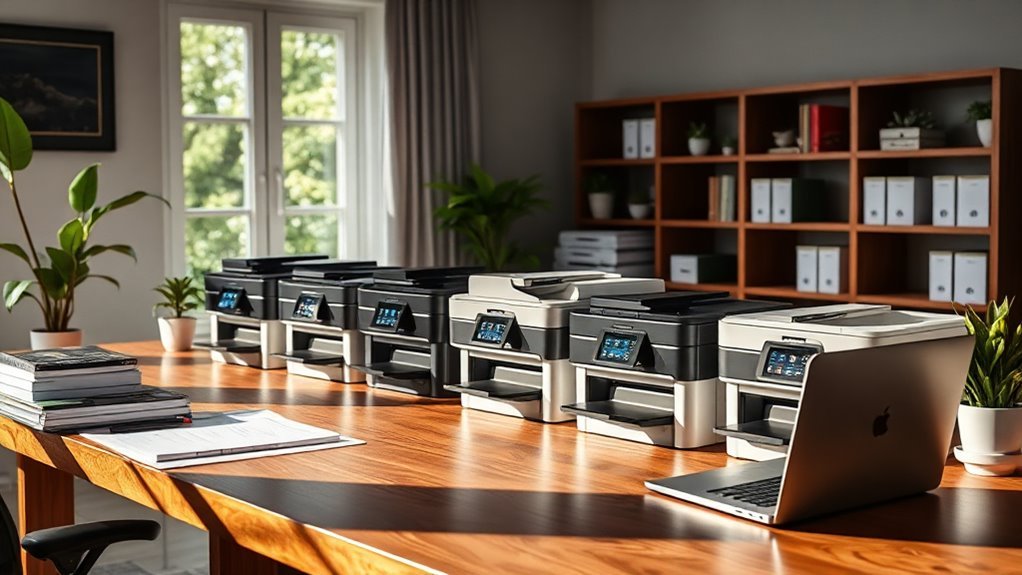
You’ll find top all-in-one wireless printers like the HP OfficeJet Pro 8125 and 9125, Brother INKvestment MCF-J5010DW and 6960, Epson Workforce Pro WF-4935, Canon MegaTank G3270 and MAXIFY GX2020, plus HP and Brother laser models designed for small business needs. These all-in-one wireless printers are perfect for streamlining your office tasks, offering printing, scanning, copying, and faxing in one device.
These printers balance speed, duplexing, smart connectivity, and cost-efficiency with various paper capacities and durable builds. Whether you need fast printing for busy days or cost-effective solutions for regular use, there’s something here for every small business.
Explore how each fits your workflow and budget to make the smartest choice for your office. Finding the right all-in-one wireless printer can really boost your productivity and keep things running smoothly.
| Image | Name | Editor's Rating | Price |
|---|---|---|---|

|
|
||

|
|
||

|
|
||

|
|
||

|
|
HP OfficeJet Pro 8125 Wireless All-in-One Printer
- FROM AMERICA'S MOST TRUSTED PRINTER BRAND – The OfficeJet Pro 8125 is perfect for home offices printing professional-quality color documents like business documents...
- 3 MONTH TRIAL OF INSTANT INK INCLUDED – Subscribe to the Instant Ink delivery service to get ink delivered directly to your door before you run out, and you save up to...
- KEY FEATURES – Fast color printing, scan, copy, auto 2-sided printing, auto document feeder, and a 225-sheet input tray
- 2.7-INCH TOUCHSCREEN – Quickly navigate your printer with a large color touchscreen and a phone-like user interface
- WIRELESS PRINTING – Stay connected with our most reliable dual-band Wi-Fi, which automatically detects and resolves connection issues

The HP OfficeJet Pro 8125 is designed to handle the diverse needs of small businesses and home offices with ease. It delivers sharp, professional-quality prints that help you create polished documents without hassle. Its fast printing speeds keep your workflow smooth, reducing wait times for both black-and-white and color prints.
This all-in-one printer goes beyond printing by offering scanning, copying, and faxing capabilities. You can use the flatbed or single-sided ADF, or manage tasks conveniently via the HP Smart app. The 2.7-inch touchscreen and dual-band Wi-Fi simplify control and connectivity, making it easy to stay productive without complicated setups.
Maintenance is straightforward, but note that it supports only original HP cartridges, which helps ensure print quality but limits third-party options. The 225-sheet paper capacity is adequate for moderate workloads, though frequent refills may be needed during heavy use. Automatic two-sided printing also cuts down on paper waste for eco-conscious users.
With its compact design and energy-efficient features, the OfficeJet Pro 8125 fits well in busy workspaces and supports sustainable practices. It balances multi-functionality and ease of use to improve daily office tasks reliably.
Best for: Small businesses and home offices needing a versatile, high-quality color printer with wireless scanning, copying, and faxing.
What We Like:
- Fast, professional-quality color and black printing to boost productivity.
- Easy control through a 2.7-inch touchscreen and dual-band Wi-Fi.
- Multifunction support with scanning, copying, faxing, and HP Smart app integration.
- Automatic two-sided printing helps reduce paper usage.
- Energy-efficient design with recycled plastic components.
Specification:
| Feature | Details |
|---|---|
| Manufacturer | HP |
| Model | OfficeJet Pro 8125 |
| Printing Speed | Up to 20 ppm (black), 10 ppm (color) |
| Print Resolution | Up to 4800 x 1200 dpi |
| Paper Capacity | 225 sheets |
| Display | 2.7-inch color touchscreen |
| Connectivity | Dual-band Wi-Fi |
| Functions | Print, scan, copy, fax |
| ADF | Single-sided only |
Brother INKvestment Wireless Color Inkjet Printer (MCF-J5010DW)
- BEST FOR SMALL BUSINESS: Print, copy, scan, and fax with one powerful device, with advanced security features for business. Includes one 1,800-page yield black ink...
- PRODUCTIVITY-FOCUSED FEATURES: A 250-sheet paper tray, 50-page single-pass duplex (2-sided) automatic document feeder (ADF), and automatic duplex printing on paper up to...
- SUPERIOR PRINTING: Engineered with the Brother PerfectPrint Auto Detection System, which helps ensure reliable, consistent print quality and performance you can depend on...
- SEAMLESS CONNECTIONS: Simplify your workflow with Wi-Fi Direct and multiple connection options, including wireless network interfacing, Ethernet, and USB. Plus, print...
- THE BROTHER MOBILE CONNECT APP: Put the power of printing at your fingertips. Go mobile with the simple-to-use Brother Mobile Connect app, which delivers easy on-screen...
The Brother INKvestment Wireless Color Inkjet Printer (MCF-J5010DW) is designed to streamline office tasks with all-in-one functionality. It combines printing, copying, scanning, and faxing in one compact device, reducing clutter and simplifying workflows. Its ability to handle up to 250 sheets and a 50-page duplex automatic document feeder saves time on large jobs.
This printer delivers sharp black prints at up to 28 pages per minute and vibrant color prints at 26 ppm. High-yield ink cartridges reduce the frequency of replacements, minimizing maintenance interruptions. These features help small businesses maintain smooth operations without frequent downtime.
Connectivity is versatile, including Wi-Fi Direct, Ethernet, USB, and mobile printing through the Brother Mobile Connect app. The 2.7-inch touchscreen enables easy access to cloud services, making document management faster and more efficient. This flexibility supports varied work environments and remote printing needs.
While inkjet technology may not match laser printers in speed or text sharpness for heavy printing volumes, the MCF-J5010DW balances quality and convenience. Color cartridge yields are lower than black, requiring more frequent replacements. The modest touchscreen size might limit navigation ease for some users.
Best for: Small businesses seeking a versatile, efficient all-in-one color inkjet printer with advanced connectivity and high-yield cartridges.
What We Like:
- High-yield ink cartridges reduce replacement frequency.
- 50-page duplex automatic document feeder boosts productivity.
- Multiple connectivity options including Wi-Fi Direct and mobile app.
- Compact design supports versatile office environments.
Specification:
| Feature | Details |
|---|---|
| Manufacturer | Brother |
| Dimensions (W x D x H) | Not specified |
| Weight | Not specified |
| Color Options | Not specified |
| Ink Type | Wireless Color Inkjet |
| Paper Capacity | 250 sheets |
| Document Feeder Capacity | 50 pages duplex |
| Touchscreen Size | 2.7 inches |
Epson Workforce Pro WF-4935 Wireless All-in-One Printer
- Built for Speed — PrecisionCore Heat-Free technology delivers fast, high-volume printing with 25 (black)/12 (color) ISO ppm and fast first-page-out
- High-Precision Office Printing — Accurate dot placement and DURABrite Ultra instant-dry pigment inks for professional-quality prints
- High-Volume Durability for Heavy Workloads — Innovative heat-free technology engineered for reliability and reduced downtime
- Complete Duplex Solution — All-in-one printer with auto 2-sided print, copy, scan and fax; plus 50-sheet ADF
- Maximize Printing Productivity — High-performance office printer with 500-sheet paper capacity; includes two 250-sheet trays for added convenience
The Epson Workforce Pro WF-4935 is designed to keep busy offices running smoothly. Its automatic duplex printing and scanning help reduce paper waste and save time on double-sided documents. With a 50-sheet automatic document feeder and dual 250-sheet trays, it handles large workloads without constant paper refills.
This all-in-one printer combines fast printing speeds with sharp, vibrant output. It prints up to 25 pages per minute in black and 12 in color, delivering detailed images with DURABrite Ultra pigment inks. The 4.3″ color touchscreen and Epson Smart Panel app provide simple control for all tasks, making it easy to manage print jobs remotely.
Maintenance is straightforward, but users should note that color print speeds are slower and ink costs may add up for heavy color users. Also, it lacks automatic duplex faxing, so two-sided fax documents require manual intervention. Despite this, it remains a reliable choice for handling multiple office tasks efficiently.
Best for: Small businesses and busy workgroups needing a dependable, high-volume all-in-one printer for fast, efficient duplex printing, copying, scanning, and faxing.
What We Like:
- Fast black-and-white printing with sharp, high-resolution output
- Large paper capacity supports heavy workloads without frequent refilling
- Multiple connectivity options including Wi-Fi, Ethernet, and USB
- Easy-to-use 4.3″ touchscreen and mobile app for remote management
- Durable design built for continuous, high-volume office use
Specification:
| Feature | Details |
|---|---|
| Manufacturer | Epson |
| Dimensions (W×D×H) | 16.9 × 18.1 × 11.9 inches |
| Weight | 21.0 lb (9.5 kg) |
| Print Speed | 25 ppm (black), 12 ppm (color) |
| Resolution | Up to 4800 x 2400 dpi |
| Paper Capacity | Dual 250-sheet trays, 50-sheet ADF |
| Connectivity | Wi-Fi, Ethernet, USB |
| Display | 4.3″ color touchscreen |
HP OfficeJet Pro 9125 Wireless All-in-One Printer
No products found.
Experience enhanced productivity with the HP OfficeJet Pro 9125 Wireless All-in-One Printer. It simplifies everyday office tasks by combining printing, scanning, copying, and faxing in one compact device. The 2.7-inch color touchscreen enables easy navigation, helping you complete jobs quickly and with minimal effort.
This printer tackles busy workflows with automatic duplex printing and scanning, reducing paper use and saving time. Print sharp documents at speeds up to 22 ppm black and 18 ppm color, ensuring professional-quality results without delays. Its wireless connectivity options, including dual-band Wi-Fi, Ethernet, and USB, let you print directly from smartphones or computers seamlessly.
Maintenance is straightforward, but be aware the device requires original HP 936 series cartridges to ensure compatibility and consistent performance. Its design balances functionality and footprint, weighing 20.5 pounds, which suits most small to medium office environments without overcrowding.
Built with over 40% recycled plastic, the OfficeJet Pro 9125 also supports sustainability efforts. While it handles standard media sizes up to 8.5 x 11.7 inches, it may not fit larger format printing needs. Overall, it offers a reliable, versatile solution for everyday office printing demands.
Best for: small to medium businesses and office users needing a versatile all-in-one printer with wireless features and professional output.
What We Like:
- Fast print speeds with high-quality resolution.
- Easy-to-use 2.7-inch touchscreen and automatic duplex functions.
- Multiple connectivity options, including smartphone printing.
- Eco-friendly design with recycled materials.
- Compact footprint suitable for typical office spaces.
Specification:
| Feature | Details |
|---|---|
| Manufacturer | HP |
| Model | OfficeJet Pro 9125 |
| Dimensions (W×D×H) | Approx. 17.2 × 15.9 × 9.4 inches |
| Weight | 20.5 pounds (9.3 kg) |
| Color Options | Black/Gray |
| Media Size | Up to 8.5 × 11.7 inches |
| Connectivity | Dual-band Wi-Fi, Ethernet, USB |
| Display | 2.7-inch color touchscreen |
| Cartridge Requirement | HP 936 series original cartridges |
Canon MegaTank G3270 All-in-One Wireless Color Printer
- Wireless Print/Copy/Scan
- Up to 2 years of ink included (2)
- Print up to 6,000 black & white / 7,700 color pages using a single set of inks! (1)
- Save up to $1,000 on ink (1)
- 1.35” Square LCD display
Save time and reduce printing costs with the Canon MegaTank G3270, designed for busy small business users. Its refillable ink system delivers up to 6,000 black and 7,700 color pages per set, cutting down on frequent ink replacements. This helps keep your workflow smooth and uninterrupted.
This all-in-one printer handles printing, copying, and scanning with sharp 4800 × 1200 dpi resolution. Whether you need crisp documents or vibrant photos, it meets diverse office demands. Connecting is simple via Wi-Fi or USB, and you can manage print jobs directly from your smartphone or tablet.
Maintenance is straightforward thanks to the MegaTank’s large ink reservoirs. Its compact design fits neatly on your desk without taking up much space. The 100-sheet tray supports various paper sizes, including borderless photo printing, making it versatile for different tasks.
While it offers excellent print quality and convenience, note that it supports only simplex printing, which means no automatic double-sided printing. The copy speed is moderate, and the single tray capacity may require refills during heavy use.
Best for: Small business owners and home office workers seeking a cost-effective, high-yield all-in-one printer with wireless capabilities.
What We Like:
- High ink yield reduces frequent replacements
- Sharp printing, copying, and scanning quality
- Wireless and USB connectivity with mobile device control
- Supports borderless photo printing
- Compact design fits small workspaces
Specification:
| Feature | Details |
|---|---|
| Manufacturer | Canon |
| Dimensions | Not specified |
| Weight | Not specified |
| Material | Not specified |
| Color Options | Not specified |
Canon MegaTank MAXIFY GX2020 Wireless All-in-One Printer
- Wireless Print/Copy/Scan/Fax (2)
- Print up to 3,000 black & white / 3,000 color pages using a single set of inks! (1)
- 2.7” LCD Color Touchscreen
- Auto 2-sided printing
- ADF – 35 sheet Auto Document Feeder
The Canon MegaTank MAXIFY GX2020 is designed to tackle high-volume printing without the hassle of frequent ink replacements. Its refillable ink tank system cuts down on running costs by delivering up to 3,000 pages per set, making it ideal for busy work environments. This printer helps streamline your workflow by combining print, copy, scan, and fax functions in one compact device.
Maintenance is straightforward thanks to the refillable tanks that reduce downtime and ink waste. The 2.7″ adjustable touchscreen lets you navigate menus easily, while the 35-sheet auto document feeder speeds up multi-page tasks. Duplex printing saves paper and time by allowing automatic double-sided prints.
Connectivity options include dual-band Wi-Fi and wired LAN, ensuring stable connections in various office setups. The printer supports versatile media sizes up to 8 x 10 inches, suitable for most everyday documents and images. Its compact design fits neatly into small spaces without sacrificing performance.
While the single USB port limits direct hardware connections, the GX2020’s strong wireless features compensate by offering flexible access. The relatively small touchscreen may require some adjustment for extensive use but remains functional for most tasks.
Best for: Small businesses and home offices needing a cost-effective, high-volume all-in-one printer with versatile connectivity and media handling.
What We Like:
- High page yield reduces ink replacement frequency and cost
- Auto duplex printing and 35-sheet ADF enhance productivity
- Dual-band Wi-Fi and wired LAN provide reliable network options
- Compact design fits well in limited workspaces
Specification:
| Feature | Details |
|---|---|
| Manufacturer | Canon |
| Dimensions | Compact size (exact size not specified) |
| Ink System | Refillable MegaTank ink tanks |
| Touchscreen | 2.7-inch adjustable touchscreen |
| Connectivity | Dual-band Wi-Fi, Wired LAN, 1 USB port |
| Media Size | Up to 8 x 10 inches |
Brother DCP-L2640DW Wireless Monochrome Multi-Function Printer

- BEST FOR SMALL BUSINESSES – Engineered for extraordinary productivity, the Brother DCP-L2640DW Monochrome (Black & White) 3-in-1 combines laser printer, scanner, copier...
- FAST PRINTER WITH EFFICIENT SCANNING – Produces documents quickly with print speeds up to 36 ppm(2) and scan speeds up to 23.6/7.9 ipm(3) (black/color). A 50-page auto...
- FLEXIBLE CONNECTION OPTIONS – Easily navigate the changing demands of your business with secure multi-device connectivity via built-in dual-band wireless (2.4GHz...
- BROTHER MOBILE CONNECT APP – Print, scan, and manage your wireless printer anytime, from almost anywhere from your mobile device. Order Brother Genuine Supplies, track...
- CHOOSE BROTHER GENUINE TONER – When it’s time to replace your toner, be sure to choose Brother Genuine TN830 or TN830XL replacement toner. And with Refresh EZ Print...
The Brother DCP-L2640DW is designed to keep your small office running smoothly with fast, dependable monochrome printing. It tackles high-volume print jobs efficiently, delivering up to 36 pages per minute. The quick first-page output means less waiting and more productivity throughout your workday.
This compact printer supports wireless dual-band and Ethernet connections, allowing easy printing, scanning, and copying from laptops, smartphones, or tablets. Its 50-page automatic document feeder and 250-sheet paper tray handle large tasks without constant refilling, reducing interruptions.
Maintenance is straightforward, with features like toner save mode to extend cartridge life and automatic duplex printing to reduce paper use. These eco-friendly options help lower operational costs while minimizing waste. The printer’s simple design ensures easy upkeep, saving you time and effort.
While it only supports black-and-white printing and has a modest paper capacity, it strikes a good balance between speed and functionality. It is ideal for small businesses and home offices needing reliable, high-volume monochrome printing with versatile connectivity.
Best for: small businesses and home offices requiring fast, high-volume monochrome printing with wireless and network connectivity.
What We Like:
- Fast 36 ppm print and copy speeds with quick first-page output
- Wireless dual-band and Ethernet connectivity
- 50-page auto document feeder and 250-sheet paper capacity
- Automatic duplex printing and toner save mode for cost-effective operation
Specification:
| Feature | Details |
|---|---|
| Manufacturer | Brother |
| Dimensions (W x D x H) | Approx. 16.1 x 14.0 x 7.2 in |
| Weight | Approx. 15.4 lb (7 kg) |
| Color | White |
| Connectivity | Wireless dual-band, Ethernet, USB |
HP LaserJet Pro 3105sdw Monochrome Laser Printer | All-in-One
No products found.
The HP LaserJet Pro 3105sdw is designed to streamline monochrome printing for small work teams. It delivers sharp, professional-quality prints at speeds up to 33 pages per minute. This helps reduce wait times and keeps your office running smoothly.
Beyond printing, this all-in-one model supports copying, scanning, and faxing. Its automatic duplex printing and two-sided scanning with an ADF and flatbed save time and paper. You can connect easily via Wi-Fi, Ethernet, or USB, and print directly from your smartphone using AirPrint or Mopria.
Maintenance is straightforward but requires original HP cartridges with chip authentication. This ensures print quality and security but limits cartridge options. The single 250-sheet tray suits moderate print volumes but might need frequent refills during heavy use.
The HP LaserJet Pro 3105sdw combines reliable performance with robust security features like HP’s Wolf Pro Security. It’s ideal for businesses that need fast, secure, and mobile-friendly monochrome printing and scanning solutions.
Best for: Small work teams and small to medium businesses needing fast, reliable monochrome printing, scanning, copying, and faxing with advanced security and mobile connectivity.
What We Like:
- Fast print speed up to 33 pages per minute with crisp 1200 x 1200 dpi resolution
- Automatic duplex printing and two-sided scanning improve workflow efficiency
- Multiple connectivity options including Wi-Fi, Ethernet, USB, AirPrint, and Mopria
- Integrated AI smart features and Wolf Pro Security protect sensitive data
Specification:
| Feature | Details |
|---|---|
| Manufacturer | HP |
| Model | LaserJet Pro 3105sdw |
| Print Speed | Up to 33 ppm |
| Print Resolution | 1200 x 1200 dpi |
| Paper Capacity | 250 sheets |
| Connectivity | Wi-Fi, Ethernet, USB |
| Functions | Print, Copy, Scan, Fax |
| Duplex Printing | Automatic |
| Scanning | Two-sided with ADF & flatbed |
| Weight | Not specified |
Brother INKvestment 6960 Wireless Color Inkjet Printer

- BEST FOR SMALL BUSINESS: This multifunction printer makes it easy to print, copy, scan, and fax on up to 11”x17” paper. Includes one 1,800-page yield black ink...
- PRODUCTIVITY-FOCUSED FEATURES: 500-sheet capacity with two trays(3), 100-sheet multipurpose tray(3), up to 50-page single-pass duplex copy & scan via ADF(3), and...
- SPEED & QUALITY: Engineered with MAXIDRIVE Technology with print speeds of up to 31 pages per minute (ppm) in black and up to 30 ppm in color(5). The PerfectPrint Auto...
- INNOVATIVE TECHNOLOGY: With Wi-Fi Direct, print wirelessly without an external network connection. Print from and scan to Cloud apps(6), including Google Drive, Dropbox...
- THE BROTHER MOBILE CONNECT APP: The power of printing at your fingertips. Go mobile with the simple-to-use Brother Mobile Connect app(7) that delivers onscreen menu...
Experience reliable, high-quality printing that adapts to your busy workday with the Brother INKvestment 6960 Wireless Color Inkjet Printer. This versatile device simplifies handling large print jobs with its impressive 500-sheet capacity and supports paper sizes up to 11”x17”. Its automatic duplexing feature reduces paper waste and speeds up double-sided printing.
The printer’s single-pass duplex automatic document feeder (ADF) scans or copies up to 50 pages efficiently, helping you manage documents faster. With print speeds reaching 31 ppm in black and 30 ppm in color, it balances speed and quality, thanks to PerfectPrint Auto Detection technology. Wireless and Ethernet connectivity options allow seamless integration with mobile devices and cloud apps for convenient, on-the-go printing.
Maintenance is straightforward but note that ink cartridges offer moderate page yields, which may require more frequent replacements in high-volume environments. The 2.7” color touchscreen keeps controls compact and accessible, though it may challenge users handling complex tasks.
Best for: Small businesses and home offices requiring fast, versatile color printing with robust scanning and easy mobile connectivity.
What We Like:
- Large paper capacity and efficient automatic duplexing for wide-format printing
- Fast print speeds with consistent, professional-quality output
- Multiple connectivity options including wireless, Ethernet, and mobile app support
Specification:
| Feature | Details |
|---|---|
| Manufacturer | Brother |
| Dimensions | 16.1” (W) x 17.6” (D) x 11.7” (H) |
| Weight | 26.5 lbs (12.0 kg) |
| Paper Capacity | 500 sheets |
| Max Paper Size | 11” x 17” |
| Display | 2.7” color touchscreen |
| Connectivity | Wireless, Ethernet, Wi-Fi Direct |
HP Color LaserJet Pro 3304fdw | Color Laser Printer | Wireless | All-in-One

- FROM AMERICA'S MOST TRUSTED PRINTER BRAND – Perfect for office teams creating professional-quality color documents and reports. Auto 2-sided printing/scanning, auto...
- SIMPLIFY SCAN TO EMAIL – Save time when scanning documents to email. HP AI automatically generates smart subject lines, file names, and actionable summaries to...
- BLAZING FAST COLOR – Up to 26 color pages per minute, with sharp details and incredible color
- STAYS CONNECTED – Reliable Wi-Fi automatically reconnects to stay online and ready to print
- PROTECTS YOUR DATA – Includes HP Wolf Pro Security with customizable settings so your printer and information are always secure
Experience professional-quality color printing designed for small office teams with the HP Color LaserJet Pro 3304fdw. This all-in-one printer tackles everyday tasks swiftly, producing sharp color pages at up to 26 per minute. Its auto two-sided printing saves paper and time, making your workflow more efficient.
Scanning, copying, and faxing become hassle-free thanks to the built-in auto document feeder. With smart scanning features, you can easily send documents via email, enhanced by HP’s AI that generates clear subject lines and summaries. Wireless connectivity and the HP app let you print and scan directly from your smartphone, simplifying mobile office needs.
Maintenance is straightforward when using original HP cartridges, ensuring full compatibility and consistent output quality. The printer’s security is robust, with HP Wolf Pro protection and regular firmware updates guarding against threats. However, it is designed primarily for small teams and may not suit offices with very high printing volumes.
Best for: small office teams of up to seven people seeking fast, reliable color printing and versatile all-in-one functionality.
What We Like:
- Fast color printing up to 26 pages per minute with auto duplex.
- Efficient auto document feeder for scanning, copying, and faxing.
- Strong security through HP Wolf Pro and frequent firmware updates.
- Convenient wireless printing and scanning via the HP app.
Specification:
| Feature | Details |
|---|---|
| Manufacturer | HP |
| Dimensions | Not specified |
| Weight | Not specified |
| Color Options | Not specified |
| Connectivity | Wireless |
| Functionality | Print, Scan, Copy, Fax |
Factors to Consider When Choosing an All in One Wireless Printer for Small Business

When choosing an all-in-one wireless printer for your small business, you’ll want to focus on print speed to keep up with your workload. Check for versatile connectivity options and efficient ink cartridges to save time and money.
Also, don’t forget to take into account paper handling capacity and essential security features to protect your documents. These little details can make a big difference in your daily operations.
Print Speed Importance
Print speed often plays a crucial role in maintaining smooth workflow for small businesses relying on all-in-one wireless printers. You’ll want to check both black and color pages per minute (ppm) since color printing usually runs slower, which can affect mixed-document jobs.
Don’t overlook first-page-out time; quick starts save time on frequent, short print tasks. For multi-page scanning or copying, consider the automatic document feeder (ADF) throughput and duplex speed, as two-sided workflows might slow you down.
Also, match the printer’s ISO/ANSI-rated speeds to your monthly volume to avoid overheating or wear. Choosing the right print speed guarantees you reduce wait times, keep your team productive during busy periods, and maintain consistent performance without bottlenecks.
Connectivity Options Variety
Speed matters, but you’ll also want to make sure your all-in-one wireless printer offers a range of connectivity options to fit your small business setup. Look for dual-band Wi-Fi (2.4 GHz and 5 GHz) plus Ethernet to balance wireless flexibility and wired reliability in multi-user environments.
Choose printers with Wi-Fi Direct to let guests or BYOD devices print without joining your main network. Support for mobile printing protocols like AirPrint and Mopria ensures smooth printing from smartphones and tablets.
Don’t overlook USB ports or walk-up printing for offline jobs and connecting external devices. Finally, prioritize cloud integration and easy device management through a touchscreen or web UI. That way, you can scan to cloud services, email, or SMB shares and control settings remotely.
Ink Cartridge Efficiency
Optimize your small business’s printing costs by focusing on ink cartridge efficiency. Start by checking the page yield—the number of pages each cartridge can print—and compare black versus color yields.
Higher-yield cartridges, like those printing over 1,000 black pages or several thousand color pages, reduce your cost per page, especially with heavy use. Calculate cost per page by dividing cartridge price by yield, factoring in your estimated black and color print volumes.
Choose printers offering high-yield or XL cartridges, refillable tanks, or multi-cartridge systems to minimize replacements and expenses. Also, confirm whether the printer restricts third-party or refilled cartridges via authentication, as this impacts flexibility and costs.
Finally, consider how often you’ll need to swap cartridges based on your monthly print volume to keep operations smooth and uninterrupted. It’s all about finding the right balance to save money and avoid hassle.
Paper Handling Capacity
Managing ink costs effectively is just one piece of the puzzle when selecting a wireless all-in-one printer for your small business. You’ll also want to check the total paper input capacity—combining all trays—to match your daily volume without constant refills.
For small offices, 250 to 500 sheets usually cuts down interruptions. Don’t overlook the automatic document feeder (ADF); a 50-sheet single-pass duplex ADF speeds up two-sided scanning and copying of multi-page jobs.
Make sure the output tray can handle multiple print jobs without jams or mixing pages, especially when several users print simultaneously. Finally, consider tray adjustability and media size support if you print envelopes, legal documents, or larger formats.
Plus, features like automatic duplex printing and multipurpose trays help keep workflows smooth and efficient.
Security Features Necessity
Although wireless all-in-one printers bring convenience to your small business, they also introduce security risks that you can’t ignore. You should prioritize models with built-in protections like firmware security updates, secure boot, and sandboxing to block unauthorized code execution.
Support for encrypted protocols such as WPA3, TLS, and VPN safeguards your data in transit and login credentials. It’s important to choose printers offering user authentication—like PINs, fingerprints, or Active Directory integration—to limit access to sensitive functions.
Audit logs and secure document storage or deletion help you monitor and prevent data leaks. And don’t forget to opt for devices that support network segmentation and provide secure configuration tools to reduce lateral movement risks.
These features are essential to keep your business data safe while enjoying wireless convenience. So, take a moment to look for these protections before making your choice.
Mobile Printing Compatibility
Security measures protect your business data, but you’ll also want to make sure your all-in-one wireless printer works seamlessly with your mobile devices. Look for printers supporting Apple AirPrint, Mopria, or offering official mobile apps so you can print directly from smartphones and tablets without installing drivers.
Make certain the printer has dual-band Wi-Fi (2.4 GHz and 5 GHz) and Wi-Fi Direct for fast, stable connections—even without a network. Cloud printing and scan-to-cloud features like Google Drive and Dropbox let you print and save files on the go.
Choose models with mobile apps that handle scanning, faxing, job management, and troubleshooting. Finally, confirm mobile security features like encrypted Wi-Fi, secure print release, and app authentication to keep your sensitive documents safe.
Device Durability Factors
When you choose an all-in-one wireless printer for your small business, you should prioritize durability to guarantee it handles your workload without frequent breakdowns. Start by checking the rated monthly duty cycle and pick a printer that comfortably exceeds your expected print volume.
Opt for models with larger paper trays (250+ sheets) and ADFs (50+ sheets) to reduce mechanical stress and frequent refilling. Look for durable print mechanisms like user-replaceable print heads and robust ink or tank systems, along with clear maintenance guidelines.
Also, consider serviceability—easy access to consumables, replaceable maintenance kits, and available spare parts extend the printer’s life. Finally, review warranty length and extended-care plans, especially those offering rapid repairs or on-site service, to keep your device reliable and minimize downtime.
Frequently Asked Questions
How Do I Troubleshoot Common Wireless Connectivity Issues?
You should restart your printer and router, and check the Wi-Fi signals. Make sure your device’s software is updated to avoid any glitches.
Also, verify your network settings and try reconnecting the printer to your network. If the problem still won’t go away, it might be time to consult the printer’s manual or reach out to support.
What Are the Environmental Impacts of These Printers?
You’ll find these printers use energy efficiently but still consume power and ink cartridges, which create waste.
Opt for models with eco-friendly certifications, recyclable parts, and energy-saving modes to reduce your environmental impact.
Can These Printers Integrate With Cloud Storage Services?
Yes, these printers can integrate with cloud storage services like Google Drive, Dropbox, and OneDrive.
You’ll easily print, scan, and save documents directly to the cloud. This really helps streamline your workflow and boost productivity.
What Are the Warranty and Customer Support Options?
Warranty wonders wait with one-year coverage, often extendable. Customer support’s swift and savvy, offering phone, chat, and email help.
You’ll find friendly fixes fast, ensuring your printer performs perfectly without persistent problems.
How Secure Is the Wireless Printing Process?
You’ll find wireless printing pretty secure with encryption protocols like WPA3 and secure Wi-Fi connections. Just make sure your printer firmware’s updated, use strong passwords, and enable features like secure print to keep your documents safe.
It’s really about staying on top of those updates and settings. That way, you’re giving your wireless printing the best shot at staying protected. Easy steps can make a big difference!
Conclusion
Choosing the right all-in-one wireless printer for your small business isn’t just about features—it’s about what fits your unique workflow and budget. You might think you’ve seen it all, but one model stands out in ways you wouldn’t expect.
As you weigh your options, remember: the perfect printer isn’t just a tool; it’s the secret weapon that can transform your daily operations.
Ready to discover which one will change your business forever? Finding the best all-in-one wireless printer can boost efficiency, save costs, and streamline your printing, scanning, copying, and faxing needs.
In 2027, the right choice will balance speed, connectivity, and versatility, making it an essential part of your small business’s success. So, dive in and explore the top options designed to fit your budget and enhance your workflow seamlessly.