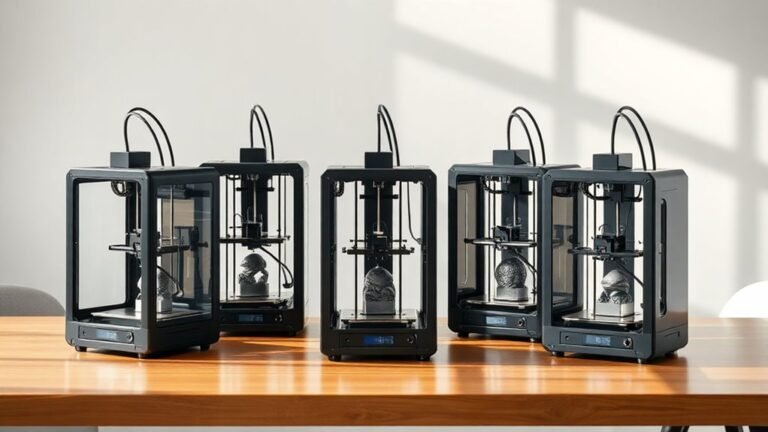
4 Best CoreXY 3D Printer Controllers for 2027
For 2027, your top CoreXY 3D printer controller choices include the BIGTREETECH Octopus V1.1 with 8-axis support and CAN Bus expansion. This controller is perfect if you need a lot of motor control and want the latest connectivity options.
Next up is the compact BIGTREETECH Manta M5P. It offers five stepper drivers and is compatible with Klipper firmware. This makes it great for those who want a smooth and customizable printing experience.
The LX6 LCD motherboard is another solid pick. It features Marlin 2.0 firmware and multiple display options. It’s versatile and user-friendly for a variety of CoreXY setups.
Finally, the Makerbase MKS Robin Nano V3.1 comes with a 3.5-inch touchscreen and improved cooling. This one is ideal if you want a sleek interface and reliable temperature management.
Each controller excels in performance, firmware support, and expandability. Just keep in mind their power requirements and motor counts to find the perfect fit for your build. Keep exploring to spot which matches your printing goals best!
| Image | Name | Editor's Rating | Price |
|---|---|---|---|

|
|
||
|
|
||

|
|
||

|
|
BIGTREETECH Octopus V1.1Control Board 32Bit SilentMotherboard Support 8Axis
- Main Control Chip: BIGTREETECH Octopus V1.1 control board adoptes ARM Cortex-M4 series STM32F446ZET6 32-bit microcontroller at 180MHz with 512Kb flash ROM. Notice: Input...
- CAN BUS: BIGTREETECH Octopus V1.1 32bit control board supports CAN Bus connectivity using an ethernet connector. This CAN Bus connection allows to expand control board...
- 6 PWM Fans Plus 2: The Octopus V1.1 Mainboard offers up to 6 controllable PWM fans and additional 2 without control with the possibility of voltage selection from 5V, 12V...
- Supports Klipper/Marlin: BIGTREETECH Direct Octopus V1.1 32bit control board compatible with BTT Pi V1.2/Pi 2, supports running Klipper and Marlin, supports firmware...
- Type C powers the MCU: Plug the jumper cap into the 5V USB power supply port of the motherboard. You can use the Type C interface to power the motherboard, which makes it...
The BIGTREETECH Octopus V1.1 is designed for users who need precise control over complex 3D printer setups. Supporting up to 8 axes, it easily handles machines with multiple motors, such as advanced CoreXY configurations. This capability allows for smoother and more accurate printing performance.
Powered by a robust ARM Cortex-M4 STM32F446ZET6 chip running at 180 MHz, the board ensures reliable and efficient processing. It supports TMC2209 stepper drivers and features CAN Bus connectivity via an Ethernet port, making system expansion straightforward and organized. This design simplifies wiring and enhances communication between devices.
Running on a 24V power supply, the Octopus V1.1 maintains cooler operation with six PWM-controlled fans plus two extra fan outputs. This efficient cooling system helps extend the board’s lifespan and supports long printing sessions without overheating. Maintenance remains simple due to its thoughtful fan control.
Compatible with popular firmware like Klipper and Marlin, this versatile motherboard fits a wide range of 3D printer projects. However, it requires a 24V power source, limiting use with 12V setups. Firmware updates via DFU mode can be complex for beginners but offer flexibility for experienced users.
Best for: advanced 3D printer builders needing a powerful, expandable, and silent 32-bit controller for multi-motor machines.
What We Like:
- Supports up to 8 axes for complex multi-motor printers
- High-performance 180 MHz ARM Cortex-M4 processor
- CAN Bus connectivity simplifies system expansion
- Efficient cooling with multiple PWM-controlled fans
- Compatible with Klipper and Marlin firmware
Specification:
| Feature | Details |
|---|---|
| Manufacturer | BIGTREETECH |
| Model | Octopus V1.1 |
| Processor | ARM Cortex-M4 STM32F446ZET6 |
| Clock Speed | 180 MHz |
| Axes Supported | Up to 8 |
| Power Supply | 24V |
| Connectivity | CAN Bus via Ethernet port |
| Cooling | 6 PWM fans + 2 fan outputs |
BIGTREETECH Manta M5P 32Bit 3D Printer Board
- BIGTREETECH Manta M5P V1.0 control board are born for Klipper running, designed with the same connector BTB as Raspberry-Pi. Giving you a confident connection with all...
- BIGTREETECH Manta M5P board adopts 32Bit 64MHZ ARM Cortex-M0+Series-STM32G0B1RET6 chip, can also run Marlin without CB1/CM4. Support 5 axis stepper motor driver(TMC...
- Multi-functional interface: Manta M5P supports CAN Bus/smart filament runout sensor, BLTouch, MicroProbe V2.0, Eddy v1.0 auto bed leveling sensor, RGB etc. Onboard SPI...
- The new E-FUSE fuse is equipped, which can respond quickly, enhance self-protection ability, and greatly reduce the motherboard burnout caused by short circuits or...
- BTT Manta M5P main board reserves proximity switch interface and SPI expansion interface, supports NPN and PNP type selection, (24V,12V, 5V) voltage selection and for...
The BIGTREETECH Manta M5P 32-bit 3D printer board transforms complex CoreXY wiring into a neat and manageable setup. Its innovative BTB header design minimizes wiring clutter and saves valuable chassis space, making assembly and maintenance easier. This thoughtful layout supports seamless integration with CM4 and CB1/CB2 core boards, streamlining your printer build.
Powered by the STM32G0B1RET6 MCU, the Manta M5P runs Klipper firmware smoothly, offering enhanced motion control. If you prefer Marlin, you can run it without the core board. The board supports up to five stepper drivers like TMC2209, configurable via jumpers, allowing flexible customization for various printer configurations.
Safety is prioritized with built-in thermistor protection, an E-FUSE fuse, and multiple voltage options, including CNC fan support. Additional features such as CAN Bus and filament sensors increase expandability and reliability. This makes it a smart choice for Ender 3, Voron V0, and other DIY CoreXY printers.
Best for: DIY 3D printer builders and CoreXY enthusiasts looking for a compact, versatile 32-bit control board optimized for Klipper with advanced connectivity and safety features.
What We Like:
- BTB header design reduces wiring clutter and saves space
- Supports multiple stepper drivers with jumper configurability
- Built-in thermistor protection and E-FUSE fuse enhance safety
- Compatible with CM4 and CB core boards for flexible setups
Specification:
| Feature | Details |
|---|---|
| Manufacturer | BIGTREETECH |
| MCU | STM32G0B1RET6 32-bit |
| Firmware Support | Klipper, Marlin (no core board) |
| Stepper Drivers | Up to 5 (TMC2209/2208/2130) |
| Connectivity | BTB header, CAN Bus, filament sensor |
| Dimensions | Not specified |
| Typical Use | CoreXY, Ender 3, Voron V0 |
3D Printer Motherboard with LCD Graphic Display
- [32 BIT PERFORMANCE] Built with an LX6 32 bit microprocessor up to 240MHz plus 8M byte Flash and 520KB memory this control board delivers responsive operation for 3D...
- [BROAD SCREEN SUPPORT] Works with LCD2004 12864 MINI12864 V3 and TFT serial screens giving flexible display options for users who want easier printer control file...
- [USB UPDATE CONNECTIVITY] Supports USB drive firmware upload and network web page function for convenient printer management helping users update firmware and control...
- [EXPANSION READY DESIGN] Features 5 axis 6 motor interfaces dual Z parallel connection 3 temperature ADC inputs end stop ports and 3D Touch support for capable printer...
- [LCD WITH RGB BACKLIGHT] The graphic display includes an encoder for parameter adjustment file selection and printing while RGB backlight supports online color changes...
Experience precise and efficient 3D printing with this advanced 3D printer motherboard featuring a seamless graphic LCD display. Its powerful LX6 32-bit microprocessor runs at up to 240MHz, delivering smooth performance even with complex Marlin 2.0 firmware. This board simplifies file selection and parameter tuning by supporting various displays like LCD2004, 12864, Mini12864 V3, and TFT serial screens.
Designed to handle multiple motor outputs and temperature controls, it offers reliable motion with six motor ports and dual Z-axis support. The multiple heater outputs and endstop ports ensure accurate temperature management and positioning. Firmware updates are straightforward via USB, while network web management provides convenient remote control.
Maintenance is user-friendly; however, some display setups may require firmware tweaks, which could challenge beginners. The step subdivision is set through a dial switch, a physical adjustment that some users might find less flexible than software options. Note that a micro memory card is not included, which may limit local storage expansion.
This motherboard is ideal for professionals and advanced makers who need a versatile, high-performance controller with extensive display and connectivity options. It balances powerful functionality with practical control features for precise 3D printing.
Best for: Advanced makers and professionals seeking a high-performance 3D printer motherboard with versatile display compatibility and robust motion control.
What We Like:
- High-speed LX6 32-bit microprocessor for smooth firmware operation
- Supports multiple graphic LCD display types for flexible user interaction
- Reliable control with six motor outputs and dual Z-axis support
- Easy firmware updates via USB and convenient network web management
Specification:
| Feature | Details |
|---|---|
| Manufacturer | Not specified |
| Processor | LX6 32-bit, up to 240MHz |
| Memory | 8MB Flash, 520KB RAM |
| Firmware | Supports Marlin 2.0 |
| Display Compatibility | LCD2004, 12864, Mini12864 V3, TFT serial |
| Motor Outputs | 6 |
| Z-Axis Support | Dual |
| Heater Outputs | Multiple |
| Connectivity | USB firmware update, network web management |
Makerbase MKS Robin Nano V3.1 3D Printer Board
- HIGH QUALITY CONTROL BOARD The MKS Robin Nano V3.1 control board is compatible with the 3D printer Makerbase and uses the reliable TMC2209 stepper motor driver.
- 3.5 inch touch screen: the TS35 TFT touch screen allows easy operation and monitoring of the printing process.
- Versatile compatibility: the control board fits most CoreXY and Cartesian 3D printers with a build volume of 220x220x250mm.
- Reliable performance: Thanks to the improved design and improved cooling, the control board works stably and reliably.
- EASY REPLACEMENT The control board is compatible with the original firmware and easily replaces the previous controller.
Experience smoother, more reliable 3D printing with the Makerbase MKS Robin Nano V3.1 control board. Designed for CoreXY and Cartesian printers, it handles moderate build volumes up to 220 × 220 × 250 mm with ease. The advanced TMC2209 stepper drivers deliver consistent and quiet motor operation, reducing common issues like missed steps and vibrations.
This board features a 3.5-inch TS35 TFT touchscreen that simplifies print monitoring and adjustments. The intuitive interface helps you manage prints efficiently without complicated controls. Its improved design includes enhanced cooling, ensuring stable performance during long print jobs.
Maintenance is straightforward thanks to its compatibility with original firmware, allowing a smooth upgrade from older boards. While primarily suited for Makerbase 3D printers, it offers dependable control in a compact form factor. Users should be comfortable with firmware updates to fully leverage its capabilities.
The MKS Robin Nano V3.1 is ideal for those needing reliable control and easy operation in a modest build volume setup. Its balance of functionality and user-friendly features makes it a practical choice for many 3D printing enthusiasts.
Best for: CoreXY or Cartesian 3D printer users with moderate build volumes seeking stable performance and an easy-to-use touchscreen interface.
What We Like:
- Reliable TMC2209 stepper drivers for smooth motor control
- Intuitive 3.5-inch TS35 TFT touchscreen interface
- Enhanced design with improved cooling for consistent operation
- Easy firmware upgrade path for seamless board replacement
Specification:
| Specification | Details |
|---|---|
| Manufacturer | Makerbase |
| Dimensions | Compatible with 220 × 220 × 250 mm builds |
| Stepper Drivers | TMC2209 |
| Touchscreen | 3.5-inch TS35 TFT |
| Compatibility | CoreXY and Cartesian printers |
Factors to Consider When Choosing a Corexy 3D Printer Controller
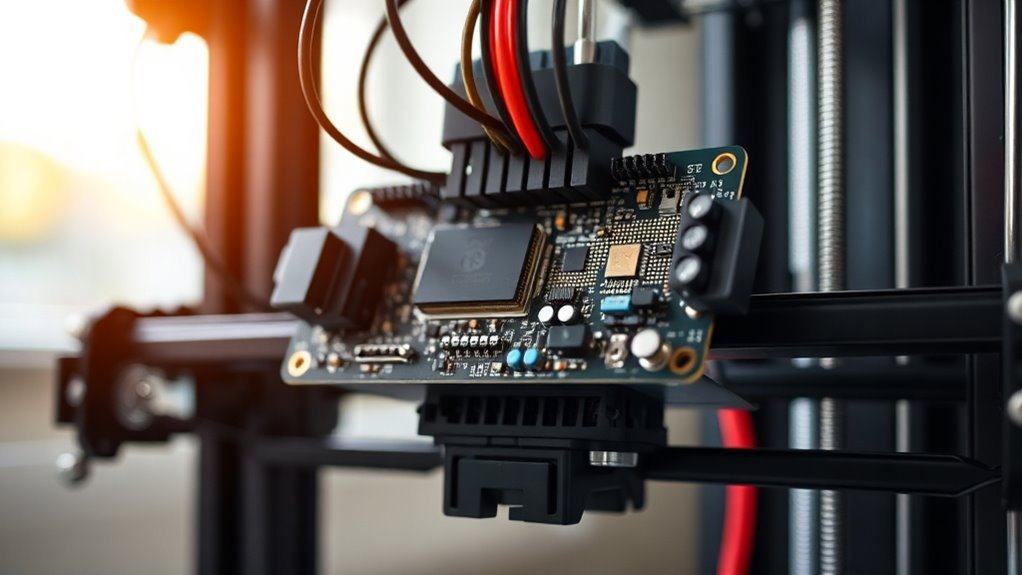
When choosing a CoreXY 3D printer controller, you’ll want to check its compatibility with your hardware and the processing power it offers. Make sure it supports the stepper drivers you need and allows firmware flexibility for easy updates.
Also, consider expansion options to future-proof your setup. It’s always good to think ahead so your printer can grow with your needs.
Controller Compatibility
Although selecting a CoreXY 3D printer controller can seem straightforward, making sure compatibility with your specific build is important. First, check the controller’s motion outputs and driver count; CoreXY setups usually need at least four axes plus dual-Z support. So, an 8-axis capable board offers flexible wiring for Z1 and Z2.
Next, confirm the firmware ecosystem you plan to run—some boards favor Klipper or Marlin, and your display choice can impact compatibility. Pay close attention to voltage requirements; using a 24V board with a 12V power supply won’t work.
Also, verify support for sensors like BLTouch or MicroProbe to avoid rewiring your homing and leveling setup. Finally, confirm your intended display interface, like TFT touchscreens, is supported to maintain a functional user interface.
Processing Power
Since your controller’s processing power directly impacts motion planning and feature responsiveness, choosing a modern 32-bit MCU is essential. Aim for processors like a Cortex-M4 at 180 MHz or an ESP32-class MCU with ample flash and RAM. These handle real-time motion planning, gcode buffering, and complex CoreXY kinematics smoothly.
Higher clock speeds and memory improve advanced features such as input shaping and acceleration workflows, which rely on precise step scheduling. If you plan to use sensor add-ons—auto bed leveling, filament runout detection, or proximity switches—a faster MCU prevents motion stutters during sensor events.
Finally, pick a controller compatible with your preferred firmware (Klipper or Marlin). Firmware architecture affects how much processing load the MCU must manage for the best performance. So, it’s worth thinking about firmware and hardware together.
Stepper Driver Support
Selecting the right stepper driver support is crucial for achieving the best performance from your CoreXY 3D printer controller. First, make sure the controller supports the driver models you plan to use, like TMC2208, TMC2209, or TMC2130. Compatibility really affects tuning and overall functionality.
Look for configurable driver interfaces such as SPI or UART. These allow advanced current control and help your printer run quieter.
You’ll also want to verify the number of driver sockets and axis support. Make sure you have enough channels for X, Y, and any additional axes you might need.
Don’t forget to check for diagnostic features like DIAG pin support. These help detect faults such as overcurrent or overheating, which can save you troubleshooting time.
Finally, ensure the controller lets you configure drivers easily. Whether through hardware jumpers or software, this flexibility helps you align with your wiring and tuning requirements precisely.
Firmware Flexibility
Firmware flexibility often plays a key role when picking a CoreXY 3D printer controller, as it directly impacts your tuning options and overall workflow. You should check if the controller supports the firmware ecosystem you prefer, like Klipper or Marlin, since this affects how you configure and operate your printer.
Boards compatible with both firmware types give you more freedom to switch or upgrade features later. Also, consider how the board handles updates—USB flashing is simpler, while DFU or SD methods suit advanced users or offline setups.
Confirm your chosen firmware works well with the display or touchscreen options available, especially for Klipper. Finally, ensure the board supports necessary inputs for sensors like BLTouch or microprobe to avoid reconfiguring hardware later.
Expansion Options
After ensuring your controller supports the firmware you prefer, you’ll want to assess how easily it can grow with your printer’s needs. Look for clear expansion interfaces like CAN bus, dedicated sensor headers, or reserved SPI/proximity-switch ports. These let you add features such as filament runout sensors or leveling probes without hassle.
Consider the physical design too—reduced wiring approaches like BTB headers simplify upgrades and save space. It’s a small detail that can make a big difference when you’re adding new parts.
Verify the number of driver sockets and axis support, aiming for controllers offering at least 8-axis options with compatible drivers like TMC2209 or TMC2130. More axes mean more possibilities down the line.
Also, check fan, heater, and sensor voltage options to avoid extra modules later. You don’t want to be hunting for adapters after everything’s set up.
Finally, confirm firmware-side expansion support, including communication protocols and update methods like USB or DFU. That way, new modules integrate smoothly as your setup evolves.
Cooling Capabilities
A solid cooling system is essential for any CoreXY 3D printer controller, especially since stepper drivers run continuously and generate sustained heat. You should look for controllers with multiple PWM-controlled fan outputs, letting you actively cool the MCU area and stepper drivers separately.
PWM fan control is important because it adjusts fan speed based on stepper activity and ambient temperature. This helps balance effective cooling with noise reduction, which is great for keeping your printer quiet.
Also, check the board’s power input range—higher voltages like 24V can increase thermal stress. That means you’ll need better cooling solutions to keep things running smoothly.
Make sure the controller’s design highlights improved thermal layouts to handle continuous heat. And finally, confirm your firmware supports dynamic fan speed control, so your cooling strategy adapts during long prints for consistent performance.
Safety Features
Effective cooling keeps your CoreXY controller running safely, but safety features go beyond temperature management to protect your printer from electrical faults and unexpected failures. You should prefer controllers that support secure 24V-only operation with clear input-voltage limits, reducing the risk of accidental miswiring.
Look for fast-acting, replaceable fuses like E-FUSE to guard against short circuits and prevent motherboard damage. It’s also a good idea to choose boards with thermistor protection circuits that stop heater-bed or cartridge shorts from harming the MCU.
Make sure your controller can safely shut down during faults or power loss to avoid runaway heating or uncontrolled motion. And don’t forget to verify that fan outputs and heater channels have proper voltage selection and protection, minimizing unsafe overvoltage conditions.
These features keep your printer safer and more reliable in daily use. So, when picking a controller, safety should definitely be a top priority.
Frequently Asked Questions
How Do Corexy Controllers Differ From Traditional Cartesian Controllers?
CoreXY controllers handle belt movement differently, coordinating two motors for X and Y axes simultaneously. You’ll notice they require precise timing and firmware support, unlike traditional Cartesian controllers that move each axis independently.
It’s kind of like a dance where both motors have to work together perfectly. Traditional Cartesian systems just move one axis at a time, making things a bit simpler in comparison.
Can These Controllers Be Used for Non-Corexy 3D Printers?
You can definitely use these controllers for non-CoreXY printers; they’re like versatile Swiss Army knives, adapting to various kinematics.
Just ensure firmware and wiring match your machine’s design, or you’ll be trying to fit a square peg in a round hole.
What Firmware Options Are Compatible With These Corexy Controllers?
You can use Marlin, Klipper, and RepRapFirmware with these CoreXY controllers. They’re flexible, regularly updated, and support CoreXY kinematics.
This means you can customize settings for smooth, precise 3D printing performance. It’s all about getting the best results with your setup.
How Important Is Open-Source Support for Corexy Controller Boards?
Open-source support is important because it lets you customize firmware, fix bugs quickly, and access a community for help.
You’ll get more flexibility and longevity from your CoreXY controller board with open-source options. It’s kind of like having a team of experts ready to help whenever you need it.
Are There Specific Power Supply Requirements for Corexy Controller Boards?
You might think any power supply works, but CoreXY boards need stable 12V or 24V with enough amperage for motors and heaters.
Don’t skimp—using the right supply prevents crashes and keeps your prints flawless. It really makes a difference in how smoothly everything runs.
Conclusion
Selecting the right CoreXY 3D printer controller can feel overwhelming, but it’s also exciting—you’re deciding the heartbeat of your machine. On one hand, you want cutting-edge features like the BIGTREETECH Octopus V1.1’s multi-axis support; on the other, simplicity and reliability like the Makerbase MKS Robin Nano V3.1 offer peace of mind.
Balancing innovation with ease ensures your 3D printing journey is both powerful and smooth. Finding a controller that fits your needs means your prints come out perfect every time.
Choosing the best CoreXY 3D printer controller is about blending advanced technology with user-friendly design. Whether you prioritize versatility or straightforward performance, the right controller will elevate your 3D printing experience. Your perfect print is just a board away—so pick wisely to unlock the full potential of your CoreXY setup.