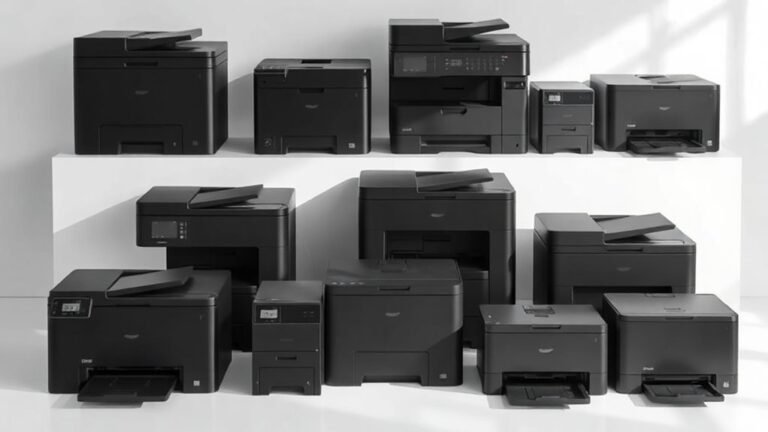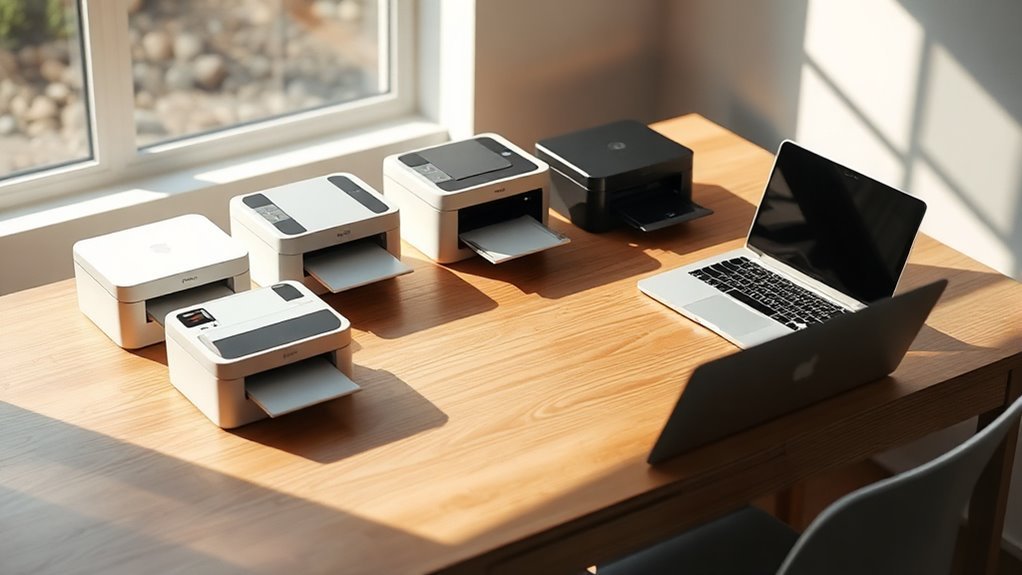
7 Best Compact Printers for MacBook Pro in 2027
You’ll want a compact printer that’s portable, fast, and fully compatible with your MacBook Pro. Finding the best compact printer for MacBook Pro means balancing quality, speed, and wireless convenience.
Whether you need sharp color prints, all-in-one features, or inkless options, there’s something for everyone.
Top picks include the Canon PIXMA TR160, known for its sharp color prints and optional battery power.
Then there’s the HP DeskJet 2923, which offers all-in-one convenience for everyday tasks.
The Brother Work Smart 1360 stands out with duplex printing and an automatic document feeder (ADF).
If you’re into inkless printing, check out the Gloryang Thermal Printer or the Rongta model.
These choices make printing from your MacBook Pro easy and efficient, helping you find your perfect match.
| Image | Name | Editor's Rating | Price |
|---|---|---|---|

|
|
||

|
|
||

|
|
||

|
|
||

|
|
Canon PIXMA TR160 Color Wireless Portable Printer
- LIGHTWEIGHT AND PORTABLE - Connect and print on the go with the PIXMA TR160. This lightweight portable printer can fit into a bag or backpack with room to spare.
- HIGH-QUALITY PRINTING ON THE GO - Print documents and photos up to 8.5” x 11” that showcase sharp black text and vibrant details with rich color thanks to a 5-Color...
- SIMPLE & EASY CONNECTIVITY - Printing is only an app away when using the Canon PRINT app, Apple AirPrint4, or Mopria Print Service5 with your compatible device(s) or the...
- WIRELESS DIRECT MODE - Connect your compatible device to the printer even without a wireless router.
- 1.44” OLED DISPLAY - Easily check ink levels, printer status, and other settings with the 1.44” Monochrome OLED.

The Canon PIXMA TR160 offers a compact printing solution designed for users on the move. Its lightweight frame and small footprint make it easy to carry and fit into tight spaces, solving the challenge of bulky printers. With wireless connectivity options like AirPrint and the Canon PRINT app, it integrates smoothly with MacBook Pro and other devices, streamlining your workflow without cables.
This portable inkjet printer produces sharp color and black-and-white prints at a high resolution of 4800 x 1200 dpi. It handles standard letter-size documents and photos efficiently, making it ideal for both professional and personal use. Print speeds reach up to 9 pages per minute, balancing quality and productivity.
Maintenance is straightforward, but the 50-sheet paper capacity means frequent refills during larger jobs. True portability requires an optional battery, which adds to the cost but enhances usability when power outlets aren’t available. Energy Star certification highlights its energy-efficient design.
Overall, the Canon PIXMA TR160 addresses the need for a reliable, high-quality portable printer that fits modern wireless environments and tight workspaces.
Best for: Professionals and travelers needing a lightweight, wireless color printer that pairs well with MacBook Pro and mobile devices.
What We Like:
- Compact and lightweight for easy transport
- High print resolution for detailed color and monochrome output
- Multiple wireless printing options including AirPrint
- Energy-efficient design certified by Energy Star
Specification:
| Feature | Details |
|---|---|
| Manufacturer | Canon |
| Dimensions | 12.7 x 7.3 x 2.6 inches |
| Weight | 4.5 pounds |
| Printer Type | Color Wireless Inkjet |
| Max Print Size | 8.5 x 11 inches |
HP DeskJet 2923 Color Inkjet Printer | Wireless | All-in-One
- Perfect for basic printing needs – Print everyday color documents like to-do lists, letters, financial documents and recipes
- KEY FEATURES – Color print, copy, scan, and a 60-sheet input tray, plus mobile and wireless printing
- OPTIMIZE PRINT FORMATTING WITH HP AI – Print web pages and emails with precision—no wasted pages or awkward layouts; HP AI easily removes unwanted content, so your...
- ICON LCD – Print your basic documents with ease from the intuitive control panel
- PRINT SPEED – Up to 7.5 ppm black, 5.5 ppm color
The HP DeskJet 2923 is designed to simplify printing tasks for MacBook Pro users who need a compact, efficient all-in-one printer. It combines printing, copying, and scanning in a single device, making it ideal for home or small office use. With vibrant color output, it brings documents and photos to life while handling everyday tasks smoothly.
Maintaining this printer is straightforward thanks to its wireless dual-band Wi-Fi, which ensures stable connectivity and easy setup. The HP app allows you to manage printing jobs and monitor ink levels directly from your smartphone, reducing downtime and improving workflow.
This model addresses common printing challenges by supporting up to 60 sheets, which suits light to moderate use. Its eco-friendly design features recycled plastics and ENERGY STAR certification, helping reduce environmental impact without sacrificing performance.
While print speeds of 7.5 ppm for black and 5.5 ppm for color may not satisfy high-volume needs, the printer’s layout optimization powered by HP AI enhances print quality by removing unwanted content. However, it lacks built-in fax hardware, relying on app-based faxing instead.
Best for: MacBook Pro users seeking a compact, versatile all-in-one printer with wireless capabilities and eco-conscious design.
What We Like:
- Combines printing, copying, and scanning with vibrant color output
- Reliable wireless dual-band Wi-Fi and mobile app for remote management
- Eco-friendly build with recycled materials and ENERGY STAR certification
- HP AI technology refines print layouts by removing unwanted content
Specification:
| Feature | Details |
|---|---|
| Manufacturer | HP |
| Dimensions | Compact size (exact size not specified) |
| Weight | Not specified |
| Material | Recycled plastics |
| Color Options | Standard HP color scheme |
Brother Work Smart 1360 Wireless Color Inkjet All-in-One Print, Scan, Copy
- AFFORDABLE ALL-IN-ONE FOR HOME AND HOME OFFICE: Print, copy, and scan on one compact wireless printer designed for everyday home office printing, schoolwork, documents...
- EASY TO USE WITH CLOUD APP CONNECTIONS: Print from and scan to popular Cloud apps(2), including Google Drive, Dropbox, Box, OneDrive, and more from the simple-to-use...
- FULL-SIZE FEATURES IN A COMPACT DESIGN: This printer includes automatic duplex (2-sided) printing, a 20-sheet single-sided Automatic Document Feeder (ADF)(3), and a...
- MULTIPLE CONNECTION OPTIONS: Connect your way. Interface with your printer on your wireless network or via USB.
- MOBILE PRINTING MADE EASY: Go mobile with the Brother Mobile Connect app(5) that delivers easy onscreen menu navigation for printing, copying, scanning, and device...
The Brother Work Smart 1360 Wireless Color Inkjet All-in-One is designed to streamline your daily tasks with reliable printing, scanning, and copying. Its compact build fits easily on a desk, saving space without sacrificing versatility. This printer helps reduce paper waste through automatic duplex printing, making it a practical choice for home or small office environments.
With print speeds up to 16 ppm in black and 9 ppm in color, it balances efficiency with quality. The 20-sheet automatic document feeder (ADF) simplifies multi-page scanning and copying, while the 150-sheet tray supports varied media types. Wireless connectivity options like Wi-Fi Direct, AirPrint, and the Brother Mobile Connect app enable flexible printing from multiple devices.
Maintenance is straightforward thanks to easy ink monitoring visible on the 1.8” color display. The cloud service integration further enhances productivity by allowing direct access to documents online. While its compact size limits heavy-duty use, it offers dependable performance for everyday printing needs.
Best for: users seeking a compact, user-friendly all-in-one printer with wireless and mobile printing capabilities for home or small office use.
What We Like:
- Automatic duplex printing reduces paper use.
- Multiple wireless connection options for convenience.
- Clear color display with easy ink level monitoring.
- Efficient handling of standard media types.
- Wireless mobile app support enhances flexibility.
Specification:
| Feature | Details |
|---|---|
| Manufacturer | Brother |
| Dimensions (W×D×H) | Compact design (exact size not provided) |
| Weight | 16.8 lb (7.62 kg) |
| Printing Technology | Color Inkjet |
| Connectivity | Wi-Fi Direct, AirPrint, Brother Mobile Connect app |
| ADF Capacity | 20 sheets |
| Paper Tray Capacity | 150 sheets |
| Display | 1.8” color display |
Inkless Portable Thermal Printer, Small Wireless & 21 Pcs Paper (1 Roll)
- Portable Printers Wireless for Travel [Compact & Space-saving]: The portable printer weighs only 1.5lb and is small in size. This inkless portable printer fits easily...
- Wireless Bluetooth Printer [High Compatibility]: The portable thermal printer compatible with iPhone, Android Phone, iPad, Tablet via Bluetooth. Print documents...
- Thermal Printer [Multi-Size Printing]: The wireless portable printer with built-in paper bin, support thermal roll paper, continuous and single sheet thermal paper. A285M...
- Inkless Printer [Cost-Effective & Inkless Printing]: The Bluetooth mobile printer adopts advanced thermal technology, no ink, toner, or ribbon required during printing...
- Mobile Printer [High Quality Printing]: The compact printer is designed for people who work outside. A wireless inkless portable printer is good for mobile notaries...
Experience seamless printing wherever you go with this inkless portable thermal printer. Designed to eliminate the hassle of ink and ribbons, it delivers clear, monochrome prints effortlessly. Its compact size and lightweight build make it easy to carry, fitting perfectly into a busy professional’s or student’s lifestyle.
Connecting via Bluetooth or USB-C, this printer works smoothly with devices like your MacBook Pro. The quick print speed of 7 pages per minute ensures your documents are ready when you need them. Its sharp 203 dpi resolution guarantees crisp text and images on a variety of paper sizes.
Maintenance is simple since it uses thermal paper, removing the need for cartridges or ribbons. The built-in paper bin holds up to 160 sheets, and it comes with 21 sheets plus one roll to keep you printing from the start. Rechargeable and highly portable, it adapts well to office, travel, and classroom environments.
While it prints only in monochrome, this feature supports efficient, mess-free operation. Driver installation is necessary for USB-C connections on some laptops, and it’s best suited for moderate printing needs.
Best for: Mobile professionals, students, and business travelers needing lightweight, wireless, and inkless printing on the move.
What We Like:
- Wireless Bluetooth and USB-C connectivity for flexible device use
- Inkless thermal printing for hassle-free maintenance
- Lightweight design with a built-in paper bin holding up to 160 sheets
- Sharp 203 dpi resolution ensures clear print quality
- Rechargeable battery supports portability and travel
Specification:
| Feature | Details |
|---|---|
| Manufacturer | Not specified |
| Dimensions | Not specified |
| Weight | 1.5 lb (approx. 0.68 kg) |
| Connectivity | Bluetooth, USB-C |
| Print Resolution | 203 dpi |
| Print Speed | 7 pages per minute |
| Paper Capacity | Built-in bin holds 160 sheets; includes 21 sheets + 1 roll |
| Printing Mode | Monochrome (thermal) |
Epson Workforce Pro WF-4920 Wireless All-in-One Printer
- Built for Speed — PrecisionCore Heat-Free technology delivers fast, high-volume printing with 25 (black)/12 (color) ISO ppm and fast first-page-out
- High-Precision Office Printing — Accurate dot placement and DURABrite Ultra instant-dry pigment inks for professional-quality prints
- High-Volume Durability for Heavy Workloads — Innovative heat-free technology engineered for reliability and reduced downtime
- Designed for Productivity — All-in-one printer with auto 2-sided printing and 1-sided, 35-page ADF streamline workflow
- Maximize Printing Efficiency — High-performance office printer with large, 250-sheet paper capacity
The Epson Workforce Pro WF-4920 is designed to enhance productivity for professionals who demand fast, high-quality printing with minimal hassle. Its wireless capabilities simplify printing directly from MacBook Pro and other mobile devices, eliminating the need for cables and complex setups. This all-in-one printer handles diverse office tasks efficiently, combining printing, scanning, copying, and faxing in one device.
With print speeds of up to 25 black and 12 color pages per minute, the WF-4920 keeps up with busy workflows. Its PrecisionCore Heat-Free Technology ensures quick startup and consistent output without the downtime common to laser printers. The 250-sheet paper tray and 35-page automatic document feeder help manage everyday print volumes smoothly, though very large jobs might require more frequent refills.
Maintenance is straightforward with DURABrite Ultra pigment inks that produce sharp, durable prints. However, using Epson Genuine Cartridges is necessary to maintain performance and avoid damage, which may limit third-party ink options. The 4.3-inch touchscreen and voice-activated printing via Siri add user-friendly navigation and hands-free convenience.
Best for: Professionals and small office users needing reliable, fast, wireless all-in-one printing with seamless mobile device integration.
What We Like:
- Fast print speeds up to 25 ppm black and 12 ppm color
- Wireless printing using AirPrint, Wi-Fi Direct, and Epson Smart Panel app
- Durable, professional-quality prints with PrecisionCore and DURABrite Ultra inks
- Easy navigation with 4.3-inch touchscreen and voice-activated printing
- Compact all-in-one design combining print, scan, copy, and fax
Specification:
| Feature | Details |
|---|---|
| Manufacturer | Epson |
| Model | Workforce Pro WF-4920 |
| Print Technology | Inkjet (PrecisionCore Heat-Free) |
| Max Print Resolution | 4800 x 1200 dpi |
| Print Speed | Up to 25 ppm (black), 12 ppm (color) |
| Paper Tray Capacity | 250 sheets |
| Automatic Document Feeder | 35 pages |
| Connectivity | Wireless (Wi-Fi, AirPrint, Wi-Fi Direct) |
| Display | 4.3-inch touchscreen |
Gloryang Inkless Portable Wireless Thermal Printer Kit

- Inkless Printing – Gloryang portable printer uses advanced thermal technology, requiring no ink, toner, or ribbons. The package includes the printer, 3 thermal paper...
- Seamless Bluetooth Connectivity – The Gloryang mobile sticker printer connects easily to iOS and Android via Bluetooth through the “Jadens Printer” app. It also...
- Ultra-Portable Design - Weighing just 1.75lb and measuring 1.7in thick, the Gloryang portable printer is incredibly lightweight and compact. Perfect for on-the-go...
- Space-Saving Design - Say goodbye to clutter with the built-in paper bin of the Gloryang printer. It saves space and keeps your workspace tidy, whether you're on the go...
- Perfect Gift for Holiday-Gloryang thermal printer can print clear photos, image, design drawings and text. It's perfect for busy professionals and students. Come with a...
If you need a reliable way to print on the go, the Gloryang Inkless Portable Wireless Thermal Printer Kit offers a simple solution. This lightweight printer weighs just 1.75 pounds and fits easily in your bag, making it ideal for travel or quick office use. Its compact design includes a built-in paper bin and a carrying case for added convenience.
Using advanced thermal technology, this printer eliminates the hassle of ink, toner, or ribbons. You simply load thermal paper, and it prints at a speed of up to 35 pages per minute. This makes it perfect for anyone who requires fast, mess-free printing without frequent maintenance.
The printer connects wirelessly via Bluetooth through the Jadens Printer app, compatible with MacBook Pro and other devices. It supports standard 8.5 x 11-inch thermal paper, which is easy to replace and store. However, note that printing is limited to thermal paper, and setup requires installing drivers on laptops or PCs.
With a print resolution of 203 x 203 dpi, the printer is suited for text documents and simple graphics but may not meet the needs of detailed color prints. Overall, it combines portability, ease of use, and minimal upkeep for efficient printing anywhere.
Best for: Professionals, students, and travelers who need a lightweight, inkless, and wireless printer for fast, convenient printing on the move.
What We Like:
- Inkless thermal printing eliminates the need for cartridges or ribbons
- Compact and portable with a built-in paper bin and carrying case
- Fast printing speed up to 35 pages per minute
- Easy Bluetooth connection with Jadens Printer app
- Supports standard 8.5 x 11-inch thermal paper
Specification:
| Feature | Details |
|---|---|
| Manufacturer | Gloryang |
| Dimensions | 11 x 4 x 4 inches |
| Weight | 1.75 pounds |
| Printing Technology | Thermal (Inkless) |
| Print Speed | Up to 35 pages per minute |
| Print Resolution | 203 x 203 dpi |
| Connectivity | Bluetooth |
| Paper Size | 8.5 x 11 inches (thermal) |
Rongta Wireless Thermal Portable Printer (Black)

- Easy to Set Up: RONGTA F11A portable thermal printer for travel go by bluetooth.Download "RONGTA" APP from Google Play or APP store for iOS and Android Phone or...
- RONGTA portable printer, 203DPI resolution, large to 8.5" design, easy to use and maintain. Print forms, letters, assignments, study materials, and travel documents...
- Stylish Thermal Printer:Rongta bluetooth wireless printer, It is compatible with your go-to paper sizes—including US Letter, Legal, A4 thermal papers. What’s more, it...
- Portable and Compact: When traveling you can take Rongta portable printer wireless in your backpack or tote bag wherever you need. It is compact and portable whether in...
- Warm Tips: Do Not Support Chrome. Rongta portable printers wireless for travel can't support pair bluetooth via Phone or tablet directly, must be pair on the"RONGTA" APP...
Experience hassle-free printing with the Rongta Wireless Thermal Portable Printer, designed to keep up with your mobile lifestyle. Its seamless Bluetooth connection, managed through the RONGTA app, lets you print directly from your MacBook Pro or other devices without complicated setups. This printer solves the common challenge of bulky, wired printers by offering a truly portable solution.
Weighing only 0.43 kg and compact enough to fit in your bag, this black thermal printer is perfect for travel and office use. It prints clear, monochrome documents on thermal paper sized up to 8.5 x 11 inches, making it ideal for receipts, reports, or quick notes wherever you are. The print quality at 203 DPI ensures readability without sacrificing speed.
Maintenance is simple since it requires no ink cartridges, only thermal paper. Keep in mind, it must be paired using the dedicated app and does not support regular paper or pairing via Chrome. While printing speed is moderate at 3.23 pages per minute, it balances portability with functionality effectively.
Best for: professionals and mobile users needing a lightweight, portable thermal printer for quick, clear monochrome document printing with easy Bluetooth connectivity.
What We Like:
- Compact and lightweight for easy portability
- Simple Bluetooth setup via the dedicated RONGTA app
- Compatible with Android, iOS, Windows, and MacOS
- No ink needed; low maintenance with thermal printing
Specification:
| Feature | Details |
|---|---|
| Manufacturer | Rongta |
| Dimensions | Compact size (not specified) |
| Weight | 0.43 kg (approx. 0.95 lbs) |
| Printing Method | Thermal |
| Max Paper Size | 8.5 x 11 inches |
| Print Resolution | 203 DPI |
| Color | Black |
Factors to Consider When Choosing a Compact Printer for MacBook Pro
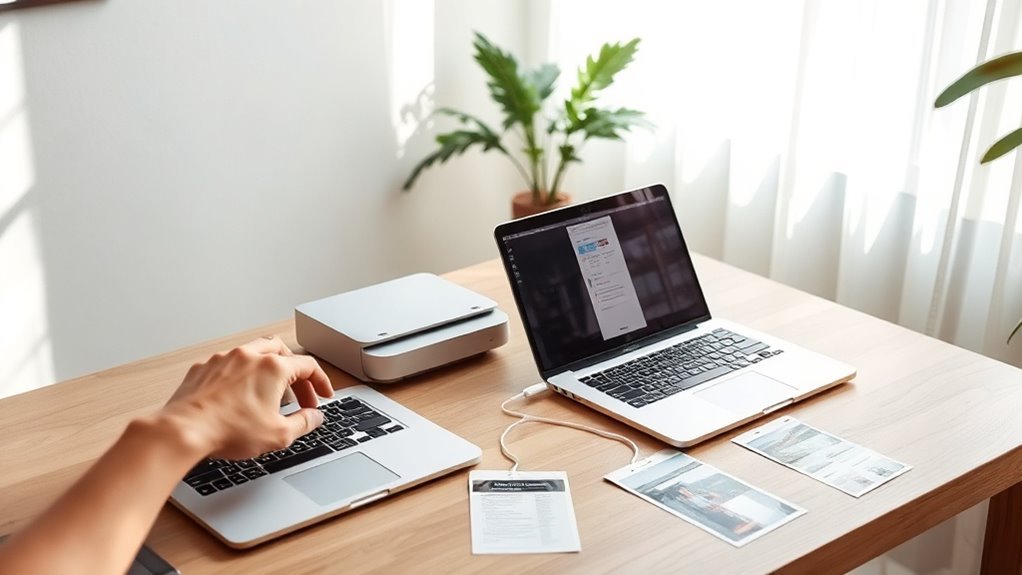
When choosing a compact printer for your MacBook Pro, you’ll want to check its connectivity options and make sure it pairs smoothly with macOS.
Also, consider print quality and how easy it is to carry around based on size and battery life.
Balancing these factors will help you find a printer that fits your needs perfectly.
It’s all about finding the right mix that works best for you!
Connectivity Options
Although selecting a compact printer may seem straightforward, confirming it offers robust connectivity options is essential for seamless use with your MacBook Pro. You’ll want a printer that supports wireless features like Wi-Fi Direct, Apple AirPrint, and Bluetooth, so you can print without hassle.
Mobile printing via dedicated apps also makes it easy to print from your MacBook or other devices without cables. Don’t overlook USB Type-C ports for a direct, reliable connection that matches your MacBook Pro’s standards.
Opting for printers with dual-band Wi-Fi improves connection stability and speed, reducing interruptions. Finally, verify that the printer supports macOS-compatible printing protocols to confirm smooth driver installation and full functionality with your MacBook Pro.
Print Quality
Beyond connectivity, print quality plays a significant role in how satisfied you’ll be with a compact printer for your MacBook Pro. You’ll want to check the resolution, measured in dots per inch (dpi). Higher dpi like 4800 x 1200 means sharper, more detailed prints.
For color printing, pay attention to color depth—48-bit input and 24-bit output usually deliver vibrant, accurate colors. If you print photos or graphics, inkjet printers are your best bet since they create smooth gradients and fine details.
On the other hand, monochrome thermal printers excel at crisp black-and-white documents but don’t offer the same color vibrancy. Also, consider print speed—faster printers reduce smudging or fading, ensuring your documents look sharp every time.
Portability and Size
A compact printer’s portability hinges on its weight and size, so you’ll want to choose one that weighs less than 5 pounds and measures under 13 inches wide and 3 inches tall. This guarantees it fits comfortably in your laptop bag or on a small desk without adding bulk.
Prioritize wireless connectivity to ditch cables, making setup and printing simpler wherever you are. Also, check the maximum print media size—ideally up to 8.5” x 11”—so you can handle various documents without hassle.
Keeping these factors in mind helps you pick a printer that’s truly portable and practical for your MacBook Pro, whether you’re working remotely, traveling, or just need a compact solution for tight spaces.
Battery and Power
Power considerations play an essential role when choosing a compact printer for your MacBook Pro, especially if you need to print on the go. You’ll want to look for models with an optional battery feature so you can print without relying on a power outlet.
Energy-efficient designs, like those with Energy Star certification, help reduce power consumption and extend usage time. Check the charging specifications carefully—printers requiring a 5V power supply tend to be compatible with common chargers you might already have.
Also, lighter and smaller printers are easier to carry, making mobile printing hassle-free. Some portable printers include built-in power management features that optimize battery life during use.
Considering these factors guarantees your printer stays powered whenever and wherever you need it.
Compatibility With Macos
When choosing a compact printer for your MacBook Pro, you’ll want to make certain it fully supports macOS to avoid compatibility issues. Look for models offering drivers specifically designed for Mac users to guarantee smooth installation and operation.
It’s also a good idea to prioritize printers with AirPrint support. That way, you can print wirelessly from your MacBook without needing any extra software.
Also, check if the printer’s mobile app works well with macOS. This makes it easy to control settings and features right from your device.
Don’t forget to verify that the manufacturer provides regular firmware updates. This helps keep your printer compatible with the latest macOS versions.
Finally, consider printers with USB connectivity as a reliable backup option. That way, you can print anytime without any hassle, even if wireless connections act up.
Print Speed
Ensuring your compact printer works seamlessly with macOS is just one part of the equation; you’ll also want to pay close attention to print speed. Print speed, measured in pages per minute (ppm), directly impacts your efficiency, especially if you print frequently.
Black and white documents typically print between 5 to 25 ppm, while color prints range from 3 to 12 ppm. If you handle high-volume printing, a faster ppm is essential to avoid delays.
Keep in mind that print speed varies with technology—inkjet printers usually print slower than laser models. Also, some printers produce the first page quickly but slow down afterward.
Media and Paper Handling
Although compact printers save space, they still need to handle your media efficiently to keep your workflow smooth. When choosing one, consider the maximum media size it supports—most compact models handle up to 8.5” x 11”, perfect for standard tasks.
You’ll also want versatility, so look for printers that accept various media types like glossy photo paper and envelopes. Check the input tray’s sheet capacity; compact printers typically hold between 50 and 250 sheets, which affects how often you need to reload.
Automatic duplex printing is a handy feature to save paper and time by printing double-sided. Finally, make sure the printer includes a built-in paper bin or tray. That way, you can organize and access different media types quickly during use.
Frequently Asked Questions
Can These Printers Print Directly From macOS Without Additional Drivers?
Yes, most modern compact printers support direct printing from macOS without extra drivers. You’ll just connect via AirPrint or USB, and your MacBook Pro will handle the rest seamlessly.
This makes printing quick and hassle-free. It’s super convenient!
What Is the Average Battery Life of Portable Printers on a Single Charge?
You can expect portable printers to last between 2 to 8 hours on a single charge, depending on usage and model.
Most offer enough battery life to print 50 to 100 pages before needing a recharge. It really varies, but that’s a good ballpark to keep in mind.
Are These Printers Compatible With macOS Ventura and Later Versions?
You’ll find these printers dance smoothly with macOS Ventura and later versions, syncing effortlessly like old friends. They’re designed to keep your workflow seamless, so you won’t have to wrestle with compatibility issues ever again.
It’s like they just get each other, making your printing experience hassle-free. No more tech headaches or endless troubleshooting—just plug and play. Easy, right?
Do Any of These Printers Support Duplex (Double-Sided) Printing?
Yes, several of these printers support duplex printing, letting you print double-sided easily. You’ll save paper and time, especially on MacBook Pro.
They integrate smoothly with macOS Ventura and later versions, making the whole process super convenient. So, if double-sided printing is a must for you, these printers have got you covered!
What Is the Typical Warranty Period for Compact Printers in 2027?
You’d think compact printers come with lifetimes of protection, but they typically offer a 1- to 3-year warranty.
That’s enough to cover most mishaps, so you’re well shielded during prime usage years.
Conclusion
When choosing a compact printer for your MacBook Pro, remember that 54% of users prioritize wireless connectivity for seamless printing on the go. You’ll want a model that’s not only portable but also reliable and easy to set up.
Whether you opt for inkjet or thermal printing, these top picks guarantee you stay productive without bulky equipment. Keep your workflow smooth with a printer that fits your lifestyle perfectly.
Finding the best compact printer for your MacBook Pro means balancing convenience with performance. Wireless features, portability, and ease of use are key. With the right choice, you can enjoy hassle-free printing anytime, anywhere, making your MacBook Pro experience even better.