12 Best Compact Printers for iPad in 2027
You’ll find top compact printers for iPad in 2027 like the Canon PIXMA TR160, which is lightweight, portable, and supports Apple AirPrint for crisp prints.
Thermal options like the Rongta and Inkless Portable Thermal Printer offer ink-free convenience. These printers are perfect if you want to print quickly without carrying bulky equipment.
Models like the HP DeskJet 2955 combine all-in-one functionality with high resolution.
Whether you need photo or document printing on the go, these options deliver quality and ease.
Explore the full list to discover which fits your needs best. With so many choices, you’re sure to find a compact printer that matches your style and printing demands perfectly.
| Image | Name | Editor's Rating | Price |
|---|---|---|---|

|
|
||

|
|
||

|
|
||

|
|
||

|
|
Canon PIXMA TR160 Color Wireless Portable Printer
- LIGHTWEIGHT AND PORTABLE - Connect and print on the go with the PIXMA TR160. This lightweight portable printer can fit into a bag or backpack with room to spare.
- HIGH-QUALITY PRINTING ON THE GO - Print documents and photos up to 8.5” x 11” that showcase sharp black text and vibrant details with rich color thanks to a 5-Color...
- SIMPLE & EASY CONNECTIVITY - Printing is only an app away when using the Canon PRINT app, Apple AirPrint4, or Mopria Print Service5 with your compatible device(s) or the...
- WIRELESS DIRECT MODE - Connect your compatible device to the printer even without a wireless router.
- 1.44” OLED DISPLAY - Easily check ink levels, printer status, and other settings with the 1.44” Monochrome OLED.

The Canon PIXMA TR160 offers a lightweight and portable printing solution designed for users who need to print on the go. Its compact size and 4.5-pound weight make it easy to carry in a bag or backpack, ideal for mobile professionals and students. This printer helps you avoid bulky equipment while maintaining high-quality output.
With a sharp print resolution of 4800 x 1200 dpi, the PIXMA TR160 produces crisp color and black-and-white prints. Wireless connectivity through the Canon PRINT app, Apple AirPrint, and Mopria lets you print directly from your iPad or smartphone without hassle. USB-C support adds flexibility for wired connections.
Maintenance is simple thanks to the 1.44-inch OLED display, which keeps you informed about ink levels and printer status. While the 50-sheet paper capacity limits large print jobs, the optional battery pack allows you to print without needing a power outlet, enhancing true portability.
Best for: individuals who require a compact, high-resolution color printer that integrates smoothly with mobile devices for convenient printing anywhere.
What We Like:
- Compact, lightweight design for easy portability
- High-resolution prints with sharp color and detail
- Multiple wireless options including Canon PRINT and Apple AirPrint
- OLED display for quick status and ink monitoring
- Optional battery enables cordless printing
Specification:
| Feature | Details |
|---|---|
| Manufacturer | Canon |
| Dimensions (in) | 12.7 x 7.3 x 2.6 |
| Weight (lb) | 4.5 |
| Print Resolution | 4800 x 1200 dpi |
| Connectivity | Wireless (Canon PRINT, AirPrint, Mopria), USB-C |
| Display | 1.44″ OLED |
Canon PIXMA TS6520 Wireless Color Inkjet Printer, 1.42″ OLED Display, White
- Affordable Versatility - A budget-friendly all-in-one printer perfect for both home users and hybrid workers, offering exceptional value
- Crisp, Vibrant Prints - Experience impressive print quality for both documents and photos, thanks to its 2-cartridge hybrid ink system that delivers sharp text and vivid...
- Effortless Setup & Use - Get started quickly with easy setup for your smartphone or computer, so you can print, scan, and copy without delay
- Reliable Wireless Connectivity - Enjoy stable and consistent connections with dual-band Wi-Fi (2.4GHz or 5GHz), ensuring smooth printing from anywhere in your home or...
- Scan & Copy Handling - Utilize the device’s integrated scanner for efficient scanning and copying operations
The Canon PIXMA TS6520 redefines home and office printing with its wireless connectivity and compact design. It simplifies your workflow by delivering crisp documents and vibrant photos without the hassle of cables. This printer adapts easily to busy environments, helping you stay efficient.
Its automatic two-sided printing reduces paper waste and saves time on manual page flipping. The 2-cartridge hybrid ink system ensures sharp black text and rich color, making every print look professional. With print speeds of 9 pages per minute in color and 14 in black and white, it balances quality and efficiency.
Maintenance is straightforward with easily replaceable separate pigment-based black and dye-based color cartridges. The 1.42” OLED display, though modest in size, offers intuitive navigation and quick access to settings. Dual-band Wi-Fi supports a stable connection, especially with devices like your iPad, and Amazon Alexa voice compatibility simplifies control.
Its sleek white design fits neatly into any workspace, combining style with functionality. While print speeds may not match laser models, this inkjet printer excels in producing vibrant photos and detailed documents with ease.
Best for: users who want a compact, wireless printer that offers high-quality color and black-and-white prints with smart features for home or office use.
What We Like:
- Sharp printing with a 2-cartridge hybrid ink system and up to 1200 x 1200 dpi resolution
- Convenient wireless setup with dual-band Wi-Fi and Amazon Alexa voice control
- Efficient automatic two-sided printing to reduce paper use
- User-friendly 1.42” OLED display for easy navigation
- Compact, stylish design that fits well in various workspaces
Specification:
| Feature | Details |
|---|---|
| Manufacturer | Canon |
| Dimensions | Not specified |
| Weight | Not specified |
| Ink System | 2-cartridge hybrid ink |
| Print Resolution | Up to 1200 x 1200 dpi |
| Display | 1.42” OLED |
| Connectivity | Dual-band Wi-Fi, Voice control with Amazon Alexa |
| Color | White |
Canon PIXMA TS4320 – Wireless Color Inkjet Printer with Print, Copy, Scan
- Affordable Versatility - A budget-friendly all-in-one printer perfect for both home users and hybrid workers, offering exceptional value
- Crisp, Vibrant Prints - Experience impressive print quality for both documents and photos, thanks to its 2-cartridge hybrid ink system that delivers sharp text and vivid...
- Effortless Setup & Use - Get started quickly with easy setup for your smartphone or computer, so you can print, scan, and copy without delay
- Reliable Wireless Connectivity - Enjoy stable and consistent connections with dual-band Wi-Fi (2.4GHz or 5GHz), ensuring smooth printing from anywhere in your home or...
- Scan & Copy Handling - Utilize the device’s integrated scanner for efficient scanning and copying operations
The Canon PIXMA TS4320 offers a compact and efficient solution for everyday printing, copying, and scanning needs. Its wireless color inkjet technology delivers clear text and vibrant images, making it ideal for home and small office use. The printer’s hybrid ink system ensures consistent quality with every page.
Designed for convenience, the TS4320 supports automatic duplex printing, reducing paper waste and saving time. Connecting is simple through dual-band Wi-Fi, Apple AirPrint, or the Canon PRINT app, allowing seamless printing from various devices. The integrated flatbed scanner captures detailed scans and copies at 600 dpi, supporting a variety of media types.
Maintenance is straightforward with its two-cartridge system, minimizing ink replacement hassle. Despite its compact size, it handles standard documents up to 8.5” x 11” but may not support larger formats. While print speed is moderate, the printer balances quality and function for everyday tasks without overwhelming noise or complexity.
Best for: Individuals and small home offices needing a versatile and reliable wireless printer with quality color printing and scanning capabilities.
What We Like:
- Sharp print quality with 1200 x 1200 dpi resolution
- Automatic duplex printing to save paper
- Easy wireless connectivity with dual-band Wi-Fi and mobile app support
- Compact design fits well in limited spaces
- Simple maintenance with a two-cartridge ink system
Specification:
| Feature | Details |
|---|---|
| Manufacturer | Canon |
| Model | PIXMA TS4320 |
| Print Technology | Wireless Color Inkjet |
| Print Resolution | Up to 1200 x 1200 dpi |
| Print Speed | 9 ppm (color), 14 ppm (B&W) |
| Scanner Resolution | 600 dpi |
| Media Size Support | Up to 8.5” x 11” (Letter) |
| Connectivity | Dual-band Wi-Fi, Apple AirPrint, Canon PRINT app |
| Ink System | 2-cartridge hybrid ink |
| Dimensions (W x D x H) | 12.0 x 12.0 x 5.0 inches |
| Weight | Approx. 9.9 lbs (4.5 kg) |
Rongta Wireless Bluetooth Portable Thermal Printer (Black)
- Easy to Set Up: RONGTA F11A portable thermal printer for travel go by bluetooth.Download "RONGTA" APP from Google Play or APP store for iOS and Android Phone or...
- RONGTA portable printer, 203DPI resolution, large to 8.5" design, easy to use and maintain. Print forms, letters, assignments, study materials, and travel documents...
- Stylish Thermal Printer:Rongta bluetooth wireless printer, It is compatible with your go-to paper sizes—including US Letter, Legal, A4 thermal papers. What’s more, it...
- Portable and Compact: When traveling you can take Rongta portable printer wireless in your backpack or tote bag wherever you need. It is compact and portable whether in...
- Warm Tips: Do Not Support Chrome. Rongta portable printers wireless for travel can't support pair bluetooth via Phone or tablet directly, must be pair on the"RONGTA" APP...
The Rongta Wireless Bluetooth Portable Thermal Printer is designed to streamline your mobile printing needs. Its wireless Bluetooth connectivity allows you to print directly from your iPad or other devices using the easy-to-use RONGTA app. This means no tangled cables or complicated setups, saving you valuable time.
With its compact and lightweight design, this printer fits effortlessly in your bag, making it an excellent choice for professionals on the move. Whether you’re traveling or working from different locations, it delivers consistent printing performance without taking up much space.
This printer uses monochrome thermal paper up to 8.5 x 11 inches at 203 DPI, ideal for printing forms and documents clearly. While it doesn’t support regular paper or color printing, its focused functionality ensures reliable results for specific tasks. Maintenance is simple since there are no ink cartridges to replace.
Best for: Professionals and travelers needing a compact, dependable thermal printer for clear, monochrome document printing via Bluetooth.
What We Like:
- Simple Bluetooth setup with the dedicated RONGTA app
- Portable and lightweight for easy transport
- Compatible with Android, iOS, Windows, and MacOS devices
- Uses thermal paper, eliminating ink maintenance
Specification:
| Feature | Details |
|---|---|
| Manufacturer | Rongta |
| Dimensions | Compact (exact size not specified) |
| Weight | Lightweight (exact weight not specified) |
| Paper Type | Monochrome thermal paper |
| Max Paper Size | Up to 8.5 x 11 inches |
| Resolution | 203 DPI |
| Connectivity | Bluetooth |
| Color | Black |
Inkless Portable Thermal Printer, Small Wireless & 21 Pcs Paper (1 Roll)
- Portable Printers Wireless for Travel [Compact & Space-saving]: The portable printer weighs only 1.5lb and is small in size. This inkless portable printer fits easily...
- Wireless Bluetooth Printer [High Compatibility]: The portable thermal printer compatible with iPhone, Android Phone, iPad, Tablet via Bluetooth. Print documents...
- Thermal Printer [Multi-Size Printing]: The wireless portable printer with built-in paper bin, support thermal roll paper, continuous and single sheet thermal paper. A285M...
- Inkless Printer [Cost-Effective & Inkless Printing]: The Bluetooth mobile printer adopts advanced thermal technology, no ink, toner, or ribbon required during printing...
- Mobile Printer [High Quality Printing]: The compact printer is designed for people who work outside. A wireless inkless portable printer is good for mobile notaries...
Experience hassle-free printing with the Inkless Portable Thermal Printer, designed to deliver quick, ink-free prints anytime, anywhere. Its compact and wireless design lets you print on the go without worrying about ink cartridges or ribbons. This printer simplifies your workflow by providing smooth, monochrome printing at a steady pace of 7 pages per minute.
The printer connects easily via Bluetooth to your iPad or uses a USB-C cable for laptops, making it versatile for different devices. Its built-in paper bin holds up to 160 thermal sheets and supports various paper sizes, reducing the need for frequent paper changes during busy days. The rechargeable battery ensures you stay productive without being tied to a power outlet.
Maintenance is straightforward since there’s no ink to refill or clean. Just keep the thermal paper stocked, and you’re ready to print. While it prints only in monochrome, its sharp 203 dpi resolution maintains clear, professional-quality documents. Charging requires a 5V 2A power supply to avoid damage, so handle power connections carefully.
This printer is ideal for professionals, students, and travelers who need reliable, portable printing without the mess and cost of ink.
Best for: Professionals and travelers who need quick, portable, and ink-free printing on the go.
What We Like:
- Compact, wireless design for easy portability
- Inkless thermal printing eliminates ink, toner, and ribbons
- Supports multiple paper sizes with a large built-in paper bin
- Rechargeable battery enables printing anywhere
- Simple maintenance with no ink refills needed
Specification:
| Feature | Details |
|---|---|
| Manufacturer | Model A285M |
| Dimensions | Compact, lightweight design |
| Weight | 1.5 pounds (approx. 0.68 kg) |
| Printing Speed | 7 pages per minute |
| Resolution | 203 dpi |
| Connectivity | Bluetooth, USB-C |
| Paper Capacity | Up to 160 thermal sheets |
| Power Supply | Rechargeable, 5V 2A required |
Gloryang Inkless Portable Wireless Thermal Printer Kit

- Inkless Printing – Gloryang portable printer uses advanced thermal technology, requiring no ink, toner, or ribbons. The package includes the printer, 3 thermal paper...
- Seamless Bluetooth Connectivity – The Gloryang mobile sticker printer connects easily to iOS and Android via Bluetooth through the “Jadens Printer” app. It also...
- Ultra-Portable Design - Weighing just 1.75lb and measuring 1.7in thick, the Gloryang portable printer is incredibly lightweight and compact. Perfect for on-the-go...
- Space-Saving Design - Say goodbye to clutter with the built-in paper bin of the Gloryang printer. It saves space and keeps your workspace tidy, whether you're on the go...
- Perfect Gift for Holiday-Gloryang thermal printer can print clear photos, image, design drawings and text. It's perfect for busy professionals and students. Come with a...
The Gloryang Inkless Portable Wireless Thermal Printer delivers a clean and hassle-free printing experience. Using advanced thermal technology, it prints without ink, toner, or ribbons, eliminating mess and frequent refills. This makes it ideal for busy professionals who need quick, reliable prints on the go.
Its compact design weighs just 1.75 pounds and measures 1.7 inches thick, making it easy to carry in a bag or briefcase. The printer connects wirelessly via Bluetooth, allowing seamless printing from your iPad or other mobile devices using the Jadens Printer app. This setup enhances convenience in office, travel, or educational settings.
Maintenance is simple since there are no cartridges to replace, reducing downtime and ongoing costs. The printer uses 8.5 x 11-inch thermal paper, which is included, but this limits media options. While the print resolution is 203 x 203 dpi, it is sufficient for text and basic graphics but not suitable for high-quality photos.
Best for: Professionals and students needing a portable, low-maintenance printer for everyday documents and notes.
What We Like:
- Inkless thermal printing reduces mess and maintenance
- Lightweight and slim design for easy portability
- Bluetooth connectivity with dedicated app for wireless use
- Simple upkeep with no ink or ribbon replacements
Specification:
| Feature | Details |
|---|---|
| Manufacturer | Gloryang |
| Dimensions | 7.2 x 4.5 x 1.7 inches |
| Weight | 1.75 lb (0.79 kg) |
| Printing Tech | Thermal (inkless) |
| Print Resolution | 203 x 203 dpi |
| Paper Size | 8.5 x 11 inches thermal |
| Connectivity | Bluetooth |
KODAK Step Portable Wireless Instant Smartphone Photo Printer

- STEP UP YOUR PRINTING GAME. KODAK Step Printer Connects to Any iOS or Android Device [Via Bluetooth or NFC] Turn Your Selfies, Portraits, Social Media Posts Into Physical...
- AMAZING ZERO-INK TECHNOLOGY. ZINK 2” x 3” Sticky-Back Paper with Embedded Dye Crystals Delivers High-Quality, Durable, Affordable, Beautifully Detailed Prints That...
- FULL EDITING SUITE VIA APP. Download the KODAK App to Create Collages & Customize Your Snaps with Stunning Filters, Interesting Borders, Cool Stickers, Funny Text & Other...
- TAKE YOUR PROJECTS TO GO. Our Palm-Sized Printer Weighs Less Than a Pound, Sets Up Fast & Delivers Gorgeous Prints You Can Peel & Stick Everywhere.
- CUTE, COMPACT & COLORFUL. Step Printer is Designed for Photo-Loving Influencers & Crafters of All Ages & Skill Levels! Portable, Lightweight Device Features Built-In...
Capture and print your favorite moments instantly with the KODAK Step Portable Wireless Instant Smartphone Photo Printer. This compact device solves the hassle of traditional photo printing by eliminating the need for ink cartridges. Using advanced ZINK technology, it produces vibrant, smudge-resistant 2×3” sticky-back photos in less than a minute.
Designed for on-the-go use, the printer is lightweight and portable, making it easy to carry anywhere. Connect effortlessly to your iPad or smartphone via Bluetooth or NFC. The KODAK app enhances your creativity with filters, stickers, borders, and text options, allowing you to personalize every print.
Maintenance is simple with a rechargeable battery that supports up to 25 prints per charge. The printer requires specific KODAK ZINK photo paper, which ensures consistent, high-quality output but adds to ongoing supply needs. Its small photo size suits quick snapshots rather than larger prints.
This printer is ideal for travelers, social media enthusiasts, and creative hobbyists seeking a convenient way to print memories instantly without bulky equipment.
Best for: Travelers and creatives wanting quick, portable, and high-quality photo printing without ink cartridges.
What We Like:
- Vibrant, durable 2×3” sticky-back photos in under 60 seconds.
- Wireless Bluetooth and NFC connectivity for easy pairing.
- Lightweight and compact design for portability.
- User-friendly app with extensive photo customization options.
- Rechargeable battery supports up to 25 prints per charge.
Specification:
| Feature | Details |
|---|---|
| Manufacturer | KODAK |
| Dimensions | Compact, pocket-sized (approx.) |
| Photo Size | 2 x 3 inches |
| Connectivity | Bluetooth, NFC |
| Battery | Rechargeable, up to 25 prints per charge |
| Photo Paper | KODAK ZINK sticky-back paper |
HP DeskJet 2955 Color Inkjet Printer | Wireless | All-in-One

- PERFECT FOR BASIC PRINTING NEEDS – Print everyday color documents like to-do lists, letters, financial documents and recipes
- KEY FEATURES – Color print, copy, scan, and a 60-sheet input tray, plus mobile and wireless printing
- OPTIMIZE PRINT FORMATTING WITH HP AI – Print web pages and emails with precision—no wasted pages or awkward layouts; HP AI easily removes unwanted content, so your...
- ICON LCD – Print your basic documents with ease from the intuitive control panel
- PRINT SPEED – Up to 7.5 ppm black, 5.5 ppm color
The HP DeskJet 2955 Color Inkjet Printer offers a practical solution for home users who need more than just printing. This all-in-one device combines printing, scanning, and copying in a compact design that fits easily on any desk. Its wireless connectivity options, including dual-band Wi-Fi and Apple AirPrint, make it simple to print directly from smartphones or tablets.
With sharp color prints up to 4800 x 1200 dpi, the printer delivers clear documents and photos. Managing tasks is straightforward thanks to the intuitive ICON LCD and the convenience of the HP app. The lightweight model weighs only 7.6 pounds, making setup and repositioning hassle-free.
Maintenance is user-friendly, supported by the Instant Ink trial, which helps keep supplies stocked without frequent trips to the store. Although the input tray holds just 60 sheets and print speeds are moderate, this printer balances functionality with eco-conscious design. Its ENERGY STAR certification and use of recycled plastics highlight its commitment to sustainability.
Best for: Home users seeking a versatile, compact all-in-one printer with wireless and mobile printing capabilities.
What We Like:
- Compact and lightweight for small spaces
- High-quality color printing up to 4800 x 1200 dpi
- Wireless printing with dual-band Wi-Fi and Apple AirPrint
- Eco-friendly design with ENERGY STAR certification
- Easy maintenance through Instant Ink subscription option
Specification:
| Feature | Details |
|---|---|
| Manufacturer | HP |
| Dimensions (W×D×H) | Not specified |
| Weight | 7.6 lb (3.45 kg) |
| Color Options | Not specified |
| Connectivity | Dual-band Wi-Fi, Apple AirPrint, HP app |
HP Envy 6155 Wireless All-in-One Printer (C2WR7A)

- FROM AMERICA'S MOST TRUSTED PRINTER BRAND – The Envy 6155 is perfect for homes printing everyday high-quality color documents like homework and borderless photos. Print...
- 3 MONTH TRIAL OF INSTANT INK – Subscribe to the Instant Ink delivery service to get ink delivered directly to your door before you run out, and you save up to 50% on...
- KEY FEATURES – Color print, copy and scan, plus auto 2-sided printing and a 100-sheet input tray
- HP'S MOST INTUITIVE COLOR TOUCHSCREEN – Smoothly navigate your printer with the easy-to-use 2.4" touchscreen
- WIRELESS PRINTING – Stay connected with our most reliable dual-band Wi-Fi, which automatically detects and resolves connection issues
The HP Envy 6155 Wireless All-in-One Printer is designed to simplify your printing tasks. Its compact and lightweight design fits easily in small spaces, ideal for home or office use. You can print, scan, and copy effortlessly, making it a versatile tool for everyday needs.
This printer enhances productivity with automatic duplex printing, saving paper and reducing waste. It supports high-quality prints up to 4800 x 1200 dpi, ensuring sharp and vibrant documents. The dual-band Wi-Fi provides stable wireless connections, so you can print or scan directly from your iPad using the HP app.
Maintenance is straightforward with this model. It uses ink efficiently and supports easy cartridge replacement. The use of 60% recycled plastic reflects a commitment to sustainability, making it an eco-friendly choice for users conscious about their environmental impact.
While it offers solid print speeds, keep in mind its 100-sheet paper capacity might require frequent refills for heavy tasks. Its balanced features make it suitable for those needing reliable color printing without bulk.
Best for: Users seeking a compact, eco-conscious all-in-one printer with seamless wireless compatibility for iPad and everyday document needs.
What We Like:
- Versatile print, scan, and copy functions in a compact unit
- High-resolution printing with automatic duplex capability
- Reliable dual-band Wi-Fi connectivity for wireless use
- Constructed from 60% recycled plastic for sustainability
Specification:
| Feature | Details |
|---|---|
| Manufacturer | HP |
| Dimensions | Not specified |
| Weight | 11.2 lb (5.08 kg) |
| Material | 60% recycled plastic |
| Color Options | Not specified |
Epson PictureMate PM-400 Wireless Compact Photo Printer

- Epson printing system is designed to be used exclusively with Epson Genuine Cartridges. Use of non-genuine ink could cause damage not covered under the printer’s ltd...
- Beautiful borderless photos - easily print high-quality 4"x6" & 5"x7" Photos
- Ultra compact design - lightweight, portable printer saves space
- Total Wireless solution - Print from iPad, iPhone, tablets and smartphones
- Photo Print speed: 4" X 6" Borderless photo in as fast as 36 Sec (default mode: Color photo in default mode on Premium photo paper glossy measured from start of paper...
The Epson PictureMate PM-400 is designed to bring high-quality photo printing right to your fingertips. Its wireless capability allows seamless printing from iPads and other devices, solving the hassle of wired connections. This compact printer fits easily in small spaces, making it a great choice for both home and on-the-go use.
With sharp, borderless prints in 4×6 and 5×7 sizes, it delivers vivid photos at a resolution of 5760 x 1440 dpi. You get fast results too, with a 4×6 photo ready in just 36 seconds. This efficiency helps you complete projects quickly without sacrificing image quality.
Maintenance is straightforward, thanks to genuine Epson cartridges that ensure long-lasting prints—your photos can endure up to 200 years. Although these cartridges may cost more, they protect your investment in lasting memories. The 50-sheet capacity supports moderate printing needs, but larger jobs might require reloading more often.
The intuitive app enhances control and convenience, allowing you to manage prints directly from your iPad or smartphone. While the printer focuses on smaller photo sizes, its portability and quality make it ideal for personal photo projects and sharing memories instantly.
Best for: Portable photo printing enthusiasts and iPad users seeking high-quality, borderless 4×6 and 5×7 prints with simple wireless connectivity.
What We Like:
- Fast 36-second print speed for 4×6 borderless photos
- High-resolution output up to 5760 x 1440 dpi for detailed images
- Wireless printing with easy app control from mobile devices
- Compact design perfect for limited spaces and portability
- Long-lasting prints guaranteed with genuine Epson cartridges
Specification:
| Feature | Details |
|---|---|
| Manufacturer | Epson |
| Dimensions | Compact (exact size not provided) |
| Weight | Lightweight (exact weight not provided) |
| Print Sizes | 4×6 inches, 5×7 inches |
| Resolution | Up to 5760 x 1440 dpi |
| Connectivity | Wi-Fi, USB |
| Paper Capacity | 50 sheets |
Liene M100 Portable 4×6″ Photo Printer with Wi-Fi

- User-Friendly Portable Photo Printer for iPhone, Android & PC - Get beautiful and colourful memories with Liene 4x6 photo printer! After opening the entire package, you...
- Superior Quality 4x6 Photo Printer - Print photos like no other thanks to the thermal-dye sublimation tech adopted by the picture printer for iphone. The dyes deeply...
- Wi-Fi Photo Printer for Smartphone - The built-in hotspot of the photo printer makes it easy to print pictures from your phone, avoiding outside interference with a fast...
- Multiple Device Compatibility - Liene phone printer provides instant photo printing for up to 5 simultaneous connections. Share with family and friends or print from your...
- Customize your Printing with the Liene App - Customize your photos with our specialized App! You can add a Square border, insert filters, enhance the contrast and...
Experience the convenience of printing vibrant 4×6 photos directly from your iPad or smartphone with the Liene M100 Portable Photo Printer. This compact device uses advanced thermal dye sublimation technology to produce water- and scratch-resistant prints that last. Its borderless printing and ID photo options add versatility for personal or professional needs.
The Liene M100 connects easily via Wi-Fi or USB and supports wireless printing from up to five devices at once. Its built-in hotspot ensures seamless sharing without complicated setups. The intuitive app offers simple tools to enhance photos with filters and brightness adjustments before printing.
Designed for mobility, the lightweight and compact build fits perfectly in your bag, making it ideal for on-the-go use. Maintenance is straightforward, with included photo paper and cartridges ready to keep you printing without interruption. Print speeds are moderate, suitable for casual users rather than high-volume demands.
Best for: users who want a portable, easy-to-use photo printer for quick, high-quality 4×6 prints from multiple devices.
What We Like:
- Produces durable, vibrant photos with thermal dye sublimation.
- Wireless printing from up to five devices via built-in hotspot.
- User-friendly app for photo customization.
- Compact and lightweight design for easy portability.
Specification:
| Feature | Details |
|---|---|
| Manufacturer | Liene |
| Dimensions | Portable size (exact not specified) |
| Weight | 200 g (0.44 lb) |
| Printing Method | Thermal dye sublimation |
| Resolution | 300 x 300 dpi |
| Connectivity | Wi-Fi, USB, built-in hotspot |
Canon Selphy CP1500 Wireless Compact Photo Printer Set

- The sleek and modern design of the SELPHY CP1500 is reflected in how easy it is to use even with powerful features such as Wi-Fi (1) and smartphone connectivity. (2)
- Thanks to a small footprint, the SELPHY CP1500 is incredibly portable, and with the optional battery pack, you can print and share your memories from just about anyplace...
- Not only will your photos look great, they will also be instantly dry and water resistant, and continue to look great for up to 100 years. (3)
- Enjoy the flexibility of Wi-Fi, USB, and memory card (4) connections for your SELPHY CP1500 to connect to just about anything and print from devices like your smartphone...
- A large built-in 3.5” display allows you to view, edit, and add filter effects like sepia, or B/W to the images you want to print.
Experience the freedom to print high-quality 4″x6″ photos anywhere with the Canon Selphy CP1500. This compact photo printer solves the challenge of bulky equipment, offering a sleek design that fits easily into your lifestyle. Wireless connectivity means you can print directly from your iPad, smartphone, or USB drive without hassle.
The Selphy CP1500 uses the SELPHY Photo Layout app, which lets you edit photos with filters and even use Siri shortcuts for quick printing. Its water-resistant, instant-dry prints ensure your memories last up to 100 years, making it ideal for preserving special moments. The printer handles one page per minute, balancing quality with convenience.
Maintenance is simple with a 108-sheet capacity, reducing frequent paper refills. The optional battery pack enhances portability, so you can print on the go without being tethered to a power outlet. The 3.5” display makes editing and navigating settings straightforward and user-friendly.
While limited to 4″x6″ prints, this size suits most casual and creative photo needs. The print speed may not fit high-volume demands, but the combination of portability and print quality addresses common challenges for on-the-go printing.
Best for: Anyone needing a portable, easy-to-use photo printer for fast, wireless 4″x6″ prints from multiple devices.
What We Like:
- Compact design with optional battery for true portability
- Durable, water-resistant photos that dry instantly
- Multiple connectivity options including Wi-Fi, USB, and memory cards
- User-friendly app with editing tools and Siri integration
Specification:
| Feature | Details |
|---|---|
| Manufacturer | Canon |
| Dimensions | Compact, fits easily in small spaces |
| Weight | Lightweight for portability |
| Print Size | 4″x6″ |
| Connectivity | Wi-Fi, USB, Memory Cards |
| Display | 3.5” color LCD |
Factors to Consider When Choosing a Compact Printer for iPad
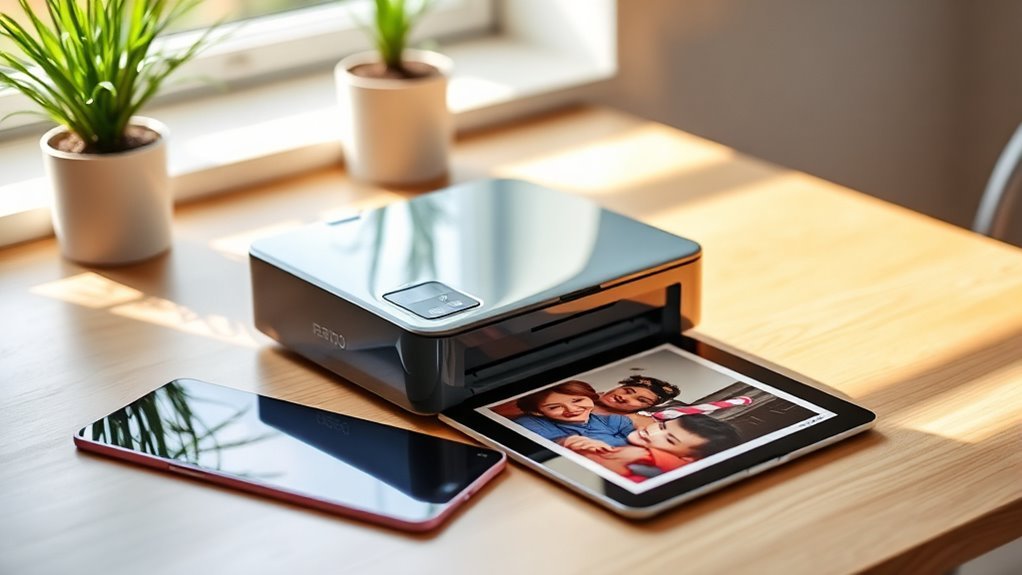
When choosing a compact printer for your iPad, you’ll want to check if it’s fully compatible and supports wireless connections like Wi-Fi or Bluetooth. It’s super important to make sure it works seamlessly with your device.
Consider print quality and resolution to guarantee your photos look sharp and vibrant. After all, you want your prints to really pop, right?
Also, don’t forget to factor in the printer’s size, battery life, and overall portability. These things make a big difference for easy use on the go.
Printer Compatibility With iPad
Since seamless connectivity is essential, you should choose a compact printer that supports wireless options like Bluetooth and Wi-Fi for easy printing from your iPad. Confirm the printer works with Apple AirPrint or the manufacturer’s mobile app to simplify setup and operation directly from your device.
Dual-band Wi-Fi support (2.4GHz and 5GHz) can offer more stable connections, reducing disruptions during printing. Also, check if the printer supports voice commands through smart assistants for added convenience.
Don’t forget to verify compatibility with various media types and sizes to match your specific printing tasks. By focusing on these compatibility factors, you’ll guarantee smooth, efficient printing without frustrating hiccups on your iPad.
Wireless Connectivity Options
Although many printers offer wireless features, choosing a compact printer for your iPad means focusing on specific connectivity options like Bluetooth, Wi-Fi, and Wireless Direct Mode. You’ll want a printer that supports Bluetooth or Wi-Fi for seamless, convenient printing.
Check if it works with Apple AirPrint, so you can print directly from your iPad without extra software. Wireless Direct Mode is pretty handy—it lets you connect your iPad to the printer without a router.
Also, prioritize dual-band Wi-Fi (2.4GHz and 5GHz) for faster, more stable connections, especially if you have multiple devices. Don’t forget to look for support of print protocols like Mopria, which boost compatibility across different apps and devices.
These features guarantee smooth and reliable wireless printing from your iPad.
Print Quality And Resolution
Choosing a compact printer for your iPad means paying close attention to print quality and resolution, as these directly affect the sharpness and detail of your documents and photos. Look for printers offering at least 1200 x 1200 dpi for crisp text and clear graphics.
Higher resolutions, like 4800 x 1200 dpi, deliver finer details and sharper images, especially for photos. Consider the printing technology: inkjet printers excel in color accuracy and photo reproduction, while thermal printers might suit simpler needs.
Vibrant, true-to-life color output depends on advanced color management and a wide color gamut. Also, the type of paper you use—glossy or matte—can influence color saturation and sharpness.
Choosing the right combination guarantees your prints look professional and vivid every time.
Portable And Compact Design
Print quality matters, but if your printer isn’t easy to carry, it won’t serve you well on the go. You’ll want a portable printer that weighs less than 5 pounds, so it’s light enough to toss into your bag without hassle.
Look for compact models measuring around 12.7 x 7.3 x 2.6 inches or smaller to guarantee they fit into tight spaces. A slim, lightweight design makes handling and storage far simpler, whether you’re a student, professional, or traveler.
Also, consider printers that support various media sizes up to 8.5” x 11” for maximum versatility. This way, you can print documents or photos easily wherever you are, making your compact printer a truly convenient tool for your iPad.
Battery Life And Power
When you rely on your compact printer for on-the-go tasks, battery life becomes a key factor to evaluate. You’ll want a model with a rechargeable battery that lets you print without hunting for a power outlet.
Consider the printer’s power consumption—lower wattage means longer battery life, which is vital when you’re mobile. Look for printers that support USB charging, as this makes recharging easier when using your iPad.
Also, a built-in battery indicator helps you track power levels, so you’re not caught off guard mid-print. Keep in mind that faster printers may drain the battery quicker, so balance speed with power use.
Prioritizing battery life guarantees you stay productive wherever you are, without interruptions or extra gear. It’s all about staying powered up and ready to go!
Print Speed Efficiency
Although speed isn’t the only factor to evaluate, you’ll appreciate a compact printer that delivers quick results to keep your workflow smooth. Print speed efficiency varies widely, with models offering 3 to 14 pages per minute.
For photos, some printers produce a 4×6 inch image in just 36 seconds, while others take longer. Keep in mind, higher print resolutions, especially for color prints, may slow down output due to processing time.
Features like automatic duplex printing boost efficiency by allowing double-sided prints without manual effort. Also, your choice of connectivity impacts speed; direct Bluetooth or Wi-Fi connections usually print faster than routing through a network or app.
Prioritizing these aspects guarantees your compact printer complements your iPad’s productivity perfectly.
Supported Media Types
Speed matters, but so does what you can print on. When choosing a compact printer for your iPad, make sure it supports various media types like glossy photo paper and standard letter-sized sheets. This flexibility lets you handle everything from everyday documents to vibrant photos.
Look for printers that accommodate specialized formats, such as borderless prints and custom sizes, which are perfect for creative projects. Check the maximum media size compatibility—most compact printers handle up to 8.5” x 11”.
Also, consider models that support different paper types like cardstock, envelopes, and labels to cover all your printing needs. Finally, see if the printer offers automatic duplex printing for efficient, double-sided document printing. This feature saves paper and boosts productivity.
Ease Of Setup And Use
Because seamless connectivity is essential, you’ll want a compact printer that easily pairs with your iPad via Bluetooth or Wi-Fi. Look for models supporting dual-band Wi-Fi (2.4GHz and 5GHz) to guarantee stable, efficient printing.
Printers compatible with AirPrint or similar technologies simplify the process, letting you print quickly without complex setup. Dedicated mobile printing apps make customization straightforward, saving you time and effort.
Also, consider printers with clear control interfaces like OLED displays, so you can navigate settings and monitor status directly on the device. By choosing a printer with these features, you’ll enjoy hassle-free setup and smooth operation, making printing from your iPad a truly convenient experience.
Frequently Asked Questions
How Do I Connect My iPad to a Compact Printer via Bluetooth?
You’ll first enable Bluetooth on your iPad and turn on the printer’s Bluetooth.
Then, go to Settings > Bluetooth on your iPad, find the printer in the devices list, and tap to pair and connect it.
It’s pretty straightforward once you get started. Just make sure your printer is in pairing mode so your iPad can find it easily.
What Type of Ink Cartridges Do Compact Printers for iPads Use?
Compact printers commonly clutch cartridges containing color and black ink, crafted for crisp, clear creations. You’ll typically tap into inkjet or thermal ink types, tailored to your printer’s tech, ensuring seamless, sharp, and speedy prints.
Basically, the type of ink depends on the printer’s design. Inkjet cartridges use liquid ink sprayed through tiny nozzles, while thermal printers use heat to transfer ink from a ribbon to the paper. Both aim for vibrant colors and clear text, just in different ways.
Can These Printers Handle Bulk Printing Jobs Efficiently?
You’ll find most compact printers for iPads aren’t built for heavy bulk printing. They handle moderate tasks smoothly but might slow down or need frequent refills during large jobs.
Are There Special Apps Required for Printing Photos From iPads?
Imagine trying to open a locked door without a key—that’s printing photos without the right app.
Yes, you’ll usually need special apps like AirPrint or manufacturer apps to effortlessly print high-quality photos from your iPad.
These apps make the whole process smooth and simple, so you don’t have to worry about compatibility issues.
Without them, printing can get a bit tricky or might not work at all.
What Is the Average Battery Life of Portable iPad Printers?
You’ll find portable iPad printers usually offer around 2 to 6 hours of battery life, depending on usage and model. That means you can print multiple photos before needing to recharge, keeping you productive on the go.
Pretty handy, right? It lets you stay creative without worrying about your printer dying on you too soon.
Conclusion
Choosing the perfect compact printer for your iPad doesn’t have to be puzzling. Prioritize portability, picture quality, and power to pick a printer that perfectly pairs with your lifestyle. Whether you want wireless wonders or vibrant visuals, these top-tier choices combine convenience and clarity.
So, step up your printing game and simplify your setup, securing seamless, speedy prints straight from your iPad. Print with pride and power, perfectly! Finding the best compact printer for iPad means you get reliable performance without the bulk. Make your printing experience effortless and enjoy crisp, clear results every time.