8 Best Compact Printer Bluetooth Models for 2027
If you’re looking for a compact Bluetooth printer in 2027, you’ve got some great options to consider. These printers combine portability with wireless convenience, making them perfect for home, office, or travel use.
Whether you want vibrant color prints, all-in-one functionality, or quick thermal printing, there’s something for everyone.
For versatile color printing and multifunction tasks, the Canon PIXMA TR160 and TS3720 are excellent choices. They’re reliable and easy to use, fitting well in small spaces.
Thermal printers like Gloryang, Rongta, and N80 offer inkless, lightweight solutions that are super travel-friendly. No need to worry about ink cartridges, which is a big plus on the go.
If you love printing photos, the HP Sprocket 2×3 and Canon Ivy 2 mini deliver vibrant, high-quality prints right from your phone.
These models strike a great balance between portability, wireless ease, and print quality.
Exploring their features will help you pick the best compact Bluetooth printer for your needs in 2027.
| Image | Name | Editor's Rating | Price |
|---|---|---|---|

|
|
||

|
|
||

|
|
||

|
|
||
|
|
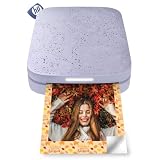
Canon PIXMA TR160 Color Wireless Portable Printer
- LIGHTWEIGHT AND PORTABLE - Connect and print on the go with the PIXMA TR160. This lightweight portable printer can fit into a bag or backpack with room to spare.
- HIGH-QUALITY PRINTING ON THE GO - Print documents and photos up to 8.5” x 11” that showcase sharp black text and vibrant details with rich color thanks to a 5-Color...
- SIMPLE & EASY CONNECTIVITY - Printing is only an app away when using the Canon PRINT app, Apple AirPrint4, or Mopria Print Service5 with your compatible device(s) or the...
- WIRELESS DIRECT MODE - Connect your compatible device to the printer even without a wireless router.
- 1.44” OLED DISPLAY - Easily check ink levels, printer status, and other settings with the 1.44” Monochrome OLED.

Experience true portability with the Canon PIXMA TR160, designed to keep your printing needs seamless wherever you go. This compact wireless printer fits easily into your bag, solving the hassle of bulky equipment during travel or remote work. Its lightweight design ensures you can print vibrant documents without being tethered to a desk.
The PIXMA TR160 delivers sharp, high-resolution prints at 4800 x 1200 dpi, enhancing the clarity of both color and black-and-white pages. It prints up to 5.5 color pages per minute, balancing quality with efficiency for everyday tasks. Wireless options like Canon PRINT, Apple AirPrint, and Mopria make connecting simple and flexible.
Maintenance is straightforward, with easy ink replacement and a user-friendly OLED display to manage settings quickly. The option to add a battery further supports mobile printing, although it is sold separately, which might add to the overall cost.
Its paper capacity is limited to 50 sheets, so it’s best suited for light to moderate printing needs. Overall, the PIXMA TR160 is ideal for professionals and students who require a reliable, portable printer for on-the-go use.
Best for: Mobile professionals and students needing a compact, wireless printer for high-quality color and monochrome prints.
What We Like:
- Lightweight and portable design for easy transport
- High print resolution for vibrant and sharp output
- Multiple wireless connectivity options including USB-C
- User-friendly OLED display for quick operation
Specification:
| Feature | Details |
|---|---|
| Manufacturer | Canon |
| Dimensions | 12.7 x 7.3 x 2.6 inches |
| Weight | 4.5 pounds |
| Printing Technology | Inkjet |
| Print Resolution | Up to 4800 x 1200 dpi |
| Paper Capacity | 50 sheets |
| Connectivity | Wireless (Canon PRINT, AirPrint, Mopria), USB-C |
| Display | OLED |
Gloryang Inkless Portable Wireless Thermal Printer Kit
- Inkless Printing – Gloryang portable printer uses advanced thermal technology, requiring no ink, toner, or ribbons. The package includes the printer, 3 thermal paper...
- Seamless Bluetooth Connectivity – The Gloryang mobile sticker printer connects easily to iOS and Android via Bluetooth through the “Jadens Printer” app. It also...
- Ultra-Portable Design - Weighing just 1.75lb and measuring 1.7in thick, the Gloryang portable printer is incredibly lightweight and compact. Perfect for on-the-go...
- Space-Saving Design - Say goodbye to clutter with the built-in paper bin of the Gloryang printer. It saves space and keeps your workspace tidy, whether you're on the go...
- Perfect Gift for Holiday-Gloryang thermal printer can print clear photos, image, design drawings and text. It's perfect for busy professionals and students. Come with a...
Experience hassle-free printing anywhere with the Gloryang Inkless Portable Wireless Thermal Printer Kit. This compact device eliminates the need for ink, toner, or ribbons by using advanced thermal printing technology. It offers a quick and clean solution for printing documents on the go without the mess of traditional printers.
Designed for convenience, this lightweight printer weighs just 1.75 pounds and measures only 1.7 inches thick, making it easy to carry during travel or emergency situations. Its compatibility with 8.5 x 11-inch thermal paper lets you produce sharp prints at a speed of up to 35 pages per minute at 203 x 203 dpi.
Connecting is simple through Bluetooth, supporting iOS, Android, laptops, and PCs with the Jadens Printer app. While the print resolution suits most document needs, it may not be ideal for high-quality photo printing. Also, driver installation is required for laptop and PC use, which could add a step to setup.
Maintenance is straightforward since no ink replacement is necessary. The included carrying case and extra paper rolls add to its portability and readiness for immediate use.
Best for: Professionals, students, and travelers who need a reliable, compact, and ink-free portable printer for quick document printing on the go.
What We Like:
- Inkless thermal printing removes ink and toner hassles
- Lightweight, slim design with built-in paper bin
- Easy Bluetooth connection across multiple devices
- Fast printing speed suitable for everyday documents
Specification:
| Feature | Details |
|---|---|
| Manufacturer | Gloryang |
| Dimensions | 8.5 x 11 inches (paper size) |
| Weight | 1.75 lb (0.79 kg) |
| Thickness | 1.7 inches |
| Print Resolution | 203 x 203 dpi |
| Connectivity | Bluetooth (iOS, Android, PC, Laptop) |
Rongta Wireless Thermal Portable Printer for Mobile
- Easy to Set Up: RONGTA F11A portable thermal printer for travel go by bluetooth.Download "RONGTA" APP from Google Play or APP store for iOS and Android Phone or...
- RONGTA portable printer, 203DPI resolution, large to 8.5" design, easy to use and maintain. Print forms, letters, assignments, study materials, and travel documents...
- Stylish Thermal Printer:Rongta bluetooth wireless printer, It is compatible with your go-to paper sizes—including US Letter, Legal, A4 thermal papers. What’s more, it...
- Portable and Compact: When traveling you can take Rongta portable printer wireless in your backpack or tote bag wherever you need. It is compact and portable whether in...
- Warm Tips: Do Not Support Chrome. Rongta portable printers wireless for travel can't support pair bluetooth via Phone or tablet directly, must be pair on the"RONGTA" APP...
The Rongta Wireless Thermal Portable Printer F11A is designed to keep mobile professionals productive wherever they go. Its compact and lightweight build makes it easy to carry in a bag or briefcase, reducing bulk without sacrificing functionality. This printer offers a straightforward way to produce clear, monochrome documents quickly.
Connecting is simple through Bluetooth using the dedicated RONGTA app, compatible with Android, iOS, Windows, and MacOS. This ensures smooth printing from various devices without complicated setups. The printer handles thermal paper up to 8.5 x 11 inches, making it ideal for forms, receipts, and travel documents.
Maintenance is minimal since it uses thermal printing technology, which requires no ink or toner. This reduces costs and downtime, supporting efficient use during busy workdays. While it only prints in monochrome and does not support Chrome browser or traditional paper, its reliable performance suits specific mobile printing needs.
Best for: Mobile professionals and travelers who require a portable, efficient thermal printer for quick, monochrome document printing.
What We Like:
- Compact and lightweight for easy transport
- Seamless Bluetooth connection via the RONGTA app
- Prints clearly on thermal paper with 203 DPI resolution
- Minimal maintenance with inkless thermal technology
Specification:
| Feature | Details |
|---|---|
| Manufacturer | Rongta |
| Dimensions | Compact, lightweight design |
| Weight | Lightweight |
| Printing Method | Thermal |
| Print Resolution | 203 DPI |
| Connectivity | Bluetooth |
| Compatible OS | Android, iOS, Windows, MacOS |
| Paper Size | Up to 8.5 x 11 inches |
Portable Printers Wireless for Travel, N80 Bluetooth Thermal Printer
No products found.
Experience seamless printing wherever your work or travels take you with the N80 Bluetooth Thermal Printer. This compact, wireless printer fits effortlessly into your bag, eliminating the hassle of bulky equipment. Its lightweight design makes it easy to carry, helping you stay productive on the move.
The N80 connects via Bluetooth to your iPhone, Android, or tablet through the Nada Print App, and also supports USB-C for laptops. This flexibility solves connectivity challenges, enabling quick printing of contracts, invoices, or boarding passes without delays. Its direct thermal printing technology removes the need for ink or toner, reducing maintenance and simplifying use.
Powered by a built-in 1500mAh battery, the printer handles up to 160 sheets per charge, ensuring reliability during extended outings. For best results, use NDYIN thermal paper, as ordinary paper is not compatible, which helps maintain print quality and device longevity.
Best for: Professionals and travelers who require a lightweight, portable, and wireless printer to produce clear thermal documents on the go.
What We Like:
- Compact, lightweight design ideal for travel
- Wireless Bluetooth connectivity through the Nada Print App
- Direct thermal printing eliminates ink and toner needs
- Long-lasting battery supports extended printing sessions
- USB-C option for laptop compatibility
Specification:
| Feature | Details |
|---|---|
| Manufacturer | NDYIN |
| Dimensions (in) | 3.3D x 11W x 2H |
| Weight | 1.5 lb |
| Battery Capacity | 1500mAh |
| Connectivity | Bluetooth, USB-C |
| Print Resolution | 203 DPI |
| Paper Type | NDYIN Thermal Paper Only |
A8 Portable Wireless Bluetooth Thermal Printer (Black)
- [ Portable Printer for Travel & Mobile Office ] - Weighing only 1.37 lb and measuring 11.36" x 2.54" x 2.01", the Arrvel A8 portable thermal printer fits easily into...
- [ Wireless Bluetooth & USB Printing ] - Print from mobile devices or computers with flexible connection options. Use Bluetooth through the Flashtoy app with iPhone, iPad...
- [ Built-In Paper Compartment & Inkless Printing ] - Keep your workspace clean with the A8 portable printer’s built-in paper compartment—no external paper holders...
- [ Clear Printing for Business Documents ] - With 203 DPI resolution and an effective print width of up to 216 mm, the A8 document printer produces readable text, tables...
- [ What You Get ] - Ready to print out of the box. Package includes: 1x Arrvel A8 Thermal Printer, 1x Thermal Paper Roll (installed inside the printer), 1x USB-C Adapter...
Experience fast and convenient printing wherever you go with the Arrvel A8 Portable Wireless Bluetooth Thermal Printer. Its compact size and lightweight design make it ideal for on-the-spot printing without the hassle of cables or bulky equipment. Whether you’re in the office, at a café, or traveling, this printer keeps your workflow smooth and efficient.
Connecting via Bluetooth or USB, the A8 works seamlessly with iPhone, Android, Windows, macOS, and Linux devices. This flexibility ensures you can print documents, charts, and images easily from multiple platforms. The thermal printing technology delivers sharp 203 DPI output, eliminating the need for ink or toner.
Maintenance is simple since the printer uses thermal paper, reducing mess and replacement parts. The built-in 3000mAh battery supports up to 200 prints per charge, making it reliable for extended use. The included travel bag protects the device during transport and storage.
While it’s excellent for monochrome prints, the A8 is limited to thermal paper and may not suit users needing color output or faster speeds. However, its portability and broad compatibility make it a practical choice for quick, wireless printing.
Best for: professionals and travelers needing a compact, wireless thermal printer for quick document and image printing on the move.
What We Like:
- Lightweight and compact for easy portability
- Bluetooth and USB connectivity across major operating systems
- Sharp 203 DPI thermal printing without ink or toner
- Long-lasting 3000mAh battery for up to 200 prints per charge
- Includes a protective travel bag for safe transport
Specification:
| Feature | Detail |
|---|---|
| Manufacturer | Arrvel |
| Dimensions | 11.36 x 2.54 x 2.01 inches |
| Weight | 1.37 lbs |
| Connectivity | Bluetooth, USB |
| Print Resolution | 203 DPI |
| Battery Capacity | 3000mAh |
| Color | Black |
Canon PIXMA TS3720 Wireless All-in-One Printer
No products found.
The Canon PIXMA TS3720 is designed to simplify your printing, scanning, and copying needs in one compact device. Its hybrid ink system ensures crisp text and vibrant photos, helping you create sharp documents and images with up to 4800 x 1200 dpi resolution. This makes it ideal for everyday home or small office tasks where quality matters.
Setting up the printer is straightforward, thanks to the dual replaceable cartridges and a 60-sheet rear paper tray that minimize downtime. You can easily manage your print jobs and maintenance without hassle. The 1.5-inch LCD screen offers basic navigation, making controls simple for users who prefer straightforward operation.
Connectivity options such as USB, dual-band Wi-Fi, and support for mobile printing apps like Canon PRINT and Apple AirPrint give you flexible ways to print from various devices. This versatility helps you stay productive whether you’re working from a laptop, smartphone, or tablet.
While print speeds are moderate, especially for color prints, the PIXMA TS3720 excels at delivering quality output in a compact, easy-to-use package. It’s well suited for those who prioritize reliable functionality and straightforward maintenance over high-volume printing.
Best for: Home users or small offices needing a versatile, easy-to-maintain all-in-one printer with flexible connectivity and quality output for everyday use.
What We Like:
- Hybrid ink system produces sharp text and vivid images
- Multiple connectivity options including dual-band Wi-Fi and mobile print apps
- Easy setup with two replaceable cartridges and a compact rear paper tray
- Simple, user-friendly interface with a 1.5” LCD screen
Specification:
| Feature | Details |
|---|---|
| Manufacturer | Canon |
| Dimensions | Approx. 14.5 x 11.7 x 5.9 inches (W x D x H) |
| Weight | Around 7.1 lbs (3.2 kg) |
| Ink System | Hybrid ink cartridges |
| Paper Capacity | 60-sheet rear tray |
| Connectivity | USB, Dual-band Wi-Fi, Mobile printing (Canon PRINT, Apple AirPrint) |
| Display | 1.5-inch LCD screen |
HP Sprocket 2×3 Portable Wireless Photo Printer
- PRINT PHOTOS ON DEMAND HP Sprocket 2nd Edition Printer Prints 2”x 3” Photographs from Your Smartphone or Social Media. For iOS 10-Plus & Android 5-Plus, Bluetooth 5.3
- ZINK ZERO INK TECHNOLOGY No Expensive Toner or Ribbon Replacements. Glossy Sticky-Back Photo Paper Has Colors Embedded Inside for Amazing Resistance to Water, Smudges...
- UNIQUE FILTERS, FRAMES & FLAIR Customize Your Snaps with Cool Editing Tools on the Free HP App. Apply Stickers, Borders & Emojis, Share Albums.
- CONNECT TO MULTIPLE DEVICES Set Up Sprocket at Parties So Friends Can Print Instantly Shareable Photos—At the Same Time. Personalized LED Light Lets You Know Who’s...
- SLIM, PORTABLE DESIGN Wireless Pocket-Sized Rechargeable Printer is Compact Enough to Carry in Your Backpack, Purse, or Pocket. Micro USB Charging Cable with...
The HP Sprocket 2×3 Portable Wireless Photo Printer brings instant photo printing to your fingertips. It solves the hassle of waiting for prints by delivering vibrant 2” x 3” photos directly from your smartphone. Using Bluetooth 5.3, it connects seamlessly with iOS and Android devices, making it easy to capture and share memories on the go.
Its compact, lightweight design fits comfortably in your bag, perfect for events and social gatherings. The printer uses Zink Zero Ink technology, which means no cartridges and no smudges, giving you glossy, durable photos every time. The rechargeable battery supports about 35 prints per charge, keeping you ready for extended use.
Maintaining the Sprocket 2×3 is simple since it doesn’t require ink refills. The HP app enhances your printing experience by letting you add filters, frames, and stickers to personalize your photos. A unique LED light indicates who’s printing next, adding a fun touch to group settings.
While the print size is limited to 2” x 3”, it’s ideal for casual snapshots rather than large prints. The print speed is moderate, so it suits light to moderate use rather than bulk printing.
Best for: Social media enthusiasts and event attendees seeking a portable, easy-to-use photo printer for quick smartphone printing.
What We Like:
- Compact and portable design for easy transport
- Zink Zero Ink technology ensures smudge-proof, high-quality prints
- Customizable prints with the HP app’s filters, frames, and stickers
- Rechargeable battery supports multiple prints without frequent charging
Specification:
| Feature | Details |
|---|---|
| Manufacturer | HP |
| Dimensions | Compact, fits in a small bag |
| Weight | Lightweight |
| Print Size | 2” x 3” (5.08 cm x 7.62 cm) |
| Connectivity | Bluetooth 5.3 |
| Compatible OS | iOS 10+ and Android 5+ |
Canon Ivy 2 Mini Photo Printer, Sticky-Back Prints

- Print and customize your photos directly from your smartphone or tablet via the Canon Mini Print App.(1)
- No ink needed! The IVY 2 Mini Photo Printer uses ZINK (Zero Ink) technology, which features colorful dye-based crystals embedded inside the paper.
- Place your photos anywhere, thanks to a PEEL & STICK backing that adheres to your favorite surfaces.
- PRINT QUALITY IMPROVED in the IVY 2 Mini Photo Printer(optimized skin tone colors, improved photo contrast, optimized photo sharpness)
- BETTER CONNECTIVITY for mobile printing using compatible smartphone devices with Bluetooth 5.0 technology
Capture and share moments instantly with the Canon Ivy 2 Mini Photo Printer, designed for on-the-go creativity. This compact device lets you print vibrant, sticky-back photos without the mess of ink cartridges. Its small size and light weight make it easy to carry in your pocket or bag.
The printer uses ZINK technology, which means no ink refills—just load the peel-and-stick thermal paper and print. Connecting via Bluetooth 5.0 to your smartphone is simple and quick. Use the Canon Mini Print app to edit and print crisp 2” x 3” photos with rich colors and sharp contrast.
Maintenance is minimal due to the ink-free design. However, the printer holds only 10 sheets at a time, so frequent reloading is necessary for larger print sessions. Prints take around 50 seconds each, balancing quality with portability.
This device is ideal for anyone who wants easy, vibrant photo prints ready to stick on surfaces right away. It solves the problem of carrying bulky printers and messy ink, making photo printing fun and convenient anywhere.
Best for: Smartphone users seeking a portable, hassle-free printer for quick sticky-back photo prints.
What We Like:
- Compact, lightweight design for easy portability
- Ink-free ZINK technology reduces maintenance
- Bluetooth 5.0 and user-friendly app for seamless connectivity
- Peel-and-stick prints simplify sharing and decorating
- High-resolution output with optimized colors and contrast
Specification:
| Feature | Detail |
|---|---|
| Manufacturer | Canon |
| Dimensions | Pocket-sized (approx.) |
| Weight | 145 grams (0.32 lbs) |
| Printing Technology | ZINK (Zero Ink) |
| Print Size | 2” x 3” (5.08 x 7.62 cm) |
| Connectivity | Bluetooth 5.0 |
| Media Capacity | 10 sheets |
Factors to Consider When Choosing a Compact Printer Bluetooth
When choosing a compact Bluetooth printer, you’ll want to check its connectivity options to guarantee seamless pairing with your devices. Don’t overlook print quality resolution and battery life, as they directly impact your printing experience.
Also, consider the printer’s size, weight, and media compatibility to match your portability needs and printing materials. Finding the right balance here can make a big difference in how convenient your printer is to use on the go.
Connectivity Options
Although many printers offer Bluetooth connectivity, you’ll want to guarantee the model you choose supports seamless wireless printing from your smartphone or tablet for true convenience. Make sure it’s compatible with various operating systems like iOS, Android, Windows, and Mac, so you can print from any device without hassle.
It’s also wise to check for additional connectivity options such as USB ports or Wi-Fi, giving you more flexibility in different situations. Some printers even offer dedicated apps, making setup and print management straightforward and user-friendly.
Don’t forget to evaluate the wireless printing range—some models allow direct connections without a router, making quick setups easier whether you’re at home, work, or on the go. This way, you can print without any stress, wherever you happen to be.
Print Quality Resolution
Print quality resolution directly impacts the sharpness and detail of your prints, so you’ll want to pay close attention to the DPI (dots per inch) rating when choosing a compact Bluetooth printer. Higher DPI values, like 4800 x 1200, deliver finer detail, ideal for crisp photos and professional documents.
Inkjet printers typically offer superior resolution compared to thermal models, making them better for color-rich images. Thermal printers usually max out around 203 DPI, which is suitable for basic text or labels.
Also, consider the media you’ll print on—different papers can affect final quality. Look for a printer that maintains consistent quality across various media types, ensuring your prints always look sharp and vibrant, no matter the project.
This balance between printer technology and print resolution is key for your best results. It’s all about finding the right fit for what you need to print!
Battery Life Span
Beyond print quality resolution, you’ll want to contemplate how long your compact Bluetooth printer can operate on a single charge. Battery life span is essential for portable printers since it determines how long you can print without plugging in.
Some models can handle up to 200 sheets per charge, which is ideal for extended use. Look at the battery capacity, measured in milliamp hours (mAh), because higher capacity means longer printing sessions.
Many printers use rechargeable batteries, with some built-in to last multiple hours continuously. Also, consider the printing technology: thermal printers typically consume less power than inkjet models, extending battery life.
Don’t forget charging time—some printers take hours to fully recharge, which could limit availability when you need them most. So, it’s definitely worth thinking about how quickly your printer powers back up.
Printer Size Weight
Portability hinges on the size and weight of your compact Bluetooth printer, so you’ll want to choose one that fits comfortably in your bag without weighing you down. Compact printers can weigh anywhere from 0.43 kg (0.95 pounds) to about 2.3 kg (5 pounds).
Picking a lighter model, around 1.5 pounds, makes travel easier. Dimensions vary too; some printers measure as small as 2.28D x 10.55W x 1.18H inches with a slim profile as thin as 1.7 inches. This guarantees they fit snugly in tight spaces or bags.
Whether you’re printing at home, in the office, or on the go, balancing size and weight is key to keeping your setup portable and convenient without sacrificing functionality. It’s all about finding that sweet spot between compactness and usability.
Media Compatibility
When choosing a compact Bluetooth printer, you’ll want to make certain it supports the media types you plan to use, whether that’s thermal paper, glossy photo sheets, or standard letter sizes. Check the maximum media size it can handle—many portable models manage up to 8.5” x 11” or smaller photo formats like 2” x 3”.
Consider the print technology: thermal printers often restrict you to specific thermal papers, while inkjet options usually accept more media varieties. Also, verify if the printer supports different print formats, such as borderless or square prints.
This is especially important if you want to create invitations or stickers. Finally, guarantee the design allows easy loading and management of your chosen media type, so you won’t struggle with paper jams or complicated setups during use.
Printing Speed Efficiency
Print speed plays an essential role in choosing a compact Bluetooth printer, especially if you need quick, efficient output. You’ll typically see speeds measured in pages per minute (PPM), with thermal printers reaching up to 35 PPM, while inkjets usually range between 5.5 and 9 PPM.
Keep in mind, higher print resolutions—like 4800 x 1200 dpi—can slow down color printing. Thermal printers are generally faster thanks to their inkless tech, making them ideal for high-volume tasks.
Also, consider the printer’s maximum sheet capacity; those holding 50 sheets or more reduce paper refills and keep you productive. Finally, check if the printer supports the media type you plan to use, as some models handle specific formats faster than others.
Supported Operating Systems
Choosing a compact Bluetooth printer means making sure it works smoothly with your devices’ operating systems. Many models support iOS and Android, but some also work with Windows and MacOS.
Check if the printer supports ChromeOS or Linux too, especially if you use multiple platforms. Look for dedicated mobile apps, as they improve compatibility and make printing various files easier.
Keep in mind that some printers need driver installation for laptops or PCs, so confirm this to avoid setup hassles. Always verify the printer’s specs clearly state which operating systems it supports.
Ensuring compatibility upfront prevents connectivity issues and guarantees your printer integrates seamlessly with your devices. This step saves you frustration and keeps your printing experience hassle-free.
Additional Features
Although connectivity options like Bluetooth are essential, you’ll want a compact printer that offers more versatility, such as USB support, to easily connect with various devices. Check for a high print resolution—like 4800 x 1200 dpi—to guarantee your photos and documents come out sharp and detailed.
Battery life matters too; look for models with a robust battery, such as 3000mAh, that can handle up to 200 sheets per charge. This is perfect for on-the-go printing.
Additional features like built-in templates or editing tools can save you time and enhance your printing experience. Finally, prioritize a compact design that fits easily in your bag without compromising functionality. That way, you’re always ready to print wherever you are.
Frequently Asked Questions
How Long Does the Battery Typically Last on These Compact Printers?
You’ll typically get around 4 to 8 hours of battery life on these compact printers, depending on usage. Heavy printing drains it faster, but with light tasks, you can stretch the battery throughout your workday.
Are Replacement Ink or Thermal Paper Cartridges Widely Available?
Yes, you’ll find replacement ink and thermal paper cartridges widely available for most compact printers. Manufacturers guarantee easy access so you won’t struggle to keep printing, whether you need ink or thermal paper.
It’s pretty convenient, really. You can usually grab what you need without any hassle, keeping your printer up and running smoothly.
Can These Printers Connect to Multiple Devices Simultaneously?
You’d think these printers were like a rotary phone, but yes, they can connect to multiple devices simultaneously. You don’t have to switch connections every time; they handle several Bluetooth links seamlessly.
This keeps your workflow smooth and hassle-free. So, go ahead and connect away without any interruptions!
What Is the Average Print Speed for Bluetooth Portable Printers?
You’ll find that Bluetooth portable printers usually print between 5 to 15 pages per minute. This speed varies by model, but for most, it’s fast enough to handle your on-the-go printing needs efficiently.
Do These Printers Support Printing From Both Android and iOS Devices?
You’re at a café, phone in hand, and yes, these printers support both Android and iOS seamlessly.
You’ll easily print photos, documents, or receipts without fuss, no matter which device you’re using.
Conclusion
When choosing your perfect compact Bluetooth printer in 2027, remember it’s all about convenience and quality. Whether you’re snapping photos on the go or printing important documents, these models have you covered.
Don’t let your printer be as outdated as a floppy disk—choose one that fits your lifestyle and tech needs seamlessly. With the right pick, you’ll enjoy wireless freedom and crisp prints anytime, anywhere.
Finding the best compact printer Bluetooth model means combining portability with performance. These printers offer easy connectivity, fast printing speeds, and sharp image quality, making them ideal for busy professionals and casual users alike.
So go ahead, upgrade to a compact Bluetooth printer that matches your modern lifestyle. With wireless convenience and top-notch print quality, you’ll be ready for anything—whether it’s work, travel, or creative projects. Happy printing!