6 Best Combo 3D Printers for 2027
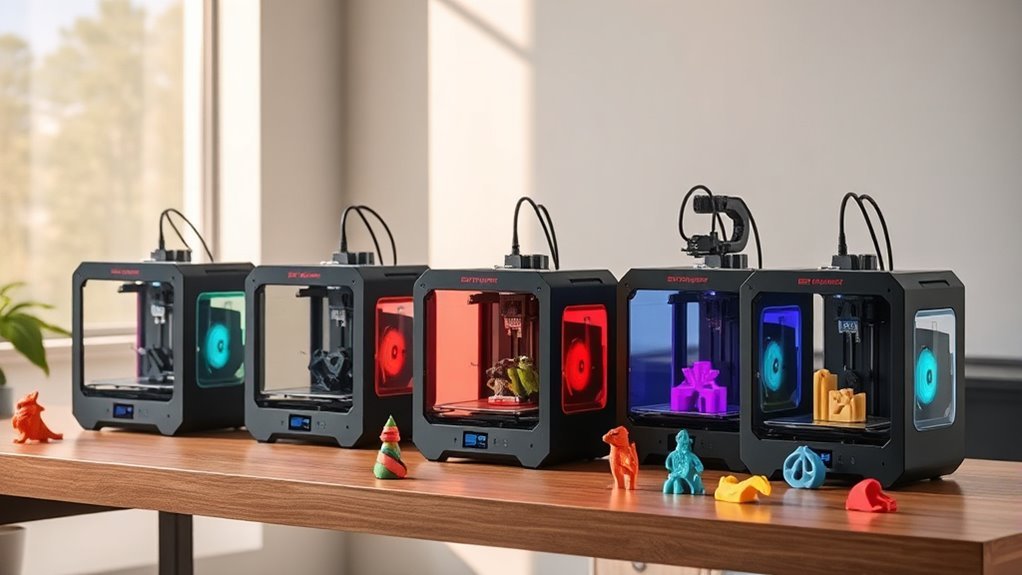
If you’re looking for the 6 best combo 3D printers for 2027, you’re in the right place. These printers combine the power of multi-material and multi-color printing with precision and speed to elevate your 3D printing game. Whether you’re a hobbyist or a professional, having a reliable combo 3D printer can make all the difference.
From high-speed printing to smart filament management, these models cover all the bases to help you get the most out of your projects.
You’ll want to check out the Bambu Lab P2S and P1S Combos for blazing multi-color speed and incredible precision. The Creality K2 Combo offers robust multicolor reliability that won’t let you down.
Anycubic’s Kobra X and S1 ACE 2 Pro shine with smart filament management and super fast, easy setup. Plus, Creality’s SPARKX i7 stands out thanks to its AI-powered monitoring features. These printers blend speed, accuracy, and advanced features to boost your workflow—and there’s plenty more to explore about each.
| Image | Name | Editor's Rating | Price |
|---|---|---|---|

|
|
||

|
|
||
|
|
||

|
|
||

|
|
Bambu Lab P2S Combo, P2S 3D Printer & AMS 2 Pro, Multi-Color 3D Printing
- High-Speed Precision: The Bambu Lab P2S 3D printer prints up to 600 mm/s while maintaining exceptional accuracy. With the PMSM Servo Extruder and Active Flowrate...
- Ready to Print in 15 Minutes: Set up your P2S FDM 3D printer and start printing in just 15 minutes. With AI failure detection, quick-swap nozzles, and automatic...
- Effortless Multi-Color Printing: The AMS 2 Pro enables seamless multi-color/multi-material 3D printing. It features built-in filament drying at up to 65 °C, keeping...
- Smart Airflow for Any Filament: The Adaptive Airflow System automatically balances cooling and heat retention—keeping overhangs crisp with cool air, or maintaining a...
- Limitless Creativity, Seamless Workflow: Explore over one million 3D models on MakerWorld and bring them to life with a smooth, unified workflow using Bambu Studio, Bambu...
Experience a new level of 3D printing versatility with the Bambu Lab P2S Combo. Designed to tackle multi-color and multi-material projects, this bundle combines the fast and precise P2S 3D printer with the AMS 2 Pro filament system. It solves the challenge of color changes and material switching, streamlining complex prints into a smooth process.
The P2S’s CoreXY design enables speeds up to 600 mm/s without sacrificing accuracy. This ensures detailed layers even at high printing rates. Setup is straightforward, taking only 15 minutes thanks to automatic calibration and AI-powered error detection, reducing downtime and guesswork.
Maintenance is simplified with the AMS 2 Pro’s filament drying and adaptive airflow system, which protect your materials from moisture and maintain print quality. This system supports engineering-grade filaments and multi-material workflows, enhancing the printer’s reliability for demanding tasks.
The combo is built for users who need high-speed, multi-color 3D printing with dependable automation. Its weight and advanced functions require a stable workspace and some initial learning but reward users with consistent, professional results.
Best for: Advanced hobbyists and professionals focused on multi-material and multi-color 3D printing with efficient workflow and precision.
What We Like:
- Fast CoreXY printing up to 600 mm/s with consistent precision.
- AMS 2 Pro’s filament drying and airflow keep materials in optimal condition.
- Quick setup with automatic calibration and AI error detection.
- Seamless multi-material and color printing in one integrated system.
Specification:
| Feature | Details |
|---|---|
| Manufacturer | Bambu Lab |
| Printer Model | P2S |
| Filament System | AMS 2 Pro |
| Printing Speed | Up to 600 mm/s |
| Weight | 46.3 lb (21 kg) |
| Setup Time | Approximately 15 minutes |
| Architecture | CoreXY |
Bambu Lab P1S Combo, P1S 3D Printer and AMS, Multi-Color 3D Printing
- Up to 16 Colors: Bring your designs to life with vibrant multi-color/multi-material printing capabilities, perfect for showcasing your creativity. Note: Connecting Bambu...
- 500mm/s and 20000 mm/s² Acceleration True High Speed: Don't wait around for your masterpieces. Lightning-fast printing speed lets you focus on creating, not waiting.
- Enclosed Design: Fully enclosed body improves print performance for advanced filaments. Automatic Bed Leveling: Say hello to high-quality, successful prints. Auto bed...
- Set Up in 15 Minutes: Spend more time printing and less time setting up. User-friendly design ensures a hassle-free assembly experience for all skill levels.
- Supported Filament: Ideal: PLA, PETG, TPU, PVA, PET ABS, ASA; Capable : PA, PC; Not Recommended: Carbon/Glass Fiber Reinforced Polymer.
Experience fast, precise 3D printing with the Bambu Lab P1S Combo, designed to handle complex multi-color and multi-material projects effortlessly. Its CoreXY mechanism delivers speeds up to 500 mm/s and accelerations reaching 20,000 mm/s², allowing for rapid production without sacrificing detail.
The printer’s enclosed design stabilizes the printing environment, improving adhesion and reducing warping, especially when working with advanced filaments. Automatic bed leveling simplifies setup and minimizes maintenance, so you spend more time printing and less time troubleshooting.
When paired with the Bambu Lab AMS, this combo unlocks seamless multi-color printing with support for up to 16 different filaments. This flexibility is ideal for creative professionals and enthusiasts who want to bring intricate, vibrant designs to life with minimal hassle.
Weighing 47.5 pounds, the P1S Combo is compact yet sturdy, suitable for a dedicated workspace rather than frequent transport. It supports a wide range of materials, including PLA, PETG, and TPU, but is not optimized for carbon or glass fiber reinforced polymers.
Best for: users seeking a versatile, high-speed 3D printing solution for multi-material and multi-color projects with easy setup and reliable performance.
What We Like:
- High-speed printing with up to 500 mm/s and rapid acceleration
- Supports up to 16 filament colors/materials via Bambu Lab AMS
- Enclosed design enhances print quality and filament compatibility
- Automatic bed leveling reduces setup time and maintenance
Specification:
| Feature | Details |
|---|---|
| Manufacturer | Bambu Lab |
| Dimensions | Compact (exact size not specified) |
| Weight | 47.5 lb (21.5 kg) |
| Supported Materials | PLA, PETG, TPU, others |
| Color Options | Multi-color via AMS |
Creality K2 Combo (A) 3D Printer, Multicolor Printing with CFS
- 𝐍𝐞𝐱𝐭-𝐆𝐞𝐧 𝐌𝐮𝐥𝐭𝐢𝐜𝐨𝐥𝐨𝐫 𝟑𝐃 𝐏𝐫𝐢𝐧𝐭𝐢𝐧𝐠: K2 Combo 3d printer comes with one CFS unit (expandable...
- 𝐒𝐦𝐚𝐫𝐭 𝐅𝐢𝐥𝐚𝐦𝐞𝐧𝐭 𝐒𝐲𝐬𝐭𝐞𝐦, 𝐃𝐫𝐲, 𝐀𝐮𝐭𝐨 & 𝐑𝐞𝐥𝐢𝐚𝐛𝐥𝐞: Experience intelligent...
- ...
- 𝐔𝐥𝐭𝐫𝐚 𝐐𝐮𝐢𝐞𝐭 & 𝐔𝐬𝐞𝐫-𝐅𝐫𝐢𝐞𝐧𝐝𝐥𝐲: Enjoy a peaceful workspace with Silent Mode, dynamically balanced fans, and...
- 𝐃𝐢𝐫𝐞𝐜𝐭 𝐃𝐫𝐢𝐯𝐞, 𝐏𝐫𝐨-𝐋𝐞𝐯𝐞𝐥 𝐌𝐚𝐭𝐞𝐫𝐢𝐚𝐥𝐬: Equipped with a 40 mm³/s high-flow hotend, a...
Experience a new level of creativity with the Creality K2 Combo 3D printer. Its advanced CFS system supports up to 16 colors, enabling smooth, automatic filament switching that brings your multicolor designs to life. This innovation solves the common challenge of manual color changes, saving time and reducing print errors.
The printer’s robust aerospace-grade aluminum frame ensures precise, stable printing even at speeds up to 600 mm/s. Its direct drive extrusion system handles a variety of materials, making it versatile for different project needs. The ultra-quiet operation and AI monitoring provide a safe, hassle-free printing experience.
Maintenance is simplified with the Smart Filament System and RFID technology. Your filaments stay dry and ready in airtight storage with desiccants, protecting prints from moisture-related defects. Meanwhile, Wi-Fi connectivity allows seamless control and monitoring from anywhere.
Designed for creators and professionals, the Creality K2 Combo is ideal for artistic, prototype, and multi-material projects requiring vibrant colors and high precision.
Best for: Creators and professionals needing high-speed, multicolor 3D printing with reliable filament management and detailed accuracy.
What We Like:
- Automatic filament switching with support for 16 vibrant colors
- High-speed printing up to 600 mm/s with a sturdy aluminum frame
- Smart Filament System keeps materials dry and ready
- Quiet operation combined with AI monitoring enhances safety
- Wi-Fi connectivity for remote control and monitoring
Specification:
| Feature | Details |
|---|---|
| Manufacturer | Creality |
| Dimensions | Not specified |
| Weight | 55 lb (25 kg) |
| Material | Aerospace-grade aluminum frame |
| Color Options | Multicolor (up to 16 colors) |
Anycubic Kobra X Multicolor 3D Printer, Easy Setup, Native 4-Color
- 【 Newest Level - 19-Color with 4 ACE 2 Pro】Why settle for one color when you can have multicolor? The Kobra X comes born with 4 colors built-in. It is innovative 3D...
- 【 Savings 2X Time】Stop wasting hours and filament on purging! Kobra X impresora 3D reduces the filament and machine travel path by 81.25%, so 2X the Speed, and...
- 【Hardened Precision & High Speed 】 Equipped with a high-durability hardened steel nozzle and vibration compensation, the Kobra X ensures every layer remains smooth...
- 【Flawless First Layer with LeviQ 3.0】The LeviQ 3.0 and auto bed leveling system uses a 49-point calibration and advanced leveling algorithm to ensure 100% bed...
- 【Smart AI Monitoring & Large Model Library】APP remote control, features Spaghetti detection and foreign object detection. The innovative top-mount spool holder...

The Anycubic Kobra X Multicolor 3D Printer transforms multicolor printing with a native 4-color system that significantly reduces filament purging by 81.25%. This efficiency not only speeds up your projects but also cuts material waste, making it a practical choice for creators focused on quality and sustainability. Its capability to expand up to 19 colors with additional ACE 2 Pro units offers unmatched versatility for complex designs.
This printer reaches a maximum speed of 600 mm/s, completing detailed prints like a Benchy in just 14 minutes. Setup is straightforward thanks to LeviQ 3.0 auto bed leveling, ensuring a perfectly flat print surface every time. The integrated smart AI monitors prints in real-time, catching errors early to minimize failures and material loss.
Designed for diverse users, it supports a wide range of filaments, including rigid and flexible materials. Quiet operation and dual-band Wi-Fi connectivity allow remote monitoring and control via the Anycubic App, enhancing convenience for busy environments. Maintenance is simplified with reliable hardware and intuitive software features.
The printer’s footprint and weight may require dedicated space, and while filament is sold separately, the upgrade path to 19 colors requires compatible ACE 2 Pro units, which are not backward compatible with older models. These factors should be considered when planning your workspace and future expansions.
Best for: Creators needing a fast, reliable multicolor 3D printer with easy setup and broad material compatibility for home, schools, and professional use.
What We Like:
- Native 4-color system reduces filament waste and doubles print speed
- Fast printing up to 600 mm/s with precise auto bed leveling
- Smart AI print monitoring minimizes errors and material loss
- Supports various filament types for versatile applications
- Wi-Fi connectivity for remote control and monitoring
Specification:
| Feature | Details |
|---|---|
| Manufacturer | Anycubic |
| Dimensions (L×W×H) | 23 × 13 × 22 inches |
| Weight | 20.9 pounds |
| Color Options | Native 4-color, expandable up to 19 colors |
| Max Print Speed | 600 mm/s |
| Connectivity | Dual-band Wi-Fi |
Anycubic Kobra S1 ACE 2 Pro Combo 3D Printer with ACE 2 Pro, Auto Leveling
- 【Ultra-Fast CoreXY Printing】Experience rapid creation with the Anycubic Kobra S1 ACE 2 Pro combo 3D printer. Reaching speeds up to 600mm/s, fully enclosed CoreXY...
- 【Professional Multicolor System】ACE 2 Pro supports 4-color printing as standard and expandable 16-color printing with 4 ACE 2 Pro; unlocks advanced color transitions...
- 【Active Drying & Protection】Keep 3d printing filament pristine. The Kobra S1 ACE 2 Pro features powerful 65°C active drying and print-while-drying capabilities...
- 【Professional 320°C Hotend】Unlock endless possibilities with the Kobra S1 ACE 2 Pro upgraded 320°C hotend. Designed for ultimate reliability, ensures smooth...
- 【 Smart & Quiet Operation】Enjoy smart features like intelligent identification, filament runout detection, and auto-resume printing. The Kobra S1 ACE 2 Pro runs at an...
The Anycubic Kobra S1 ACE 2 Pro brings versatile multi-color 3D printing to a new level. Its fully enclosed CoreXY design minimizes vibrations, ensuring smooth and precise prints every time. This stable setup makes printing complex, detailed projects easier and more reliable.
With a build volume of 250mm³, the printer supports up to 4 colors standard and can expand to 16 colors with additional units. This flexibility solves the challenge of creating vibrant, multi-material models without needing multiple printers. The upgraded hotend heats up to 320°C, enabling the use of tougher filaments like ABS.
Maintenance is simplified with smart features like filament drying, runout detection, and auto-resume. These help prevent print failures and reduce downtime. Despite its robust build, the printer operates quietly at 44 dB, making it suitable for home or studio environments.
Best for: Designers and hobbyists who require detailed multi-color and multi-material 3D printing with reliable performance and advanced smart features.
What We Like:
- Supports 4-color printing standard, expandable to 16 colors
- Fully enclosed CoreXY design for vibration-free stability
- Smart filament management with drying, runout detection, and auto-resume
- Hotend reaches 320°C for versatile filament compatibility
- Quiet operation at 44 dB
Specification:
| Feature | Details |
|---|---|
| Manufacturer | Anycubic |
| Build Volume | 250 mm × 250 mm × 250 mm |
| Weight | 39.6 lb (18 kg) |
| Design | Fully enclosed CoreXY |
| Max Hotend Temp | 320°C |
| Color Support | Up to 4 colors standard; expandable to 16 |
Creality SPARKX i7 Combo Multi-Color 3D Printer

- AI Turns Portraits into 3D Models: Say goodbye to complex modeling software. With Creality's CubeMe AI, sparkx i7 combo 3d printer simply upload a portrait and generate a...
- Unbox & Start Printing in 5 Mins: From unboxing to your first print in just five minutes. The SPARKX i7 arrives fully pre-assembled — no tools, no complicated setup, no...
- Multicolor Printing with 50% Less Waste: Upgrade your printing with four-color capability— smoother transitions, faster printing, and 50% less waste compared to...
- Smart AI Detects Spaghetti & Failures: This creality built-in AI camera watches over every print in real time, detecting common failures like spaghetti, air printing...
- Large 260mm Build & Quiet Night Mode: Creality sparkx i7 3d printer with a generous 260 × 260 × 255 mm build volume, create everything from full-size airless...
Experience fast, multicolor 3D printing with the Creality SPARKX i7 Combo, designed to simplify your creative process. Its 95% pre-assembled design means you can start printing within minutes, avoiding complicated setups and extra tools. This makes it ideal for users who want to focus on their projects rather than assembly.
The printer’s four-color capability allows smooth color transitions while cutting filament waste by half. This feature not only enhances print quality but also reduces material costs. Its built-in CubeMe AI instantly converts portraits into 3D models, eliminating the need for external software and speeding up your workflow.
Maintenance is manageable, though multicolor printing may require slightly more attention than single-color models. The integrated AI camera keeps an eye on your prints in real time, alerting you to issues such as filament tangles or print failures, helping prevent wasted time and materials.
With a build volume of 260 × 260 × 255 mm, it fits most medium-sized projects, though very large prints might be limited. The quiet Night Mode allows for overnight printing without disturbance, supporting continuous productivity.
Best for: creators needing a fast, user-friendly multicolor 3D printer with smart AI features and minimal setup.
What We Like:
- Quick start with 95% pre-assembled setup
- Four-color printing reduces filament waste and improves color blending
- Real-time AI monitoring prevents print failures
- Instant 3D model generation from portraits via CubeMe AI
- Quiet Night Mode supports uninterrupted overnight printing
Specification:
| Feature | Details |
|---|---|
| Manufacturer | Creality |
| Build Volume | 260 × 260 × 255 mm |
| Assembly | 95% pre-assembled |
| Color Options | Four-color printing |
| AI Features | CubeMe AI, built-in AI camera |
| Noise Level | Quiet Night Mode |
Factors to Consider When Choosing a Combo 3D Printer
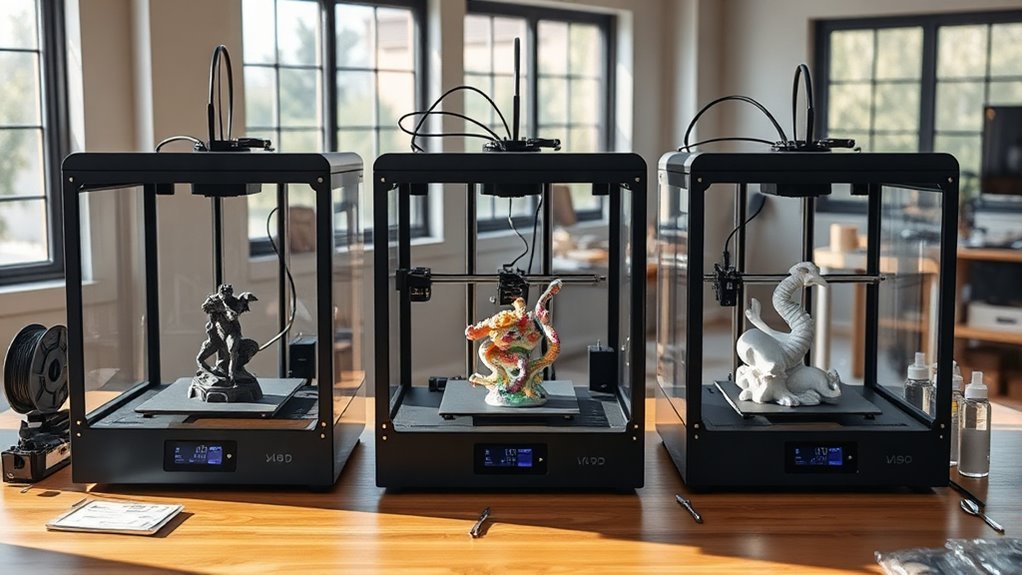
When choosing a combo 3D printer, you’ll want to balance print speed with precision to get the best results. It’s all about finding that sweet spot between fast printing and fine detail.
Also, think about how well it handles multi-color printing and the range of compatible filaments for your projects. Having options can really make a difference.
Don’t forget to check the setup process and usability. Plus, the motion system’s stability is key for smooth, reliable operation.
Print Speed And Precision
Evaluate both maximum print speed and rated acceleration to optimize your combo 3D printer’s throughput. Higher acceleration reduces travel time, but you need a motion system with rigidity—like CoreXY—to keep accuracy at fast speeds.
Balance speed with frame stiffness and precise rails to avoid dimensional errors. Look for advanced extrusion controls that stabilize filament flow, preserving layer adhesion and surface finish even when printing quickly.
Remember, finer topographic details depend on nozzle diameter, layer height, and XYZ precision. Faster prints often mean compromising on minimum layer thickness or nozzle size.
Also, check thermal management features—efficient hotend output, part cooling, and chamber temperature control guarantee consistent melt flow and rapid solidification. This helps you retain fine details at high speeds without sacrificing print quality.
Multi-Color Printing Capability
Maximizing print speed and precision is only part of the equation; adding vibrant multi-color capabilities can dramatically expand your creative options. When choosing a combo 3D printer, check how many independently switchable filament channels it has—4, 8, or even 16+—since more channels mean true multi-color parts and finer gradients.
Consider the system’s method: integrated multi-material units, external multi-feeders, or tool changers. Each affects speed, purge waste, and color changes differently, so it’s worth thinking about what suits your needs best.
Make sure the printer offers filament handling features like active drying, sealed storage, and runout detection. These help avoid color defects caused by moisture or misfeeds.
Also, look for robust software support with slicer presets and automatic filament switching. This will reduce manual work and material waste, making your printing process smoother.
Just remember, multi-color printing often increases print time and purge volume unless the printer uses specialized nozzle strategies. So, keep that in mind when planning your projects.
Filament Compatibility Range
Choosing a combo 3D printer means making sure it can handle the full range of filaments you plan to use. Check the maximum hotend temperature—ideally above 300°C—and chamber temperature around 50–65°C to print high-temp materials like PC and nylon.
Also, confirm if the extruder is direct-drive or Bowden. Direct-drive systems with hardened nozzles handle flexible filaments like TPU better and resist wear from abrasive composites.
If you work with moisture-sensitive filaments like nylon or PVA, look for active filament drying or sealed dry boxes with controllable heat. These features really help keep your filament in good shape.
And don’t forget to make sure the printer supports hardened nozzles and wear-resistant components for abrasive materials. It’s a big deal if you want your machine to last.
Finally, if multi-material or soluble supports matter to you, verify filament sensing, spool management, and multi-filament switching features. These will keep your prints reliable and efficient, saving you headaches down the line.
Setup And Usability
Getting your combo 3D printer up and running smoothly can save you time and frustration down the line. Check how long setup takes and if the printer arrives pre-assembled or needs manual assembly—some models are ready in minutes, others take over an hour.
It’s best to prioritize printers with automatic calibration like auto bed leveling. This guarantees first-layer success without the tedious trial and error.
Look for features that simplify filament handling, such as quick-swap nozzles, filament runout detection, and built-in drying or storage. These little things really make a difference.
Also, evaluate the user interface. An intuitive touchscreen and seamless slicing software integration speed up print preparation quite a bit.
Don’t forget to confirm diagnostics and failure-detection tools too, like camera monitoring or AI alerts. Plus, straightforward firmware updates help keep troubleshooting and maintenance hassle-free throughout your printer’s life.
Motion System And Stability
After ensuring your printer is easy to set up and user-friendly, it’s time to focus on how it moves and stays stable during printing. Choosing a CoreXY or belt-driven system means faster prints with less inertia thanks to reduced moving mass.
Look for dual Z-axes and reinforced frames that minimize wobble and Z-banding, ensuring consistent layers and accurate dimensions. High accelerations and speeds demand quality stepper or servo motors, precise microstepping, and well-tuned firmware to maintain print fidelity.
Printers that move only the extruder in X/Y while keeping the bed stationary or moving just in Z reduce vibration, enhancing detail and surface finish. Stability also relies on sturdy bed mounts, anti-backlash couplers, and vibration-damping parts like motor mounts and isolation feet to keep long or fast prints smooth and precise.
Environmental Control Features
While selecting a combo 3D printer, you’ll want to prioritize environmental control features that directly impact print quality and material compatibility. A heated chamber maintaining around 50 °C minimizes warping and enhances layer adhesion for tough polymers like ABS, PC, and nylon.
Built-in filament drying or sealed storage with drying up to 65 °C prevents moisture issues that cause bubbling and poor bonding in hygroscopic materials such as PETG and TPU. Adaptive airflow lets you fine-tune cooling to optimize overhangs or maintain stable temperatures for better layer fusion.
Integrated air filtration and enclosed chambers improve safety by reducing odors and particulates when printing volatile filaments. Finally, environmental monitoring with sensors and active ventilation guarantees consistent prints by automatically adjusting drying, airflow, or temperature based on logged conditions.
Frequently Asked Questions
What Materials Are Compatible With Combo 3D Printers?
You can print with PLA, ABS, PETG, TPU, and sometimes nylon or carbon fiber blends. Combo 3D printers handle both filament and resin materials, giving you versatility for detailed, durable, or flexible projects.
That means whether you want something super strong or really detailed, these printers have got you covered. It’s like having two printers in one!
How Do Combo 3D Printers Handle Maintenance and Repairs?
You’ll find maintaining combo 3D printers surprisingly user-friendly; they’re designed for easy part swaps and routine checkups. With clear guides and modular components, you won’t dread repairs—they’re more like quick refreshes to keep printing smooth.
Honestly, it’s pretty straightforward. Most issues can be fixed without needing a tech wizard, which makes the whole process less intimidating. Just a bit of regular care goes a long way!
Are Combo 3D Printers Suitable for Beginners or Only Professionals?
You’ll find combo 3D printers suitable for both beginners and professionals. They’re user-friendly with intuitive interfaces but also offer advanced features as you grow.
Just expect a bit of a learning curve initially. But don’t let that discourage you—it’s part of the fun!
What Software Is Recommended for Multi-Color 3D Printing?
You’ll want software like PrusaSlicer or Cura—they’re like a painter’s palette for your printer, letting you blend colors smoothly. These tools help you manage multi-color prints easily, so your creations come out vibrant and precise every time.
Plus, they’re pretty user-friendly, which means you won’t have to spend hours figuring things out. Just load your models, set up the colors, and you’re good to go!
How Energy-Efficient Are Combo 3D Printers During Operation?
You’ll find combo 3D printers fairly energy-efficient, especially models with smart power management and standby modes. They use power wisely during multi-material printing, helping you save electricity without sacrificing performance or print quality.
It’s pretty cool how they balance energy use and printing needs. So, you get great results without the electric bill spiking too much.
Conclusion
When choosing your perfect combo 3D printer, remember that versatility and ease of use will be your best allies—think of it like picking a trusty steed in the age of chariots. Whether you want vibrant multi-color prints or seamless auto-leveling, these top models offer something for everyone.
So, plunge in with confidence, knowing you’re armed with the best tools to bring your creative visions to life in 2027 and beyond. The right combo 3D printer can make all the difference in your projects, whether you’re a hobbyist or a pro.
With features like dual extrusion, high precision, and user-friendly interfaces, these printers blend innovation and practicality. Choosing a combo 3D printer that fits your needs means faster, smoother, and more colorful prints every time. Dive into the world of 3D printing with the best combo 3D printers of 2027 and watch your ideas come alive!