7 Best Colour Printers with Scanner and Xerox for 2027
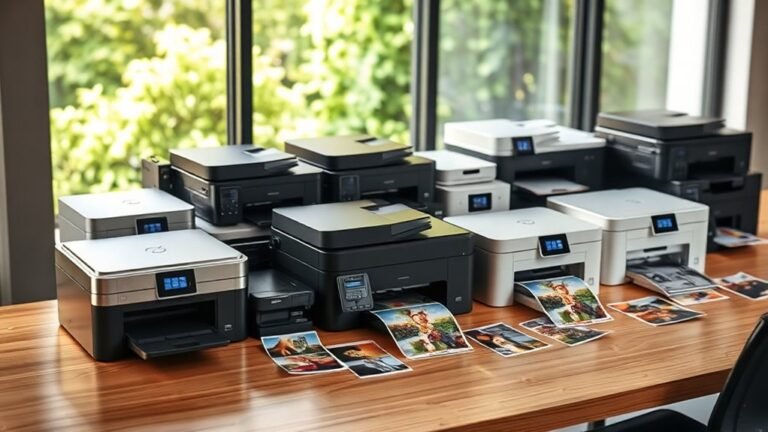
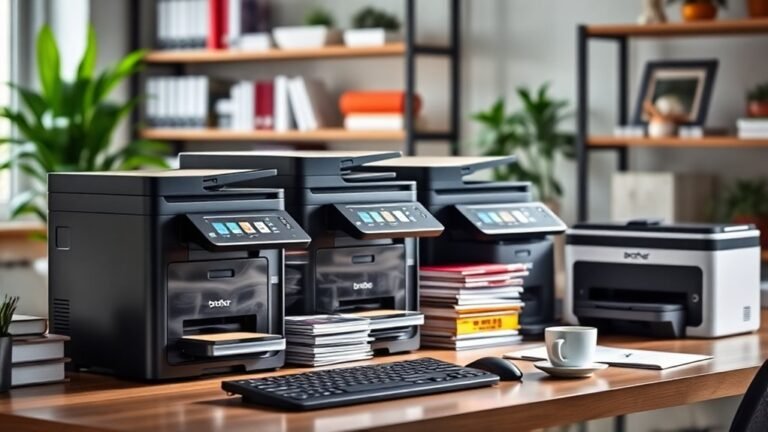
If you’re looking for the best colour printers with scanners and Xerox capabilities in 2027, you’ve got some great options to explore. Whether you need something compact for home use or a reliable machine for a busy office, there’s a printer that fits your needs perfectly. These printers not only deliver vibrant colour prints but also come equipped with efficient scanning and Xerox functions, making your workflow smoother.
For compact home use, consider the Xerox C245. It’s perfect if you want something that doesn’t take up much space but still offers solid performance. Busy offices will benefit from the Canon imageCLASS MF753Cdw II, which handles high volumes with ease. And if wireless versatility is your thing, the HP OfficeJet Pro 8125 is a smart pick.
The Canon PIXMA TS7720 stands out for photo printing, giving you excellent image quality. Meanwhile, the HP DeskJet 2923 is ideal for moderate use at home or small offices. For higher throughput and low running costs, check out the HP Color LaserJet Pro MFP 3301sdw and Epson EcoTank ET-4800. Explore these choices to find the perfect match for your exact needs and workflows.
| Image | Name | Editor's Rating | Price |
|---|---|---|---|

|
|
||

|
|
||

|
|
||

|
|
||

|
|
Xerox C245 Wireless Color All-in-One Printer – Amazon Exclusive – 3 in 1
- AMAZON EXCLUSIVE & COMPACT MULTIFUNCTION DESIGN: This full-featured Xerox color MFP fits neatly on small desks, packing Print, Scan, and Copy functionality into a compact...
- VIBRANT PRINT QUALITY: Produce sharp text and brilliant color graphics. Ensure your business documents, presentations, and reports look professional and impressive every...
- WIRELESS & MOBILE PRINTING: Stay connected with dual-band Wi-Fi, Apple AirPrint, and Mopria. Effortlessly print and scan from your laptop, smartphone, or tablet from...
- EASY SMARTPHONE SETUP: Get printing in minutes. Use the Xerox Easy Assist App for a simplified, guided installation that eliminates complex manuals and traditional driver...
- 3-IN-1 VERSATILITY: Maximize productivity with 26ppm printing, scanning, and copying. The 50-sheet document feeder ensures efficient document handling for real estate...

The Xerox C245 Wireless Color All-in-One Printer brings efficiency and versatility to your home or remote workspace. Its compact design saves valuable desk space while handling printing, scanning, and copying tasks effortlessly. This all-in-one printer produces sharp color and black-and-white prints at a steady pace of 26 pages per minute, helping you stay on top of your workload.
Maintenance is straightforward, with automatic duplex printing reducing paper waste and versatile media support allowing you to print on envelopes or glossy photo paper. The setup process is user-friendly, guided by the Xerox Easy Assist App, and connectivity is flexible through dual-band Wi-Fi, Ethernet, or USB. Mobile printing via Apple AirPrint and Mopria adds convenience for modern workflows.
While the 50-sheet feeder is perfect for moderate volume, it may require frequent refills in busier settings. The recommended monthly duty cycle of 1,500 pages suits individual professionals or small teams rather than heavy office use. Weighing 42.8 pounds, it’s designed more for a fixed spot than frequent relocation.
This printer meets the needs of users seeking a reliable, space-saving solution that balances performance with practical features, ideal for hybrid or home office environments.
Best for: Professionals and remote workers who need a compact, versatile all-in-one printer for daily color and black-and-white printing, scanning, and copying tasks.
What We Like:
- Fast 26 ppm print speed with sharp 2400 x 600 dpi resolution
- Automatic duplex printing saves paper and time
- Supports various media types, including envelopes and glossy photo paper
- Flexible setup with dual-band Wi-Fi, Ethernet, USB, and mobile printing
Specification:
| Feature | Details |
|---|---|
| Manufacturer | Xerox |
| Dimensions (W x D x H) | Approx. 16.5 x 15.7 x 13 in |
| Weight | 42.8 lb (19.4 kg) |
| Color Options | Standard white |
| Connectivity | Dual-band Wi-Fi, Ethernet, USB |
Canon Color imageCLASS MF753Cdw II – All-in-One Color Duplex Laser Printer
- Color, Wireless, Duplex 4-in-1: Print, scan, copy, fax.
The Canon Color imageCLASS MF753Cdw II is designed to enhance productivity in busy workspaces. It offers fast and sharp color printing that keeps up with the pace of small offices and hybrid work environments. With print speeds up to 35 ppm and crisp 1200 x 1200 dpi resolution, it ensures professional-quality results every time.
This all-in-one printer simplifies document handling with a 50-sheet duplex automatic document feeder. Scanning, copying, and faxing tasks become more efficient, saving valuable time. The automatic duplex printing feature reduces paper waste and supports double-sided documents with ease.
Connectivity options are versatile, including Ethernet, USB, and Wi-Fi, along with mobile printing via Canon’s app. The intuitive 5-inch touchscreen makes navigation and task management straightforward. It supports legal-size media and can expand paper capacity to 850 sheets with an optional cassette.
While the printer is solidly built, weighing 50 lb, it may require a dedicated space in smaller offices. The standard paper capacity is adequate for typical use but might need enhancement for larger print volumes. The single USB port limits simultaneous direct connections.
Best for: Small to medium-sized offices and hybrid work environments requiring fast, high-quality color printing with versatile multifunction features.
What We Like:
- Fast print speed up to 35 ppm with sharp 1200 x 1200 dpi quality
- Efficient duplex scanning and copying with a 50-sheet duplex ADF
- Multiple connectivity options including Ethernet, USB, Wi-Fi, and mobile printing
- User-friendly 5-inch customizable touchscreen for easy operation
Specification:
| Feature | Details |
|---|---|
| Manufacturer | Canon |
| Dimensions (W x D x H) | 17.7 x 18.7 x 18.5 in |
| Weight | 50 lb (22.7 kg) |
| Print Resolution | 1200 x 1200 dpi |
| Print Speed | Up to 35 ppm |
| Duplex ADF Capacity | 50 sheets |
| Paper Capacity | Up to 850 sheets (with optional cassette) |
| Connectivity | Ethernet, USB, Wi-Fi |
| Touchscreen | 5-inch customizable |
HP OfficeJet Pro 8125 Wireless All-in-One Printer
- FROM AMERICA'S MOST TRUSTED PRINTER BRAND – The OfficeJet Pro 8125 is perfect for home offices printing professional-quality color documents like business documents...
- 3 MONTH TRIAL OF INSTANT INK INCLUDED – Subscribe to the Instant Ink delivery service to get ink delivered directly to your door before you run out, and you save up to...
- KEY FEATURES – Fast color printing, scan, copy, auto 2-sided printing, auto document feeder, and a 225-sheet input tray
- 2.7-INCH TOUCHSCREEN – Quickly navigate your printer with a large color touchscreen and a phone-like user interface
- WIRELESS PRINTING – Stay connected with our most reliable dual-band Wi-Fi, which automatically detects and resolves connection issues
Experience efficient and professional-quality printing with the HP OfficeJet Pro 8125 Wireless All-in-One Printer. Designed to meet the demands of home offices, this printer delivers sharp color and black prints quickly, helping you manage tasks without delays. Its automatic two-sided printing saves paper and reduces waste, making it an eco-friendly choice.
The intuitive 2.7-inch touchscreen and HP Smart app simplify your workflow. You can print, scan, copy, and fax directly from your mobile device, which adds convenience and flexibility to everyday use. Wireless dual-band Wi-Fi, Ethernet, and AirPrint support ensure seamless connectivity across your devices.
Maintenance is straightforward with included cartridges and a three-month trial of HP Instant Ink, reducing interruptions and keeping your printer ready. The compact design fits neatly into small spaces, while secure network protection safeguards your data during wireless use.
While the printer supports only original HP 923 series cartridges, it ensures consistent print quality. Its maximum media size suits standard documents but may limit larger format needs. The basic control panel and single USB port are sufficient for typical home office tasks.
Best for: Small home office users needing a reliable, fast, and versatile all-in-one color printer with wireless functionality and professional output quality.
What We Like:
- Fast print speeds with automatic duplexing to save paper
- User-friendly touchscreen and mobile app for easy operation
- High-quality, water- and fade-resistant prints
- Compact design that fits limited workspace
- Convenient maintenance with included cartridges and Instant Ink trial
Specification:
| Feature | Details |
|---|---|
| Manufacturer | HP |
| Dimensions | Compact design (approximate) |
| Weight | Not specified |
| Color Options | Standard office white and black |
| Connectivity | Wireless dual-band Wi-Fi, Ethernet, AirPrint |
Canon PIXMA TS7720 Wireless All-in-One Printer
- ALL-IN-ONE: Print, Copy, Scan features for full control at your fingertips.
- FAST PRINT SPEEDS: Print approximately 15 (black) / 10 (color) images per minute.
- EASY SETUP: Get running in just a few minutes thanks to a streamlined and easy setup process out of the box.
- EASY TO INSTALL INK: Print full color with only 2 (no mess) easy-to-replace ink cartridges.
- 2.7” LCD SCREEN: Get the job done with an intuitive and easy to use 2.7” LCD touchscreen.
Experience hassle-free printing with the Canon PIXMA TS7720, designed to meet the needs of both home users and photo enthusiasts. This wireless all-in-one printer combines printing, copying, and scanning into one compact device. It effortlessly produces sharp text and vivid photos, enhancing your everyday projects and cherished memories.
The hybrid ink system delivers crisp prints with a resolution of up to 1200 x 1200 dpi. This precision ensures your documents and photos look professional without complicated setups. Its wireless connectivity keeps your workspace clutter-free and streamlines your printing process.
Maintaining the PIXMA TS7720 is straightforward thanks to its dual paper trays that hold up to 200 sheets and automatic duplex printing. The 2.7-inch LCD touchscreen offers simple navigation, making operation intuitive even for beginners. Its compact design fits comfortably in small spaces without sacrificing functionality.
While print speeds are moderate, this printer balances quality and convenience, ideal for light to moderate printing tasks. The use of two ink cartridges simplifies maintenance but may result in higher running costs compared to models with multiple cartridges.
Best for: Home users and photo lovers seeking a versatile, wireless all-in-one printer that delivers high-quality prints with easy operation.
What We Like:
- Sharp printing quality with hybrid ink and high resolution
- Dual paper trays with 200-sheet capacity for varied media
- Automatic duplex and borderless photo printing
- User-friendly 2.7″ LCD touchscreen
- Compact wireless design fits small spaces
Specification:
| Feature | Details |
|---|---|
| Manufacturer | Canon |
| Dimensions (W x D x H) | 14.8 x 12.0 x 5.2 inches |
| Weight | 13.7 lb (6.2 kg) |
| Color Options | Black |
| Connectivity | Wi-Fi, USB |
HP DeskJet 2923 Color Inkjet Printer | Wireless | All-in-One
- Perfect for basic printing needs – Print everyday color documents like to-do lists, letters, financial documents and recipes
- KEY FEATURES – Color print, copy, scan, and a 60-sheet input tray, plus mobile and wireless printing
- OPTIMIZE PRINT FORMATTING WITH HP AI – Print web pages and emails with precision—no wasted pages or awkward layouts; HP AI easily removes unwanted content, so your...
- ICON LCD – Print your basic documents with ease from the intuitive control panel
- PRINT SPEED – Up to 7.5 ppm black, 5.5 ppm color
Experience hassle-free color printing, scanning, and copying with the HP DeskJet 2923. Designed for home users, this all-in-one printer combines functionality with a compact footprint, making it easy to fit in any space. Its intuitive icon LCD control panel simplifies everyday tasks, so you spend less time managing prints and more time on what matters.
Stay connected effortlessly through dual-band wireless Wi-Fi. You can print, scan, copy, or fax directly from your smartphone using the HP App, streamlining your workflow without the need for cables. This convenience is ideal for busy households needing quick access to documents and photos.
Maintenance is straightforward with HP’s AI technology that optimizes your pages to reduce ink usage. Plus, a 6-month Instant Ink trial keeps supplies automatic, helping you avoid unexpected interruptions. The printer also supports eco-conscious choices, featuring recycled plastics and ENERGY STAR certification.
Print speeds reach up to 7.5 ppm in black and 5.5 ppm in color, suitable for moderate daily use. While the input tray holds only 60 sheets, this printer meets the needs of users who value ease and efficiency over high-volume capacity.
Best for: Home users seeking a compact, user-friendly all-in-one printer with wireless capabilities and effective color printing.
What We Like:
- Convenient wireless dual-band Wi-Fi with mobile app control
- Ink-saving AI technology improves print efficiency
- Eco-friendly design using recycled materials and ENERGY STAR rating
- Simple maintenance aided by a 6-month Instant Ink trial
Specification:
| Feature | Details |
|---|---|
| Manufacturer | HP |
| Dimensions | Compact (exact size not provided) |
| Weight | Not specified |
| Connectivity | Wireless dual-band Wi-Fi |
| Control Panel | Icon LCD |
| Input Tray Capacity | 60 sheets |
| Print Speed | Up to 7.5 ppm (black), 5.5 ppm (color) |
| Eco Features | Recycled plastics, ENERGY STAR certified |
HP Color LaserJet Pro MFP 3301sdw Printer

- FROM AMERICA'S MOST TRUSTED PRINTER BRAND – Perfect for small teams printing, scanning and copying professional-quality color documents and reports. Print speeds up to...
- PROFESSIONAL PRODUCTIVITY – Proficiency with every print—next-generation TerraJet toner brings your business to life with more vivid colors.
- ORIGINAL HP TONER CARTRIDGES – This HP printer uses Original HP 218A standard and 218X high yield LaserJet toner cartridges.
- UPGRADED FEATURES – Fast color printing, scan, copy, auto 2-sided printing, auto document feeder, and a 250-sheet input tray.
- AWARD-WINNING RELIABILITY – Performance you can count on page after page, and always ready for the high demands of business.
The HP Color LaserJet Pro MFP 3301sdw is designed to enhance productivity for small teams and busy offices. It delivers fast, reliable color printing, scanning, and copying, helping to streamline daily tasks. With print speeds up to 26 ppm for black and 30 ppm for color, it keeps workflows moving efficiently.
This all-in-one printer supports auto duplex printing and includes a flatbed scanner for versatile document handling. Its compact design fits well in most office spaces, though its 37.7 lb weight means it’s best suited for a dedicated workstation. The printer connects easily through Wi-Fi, Ethernet, or USB, providing flexible networking options for various environments.
Maintenance is straightforward but requires using Original HP 218A or 218X toner cartridges due to firmware compatibility. The 250-sheet paper capacity handles moderate workloads but may need refilling in high-volume settings. Security features like HP Wolf Pro help protect sensitive data, making it a dependable choice for office environments demanding both performance and safety.
Best for: small teams and offices needing a fast, secure color laser all-in-one printer with versatile connectivity and mobile printing.
What We Like:
- Fast print speeds with auto duplex for efficient output
- Multiple connectivity options including Wi-Fi and Ethernet
- Reliable security with HP Wolf Pro protection
- High-quality color output with next-generation TerraJet toner
- Convenient mobile printing via the HP app
Specification:
| Feature | Details |
|---|---|
| Manufacturer | HP |
| Dimensions (W x D x H) | Approximately 16.5 x 15.7 x 13.8 inches |
| Weight | 37.7 lb (17.1 kg) |
| Paper Capacity | 250 sheets |
| Supported Paper Sizes | Up to 8.5 x 14 inches |
| Connectivity | Wi-Fi, Ethernet, USB |
| Toner Cartridge | Original HP 218A / 218X |
Epson EcoTank ET-4800 Wireless Color All-in-One Supertank Printer

- INNOVATIVE CARTRIDGE-FREE PRINTING — High-capacity ink tanks mean no more dealing with lots of tiny ink cartridges; Epson’s exclusive EcoFit ink bottles make filling...
- CLEAR AND VIBRANT PRINT QUALITY ― Create memorable prints and projects; Unique Micro Piezo Heat-Free Technology allows wireless color printer to produce sharp text and...
- ZERO CARTRIDGE WASTE — By using an Epson EcoTank printer you can help reduce the amount of cartridge waste ending up in landfills
- BUILT IN SCANNER AND COPIER ― All-In-One Epson EcoTank is more than a printer; High-resolution flatbed scanner and color display come together for easy document copying...
- LESS FREQUENT INK REPLACEMENT — Replacement ink bottles don't have to be changed nearly as often as ink cartridges¹; Printer, scanner and copier lets you print up to...
The Epson EcoTank ET-4800 is designed to simplify printing for home offices and small businesses. Its cartridge-free ink system tackles the common hassle of frequent cartridge replacements. With large ink tanks, you can print thousands of pages before needing a refill, saving both time and money.
This printer uses EcoFit ink bottles, making refills cleaner and more eco-friendly. The all-in-one design integrates printing, scanning, copying, and faxing, helping you manage daily tasks efficiently. The built-in color display enhances ease of use and navigation through functions.
Thanks to Micro Piezo Heat-Free Technology, the ET-4800 produces sharp text and vibrant colors without excessive heat. Maintenance is straightforward but requires genuine Epson ink to keep print quality high and preserve warranty coverage. While setup and refilling may take some getting used to, the long-term benefits outweigh the initial learning curve.
Its larger size accommodates all-in-one features, trading compactness for versatility. This printer fits well in spaces where productivity and cost-efficiency are priorities.
Best for: Small businesses and home offices seeking a versatile, cost-effective all-in-one printer with eco-friendly ink options.
What We Like:
- Cartridge-free ink system reduces waste and lowers running costs
- High-capacity ink tanks print thousands of pages before refilling
- Multi-functionality includes scanning, copying, faxing, and color display
- Eco-friendly, easy-to-use ink refills with EcoFit bottles
- Sharp prints with Micro Piezo Heat-Free Technology
Specification:
| Feature | Details |
|---|---|
| Manufacturer | Epson |
| Dimensions | Approx. 14.8 x 13.6 x 9.8 in (37.6 x 34.5 x 24.9 cm) |
| Weight | Approx. 11.5 lb (5.2 kg) |
| Color Options | White |
Factors to Consider When Choosing a Colour Printer With Scanner and Xerox
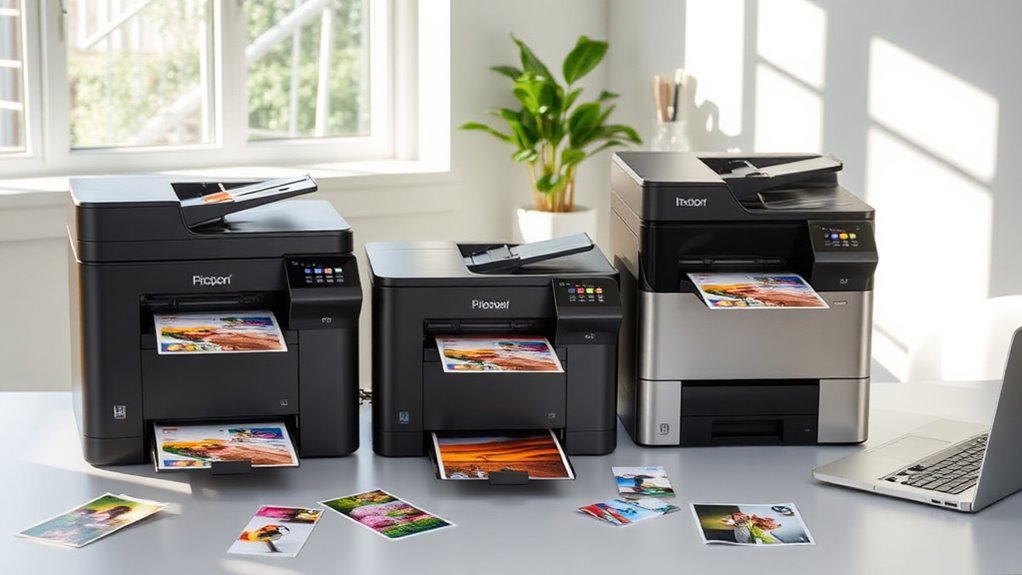
When choosing a colour printer with a scanner and Xerox capabilities, you’ll want to focus on print quality and resolution to guarantee sharp results. Consider scanning speed and features to save time during your tasks.
Don’t forget to check connectivity options, ink efficiency, and the printer’s size to fit your workspace perfectly. These little details can make a big difference in your overall experience.
Print Quality And Resolution
Since print quality directly impacts your documents and images, you’ll want to focus on resolution and color depth when choosing a colour printer with a scanner and Xerox capabilities. For crisp text, look for printers with a print resolution of at least 600 x 600 dpi.
If you want smoother gradients and finer color detail, opt for 1,200 x 1,200 dpi or 2,400 x 600 dpi. Color depth matters too; devices with 24-bit or 32-bit processing deliver more accurate color gradations and better photo output.
When considering the scanner, prioritize those with a native optical resolution of at least 600 x 600 dpi, ideally using CCD sensors for true detail rather than interpolated resolution. Also, check page speeds at rated resolutions to avoid slow printing at high dpi settings.
Scanning Features And Speed
Evaluating scanning features and speed helps you choose a colour printer with scanner and Xerox capabilities that fits your workflow. First, check the scanner type: flatbed scanners work best for books and photos, while an automatic document feeder (ADF) speeds up multi-page jobs.
If you handle large batches, look for an ADF with a capacity of 50 sheets or more. Scan speed, measured in pages per minute (ppm), is essential if you scan high volumes—opt for higher ppm for both simplex and duplex scanning.
Also, consider optical resolution; 300 dpi suits most documents, but 600 dpi or higher improves photo detail and OCR accuracy. Finally, verify supported formats like PDF and JPEG, plus useful features like OCR, automatic color detection, and background removal to streamline your scanning tasks.
Connectivity Options Available
After considering scanning features and speed, you’ll want to focus on connectivity options to make sure your colour printer with scanner and Xerox capabilities integrates smoothly into your workspace. Look for dual-band Wi-Fi (2.4 GHz and 5 GHz) plus wired Ethernet to balance flexible placement with reliable high-speed connections.
USB Type-B or USB 2.0/3.0 ports allow direct PC connections, while a USB-A host port supports printing or scanning via thumb drives. Check mobile and cloud printing protocols like Apple AirPrint, Mopria, and native cloud-scan/upload features for easy smartphone and tablet use.
Networked ADF scan workflows with duplex scanning and scan-to-email or folder via SMB/FTP add convenience. Don’t forget security: WPA3/WPA2, IPv6, SNMP/LDAP, and user authentication keep your scanned documents safe and access controlled.
Cartridge And Ink Efficiency
Choose a colour printer with scanner and Xerox features that offers efficient cartridge and ink options to keep your printing costs manageable. Look for models with high-yield or XL cartridges, or supertank refillable systems. These can cut your cost per page by 30–90% compared to standard cartridges.
Always check the manufacturer-stated page yields using ISO/IEC standards—higher yields mean fewer replacements and lower expenses. Calculate cost per page by dividing cartridge price by its yield. This gives you a clearer long-term value than just the printer’s upfront price.
Also, consider if the printer uses chip or firmware verification that might block third-party or refilled cartridges, limiting your savings. Finally, assess how easy it is to replace or refill consumables and their availability to reduce downtime and waste.
Printer Size And Design
When selecting a colour printer with scanner and Xerox features, you’ll want to make sure its size and design fit your workspace comfortably. Measure your available desk or shelf space carefully, considering the printer’s footprint and height.
Multifunction units need extra clearance for the ADF or flatbed lid to open fully. Think about the printer’s weight, especially if you plan to move it often—home-office all-in-ones can weigh between 13 and 50 pounds.
Check paper tray capacity and layout; front-loading cassettes and rear feed trays affect space when loading paper or clearing jams. Also, note the control panel’s placement—larger front-mounted touchscreens require more room for easy use.
Finally, leave a few inches around the printer for ventilation and cable access to power and network ports. It’s all about making sure your printer fits well and works smoothly in your space!
Warranty And Support Coverage
Beyond size and design, warranty and support coverage play a big role in your satisfaction with a colour printer that includes scanning and Xerox capabilities.
You should check the length of the manufacturer’s limited warranty—usually 1 to 3 years—and what it covers, such as parts, labor, and whether service is on-site or requires sending the printer back.
Make sure to verify if consumables like printheads or maintenance kits are included, since many warranties exclude regular wear items. Also, confirm if using third-party ink or toner voids the warranty.
Look for multiple support channels like phone, chat, or authorized service centers. It’s also a good idea to consider extended or paid-care plans for faster repairs.
Finally, understand the claim process, required documentation, and if software updates are supported during the warranty period. This way, you won’t be caught off guard when you need help.
Frequently Asked Questions
How Do I Recycle Printer Ink Cartridges Responsibly?
You can recycle printer ink cartridges responsibly by returning them to the manufacturer’s recycling program or dropping them off at local recycling centers. Avoid throwing them in the trash.
Also, consider refilling cartridges to reduce waste. It’s a simple way to help the environment and save some money too!
What Is the Average Lifespan of a Color Printer?
You can expect a color printer to last around 3 to 5 years with regular use. Proper maintenance and using quality ink will help extend its lifespan, so don’t skip cleaning and timely cartridge replacements.
Keeping up with these little things can really make a difference. Trust me, a well-cared-for printer will save you money and frustration in the long run.
Can These Printers Connect to Mobile Devices via Bluetooth?
Yes, these printers easily dance with your mobile devices via Bluetooth. You’ll connect instantly, sending prints wirelessly without tangles or fuss.
It’s like having a magic bridge between your phone and printer, making life simpler.
Are There Any Subscription Services for Ink Refills?
Yes, you can subscribe to ink refill services like HP Instant Ink or Epson’s subscription plans. They automatically send ink when you’re running low, saving you time and effort.
This way, your printer never runs dry. It’s pretty convenient, don’t you think?
How Do Firmware Updates Affect Printer Performance?
Firmware updates improve your printer’s performance by fixing bugs and adding features.
Coincidentally, they often arrive just when you need better speed or quality. So, don’t skip updates; they keep your printer running smoothly and efficiently.
Conclusion
When choosing a colour printer with scanner and Xerox functions, you’ll want to balance quality, speed, and ease of use. Don’t fall for the idea that expensive always means better—sometimes mid-range models like the Canon MF753Cdw II give you excellent value without breaking the bank.
Remember, wireless features and ink efficiency matter just as much as print quality. These days, having a printer that connects easily to your devices can save you so much time and frustration.
With the right choice, you’ll enjoy smooth, hassle-free printing for years to come. Whether you need it for home, office, or small business use, a good colour printer with scanner and Xerox features will make your tasks easier and more efficient. So, take your time, compare options, and find the best printer that suits your needs and budget.