5 Best Colour Printers for Photo Printing in 2027
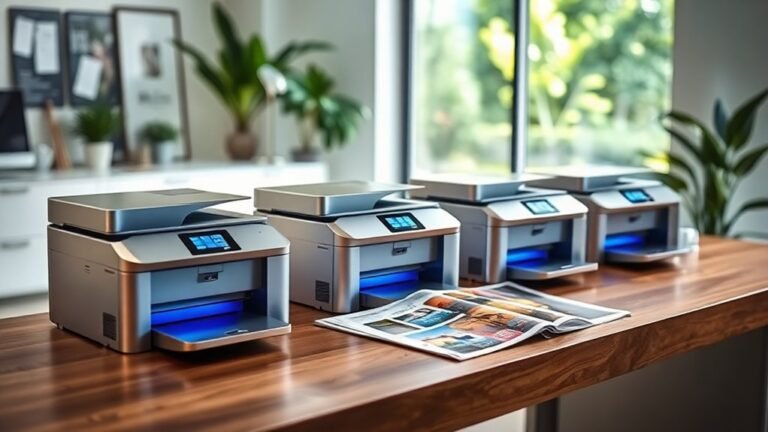
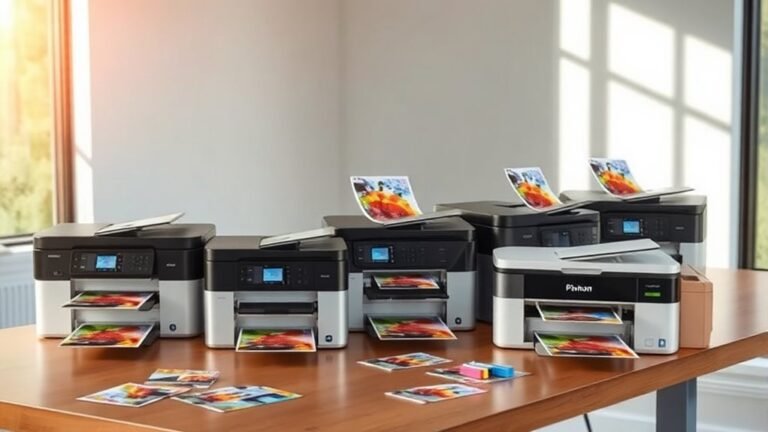
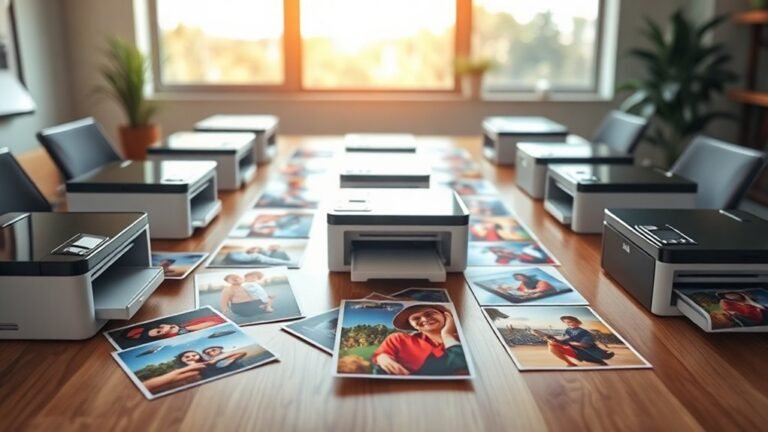
You’ll want to contemplate the Epson Expression Photo HD XP-15000 for vibrant wide-format prints and the compact XP-8800 for versatile home use. These printers deliver excellent color accuracy and detail, perfect for photo printing enthusiasts.
The EcoTank ET-8500 offers cost-effective, supertank printing with vivid colors and less upkeep. It’s great if you’re looking to save on ink without sacrificing quality.
For quick 4×6 smartphone photos, the KODAK Dock Plus shines with its easy dock and durable prints. It’s super handy when you want instant, high-quality snapshots.
The XP-970 combines borderless wide-format quality and smart features. Keep exploring to uncover which printer matches your photo needs best.
| Image | Name | Editor's Rating | Price |
|---|---|---|---|
|
|
||

|
|
||

|
|
||

|
|
||

|
|
Epson Expression Photo HD XP-15000 Wireless Wide-Format Inkjet Printer
- Epson printing system is designed to be used exclusively with Epson Genuine Cartridges. Use of non-genuine ink could cause damage not covered under the printer’s ltd...
- Professional ultra HD photo quality get brilliant border less prints upto 13 inches X 19 inches
- Individual 6 color Claria photo HD ink includes red and gray inks for an ultra wide color gamut and enhanced black and white prints. Sound pressure level: Pressure...
- Professional projects: Made easy features a 50 sheet rear tray for specialty media, including cardstock (1); Accommodates a variety of paper finishes and border less...
- Ultra compact wide format A3 plus printer 30 percent smaller than its predecessor (2); Easily fits on your desktop

The Epson Expression Photo HD XP-15000 transforms your photo printing experience with its ability to produce vibrant, wide-format prints up to 13 x 19 inches. This printer addresses the challenge of achieving professional-quality photos at home or in a small studio, delivering sharp details and rich colors through its advanced 6-color Claria Photo HD ink system.
Designed for photographers and creative professionals, it offers a high resolution of 5760 x 1440 dpi, ensuring every image is crisp and lifelike. The fast print speed of up to 20 pages per minute helps you complete projects efficiently, without sacrificing quality or detail.
Maintenance is straightforward with this model, although it only supports genuine Epson cartridges, which ensures consistent output but may limit ink options and increase running costs. Its compact yet substantial design fits well in various workspaces but requires consideration due to its larger footprint.
Connectivity options like wireless and Ethernet, combined with an intuitive LCD screen and app control, simplify integration into your workflow. Automatic duplex printing and support for multiple media types add versatility, making this printer a reliable tool for producing professional-grade photos.
Best for: photographers and home studio users seeking high-quality, wide-format photo printing with vibrant colors and professional detail.
What We Like:
- Produces borderless 13 x 19 inch prints with a wide color gamut.
- High resolution and fast print speed for detailed, efficient printing.
- Supports wireless and Ethernet connectivity with user-friendly controls.
- Automatic duplex printing enhances productivity.
- Versatile media handling for various creative projects.
Specification:
| Feature | Details |
|---|---|
| Manufacturer | Epson |
| Dimensions | Not specified |
| Weight | Not specified |
| Color Options | Not specified |
| Maximum Print Size | 13 x 19 inches |
| Print Resolution | 5760 x 1440 dpi |
| Ink System | 6-color Claria Photo HD ink |
| Connectivity | Wireless, Ethernet |
| Duplex Printing | Automatic |
Epson Expression Photo XP-8800 Wireless Color All-in-One Inkjet Printer
- Lab-quality photos and prints — 6-color Claria Photo HD ink and high print resolution for amazing borderless prints up to 8.5" x 11"
- Fast photo printing — delivers 4" x 6" borderless photos with astounding detail and accuracy in as fast as 10 seconds (1)
- Convenient, easy operation — features flush 4.3" color touchscreen, plus Easy Mode for enhanced visibility and ease of use
- Versatile paper handling — separate trays for plain and photo paper, plus a rear feed for specialty paper
- Easy wireless printing — print from your laptop, desktop, smartphone or tablet (3); use Wi-Fi Direct (4) for router-free printing
Experience vibrant photo printing made simple with the Epson Expression Photo XP-8800. This wireless all-in-one inkjet printer combines printing, scanning, and copying in a compact design that fits easily into creative workspaces. Its 6-color Claria Photo HD ink system delivers sharp, rich images, helping you bring your photos to life with true-to-color detail.
Designed for convenience, the XP-8800 offers borderless prints up to 8.5 x 11 inches and fast 4×6 photo prints in just 10 seconds. Dual paper trays let you switch effortlessly between plain and photo paper, streamlining your workflow. The intuitive 4.3″ touchscreen enhances usability, making setup and navigation straightforward.
Maintenance is hassle-free with Epson Genuine Cartridges that ensure consistent print quality. Wireless and USB connectivity, along with mobile app support, allow you to print directly from smartphones, tablets, or laptops with ease. This versatility makes the printer ideal for both creative projects and everyday photo printing needs.
While it supports standard media sizes, it may not accommodate larger prints, and print speed can vary depending on paper type and system setup. Still, its compact footprint and multifunction capabilities make it a practical solution for photographers and enthusiasts focused on quality and flexibility.
Best for: creative enthusiasts and photographers seeking a compact, versatile all-in-one printer for high-quality, borderless photo printing and everyday scanning and copying.
What We Like:
- Produces vibrant, detailed photos with a 6-color Claria Photo HD ink system
- Fast 4×6 borderless photo prints in about 10 seconds
- Wireless and USB connectivity with mobile app support for easy device printing
- Dual trays for seamless switching between photo and plain paper
- Compact design with an intuitive 4.3″ touchscreen
Specification:
| Feature | Details |
|---|---|
| Manufacturer | Epson |
| Dimensions (W×D×H) | Compact size (exact dimensions not provided) |
| Weight | Not specified |
| Ink System | 6-color Claria Photo HD |
| Media Size Maximum | 8.5 x 11 inches |
| Connectivity | Wireless, USB, Mobile App Support |
| Display | 4.3″ Touchscreen |
Epson EcoTank Photo ET-8500 Wireless Color All-in-One Supertank Printer
- Epson's Claria ET Premium 6-color ink breathes life into your cherished memories with vivid details and vibrant hues. Every nuance and emotion is captured with stunning...
- Ditch cartridges and embrace revolutionary ink savings
- Print stunning photos, personalized gifts, or pro presentations on cardstock, envelopes, CDs, and DVDs
- Epson's Claria ET Premium 6-color ink delivers breathtaking detail and vibrant colors
- Print from anywhere, anytime
Experience vibrant, professional-quality prints with the Epson EcoTank Photo ET-8500. This wireless color all-in-one printer solves the common hassle of frequent ink replacements by using a supertank system, letting you print more and refill less. Its Claria ET Premium 6-color ink produces sharp, vivid images with excellent detail, ideal for photos and creative projects.
Designed for versatility, the ET-8500 handles various media types, including cardstock, envelopes, and even printable CDs and DVDs. You can print edge-to-edge, enhancing your creative freedom without worrying about borders. The intuitive 4.3-inch touchscreen simplifies navigation, making it easy to manage print jobs and settings.
Maintenance is straightforward thanks to the supertank design, which reduces ink costs and eliminates the need for cartridges. Wireless connectivity options, including Wi-Fi and Wi-Fi Direct, provide flexible printing from smartphones, tablets, or computers anywhere in your home or office.
While the initial investment is higher and the footprint larger than standard printers, the long-term ink savings and print quality make it a practical choice for photo enthusiasts and creative professionals.
Best for: users needing high-quality, vibrant photo and color printing with minimal ink upkeep and flexible media handling.
What We Like:
- Uses Claria ET Premium 6-color ink for vivid, detailed prints
- Supertank design saves ink and avoids cartridge replacements
- Supports edge-to-edge printing on diverse media types
- Easy-to-use 4.3-inch touchscreen interface
- Wireless connectivity with Wi-Fi and Wi-Fi Direct
Specification:
| Feature | Details |
|---|---|
| Manufacturer | Epson |
| Dimensions | Approx. 14.8 x 13.6 x 6.0 in |
| Weight | Approx. 13.2 lb |
| Ink System | Claria ET Premium 6-color Supertank |
| Connectivity | Wi-Fi, Wi-Fi Direct |
| Display | 4.3-inch color touchscreen |
KODAK Dock Plus 4×6 Photo Printer, Smartphone Docking, 4PASS, 50 Sheets
- Dock Photo Printer: The KODAK Dock Plus is a home photo printer that produces high-quality 4x6” prints directly from compatible smartphones. Featuring an integrated...
- Genuine 4PASS dye sublimation printing: Each photo is produced in three color layers and finished with a clear protective lamination layer. In approximately 55 seconds...
- Easy to Use: Print photos quickly without complicated setup or technical steps. Simply power on, connect wireless bluetooth, and start printing within seconds. The Dock...
- Home Printing Station: Designed for stable desktop use, this dock photo printer connects to a power outlet for consistent performance and larger 4x6” prints. Ideal for...
- KODAK Photo Printer APP: Featuring integrated Bluetooth connectivity, this portable printer connects to compatible iOS and Android devices through the KODAK Photo Printer...
Experience hassle-free photo printing with the KODAK Dock Plus 4×6 Photo Printer, designed specifically for smartphone users. It offers a seamless way to turn your favorite digital moments into physical memories right at home. The integrated docking station not only holds your phone securely but also charges it while printing.
This compact printer uses advanced 4PASS dye sublimation technology to produce vibrant, durable 4×6″ prints. Your photos come out resistant to fingerprints, water, and fading, ensuring long-lasting quality. Printing takes about 55 seconds per photo, making it ideal for casual use.
Setup is straightforward with Bluetooth connectivity and the KODAK Photo Printer app, available for both iOS and Android. The app lets you easily edit and customize your images before printing. With 50 sheets included, maintenance is simple—just replenish the paper when needed.
While it requires a power outlet and prints only standard 4×6″ photos, its compact design and phone charging feature make it a practical choice for everyday photo printing.
Best for: Smartphone users seeking an easy-to-use, reliable printer for quick, high-quality 4×6″ photo prints at home.
What We Like:
- Produces vivid, long-lasting prints with 4PASS dye sublimation technology
- Integrated docking station charges and holds your smartphone during printing
- Easy Bluetooth setup plus versatile app for photo editing on iOS and Android
- Compact design with included 50 sheets for convenient daily use
Specification:
| Feature | Details |
|---|---|
| Manufacturer | KODAK |
| Print Size | 4 x 6 inches |
| Technology | 4PASS dye sublimation |
| Connectivity | Bluetooth |
| Included Paper Sheets | 50 sheets |
| Power Source | AC power outlet |
| Compatible Devices | iOS and Android smartphones |
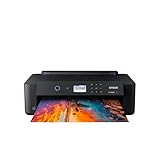
Epson Expression Photo XP-970 Wireless All-in-One Wide-Format Printer
- Epson printing system is specifically designed to be used with Epson Genuine Cartridges; Use of non-genuine ink could cause damage not covered under the printer’s ltd...
- Innovative, fold-over scan lid - Holds originals in place
- Form Factor: Premium Photo Printer
- Epson printing system is specifically designed to be used with Epson Genuine Cartridges; Use of non-genuine ink could cause damage not covered under the printers ltd...
Capture stunning, borderless photos up to 11 x 17 inches with the Epson Expression Photo XP-970. This wireless all-in-one printer simplifies your creative process by combining printing, scanning, and copying in a compact design. Its ability to handle specialty media like CDs and thick paper offers flexibility for various projects.
The XP-970 uses 6-color Claria Photo HD inks, producing sharp and vivid prints quickly—perfect for users who need fast, high-quality results. A user-friendly 4.3″ touchscreen and voice-activated printing make operation effortless. Wireless and USB connectivity help it fit smoothly into any workspace.
Maintenance is straightforward, but keep in mind it requires genuine Epson cartridges, which can affect ink costs. The main tray supports media up to A4 size, so larger documents will need alternative feeds. Some features depend on an internet connection and Epson Connect setup.
Overall, the XP-970 balances versatility, ease of use, and photo-quality output, making it a reliable choice for creative or home office environments.
Best for: photographers, creatives, and home office users needing a compact, versatile all-in-one printer for high-quality, borderless photo printing up to 11 x 17 inches.
What We Like:
- Sharp, vivid prints with 6-color Claria Photo HD inks
- Fast printing speed for 4×6 photos (11 seconds)
- Supports specialty media including CDs and thick paper
- User-friendly 4.3″ touchscreen and voice-activated printing
- Wireless and USB connectivity with automatic duplex printing
Specification:
| Feature | Details |
|---|---|
| Manufacturer | Epson |
| Dimensions | Compact design (exact size not specified) |
| Weight | Not specified |
| Color Options | Not specified |
| Media Size Support | Borderless up to 11 x 17 in; main tray max A4 size |
| Ink Type | 6-color Claria Photo HD inks |
Factors to Consider When Choosing a Colour Printer for Photo Printing
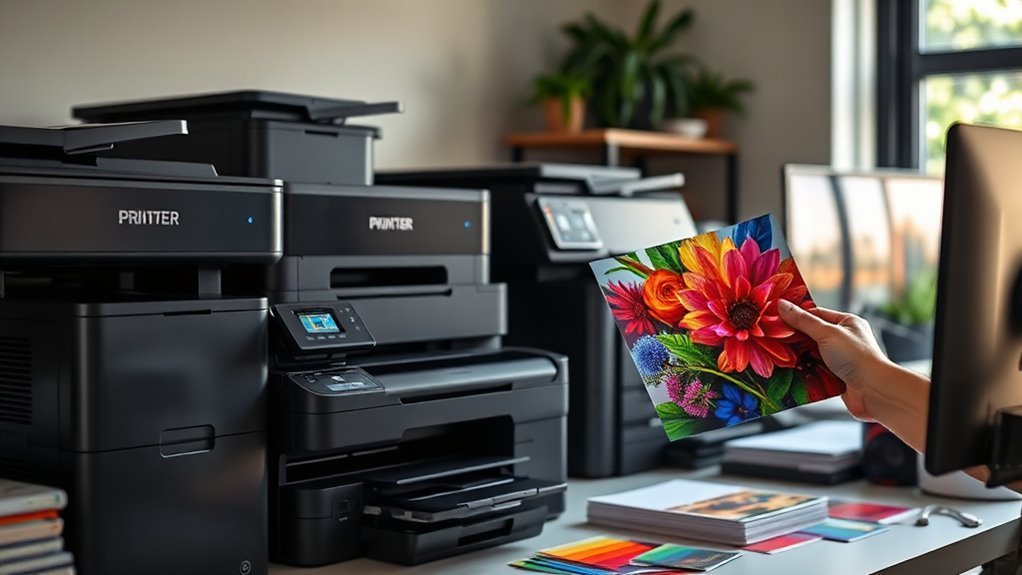
When choosing a colour printer for photo printing, you need to focus on print quality, ink type, and media compatibility to get the best results. Don’t overlook connectivity options and how well the printer works with your devices.
Also, consider speed and efficiency to match your workflow needs. It’s all about finding the right balance that suits how you print and what you want to achieve.
Print Quality Factors
Although choosing a colour printer for photo printing might seem straightforward, you’ll want to focus on several key print quality factors to get the best results. Look for high optical resolution—up to 5760 x 1440 dpi or beyond—to capture finer details and smooth gradients.
The number and type of ink channels matter; additional inks like light gray or red expand tonal range and improve skin tones and black-and-white neutrality. Accurate color management is essential, so guarantee support for ICC profiles and good monitor-to-print calibration.
Consider paper handling too—your printer should support various finishes and borderless sizes to maintain color saturation and edge-to-edge quality. Finally, smaller droplet sizes and advanced printhead technology deliver smoother gradations and sharper details, which are vital for professional photo prints.
Ink Type Importance
Choosing the right ink type plays a crucial role in achieving the photo quality you want. Dye-based inks deliver vibrant colors and smooth tonal gradations, perfect for glossy photos. But keep in mind, they fade faster and are vulnerable to moisture.
Pigment inks, on the other hand, offer superior lightfastness and water resistance. This makes them ideal for archival prints, though their color range can be narrower and less glossy.
Multi-color ink sets expand the color gamut, improving shadow detail and skin tones. They also help reduce unwanted color casts, which is great for more accurate prints.
You should also consider ink compatibility with your preferred paper type. This affects saturation, drying time, and print longevity.
Finally, think about the total cost of ownership. Choose between cartridges or bulk tanks based on your printing volume and budget to balance quality and running costs effectively.
Media Compatibility Options
How well your printer handles different media can make or break your photo printing results. You’ll want to check the maximum printable size and borderless support to guarantee it matches your target formats, whether that’s 4×6 or up to 13×19 inches.
Confirm the types of media supported, such as photo paper finishes, cardstock, envelopes, or specialty substrates like canvas. Also, consider tray and feed options, including rear specialty feeds and multi-tray capacities.
Don’t forget to check the maximum media thickness it can handle for textured stock. Automatic duplex printing is useful but often limited to plain paper, so make sure it works with your photo paper.
Finally, make certain your printer supports the paper weights and formats you use. Having borderless printing is key for true edge-to-edge photos.
Connectivity And Compatibility
Where will you be printing from—your desktop, smartphone, or cloud storage? Make sure the printer supports the connection types you need, like Wi-Fi, Ethernet, or USB, to fit your setup.
Check compatibility with your devices and operating systems, whether it’s Windows, macOS, iOS, or Android. Don’t forget to verify if the printer works with mobile and cloud printing services such as AirPrint or Mopria, especially if you print directly from your phone or cloud storage.
Also, confirm if the printer needs an internet connection for certain features and that updates are easy to manage. Lastly, make certain it supports common file formats like JPEG and TIFF and offers ICC profile support for accurate, consistent photo colors.
Speed And Efficiency
Although photo print speed varies widely depending on the mode and size, you’ll want to focus on photo-specific metrics—like seconds per print or photos per minute—rather than general page-per-minute ratings when evaluating a colour printer’s efficiency.
Consumer photo printers can produce a 4×6 borderless photo in 10–60 seconds in fast or draft modes, while high-quality prints may take several minutes.
Beyond individual print speed, consider batch capacity and paper handling features such as rear specialty feeds and output stack size. These reduce reloads and interruptions during large runs, boosting workflow efficiency.
Also, factor in warm-up times, ink charging, and maintenance cycles, as these can add delays between prints. While duplexing and multiple paper trays help with mixed media jobs, they don’t markedly affect single-photo print speed or quality.
Cost And Maintenance
Once you’ve considered print speed and workflow efficiency, the next step is to look at how much each photo will cost you over time and what maintenance the printer will demand. Calculate cost per photo by dividing ink and paper expenses by the number of prints per ink set.
For example, if a color ink set costs $60 and yields 500 prints, that’s $0.12 per print plus paper. Don’t forget ongoing consumables like specialty papers, maintenance kits, and laminates—they add to costs too.
You’ll want to compare cartridge-based versus tank systems by checking ink volume and yield for long-term savings. Also, keep in mind the ink used during printhead cleanings, scheduled maintenance, and potential parts replacement.
Finally, budget for downtime caused by media changes and recalibration. This will help you understand the true operational costs.
Frequently Asked Questions
How Do I Recycle Used Ink Cartridges Responsibly?
You can recycle used ink cartridges responsibly by returning them to manufacturer programs, dropping them off at local recycling centers, or using mail-back services.
Don’t toss them in the trash, as they contain harmful chemicals. It’s really better for the environment to handle them properly.
Can These Printers Print on Fabric or Unconventional Materials?
You can print on fabric and unconventional materials with these printers—they handle it like painting a masterpiece on the clouds!
Just make sure you use compatible media and inks designed for textiles or specialty surfaces for best results.
What Is the Average Lifespan of Photo Prints From These Printers?
You can expect photo prints to last around 50 to 200 years, depending on the printer type and paper quality.
Proper storage away from light and humidity helps preserve your photos much longer.
Are There Any Subscription Services for Ink Refills Available?
Ink subscription services are like loyal gardeners, tending your printer’s needs regularly.
Yes, you’ll find many brands offering auto-refill plans, so you won’t run dry and can keep your photos blooming effortlessly.
How Do These Printers Handle Borderless Photo Printing?
These printers handle borderless photo printing smoothly, letting you create edge-to-edge images without white margins.
You’ll find easy settings to select borderless mode, ensuring vibrant, full-bleed photos every time you print.
It’s pretty straightforward, so you won’t have to fuss around with complicated options. Just pick the mode and go!
Conclusion
Choosing the perfect colour printer for your photo printing needs is like finding the brush that brings your masterpiece to life. Whether you want vivid, gallery-worthy prints or quick snapshots, these top picks deliver vibrant, true-to-life colours with every page.
Don’t let your memories fade into the background—grab a printer that paints your photos with precision and passion. Turning moments into timeless art you’ll cherish forever is easier than ever.
With the best colour printers for photo printing, you get stunning detail, rich colours, and long-lasting quality. So why wait? Your perfect print awaits, ready to bring your photos to life with every vibrant shade and every subtle tone.