6 Best Colour Laser Printers for Small Offices in 2027
You’ll find top color laser printers like the Canon imageCLASS LBP646Cdw and HP Color LaserJet Pro 3204dw deliver fast, reliable printing with versatile wireless connectivity. These models are perfect for small offices looking to boost productivity without breaking the bank.
For all-in-one needs, consider the Canon MF753Cdw II or HP 3304fdw. They offer duplex printing and secure features that keep your documents safe. Plus, these printers handle multiple tasks seamlessly, making them great for busy workspaces.
Lexmark CS331dw and Brother HL-L3220CDW suit small offices with solid media handling and easy setup. They balance speed, quality, and security while supporting hybrid work environments.
Keep exploring to discover which printer fits your specific office workflow and budget. Finding the right color laser printer can make a huge difference in efficiency and output quality.
| Image | Name | Editor's Rating | Price |
|---|---|---|---|

|
|
||

|
|
||

|
|
||

|
|
||

|
|
Canon imageCLASS LBP646Cdw Wireless Laser Printer
- Single-Function, Color, Wireless, Duplex Printer: Print only. — No Scanning, Copying, or Faxing
- Fast Print Speeds: Print up to 26 ppm in both color and monochrome and spend less time waiting with a quick first print time of approximately 10.3 seconds.
- Easy Wireless Setup: Setup your wireless connection and get up and running in just a few steps.
- 5-inch LCD Screen: Navigate through all the features using the 5-line LCD screen.
- Mobile Device Printing: Print from your compatible mobile devices using the free Canon PRINT app, Apple AirPrint and Mopria Print Service.

If you need a dependable color laser printer for your small or home office, the Canon imageCLASS LBP646Cdw is a practical choice. It offers sharp, clear prints at a steady speed of up to 26 pages per minute, helping you stay productive without delays. The crisp 1200 x 1200 dpi resolution ensures every document looks professional.
This printer simplifies tasks with automatic duplex printing, saving you time and paper. It supports wireless and Ethernet connections, allowing easy setup with Chromebooks, smartphones, and PCs. The 250-sheet paper tray reduces interruptions by holding more sheets between refills.
Maintenance is straightforward, but keep in mind the starter toner cartridges have limited yields, so frequent replacements may be necessary during heavy use. The device is single-function, focusing solely on printing without scanning or copying features.
The intuitive 5-line LCD screen and mobile printing options, including Apple AirPrint, make it well-suited for hybrid work setups. Its reliable performance and versatile connectivity can improve workflow in busy environments.
Best for: Small or home office users needing a reliable, fast color laser printer with versatile wireless connectivity.
What We Like:
- Fast printing speed of up to 26 ppm with high-quality 1200 x 1200 dpi output
- Automatic duplexing reduces manual effort and paper waste
- Wide compatibility with multiple devices and easy wireless setup
- Large 250-sheet paper capacity minimizes refills
Specification:
| Feature | Details |
|---|---|
| Manufacturer | Canon |
| Dimensions | Not specified |
| Weight | Not specified |
| Connectivity | Wi-Fi, Ethernet |
| Print Resolution | 1200 x 1200 dpi |
| Print Speed | Up to 26 pages per minute |
| Paper Capacity | 250 sheets |
| Functionality | Single-function (Print only) |
HP Color LaserJet Pro 3204dw | Color Laser Printer | Duplex
- FROM AMERICA'S MOST TRUSTED PRINTER BRAND – Perfect for office teams creating professional-quality color documents and reports; auto 2-sided printing; perfect for up to...
- OPTIMIZE PRINT FORMATTING WITH HP AI – Print web pages and emails with precision—no wasted pages or awkward layouts; HP AI easily removes unwanted content, so your...
- BLAZING FAST COLOR – Up to 26 color pages per minute, with sharp details and incredible color
- STAYS CONNECTED – Reliable Wi-Fi automatically reconnects to stay online and ready to print
- PROTECTS YOUR DATA – Includes HP Wolf Pro Security with customizable settings so your printer and information are always secure
The HP Color LaserJet Pro 3204dw delivers fast, professional color printing designed to boost productivity in small workgroups. Its sharp 600 x 600 dpi resolution ensures clear, vibrant prints that bring documents to life. Automatic duplex printing saves time and paper by handling double-sided jobs without extra effort.
This printer adapts well to diverse media types, from labels to cardstock, making it versatile for various office needs. With easy connectivity via Wi-Fi, Ethernet, USB, and mobile printing through AirPrint or Mopria, it fits seamlessly into different work environments. The compact design keeps your workspace neat while supporting up to seven users efficiently.
Maintenance is straightforward with original HP toner cartridges that guarantee consistent print quality. However, these cartridges include chips that prevent the use of third-party or refilled options, which may increase operating costs. While it lacks scanning and copying features, this single-function printer focuses on delivering reliable color prints.
Security is enhanced with HP Wolf Pro Security, protecting your data during every print job. The HP app simplifies setup and daily use, making printing hassle-free even for non-technical users.
Best for: Small teams or home offices needing reliable, professional-quality color printing with versatile media handling and secure connectivity.
What We Like:
- Fast printing speed up to 26 pages per minute with clear 600 x 600 dpi output
- Automatic duplexing reduces paper use and saves time
- Multiple connectivity options including Wi-Fi, Ethernet, USB, AirPrint, and Mopria
- Compact design fits easily in small office spaces
- HP Wolf Pro Security safeguards sensitive data
Specification:
| Feature | Details |
|---|---|
| Manufacturer | HP |
| Model | Color LaserJet Pro 3204dw |
| Print Speed | Up to 26 ppm |
| Print Resolution | 600 x 600 dpi |
| Connectivity | Wi-Fi, Ethernet, USB, AirPrint, Mopria |
| Duplex Printing | Automatic |
| Maximum Paper Capacity | 250 sheets |
| Supported Users | Up to 7 |
| Dimensions (W x D x H) | 16.6 x 16.0 x 9.5 inches |
| Weight | Approximately 32.4 lbs |
Canon Color imageCLASS MF753Cdw II – All-in-One Color Duplex Laser Printer
- Color, Wireless, Duplex 4-in-1: Print, scan, copy, fax.
Experience efficient, high-quality color printing tailored for busy small and home offices with the Canon Color imageCLASS MF753Cdw II. This all-in-one laser printer simplifies everyday tasks by combining printing, scanning, copying, and faxing in one device. It delivers up to 35 pages per minute, helping you meet tight deadlines without compromising on quality.
The printer’s 1200 x 1200 dpi resolution ensures sharp, vibrant documents, while its automatic duplex function doubles productivity by printing on both sides of the paper. This feature not only saves time but also reduces paper waste, supporting eco-friendly office practices.
Designed for convenience, the 5-inch touchscreen offers intuitive control, making navigation quick and easy. Flexible connectivity options include Wi-Fi, Ethernet, USB, and mobile printing, so you can print from various devices without hassle. Its expandable paper capacity, starting at 250 sheets and growing to 850 sheets, supports increasing workloads with minimal interruptions.
Maintenance is straightforward with accessible toner cartridges, though starter yields are modest, so planning for toner replacements is advisable. While the unit’s weight and size may limit placement options, its sturdy design suits hybrid work environments well.
Best for: Small and home offices or hybrid work environments needing a fast, versatile, and reliable all-in-one color laser printer with duplex capabilities.
What We Like:
- Fast print speed of up to 35 ppm for color and black-and-white.
- One-pass duplex printing and scanning with a 50-sheet automatic document feeder.
- Versatile connectivity including Ethernet, USB, Wi-Fi, and mobile printing.
- Expandable paper capacity up to 850 sheets for growing workloads.
- Clear 5-inch touchscreen for easy operation.
Specification:
| Feature | Details |
|---|---|
| Manufacturer | Canon |
| Dimensions (W×D×H) | 17.5 × 18.5 × 15.2 inches |
| Weight | 50 lb (22.7 kg) |
| Printing Technology | Color Duplex Laser |
| Print Speed | Up to 35 pages per minute |
| Resolution | 1200 x 1200 dpi |
| Paper Capacity | 250 sheets (expandable to 850) |
| Connectivity | Ethernet, Wi-Fi, USB, Mobile |
HP Color LaserJet Pro 3304fdw | Color Laser Printer | Wireless | All-in-One
- FROM AMERICA'S MOST TRUSTED PRINTER BRAND – Perfect for office teams creating professional-quality color documents and reports. Auto 2-sided printing/scanning, auto...
- SIMPLIFY SCAN TO EMAIL – Save time when scanning documents to email. HP AI automatically generates smart subject lines, file names, and actionable summaries to...
- BLAZING FAST COLOR – Up to 26 color pages per minute, with sharp details and incredible color
- STAYS CONNECTED – Reliable Wi-Fi automatically reconnects to stay online and ready to print
- PROTECTS YOUR DATA – Includes HP Wolf Pro Security with customizable settings so your printer and information are always secure
Experience seamless office printing with the HP Color LaserJet Pro 3304fdw, designed to meet the demands of small teams. This all-in-one color laser printer delivers professional-quality prints quickly, helping you maintain productivity without hassle. Its wireless capability allows easy access from multiple devices, reducing setup time and clutter.
The printer supports auto two-sided printing and includes a fast auto document feeder, making scanning, copying, and faxing straightforward and efficient. These features simplify daily tasks, so your team can focus on work rather than managing equipment. Maintenance is streamlined by using only original HP cartridges with chips, ensuring consistent print quality and device protection.
Security is a priority with HP Wolf Pro Security and regular firmware updates, safeguarding sensitive information. While the cartridge restrictions limit third-party options, they help maintain reliable performance and prevent potential issues. This device is best suited for small offices of up to seven users with moderate printing volumes.
Best for: Small office teams needing reliable, fast color printing and versatile all-in-one functionality.
What We Like:
- High-speed color printing up to 26 pages per minute
- Auto two-sided printing and fast auto document feeder
- Wireless printing and scanning via the HP app
- Robust security features with HP Wolf Pro Security
- Consistent performance with original HP cartridges
Specification:
| Feature | Details |
|---|---|
| Manufacturer | HP |
| Model | Color LaserJet Pro 3304fdw |
| Dimensions (W×D×H) | Approx. 16.3 × 15.1 × 13.5 inches |
| Weight | Approx. 24.9 lbs (11.3 kg) |
| Connectivity | Wireless, USB |
| Print Speed | Up to 26 pages per minute |
| Functions | Print, Scan, Copy, Fax |
Lexmark CS331dw Wireless Color Laser Printer (40N9020)
- Compact color laser printer that has dimensions that can easily fit in most places with a tray capacity up to 250 pages, plus single-sheet feeder
- Wireless. Setup is fast and easy. Standard Wi-Fi makes it easy to print from mobile devices. USB and Ethernet connectivity also available. Mobile support via Lexmark...
- Secure. Includes Lexmark’s full-spectrum security architecture keep your information safely The document, on the device, over the network and at all points in between...
- Output that works. Capable of printing up to 26 pages per minute, 1-GHz dual-core processor and 512 MB of memory and standard two-sided printing
- Rated Epeat Silver and energy Star Certified with Lexmark toner cartridge recycling available. That benefits the planet and your budget.
The Lexmark CS331dw Wireless Color Laser Printer is designed to enhance productivity in compact office spaces. Its fast print speed of up to 26 pages per minute keeps workflows efficient, helping you meet tight deadlines with ease.
Equipped with a 1 GHz dual-core processor and 512 MB memory, this printer handles daily tasks smoothly. The 250-sheet tray and single-sheet feeder reduce interruptions, but high-volume environments may require more frequent refills.
Connectivity options include wireless, Ethernet, and USB, allowing seamless integration into diverse networks. Mobile printing is simple through Lexmark Mobile Print, Mopria, AirPrint, and Google Cloud Print, supporting on-the-go productivity.
Maintenance is straightforward, with standard duplex printing saving paper and Lexmark’s security features protecting sensitive documents. Its eco-friendly design meets EPEAT Silver and ENERGY STAR standards, promoting sustainable office use.
Best for: Small offices or workgroups needing a compact, fast, and secure color laser printer with versatile connectivity and efficient duplex printing.
What We Like:
- Reliable print speed of 26 ppm for quick document turnaround
- Multiple connectivity options including wireless and mobile printing
- Energy-efficient with EPEAT Silver and ENERGY STAR certifications
- Standard duplex printing reduces paper waste
- Robust security features to protect confidential information
Specification:
| Feature | Details |
|---|---|
| Manufacturer | Lexmark |
| Dimensions (W×D×H) | 16.3 × 16.5 × 12.7 in |
| Weight | 30.5 lbs (13.8 kg) |
| Memory | 512 MB |
| Processor | 1 GHz dual-core |
| Tray Capacity | 250 sheets |
| Connectivity | Wireless, Ethernet, USB |
| Monthly Volume | 600 to 2,500 pages |
| Color Printing | Yes |
Brother HL-L3220CDW Wireless Color Laser Printer

- Professional Quality: Brother Genuine color laser printer delivers stunning business documents with crisp text and vibrant graphics at impressive 19 PPM speed...
- Wireless Connectivity: Brother Genuine advanced wireless capabilities enable seamless printing from laptops, smartphones, and tablets, with built-in security protocols...
- High-Volume Capacity: Brother Genuine laser printer includes a generous 250-sheet paper tray minimizing refills, while the manual feed slot offers versatility for...
- Efficient Performance: Brother Genuine automatic duplex printing saves time and paper, while delivering professional-quality double-sided documents at speeds up to...
- Mobile Integration: Brother Genuine technology ensures seamless compatibility with major mobile printing platforms and cloud services, enabling effortless document...
The Brother HL-L3220CDW is designed to bring vibrant, professional-quality color prints to your home office without hassle. It prints steadily at 19 pages per minute, helping you stay productive during busy workdays. The printer’s automatic double-sided printing cuts paper use and saves time on large print jobs.
With a 250-sheet paper tray, this model supports extended printing sessions without frequent refills. A manual feed slot allows easy handling of envelopes and specialty media, giving you flexibility to print varied documents. Wireless connectivity enables smooth printing from laptops, smartphones, or tablets, supporting major mobile platforms for seamless workflow.
Maintenance is straightforward, thanks to reliable Brother Genuine components that reduce downtime. Built-in security features protect sensitive information, making it suitable for professional use. While the manual feed slot may slow specialty media printing and the speed is moderate compared to high-end models, this printer is optimized for home office environments rather than large enterprises.
Best for: Professionals and home office users needing dependable wireless color printing with efficient handling of moderate to high-volume tasks.
What We Like:
- Consistent 19 ppm color printing for steady productivity
- Automatic duplex printing saves paper and time
- Large 250-sheet tray minimizes refills
- Wireless support for laptops, smartphones, and tablets
- Secure printing safeguards sensitive documents
Specification:
| Feature | Details |
|---|---|
| Manufacturer | Brother |
| Dimensions (W×D×H) | 16.1 × 18.5 × 7.2 in |
| Weight | 28.4 lb (12.9 kg) |
| Color Options | White |
| Printing Speed | Up to 19 pages per minute |
Factors to Consider When Choosing a Colour Laser Printer for Small Office
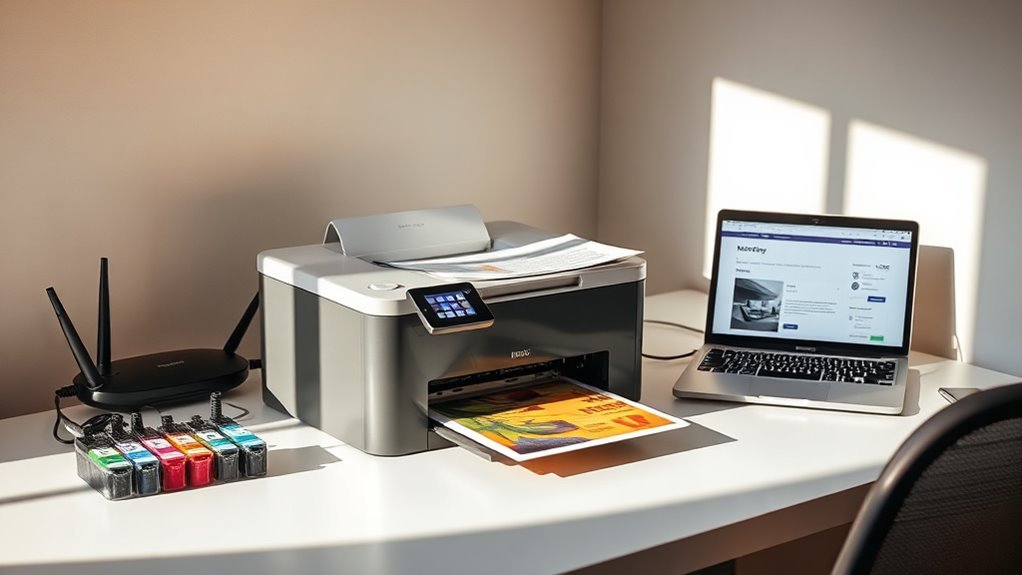
When choosing a colour laser printer for your small office, you’ll want to take into account factors like print speed and connectivity options to keep things running smoothly.
Don’t forget to check the paper handling capacity and print quality resolution to match your daily needs. Also, think about the security features you’ll require to protect your documents and data.
Print Speed Importance
Consider how print speed can transform your small office’s efficiency by minimizing wait times and streamlining workflow. Higher print speeds, measured in pages per minute (ppm), help reduce delays for large jobs and keep your team productive.
Don’t just look at ppm—first-page-out time matters too. Printers that deliver the first page in under 10 seconds really speed up urgent tasks.
Balance the rated speed with your typical print jobs, since color pages with graphics take longer than simple text. Also, make sure the printer’s monthly duty cycle matches your office’s volume to avoid bottlenecks.
Keep in mind, faster printers often demand more power and processing resources. So, check your network and energy capacity if you expect continuous high-speed printing.
Connectivity Options Available
Getting your colour laser printer properly connected is key to keeping your small office running smoothly. Make sure it supports both wired Ethernet and USB connections for reliable network integration and direct printing.
Dual-band Wi-Fi (2.4 GHz and 5 GHz) plus Wireless Direct or Wi-Fi Direct lets mobile devices print easily without joining your main network, which really boosts stability. It’s super convenient when you don’t want to mess with network settings every time.
Check if the printer supports mobile print standards like AirPrint and Mopria. That way, printing from smartphones or tablets is a breeze.
If multiple users share the printer, network management features like static IP, DHCP, SNMP, and print-server capability make administration and job routing way simpler.
And don’t forget secure printing options such as PIN release and user authentication. Plus, keeping firmware updated helps protect your print jobs and network from unauthorized access.
Paper Handling Capacity
A reliable colour laser printer for your small office should handle enough paper to match your daily print volume without constant refills. Look for models with a standard 250-sheet input tray, ideal for moderate printing needs.
A multipurpose or manual feed slot is essential—it lets you print envelopes, labels, and cardstock without interrupting the main tray. This feature makes switching between different media types super easy.
If your office occasionally handles large print jobs, consider printers with expandable trays, boosting capacity by 250 to 600 sheets. That way, you won’t have to stop midway to reload paper.
Don’t forget the output tray; a capacity of 200 to 300 sheets helps prevent jams and keeps your documents neatly stacked. It’s a small detail that makes a big difference in daily use.
Finally, verify the supported media sizes and weights to make certain the printer manages everything from small note cards to legal or tabloid-sized sheets, including heavier or coated stock. You want your printer to handle whatever your projects throw at it.
Print Quality Resolution
Achieving sharp text and vibrant color graphics starts with choosing a printer that offers a native resolution of at least 1200 x 1200 dpi. This level guarantees crisp text and finely detailed color, which is vital if you print marketing materials or photos.
Higher resolutions enhance halftone and gradient smoothness, reducing visible banding and producing subtle color shifts. Keep in mind, native dpi matters more than interpolated claims since the latter can’t add true detail.
For everyday office documents, 600 x 600 dpi often suffices, but opt for 1200 x 1200 dpi or above to get professional-looking brochures or fine print. Just remember, higher resolution can slow processing and increase file sizes, so balance quality needs with your workflow and network capabilities.
Security Features Needed
When selecting a colour laser printer for your small office, you’ll want to prioritize robust security features to protect sensitive data and prevent unauthorized access. Make sure the printer supports secure network protocols like WPA3, TLS/SSL, and 802.1X to guard against unauthorized connections and eavesdropping.
Look for built-in device hardening such as firmware signing, secure boot, and automatic updates to block malware. It’s also a good idea to require user authentication—whether PIN, card, or directory-based login—to restrict access to sensitive functions like print release and scan to email.
Don’t forget to verify data-at-rest protections, including disk encryption or automatic secure overwrite of stored job data. Finally, choose printers with auditing, logging, and centralized management support to monitor access, detect anomalies, and meet compliance requirements efficiently.
Frequently Asked Questions
How Do Colour Laser Printers Compare to Inkjet Printers in Print Quality?
You’ll find colour laser printers produce sharper text and faster prints, but inkjets offer richer colours and better photo quality.
You’ll choose laser for efficiency, inkjet for vibrant, detailed images and photos.
What Are the Typical Maintenance Costs for Colour Laser Printers?
You’ll usually spend around $100 to $200 annually on toner and maintenance for colour laser printers. Since toner cartridges last longer than ink, your costs stay manageable.
This is especially true if you print frequently or in high volumes. So, it’s a pretty cost-effective option for regular use.
Can Colour Laser Printers Handle Heavy-Duty Printing Workloads?
Yes, colour laser printers can handle heavy-duty printing workloads, especially models designed for high volume. You’ll want to choose one with robust components and high-capacity toner cartridges.
That way, you can keep up without frequent replacements or downtime. It really makes a difference when you have a lot to print!
Are There Eco-Friendly Options for Colour Laser Printers?
Yes, you can find eco-friendly colour laser printers that use energy-saving modes, recycled materials, and toner-saving technologies. These options help reduce your environmental impact while maintaining high-quality, efficient printing for your small office needs.
It’s pretty great because you don’t have to sacrifice performance for being green. Plus, many models come with features that make it easy to cut down on waste and power consumption. So, it’s a win-win for both your office and the planet!
How Secure Are Colour Laser Printers for Confidential Office Documents?
You’ll find colour laser printers quite secure for confidential documents, especially models with built-in encryption, user authentication, and secure print release.
Always update firmware and use network security settings to protect sensitive office information effectively.
These steps really help keep your documents safe. It’s all about staying proactive with your printer’s security features.
Conclusion
Choosing the right colour laser printer for your small office is like picking the perfect paintbrush for a masterpiece—it shapes how your work looks and feels. You want speed, quality, and reliability all working smoothly together.
Whether you need wireless convenience, duplex printing, or all-in-one versatility, these top picks have you covered. With the right printer, your office runs efficiently, making every print job a vibrant success.
In 2027, finding the best colour laser printer for small offices means balancing performance and features. The ideal printer boosts productivity with fast print speeds and sharp colour output. Plus, features like wireless connectivity and duplex printing add convenience and save time.
Choosing from the best colour laser printers ensures your small office stays ahead, delivering professional-quality documents without hassle. So, invest wisely and watch your office transform with crisp, vibrant prints every time.