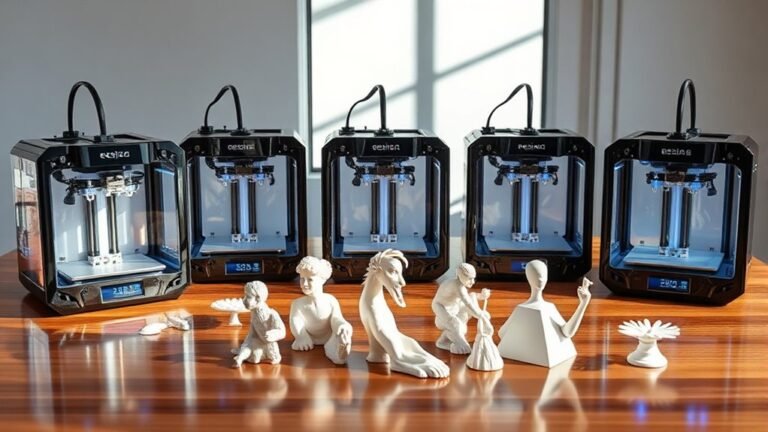
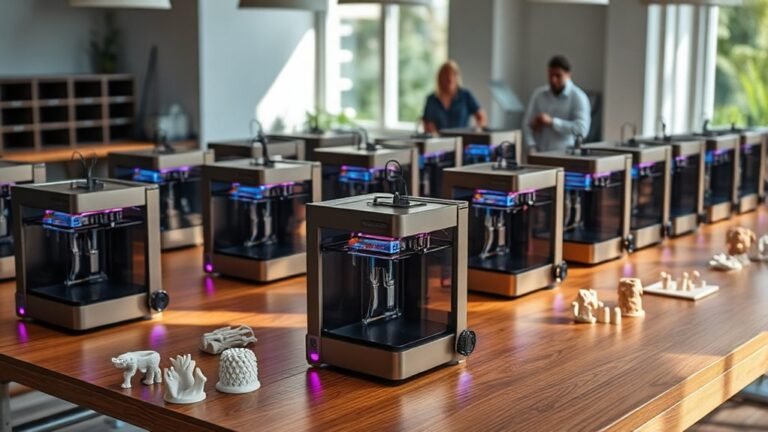
4 Best Colour 3D Printers for 2027
You’ll want the Bambu Lab P2S Combo for ultra-fast, precise multi-color prints with quick-swap nozzles and reliable calibration. It’s perfect if speed and accuracy are your top priorities. Plus, switching colors is super smooth, making complex projects a breeze.
FLASHFORGE AD5X offers 4-color simultaneous printing and vibration control for smooth results. This means you get vibrant, sharp prints without the annoying shaking that can mess up details. It’s a solid choice for consistent, high-quality multi-color output.
FLASHFORGE Creator 5 Pro’s four independent toolheads and heated chamber excel in multi-material, high-quality output. This printer handles different materials like a champ, giving you creative freedom without sacrificing quality.
Anycubic Kobra X balances ease and expandability, supporting up to 19 colors. Whether you’re a beginner or looking to grow your setup, it offers flexibility and impressive color range.
Each printer blends speed, color accuracy, and durability—explore their unique strengths to find your ideal match.
| Image | Name | Editor's Rating | Price |
|---|---|---|---|

|
|
||

|
|
||

|
|
||

|
|
Bambu Lab P2S Combo, P2S 3D Printer & AMS 2 Pro, Multi-Color 3D Printing
- High-Speed Precision: The Bambu Lab P2S 3D printer prints up to 600 mm/s while maintaining exceptional accuracy. With the PMSM Servo Extruder and Active Flowrate...
- Ready to Print in 15 Minutes: Set up your P2S FDM 3D printer and start printing in just 15 minutes. With AI failure detection, quick-swap nozzles, and automatic...
- Effortless Multi-Color Printing: The AMS 2 Pro enables seamless multi-color/multi-material 3D printing. It features built-in filament drying at up to 65 °C, keeping...
- Smart Airflow for Any Filament: The Adaptive Airflow System automatically balances cooling and heat retention—keeping overhangs crisp with cool air, or maintaining a...
- Limitless Creativity, Seamless Workflow: Explore over one million 3D models on MakerWorld and bring them to life with a smooth, unified workflow using Bambu Studio, Bambu...
The Bambu Lab P2S Combo transforms multi-color 3D printing by combining speed with precision. This system pairs the P2S 3D printer with the AMS 2 Pro, enabling seamless multi-material and multi-color output. It solves the common challenge of slow, complex multi-color printing by delivering fast, reliable results.
Thanks to its high-speed CoreXY design and PMSM Servo Extruder, it reaches printing speeds up to 600 mm/s without sacrificing detail. Setup is straightforward and efficient, featuring automatic calibration and quick-swap nozzles that reduce downtime. Maintenance is simplified with the AMS 2 Pro’s filament drying and Adaptive Airflow System, which prevent print defects caused by moisture.
The combo’s AI error detection and unified software streamline the workflow, minimizing interruptions and improving print success rates. While the multi-color capability depends on having the AMS 2 Pro accessory, the integrated design supports professional-level projects that demand speed and accuracy. The unit’s weight of 46.3 pounds offers stability but may impact portability.
Best for: Professionals and enthusiasts needing fast, precise multi-color and multi-material 3D printing with reliable setup and operation.
What We Like:
- High-speed printing up to 600 mm/s with maintained precision
- Seamless multi-material/color printing with filament drying and airflow control
- Easy setup including automatic calibration and quick-swap nozzles
- AI-powered error detection for smoother workflows
Specification:
| Feature | Details |
|---|---|
| Manufacturer | Bambu Lab |
| Dimensions | Not specified |
| Weight | 46.3 lb (21 kg) |
| Material | Not specified |
| Color Options | Not specified |
FLASHFORGE AD5X Multi-Material Multi-Color 3D Printer
- Build for Speed and Full-Color Printing: Bring your creative vision to life with vibrant and multicolored 3D prints in 4-colors. With speed of up to 600mm/s and...
- Seamless Printing, Precise Control: Full auto leveling sensor measures multiple points on the print bed to ensure consistent distance between nozzle and bed. As well as...
- Multi-Material and Multi-Color Capability: Intelligent Filament System (IFS) allows you to print in multiple colors and materials simultaneously. Among the wide selection...
- CoreXY Structure, Vibration Compensation: With its all-metal motion CoreXY structure offers highly rigid, reducing the risk of errors caused by vibration or mechanical...
- Compact Design, Space Saving: With its lightweight, modular design and intelligent filament system (IFS), Four spools of filament arranged side by side, AD5X offers...
The FLASHFORGE AD5X redefines multi-color 3D printing with its ability to produce detailed, vibrant models quickly and efficiently. Designed to handle complex projects, it eliminates the hassle of color changes and material swaps, saving you time and effort.
This printer excels in delivering consistent results through its full-auto leveling sensor and vibration suppression. These features ensure each layer aligns perfectly, maintaining high print quality even at rapid speeds of up to 600 mm/s. You can confidently print using four colors simultaneously thanks to the Intelligent Filament System, compatible with various materials like PLA, TPU, and PETG.
Maintenance is straightforward, with the modular design allowing easy access for cleaning and filament changes. The compact footprint fits well in most workspaces, helping you keep your environment organized. Additionally, the 1-click printing and filament backup functions simplify workflow interruptions, so your multi-material projects stay on track.
Best for: Creators and professionals seeking high-speed, multi-material, and multi-color 3D printing with precision and ease of use.
What We Like:
- Ultra-fast printing speeds with excellent acceleration for efficient production
- Simultaneous 4-color printing with versatile filament compatibility
- Full-auto leveling and vibration suppression for consistent layer quality
- Modular design for easy maintenance and workspace integration
- 1-click printing and filament backup to streamline multi-material projects
Specification:
| Feature | Details |
|---|---|
| Manufacturer | FLASHFORGE |
| Dimensions (L×W×H) | 14.8 × 16.26 × 14.29 inches |
| Weight | 22 pounds |
| Material Compatibility | PLA, TPU, PETG |
| Color Printing | Simultaneous 4-color printing |
FLASHFORGE Creator 5 Pro 3D Printer, 4-Toolhead Multi-Color, Enclosed
- More Savings: Featuring 4 independent toolheads and a 7-second FlashSwap changer, the Creator 5 Pro switches nozzles without flushing filament. This completely eliminates...
- More Possibilities: Designed for industrial engineering, the fully enclosed frame features an active heated chamber up to 65°C to prevent warping in advanced filaments...
- More Stability: Built on a ultra-rigid integrated architecture combining a CoreXY motion structure, precision linear rails, and 1.5GT high-torque timing belts. Delivers...
- More Safety: Prioritizing workspace safety, the dual HEPA 13 and activated carbon system effectively traps ultrafine particles and fumes from filaments. Paired with a...
- More Control: Get a flawless first layer with automated toolhead offset calibration, vibration compensation, and dynamic flow calibration. Monitor real-time progress via...
Experience precise multi-color 3D printing with the FLASHFORGE Creator 5 Pro, designed to handle complex projects efficiently. Its four independent toolheads and quick 7-second FlashSwap nozzle changer reduce downtime and material waste, helping you complete multi-color prints faster.
The fully enclosed frame features an active heated chamber that maintains stable temperatures, minimizing warping when working with ABS, PC, or PA filaments. This controlled environment ensures consistent print quality, even with industrial-grade materials. The ultra-rigid design further cuts vibrations and ghosting, delivering sharp, accurate parts.
Maintenance is simplified with automated calibration and remote monitoring, keeping your workflow smooth and hassle-free. Safety is also prioritized through dual HEPA 13 and carbon filters, providing a clean, odorless workspace.
Best for: Professionals and advanced hobbyists seeking fast, precise multi-color 3D printing with industrial-grade materials in a safe, enclosed environment.
What We Like:
- Four independent toolheads with rapid FlashSwap nozzle changer for efficient multi-color printing
- Fully enclosed heated chamber reduces warping and improves print stability
- Ultra-rigid frame minimizes vibrations and ghosting for high precision
- Dual HEPA 13 and carbon filters ensure a clean, odorless workspace
- Automated calibration and remote monitoring simplify maintenance
Specification:
| Feature | Details |
|---|---|
| Manufacturer | FLASHFORGE |
| Dimensions | Not specified |
| Weight | 39 lb (17.7 kg) |
| Material | Industrial-grade filaments supported (ABS, PC, PA) |
| Color Options | Not specified |
Anycubic Kobra X Multicolor 3D Printer, Easy One-Click Printing
- 【Vivid 19-Color and Versatile Materials】Unleash creativity beyond limits. The Kobra X supports 4-color standard and expands up to 19 colors with 4 ACE 2 Pro for...
- 【600mm/s High Speed Performance】Don't let slow speeds limit your creativity. This high-speed FDM 3D printer reaches up to 600mm/s, completing tasks significantly...
- 【True Plug & Play Experience】Start your first project in as little as 15 minutes. The Kobra X arrives with a user-friendly setup and LeviQ 3.0 automatic bed leveling...
- 【LeviQ 3.0 Perfect First Layer】Forget the frustration of manual bed leveling that plagues beginner machines. The LeviQ 3.0 system utilizes 49-point full-auto leveling...
- 【Quiet & Reliable for Home】The ultra-quiet ≤48 dB operation ensures the living or learning space remains peaceful. Combined with power loss recovery and filament...
The Anycubic Kobra X Multicolor 3D Printer transforms the way you create by enabling quick, reliable multicolor prints with ease. Its standard support for up to 4 colors, expandable to 19 with additional units, allows smooth color transitions that eliminate common printing interruptions. This feature helps you produce detailed, vibrant models without the usual hassle.
Setup is straightforward with plug-and-play functionality and LeviQ 3.0 automatic bed leveling. These features ensure consistent first layers, reducing the need for manual adjustments and saving you time. The printer’s design also includes a hardened steel nozzle and filament run-out sensor, which maintain precision and prevent printing pauses.
Maintenance is simplified by the adaptive extrusion force compensation, which smooths material shifts and reduces wear on parts. Real-time monitoring through a 720p camera combined with AI error detection provides early alerts to potential issues, minimizing waste and failed prints. Its ultra-quiet operation makes it suitable for home or classroom environments.
With a build volume of 260 × 260 × 260 mm, this printer balances size and functionality, ideal for detailed multicolor projects. Keep in mind, the maximum nozzle temperature of 300°C may limit some high-temperature materials. Expanding to 19 colors requires extra ACE 2 Pro units, which adds to cost and setup complexity.
Best for: Creators and educators who need a fast, dependable multicolor 3D printer with advanced error detection and smooth material transitions.
What We Like:
- Supports up to 4 colors standard, expandable to 19 with smooth extrusion shifts
- Easy plug-and-play setup with automatic bed leveling for consistent prints
- Real-time print monitoring with 720p camera and AI error alerts
- Hardened steel nozzle and filament run-out sensor for reliable operation
- Ultra-quiet design suitable for home and educational settings
Specification:
| Specification | Details |
|---|---|
| Manufacturer | Anycubic |
| Build Volume | 26 × 26 × 26 cm |
| Nozzle Temperature Max | 300°C |
| Color Support | Up to 4 colors standard, expandable to 19 |
| Bed Leveling | LeviQ 3.0 automatic |
| Monitoring | 720p camera with AI error detection |
| Nozzle Material | Hardened steel |
Factors to Consider When Choosing a Colour 3D Printer

When choosing a colour 3D printer, you’ll want to consider print speed and how many colors it can handle simultaneously. Check if the printer supports the materials you plan to use and how precise its calibration is.
Also, look for features that control the printing environment to guarantee consistent quality. These details make a big difference in your final prints. So, take your time to weigh all these factors before deciding.
Print Speed Importance
Consider how faster print speeds can dramatically cut down your build times for multi-color 3D prints, but don’t expect speed alone to guarantee quality or efficiency. High speeds risk ringing, layer misalignment, and color-bleed if your printer’s motion system and extrusion control aren’t up to par.
Since multi-color workflows involve tool changes or filament switches, you’ll want fast tool-change mechanisms and minimal purge cycles to avoid idle time. To maintain crisp color boundaries and dimensional accuracy at speed, your printer must have a rigid motion frame and precise extrusion control to prevent ghosting or smearing.
Also, faster printing demands effective cooling and thermal management—otherwise, you risk delamination and poor color adhesion. Ultimately, balance peak speed with realistic acceleration and deceleration to truly improve your production throughput.
Multi-Color Capabilities
Balancing print speed with quality means paying close attention to your printer’s multi-color capabilities. Check how many colors or filaments it handles simultaneously—whether through single-extruder palette mixing, multi-spool setups, or independent toolheads. This capacity shapes color complexity and workflow efficiency.
Understand the color change method: multi-nozzle swapping, filament mixing, or external systems. All of these affect color shifts, print time, and purge waste.
Evaluate purge strategies carefully; near-zero purge or nozzle changers cut filament waste and limit visible color artifacts. Make sure your printer supports the filament types and temperatures you need for colored parts.
Lastly, look for features like automatic toolhead calibration, vibration suppression, and dynamic flow compensation. These help keep layers aligned and color boundaries crisp. That way, your prints come out sharp and vibrant every time.
Material Compatibility Range
Since the range of materials your colour 3D printer supports directly impacts your project’s versatility, you’ll want to verify filament compatibility thoroughly. Check which filaments the printer handles—PLA, PETG, TPU, ABS, Nylon, polycarbonate—and make certain its hotend and chamber can reach temperatures needed for high-melting materials, often 250–300 °C and a heated chamber up to 65 °C.
Confirm multi-material support, especially for soluble supports like PVA and flexible filaments like TPU. Mixing rigid and flexible types may require specialized feeders or extruders, so keep that in mind.
Make sure the printer accommodates your filament diameter (1.75 mm or 2.85/3.00 mm) and has robust extrusion hardware like hardened steel nozzles for abrasive composites.
Also, consider drying solutions or compatible storage for moisture-sensitive filaments to avoid printing defects and color issues. Taking care of these details will help ensure smooth, high-quality prints every time.
Calibration And Precision
When you choose a colour 3D printer, precise calibration is key to achieving accurate, vibrant prints. Look for automated bed leveling with multi-point probing or mesh compensation to guarantee consistent nozzle-to-bed distance and reliable first-layer adhesion.
If you use multi-extruder systems, check for toolhead or nozzle offset auto-calibration that aligns colors perfectly, eliminating XY/Z registration errors. Dynamic flow calibration helps maintain consistent line widths by adjusting filament flow in real time.
Opt for printers with rigid motion systems—like linear rails or reinforced frames—and vibration compensation to keep precision at high speeds. Make sure calibration utilities cover temperature, extrusion multiplier, and filament profiles, with easy re-calibration after nozzle swaps or filament changes.
That way, your prints stay accurate and colorful every time.
Environmental Control Features
Although colour 3D printing demands precise mechanics, controlling the printing environment plays an equally crucial role in achieving high-quality results. You’ll want a heated build chamber reaching 50–65 °C to reduce warping and improve layer adhesion, especially with engineering filaments like ABS and nylon.
Filament drying at similar temperatures prevents moisture-related extrusion issues, such as bubbling or stringing. Adaptive airflow systems balance cooling and heat retention, ensuring crisp overhangs without compromising strength.
Integrated HEPA and activated carbon filters trap ultrafine particles and fumes, making your workspace safer and cleaner. Plus, automated or user-adjustable controls for chamber temperature, airflow, and drying boost print reliability across multi-material and colour jobs.
This helps minimize thermal shocks and filament failures. In the end, these features make it easier for you to consistently achieve strong, detailed prints.
Usability And Setup
If you want to save time and avoid frustration, focus on how quickly a colour 3D printer gets you from unboxing to your first successful print. Look for automated calibration features like auto bed leveling and nozzle offset calibration to reduce setup hassle and first-print failures.
Quick-swap nozzles and modular toolheads speed up maintenance, while easy filament loading paths simplify material changes. Choose printers with unified, single-click workflows and companion software that handle multi-extruder toolpaths and color changes smoothly.
Reliable monitoring systems—filament-runout sensors, camera monitoring, AI error detection, and power-loss recovery—safeguard long prints. Also, prioritize machines with rapid warm-up, built-in filament drying, and clear user guidance like on-screen instructions or guided wizards to make setup straightforward across various materials.
Build Volume Size
Choosing the right build volume for your colour 3D printer directly impacts the size and complexity of the parts you can create. Match the build volume (X×Y×Z) to the largest part you plan to print. Desktop printers around 200–300 mm per axis fit figurines and prototypes, while large-format needs might demand 400 mm or more in at least one dimension.
Focus on usable internal volume rather than just footprint, since toolhead clearance can reduce effective space. If you print with multiple colors or materials, keep in mind that bigger volumes usually mean longer print times and higher failure risks.
Also, make sure you have robust thermal management like heated beds to prevent warping. When printing multiple parts simultaneously, plan bed space and support clearance carefully to avoid collisions and to optimize nesting efficiency.
Noise And Reliability
Beyond build volume, noise levels and reliability play a big role in how well a colour 3D printer fits your workspace and workflow. Look for printers with noise ratings at or below 48 dB—quiet enough for home or classroom use without distractions.
Reliability hinges on mechanical rigidity and vibration control; stiffer frames and vibration-compensation algorithms minimize layer shifts and wear. Features like filament run-out detection, power-loss recovery, and automatic bed leveling boost your print success rate and reduce failed prints.
Active environmental controls such as heated, enclosed chambers and filtered airflow help prevent warping and maintain stable material behavior during long prints. Finally, choose models with maintenance-friendly designs—easy-access extruders, quick-swap nozzles, and modular filament paths—to reduce downtime and extend your printer’s lifespan.
Frequently Asked Questions
How Do Colour 3D Printers Compare in Energy Consumption?
You’ll find colour 3D printers generally use more energy due to multiple print heads and longer print times. However, newer models are becoming more efficient, so you can balance quality and power consumption with careful choice.
It’s really about finding the right printer that fits your needs. With some research, you can get great results without wasting too much power.
What Maintenance Is Required for Multi-Colour 3D Printers?
You’ll need to clean nozzles regularly, align print heads, and check filament paths to prevent clogs. Lubricate moving parts and update firmware.
Proper maintenance guarantees vibrant, accurate multi-colour prints and extends your printer’s lifespan. It’s worth taking the time to keep everything running smoothly!
Are There Specific Filaments Recommended for Colour 3D Printing?
You should use PLA and PETG filaments for color 3D printing since they offer vibrant colors and good adhesion. Specialty filaments like silk or glow-in-the-dark can add unique effects, but make sure your printer supports them.
These materials are pretty user-friendly and give great results. Plus, experimenting with different filaments can really make your prints stand out. Just double-check your printer’s compatibility before trying anything new!
Can Colour 3D Printers Be Used for Industrial Applications?
Yes, you can use colour 3D printers for industrial applications, but while they excel in prototypes and marketing models, they might not match traditional machines’ speed or strength.
You’ll balance vivid detail with practical demands carefully. It’s all about finding the right fit for what you need.
What Software Is Best for Designing Multi-Colour 3D Prints?
You’ll want to use software like Autodesk Fusion 360, Blender, or Materialise Magics for designing multi-colour 3D prints. They offer advanced tools that let you assign different colors and materials precisely for vibrant, detailed models.
These programs make it easier to bring your creative ideas to life with stunning color variations. Plus, they give you the control needed to get every detail just right.
Conclusion
Choosing the right colour 3D printer is like selecting the perfect brush for a masterpiece—you want precision, versatility, and reliability. Whether you lean towards Bambu Lab’s advanced combo or the user-friendly Anycubic Kobra X, your choice matters.
It shapes more than just prints; it shapes your creative journey. So, embrace technology that empowers your vision.
Turn every layer into a vibrant story waiting to be told. With the best colour 3D printers for 2027, your next great creation is just a print away. Finding the perfect colour 3D printer combines innovation with ease of use, making your projects stand out in brilliant detail. Ready to bring your ideas to life? A colour 3D printer is the tool that transforms imagination into reality.