7 Best Classic Printers for 2027
If you’re on the hunt for reliable, versatile classic printers for 2027, you’ve come to the right place. Whether you need crisp card printing, fast impact printing, or sharp laser output, there’s a model that fits your needs. Classic printers remain essential for many businesses and personal uses, offering dependable performance year after year.
Consider the EVOLIS Zenius Classic if you want high-quality card printing with precision.
For impact printing, Epson’s LX-350 and LQ-2090II are great picks, delivering fast speeds and durable ribbons that stand up to heavy use.
Laser options like the HP LaserJet Pro M402dn and Lexmark MS431DN are perfect for quick, sharp monochrome prints and come with duplexing features to save time and paper.
The Oki MICROLINE 420 is your go-to for heavy-duty output, handling demanding print jobs without breaking a sweat.
And if wireless convenience is important, the Canon PIXMA TS3720 offers easy connectivity and solid performance.
Keep exploring to find the classic printer that fits your specific needs best!
| Image | Name | Editor's Rating | Price |
|---|---|---|---|

|
|
||
|
|
||
|
|
||

|
|
||

|
|
EVOLIS Zenius Classic Single-Sided Printer with USB
Experience hassle-free card printing with the EVOLIS Zenius Classic Single-Sided Printer. Designed for straightforward, single-sided printing, it delivers sharp, monochrome cards that meet everyday business needs. This printer simplifies your workflow by producing clear cards at 300 x 300 dpi resolution.
Its compact size and lightweight build make it easy to place on any desk without taking up much space. Connecting via USB ensures a stable, direct link to your laptop, reducing setup issues. The push-button control allows for quick operation, minimizing training and maintenance time.
Handling up to 50 cards at once, the printer suits moderate workloads and small to medium-sized projects. Its thermal printing technology requires minimal upkeep, so you can focus more on your tasks and less on printer maintenance. The design includes a red trim that adds a subtle touch of style to your workspace.
While it only supports single-sided printing and USB connectivity, its simplicity is ideal for users who want an efficient, no-frills card printer. This device offers a practical solution for routine, everyday card printing without unnecessary complexity.
Best for: Small businesses or organizations needing a reliable, easy-to-use single-sided card printer for moderate volumes with USB connection.
What We Like:
- Sharp monochrome thermal printing at 300 x 300 dpi.
- Compact, lightweight design with intuitive push-button controls.
- Easy to maintain with minimal upkeep requirements.
- Stable USB connectivity reduces setup complications.
- Suitable for moderate workloads with a 50-card capacity.
Specification:
| Feature | Details |
|---|---|
| Manufacturer | EVOLIS |
| Dimensions | Compact size (exact not specified) |
| Weight | 3.3 kg (7.3 lb) |
| Printing Type | Thermal monochrome, single-sided |
| Resolution | 300 x 300 dpi |
| Connectivity | USB only |
| Card Capacity | 50 cards |
| Color Options | White with red trim |
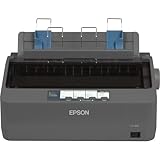
Epson C11CC24001 LX-350 Impact Printer, 9 Pin, Narrow Format, Multilingual
- 9 pin
- Narrow format
- Multilingual
The Epson C11CC24001 LX-350 is a practical solution for businesses that rely on fast, narrow-format dot matrix printing. It handles multi-part forms and continuous paper smoothly, making it ideal for tasks requiring multiple copies. This printer’s compact design fits well into small workspaces without sacrificing performance.
Its 9-pin impact printing technology produces up to 347 characters per second, ensuring quick and precise output. The LX-350 supports multilingual printing, which helps streamline operations in diverse work environments. Connectivity is straightforward with both USB and serial ports, allowing easy integration with various systems.
Maintenance is simple due to its robust build and straightforward paper handling. It’s designed to print up to four copies in one run, which covers most business document needs. While it focuses on monochrome printing, this keeps operation efficient and cost-effective for standard forms.
Best for: Small to medium-sized businesses needing reliable, high-speed narrow-format printing for multi-part documents and continuous stationery.
What We Like:
- Fast printing speed of up to 347 cps
- Supports multi-part and continuous paper
- Compact and lightweight design
- Multilingual printing capability
- Simple connectivity with USB and serial ports
Specification:
| Feature | Details |
|---|---|
| Manufacturer | Epson |
| Model | C11CC24001 LX-350 |
| Printing Technology | 9-pin impact |
| Print Speed | Up to 347 characters/second |
| Copies per Run | Up to 4 |
| Connectivity | USB, Serial |
| Format | Narrow |
| Dimensions (W×D×H) | Approx. 13.5 × 7.5 × 5.5 in |
| Weight | Approx. 3.75 kg (8.27 lbs) |
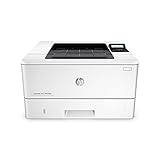
HP LaserJet Pro M402dn Laser Printer (C5F94A)
- Fast printing. Strong protection. Grab pages and go-without waiting around. This printer wakes up and prints faster than the competition.
- Step up from the 402n with duplexing. Breeze through multipage documents with two-sided printing that's faster than the competition.
- This printer is Ethernet (wired networking) or USB only. Need wireless? Select the 402dw model.
- More. Pages, Performance, and Protection. Get the most prints for your money-with Original HP High Yield Black Toner cartridges with JetIntelligence.
- Print right away with preinstalled toner cartridges. Replace them with optional high-yield cartridges.Media weight tray 1: 60 to 175 g/m²; tray 2, optional 550-sheet...
Experience fast, reliable printing with the HP LaserJet Pro M402dn, designed to keep busy offices productive. Its high-speed output of 49 pages per minute means less waiting and more getting done. Duplex printing works efficiently, cutting your paper use in half without slowing down your workflow.
This printer supports media sizes up to 8.5 x 14 inches and holds 350 sheets, reducing interruptions for paper reloads. Maintenance is straightforward thanks to HP’s High Yield Black Toner with JetIntelligence, which ensures long-lasting print quality and offers automatic toner replenishment through Amazon Dash, helping avoid unexpected shortages.
The compact design fits well in tight office spaces, while energy-saving Auto-On/Auto-Off technology lowers power consumption during idle times. Security features protect sensitive information, making it a dependable choice for work environments that require secure document handling.
Connectivity is limited to USB and Ethernet, focusing on stable, wired connections rather than wireless options. This laser printer is ideal for users who prioritize speed, efficiency, and security in black-and-white printing.
Best for: busy office environments needing fast, efficient, and secure black-and-white printing with reliable duplex capabilities.
What We Like:
- Fast printing speed of 49 pages per minute with quick duplexing
- Efficient High Yield Black Toner with JetIntelligence and automatic replenishment
- Energy-saving Auto-On/Auto-Off feature
- Robust security measures for sensitive documents
- Compact design fits well in small office spaces
Specification:
| Feature | Details |
|---|---|
| Manufacturer | HP |
| Model | LaserJet Pro M402dn |
| Print Speed | Up to 49 ppm |
| Duplex Printing | Automatic |
| Media Size | Up to 8.5 x 14 inches |
| Paper Capacity | 350 sheets |
| Toner | HP High Yield Black with JetIntelligence |
| Connectivity | USB, Ethernet |
| Dimensions (W×D×H) | Compact design (exact dimensions not provided) |
| Color | Black |
Epson LQ-2090II 24-pin Dot Matrix Printer
- Item Package Dimension: 29.00L x 18.00W x 12.00H inches
- Item Package Weight - 26.55 Pounds
- Item Package Quantity - 1
- Product Type - PRINTER
- Epson LQ-2090II NT Dot Matrix Printer - Monochrome - 24-pin - 550 Mono - USB - Parallel - Ethernet
The Epson LQ-2090II 24-pin dot matrix printer is built to handle demanding printing tasks with ease. Its high-speed printing at 550 characters per second helps businesses keep up with heavy workloads without delays. This printer’s robust 24-pin technology ensures clear, precise monochrome prints ideal for shipping labels, envelopes, and point-of-sale receipts.
Designed for reliability, the Epson LQ-2090II supports multiple connection options including USB, parallel, and Ethernet ports. This flexibility allows smooth integration into various office environments. Its sturdy build can hold up to 550 sheets, minimizing interruptions during large print jobs.
Maintenance is simple thanks to a long-lasting ribbon cartridge that can print up to 8 million characters. This reduces downtime and lowers running costs, making it well-suited for industrial or high-volume business settings. While it focuses solely on monochrome printing, it delivers sharp output at 2400 dpi resolution.
Compact yet solid, the printer weighs 20.7 pounds, balancing durability with manageable size. Its straightforward controls keep operation efficient but may lack advanced interface features some users expect.
Best for: Businesses and industrial users requiring durable, high-volume monochrome printing for logistical and retail purposes.
What We Like:
- Fast print speed of 550 characters per second for efficient processing.
- Multiple connectivity options including USB, parallel, and Ethernet.
- High-capacity ribbon cartridge supports up to 8 million printed characters.
- Compact design that fits into busy workspaces without sacrificing durability.
Specification:
| Feature | Details |
|---|---|
| Manufacturer | Epson |
| Printing Technology | 24-pin Dot Matrix |
| Print Speed | 550 characters per second |
| Resolution | 2400 dpi |
| Connectivity | USB, Parallel, Ethernet |
| Sheet Capacity | Up to 550 sheets |
| Weight | 20.7 lb (9.39 kg) |
Lexmark MS431DN Monochrome Laser Printer
- Recommended Use: Plain Paper Print
Experience fast and efficient black-and-white printing with the Lexmark MS431DN monochrome laser printer. Designed to help you handle high-volume tasks, it prints up to 42 pages per minute, reducing wait times and boosting productivity.
Its sharp 2400 dpi resolution ensures crisp, clear text for professional documents. Automatic duplex printing cuts paper use in half, making your workflow smoother and more eco-friendly. The printer’s compact design fits neatly on your desk, saving valuable office space.
Maintenance is straightforward with a 100-sheet input tray that accommodates legal-sized media, though frequent refills may be necessary in busy settings. Connectivity options include USB and Ethernet, allowing flexible integration with laptops and select mobile devices for seamless printing.
The intuitive touch control panel simplifies operations, making it easy to navigate settings. While limited to monochrome prints and a single paper tray, the MS431DN excels in delivering reliable, everyday performance for focused document needs.
Best for: Small to medium-sized offices or individuals requiring fast, high-quality monochrome printing with automatic duplex and dependable connectivity.
What We Like:
- Prints up to 42 ppm with sharp 2400 dpi resolution
- Automatic duplex printing for time and paper savings
- Compact design fits easily in tight workspaces
- Multiple connectivity options via USB and Ethernet
- Easy-to-use touch control panel
Specification:
| Feature | Details |
|---|---|
| Manufacturer | Lexmark |
| Dimensions (WxDxH) | Approx. 16.5 x 15.5 x 10.3 in (42 x 39.4 x 26.2 cm) |
| Weight | Approx. 18.7 lb (8.5 kg) |
| Printing Technology | Monochrome Laser |
| Resolution | Up to 2400 dpi |
| Print Speed | Up to 42 pages per minute |
| Input Tray Capacity | 100 sheets |
| Connectivity | USB, Ethernet |
Oki 91909701 MICROLINE 420 Dot Matrix Printer,Black

- OKI MICROLINE 420 Dot Matrix Printer (9-pin) (570 cps) (128 KB) (240 x 216 dpi) (Max Duty Cycle 24 000 Pages) (Parallel) (USB) (Energy Star) (Product Color: Black)
- OKI MICROLINE 420 Dot Matrix Printer (9-pin) (570 cps) (128 KB) (240 x 216 dpi) (Max Duty Cycle 24 000 Pages) (Parallel) (USB) (Energy Star) (Product Color: Black)
- Matrix
The Oki MICROLINE 420 dot matrix printer delivers reliable black-and-white printing designed to handle diverse media with ease. Its fast print speed keeps your office moving, producing clear text and sharp output on envelopes, labels, and standard paper. This printer helps reduce downtime with its straightforward operation and robust build.
Maintenance is simple thanks to its durable components and user-friendly push-button controls. The MICROLINE 420 supports duplex printing, enabling two-sided copies that save paper and improve workflow efficiency. Its compact design fits easily on any desk while weighing just 17.1 pounds, making it both stable and portable.
Connectivity is straightforward with USB and parallel ports, ensuring compatibility with many existing systems. While its resolution is suited for text and simple graphics, it focuses on delivering consistent output rather than high-end photo quality. The printer’s high monthly duty cycle means it withstands heavy office use without frequent repairs.
This dot matrix printer is ideal where dependable, fast black-and-white printing on multiple media types is essential. It balances functionality with ease of use, offering a practical solution for busy work environments.
Best for: Offices and businesses requiring durable, efficient black-and-white printing across various media, including envelopes and labels, with duplex capability.
What We Like:
- Fast print speed of 570 cps ensures timely document handling.
- Supports duplex printing to save paper and streamline tasks.
- Robust design built for heavy monthly use up to 24,000 pages.
- Simple controls and maintenance reduce downtime and hassle.
Specification:
| Feature | Details |
|---|---|
| Manufacturer | Oki |
| Model | MICROLINE 420 |
| Print Technology | Dot Matrix |
| Print Speed | 570 characters per second |
| Resolution | 240 x 216 dpi |
| Media Size | Up to 8.5 x 11 inches |
| Duplex Printing | Yes |
| Connectivity | USB, Parallel Ports |
| Weight | 17.1 lb (7.75 kg) |
| Color | Black |
Canon PIXMA TS3720 Wireless All-in-One Printer
No products found.
The Canon PIXMA TS3720 is a compact wireless all-in-one printer designed to simplify your home printing tasks. It handles printing, copying, and scanning with ease, helping you manage documents and photos without hassle. With print speeds of 7.7 ppm in black and 4 ppm in color, it balances performance and convenience for everyday use.
This printer features dual-band Wi-Fi for a stable connection, making mobile printing straightforward through Canon PRINT, AirPrint, and Mopria. You can print borderless photos up to 5” x 7”, adding creativity to your projects. Its two-cartridge ink system lowers running costs and makes ink replacement simple.
The 1.5” LCD screen offers basic navigation, keeping operation intuitive despite its small size. Its compact and lightweight design fits comfortably in limited spaces, ideal for home environments. While the paper tray holds up to 60 sheets, it may require frequent refills during heavy use.
Best for: individuals looking for a reliable, easy-to-use wireless all-in-one printer for home printing, scanning, and copying needs.
What We Like:
- Stable dual-band Wi-Fi and broad mobile printing compatibility
- Cost-effective two-cartridge ink system
- Supports versatile media types including borderless 5” x 7” photos
- Compact design suitable for small spaces
Specification:
| Feature | Details |
|---|---|
| Manufacturer | Canon |
| Dimensions (W×D×H) | 14.5 x 11.7 x 5.0 in |
| Weight | Approx. 8.6 lbs |
| Ink System | Two-cartridge |
| Connectivity | Dual-band Wi-Fi |
| Display | 1.5” LCD screen |
Factors to Consider When Choosing a Classic Printer
When choosing a classic printer, you’ll want to focus on print quality and resolution to guarantee sharp results. Consider connectivity options and media handling to match your workflow.
Don’t forget speed, efficiency, and durability to get the best long-term value. It’s all about finding a printer that fits your needs and keeps up with your printing demands.
Print Quality and Resolution
Choosing a classic printer means considering print quality and resolution carefully, as these factors directly impact the sharpness and detail of your documents. Print quality is measured in dots per inch (dpi), with higher resolutions like 600 x 600 dpi delivering crisper text and images.
If you mostly print text, a monochrome printer with around 240 x 240 dpi might suffice, but it won’t handle graphics well. Thermal printers offer about 300 x 300 dpi, which is ideal for labels or ID cards, but not so great for photos.
Dot matrix printers have lower dpi (240 x 216). They’re great for multi-part forms but poor for detailed images. Also, don’t forget to consider the print media; thicker cardstock needs a printer that supports heavier paper for the best results.
Connectivity Options Available
How do you connect your classic printer to your devices? The answer depends on the connectivity options available. Most classic printers come with USB ports, letting you plug directly into laptops or desktops for straightforward setup.
If you need to share the printer across multiple users, look for Ethernet connectivity. This enables network printing within your office or home.
Wireless options, like Wi-Fi, offer the flexibility to print from mobile devices and computers without cables, enhancing convenience. Some classic printers also feature serial or parallel ports, catering to specialized industrial or legacy systems.
Media Handling Capabilities
Understanding a printer’s media handling capabilities can save you time and hassle during your projects. You’ll want to take into account the maximum sheet capacity, as it determines how many pages you can load at once. This is especially useful for high-volume printing.
Check if the printer supports various media types like card stock, envelopes, or multi-part stationery. This adds versatility for different tasks.
The number of trays matters too. It lets you switch between media types or sizes without manually changing paper, which is pretty convenient.
Also, look for duplex printing features that handle automatic double-sided printing. This helps reduce paper waste.
Finally, verify that the printer accommodates the maximum media size you need. Whether it’s legal-sized documents or larger formats, this guarantees it fits your specific requirements.
Speed and Efficiency
When you need a classic printer that keeps up with your workload, speed and efficiency should top your list. Look for models that print up to 49 pages per minute to handle high-demand tasks swiftly.
Consider the maximum sheet capacity, too—printers that hold up to 550 sheets minimize interruptions for reloads. Automatic duplex printing is a bonus, saving you time and paper by printing double-sided without manual effort.
Print resolution directly affects clarity; opt for at least 600 x 600 dpi if you want crisp, professional documents. Also, check the mean time between failures, as printers rated for up to 10,000 operating hours reduce downtime and keep your workflow smooth.
Prioritizing these factors guarantees your classic printer won’t slow you down. It’s all about keeping things moving efficiently without any hassle.
Durability and Build
Durability plays an essential role in choosing a classic printer that can withstand daily use without frequent breakdowns. You’ll want to take into account the printer’s weight and dimensions since heavier models often use sturdier materials, making them more reliable over time.
Also, check the mean time between failures (MTBF) rating; a higher MTBF means the printer is less likely to break down during operation. The printing technology matters too—thermal and dot matrix printers tend to have different durability levels depending on your work environment.
If you plan high-volume printing, it’s best to opt for models with enhanced durability ratings. These can handle extensive jobs without any performance loss. Trust me, these factors guarantee your printer stays dependable and efficient for years to come.
Warranty and Support
Although choosing a printer with great features is important, you’ll also want to evaluate the warranty and support offered by the manufacturer. A solid warranty gives you confidence in the printer’s reliability, covering repairs or replacements for a set period—often from one to several years.
Make sure you understand what parts and services the warranty includes, as coverage can vary. Check the return policy too, since many allow returns within 30 days if the printer doesn’t meet your needs.
Support options differ widely; some brands offer 24/7 web support while others have limited hours. This can affect how fast you can get help.
Also, consider whether the manufacturer offers extended warranties. These can increase cost but provide extra peace of mind over time.
Frequently Asked Questions
Are Classic Printers Compatible With Modern Operating Systems?
Classic printers often aren’t fully compatible with modern operating systems without extra drivers or software. You’ll need to check for updated drivers or use workarounds like virtual machines or USB adapters to connect them successfully.
It can be a bit tricky sometimes, but with a little effort, you can usually get them up and running. Just make sure to explore your options before giving up on that old printer!
What Is the Average Lifespan of a Classic Printer?
Imagine your classic printer like an old car—it usually lasts about 5 to 10 years if you take care of it.
You’ll want regular maintenance to keep it running smoothly, just like tuning up that vintage ride.
Can Classic Printers Be Used for Photo Printing?
Yes, you can use classic printers for photo printing, but they might not deliver the sharpest or most vibrant images compared to modern photo printers.
You’ll want to manage expectations and possibly tweak settings for better results. It’s all about finding the right balance to get the best out of what you have.
How Easy Is It to Find Replacement Parts for Classic Printers?
You’ll find replacement parts for classic printers surprisingly easy to get, especially since many enthusiasts and sellers keep them in stock.
It’s like luck—just when you need a part, someone’s got it ready for you!
Do Classic Printers Support Wireless Printing Options?
Classic printers usually don’t support wireless printing because they were designed before Wi-Fi became common. You’ll often need to connect via USB or Ethernet.
But hey, some can work with wireless adapters if you’re willing to tinker a bit. It’s not always straightforward, though!
Conclusion
So, if you’re itching to relive the thrilling sounds of dot matrix or just want to feel the satisfying whirr of a classic printer, this list has got you covered. Forget sleek, silent machines—embrace the nostalgia of paper jams and ink ribbons!
Whether you’re printing a masterpiece or just a grocery list, these vintage beauties will make every print job an adventure. Who needs wireless when you’ve got character, right?
Classic printers bring a unique charm that modern devices just can’t match. From the satisfying clatter to the unmistakable scent of fresh ink ribbons, these machines remind us of a time when printing was an experience, not just a task. So dive into our list of the best classic printers for 2027 and rediscover the joy of printing with style and personality!