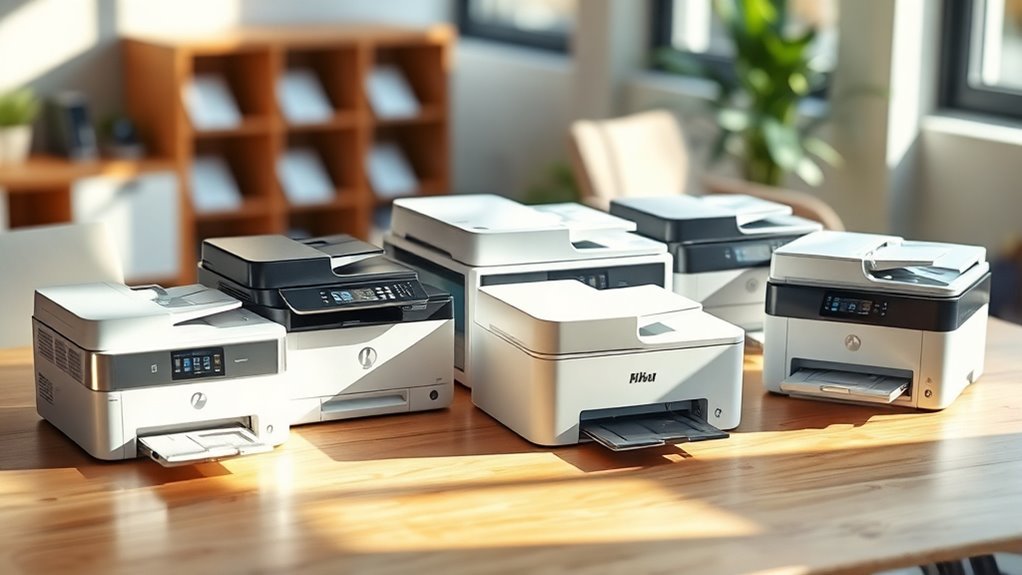
6 Best Cheap Printer Scanner Copier Fax Machines for 2027
You’ll want reliable, budget-friendly all-in-one printers like Canon PIXMA TR4720 and Epson Workforce WF-2990 for solid performance and wireless convenience. These models are perfect if you need an affordable printer scanner copier fax machine that doesn’t skimp on quality.
Epson EcoTank ET-4800 offers a cartridge-free system with supertank efficiency, saving you money in the long run. Meanwhile, HP OfficeJet Pro 8135 suits higher-volume needs with fast, sharp prints, ideal for busy offices or home setups.
For business or home use, Canon MAXIFY MB2720 and Epson Workforce WF-2830 balance features and price well. Explore these options and the key factors that make these models stand out to find your perfect match for 2027.
| Image | Name | Editor's Rating | Price |
|---|---|---|---|

|
|
||
|
|
||

|
|
||

|
|
||

|
|
Canon PIXMA TR4720 Wireless All-in-One Printer
- Wireless 4-in-1 (print | copy | scan | fax)..Power Consumption: 7W (0.8W Standby / 0.3W Off)
- Print speed up to: 4" x 6" Borderless Photo (PP-201): Approx. 65.0 Seconds / Black Document (Letter/Simplex): Approx. 8.8 ipm / Color Document (Letter/Simplex): Approx...
- Designed for easy ink cartridge installation and replacement.
- Auto 2-sided printing and auto document feeder.
- Produce quality documents, photos and boarderless prints up to 8.5" x 11".

The Canon PIXMA TR4720 is designed to simplify your everyday printing tasks. Whether at home or in a small office, it handles printing, scanning, copying, and faxing smoothly. Its wireless connectivity and mobile printing options mean you can work without being tied down to a desk.
Maintenance is straightforward, thanks to its compact design and easy-to-access ink cartridges. The automatic duplex printing feature helps reduce paper waste and saves time on double-sided documents. With a 100-sheet tray, you can manage larger print jobs without frequent refills.
This all-in-one printer produces sharp black text and vibrant color photos up to 8.5 x 11 inches. Its ENERGY STAR certification ensures it runs efficiently, helping to lower energy costs. The built-in fax and auto document feeder support multitasking and improve workflow.
While the print speed may feel moderate for extensive color jobs, the PIXMA TR4720 covers essential functions with reliable quality. Its single USB port may limit wired connections, and ink subscription services might not be available everywhere.
Best for: individuals or small offices needing an affordable, compact all-in-one printer with wireless features and multifunction capabilities for everyday use.
What We Like:
- Wireless and mobile printing with Canon app and Alexa integration
- Automatic duplex printing reduces paper use and speeds up tasks
- ENERGY STAR certified for energy-efficient operation
- 100-sheet front paper tray supports longer print runs
- Built-in fax and auto document feeder enhance multitasking
Specification:
| Feature | Details |
|---|---|
| Manufacturer | Canon |
| Dimensions | 17.7 x 12.7 x 7.5 inches |
| Weight | 11.5 lb (approximate) |
| Color Options | Black |
| Connectivity | Wireless, USB |
Epson Workforce WF-2990 Wireless All-in-One Printer
- Fast Professional-Quality Home Office Printing — Epson's leading-edge printing technology produces sharp text and clear, vibrant color graphics
- Our Fastest WorkForce Printer — Plus, a 150-sheet paper tray for convenient paper handling
- Convenient Operation — Large 2.4" color display for effortless navigation
- Engineered for Reliability — Consistently delivers high-quality prints with PrecisionCore Heat-Free technology and a permanent printhead designed to last the life of...
- Efficient, Economical Design — Automatic 2-sided printing helps you save paper and reduce paper waste
The Epson Workforce WF-2990 offers a seamless all-in-one solution for small offices and home users. It combines printing, scanning, copying, and faxing in a compact device designed to streamline daily tasks. The automatic duplex printing helps reduce paper waste, making your workflow more efficient.
With multiple connectivity options like Wi-Fi, Wi-Fi Direct, Ethernet, and USB, this printer adapts to different devices and workspaces. The 2.4″ color touchscreen simplifies navigation, allowing quick access to essential functions. Its 150-sheet tray balances capacity with a compact design, suitable for moderate printing needs.
Maintenance is straightforward thanks to Epson’s PrecisionCore technology and individual replaceable ink cartridges. The permanent printhead enhances durability while keeping ongoing costs manageable. Print quality is sharp, with resolutions up to 4800 x 1200 dpi, ensuring professional-looking documents.
While the WF-2990 offers great versatility, color print speeds of 8.5 ppm may slow heavy workloads. The smaller touchscreen and limited paper capacity may require some compromises for high-volume users.
Best for: small offices and home users needing a versatile all-in-one printer with reliable wireless connectivity and efficient paper handling.
What We Like:
- All-in-one printing, scanning, copying, and faxing with duplex printing
- Flexible connectivity options including Wi-Fi and Ethernet
- High-quality prints with PrecisionCore technology
- Easy maintenance with replaceable individual ink cartridges
- Compact design fits well in limited spaces
Specification:
| Feature | Details |
|---|---|
| Manufacturer | Epson |
| Dimensions (W×D×H) | 15.4 × 14.8 × 9.8 inches |
| Weight | Approx. 13.7 lbs |
| Connectivity | Wi-Fi, Wi-Fi Direct, USB, Ethernet |
| Touchscreen | 2.4″ color |
| Paper Tray Capacity | 150 sheets |
Epson EcoTank ET-4800 Wireless Color All-in-One Supertank Printer
- INNOVATIVE CARTRIDGE-FREE PRINTING — High-capacity ink tanks mean no more dealing with lots of tiny ink cartridges; Epson’s exclusive EcoFit ink bottles make filling...
- CLEAR AND VIBRANT PRINT QUALITY ― Create memorable prints and projects; Unique Micro Piezo Heat-Free Technology allows wireless color printer to produce sharp text and...
- ZERO CARTRIDGE WASTE — By using an Epson EcoTank printer you can help reduce the amount of cartridge waste ending up in landfills
- BUILT IN SCANNER AND COPIER ― All-In-One Epson EcoTank is more than a printer; High-resolution flatbed scanner and color display come together for easy document copying...
- LESS FREQUENT INK REPLACEMENT — Replacement ink bottles don't have to be changed nearly as often as ink cartridges¹; Printer, scanner and copier lets you print up to...
Experience hassle-free printing with the Epson EcoTank ET-4800, designed to cut costs and simplify your workflow. Its cartridge-free ink system eliminates the need for frequent replacements, helping reduce both expenses and environmental waste.
The high-capacity ink tanks offer exceptional longevity. You can print up to 4,500 black or 7,500 color pages before refilling, making it perfect for busy home offices or small businesses. Epson’s EcoFit ink bottles make refilling straightforward and mess-free.
This all-in-one printer combines a high-resolution scanner, copier, and fax, providing versatile functionality for everyday tasks. Its Micro Piezo Heat-Free Technology produces sharp text and vibrant colors on a variety of paper types, ensuring professional-quality output.
Maintenance is simple but requires genuine Epson ink to maintain print quality and protect your warranty. While setup and refills differ from traditional cartridges, the long-term benefits in cost and convenience are significant.
Best for: Users seeking an economical, low-maintenance all-in-one printer with high ink capacity and multi-functionality for home office use.
What We Like:
- Cartridge-free ink system reduces waste and ink replacement frequency
- Long-lasting ink tanks print thousands of pages before refilling
- Sharp, vibrant prints with Micro Piezo Heat-Free Technology
- Versatile all-in-one design with scanning, copying, and faxing capabilities
Specification:
| Feature | Details |
|---|---|
| Manufacturer | Epson |
| Dimensions | 14.8 x 13.6 x 9.8 inches |
| Weight | 10.3 lbs (4.67 kg) |
| Color Options | White |
| Ink System | Cartridge-free Supertank |
HP OfficeJet Pro 8135 Wireless All-in-One Printer
- FROM AMERICA'S MOST TRUSTED PRINTER BRAND – The OfficeJet Pro 8135 is perfect for home offices printing professional-quality color documents like business documents...
- 3 MONTH TRIAL OF INSTANT INK INCLUDED – Subscribe to the Instant Ink delivery service to get ink delivered directly to your door before you run out, and you save up to...
- KEY FEATURES – Fast color printing, scan, copy, fax, auto 2-sided printing, auto document feeder, and a 225-sheet input tray
- 2.7-INCH TOUCHSCREEN – Quickly navigate your printer with a large color touchscreen and a phone-like user interface
- WIRELESS PRINTING – Stay connected with our most reliable dual-band Wi-Fi, which automatically detects and resolves connection issues
The HP OfficeJet Pro 8135 is designed to simplify your printing tasks with its versatile all-in-one capabilities. It handles printing, scanning, copying, and faxing efficiently, making it ideal for home offices or small businesses. The duplex printing and automatic document feeder save time by automating multi-page jobs.
Maintenance is straightforward, but keep in mind it uses original HP 923 series cartridges, which ensures quality but may increase ink costs. The printer holds up to 225 sheets, so frequent refills might be necessary during heavy use. Its fast print speeds and sharp 1200 x 1200 dpi resolution deliver clear, professional documents.
The wireless connectivity and touchscreen interface allow you to print and scan easily from your smartphone or tablet using the HP Smart app. This flexibility supports a mobile work environment without the hassle of cables. Security features like HP Wolf Essential protect your network during everyday tasks.
Built with over 45% recycled plastic, the OfficeJet Pro 8135 also supports eco-friendly printing practices. It balances performance, convenience, and sustainability in one compact device.
Best for: Small office users and individuals seeking a reliable, eco-conscious all-in-one printer with easy wireless functionality.
What We Like:
- Fast print speeds with high-resolution output
- Duplex automatic two-sided printing with an automatic document feeder
- Mobile printing via HP Smart app
- Strong network protection through HP Wolf Essential Security
Specification:
| Feature | Details |
|---|---|
| Manufacturer | HP |
| Dimensions | 17.3 x 15.7 x 9.2 inches |
| Weight | 19.4 lb |
| Material | Over 45% recycled plastic |
| Connectivity | Wireless, touchscreen |
| Ink Cartridge | HP 923 series |
Canon MAXIFY MB2720 Wireless Color Printer for Business
- Two paper cassettes provide a combined capacity of 500 sheets - or a full ream of paper, so you're ready for any job
- The Canon PRINT app has great features so you can scan, copy and print right from your favorite mobile devices
- Print laser-sharp text that is highlighter and smudge resistant with the Dual Resistant High Density (DRHD) Inks
- With a 20,000 page Duty Cycle, the MAXIFY MB2720 is built to last for all your home business needs
- All MAXIFY printers feature 100% US-based Service & Support.Copy Speed (up to) : FCOT (Color): Approx. 12 Seconds
The Canon MAXIFY MB2720 is designed to streamline print, scan, copy, and fax tasks for home-based businesses and small teams. It tackles daily office demands with fast print speeds—up to 24 ipm in black and 15.5 ipm in color—ensuring you get your documents quickly without delays. The printer’s ability to produce the first page in about six seconds helps maintain productivity throughout busy workdays.
This all-in-one device offers two paper cassettes that hold up to 500 sheets total, reducing the need for frequent refills. Automatic duplex printing further saves time and paper, making it a practical choice for environments with steady printing needs. Its four-color pigmented ink produces smudge-resistant, high-quality prints with clear details at up to 1200 x 600 dpi.
Maintaining this printer is straightforward, thanks to its wireless connectivity options. Built-in Wi-Fi and compatibility with the Canon PRINT app allow for easy wireless printing and scanning from multiple devices. While it supports smaller teams well, the limited USB connectivity and older operating system compatibility may restrict its use in larger or more modern office setups.
Best for: small home-based businesses and teams of 1–4 users needing a reliable, fast, wireless all-in-one printer with scanning, copying, and fax capabilities.
What We Like:
- Fast print speeds with quick first-page output
- Large paper capacity with dual cassettes and duplex printing
- Smudge-resistant prints using pigmented ink
- Convenient wireless printing via Wi-Fi and Canon PRINT app
Specification:
| Feature | Details |
|---|---|
| Manufacturer | Canon |
| Dimensions (W×D×H) | Approx. 17.7 × 14.4 × 7.7 inches (45 × 36.5 × 19.5 cm) |
| Weight | Approx. 14.3 lb (6.5 kg) |
| Ink Type | Four-color pigmented ink |
| Paper Capacity | Two cassettes, up to 500 sheets total |
| Connectivity | Wi-Fi, USB 2.0 |
| Print Resolution | Up to 1200 x 600 dpi |
| Operating Systems | Windows (older versions), Mac OS X up to 10.11 |
Epson Workforce WF-2830 Wireless Color Inkjet Printer

- 【High-quality Main Features】 Fast printing, copying, scanning and faxing, plus double-sided printing and 1.4" color LCD. Plus 30-page auto document feeder for copying...
- 【Fast Printing Speed】 This wireless all-in-one printer has a fast printing speed of up to up to 10. 3 ISO ppm (black) and up to 4. 5 ISO ppm (color).
- 【Easy wireless】 Print from iPad, iPhone, Android tablets and smartphones; includes Wi-Fi Direct.
- 【High-quality performance】 Pigment Black Claria ink for crisp black text, plus professional-quality documents, proposals and reports.
- 【1.4" color LCD】Simple setup and navigation. 1.4" color LCD to easily print, copy, scan and fax
The Epson Workforce WF-2830 is a practical all-in-one printer designed to simplify everyday tasks in home or small office settings. Its ability to print, scan, copy, and fax means you can handle multiple document needs without switching devices. This versatility helps reduce clutter and streamlines your workflow.
With features like automatic two-sided printing and a 30-page auto document feeder, the WF-2830 speeds up handling of multi-page documents. The 100-sheet paper tray minimizes the need for frequent refills, allowing you to focus more on your work. Wireless connectivity through Wi-Fi Direct enables easy printing from smartphones and tablets, making it convenient to print on the go.
Maintenance is straightforward, thanks to its use of Claria pigment black ink, which produces crisp, professional-quality text while maintaining durability. Print speeds reach up to 10.3 pages per minute in black and 4.5 ppm in color, which suits moderate printing needs but may be slower for bulk color jobs.
The compact design includes a small 1.4″ color LCD, which keeps the unit space-efficient but might limit navigation ease. Overall, the WF-2830 balances functionality and convenience for users who need a reliable, wireless all-in-one solution.
Best for: individuals or small office users seeking a versatile and affordable all-in-one printer that handles everyday documents with wireless ease.
What We Like:
- Automatic two-sided printing and 30-page auto document feeder enhance productivity
- Wireless printing via Wi-Fi Direct supports easy mobile device connectivity
- Claria pigment black ink delivers sharp, professional-quality text
- Compact design saves space in busy work areas
Specification:
| Feature | Details |
|---|---|
| Manufacturer | Epson |
| Dimensions | Approx. 14.9 x 11.6 x 7.6 inches (W x D x H) |
| Weight | Approx. 11.3 lbs (5.1 kg) |
| Ink Type | Claria pigment black ink |
| Paper Tray Capacity | 100 sheets |
| Auto Document Feeder | 30 pages |
| Display | 1.4″ color LCD |
| Connectivity | Wi-Fi Direct |
Factors to Consider When Choosing a Cheap Printer Scanner Copier Fax
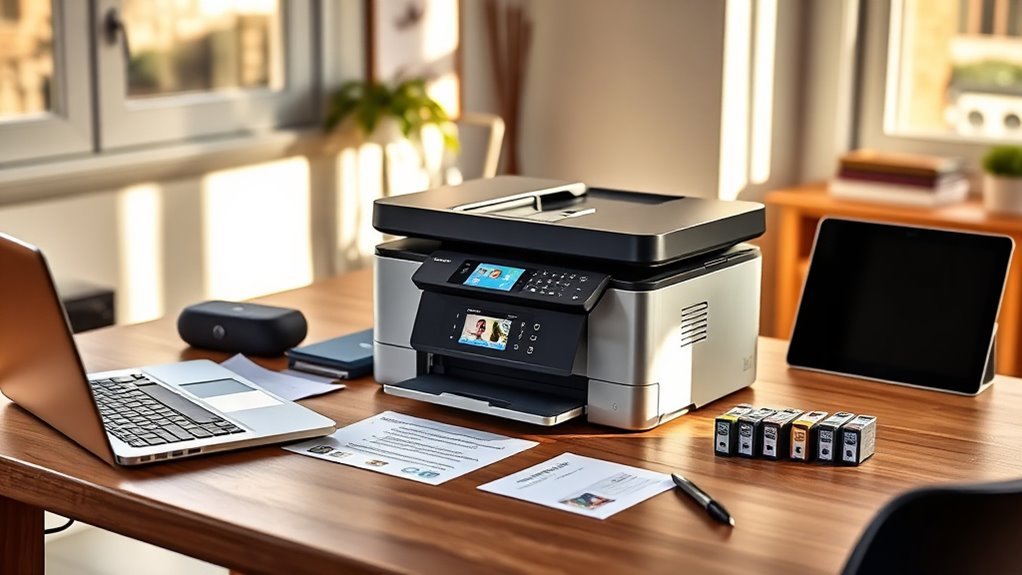
When choosing a cheap printer scanner copier fax, you’ll want to focus on print quality standards and the specific multifunction features you need. Don’t forget to check connectivity options and consider ink or cartridge costs to keep running expenses low.
Also, think about the paper handling capacity to match your typical workload. It’s all about finding the right balance between features and budget. Keep these points in mind, and you’ll pick a device that works great without breaking the bank.
Print Quality Standards
Consider print quality standards carefully to get the most from a cheap printer scanner copier fax. Aim for a minimum print resolution around 1200 x 600 dpi to guarantee clear text and basic graphics.
If you plan to print photos, look for resolutions up to 4800 x 1200 dpi. Check the printer’s ink system—pigment inks deliver sharp, water-resistant text, while dye inks produce more vibrant photos.
Compare print speeds for black and color at the same test standards, as faster speeds can reduce fine detail quality. For scanning, prioritize an optical resolution of 300–600 dpi and at least 24-bit color depth for documents.
If you want better photo scans, opt for higher dpi and 48-bit color depth. These factors guarantee balanced quality without overspending.
Multifunction Device Features
Although functionality is key, you’ll want to make sure your cheap printer scanner copier fax includes all essential features like printing, scanning, copying, and faxing—especially if you frequently handle multi-page documents.
Look for an automatic document feeder (ADF) to streamline multi-page tasks. Automatic duplex printing and scanning will save paper and speed up double-sided workflows.
Check scan resolution—600 to 1200 dpi is ideal for sharp documents and better OCR accuracy. Also, verify supported media sizes and feed options to guarantee compatibility with letter, legal, photo paper, or specialty media.
Finally, confirm the device has easy-to-use controls to manage scanning, copying, and faxing effectively. These features will help you get the most from your multifunction device without overspending.
Connectivity Options Available
In choosing a cheap printer scanner copier fax, connectivity plays a crucial role in how easily you can print, scan, and share documents. Make certain the device supports both Wi-Fi and USB connections, giving you flexibility to print from multiple devices and a reliable wired option.
If you print from smartphones or tablets, look for Wi-Fi Direct, AirPrint, or Mopria compatibility for seamless wireless printing without a router. Ethernet connectivity is a plus if you need stable network access in a small office or shared workspace.
Also, consider cloud printing and app-based features—they let you print and scan remotely, streamlining your workflow. Prioritizing these connectivity options guarantees your multifunction device fits your daily tech needs efficiently.
Ink and Cartridge Costs
Many buyers overlook how ink and cartridge costs impact the overall expense of owning a cheap printer scanner copier fax. To get a true sense of running costs, you should divide the replacement ink or toner price by its page yield, revealing the cost per page.
Printers with individual color cartridges or high-capacity tanks let you replace only the empty colors, saving you money compared to combined cartridges. Supertank or refillable ink systems offer much higher yields and lower cost per page.
Also, check if the printer restricts you to manufacturer-only cartridges or firmware locks, which can block cheaper third-party options. Finally, consider how often you print—rare use might cause clogged nozzles, triggering maintenance or replacements that drive up ink costs unexpectedly.
Paper Handling Capacity
When choosing a cheap printer scanner copier fax, pay close attention to paper handling capacity to match your workflow needs. Check the input tray capacity—whether it holds 100 or 250 sheets—to reduce how often you reload paper based on your monthly print volume.
Look for an automatic document feeder (ADF) that handles 30 to 100 sheets. This lets you scan, copy, or fax multiple pages without manual feeding. It really saves you time and hassle.
Don’t forget the output tray capacity and if the device supports duplex printing to save paper and avoid frequent emptying. Also, confirm supported paper sizes, special media types, and maximum media weight to make certain compatibility.
If possible, choose a printer with multiple trays or a high-capacity cassette. This way, you can separate media types and minimize workflow interruptions. It just makes everything run smoother.
Speed and Efficiency
Paper handling sets the stage, but speed and efficiency determine how quickly you get through your tasks. You’ll want to check the printer’s ISO or manufacturer-stated print speeds for black and color—higher pages per minute (ppm) mean faster output.
Features like automatic duplex printing and an automatic document feeder (ADF) help speed up multi-page scanning, copying, and double-sided printing without manual intervention. Also, compare scanner speeds and ADF capacity to gauge how long large batch jobs will take.
Don’t overlook first-page-out time and warm-up behavior, especially if you often print or scan short jobs. Finally, consider the duty cycle and recommended monthly page volume to make certain the machine can handle your workload without frequent slowdowns or maintenance hassles.
Device Size and Weight
Although a printer scanner copier fax’s functionality is essential, you’ll want to pay close attention to its size and weight to guarantee it fits your workspace and mobility needs. Start by checking the device’s footprint—depth, width, and height—to make certain it fits your desk or shelf.
Remember, all-in-one units vary from compact desktop models to larger office versions. Consider the weight, too: lightweight devices around 10–15 pounds are easier to move, while heavier machines need a dedicated spot.
Don’t forget extra clearance for paper trays, ADFs, and output trays, which add inches when extended. If you move the device often, opt for smaller, lighter models with a sturdy handle.
For multi-user or high-volume use, bigger, heavier units with larger trays work best without frequent repositioning. It’s all about finding what fits your space and how you plan to use it.
Warranty and Support
Besides considering size and weight, you should pay close attention to the warranty and support offered with your printer scanner copier fax. Check the length and coverage of the manufacturer’s warranty—typically, a 1-year limited warranty—which details what defects and parts are protected.
Make certain spare parts and service support are guaranteed for a reasonable period after purchase so repairs stay feasible. Confirm which actions or accessories, like third-party ink, might void your warranty to avoid surprises.
Also, look into available support channels such as phone, chat, or on-site help, and note their typical response times to guarantee quick issue resolution. Finally, review the return and exchange policy window, often around 30 days, so you can return faulty units promptly if needed.
Frequently Asked Questions
How Do I Recycle Old Printer Ink Cartridges?
You can recycle old printer ink cartridges by taking them to local recycling centers, returning them to manufacturer programs, or using drop-off points at office supply stores.
Don’t forget to check if they offer prepaid mail-back options. It’s super convenient and makes recycling even easier!
What Is the Average Lifespan of These All-In-One Machines?
You can expect an average lifespan of 3 to 5 years for all-in-one machines, depending on usage and maintenance.
Regular cleaning and using quality ink help extend their life, so don’t skip routine care.
Taking a little time for upkeep really pays off in the long run!
Are These Printers Compatible With Chromebook Devices?
Yes, many all-in-one printers support Chromebook compatibility through Google Cloud Print or Wi-Fi Direct.
You’ll want to check each model’s specs to guarantee seamless printing, scanning, and faxing with your Chromebook device.
It’s a good idea to confirm the features before you buy, so you know everything will work smoothly.
Can These Printers Print on Specialty Paper Like Labels or Photo Paper?
Yes, you can print on specialty paper like labels or photo paper with these printers. Just make sure to adjust the settings for paper type and quality to get the best results.
This helps avoid any jams or smudges. It’s pretty simple once you get the hang of it!
What Are the Typical Energy Consumption Levels for These Devices?
While these devices handle complex tasks, their energy consumption stays surprisingly low—typically between 10 to 30 watts during use and under 5 watts in standby mode.
You’ll save power without sacrificing performance or features. It’s pretty great how efficient they are!
Conclusion
Choosing cheap printer scanner copier fax combos can be challenging, but focusing on features, functionality, and affordability simplifies your search. Whether you prioritize speedy scanning, stellar print quality, or seamless wireless syncing, these six selections serve smartly.
Don’t discount durability or design either—details do matter. By balancing budget and benefits, you’ll breeze through buying decisions, securing a savvy solution that suits your space and saves your savings.
When shopping for the best cheap printer scanner copier fax machines, keep in mind what matters most to you. Look for models that offer reliable performance without breaking the bank. With the right combo, you can enjoy efficient printing, quick scanning, and smooth faxing all in one device.
Stay sharp, stay smart, and scan swiftly! Finding the perfect budget-friendly printer scanner copier fax combo is easier when you know what features to prioritize and how to balance cost with quality.