7 Best Cheap LaserJet Printers for 2027
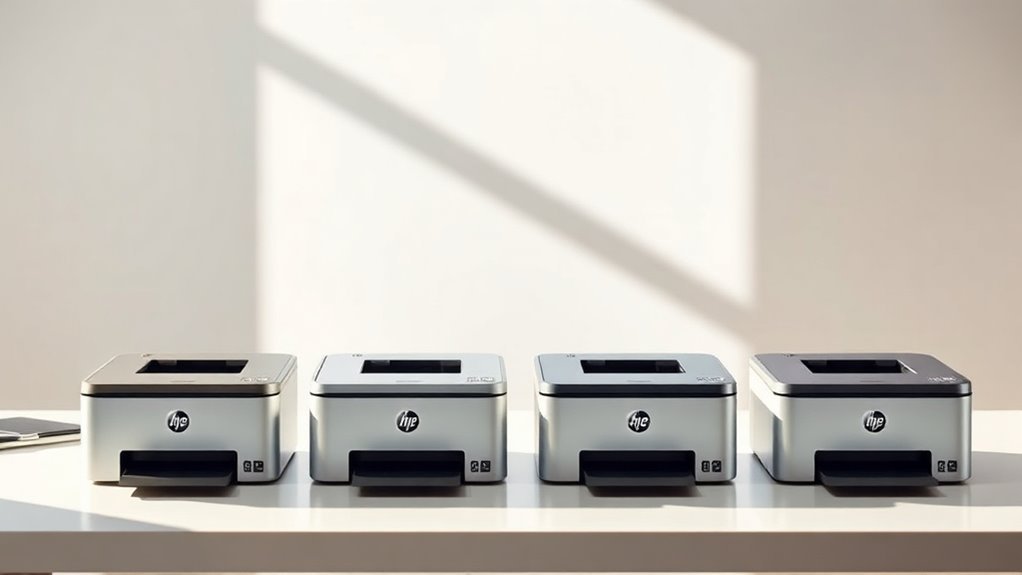
If you’re on the lookout for reliable and budget-friendly monochrome laser printers for 2027, you’ve got some great options to consider. Whether you need something compact for small spaces or an all-in-one model packed with features, there’s a printer that fits the bill without breaking the bank.
For instance, the HP LaserJet M110w is perfect if you want a compact printer that doesn’t skimp on quality. Or, if versatility is key, the HP M234sdw all-in-one comes with a 40-page automatic document feeder (ADF) and automatic duplex printing. Plus, wireless options like the HP MFP M140w give you freedom to print from anywhere.
The Brother HL-L2405W stands out with high resolution and manual duplex capabilities. Meanwhile, the HP M209dw offers fast speeds and smart connectivity features. Don’t overlook affordable refurbished models like the HP P1606DN and Canon LBP122dw, both offering duplex printing. Take your pick and find what suits your printing needs best!
| Image | Name | Editor's Rating | Price |
|---|---|---|---|

|
|
||
|
|
||

|
|
||

|
|
||

|
|
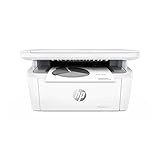
HP LaserJet M110w | Monochrome | Laser Printer
- FROM AMERICA'S MOST TRUSTED PRINTER BRAND – Perfect for small teams printing professional-quality black & white documents and reports. Perfect for 1-3 people
- WORLD'S SMALLEST LASER IN ITS CLASS – Precision laser printing that fits anywhere
- FAST PRINT SPEEDS – Up to 21 black-and-white pages per minute single-sided
- WIRELESS WITH SELF-RESET – Helps you stay connected
- PRINT FROM ANY DEVICE – Wireless printing from any mobile device, PC or tablet. Works with Microsoft, Mac, AirPrint, Android, Chromebook and more

If you need a compact printer that delivers fast and reliable black-and-white documents, the HP LaserJet M110w stands out as an efficient choice. Designed for small teams or solo users, it offers sharp 600 x 600 dpi prints at speeds up to 21 pages per minute, helping you stay productive without delays.
This printer’s compact size makes it easy to fit on any desk, saving valuable workspace. Its quick 8.3-second first page out means less waiting, while automatic duplex printing reduces paper use and simplifies double-sided tasks. You can connect via USB or wirelessly, giving you flexibility to print from various devices.
Maintenance is straightforward but keep in mind the 150-sheet paper tray may need frequent refilling during large jobs. The printer uses original HP toner cartridges with proprietary chips, which ensures quality prints but might affect supply costs.
With its balance of speed, quality, and space-saving design, the HP LaserJet M110w efficiently meets monochrome printing needs for compact work environments.
Best for: Small teams or solo users needing a compact, fast, and reliable monochrome laser printer for black-and-white documents.
What We Like:
- Smallest laser printer in its class, ideal for tight spaces.
- Fast print speed with quick first page output.
- Automatic duplex printing to save paper.
- Multiple connectivity options including wireless and USB.
Specification:
| Feature | Details |
|---|---|
| Manufacturer | HP |
| Dimensions | Not specified |
| Weight | Not specified |
| Print Technology | Monochrome Laser |
| Print Resolution | 600 x 600 dpi |
| Print Speed | Up to 21 pages per minute |
| Paper Tray Capacity | 150 sheets |
| Connectivity | USB, Wireless |
HP LaserJet M234sdw Monochrome Laser Printer | All-in-One
No products found.
The HP LaserJet M234sdw is designed to meet the needs of small teams requiring dependable and efficient printing. It simplifies everyday office tasks by combining printing, copying, and scanning in one compact device. This monochrome laser printer delivers sharp text quickly, helping you stay productive without delays.
Its 40-page automatic document feeder and automatic duplex printing reduce manual effort and save time on multi-page documents. Media handling supports sizes up to 8.5 x 14 inches, accommodating a variety of business materials. The printer’s maintenance is straightforward, with easy cartridge replacement and energy-efficient operation.
Connectivity options include dual-band Wi-Fi, Ethernet, and USB, allowing seamless integration into different work environments. Mobile printing is supported through the HP Smart app, enhancing flexibility for users on the go. Security features are built-in to protect your data, an essential benefit for small office setups.
While it only produces monochrome prints and has a moderate sheet capacity, the M234sdw offers reliable performance suited to typical small office demands. Its 600 x 600 dpi print resolution balances quality and speed for everyday documents.
Best for: Small teams of 1–5 users needing a reliable and efficient monochrome laser all-in-one printer for light to moderate office use.
What We Like:
- Fast printing at up to 30 ppm with automatic duplexing and a 40-page ADF for efficient document handling.
- Multiple connectivity options including dual-band Wi-Fi, Ethernet, USB, and mobile printing via HP Smart app.
- Built-in security features help protect sensitive data during daily operations.
- Energy Star certification supports power-efficient printing.
Specification:
| Feature | Details |
|---|---|
| Manufacturer | HP |
| Dimensions (W×D×H) | 16.7 x 14.3 x 10.4 inches |
| Weight | Approximately 16.5 lb |
| Technology | Monochrome Laser |
| Print Speed | Up to 30 pages per minute |
| Print Resolution | 600 x 600 dpi |
| Connectivity | Dual-band Wi-Fi, Ethernet, USB |
| Media Size Support | Up to 8.5 x 14 inches |
HP Laserjet MFP M140w Wireless All-in-One Printer
- All-in-One Functionality: The HP LaserJet MFP M140w offers the convenience of printing, copying, and scanning in a single, compact device, saving valuable space in your...
- Wireless Connectivity for Easy Printing: Enjoy the flexibility of wireless printing with seamless Wi-Fi connectivity. You can easily print documents from your phone...
- Fast, High-Quality Monochrome Printing: Achieve clear, sharp, black-and-white prints with fast print speeds, making this printer perfect for handling high-volume tasks...
- Effortless Setup and User-Friendly Operation: The HP LaserJet MFP M140w is designed for quick and simple setup. With a user-friendly interface, you'll be up and running...
- Energy-Efficient with Auto-On/Off Technology: Save on energy costs with HP’s Auto-On/Off technology, which automatically powers the printer on when you send a print job...
Experience efficient, wireless monochrome printing that fits perfectly in tight spaces with the HP LaserJet MFP M140w. Designed for home and small offices, this compact all-in-one printer simplifies everyday tasks by combining printing, copying, and scanning in one device.
Its fast printing speed of 21 pages per minute delivers crisp black-and-white documents at 600 dpi resolution. Wireless connectivity through Wi-Fi and the HP Smart app lets you print directly from smartphones, tablets, or laptops, eliminating cable clutter and boosting convenience.
Maintenance is straightforward with a single paper tray holding up to 150 sheets and energy-saving Auto-On/Auto-Off technology that reduces power consumption. The flatbed scanner adds versatility without increasing the printer’s footprint, making it ideal for limited desk space.
While it only supports monochrome output and offers a modest paper capacity, the HP LaserJet MFP M140w balances functionality and space-saving design to meet everyday printing needs efficiently.
Best for: individuals and small office users needing a compact, wireless monochrome all-in-one printer for routine document tasks.
What We Like:
- Fast, sharp black-and-white printing at 21 ppm and 600 dpi
- Wireless printing via Wi-Fi and HP Smart app compatibility
- Energy-efficient Auto-On/Auto-Off feature
- Compact design with flatbed scanner for space-saving versatility
Specification:
| Feature | Details |
|---|---|
| Manufacturer | HP |
| Dimensions (W×D×H) | 15.4 × 12.1 × 9.1 inches |
| Weight | 14.3 lbs (6.5 kg) |
| Color Options | White |
| Paper Capacity | 150 sheets |
| Print Speed | 21 pages per minute |
| Print Resolution | 600 dpi |
| Connectivity | Wireless Wi-Fi |
Brother HL-L2405W Wireless Monochrome Laser Printer
- BEST FOR HOMES & HOME OFFICES – Engineered for consistent, premium print quality, the Brother HL-L2405W Monochrome (Black & White) Laser Printer delivers sharp, crisp...
- COMPACT, CONNECTED PRINTER – Flexible connection options make this an ideal printer for home use and at-home offices. Securely connect to multiple devices with built-in...
- BROTHER MOBILE CONNECT APP – Manage your printer remotely and print from your mobile device anytime, from almost anywhere. Order Brother Genuine Supplies, track toner...
- VERSATILE PAPER HANDLING – Enjoy seamless, reliable everyday printing with the 250-sheet paper tray(4) and a manual feed slot that enables printing on envelopes and...
- BROTHER IS AT YOUR SIDE – Backed by Brother with a 1-year limited warranty and free online, call, or live chat support for the life of your printer
The Brother HL-L2405W offers a practical solution for fast, wireless black-and-white printing, perfect for home office environments. It delivers sharp, high-quality prints at speeds up to 30 pages per minute, helping you complete tasks quickly without sacrificing clarity. Its compact design saves valuable desk space and fits easily into smaller work areas.
This monochrome laser printer supports a 250-sheet paper capacity, which reduces frequent refills during large print jobs. You can also print envelopes and specialty papers using the manual feed slot, adding versatility to your printing needs. The printer connects through dual-band Wi-Fi and USB, making it easy to print from smartphones, tablets, and voice assistants like Alexa.
Maintenance is straightforward with Brother’s app, which lets you monitor toner levels and manage print jobs remotely. While it lacks color printing and scanning functions, the HL-L2405W focuses on reliable, efficient black-and-white output. Note that duplex printing is manual, requiring you to flip pages yourself.
Best for: Individuals or home office users who need fast, reliable wireless monochrome printing in a compact desktop printer.
What We Like:
- Fast print speed of up to 30 pages per minute with clear 1200 x 1200 dpi output
- Dual-band Wi-Fi, USB, and mobile/Alexa compatibility for easy wireless printing
- Large 250-sheet capacity and manual feed slot for specialty media
- Compact design fits neatly on a desktop
- Simple toner monitoring and remote print management via Brother’s app
Specification:
| Feature | Details |
|---|---|
| Manufacturer | Brother |
| Dimensions | Compact, fits desktop spaces |
| Weight | Not specified |
| Color Options | Monochrome (black and white) |
| Connectivity | Dual-band Wi-Fi, USB |
HP LaserJet M209dw Monochrome Laser Printer
- HP LaserJet M209dw Wireless Printer, Print, Fast speeds, Easy setup, Mobile printing, Best-for-small teams, Instant Ink eligible
- Perfect for small teams printing black & white documents and reports, plus auto two-sided printing. Perfect for 1-5 people
- FASTEST TWO-SIDED PRINTING IN ITS CLASS – Up to 30 black-and-white pages per minute single-sided, u up to 19 black-and-white images per minute two-sided printing
- DUAL-BAND WI-FI WITH SELF-RESET – Automatically detects and resolves connectivity issues
- STRONG SECURITY – Built-in security features help protect your printer from potential attacks
The HP LaserJet M209dw offers a practical solution for small teams needing efficient black-and-white printing. It handles everyday printing tasks quickly, producing sharp, clear documents at speeds up to 30 pages per minute. This keeps workflows smooth and reduces downtime in busy workspaces.
Setting up and maintaining the printer is straightforward. Its dual-band Wi-Fi with a self-reset feature ensures stable wireless connections, minimizing interruptions. The printer’s compatibility with mobile devices allows direct printing from smartphones or tablets, adding flexibility for on-the-go use.
Designed with convenience in mind, the M209dw supports automatic two-sided printing to save paper. It also qualifies for HP’s Instant Ink service, helping users avoid unexpected toner shortages. While it focuses on monochrome printing, this laser printer meets the needs of teams that prioritize speed and reliability over color output.
Its compact design fits well in small offices or workstations where space is limited. However, it may not be ideal for high-volume printing demands or users requiring advanced finishing options.
Best for: Small teams of 1–5 people who need fast, reliable black-and-white printing with easy wireless and mobile connectivity.
What We Like:
- Fast printing up to 30 ppm single-sided and 19 ipm duplex.
- Dual-band Wi-Fi with self-reset for reliable connectivity.
- Auto two-sided printing conserves paper.
- Instant Ink eligibility ensures continuous toner supply.
Specification:
| Feature | Details |
|---|---|
| Manufacturer | HP |
| Dimensions | 14.7 x 14.2 x 7.5 inches |
| Weight | 13.5 lbs |
| Printing Technology | Monochrome Laser |
| Connectivity | Dual-band Wi-Fi, USB |
| Color Options | Black |
Refurbished HP LaserJet Pro P1606DN P1606 CE749A Printer w/90-Day Warranty
- This Certified Refurbished product is tested and certified to look and work like new. The refurbishing process includes functionality testing, basic cleaning, inspection...
Experience efficient printing with the refurbished HP LaserJet Pro P1606DN. This printer delivers reliable black-and-white output, ideal for everyday documents and office tasks. Its compact design fits neatly into small workspaces, helping you maintain an organized environment.
Each unit undergoes detailed inspection and cleaning to ensure consistent performance. Maintenance is straightforward, with easy access to toner and components for hassle-free upkeep. This model supports duplex printing, helping reduce paper use and streamline workflows.
Designed for individuals and small businesses, the P1606DN handles moderate volumes without sacrificing quality. Its network connectivity enables smooth sharing across multiple users, improving productivity in busy settings. While refurbished, it functions like new, offering dependable results at a lower cost.
The printer may arrive in a generic box and show minor cosmetic imperfections, but these do not affect its operation. Its limited warranty period reflects its refurbished status, so users should consider usage demands accordingly.
Best for: Small offices or home users needing a compact, dependable monochrome printer with network capabilities.
What We Like:
- Thoroughly tested for reliable, like-new performance
- Supports duplex printing to save paper
- Network-ready for easy sharing among multiple users
- Compact size fits limited desk space
- Easy maintenance with accessible toner and parts
Specification:
| Feature | Details |
|---|---|
| Manufacturer | HP |
| Model | LaserJet Pro P1606DN |
| Dimensions | 14.7 x 14.5 x 10 inches |
| Weight | 14.3 lb (6.5 kg) |
| Color Options | Black |
Canon imageCLASS LBP122dw – Wireless Monochrome Duplex Laser Printer

- Wireless, duplex printer (print-only)
- Fast print speeds up to 30 pages per minute (black and white)
- Print on-the-go with Canon PRINT app and more.
- Uses Canon GENUINE Toner 071 / 071 high-capacity
- Compact design fits almost anywhere in your home, great for home use and personal printing
The Canon imageCLASS LBP122dw is designed to streamline your printing tasks with fast, wireless monochrome output. It handles everyday printing needs efficiently, producing up to 30 pages per minute. This speed helps reduce wait times, making it a practical choice for both home and personal use.
Its compact design fits neatly into small spaces, solving common workspace limitations. The automatic duplex feature cuts paper use in half and minimizes manual effort, supporting eco-friendly printing habits. Wireless connectivity lets you print from multiple devices with ease.
Maintenance is straightforward with genuine Canon Toner 071, ensuring consistent print quality and reliability. While the printer focuses solely on black-and-white output, it excels within that scope, delivering sharp and clear documents. Keep in mind, it’s a print-only device, so scanning and faxing are not supported.
Overall, this model offers a balance of speed, convenience, and space-saving design for those needing reliable monochrome printing without extras.
Best for: individuals or small home offices requiring a compact, efficient monochrome laser printer for straightforward printing tasks.
What We Like:
- Fast print speeds up to 30 ppm for quick document handling
- Automatic duplex printing reduces paper waste
- Wireless connectivity supports flexible printing from multiple devices
- Compact size ideal for limited desk space
- Uses genuine Canon toner for consistent output quality
Specification:
| Feature | Details |
|---|---|
| Manufacturer | Canon |
| Dimensions (W×D×H) | 13.4 × 14 × 8.5 inches |
| Weight | 14.3 lb (6.5 kg) |
| Printing Technology | Monochrome Laser |
| Connectivity | Wireless, USB |
| Toner Cartridge | Canon Toner 071 |
Factors to Consider When Choosing a Cheap Laser Jet Printer
When choosing a cheap LaserJet printer, you’ll want to focus on print speed and quality to match your needs. Check the connectivity options and consider the device’s size and weight to fit your workspace.
Also, don’t forget to evaluate paper handling capacity and energy efficiency features to get the best value. It’s all about finding the right balance between features and price.
Print Speed And Quality
Although cheap laser jet printers often come with trade-offs, you’ll want to focus on print speed and quality to meet your daily needs efficiently. Look for printers with higher pages-per-minute (ppm) ratings, typically between 20 and 30 ppm, to match your expected print volume without delays.
Check the first-page-out time, usually 7 to 9 seconds, if you print frequent short jobs. For clear text, 600 x 600 dpi resolution is common, but 1200 x 1200 dpi offers sharper detail for fine text and line art.
Also, consider duplex printing and its two-sided speed, as it saves time on double-sided jobs. Finally, make certain the printer’s duty cycle aligns with your workload to maintain consistent speed and quality over time.
Connectivity Options Available
For seamless printing in various situations, you’ll want a cheap laser jet printer that supports multiple connectivity options. Make sure it offers USB for direct PC connection and wireless (2.4 GHz and/or 5 GHz) to print from phones or multiple devices on your network.
If you need reliable, shared office access, look for Ethernet support for faster, stable transfers. Also, check for mobile printing protocols like AirPrint or Mopria. These let you print from smartphones and tablets without needing to install full drivers.
Don’t overlook security features such as WPA2/WPA3 for Wi-Fi, secure printing with PIN release, and firmware update capabilities. These help protect your sensitive documents and keep your printer safe.
Finally, confirm your printer supports automatic network recovery and dual-band Wi-Fi. This means fewer interruptions and easier troubleshooting in mixed wireless setups.
Device Size And Weight
Picking the right size and weight for your cheap laser jet printer can make a big difference in how easily it fits into your workspace. First, measure your available desk or shelf space, keeping in mind compact models vary between 6–16 inches tall and 7–16 inches deep.
Don’t forget to take into account the printer’s footprint, including any open trays or automatic document feeders, so it won’t bump into nearby items. Weight matters too—lighter printers under 10 pounds are easier to move, while heavier ones over 10 pounds usually need a dedicated, sturdy spot.
If you plan to share or move your printer between rooms, prioritize portability with a smaller, lighter device. Otherwise, bigger, heavier models might offer more features but limit your flexibility.
Paper Handling Capacity
Paper handling capacity plays a crucial role in choosing a cheap laser jet printer that suits your printing needs. First, check the input tray capacity—low-cost models usually hold between 100 and 250 sheets. Make sure this matches your daily print volume to avoid constant refills.
Also, consider the output tray capacity and stacking limits to prevent jams during large print jobs. It’s annoying when your printer gets stuck just because it can’t handle the paper load.
Verify the supported paper sizes and types, like letter, legal, envelopes, or cardstock. This way, your printer manages specialty media without any hassle.
Look for automatic duplexing to save paper and reduce manual handling. It’s a real time-saver and good for the environment.
Finally, see if the printer offers extra paper feeds or multipurpose slots for occasional specialty prints. This lets you avoid interrupting main tray setups and keeps your workflow smooth.
Energy Efficiency Features
Energy efficiency matters when choosing a cheap laser jet printer because it directly impacts your electricity bills and environmental footprint. Look for models with Energy Star certification or built-in power-saving modes to cut standby and idle power use.
Check the printer’s wattage for active, idle, and sleep states—lower sleep watts, ideally in single digits, save energy during downtime. Automatic duplex printing helps reduce paper use and halves the energy cost per page for double-sided documents.
Auto-On/Auto-Off scheduling and quick-wake technology minimize warm-up time and energy spent keeping the printer ready. This makes it more efficient for occasional printing.
Also, consider toner yield and print efficiency; high-yield cartridges and lower energy use per page reduce the overall environmental impact and save you money over time.
Warranty And Support
Besides saving on power and supplies, you’ll want to take into account warranty and support when choosing a cheap laser jet printer. Check the warranty length—90 days versus a full year can make a big difference in coverage for hardware defects and parts.
Also, confirm if the warranty offers onsite service, return-to-base repairs, or just mail-in options. This really affects downtime and convenience, so it’s worth paying attention to.
Look for accessible technical support channels like phone, chat, or email. Don’t forget to check their availability and how quickly they respond.
Lastly, verify if the warranty requires original manufacturer consumables or allows third-party cartridges. Using non-OEM supplies might void coverage, so keep that in mind.
And before you decide, ask about firmware updates. Find out if critical security fixes are included under warranty or if they come with extra fees.
Frequently Asked Questions
How Do Laser Printers Compare to Inkjet Printers in Print Quality?
You’ll find laser printers deliver sharper text and smoother graphics, especially for black-and-white prints. They’re great if you want crisp, clear documents without any fuss.
Inkjet printers, on the other hand, excel at vibrant colors and photo details. So if you’re all about rich, colorful images, inkjets might be more your style.
Choose based on whether you prioritize crisp documents or rich, colorful images. It really depends on what matters most to you.
What Is the Average Lifespan of a Cheap Laser Printer?
Like a trusty old workhorse, a cheap laser printer usually lasts about 3 to 5 years. You’ll get solid performance, but don’t expect it to run forever without needing maintenance or replacement parts.
It’s kind of like your car—you can drive it for a good while, but eventually, it’ll need some TLC. So, keep an eye on it and be ready for some upkeep along the way.
Are Laser Printers Safe for Home Use Regarding Ozone Emissions?
Yes, laser printers are generally safe for home use regarding ozone emissions. You’ll find modern models have improved filters and low emissions.
But it’s smart to use them in well-ventilated areas to keep air quality fresh. That way, you can avoid any potential buildup and keep things comfortable.
Can Laser Printers Handle Printing Labels or Envelopes?
Like a trusty sidekick, your laser printer can handle labels and envelopes with ease. Just make sure you adjust settings for paper type and size, so your prints come out crisp without any smudges or jams.
It’s all about those little tweaks. Once you get the settings right, your printer will treat labels and envelopes like a pro. No fuss, no mess!
What Are the Typical Maintenance Costs for Laser Printers?
You’ll typically spend on toner cartridges, drum units, and occasional cleaning kits. Maintenance costs vary, but replacing toner every few thousand pages is common.
Regular upkeep keeps your laser printer running smoothly without unexpected expenses. It’s really about staying on top of things so you don’t get caught off guard.
Conclusion
Choosing the right cheap laserjet printer can feel like steering through a jungle of tech, but it doesn’t have to be that wild! With options like HP, Brother, and Canon, you’re practically armed with a printing army ready to tackle anything—documents, photos, or last-minute projects.
Don’t get lost in the specs—pick the one that fits your needs and budget, and watch your printing woes vanish faster than a laser beam on paper!
When hunting for the best cheap LaserJet printers, focus on what matters most to you: speed, print quality, and running costs. Whether you need a reliable home printer or a budget-friendly option for a small office, there’s a perfect model waiting.
So, take your pick from trusted brands and enjoy hassle-free printing without breaking the bank. Your ideal cheap laserjet printer is out there, ready to make your printing tasks smooth and affordable in 2027.