4 Best Cheap Copier Printers for 2027
You’ll find the Canon PIXMA TS4320 perfect for vibrant color prints at home. It’s a great choice if you want bright, sharp images without spending a lot.
The HP DeskJet 4327 offers wireless convenience plus an automatic document feeder. This makes it easy to print and scan multiple pages quickly.
For fast, sharp monochrome printing, the Brother DCP-L2640DW delivers great value. It comes with wireless and Ethernet options to fit your connectivity needs.
Meanwhile, the Canon imageCLASS MF284dw handles busy office workflows with quick duplex printing and robust toner yield. It’s built to keep up with heavier use.
Want to make the best choice? Keep going and uncover what fits your needs. These affordable copier printers combine quality and features without breaking the bank.
| Image | Name | Editor's Rating | Price |
|---|---|---|---|

|
|
||

|
|
||

|
|
Canon PIXMA TS4320 – Wireless Color Inkjet Printer with Print, Copy, Scan
- Affordable Versatility - A budget-friendly all-in-one printer perfect for both home users and hybrid workers, offering exceptional value
- Crisp, Vibrant Prints - Experience impressive print quality for both documents and photos, thanks to its 2-cartridge hybrid ink system that delivers sharp text and vivid...
- Effortless Setup & Use - Get started quickly with easy setup for your smartphone or computer, so you can print, scan, and copy without delay
- Reliable Wireless Connectivity - Enjoy stable and consistent connections with dual-band Wi-Fi (2.4GHz or 5GHz), ensuring smooth printing from anywhere in your home or...
- Scan & Copy Handling - Utilize the device’s integrated scanner for efficient scanning and copying operations

The Canon PIXMA TS4320 is a compact all-in-one printer designed to simplify home and hybrid work printing needs. Its wireless color inkjet technology delivers vibrant photos and sharp documents with up to 1200 x 1200 dpi resolution. This ensures your projects, from homework to recipes, look clear and professional.
This printer streamlines daily tasks with print, copy, and scan capabilities in one device. It supports auto duplex printing, saving time and paper. The small footprint and 100-sheet capacity make it ideal for limited spaces without sacrificing functionality.
Maintenance is straightforward with included starter ink tanks, although heavier users may need to replace them sooner. The dual-band Wi-Fi and mobile app control offer flexible connectivity, letting you print from smartphones or compatible voice assistants like Amazon Alexa.
While the single paper tray limits multi-paper handling, and print speeds suit light to moderate use, the PIXMA TS4320 balances convenience with efficient performance for everyday printing demands.
Best for: Home users and hybrid workers needing a compact, stylish all-in-one printer for light to occasional printing, copying, and scanning tasks.
What We Like:
- Vibrant color and sharp black-and-white output at 1200 x 1200 dpi
- Wireless dual-band Wi-Fi with mobile app and Alexa compatibility
- Compact design with a 100-sheet paper capacity
- Auto duplex printing helps conserve paper
Specification:
| Feature | Details |
|---|---|
| Manufacturer | Canon |
| Dimensions | Compact size (exact size not specified) |
| Weight | Not specified |
| Printer Type | Wireless Color Inkjet |
| Functions | Print, Copy, Scan |
| Print Resolution | Up to 1200 x 1200 dpi |
| Paper Capacity | 100 sheets |
| Connectivity | Dual-band Wi-Fi, Mobile app, Alexa compatible |
HP DeskJet 4327 Color Inkjet Printer | Wireless | All-in-One
No products found.
The HP DeskJet 4327 is an affordable all-in-one printer designed to make home color printing, scanning, and copying simple and efficient. Its compact size fits easily in smaller spaces, solving the problem of bulky devices in tight home offices or living areas. This printer streamlines everyday tasks with a 35-sheet automatic document feeder, reducing the hassle of handling multiple pages manually.
Wireless connectivity through dual-band Wi-Fi and direct mobile printing with the HP App or AirPrint lets you print effortlessly from your smartphone or tablet. This feature improves convenience by eliminating cables and complicated setup. Print quality is crisp and clear, reaching up to 4800 x 1200 dpi for photos and 1200 dpi for text, ensuring your documents and images look professional.
Maintenance is straightforward thanks to setup cartridges and a six-month trial of Instant Ink, which keeps ink costs manageable and reduces downtime. The printer’s energy-efficient design and use of recycled plastics contribute to an eco-friendlier home office. Manual duplex printing requires some user involvement, which could slow down double-sided jobs, and print speeds are moderate.
Best for: individuals or families seeking an affordable, compact all-in-one printer for basic home color printing, scanning, and copying tasks with wireless convenience.
What We Like:
- 35-sheet automatic document feeder for easy multi-page tasks
- Dual-band Wi-Fi and mobile printing via HP App and AirPrint
- Energy-efficient design with recycled materials
- Six-month Instant Ink trial included for cost-effective ink management
Specification:
| Feature | Details |
|---|---|
| Manufacturer | HP |
| Dimensions (W x D x H) | Approx. 16.9 x 12.3 x 6.0 inches |
| Weight | Approx. 7.7 lbs (3.5 kg) |
| Material | Plastic (includes recycled plastics) |
| Color Options | White with black accents |
Brother DCP-L2640DW Wireless Monochrome Printer
- BEST FOR SMALL BUSINESSES – Engineered for extraordinary productivity, the Brother DCP-L2640DW Monochrome (Black & White) 3-in-1 combines laser printer, scanner, copier...
- FAST PRINTER WITH EFFICIENT SCANNING – Produces documents quickly with print speeds up to 36 ppm(2) and scan speeds up to 23.6/7.9 ipm(3) (black/color). A 50-page auto...
- FLEXIBLE CONNECTION OPTIONS – Easily navigate the changing demands of your business with secure multi-device connectivity via built-in dual-band wireless (2.4GHz...
- BROTHER MOBILE CONNECT APP – Print, scan, and manage your wireless printer anytime, from almost anywhere from your mobile device. Order Brother Genuine Supplies, track...
- CHOOSE BROTHER GENUINE TONER – When it’s time to replace your toner, be sure to choose Brother Genuine TN830 or TN830XL replacement toner. And with Refresh EZ Print...
The Brother DCP-L2640DW brings efficient, wireless printing to small offices and home workspaces. Its fast print speeds up to 36 pages per minute reduce waiting time, helping you stay productive during busy days. The quick first-page output cuts delays, letting you start your tasks without pause.
This compact monochrome laser printer handles printing, copying, and scanning with ease. The 50-page auto document feeder simplifies multi-page tasks, while the 250-sheet tray limits frequent refills. Its dual-band Wi-Fi, Ethernet, and USB connectivity offer flexible setups for various work environments.
Maintenance is straightforward, with toner-saving features that extend cartridge life and automatic duplex printing that lowers paper use. Energy Star and EPEAT Silver ratings highlight its eco-friendly design, making it a smart choice for sustainable, high-volume black-and-white output.
Though it only prints in monochrome and has a modest paper capacity, its multifunction capabilities and wireless options make it a practical solution for everyday office needs.
Best for: Small businesses and home office users needing fast, reliable monochrome printing with multifunction and wireless connectivity.
What We Like:
- Rapid print and copy speeds up to 36 ppm with fast first-page output
- Multiple connectivity options including dual-band Wi-Fi and Ethernet
- Energy-efficient design with toner saving and automatic duplexing
- Compact size fits well in limited office spaces
Specification:
| Feature | Details |
|---|---|
| Manufacturer | Brother |
| Dimensions | 16.1 x 15.7 x 12.5 inches |
| Weight | 15.7 lbs (7.12 kg) |
| Color | White with black accents |
| Connectivity | Dual-band Wi-Fi, Ethernet, USB |
Canon imageCLASS MF284dw Multifunction Wireless Monochrome Laser Printer
- Print up to 35 pages-per-minute with a first print out of time of less than 4.9 seconds (letter)
- Print on-the-go with Canon Print App, Canon PRINT Business, Apple AirPrint and Mopria Print Service
- High capacity toner option keeps up with your printing needs and limits toner replacement interruptions
- Duplex print saves paper and related costs
- High speed scanning. Single-sided: up to 15/21 ipm (BW/Color)
The Canon imageCLASS MF284dw is built to streamline busy office workflows. It delivers fast, reliable printing, copying, and scanning, helping teams stay productive throughout the day. With speeds up to 35 pages per minute and automatic duplex printing, it reduces wait times and cuts paper use.
Wireless connectivity supports the Canon Print App, Apple AirPrint, and Mopria, allowing easy printing from smartphones and tablets. The automatic document feeder scans at up to 21 images per minute, speeding up multi-page tasks. This makes it ideal for offices handling frequent scanning and copying needs.
Maintenance remains straightforward and cost-effective thanks to genuine Canon toner cartridges yielding about 1,000 pages. Its compact design fits well in most office setups, balancing performance with space-saving convenience. While it only prints in monochrome, it excels in delivering sharp, clear text and graphics.
This monochrome laser printer suits professionals who need dependable, efficient document handling without unnecessary color features. It supports daily office demands while minimizing downtime and operational costs.
Best for: busy office environments and professionals requiring fast, reliable monochrome printing, copying, and scanning with wireless mobile printing.
What We Like:
- Fast print speed of up to 35 pages per minute with duplex printing
- Wireless printing via Canon Print App, Apple AirPrint, and Mopria
- Efficient automatic document feeder scanning at 21 images per minute
- Reliable toner cartridges with a 1,000-page yield for easy maintenance
- Compact design suitable for various office spaces
Specification:
| Feature | Details |
|---|---|
| Manufacturer | Canon |
| Dimensions (W×D×H) | 16.1 × 15.7 × 12.9 inches |
| Weight | 31.7 lbs (14.4 kg) |
| Printing Technology | Monochrome Laser |
| Wireless Connectivity | Canon Print App, AirPrint, Mopria |
| Print Speed | Up to 35 pages per minute |
| Duplex Printing | Automatic |
| Toner Cartridge Yield | Approx. 1,000 pages |
| Automatic Document Feeder | Yes, scans up to 21 ipm |
Factors to Consider When Choosing a Cheap Copier Printer
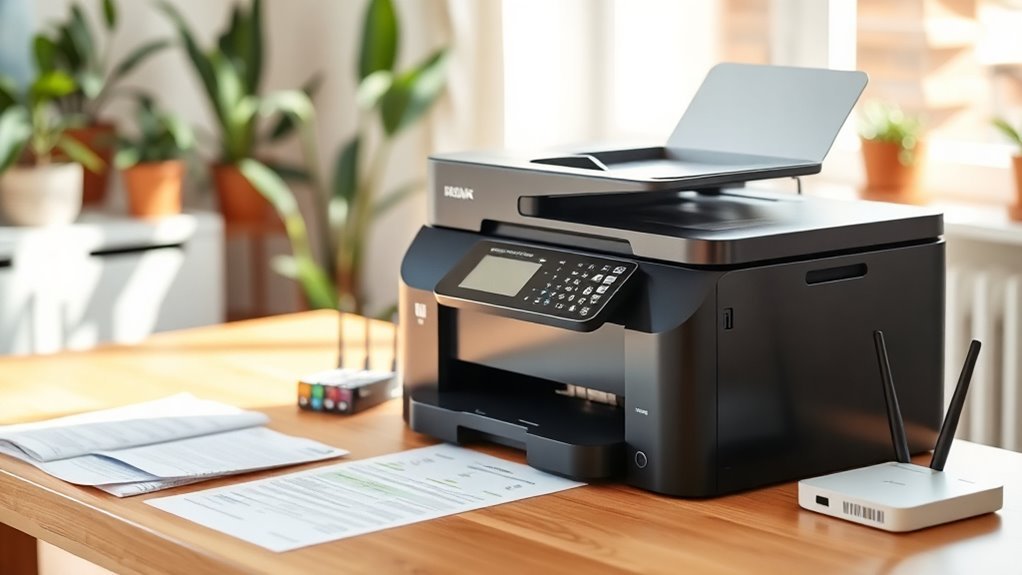
When choosing a cheap copier printer, you’ll want to focus on print quality and copying speed to match your daily needs. Don’t forget to check connectivity options and how much ink or toner will cost over time.
Also, consider the paper handling capacity to avoid constant refills during busy jobs. It’s all about finding the right balance that fits your workflow without breaking the bank.
Print Quality Importance
Although price is a key factor in choosing a cheap copier printer, you shouldn’t overlook print quality since it directly affects your documents and images.
Focus first on print resolution—aim for at least 600 x 600 dpi for crisp text and 1200 x 1200 dpi or higher if you want detailed photos or graphics.
Color accuracy matters too; printers supporting multiple color cartridges or enhanced color profiles will deliver richer, truer hues.
Pay attention to halftoning and driver processing, as better algorithms reduce banding and create smoother gradients.
Also, consider whether a laser or inkjet suits your needs: lasers excel at sharp monochrome text, while inkjets handle fine color detail well.
Finally, check the printer’s media handling to make certain it supports the paper types and weights you plan to use for best results.
Copying Speed Needs
Assess your copying speed needs carefully to avoid frustrating delays and guarantee smooth workflow. Estimate your typical monthly copy volume and pick a copier-printer with a rated speed (ppm) that meets or slightly exceeds your peak demand to prevent bottlenecks.
For light home use or occasional copying, devices with speeds in the single to mid-teens ppm range usually suffice. Small offices handling heavier workloads benefit from speeds of 25–35+ ppm.
Don’t overlook first-copy-out time—choosing models with under 10 seconds can save you time on short jobs. If you often copy multi-page documents, prioritize a high continuous speed alongside an automatic document feeder (ADF) with enough capacity.
Finally, balance speed with duty cycle and toner yield to avoid overworking the machine and make certain reliability. It’s all about finding the right fit so your copier keeps up without breaking a sweat.
Connectivity Options Variety
Choosing a cheap copier printer that offers a variety of connectivity options guarantees you can easily integrate the device into your existing setup. Make sure it supports both 2.4 GHz and 5 GHz Wi‑Fi bands for a stable connection, especially in busy networks.
Look for multiple connection methods like USB, Ethernet, and Wi‑Fi Direct to print from wired PCs, network devices, and mobile phones without needing a router. It’s super handy to have options so you’re not limited by how you connect.
Verify compatibility with mobile printing standards such as AirPrint and Mopria, or vendor apps to print and scan directly from smartphones and tablets. If you handle multi-page documents, choose a model with an automatic document feeder and network scanning features.
Also, prioritize cloud printing support and secure network protocols like WPA2/WPA3 to keep your data safe during printing. That way, you get convenience and peace of mind all in one.
Ink And Toner Costs
While connectivity options help you get your printer up and running smoothly, understanding ink and toner costs will keep your expenses in check over time. Ink and toner often cost more than the printer itself over its lifetime, so it’s essential to compare the cost per page.
Calculate this by dividing the cartridge price by its rated page yield to get a clear, apples-to-apples comparison. It’s a simple way to see what you’re really paying for each page.
Opt for high-yield or XL cartridges and continuous ink systems—they usually cut your cost per page by 25–70%, even if upfront prices are higher. It might seem like a bigger spend initially, but it pays off in the long run.
Paper Handling Capacity
When selecting a cheap copier printer, you’ll want to pay close attention to its paper handling capacity to match your workflow needs. Check the input tray capacity—ranging from 50 to 250 sheets—to reduce how often you reload paper during busy tasks.
If you frequently scan or copy multi-page documents, look for an automatic document feeder (ADF) and its sheet capacity. Confirm if the device supports duplex printing to save paper and improve efficiency.
Also, verify the maximum media sizes and types it handles, such as letter, legal, envelopes, or card stock. And find out whether you must manually switch trays for specialty media.
Don’t forget to take into account output tray capacity and overflow handling to prevent jams or spills during large print jobs. It can really make a difference when you’re dealing with big workloads.
Device Size And Weight
In 2027, paying attention to the size and weight of your copier printer can make a big difference in your workspace setup. Check the unit’s footprint and height to guarantee it fits your desk or shelf—compact models usually stay under 16 inches wide and 7–13 inches tall, ideal for home use.
If you’ll move the printer often, consider lightweight options around 10–16 pounds. Heavier office models may exceed 25 pounds, making relocation harder. Also, verify enough clearance to open trays and access outputs without extra space.
Don’t forget room for ventilation and cable routing to ease maintenance. If relocating frequently, choose a model with rounded corners or handles to lift safely and comfortably. Balancing size and weight helps keep your workspace efficient and flexible.
Frequently Asked Questions
How Often Should I Replace Ink Cartridges in a Copier Printer?
You should replace ink cartridges when print quality drops or the printer alerts you. Typically, this happens every few hundred to a thousand pages, depending on your usage.
Don’t wait too long to avoid damage. It’s better to keep an eye on how your prints look and change the cartridges as soon as you notice any fading or streaks.
Can Cheap Copier Printers Handle High-Volume Printing?
Cheap copier printers can sometimes struggle with heavy workloads, but if you choose wisely, they’ll manage moderate high-volume printing without breaking a sweat.
Just don’t expect them to run marathons like premium models do.
Are Refurbished Copier Printers Reliable for Everyday Use?
Yes, refurbished copier printers can be reliable for everyday use if you buy from reputable sellers. Check warranty options and make sure they guarantee thorough testing.
They’ll save you money while handling regular tasks effectively. Just keep up with proper maintenance, and you should be good to go.
Do Cheap Copier Printers Support Mobile Printing Apps?
Like a smartphone syncing with your devices, many cheap copier printers support mobile printing apps. You’ll find models compatible with popular apps, letting you print directly from your phone or tablet quickly and conveniently.
It’s super handy when you’re on the go and need to get a document printed without fuss. So, don’t worry—affordable printers often have this feature built right in!
What Warranty Options Are Available for Budget Copier Printers?
You’ll usually find one-year limited warranties on budget copier printers, but some brands offer extended plans or accidental damage coverage.
It’s smart to check each model’s warranty details before buying to avoid surprises later.
That way, you know exactly what’s covered and can decide if you want extra protection.
Conclusion
Choosing the right cheap copier printer doesn’t have to be overwhelming. With options like the Canon PIXMA TS4320 for vibrant colors or the Brother DCP-L2640DW for sharp monochrome prints, you’ve got choices that fit your needs and budget.
Why settle for less when you can have quality and affordability in one device? Think about what features matter most to you, and you’ll find the perfect printer that keeps your tasks running smoothly without breaking the bank.
When searching for the best cheap copier printer, focus on reliability, print quality, and cost-efficiency. Whether you need color or black-and-white printing, there’s a budget-friendly option designed just for you. So, don’t stress—finding an affordable copier printer that meets your needs is easier than you think!