5 Best Cheap 3D Printers for 2027
You’ll love these top 5 cheap 3D printers for 2027 that balance quality, ease, and budget. Whether you’re a beginner or just looking for an affordable option, these printers deliver great value without compromising on features. They’re perfect for hobbyists, students, or anyone curious about 3D printing.
The Portable Compact FDM is ideal if you want a beginner-friendly, space-saving option. Entina Tina2 Plus offers fast WiFi and instant printing right out of the box.
Creality Ender 3 V3 SE brings auto-leveling and versatility for various filaments. Geeetech’s High-Speed Mini suits kids and quick prints.
Malyan M320 arrives fully assembled with a durable metal frame. Keep exploring to find the perfect match for your needs.
| Image | Name | Editor's Rating | Price |
|---|---|---|---|

|
|
||

|
|
||

|
|
||

|
|
Portable Compact FDM 3D Printer for Beginners
- Foolproof Setup with Video Guides – Never get stuck! We provide a crystal-clear Quick Start Guide and step-by-step video tutorials. Watch them online to get started.
- Simple Assembly with Video Guide – Requires quick modular setup (watch our step-by-step video). Comes with 10m PLA filament, TF card, tools, and 12V Type-C power...
- Versatile Filament Compatibility – Unleash your creativity with both PLA and flexible TPU (1.75mm). The reliable 0.4mm nozzle and precise 0.05-0.3mm layer thickness...
- Reliable Performance & Compact Design – Features stable FDM technology and a removable build plate for easy model removal. The perfect 100x100x100mm build volume is...
- Complete Package – No Hidden Costs – Includes printer, 10m PLA filament, 8GB TF card + reader, tools, illustrated manual, and 12V Type-C power adapter. Plus free...
Discover the ease of 3D printing with the Portable Compact FDM 3D Printer, designed specifically to meet the needs of beginners. Its small footprint fits neatly on your desk, making it a practical choice for limited spaces. The removable build plate simplifies print removal, reducing frustration when handling delicate models.
This printer delivers precise details thanks to its 0.4 mm nozzle and adjustable layer thickness from 0.05 to 0.3 mm. It supports common filaments like PLA and TPU, allowing for versatile project options while maintaining straightforward operation. The 100 x 100 x 100 mm build volume is perfect for small models, educational projects, and hobby crafts.
Maintenance is hassle-free with accessible parts and clear video tutorials. The included Quick Start Guide helps users set up quickly and understand basic troubleshooting, making it easier to maintain smooth printing performance over time.
While the compact size limits print dimensions and filament choices to PLA and TPU, this printer offers a strong foundation for anyone new to 3D printing. Its simplicity and thoughtful design help users focus on creativity without getting overwhelmed.
Best for: Beginners, students, and hobbyists seeking a compact, easy-to-use FDM 3D printer ideal for small-scale projects and learning.
What We Like:
- Simple setup with clear video tutorials and Quick Start Guide
- Compact design with removable build plate for easy print handling
- Supports PLA and TPU filaments with precise nozzle and layer control
- Clear guidance reduces maintenance challenges for beginners
Specification:
| Feature | Details |
|---|---|
| Manufacturer | Not specified |
| Build Volume | 100 x 100 x 100 mm |
| Nozzle Size | 0.4 mm |
| Layer Thickness | 0.05 – 0.3 mm |
| Supported Filaments | PLA, TPU |
| Dimensions | Compact (desk-friendly) |
| Build Plate | Removable |
Entina Tina2 Plus Fast WiFi 3D Printer
- 【Start Printing in Minutes – Beginner Friendly】No setup required. Tina2 Plus 3d printer comes fully assembled and ready to use out of the box. With included TF card...
- 【Fast 250mm/s Printing Performance】This Tina2 Plus high speed 3D printer print speeds up to 250 mm/s help reduce waiting time and support fast project turnaround...
- 【WiFi App Control & STEM Model Library】Powered by the Poloprint Cloud app, this WiFi-enabled 3D printer gives access to 3,500+ printable models and 25+ creative DIY...
- 【40-Second Fast Heat Ceramic Hotend】High-efficiency ceramic hotend heats up in just 40 seconds for faster start-up and less downtime. The quick-swap nozzle design...
- 【Compact 3D Printer for Home & Classroom】Designed with a space-saving footprint while maintaining practical print capacity, this compact 3D printer fits easily on...
The Entina Tina2 Plus Fast WiFi 3D Printer offers a seamless introduction to 3D printing with instant usability. Arriving fully assembled and equipped with a TF card preloaded with models, it removes the common setup frustrations, allowing users to print right away. Its fast 250 mm/s printing speed and quick 40-second heat-up ceramic hotend ensure efficient production without long waiting times.
Designed for reliability, this printer features a stable dual Z-axis and a PEI spring steel build plate with auto-leveling to maintain consistent print quality. The easy nozzle swap system simplifies maintenance, reducing downtime and making upkeep straightforward even for beginners. Its compact, partially enclosed design fits well in homes or classrooms, providing a safe and tidy workspace.
With built-in WiFi and the Poloprint Cloud app, users can control prints remotely and access over 3,500 ready-to-print models. This connectivity streamlines project management and supports a broad range of creative and educational applications. While ideal for supervised use, the printer’s size limits very large projects, but it excels in everyday STEM tasks.
Best for: Beginners, educators, and children seeking a fast, reliable 3D printing solution for home or classroom STEM projects.
What We Like:
- Fully assembled with preloaded models, enabling quick start
- Fast printing speeds and rapid heat-up ceramic hotend
- Stable dual Z-axis and auto-leveling build plate for quality prints
- WiFi connectivity with remote control and extensive model library
Specification:
| Feature | Details |
|---|---|
| Manufacturer | Entina |
| Dimensions | Compact (exact size not provided) |
| Weight | Not specified |
| Material | PEI spring steel build plate |
| Color Options | Not specified |
Creality Ender 3 V3 SE Beginner-Friendly 3D Printer with Auto Leveling
- 250mm/s High-Speed Printing: Print at speeds of up to 250mm/s with 2500mm/s² acceleration, helping you complete prototypes, functional parts, and everyday projects...
- Easy Setup with Auto Leveling: Designed for a fast and straightforward setup, the Ender 3 V3 SE can be assembled in just a few simple steps. CR Touch Auto Leveling and...
- Proven Sprite Direct Drive Extruder: The upgraded Sprite Direct Drive Extruder provides smooth and consistent filament feeding for PLA, PETG, and TPU. Its proven design...
- Stable Motion System for Consistent Results: Dual synchronized Z-axis lead screws and precision Y-axis linear shafts work together to help reduce vibration and Z...
- Quiet Operation with Easy Print Removal: A 32-bit silent mainboard helps reduce operating noise for a more comfortable printing experience, while the flexible PC spring...
The Creality Ender 3 V3 SE offers a straightforward 3D printing experience designed to reduce the common hassles beginners face. Its CR Touch auto leveling system automatically calibrates the Z-offset, cutting down on manual setup and helping users achieve a perfect first layer every time. This makes the printer especially friendly for those new to 3D printing.
Equipped with an upgraded Sprite Direct Drive Extruder, it provides smooth and consistent feeding for popular filaments like PLA, PETG, and TPU. This versatility means you can experiment with different materials without worrying about jams or uneven extrusion.
The printer’s mechanical design includes dual synchronized Z-axis rods and precision Y-axis shafts, which work together to reduce vibration and wobble. This ensures more stable prints even at higher speeds, up to 250 mm/s. Its 32-bit silent board keeps noise levels low, making it suitable for home or office use.
Maintenance is simple thanks to the flexible steel build plate that allows easy removal of finished prints. The assembly process is user-friendly, though beginners might appreciate some guidance during setup.
Best for: Beginners and hobbyists seeking a reliable, easy-to-use 3D printer with automatic leveling and quiet operation for everyday projects.
What We Like:
- CR Touch auto leveling with automatic Z-offset calibration simplifies setup
- Sprite Direct Drive Extruder supports multiple filament types smoothly
- Dual synchronized Z-axis and precision Y-axis shafts improve print stability
- Quiet operation with 32-bit silent board
- Flexible steel build plate for effortless print removal
Specification:
| Feature | Details |
|---|---|
| Manufacturer | Creality |
| Dimensions | Not specified |
| Weight | Not specified |
| Material | Metal frame with steel build plate |
| Color Options | Not specified |
Geeetech 3D Printer for Kids & Beginners, High-Speed Mini 3D Printer
No products found.
The Geeetech 3D Printer is designed to make 3D printing simple and accessible for kids and beginners. Its high-speed printing capability, reaching up to 250 mm/s, ensures quick project completion without sacrificing precision. The 16-point auto-leveling system keeps prints stable and accurate, reducing the need for manual adjustments.
This mini 3D printer handles flexible materials like TPU and PLA smoothly, thanks to its direct drive dual-metal gear extruder. The heated build plate and detachable magnetic surface make removing prints easy, minimizing the risk of damage during post-processing. Its compact, pre-assembled design means you can start printing right away with minimal setup.
Maintenance is straightforward with one-button filament loading and a bright 2.4-inch LCD screen that simplifies navigation. While the print volume is modest at 3.94 × 4.33 × 3.94 inches, it is well-suited for small projects. Note that the printer requires an unspecified battery type and may need an additional filament holder for larger spools.
Best for: Young learners and beginners seeking a reliable, easy-to-use mini 3D printer for home or STEM education.
What We Like:
- Fast print speed with precise auto-leveling for stable results
- Supports flexible filaments like TPU and PLA with a strong extruder
- Compact, pre-assembled, and easy to operate with one-button filament loading
- Heated build plate and magnetic surface simplify print removal
Specification:
| Feature | Details |
|---|---|
| Manufacturer | Geeetech |
| Print Speed | Up to 250 mm/s |
| Print Volume | 3.94 × 4.33 × 3.94 inches |
| Extruder Type | Direct drive dual-metal gear |
| Build Plate | Heated with magnetic surface |
| Display | 2.4-inch LCD screen |
| Setup | Pre-assembled, plug-and-play |
Malyan M320 Fully Assembled 3D Printer 150mm
- 1. Ready to Print: Unlike most other low-cost 3D printers, this printer ships fully assembled and has already been calibrated at the factory. We even include sample PLA...
- 2. LCD Touch Screen: Touch screen interface, simply navigate through the easy to use touch screen to level the print bed, select the part you want to print, and let the...
- 3. Heated aluminum build plate nozzle cooling fan for printing all filament types. Complete kit with sample PLA filament, bed scraper, and MicroSD card with preloaded...
- 4. All Metal Hotend for Stability: The all metal hotend is capable of superior performance and prevents wear and tear, while the heat brake design allows for efficient...
- 5. Removable Magnetic Build Plate: The easy to remove magnetic build plate makes the often times messy and difficult removal of prints simple and straightforward. You can...
The Malyan M320 Fully Assembled 3D Printer offers a straightforward solution for those who want to start printing right away. Its fully assembled design eliminates the need for complex setup, saving time and frustration. With factory calibration, you can expect reliable performance from the first print.
This compact printer features a sturdy metal frame supporting a 150 x 150 x 150 mm build volume, ideal for desktop projects. The heated aluminum build plate ensures better adhesion and reduces warping, while the all-metal hotend with cooling stabilizes print quality. These elements work together to deliver consistent results.
Maintenance is simple thanks to the removable magnetic build plate and flexible print sheet, which make removing prints easier and keep the build surface in good condition. The LCD touchscreen provides intuitive control for bed leveling and print management, enhancing user experience.
Designed for hobbyists and beginners, the Malyan M320 supports printing via microSD or USB without needing a PC. Compatibility with popular slicing software like Cura and Repetier adds flexibility. While it lacks wireless options and has a smaller build volume, it remains a practical choice for everyday desktop use.
Best for: users seeking a compact, ready-to-use 3D printer with easy setup and reliable performance for desktop and hobbyist projects.
What We Like:
- Fully assembled and factory calibrated for immediate use
- Heated aluminum build plate and all-metal hotend improve print quality
- Removable magnetic build plate simplifies maintenance
- LCD touchscreen enhances user control and bed leveling
- Compatible with Cura and Repetier for flexible printing options
Specification:
| Feature | Details |
|---|---|
| Manufacturer | Malyan |
| Build Volume | 150 x 150 x 150 mm |
| Frame Material | Metal |
| Build Plate | Heated aluminum |
| Hotend | All-metal with cooling |
| Connectivity | microSD, USB |
| Control Interface | LCD touchscreen |
Factors to Consider When Choosing a Cheap 3 D Printer
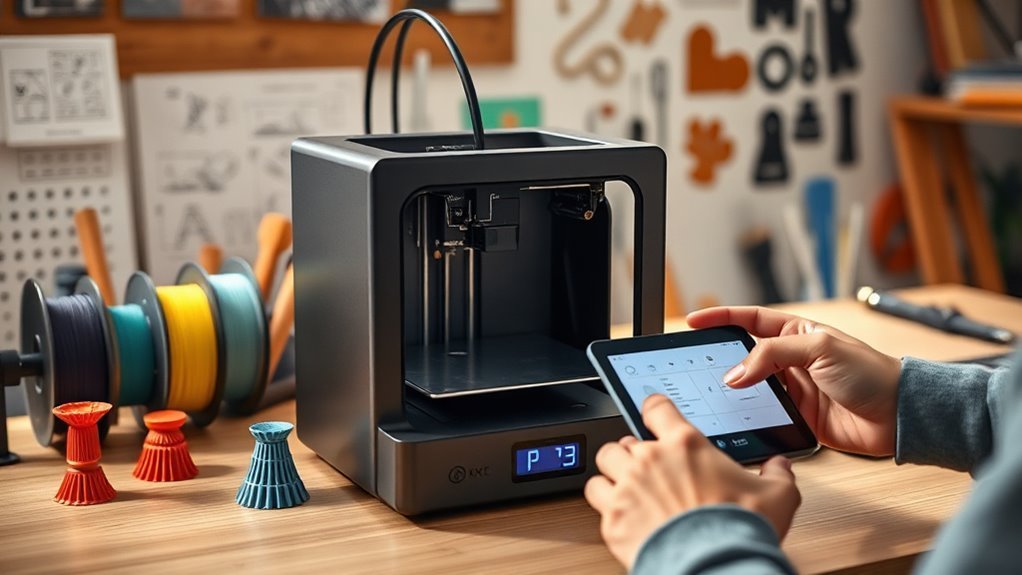
When choosing a cheap 3D printer, you’ll want to focus on print quality and the size of the build volume to match your projects. Make sure the printer supports the materials you plan to use and is easy to set up from the start.
Also, consider the connectivity options and software compatibility to keep your workflow smooth. It’s all about finding something that fits your needs without too much hassle.
Print Quality Essentials
Although cheap 3D printers may seem similar at first glance, paying attention to key print quality factors can save you frustration and wasted material. Look for a nozzle diameter around 0.4 mm with programmable layer heights between 0.05 and 0.3 mm.
This flexibility lets you balance fine detail with faster prints. Make certain the printer has a stable motion system—rigid frame, quality linear rails, and proper acceleration settings—to keep your prints dimensionally accurate and free from ringing.
A heated, removable build surface with good first-layer adhesion options like auto bed leveling and adjustable Z-offset helps prevent warping. Also, consistent filament feeding and a quality hotend with adequate cooling reduce extrusion issues.
Finally, choose a printer compatible with 1.75 mm filament and the materials you plan to use, such as PLA or PETG, for the best surface finish and strength.
Build Volume Needs
Choosing the right build volume is essential for matching your 3D printer to the size of projects you want to create. Start by determining the maximum object size you plan to print and pick a build volume at least 10–20% larger in each axis to avoid splitting models.
Affordable printers typically offer volumes from about 100×100×100 mm for mini units to around 220×220×250 mm for budget desktop models. So, choose one that fits your usual project dimensions.
Keep in mind that bigger build volumes increase print time and material use, so balance convenience with running costs. If you mostly print small parts, a smaller build plate heats up faster and uses less electricity.
Also, consider the printer’s overall footprint and height to make certain it fits your workspace. It’s all about finding the right fit for your needs and space.
Material Compatibility Options
After figuring out the build volume that suits your projects, turn your attention to the types of materials your 3D printer can handle. Check which filament types it supports—PLA is common and prints at 180–220°C, while ABS needs higher temps (230–260°C) and a heated, enclosed bed.
Make sure the printer accepts the filament diameter you plan to use, usually 1.75 mm. A heated bed is essential for materials like PETG and ABS to prevent warping, with temperatures ranging from 60–100°C.
If you want to print flexible filaments like TPU, look for a direct-drive or well-geared extruder, as these handle softness better and reduce jams. Also, confirm the hotend’s max temperature and construction, especially if you plan to print high-temp or composite filaments requiring sustained heat.
Ease Of Setup
When you pick a cheap 3D printer, ease of setup can make a huge difference in how quickly you start creating. Choose printers that arrive fully or semi-assembled with clear Quick Start Guides and video tutorials so you can print within minutes, not hours.
Look for auto-leveling or guided manual bed leveling to reduce calibration time and first-layer failures. Removable or flexible build plates and simple filament loading mechanisms, like one-click loading, make print removal and filament changes hassle-free.
Check if the printer includes useful accessories—preloaded SD cards, card readers, basic toolkits, and sample filament—to avoid extra purchases. Finally, verify the firmware and software are beginner-friendly with plug-and-play slicing profiles and accessible online troubleshooting.
This way, you can easily overcome setup challenges and get printing faster!
Connectivity And Software
How do you guarantee smooth and flexible operation with a cheap 3D printer? First, make sure it supports multiple connection methods like USB, SD/TF card, and Wi-Fi. This lets you print without relying on a dedicated PC and provides backup options if one interface fails.
Next, check compatibility with popular slicing software such as Cura or PrusaSlicer, and confirm it accepts standard G-code outputs. Wireless features like app control and remote monitoring add convenience, letting you manage prints from anywhere.
Also, verify that the firmware is updateable, so you can apply fixes and new features over time. Finally, review supported file formats, maximum file sizes, and whether network transfers use encryption to avoid interruptions and keep your workflow secure.
Safety Features
Though cheap 3D printers can offer great value, you shouldn’t overlook safety features that protect you and your workspace. Look for enclosed or partially enclosed frames and insulated hotends to prevent burns from 200–300°C components.
Make sure the printer includes thermal runaway protection, which cuts power or pauses printing if temperatures deviate unexpectedly. Auto-shutdown or sleep modes, paired with certified power adapters featuring over-current and short-circuit protection, reduce electrical fire risks.
Filament runout detection and resume-on-power-loss help avoid jams and repeated unattended high-temperature operation. Finally, verify non-flammable build surfaces or fire-retardant enclosures and keep a smoke detector nearby during long or hot prints.
Prioritizing these features keeps your printing safe without breaking the bank.
Frequently Asked Questions
What Types of Filaments Are Compatible With Cheap 3D Printers?
You’ll find cheap 3D printers usually work with PLA and ABS filaments since they’re affordable and easy to print.
Some also handle PETG or TPU, but flexible or specialty filaments might require pricier models or upgrades.
So, if you’re just starting out or on a budget, sticking with PLA or ABS is a safe bet.
Want to try something fancier? You might need to invest a bit more.
How Much Maintenance Do Budget 3D Printers Typically Require?
Maintenance on budget 3D printers is like watering a small plant—you’ll need to clean nozzles, lubricate rods, and tighten belts regularly.
You won’t spend hours, but staying consistent keeps your prints smooth and trouble-free.
Think of it as a quick check-up that prevents bigger headaches down the line. Just a little effort now saves you time later!
Can Cheap 3D Printers Handle Detailed or Complex Designs?
Cheap 3D printers can handle detailed or complex designs, but you’ll often need to tweak settings and be patient with print quality.
Upgrading parts or using fine filament helps you achieve better precision and detail.
It might take some trial and error, but with a bit of effort, you can get impressive results.
Just don’t expect perfection right out of the box!
Are There Any Safety Concerns With Low-Cost 3D Printers?
Yes, you should watch for overheating, poor wiring, and toxic fumes with low-cost 3D printers. Always use them in well-ventilated areas and never leave them unattended.
This way, you can keep your workspace safe and hazard-free. It’s better to be cautious than sorry!
What Software Is Recommended for Beginners Using These Printers?
Think of Cura as your trusty compass; it’s user-friendly and widely compatible. You’ll also love PrusaSlicer for intuitive controls.
Both help you navigate 3D printing’s learning curve smoothly, turning complex designs into reality with ease.
Conclusion
When choosing a cheap 3D printer, remember that “you get what you pay for.” But that doesn’t mean you have to break the bank to start creating.
Each option here offers great value, whether you want portability, speed, or ease of use. Consider what matters most to you—like auto-leveling or compact size—and pick the one that fits your needs best.
With the right choice, you’ll be printing amazing projects in no time! Affordable 3D printers in 2027 have come a long way, combining quality and features without a huge price tag. So whether you’re a beginner or just looking for a budget-friendly model, these cheap 3D printers make it easy to bring your ideas to life. Don’t overlook factors like print speed, build volume, and user-friendly setup when making your decision. Happy printing!